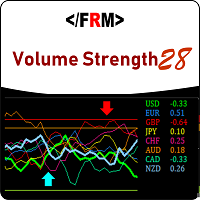
Volume Strength 28
79 USD
Demo heruntergeladen:
486
Veröffentlicht:
2 August 2018
Aktuelle Version:
2.3
Keinen passenden Roboter gefunden?
Geben Sie Ihren Eigenen in Auftrag
auf Freelance!
Gehen Sie zu Freelance
Geben Sie Ihren Eigenen in Auftrag
auf Freelance!
Wie man einen Roboter oder Indikator kaufen kann
Starte Deinen EA im
Virtual Hosting
Virtual Hosting
Teste einen Indikator/Roboter vor dem Kauf
Möchtest Du Geld im Market verdienen?
Wie man Produkte richtig präsentiert

Sie verpassen Handelsmöglichkeiten:
- Freie Handelsapplikationen
- Über 8.000 Signale zum Kopieren
- Wirtschaftsnachrichten für die Lage an den Finanzmärkte
Registrierung
Einloggen
Sie stimmen der Website-Richtlinie und den Nutzungsbedingungen zu.
Wenn Sie kein Benutzerkonto haben, registrieren Sie sich
What is updated on ver 1.10??
IS there problem with trend arrow? I thought it was good idea to display up or down on the chart. Would you tell me why it was removed?
IS there problem with trend arrow? I thought it was good idea to display up or down on the chart. Would you tell me why it was removed?
We have re-enabled it in the new version. We had removed due to disinterest of some customers . Also fixed a bug with the notification system. Yellow Zone Alert and Trend Exit Alert gives recurring notification sometimes, we have fixed this.
Thanks
IS it possible to highlight only the active currency pair? It looks like it is not working even when you change to display the other currency pair. Still highlights non active currencies.
Please throw more light on this issue, if possible send screen shots.
Thanks
It should be in the market folder under indicators. I have highlighted where you will find it in red . Thanks for your patronage.
Regards,
It should be in the market folder under indicators. I have highlighted where you will find it in red . Thanks for your patronage.
Regards,
Yes it is not in there but when I checked in the Open Data Folder in Market it is in there ? So its not showing up in the Market list in the Navigator but is in the data Folder ?
ok go to the navigator panel and right click, and on the pop up menu,click refresh
ok go to the navigator panel and right click, and on the pop up menu,click refresh
Ok did that and it did not help ?
Ok did that and it did not help ?
If you comfortable with it, i can help you with this via team viewer, but between the service desk are best equipped to help with such issues since its an installation problem, they understand their platform better than we do.
If you comfortable with it, i can help you with this via team viewer, but between the service desk are best equipped to help with such issues since its an installation problem, they understand their platform better than we do.
Well if you dont mind can you try it first if it's not to much trouble ? Not tonight just got back home, maybe tomorrow ?
Well if you dont mind can you try it first if it's not to much trouble ? Not tonight just got back home, maybe tomorrow ?
hi Nesimeye i purchased this indicator but it has refused to download on my mt4 ,what can i do sir
thank you.