Hermit Lamp Account Guard

A guard that acts, not just warns. Built for prop firm style daily rules and for anyone who wants a hard stop for the day.

RULES (each one can be turned off)
- Daily loss limit: % of the day base and / or a fixed amount
- Daily profit lock: stop for the day after a gain
- Max drawdown: static (below the starting balance) or trailing (below the highest equity)
- Day base: higher of balance / equity at the day start (as many prop firms do), balance, or equity

WHEN A RULE IS HIT
- Closes every open trade and deletes pending orders, for the whole account
- Any new trade opened while locked is closed again
- The daily lock ends at the next day start. The drawdown lock stays until you change its setting
- Optional push notification to your phone
- The lock and the day base are kept per account and survive a terminal restart

DAY START
Server midnight, a custom server hour, or the reset time of Hermit Lamp Broker Clock (free) when it runs on any chart.

LIMITS - PLEASE READ
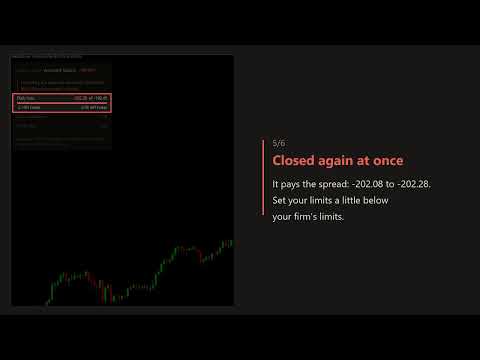
- An EA cannot switch off AutoTrading on the Market (no DLL). While locked, a new trade can open and is then closed at once, paying the spread.
- Closing takes time and can slip. Set your limits a little below your firm's limits.
- It works only while MetaTrader 5 is running. Use a VPS for 24-hour cover.
- Symbols outside their trading hours wait quietly and are closed when the market opens.
- Attached in the middle of a day, the day base is estimated from the account history; the panel says "estimated".

In the Strategy Tester the EA opens sample trades so you can watch a lock, the repeated closing and the release at the new day.

QUESTIONS AND BUGS
Write in the Comments tab or send me a message on MQL5. I read every comment and fix reported bugs.
If the tool is useful to you, a short review helps other traders find it.
Yazarın diğer ürünleri
Broker time, UTC and market sessions - correct after daylight saving (DST) changes and inside the Strategy Tester. No setup needed. WHY - Many session tools are one hour off after a DST change. - In the Strategy Tester, real UTC is normally unknown. - Gold, indices and others pause every day. It is easy to forget when. WHAT YOU GET - Broker time zone found automatically (live chart and tester) - Correct UTC on every date, using the official time zone database - Next daily break of the chart sy
FREE
Your EA or manual trades made money. Was it the timing, or luck? This tool replays the same trades at random times and shows where your real result falls among them. HOW IT WORKS - Reads your closed trades from the account history (filter by magic number, symbol and dates), or from a CSV file. - Builds 1,000 random-entry versions: each trade keeps its direction, lot size and holding time, but enters at a random time of the same weekday and New York hour, in the following weeks. - Every version
A small close panel that does one job well: close groups of trades by hand, and tell you the truth about the result. WHAT YOU GET - Buttons: Close all, Close profit, Close loss, Close buys, Close sells, Delete pending - Each button shows how many trades are in its group and their floating result (profit + swap), updated every second - Second click to confirm, so a slip of the mouse does not close your trades (can be turned off) - After each action: "Closed 5 of 6", and the reason for any trade
FREE
One quiet panel with the numbers you check most, so you do not have to open three tabs. WHAT YOU GET - Equity in large type, with balance and floating result under it - Open trades: count, lots and floating result, for the whole account and for the chart symbol - Today and This week: closed net (profit + commission + swap + fee) plus floating, in money and % - Margin level and free margin, with a warning colour below 200% - Filter by magic number (all, manual only, one EA) - Day start: server m
FREE
See where your trades really entered and exited, right on the chart, without clutter. WHAT YOU GET - Entry arrow and a line from entry to exit for every closed trade of the chart symbol - Result at the exit in points, money, or both. Money is net: profit + commission + swap - Green line = net win, red = net loss - Hover a line for details: times, prices, lot, profit, commission, swap, magic number - Smart labels: one per bar and never on top of each other (or every trade, or none) - Correct mat
FREE
Running several EAs on one account? See what each one really did, in one table. WHAT YOU GET - One row per magic number (manual trades as "Manual"): trades, win %, net, profit factor, max drawdown, costs, open trades and floating result - Net = profit + commission + fee + swap. Costs = commission + fee + swap, shown on their own - A trade = a closed position. Partial closes count when the position is fully closed. A trade closed by hand still belongs to the EA that opened it - Click a row to se
Your EA can stop without telling you: AutoTrading gets switched off, the terminal loses the broker, a chart is closed, or the EA simply stops placing orders. This tool watches for that and sends a push notification to your phone (the MetaTrader app), so you do not find out days later. WHAT IT WATCHES - AutoTrading switched off (alert after 2 minutes) - The account cannot trade (investor password, or the broker does not allow EAs) - Connection to the broker lost for 5 minutes or more (the alert
FREE
Filtrele:
Değerlendirme yok
Değerlendirmeye yanıt