Kernvio Auric MT4
- Uzmanlar
-
Philipp Standke
 I build Expert Advisors, indicators and small tools for MT4 and MT5, mostly around gold (XAUUSD) and risk management. Three of my own EAs are in the Market (Kernvio series) and I run a public signal, so I've seen what goes wrong once code hits a real broker: tick value on gold, spread spikes at
- Sürüm: 2.2
- Etkinleştirmeler: 10
Kernvio Auric MT4 trades gold breakouts using buy-stop and sell-stop orders. Entry levels come from recent highs, lows and confirmed swings. Select, Balanced, Extended and Swing Blend offer four combinations of the strategies.
Trading and account risk
Each entry includes a stop loss and take profit. Position management includes break-even protection and strategy-specific exits. Automatic sizing targets 0.25% of the lower of balance and equity per order. The default volume floor is 0.01 lot, raised to the broker's minimum and valid lot step if required. By default, an exact minimum-volume entry is allowed even when it exceeds the individual or account percentage risk target. Larger calculated volumes follow the ordinary stop-based sizing and risk limits.
Estimated account stop risk includes all open and pending orders visible in MT4. The account target defaults to 2%. The minimum-volume exception is enabled by default and can be disabled with Allow minimum above risk cap for a strict account cap. There is no fixed minimum deposit imposed by the EA. Broker margin, contract specifications and configured trading/loss conditions still apply. On a small account, a minimum-volume trade may risk a substantial part of the account. Other EAs, manual orders, price gaps and slippage can add further exposure.
Optional daily loss, total loss, drawdown and profit-target settings can pause entries or remove this EA's exposure. Failed emergency exits are retried. Unknown broker responses block further submissions until the account has been reconciled.
MT4 setup requirements
Use an XAU/GOLD symbol and a broker that permits independent opposing positions. Check minimum volume, contract size, tick value, spread and stop distances. Sufficient capital is needed for the broker's minimum lot at the selected stop distance.
Set the broker's winter UTC offset and DST convention. Explicit timezone settings are the default; optional automatic detection runs on incoming ticks. For daily or end-of-day loss rules, select Account History > All History and enable History confirmed in the inputs. MT4 only exposes the history loaded by the terminal. Challenge rule profiles require the actual initial balance and start date. Set the broker's Friday session end for the optional weekend exit.
Optional offline news filter
The news filter is disabled by default. MT4 has no native MT5 economic calendar. The optional Offline CSV mode uses a validated UTC file of high-impact USD releases. An up-to-date calendar export must be maintained separately. When enabled, the filter blocks entries and cancels waiting orders if coverage is missing, invalid or expired.
The EA includes a historical snapshot covering 1 January 2016 through 19 November 2026 at 10:47 UTC. It is a fallback for the default calendar filename and is not an automatically updated live calendar.
Panel and inputs
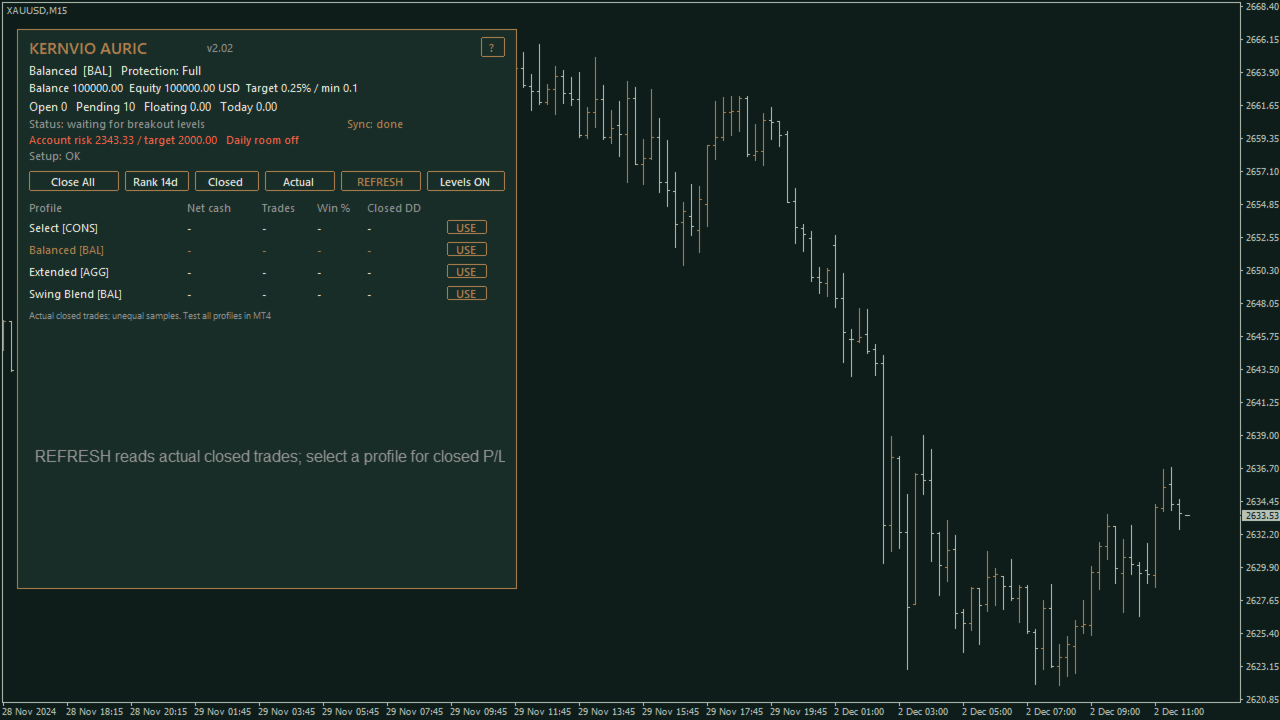
The Auric panel shows status, estimated account risk, daily loss room and actual closed-order results including recorded commission and swap. Partial closes appear as separate MT4 closed orders. The realized P/L view does not include floating drawdown.
- Profile: selects the strategy combination.
- Risk target: sets the target for stop-based sizing.
- Minimum lot floor: defaults to 0.01 lot, subject to broker limits.
- Allow minimum above risk cap: enabled by default; permits the minimum volume above the account percentage target.
- Account risk target: guides exposure sizing for larger volumes.
- Entry protection: selects break-even and entry-level controls.
- USD news filter: selects disabled or offline calendar mode.
- Loss rule profile: selects custom, fixed initial-capital or end-of-day trailing calculations.
The profiles need historical M15, H1 and H4 bars. Allow sufficient history and a warm-up period in the Strategy Tester. Use native MT4 testing and a demo forward test on your broker before live trading. Gaps, slippage and costs can exceed calculated allowances. No return or challenge outcome is promised. Screenshots illustrate the interface in the Strategy Tester and are not a performance record.