TC Order Rules Guard
- Yardımcı programlar
-
Harleen Singh
 Independent strategy checks, backtests with real fees and MT5 EA builds from your written rules. Every delivery includes the full test report. Trading Checkup, Adelaide, Australia.
- Sürüm: 1.0
- Etkinleştirmeler: 5
TC Order Rules Guard is a utility for MetaTrader 5. It reads the rules your broker sets for a symbol and checks every order from its panel
against them before the order is sent. When a rule is broken, the order is not sent and the panel and the Experts log say which rule and
what number the broker needs.
Why it helps
Each broker sets its own rules per symbol: smallest lot, lot step, largest lot, price step, minimum distance for stops, freeze distance,
allowed filling types, trading hours and margin. They differ between brokers and between symbols of one broker. An order that is fine on
one account can be refused on another with messages such as "invalid volume", "invalid stops" or "market closed".
What it checks before sending
- Lots: minimum, step, maximum and the broker's volume limit per side.
- Price step: prices are put on the broker's tick grid, also for symbols whose tick size is not one point (for example 0.25 on an index).
- Stops level: stop loss, TP level and pending order prices must keep the broker's minimum distance (plus a small extra distance you set).
- Freeze level: a stop or TP that sits inside the freeze zone cannot be changed; the guard says so instead of sending the change.
- Filling type and order types the broker allows on this symbol.
- Trade mode: disabled, close only, buy only, sell only.
- Trading session from the symbol specification, including daily breaks. A closed session shows when it opens again (server time).
- Margin, using the terminal's own margin rules, and the most lots that fit.
- The broker's limit on the number of pending orders.
Safe fixes only
The guard only changes an order where the change cannot add risk, and each fix can be switched off:
- lots are rounded DOWN to the lot step;
- prices are put on the tick grid, a stop loss always towards the entry;
- a TP level that is too close is moved out to the minimum distance;
- an unsupported filling type is switched to one the broker allows.
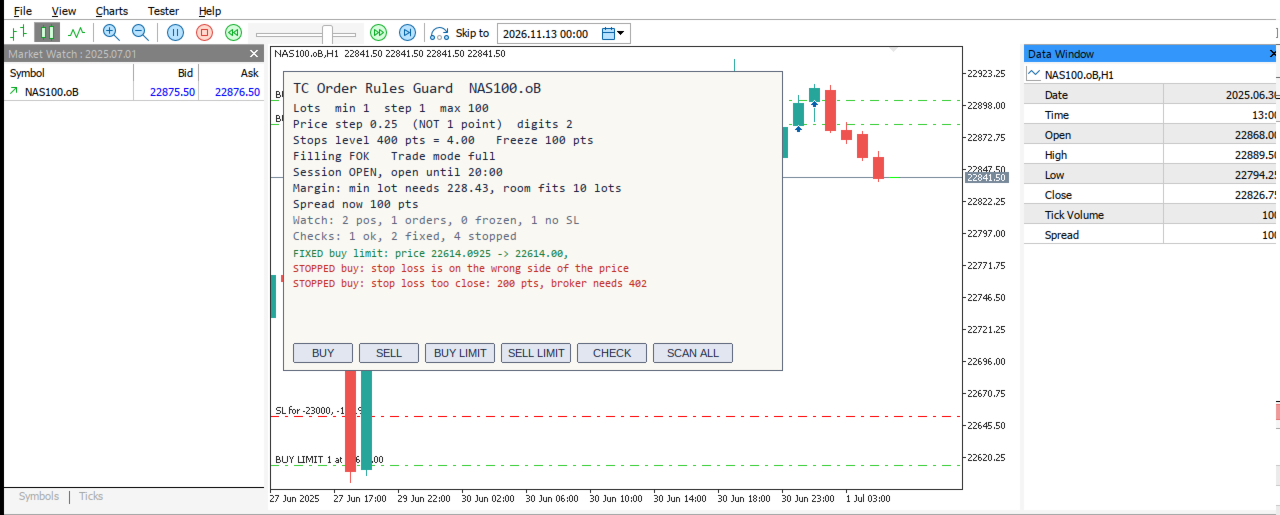
Everything else (lots below the minimum or above the maximum, a stop loss too close or on the wrong side, a closed session, not enough
margin) is stopped with a plain reason. The guard never moves your stop loss further away.
Panel
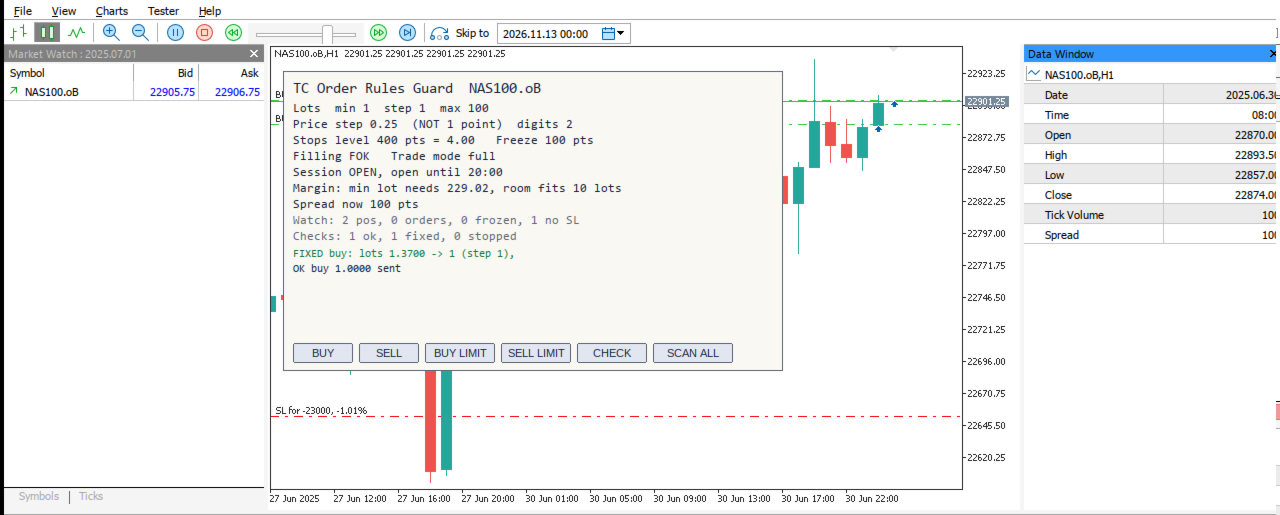
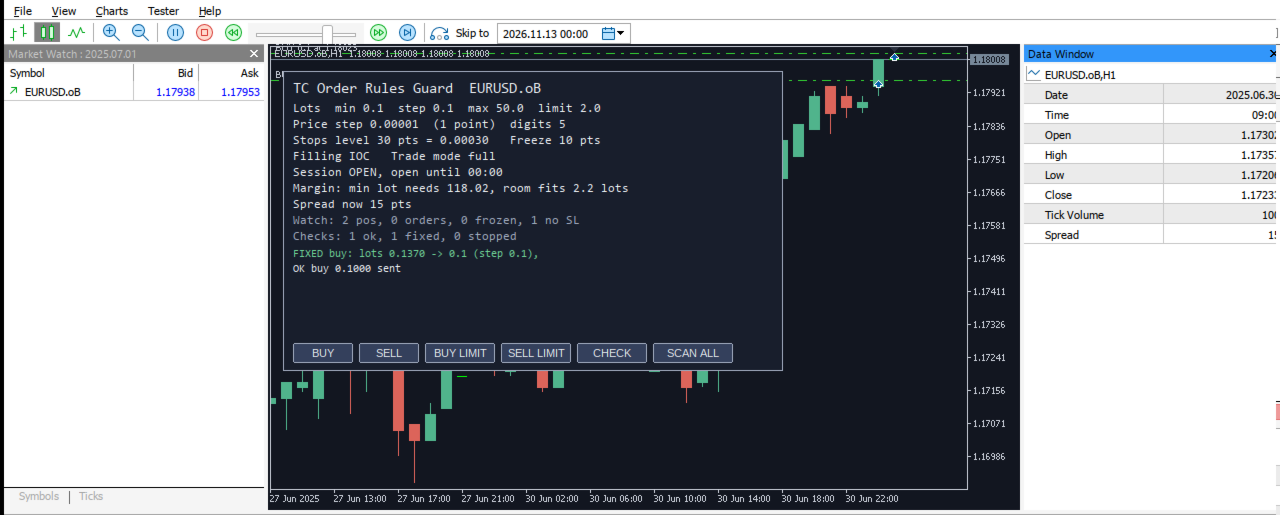
Rules card for the chart symbol: lots, price step, stops and freeze distance in points and in price, filling, trade mode, session now,
margin for the smallest lot and how many lots fit, spread. A watch line counts positions and orders inside the freeze zone and positions
without a stop loss. Buttons: Buy, Sell, Buy Limit, Sell Limit, Check (tests an order without sending it) and Scan All. Colours follow a
light or dark chart.
Scan All
Writes MQL5\Files\OrderRulesGuard_symbols.csv with the rules of every Market Watch symbol and marks the special ones (tick size not one
point, smallest lot above 0.01, stops or freeze distance, limited trade mode).
Log
Every check (sent, fixed or stopped, with the reason) can be written to MQL5\Files\OrderRulesGuard_log.csv.
What it does not do
- MetaTrader 5 does not let one program block the orders of another program. The guard checks the orders sent from its own panel; for
other positions and orders on the symbol it only shows the watch line.
- It does not decide when or what to trade and gives no trading advice.
- Brokers can change their rules at any time; the guard reads them again before every order.
Strategy Tester demo
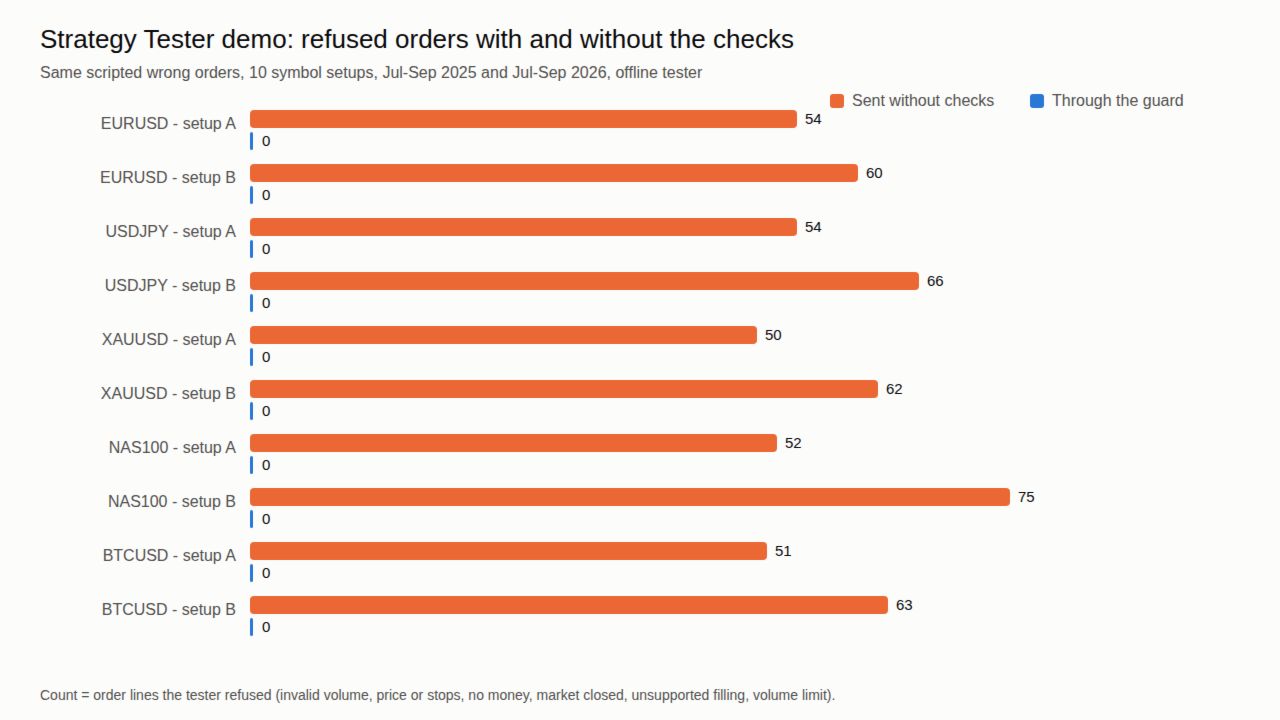
In the Strategy Tester the guard sends a fixed set of wrong orders (wrong lot step, lots below the minimum, stops too close, prices off the
tick grid, unsupported filling, closed session, too little margin) through its checks, so you can see each message. Set "send the same
orders WITHOUT checks" to true to compare with what the tester refuses.
Inputs
- Round lots DOWN to the broker lot step (true)
- Put prices on the broker tick grid (true)
- Move a too-close TP level out to the minimum distance (true)
- Switch to a filling type the broker allows (true)
- Extra distance on top of the stops level, points (2)
- Keep this % of free margin unused (5)
- Lots (0 = broker minimum), stop loss distance, TP distance, pending order distance (points), magic number
- Panel colours (auto / light / dark), panel position
- Write every check to a CSV file (true)
- Strategy Tester demo on/off; send the demo orders without checks (false)
Works offline. No DLL, no internet connection, no personal data.