TApro
- Yardımcı programlar
- Sürüm: 1.0
- Etkinleştirmeler: 5

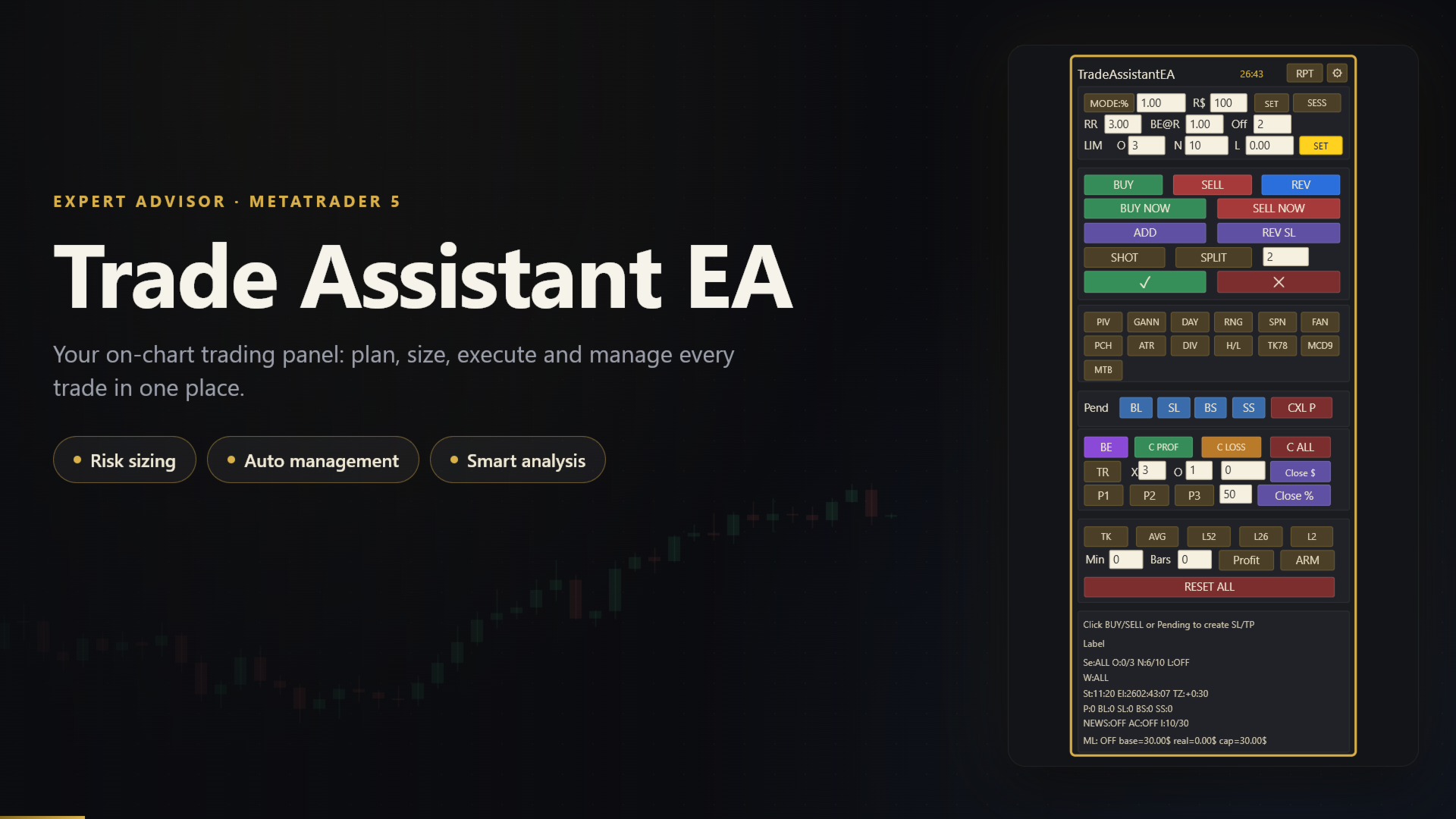
**Trade Assistant is an on-chart trading panel for MetaTrader 5.** It is a trade-execution and
trade-management tool for discretionary traders: you decide where the trade is wrong, the EA does the
maths, sends the order and manages it afterwards. It never starts a trade on its own, except for the optional
automations you switch on yourself (reverse after stop loss, loss averaging), and it does not promise any
result.
**How a trade works**
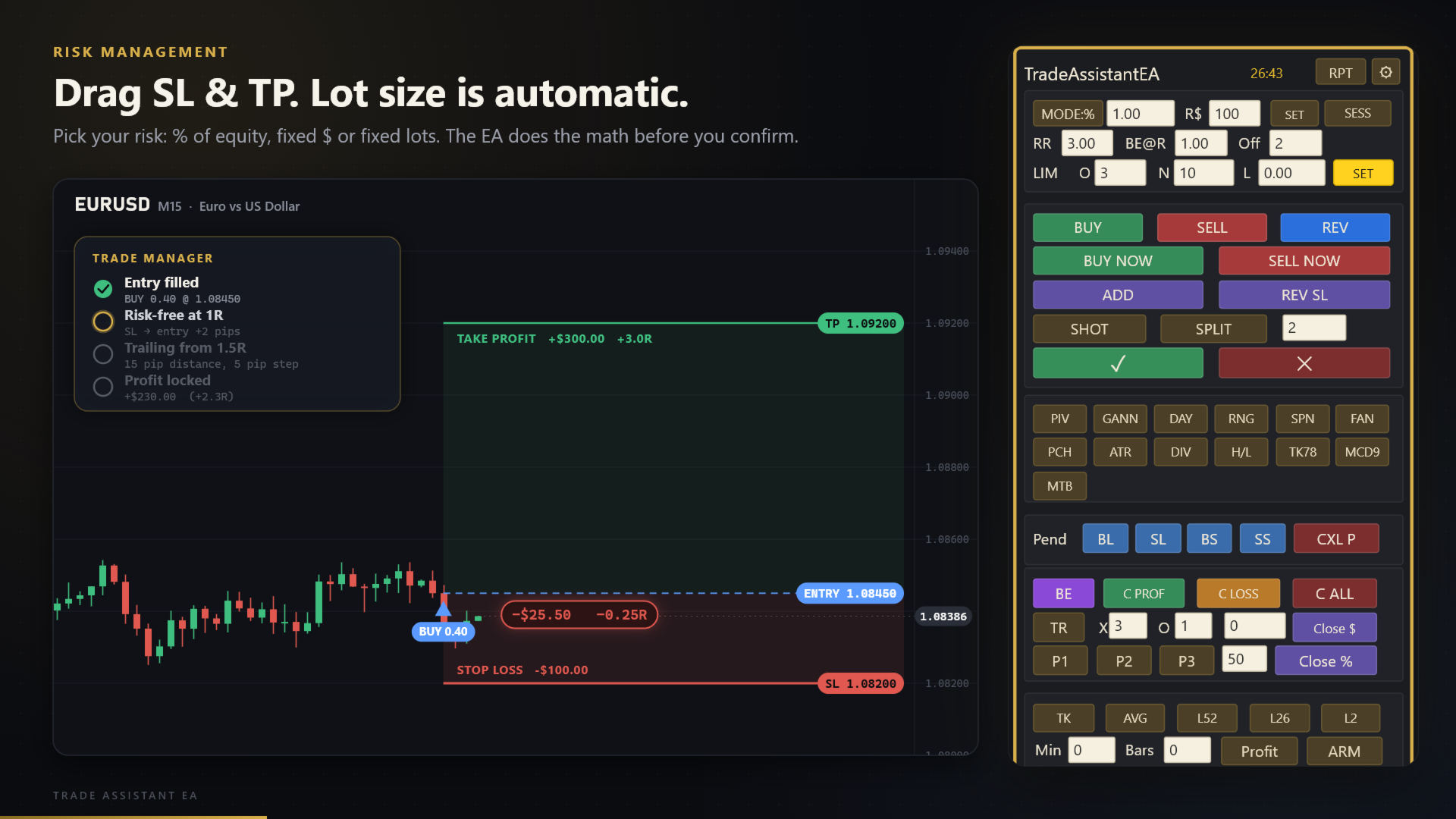
1. Drag the SL line to where your idea is invalid.
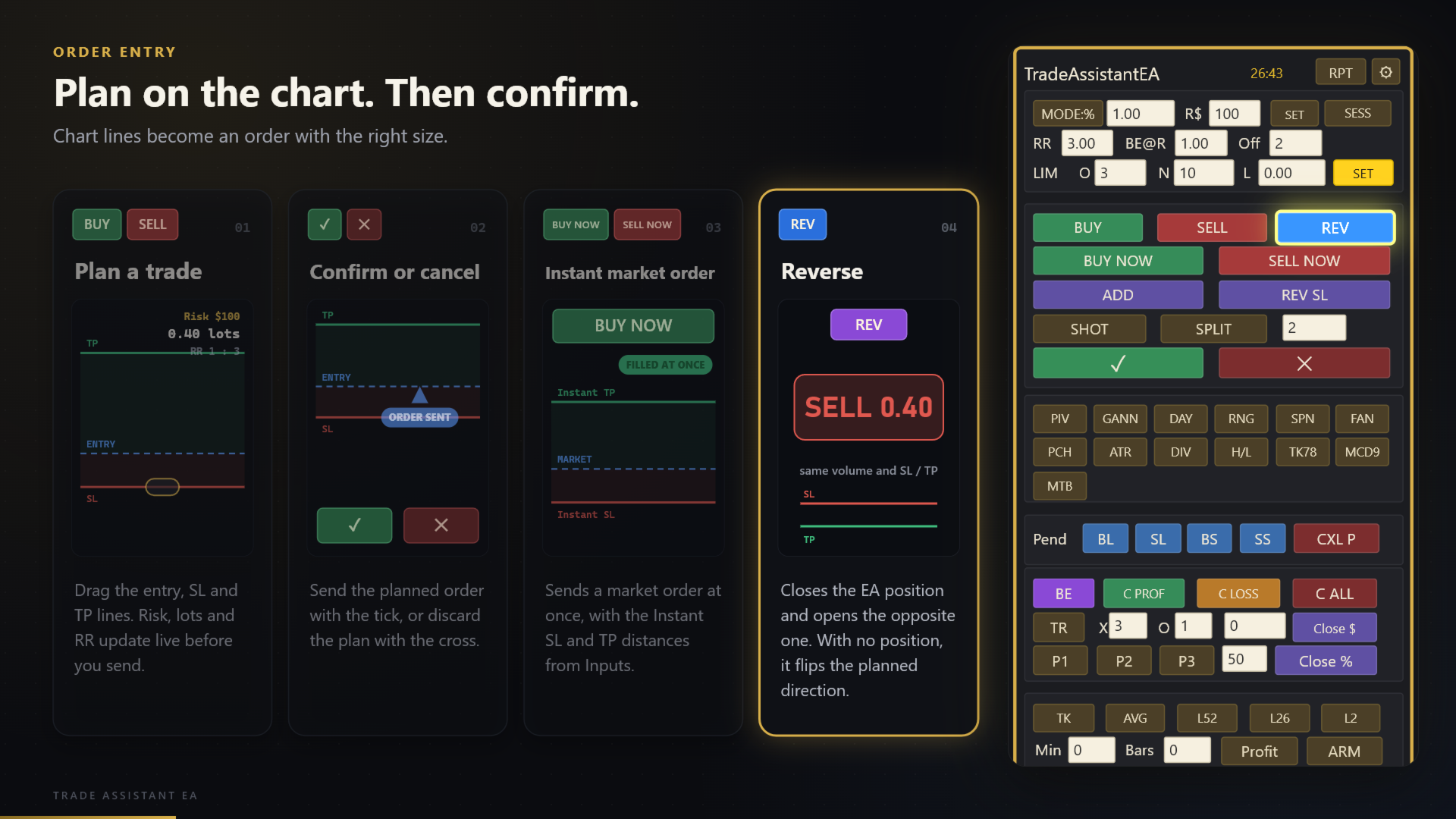
2. Press BUY or SELL (or a pending order button).
3. Read the preview: lot size, risk and Reward:Risk are calculated live.
4. Press the check mark to send the order with calculated lots, SL and TP.
**Risk and entries**
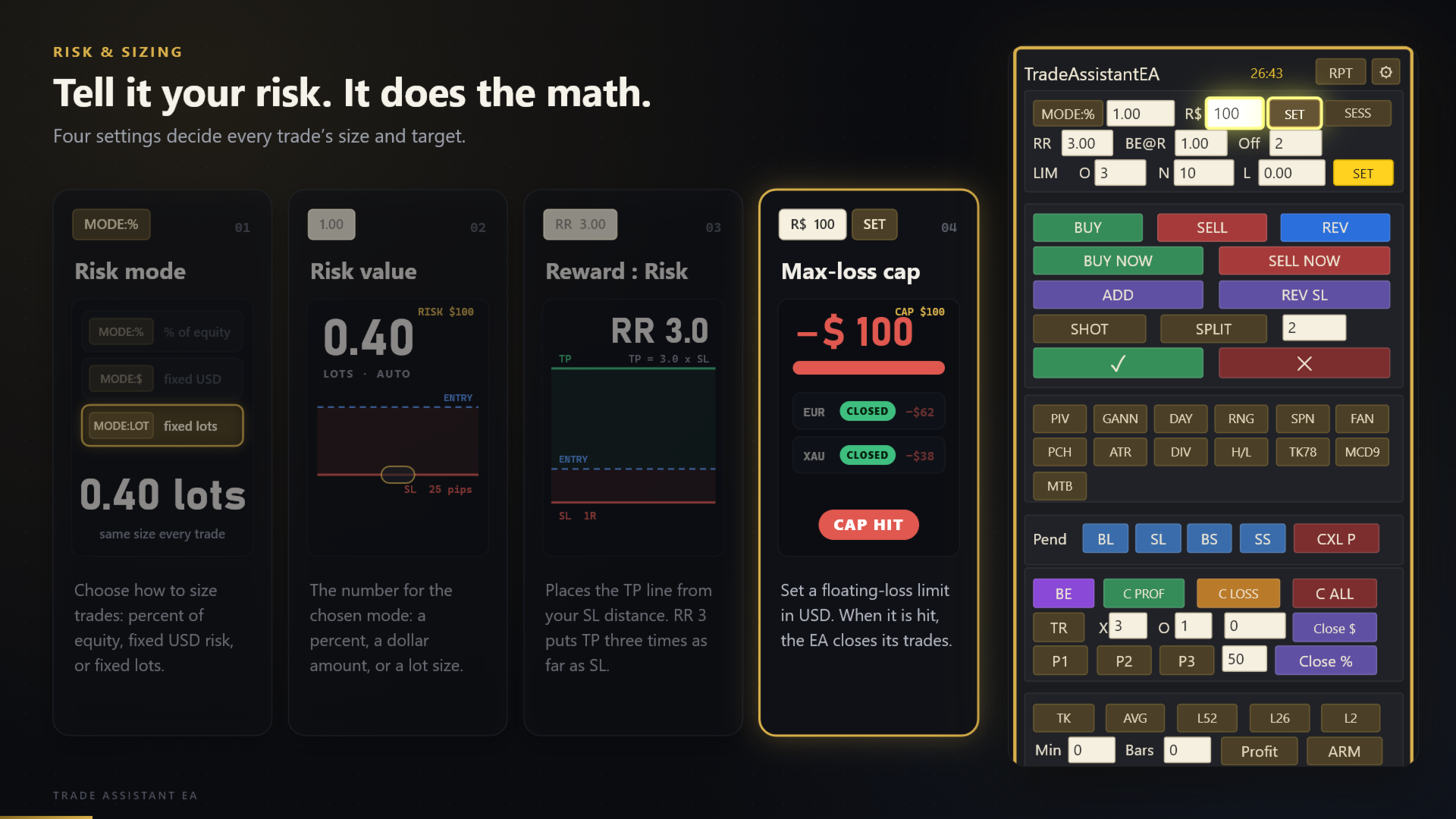
- Position size from % of equity, a fixed USD amount, or fixed lots
- Reward:Risk projection for the TP line
- Instant BUY NOW / SELL NOW with preset SL and TP
- Buy/Sell Limit and Stop orders, ADD, REV, and split entries
- Optional chart screenshot for every new entry
**Trade management**
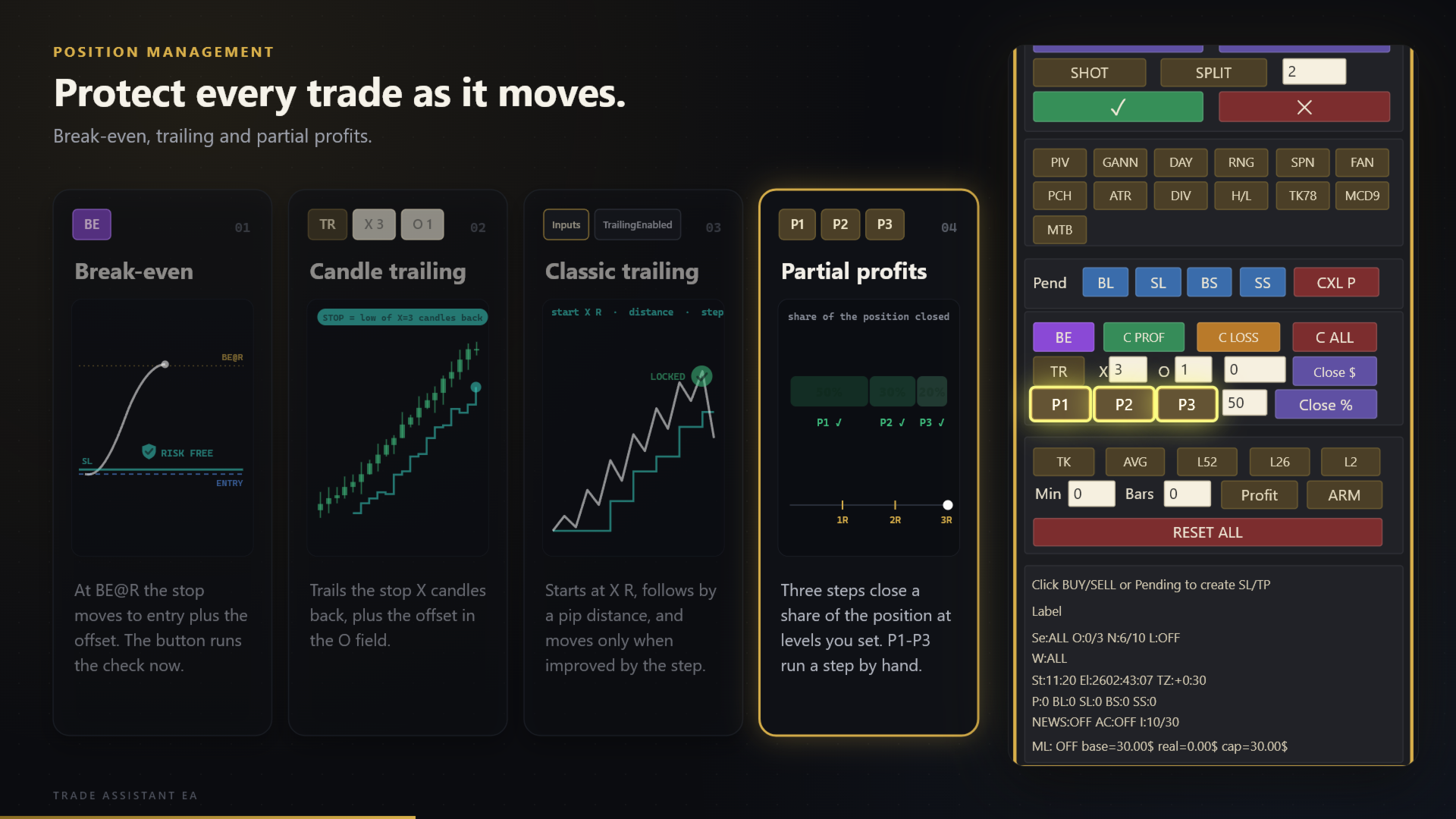
- Break-even at X R with a pip offset
- Classic trailing stop and candle trailing
- Three staged partial closes (R-based or USD-based), manual P1 / P2 / P3
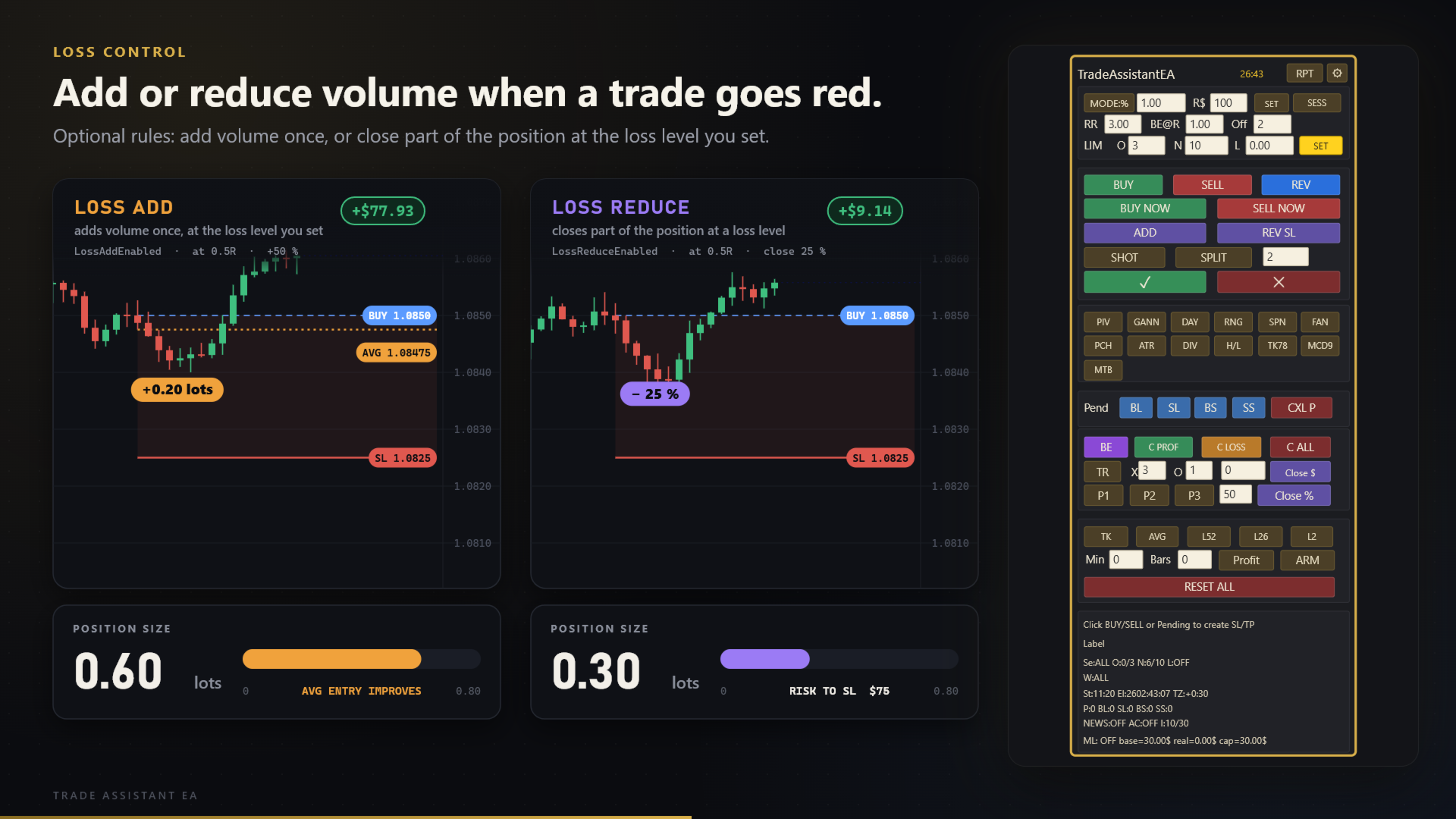
- Optional loss reduction and averaging (off by default)
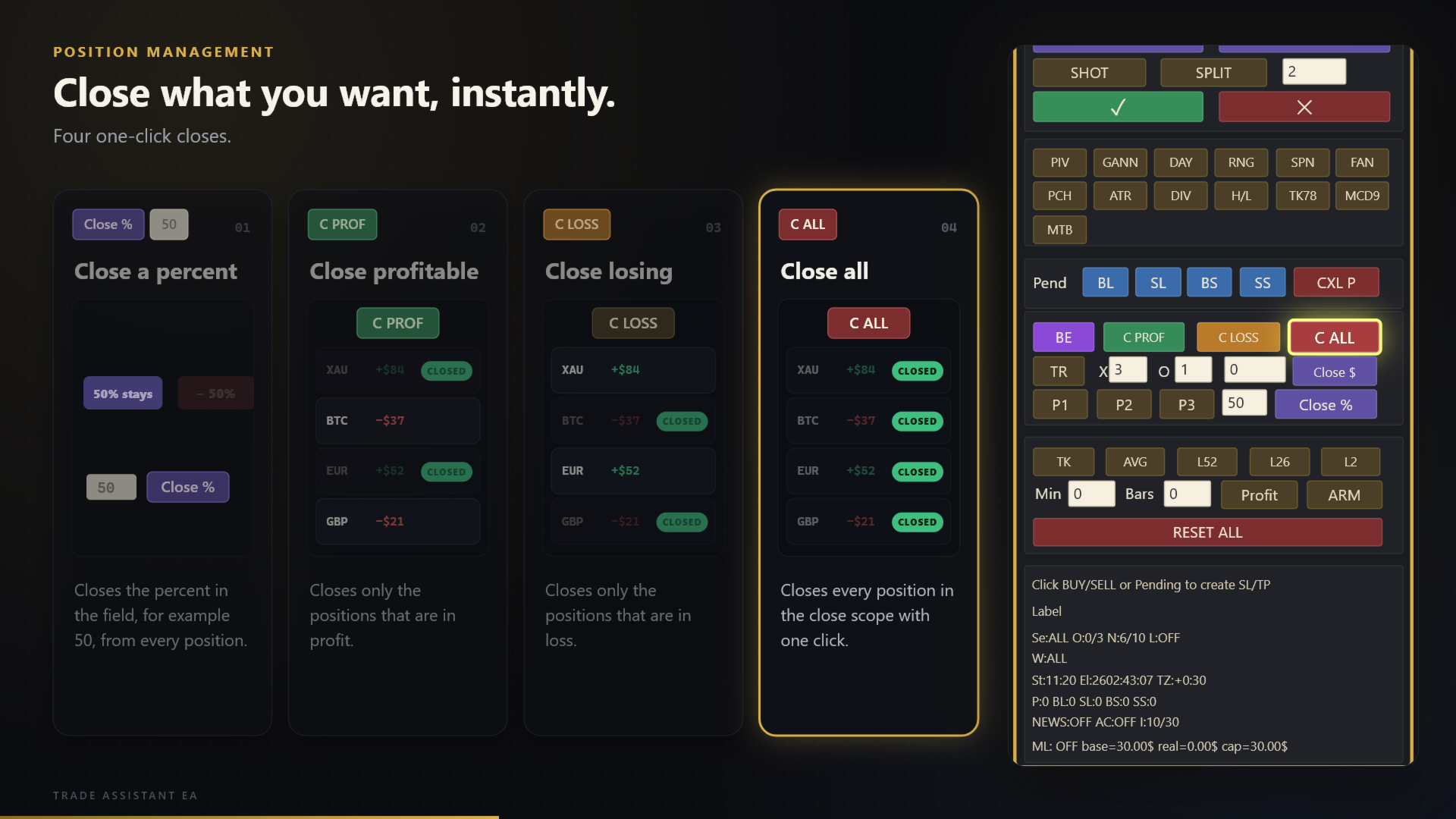
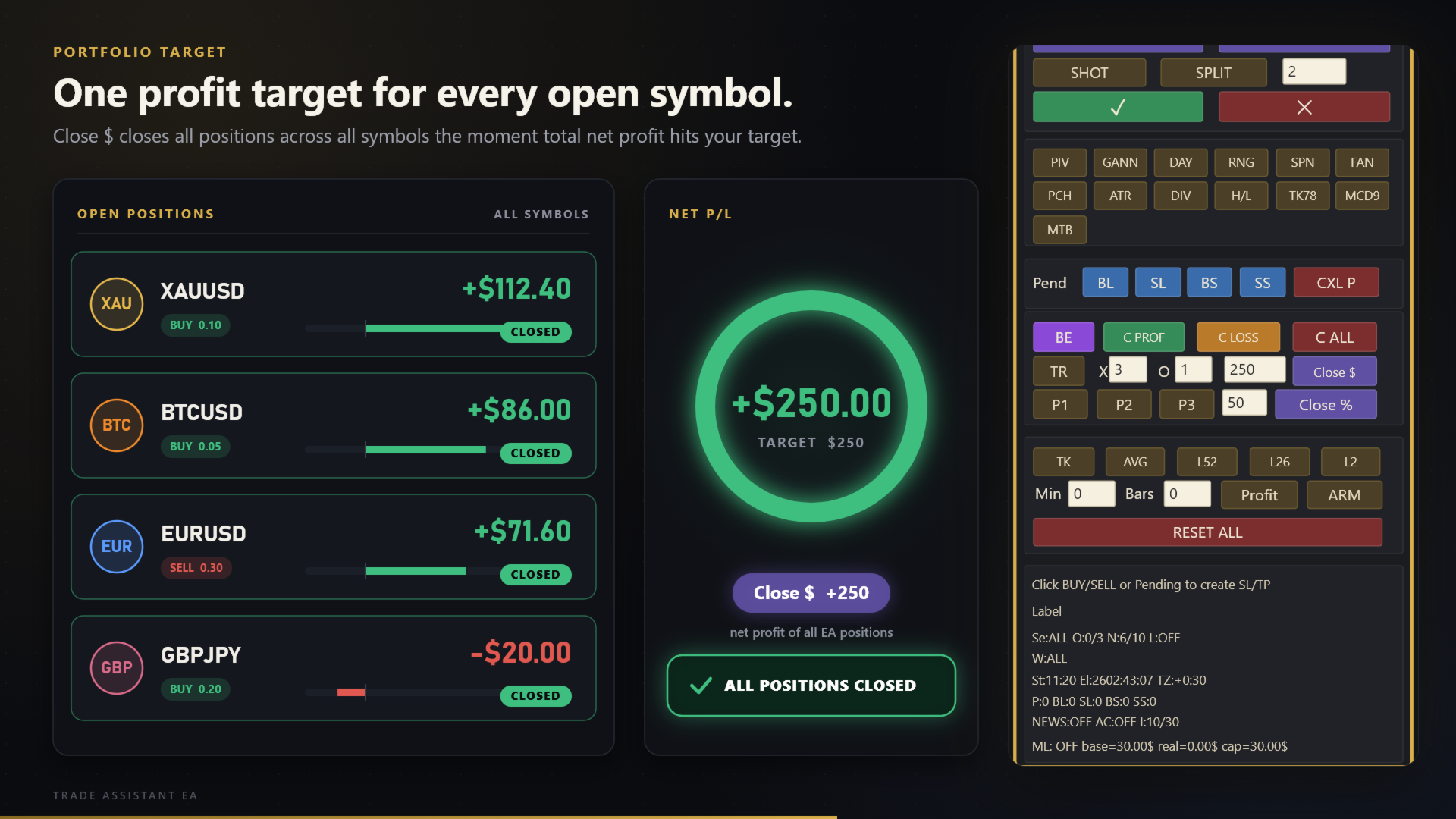
- Close all / only profitable / only losing / a percentage / a net profit or loss target
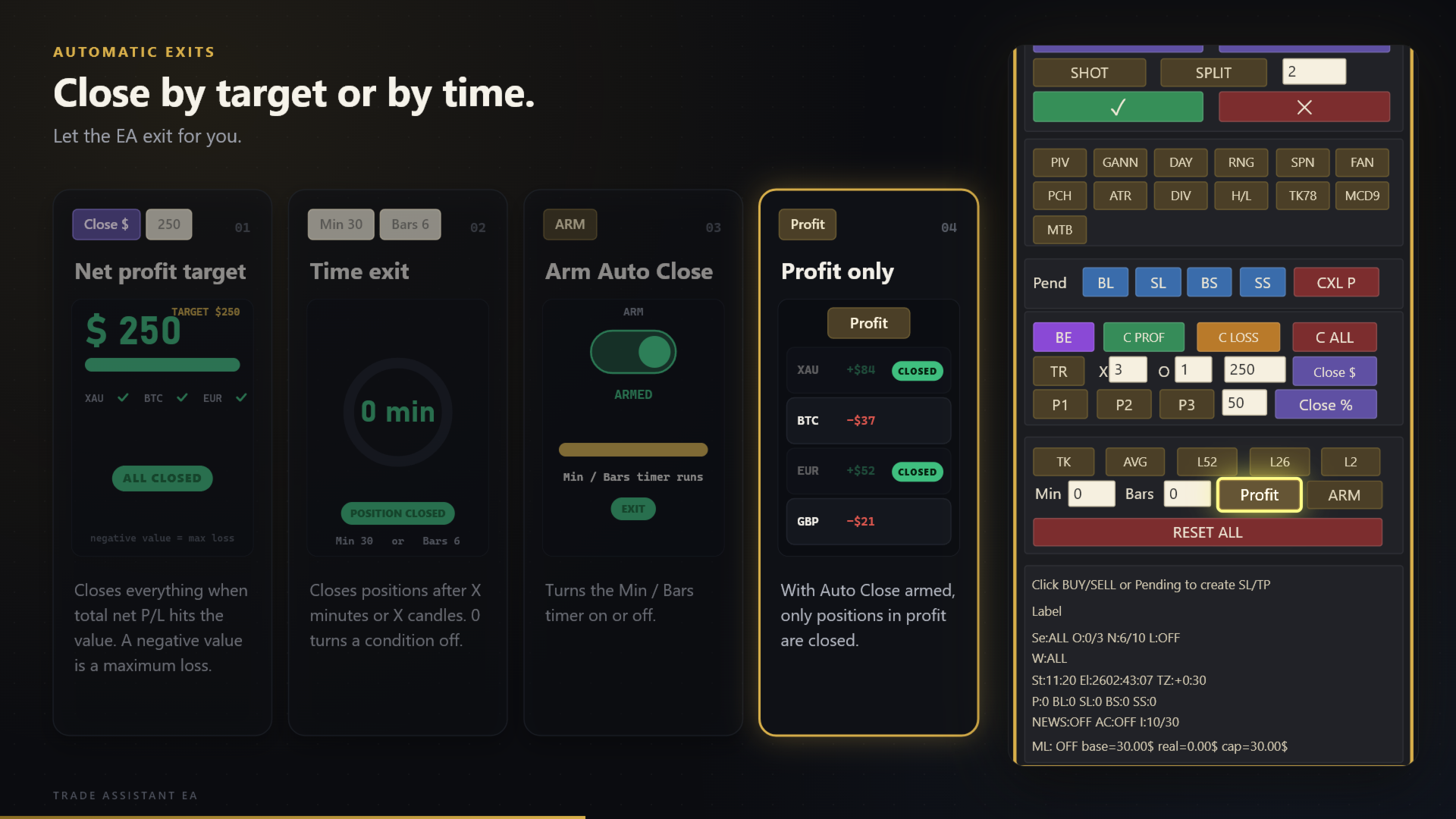
- Auto close after X minutes or X candles, and exit rules (Tenkan, Tenkan/Kijun average, 52/26/2-bar break)
**Protection**
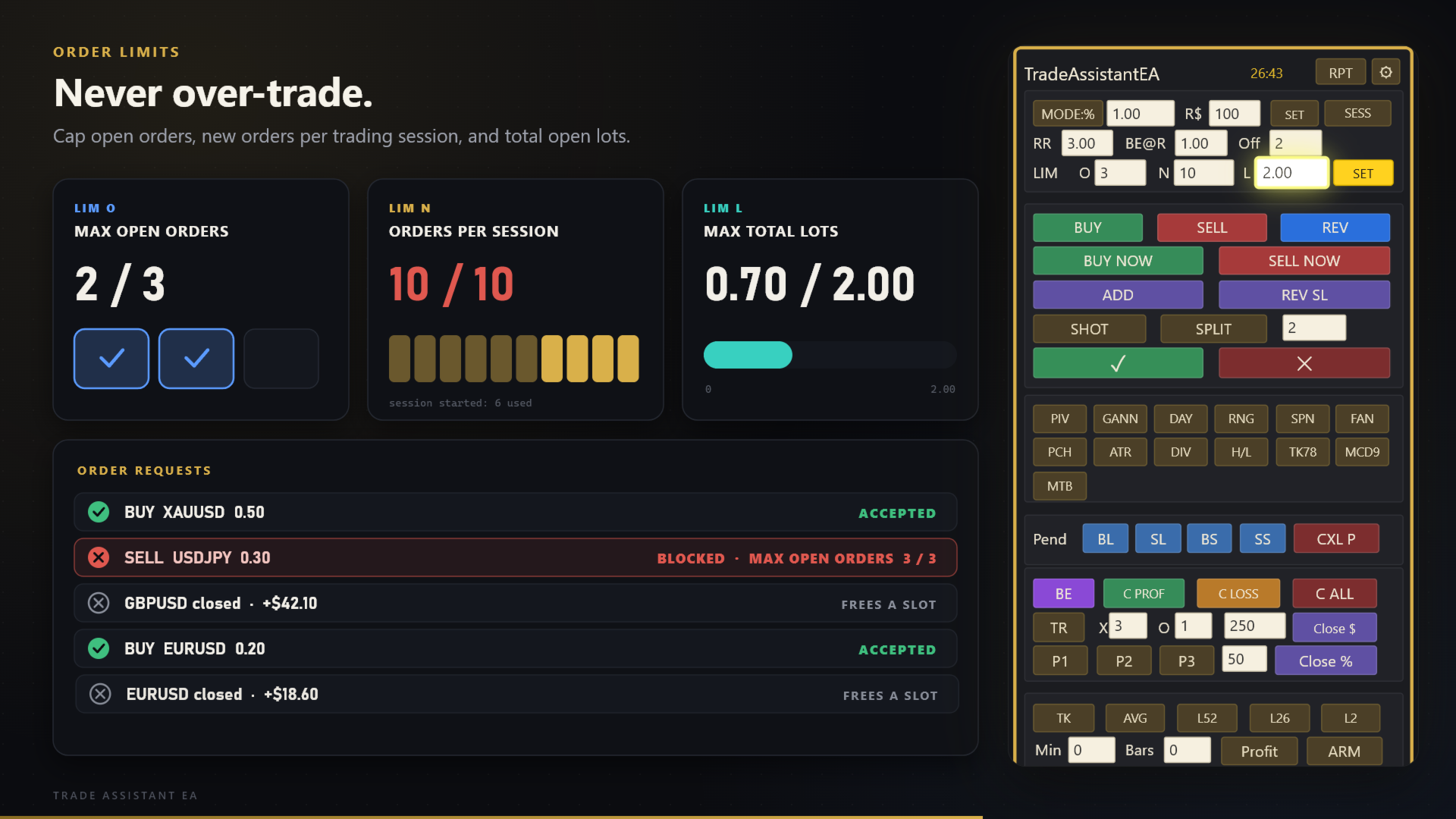
- Session filter (Asia / Europe / US), maximum spread, maximum open orders, entries per session and total lots
- Maximum floating-loss cap in USD
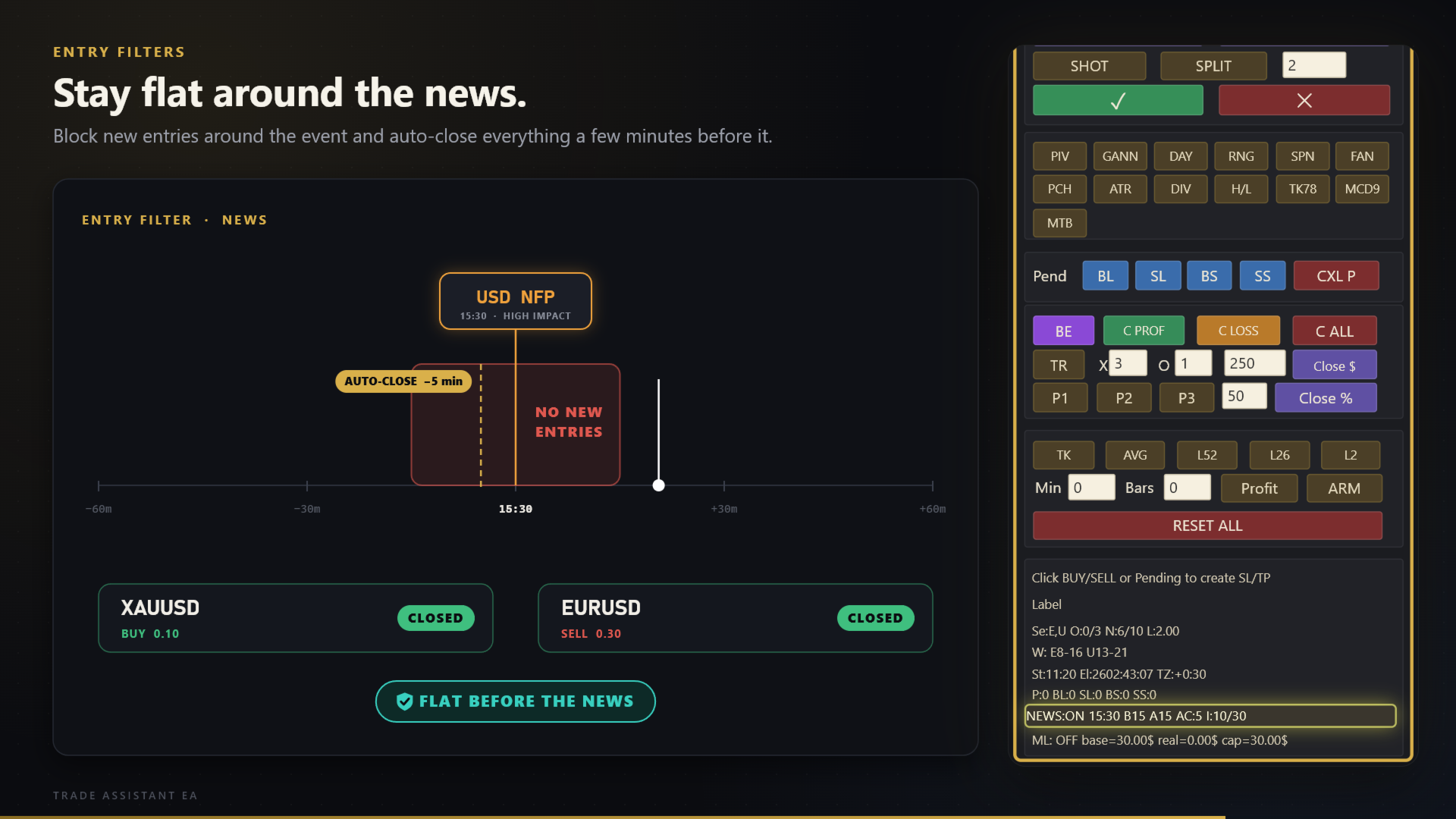
- News filter that blocks entries and can close everything before the event
**Analysis tools on the panel**
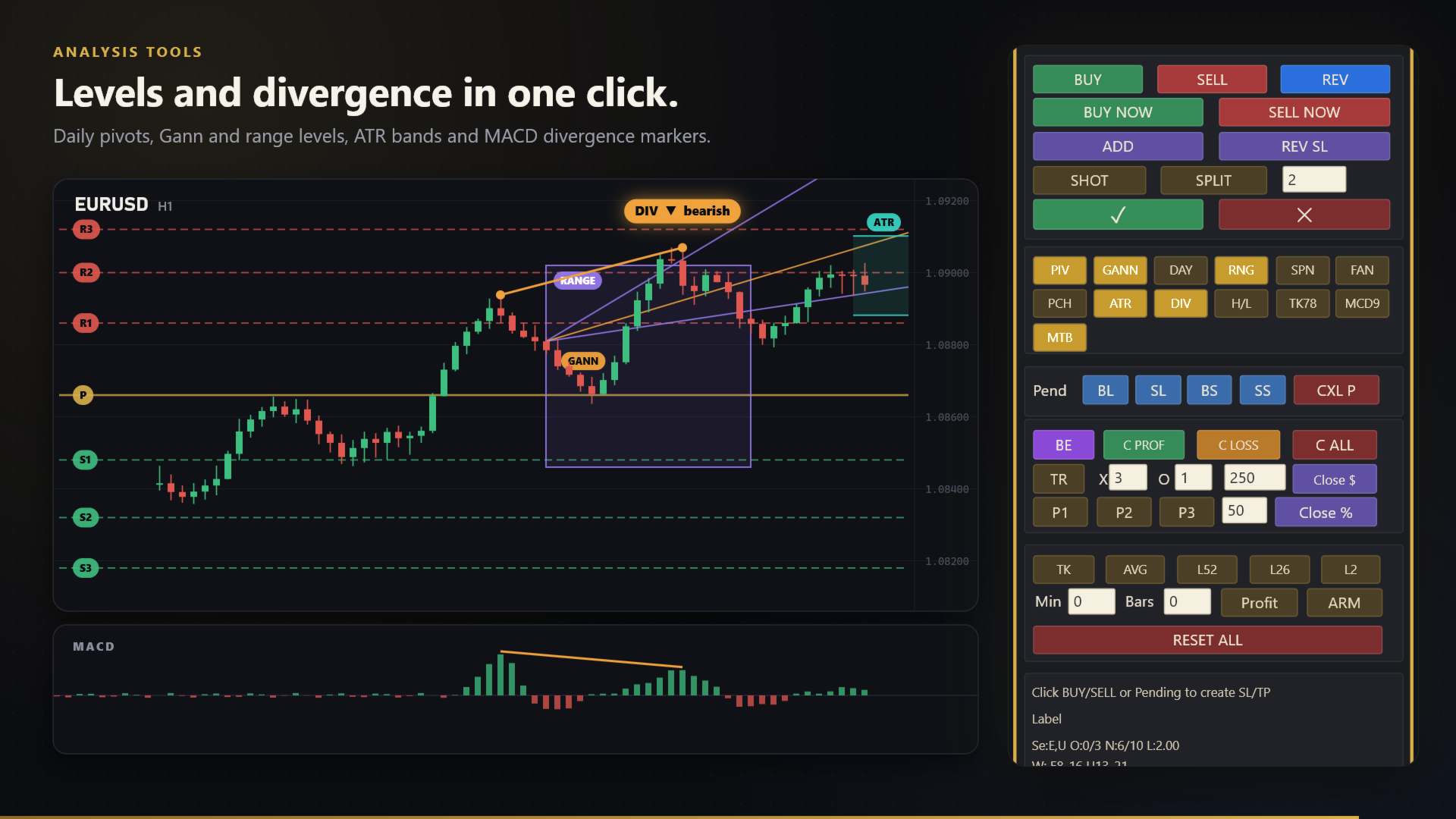
Daily pivots, Gann levels, day and range levels, Ichimoku helpers, ATR levels, pitchfan, a TradingView-formula
MACD with top/bottom markers, and a divergence scanner (RSI, MACD, Stochastic, CCI, DeMarker).
**Comfort**
- Tooltips in 11 languages (English, Persian, Arabic, Spanish, German, French, Portuguese, Chinese, Korean,
Japanese, Russian)
- 8 colour themes, selectable font, left or right docking
- Status area with live order counts, session counters, news state and loss cap
- Every order carries a comment that says what opened or closed it (for example "TAEA AutoC 20min")
**Good to know**
- The EA manages only the positions it opened (identified by its magic number), unless you switch the close
scope to the whole account.
- **Automatic symbol presets.** The pip-based settings (stop-loss, instant SL/TP, break-even offset, maximum
spread, order deviation, trailing distance and step) are chosen from the symbol of the chart: attach the EA to
gold and it uses the gold preset, to Bitcoin the Bitcoin preset, to Ethereum the Ethereum preset, to a forex
pair the forex preset. The active
preset is shown on the panel and in the Experts log at start-up. Any other symbol (indices, stocks, silver,
other crypto) uses the values typed in the inputs, whose defaults equal the gold preset. Set the input
"Symbol preset" to Manual to always use the typed values, or force Gold / Forex / Bitcoin / Ethereum.
- Pip distances: a pip is 10 points on 3- and 5-digit symbols and 1 point on all others.
- On netting accounts there is one position per symbol, so SPLIT is limited to one part.
- Strategy Tester: the panel cannot be clicked there, so the EA opens sample trades automatically to show the
sizing and management logic (input "Strategy Tester: open sample trades").
**Symbol presets** (pips) - applied automatically from the chart symbol
| Setting | Gold (XAUUSD) | Forex pairs | Bitcoin (BTCUSD) | Ethereum (ETHUSD) |
|---|---|---|---|---|
| Default SL (pips) | 1000 | 10 | 20000 | 1000 |
| Instant SL (pips) | 1000 | 10 | 20000 | 1000 |
| Instant TP (pips) | 3000 | 30 | 60000 | 3000 |
| Break-even offset (pips) | 30 | 1 | 1000 | 30 |
| Max spread (pips) | 50 | 2 | 5000 | 500 |
| Deviation (points) | 30 | 2 | 300 | 30 |
| Trailing distance / step (pips) | 50 / 10 | 5 / 1 | 500 / 100 | 50 / 10 |
Everything else (risk 1% of equity, RR 3, break-even at 1 R, partials 50/30/20% at 1/2/3 R, loss cap 100 USD,
trailing off, filters off) is the same for all symbols. These are starting points: spreads, digits and
volatility differ between brokers, so check them on a demo account. If the preset does not suit your broker,
choose "Manual" and type your own values.
**Risk warning:** trading leveraged products involves a high risk of loss. This tool does not generate profit
by itself. Test on a demo account first.