Prime Execution EA
- Yardımcı programlar
- Patrick Omar Sanduyogan
- Sürüm: 2.20
Prime Execution EA — Chart-Based Institutional Trade Execution Tool
Prime Execution EA is a lightweight, ultra-fast MetaTrader 5 execution system designed for traders who value speed, precision, and a clean trading environment.
Built with an institutional-style workflow, it removes all unnecessary MT5 clutter and replaces it with direct chart-based trade execution — giving you full control without ever opening a settings panel.
Core Concept
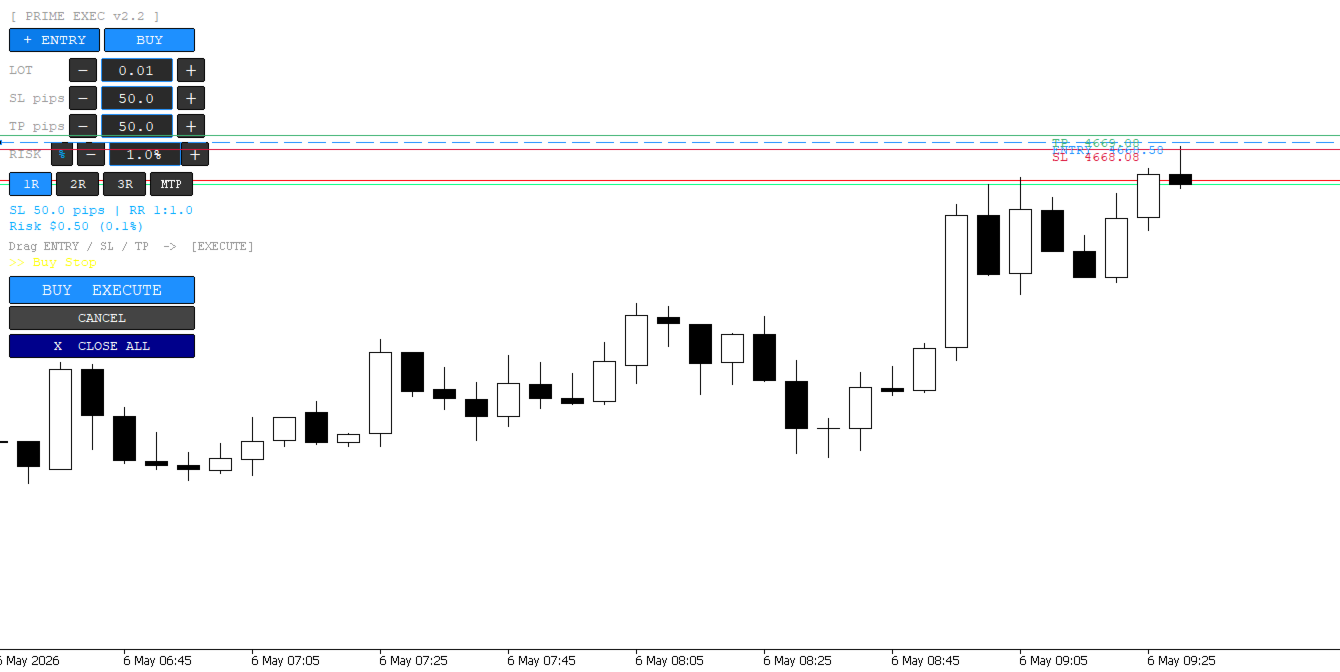
Instead of relying on traditional EA inputs or complex dashboards, Prime Execution EA transforms your chart into a real execution terminal.
Everything happens visually, directly on the chart:
entry placement, order detection, risk management, and trade control.
Key Features
1. Instant Chart Execution
- Place trades directly by clicking on the chart
- Drag entry line to desired price
- One line = one trade setup
2. Smart Order Detection (Fully Automatic)
- Automatically detects Buy or Sell setup based on price position
- Correctly assigns:
- Buy Limit / Buy Stop
- Sell Limit / Sell Stop
- No manual order type selection required
3. Clean Execution Workflow
- Entry line is automatically removed after order placement
- Keeps chart clean and distraction-free
- No leftover objects or clutter
4. Visual Risk & Trade Control
- Drag-to-adjust Stop Loss and Take Profit
- Choose fixed Risk/Reward ratios (1:1, 1:2, 1:3)
- Manual TP option available
- Real-time risk display (points + account currency)
5. On-Chart Risk Management
- Adjust lot size directly from chart interaction
- Update SL or TP instantly by dragging
- All changes reflect immediately on active trades
6. Lightweight & High-Speed Engine
- Fully event-driven architecture (no heavy tick processing)
- Uses OnChartEvent-based execution
- No lag, no unnecessary recalculations
- Optimized for multiple active trades
Designed for Professional Traders
Prime Execution EA is built for traders who:
- Execute fast, precise entries
- Prefer clean chart environments
- Need real-time risk visibility
- Want a tool that behaves like an institutional trading terminal
Philosophy
No dashboards. No clutter. No distractions.
Just pure execution speed, clarity, and control — directly on your chart.
1. Start the EA
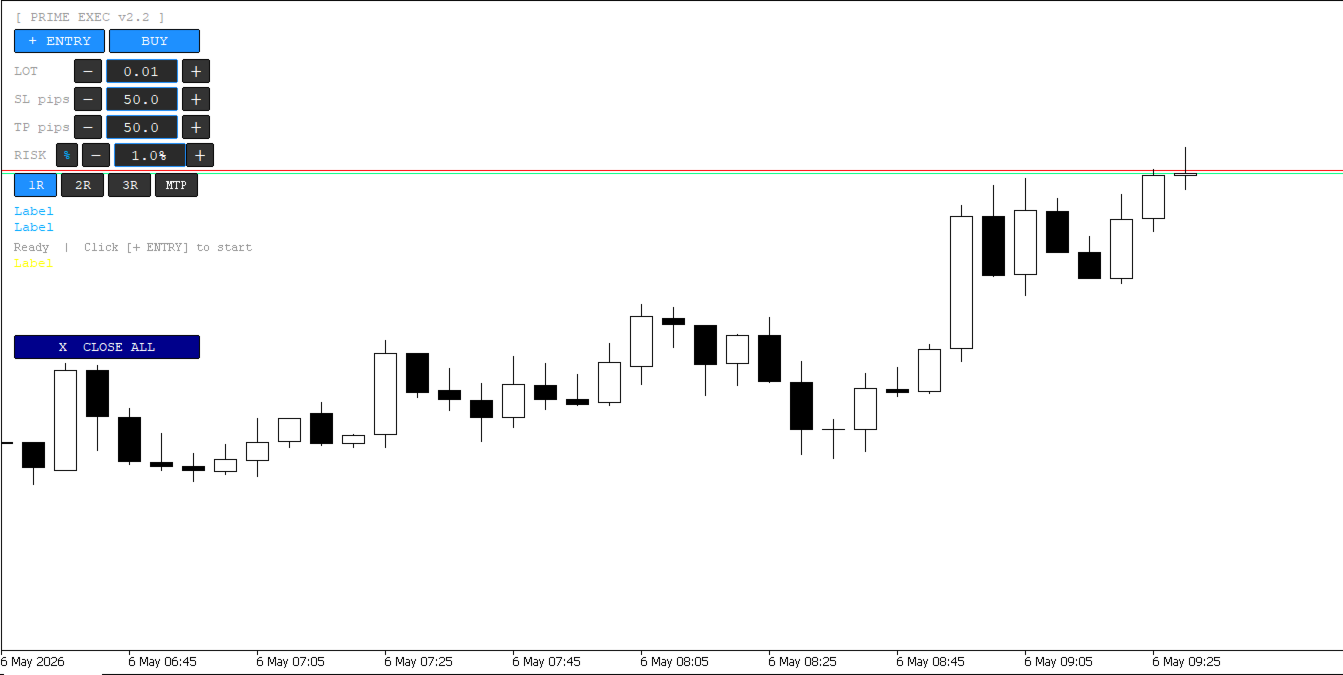
- Attach Prime Execution EA to any chart
- A control panel appears on the left side of your chart
2. Place a trade setup
Click:
👉 “+ ENTRY” button
Then:
- Click anywhere on the chart
- A horizontal entry setup appears
Now you have:
- Entry line
- Stop Loss line
- Take Profit line
3. Adjust your trade visually
You can now:
📍 Move Entry
- Drag the entry line up or down
📍 Move Stop Loss
- Drag SL line to adjust risk
📍 Move Take Profit
- Drag TP line or use RR buttons
Everything updates automatically.
4. Set your trade direction
Click:
👉 BUY / SELL button
The EA will automatically:
- detect correct order type
- prepare market or pending order
No manual order type needed.
5. Adjust risk and lot size
You can:
- increase or decrease lot size using +/- buttons
- switch between % risk or fixed $ risk
- edit values directly in the box (just click and type)
6. Choose Risk-to-Reward
Click:
- 1R = safe setup
- 2R = balanced setup
- 3R = aggressive target
Or switch to manual TP if you want full control.
7. Execute trade
When ready:
👉 Click EXECUTE
The EA will:
- calculate everything
- send order to broker
- remove entry line automatically
- keep chart clean
8. Manage trade after entry
Once trade is active:
- drag SL to adjust risk
- drag TP to lock profit
- changes apply instantly
🧹 What makes it different
- No forms, no pop-ups
- No hidden settings
- Everything is on the chart
- Clean, fast, visual execution
Click → Place entry → Adjust lines → Execute → Manage visually
That’s the entire workflow.