Gennady Sergienko / Профиль
- Информация
|
10+ лет
опыт работы
|
6
продуктов
|
5040
демо-версий
|
|
0
работ
|
2
сигналов
|
0
подписчиков
|
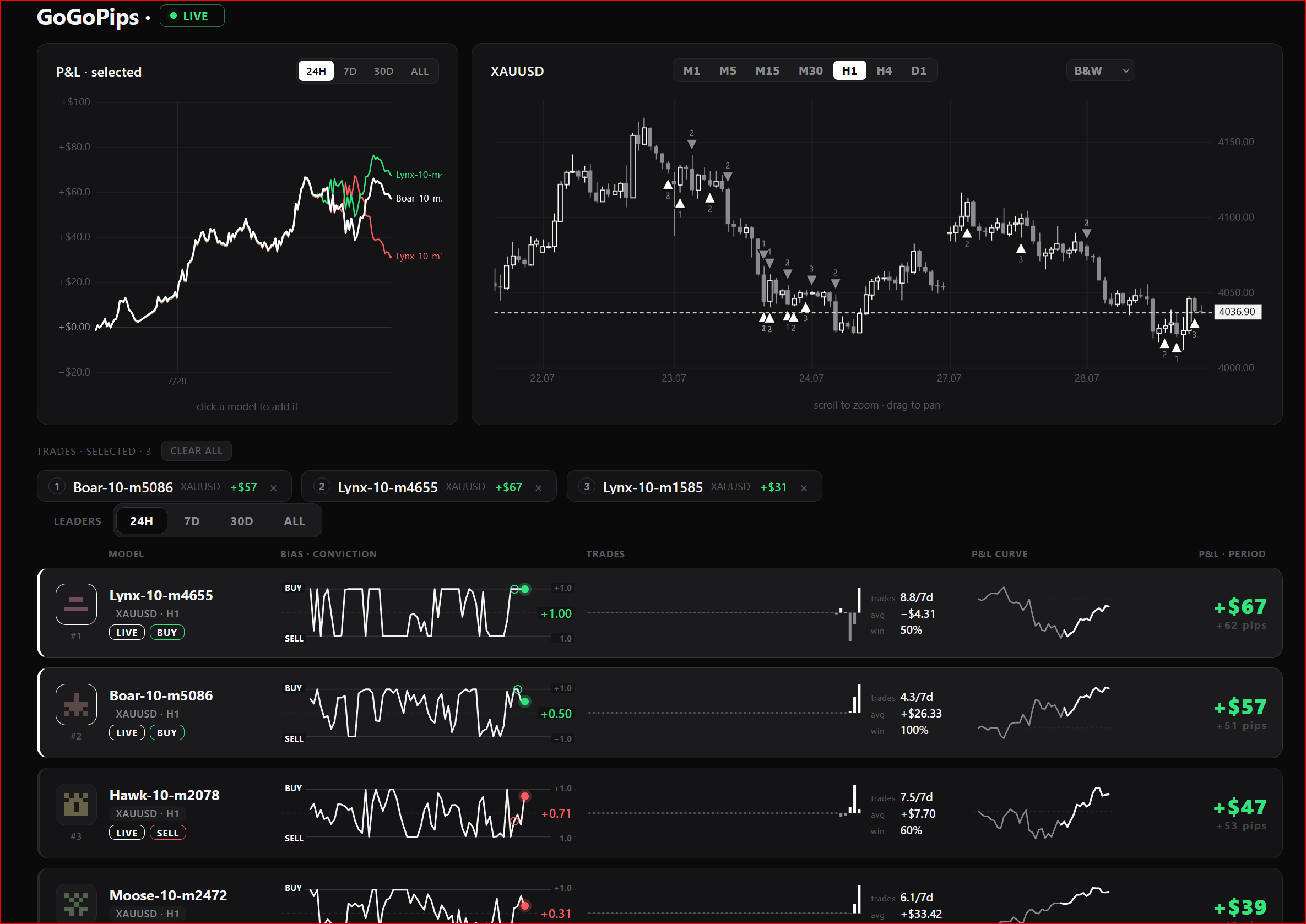
I've opened a public live board of my ML models:
https://gogopips.com/live/
▫️100 models trading XAUUSD on a real account;
▫️ every trade visible live: entries, exits, P&L in dollars;
▫️model signals mirrored to the chat — free to follow;
▫️Hundreds of models by the end of the year;
Come watch How Machine Learning Is Trying to Beat the Market⚡️
🟢 Idea The idea is — it seems to me that exactly at 10:00 EURUSD always goes up. How can this be verified? This indicator analyzes historical data at the same hour of the day over the past N days and shows: ProbUp — the probability that after a given number of bars ( HorizonBars ) the price will be higher; ZEdge — the “strength” of the signal = average move / dispersion. This allows you to understand: “In 70% of cases, after 3 bars during this hour the market
Символ XAUUSD Timeframe (период) H1-M15 (любой) Поддержка торговли 1 позицией ДА Минимальный депозит 500 USD (or the equivalent of another currency) Совместимость с любым брокером ДА (поддержка брокера с 2 или 3 знака. Любая валюта депозита. Любое название символа. Любое время GMT) Запуск без предварительных настроек ДА Если вам интересна тема машинного обучения подписывайтесь на канал: Subscribe! Ключевые факты проекта Mad Turtle: Настоящее машинное
Индикатор представляет собой аналитический инструмент, включающий 37 различных вариаций средних скользящих от таких авторов как Patrick Mulloy, Mark Jurik, Chris Satchwell, Alan Hull и других, с возможностью виртуального тестирования на истории. Индикатор можно использовать на любом инструменте золото, криптовалюты, биржевые индексы, валютные пары и другие активы. Встроенный визуальный бэктестер позволяет имитировать виртуальные торговые позиции, отслеживать их результаты и наглядно
1)Add address 2)Attach the EA to the chart
3)Enable check box "Allow live trading"
4)Set lot
5)Set the maximum drawdown
6)Set the time zone
6)Change the magic number
7)Choose server1 or server2
8)Change: #close-on and #tradeban
Important: 1)if you want to change any settings, you need to remove it from the chart and re-install.
2)all settings are installed automatically from the server.