Ballast Risk Panel

One-click trading that sizes every lot from your risk %, adds a stop-loss to any trade without one, and locks trading after your daily loss limit.

Most accounts are not lost by a bad strategy. They are lost by one trade without a stop, one oversized lot, or one bad day that turns into revenge trading. Ballast Risk Panel stops all three.

1. Buy / Sell with the right lot size

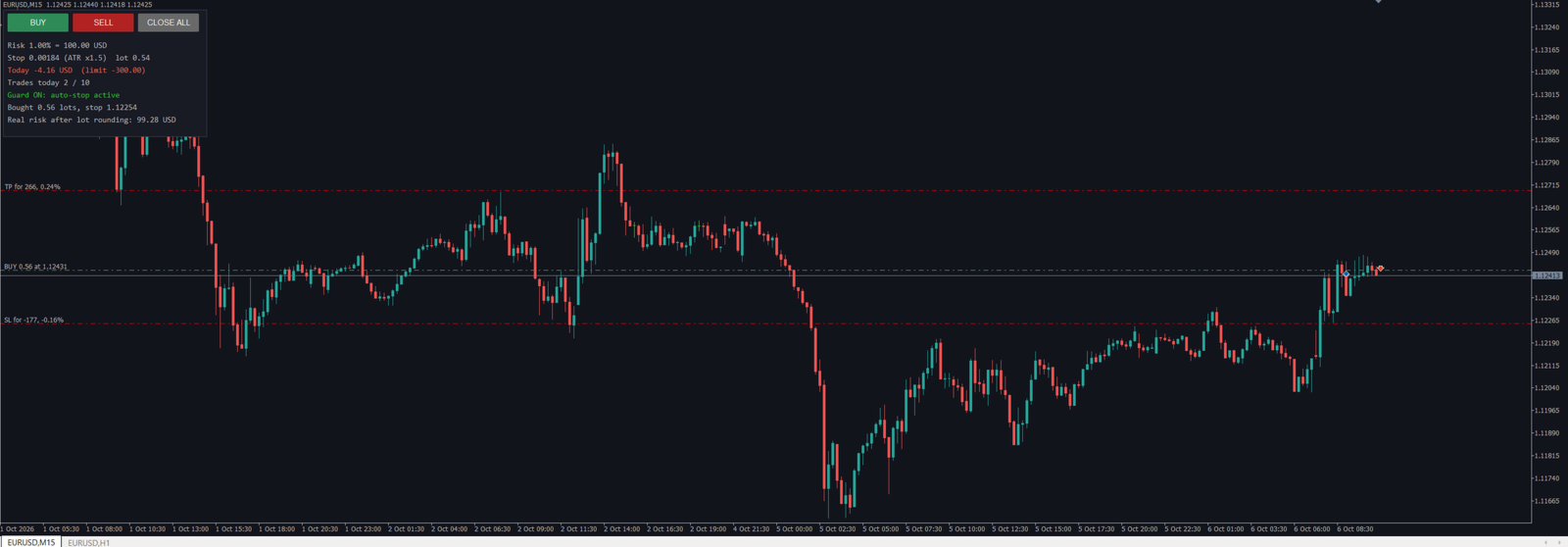
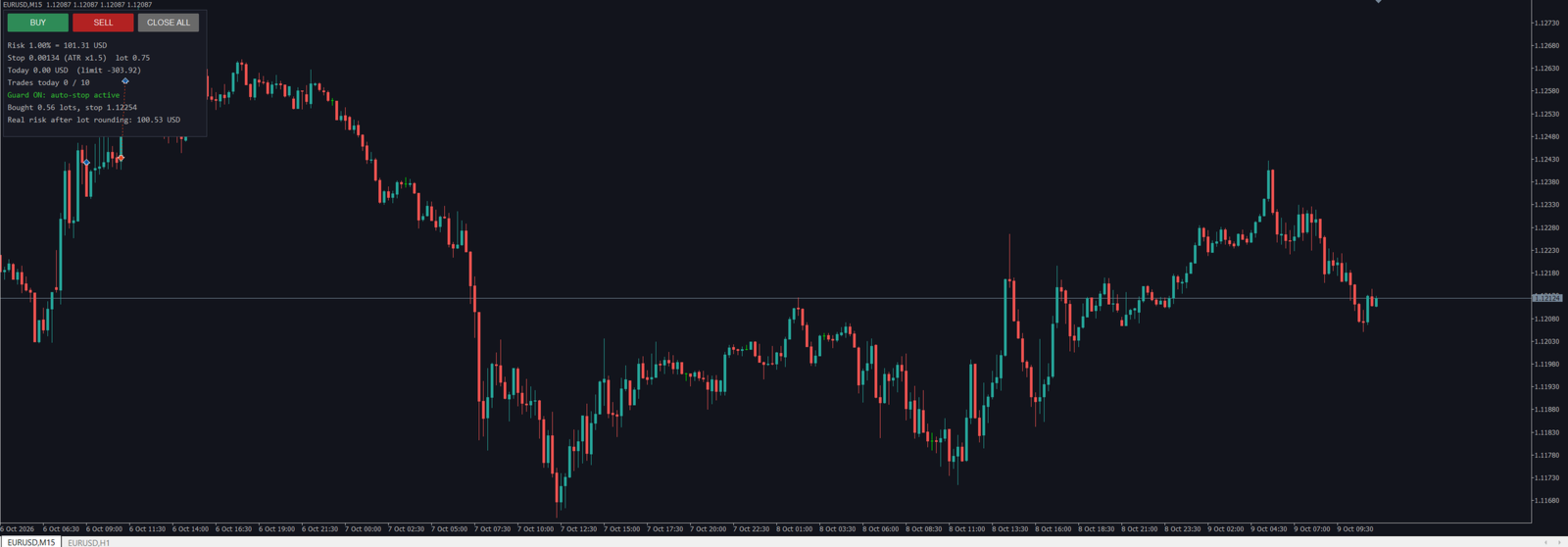
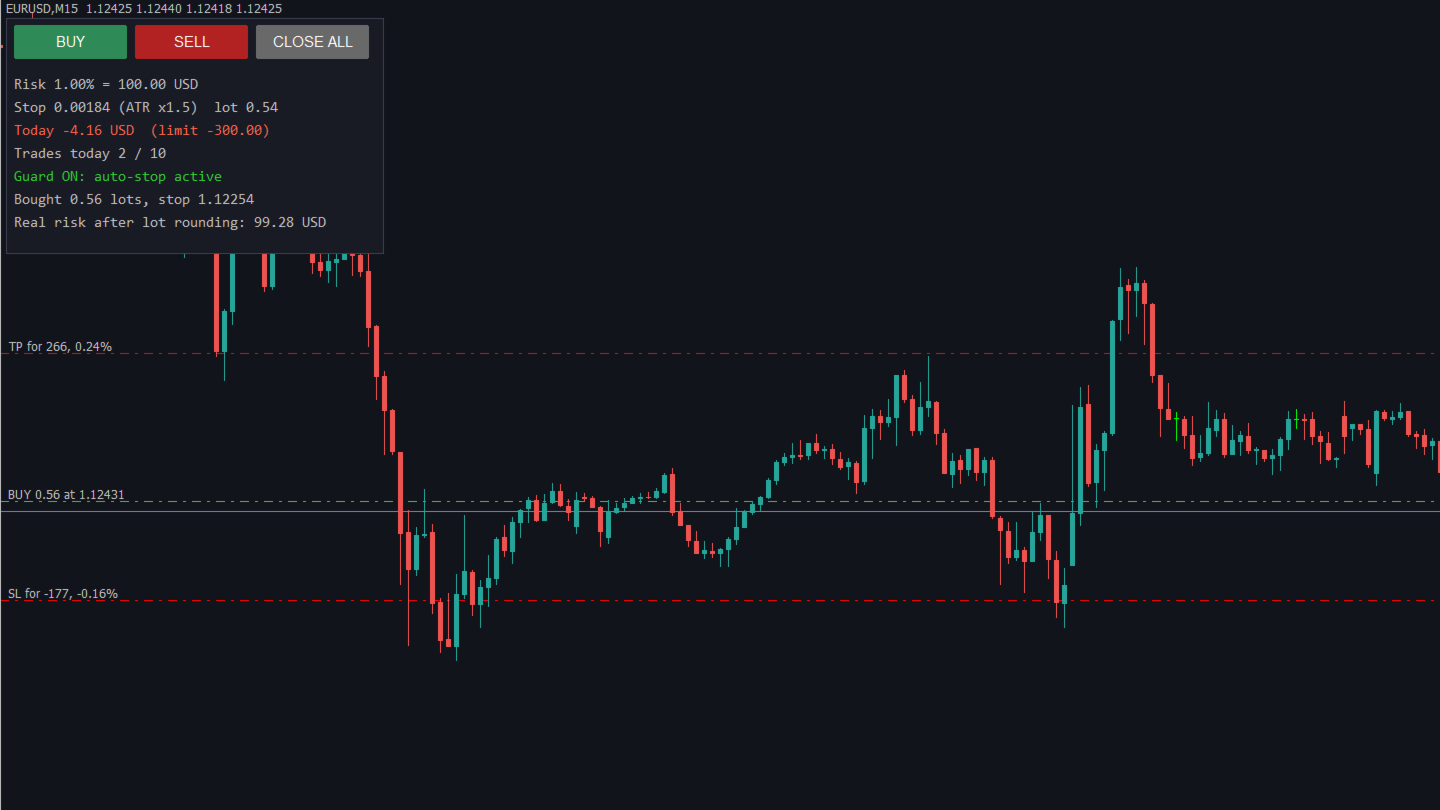
Press BUY or SELL. Ballast Risk Panel calculates the lot so that the stop-loss loses exactly your chosen % of balance (default 1%). The stop is either a fixed distance or a multiple of ATR (the market's recent hourly range). The take-profit is set as a multiple of the stop (default 1.5×). The panel shows the real money at risk after the lot is rounded to the broker's lot step.

2. Automatic stop-loss for every trade

Any position on the account without a stop-loss gets one within a second — your manual trades, trades from your phone, and trades from other EAs, on every symbol.

3. Daily loss lock

When the account is down your chosen % for the day (default 3% of the day's starting equity), Ballast Risk Panel closes every position, deletes pending orders and keeps closing anything new until the next day. The lock survives a terminal restart.

4. Daily trade limit

Set a maximum number of new trades per day (default 10). The panel refuses new trades after that.

What it does not do

Ballast Risk Panel does not decide when or in which direction to trade, and it does not promise profit. It controls risk.

Tested

  • 8 symbol/timeframe/deposit combinations (EURUSD, GBPUSD, USDJPY, AUDCAD, Gold, US30 index, Bitcoin; M1 to D1; deposits 100 to 10,000) without a single error.
  • Stop-loss size measured on 157 stopped trades on EURUSD: average loss 1.01 × the planned risk (the small excess is slippage).
  • Auto-stop: 100% of trades opened without a stop received one (973 test trades on 4 symbols).
  • Daily loss lock and trade limit: 0 violations in all tests.

Inputs

  • Risk per trade (% of balance) — 1.0 — Money lost if the stop is hit
  • Stop distance — ATR — Fixed points or ATR(14, H1) multiple
  • Stop in points — 150 — Fixed mode, also fallback if ATR is not ready
  • ATR multiple — 1.5 — Stop = ATR × this
  • Take-profit = stop × — 1.5 — 0 = no take-profit
  • Add a stop to any position without one — true — Works on all symbols and all EAs
  • Daily loss limit (%) — 3.0 — 0 = off
  • Max new trades per day — 10 — 0 = off
  • Magic number — 770001 — For panel trades
  • Panel font size — 9

Notes

  • Works on hedging and netting accounts, any symbol the broker offers.
  • The lock and auto-stop act on the whole account. Run one copy only.
  • In the Strategy Tester (demo), Ballast Risk Panel opens one demo trade a day and one "manual" trade without a stop so you can watch it work. The buttons also work in visual testing.
  • "Algo Trading" must be enabled in the terminal.
Другие продукты этого автора
Direct translation of blackcat's L3 Banker Fund Flow Trend Oscillator. Get push notifications on your phone app when a signal bar has formed. Historical signals are shown with buy/sell arrow right on the main chart. Indicator uses two data calculations to check for a cross below 25% level (a signal to go long) and above 75% level (a signal to short). For any further questions  feel free to contact me directly. Including requests for product improvements.
Two lines are being drawn in a separate window. And both are representing an angle of a trendline. One trendline is measured going across two price highs, but the other is measured across two lows. You get to choose the period from which the first price high and first price low is being determined. The second high and low comes from identical time period preceding the first one. Feel free to experiment with the period count until you get the confirmation you are looking for.
Line1: simple calculation of change in closing price for the chosen input period - named Velocity. Line2: simple calculation of change in velocity for the chosen input period - named Acceleration. Feel free to play with the input periods to find a profitable combination. For faster results it is best to do it in MT Optimizer. Can assist in either manual or automatic trading.
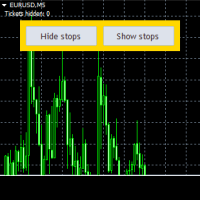
This is an Expert that gives you a control panel with two buttons - 'Hide Stops' and 'Show Stops'. With a click of a button you can hide your stoploss and takeprofit levels from your broker and restore them if necessary. When levels are hidden Expert tracks orders in the background and closes them as soon as the price exceeds hidden levels. It is not opening new orders just working with existing ones, only stoploss and takeprofit levels are not visible to the market. Choose zero as magic number
L3 Banker Fund Flow Trend Oscillator v5 is a simple translation of blackcat's work from pine script (language used by TradingView platform) to mql5. It generates buy and sell signals when two calculated buffers cross over each other in the oversold and overbought oscillator territory. Current version does not offer any changable inputs, but could be easily added in the modified version if requested.
Keeps your prop-firm challenge inside its rules: fits every stop to the loss you have left, closes and locks before the daily or total limit, locks a reached profit target. A prop-firm challenge is usually lost to one rule: the maximum daily loss or the maximum total loss. Ballast Prop Guard watches the whole account — manual trades and every EA — and makes those limits very hard to break. What it does Fitted stops — every open position gets a stop-loss so that, even if price jumps straight to a
Manages your open trades for you: break-even, partial profit, ATR trailing stop and time exit — measured in R, never loosening a stop. Opening a trade is the easy part. Ballast Exit Manager handles the rest, the same way every time, for manual trades and trades from other EAs. Everything is measured in R = the trade's initial risk (the distance from entry to the first stop-loss). A trade at +1R has made as much as it risked. Break-even — at +1R (default) the stop moves to the entry price plus a
Closes positions and blocks trading around important news, using MT5's built-in economic calendar. Protects manual trades and other EAs. Big news (interest rates, jobs reports, inflation) can move price more in one minute than in the whole day before it, with wide spreads and slippage. Many prop firms forbid holding trades through it. Ballast News Shield handles it for you. Reads the built-in MT5 economic calendar — no DLL, no web requests, no settings to allow URLs. A set number of minutes befo
Shows where your account loses money: trades without a stop-loss, worst symbols, weekdays, hours and holding times. Drop Ballast Loss Finder on any chart. In a second it reads your closed trades and tells you in plain words where the money goes: Total result, win rate, and how much of all your losses came from trades without a stop-loss . How much of your losses came from your 5 worst trades, and your longest losing streak. Biggest leaks: the worst symbol, direction, weekday, hour and holding ti
FREE
Фильтр:
Нет отзывов
Ответ на отзыв