Delta Box Connect and Wait
- Эксперты
- Версия: 4.9
- Активации: 5

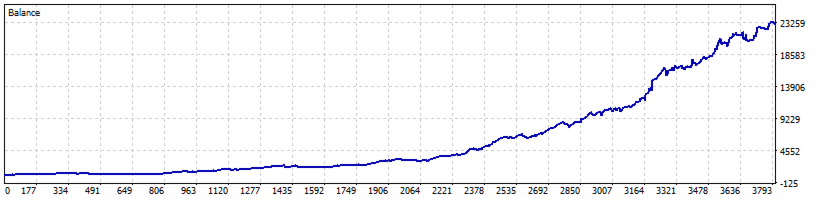
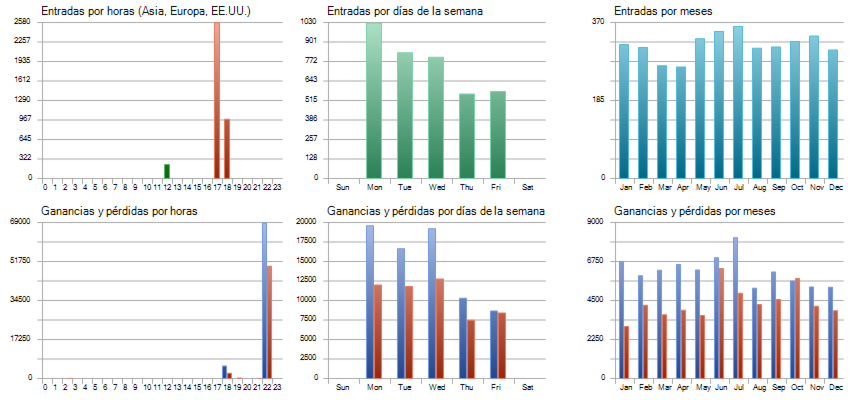
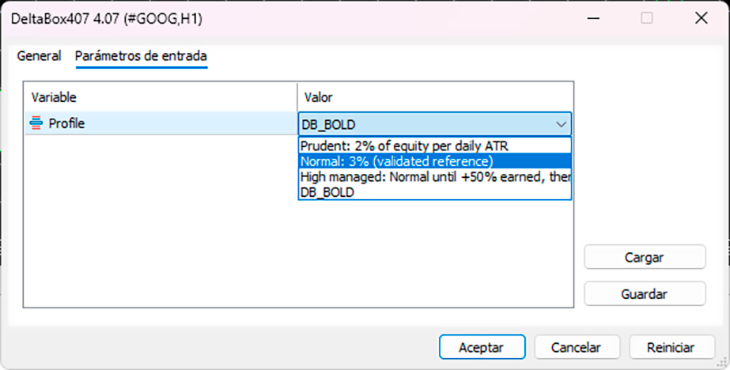
DELTABOX 4.08 Connect and wait. REQUIREMENTS - An account with the following symbols available (the advisor identifies them by their specific names, which may vary by broker): USDJPY, GBPJPY, DAX 40 index, and Nasdaq 100. The "Bold" profile also uses EURUSD. If a symbol is missing, the corresponding pattern is disabled, while the rest continue runnig. INSTALLATION 1. Under "Inputs," select the desired profile and click "OK." This is the only setting required. 2. Enable the "Algo Trading" button on the MetaTrader toolbar. 3. Check the "Experts" tab: upon startup, it will display the symbols detected, the broker's time, and the selected profile. PROFILES Prudent 2% of capital based on daily ATR. Includes a "wait" mode. Normal 3%. Includes a "wait" mode. (Default setting.) High managed 3% until the account gains 50%; thereafter, 4%. Includes a "wait" mode. Bold 3%, without "wait" mode; includes an additional routine for EURUSD. More aggressive: does not cover periods such as 2006–2009 (see report). TRADING HOURS Operates between 11:01 and 21:45 CET (year-round). You may turn off the terminal at night; however, ensure it is turned on before 10:30 and not turned off before 21:50, otherwise, a position could remain open overnight. Upon startup, the system restores its previous state. NORMAL BEHAVIOR - It may go days or months without executing a trade (in "wait" mode). This is by design. - If equity drops by 20% from its peak, the system closes all positions and waits for one week. - If equity reaches 70% of the initial capital, the system closes all positions and stops permanently. - Magic number 1810. Do not use it simultaneously with another advisor that trades the same patterns.