Swing Structure MS
- Индикаторы
-
Mariusz Sedlak
 I am Mariusz Sedlak, based in Poland, where I lead Selenita as its President. My work combines strategic leadership with a deep passion for financial markets and algorithmic trading. I specialize in developing custom indicators for MetaTrader 5 — tools that turn raw market data into clear
 - Версия: 1.0
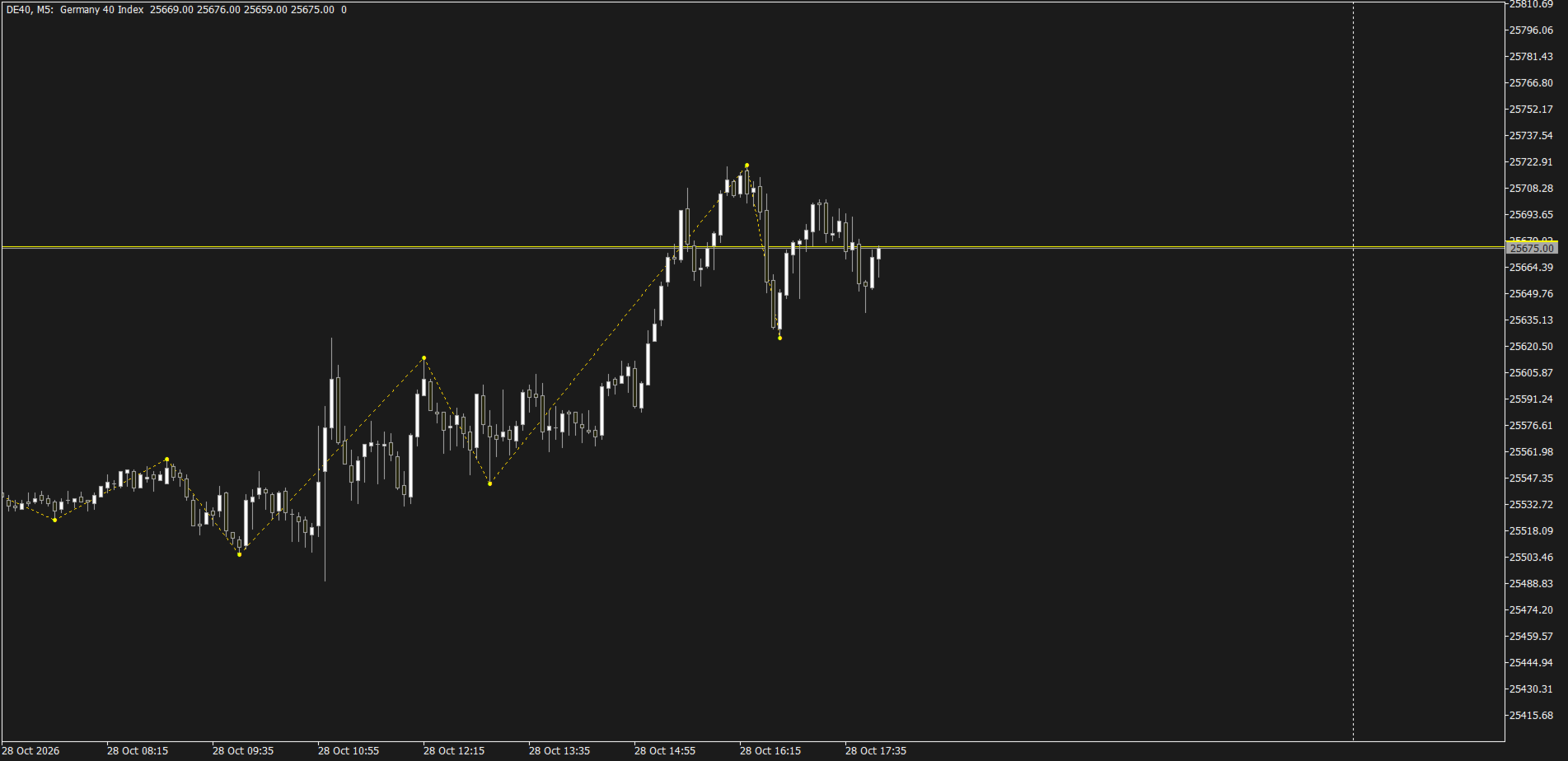
Swing Structure MS shows market structure as a clean line of confirmed swing highs and swing lows. Swings can be taken from any timeframe (for example H1) and displayed on any chart, so you can follow the higher-timeframe structure while working on M5 or M15.
How it works
- A swing high/low is a bar whose high/low is not exceeded by N bars on each side (Depth).
- A new leg is accepted only if its size is at least X times ATR, or a fixed number of points. Small noise is ignored.
- On a lower-timeframe chart each swing point is placed on the exact candle where the extreme occurred.
- A swing is confirmed after Depth closed bars of the swing timeframe. The most recent swing point can still move while price extends in the same direction; earlier swings do not change.
Features
- Swing timeframe independent of the chart timeframe
- ATR-based or fixed-point size filter
- Buffers for Expert Advisors: buffer 0 = Swing High, buffer 1 = Swing Low (EMPTY_VALUE when there is no swing)
- Optional alerts: popup, push notification, e-mail
- Light on resources: recalculated only when a new bar of the swing timeframe opens
Input parameters
- Swing timeframe – timeframe used to find swings (Current = chart timeframe). Default: H1.
- Bars on each side to confirm a swing – higher values give fewer, larger swings. Default: 3.
- ATR period – period of the ATR used by the size filter. Default: 14.
- Minimum swing size in ATR – minimum leg size as a multiple of ATR; set 0 to use points instead. Default: 1.0.
- Minimum swing size in points – used only when the ATR multiplier is 0. Default: 200.
- Bars to scan on swing timeframe – how much history is analysed. Default: 5000.
- Swing line color / style / width – appearance of the swing line.
- Show swing points / Swing point color – dots on swing highs and lows.
- Popup alert / Push notification / E-mail on new swing – alert when a new swing is confirmed. All off by default.
Notes
- Works on any symbol, timeframe and account type.
- Push and e-mail alerts require notifications / e-mail to be set up in the terminal settings.
- The indicator does not open trades and does not generate buy/sell signals. It is a tool for reading market structure.