Risk Sentinel MT4
- Утилиты
- Версия: 2.10
- Обновлено: 16 сентября 2026
- Активации: 7

ONE DRAG SETS THE LOT SIZE - RISK STAYS WITHIN YOUR LIMIT
Risk-first position sizing for traders who protect their capital
Introductory offer — first 30 copies at $35, then $45. Early buyers keep the lower price forever!
Also available for MT5: https://www.mql5.com/en/market/product/185711
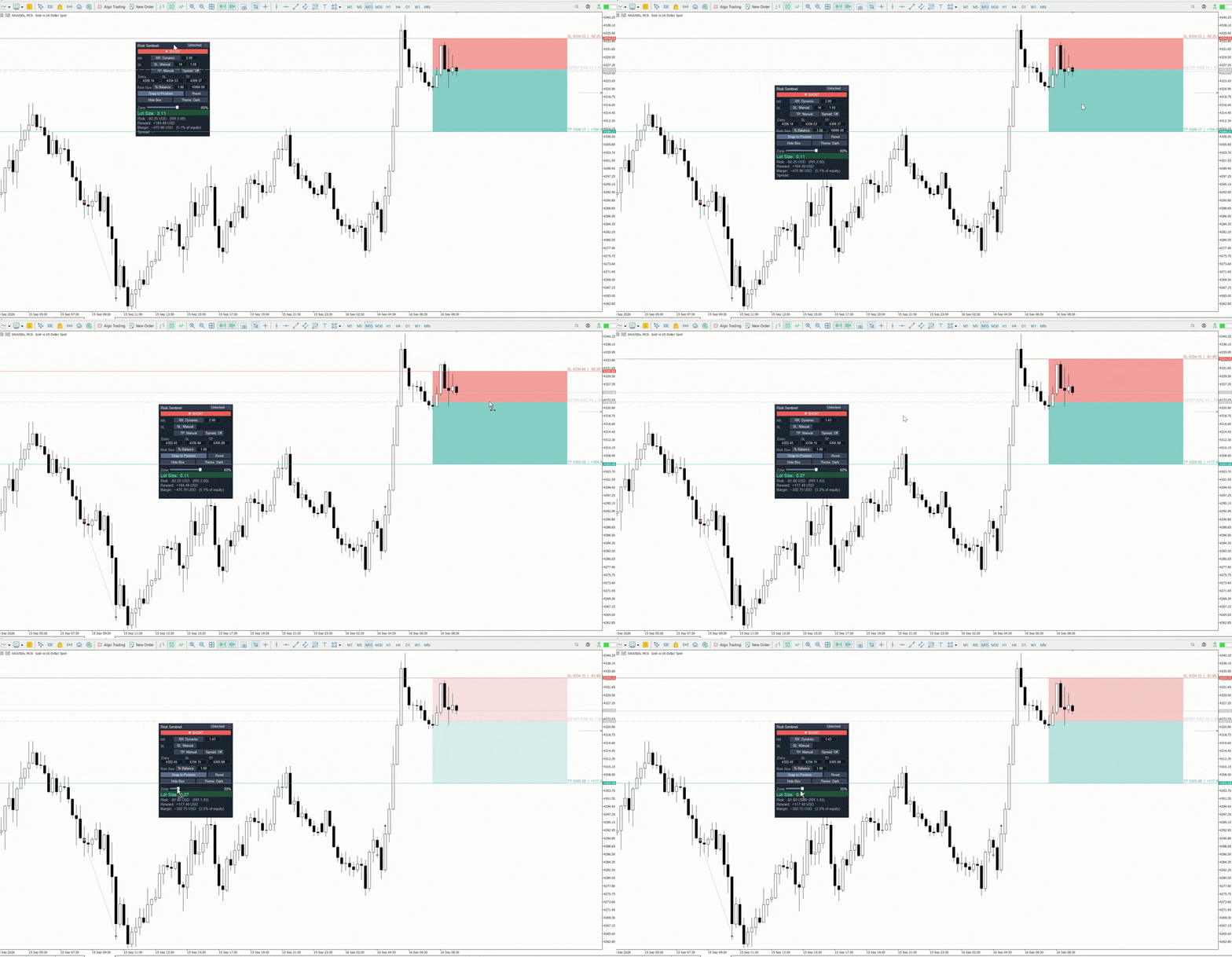
New on version 2.1: RR box Transparency Slider
Risk Sentinel is a risk-first position sizing and risk management tool for MT4, built for discretionary traders who size every trade to the same disciplined risk limit. Drag your stop-loss and the lot size recalculates live, so your risk stays fixed no matter the SL distance — no more re-doing the math on every setup. See the exact lot size, risk, reward, R:R and required margin; size by percentage or a fixed cash amount; snap to your open order; and keep your settings and layout across timeframe switches. Planning utility only; it does not place trades.
1. Full Feature List
On-chart position tool (TradingView-style)
• Draggable Entry, Stop Loss, and Take Profit lines — or type exact prices into the dashboard when you need precision instead of the drag.
• Drag the stop-loss and the lot size recalculates live, so your risk stays fixed no matter the SL distance — the position sizes itself around your risk, not the other way around.
• Filled risk zone (red) and reward zone (green) that read like a TradingView long/short tool.
• Long / Short toggle that mirrors SL and TP to the correct side of entry.
• Smooth single-click-and-drag on any line (no double-click, no re-selecting), with an 8-pixel grab tolerance.
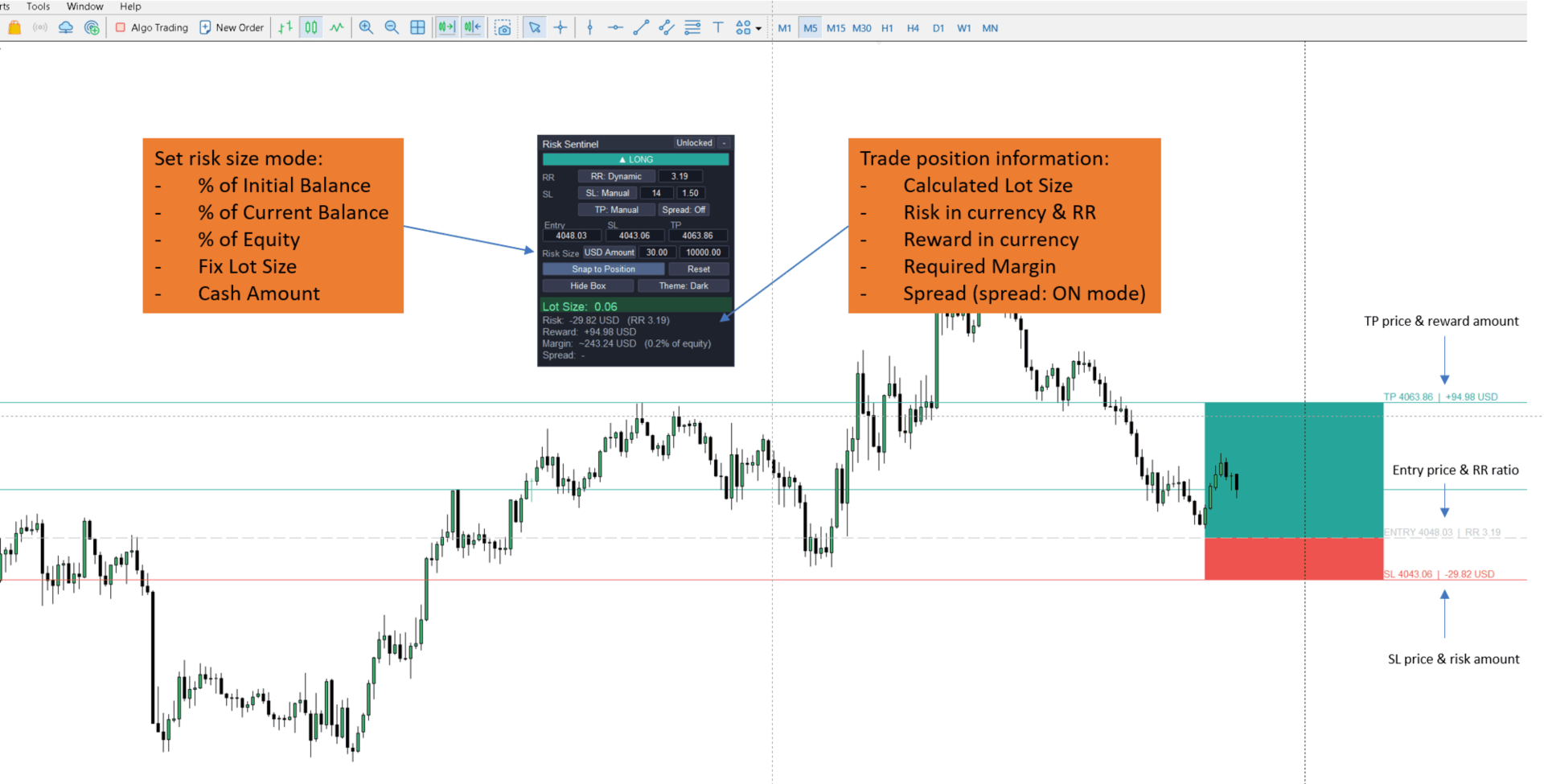
• On-chart labels on each line: price plus risk/reward in account currency, and live R:R at the entry.
• Reset button re-centers the tool on the current price with a clean default stop and target when a plan gets messy.
• Zones hug the right edge of the chart and follow new bars.
Automatic lot-size engine
• Five Risk Size modes: % of Initial Balance (user-defined starting balance), % of Current Balance, % of Equity (auto-refreshes on a timer), Cash Amount (a fixed cash figure in your account currency), and Fix Lot (fixed volume; drives the risk/reward figures instead).
• Position size is derived from the Entry-to-SL distance and your chosen risk — percentage, cash amount, or fixed lot.
• Lot is rounded down to the broker’s volume step and clamped to min/max, so risk is never overshot; if even the minimum lot would exceed your limit, the tool flags it in red rather than sizing over.
• Per-point value is computed from contract size × currency conversion — the same basis the terminal uses — so figures stay correct across account currencies and instrument types.
Risk : Reward control
• Dynamic RR — RR is read live from your dragged or typed SL and TP.
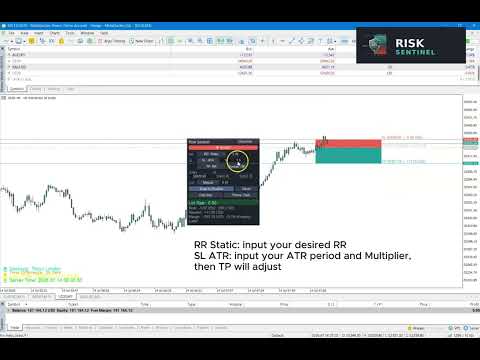
• Static RR — you enter a target RR and TP is placed automatically from the stop.
• RR shown at the entry level and in the dashboard.
Stop Loss modes
• Manual — drag the line or type the exact SL price.
• ATR-based — enter an ATR period in bars (e.g. 14) and a multiplier; the tool reads the live ATR from the chart’s timeframe and places the stop at ATR × multiplier, refreshing each new bar.
Take Profit modes
• RR-based — TP follows your RR target and re-adjusts automatically when the stop moves.
• Manual — drag the line or type the exact TP price.
Broker spread modeling
• One-tap toggle to fold the live broker spread into the calculation.
• Adds spread to the stop distance and subtracts it from the target — the true cost of entry.
• Shows net RR and the current spread in points.
• Draws a second, labeled effective SL / TP line. Each level’s raw and spread-adjusted figures (price + money) sit on opposite sides of the line, so they never overlap — even when the spread is a single point.
Exact margin, straight from your broker
• Required margin is read from your broker’s own per-lot requirement — so it is exact on every instrument, forex, metals and index CFDs alike, with no estimation.
• Shown in your account currency alongside margin as a percentage of equity.
Snap to Order
• One click pulls the open price, SL, TP, direction, and volume from your most recent open order onto the tool, so the dashboard matches the broker’s order window exactly — no manual dragging.
Floating dashboard
• Draggable and minimizable panel that keeps its position, settings, and your Entry/SL/TP across timeframe changes, and re-centers cleanly when you switch symbols.
• Editable Entry / SL / TP price boxes for exact levels; read-only fields grey out when the mode computes them for you (ATR stop, RR target).
• Dark / Light theme toggle.
• Lock toggle — makes the on-chart lines inert so clicks pass through to your broker’s execution lines when the plan overlaps a live trade.
• Hide Box toggle — hides the on-chart lines/zones for a clean chart while keeping the dashboard live.
• Reset button — re-center the tool to a clean default plan.
• Highlighted lot size for at-a-glance reading (theme-aware).
• Live trade-plan summary: Lot Size, Risk (money), Reward (money), RR, Required Margin, and Margin as % of equity.
• Every setting is adjustable both from the panel and from the indicator inputs.
Compatibility
• Works on any symbol — forex, metals, indices, and other CFDs.
• Correct for any account deposit currency and any account leverage.
• Built for MetaTrader 4 (build 600 and above).
2. What It Does NOT Do
• It does not open, modify, or close trades. It is a planning and visualization indicator, not an Expert Advisor or auto-trader.
• It does not generate buy/sell signals or entry/exit advice.
• It does not manage open orders (no trailing stop, no break-even automation, no partial close).
• Snap to Order reads the most recent open market order on the current symbol; pending orders are skipped.
• For instruments not quoted in your account currency, the relevant conversion pair must be present in Market Watch (e.g., EURUSD for a EUR-quoted index).
• The ATR-based stop reads the current chart timeframe’s ATR — ATR(14) on M5 is a different distance than ATR(14) on H1.
• Spread figures use the live spread at the moment of calculation, which naturally fluctuates.
Key benefits
• Never miscalculate a lot size again — the exact lot for your risk limit is computed for you, live, on every drag or edit.
• Exact margin, not an estimate — read straight from your broker’s own per-lot requirement, on every instrument.
• Risk your way — by percentage or a fixed cash amount, with a hard cap that never exceeds what you set.
• Drag for speed, type for precision — set levels by eye or to the exact price; the lot size updates either way.
• Risk-first by design — you set the risk; the tool finds the size, not the other way around.
• Discipline as a routine — the same drag-read-confirm sequence before every entry builds real consistency.
• Honest R:R — spread modeling shows what you’ll really get, so your reward targets stay realistic.
• Verifiable, not hype — matches your broker’s order window to the cent; no black box, no claims.
• Stays out of the way — lock and hide keep it from cluttering a live trade.
Ideal for
• Discretionary and technical traders who size by fixed-percentage risk on forex, metals, or indices.
• Discipline-builders — anyone moving from eyeballed lot sizes to a repeatable, risk-first routine.
• Multi-instrument traders — one tool that stays accurate across pairs, gold, and index CFDs without redoing the math each time.
• Long-time MT4 traders who want modern visual position sizing without leaving the platform their workflow is built on.