FTS Delta Hyper Second Plus
- 지표
- 버전: 1.0

◆ Overview
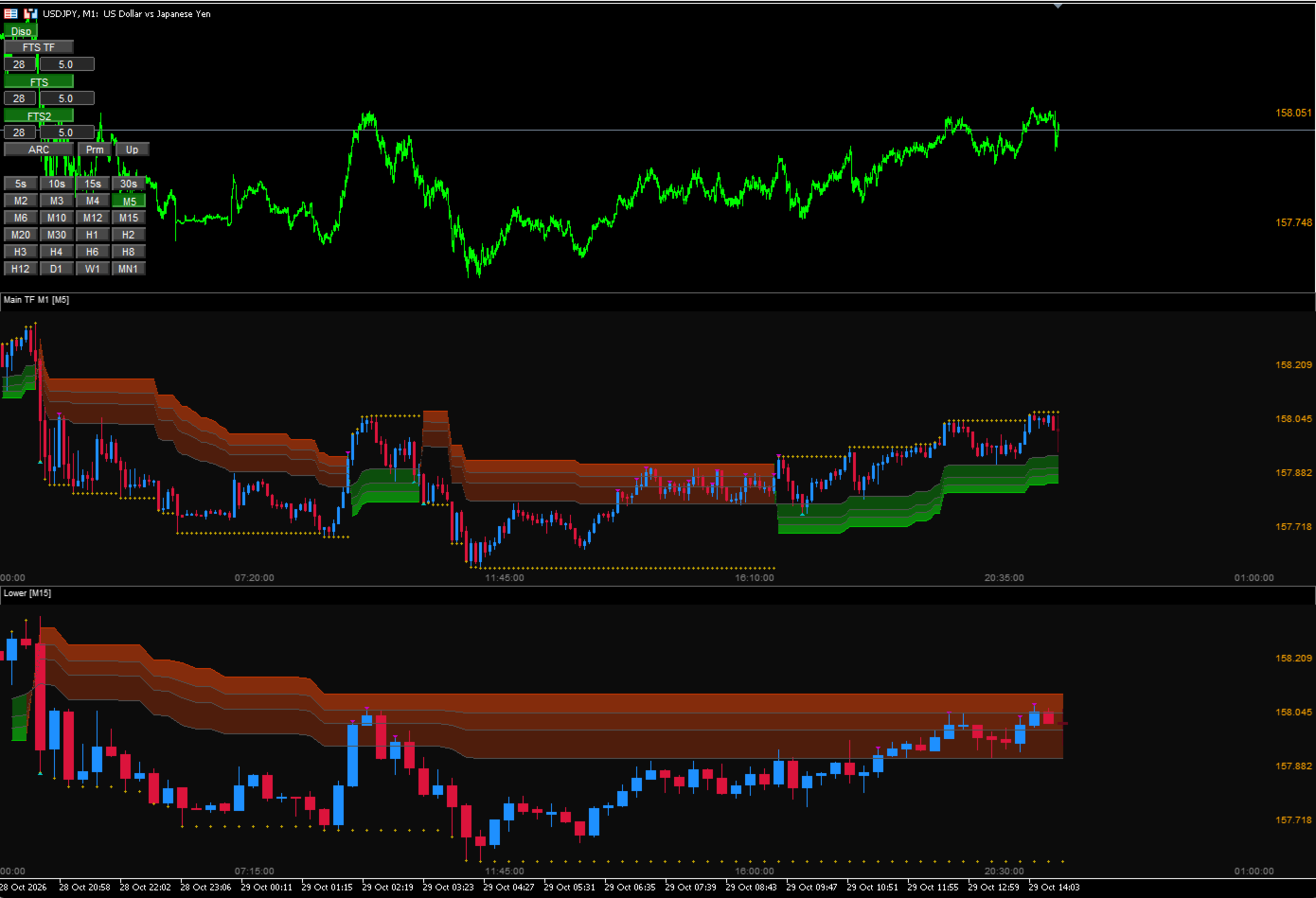
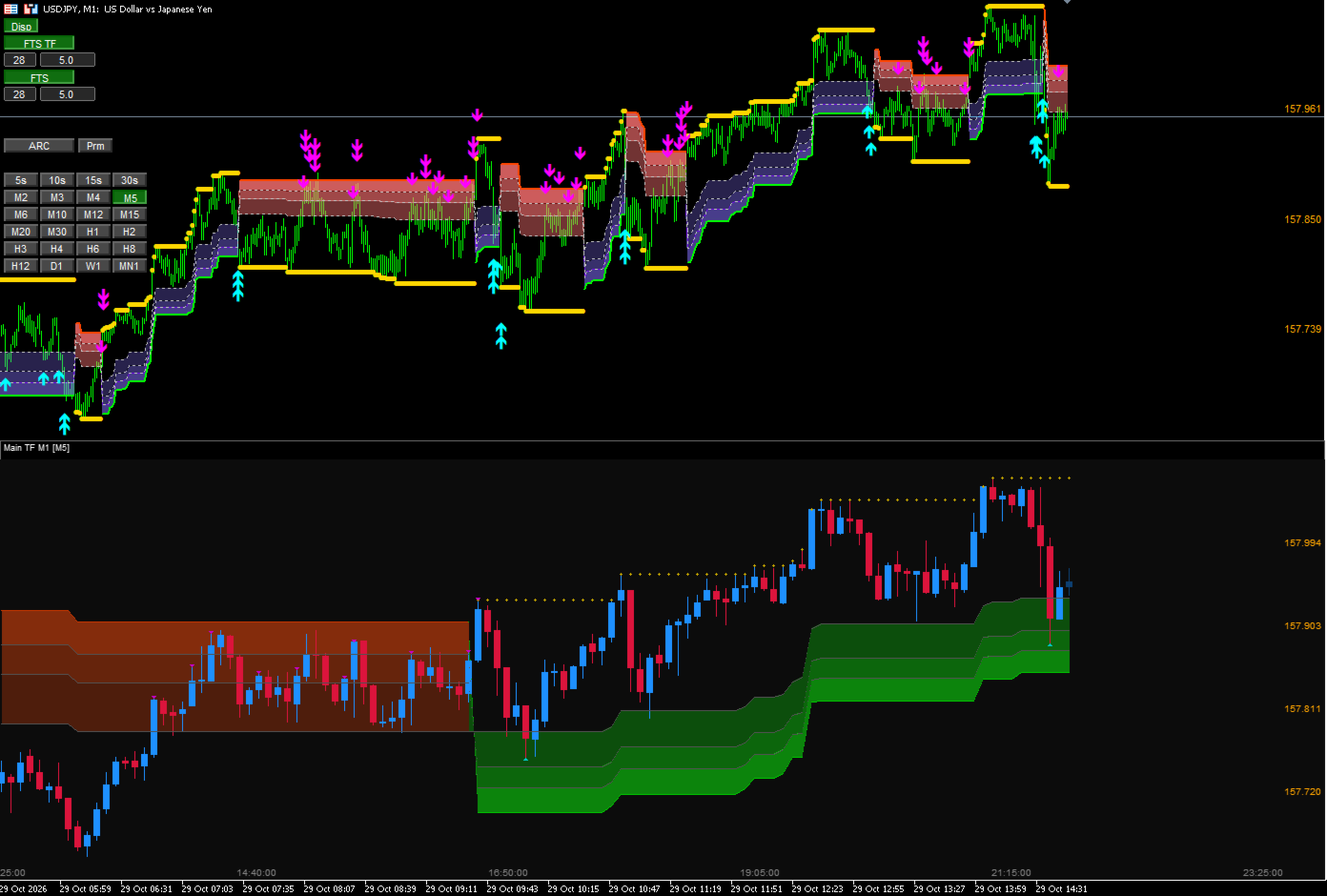
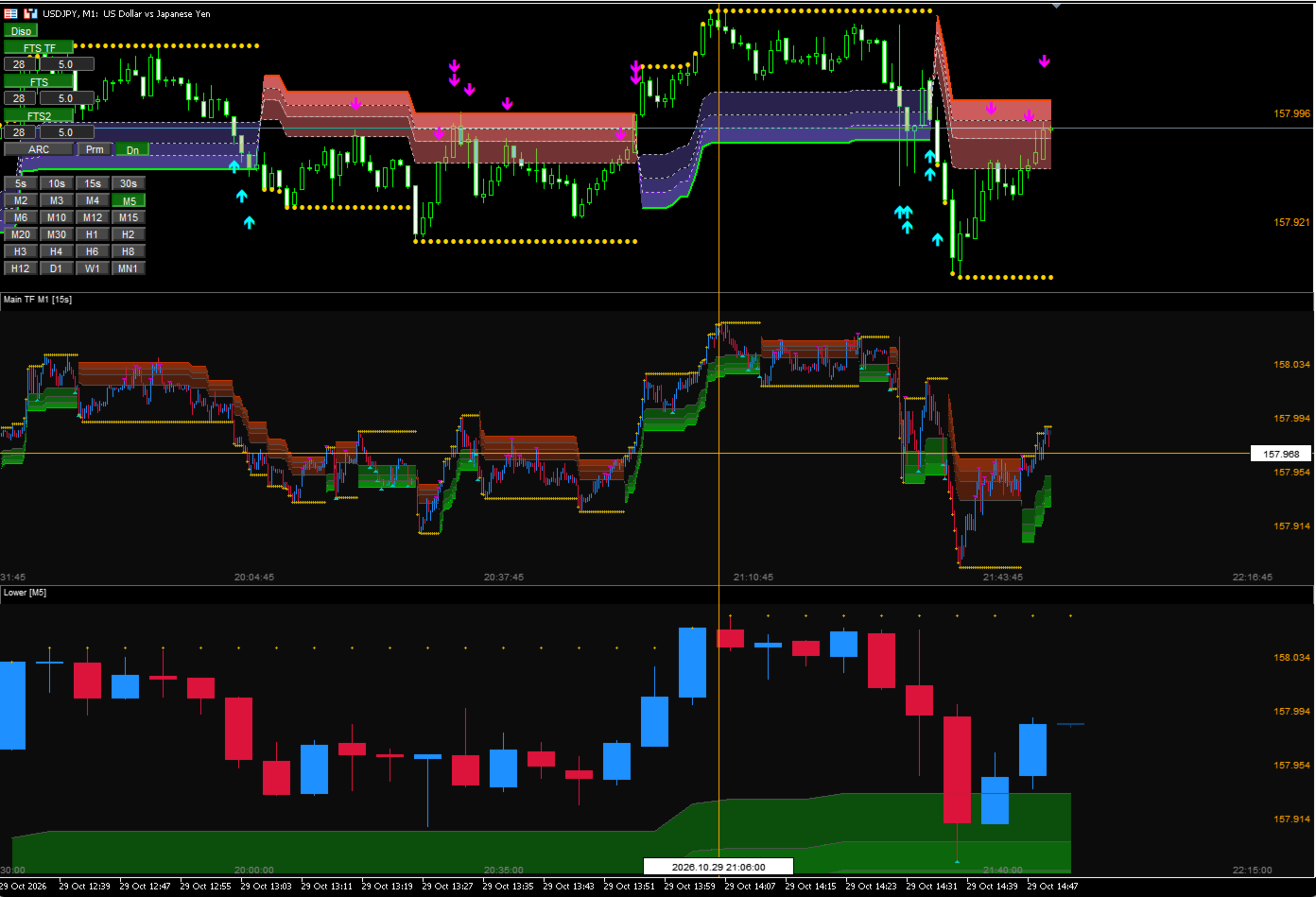
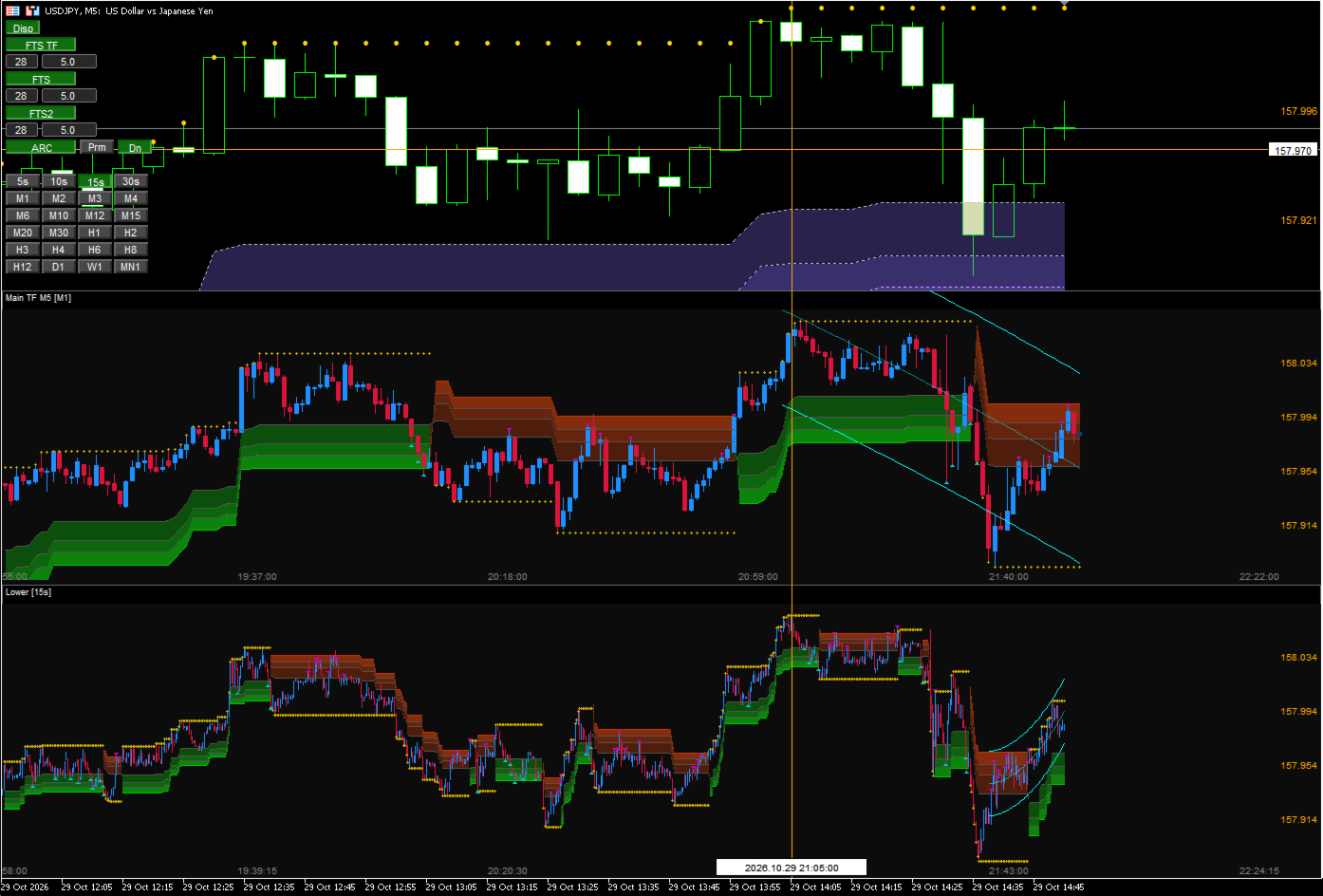
FTTS Delta Hyper Second Plus is a lightweight, fast, and highly accurate rendering tool that preserves the original feature of “overlaying a second‑based chart directly on a minute chart,” while adding the ability to overlay additional timeframes (TFs) on top of the main chart.
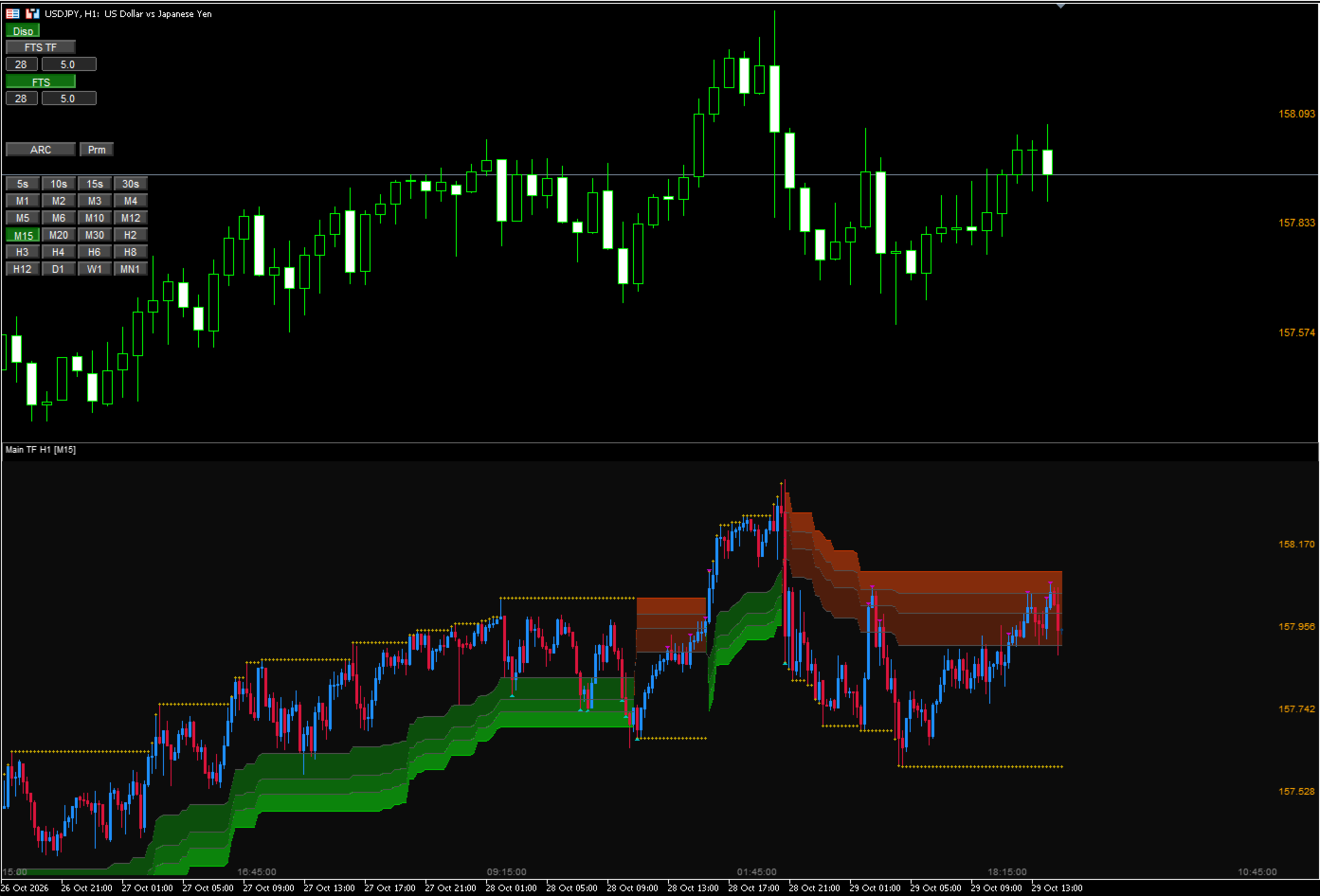
In standard MT5, comparing multiple charts requires manual adjustments each time. This tool directly overlays additional TFs onto the existing minute chart and automatically adjusts the scale. You can visually confirm waveforms from other timeframes with the same weight and alignment as the main chart.
◆ Key Features
● Full Synchronization Between Main Chart and Sub‑Charts
-
Accurate reconstruction using the second‑chart engine and canvas rendering
-
Drawn on the same time scale as the main chart
-
Price labels displayed correctly on the sub‑chart
-
Automatically follows scroll and resize operations
-
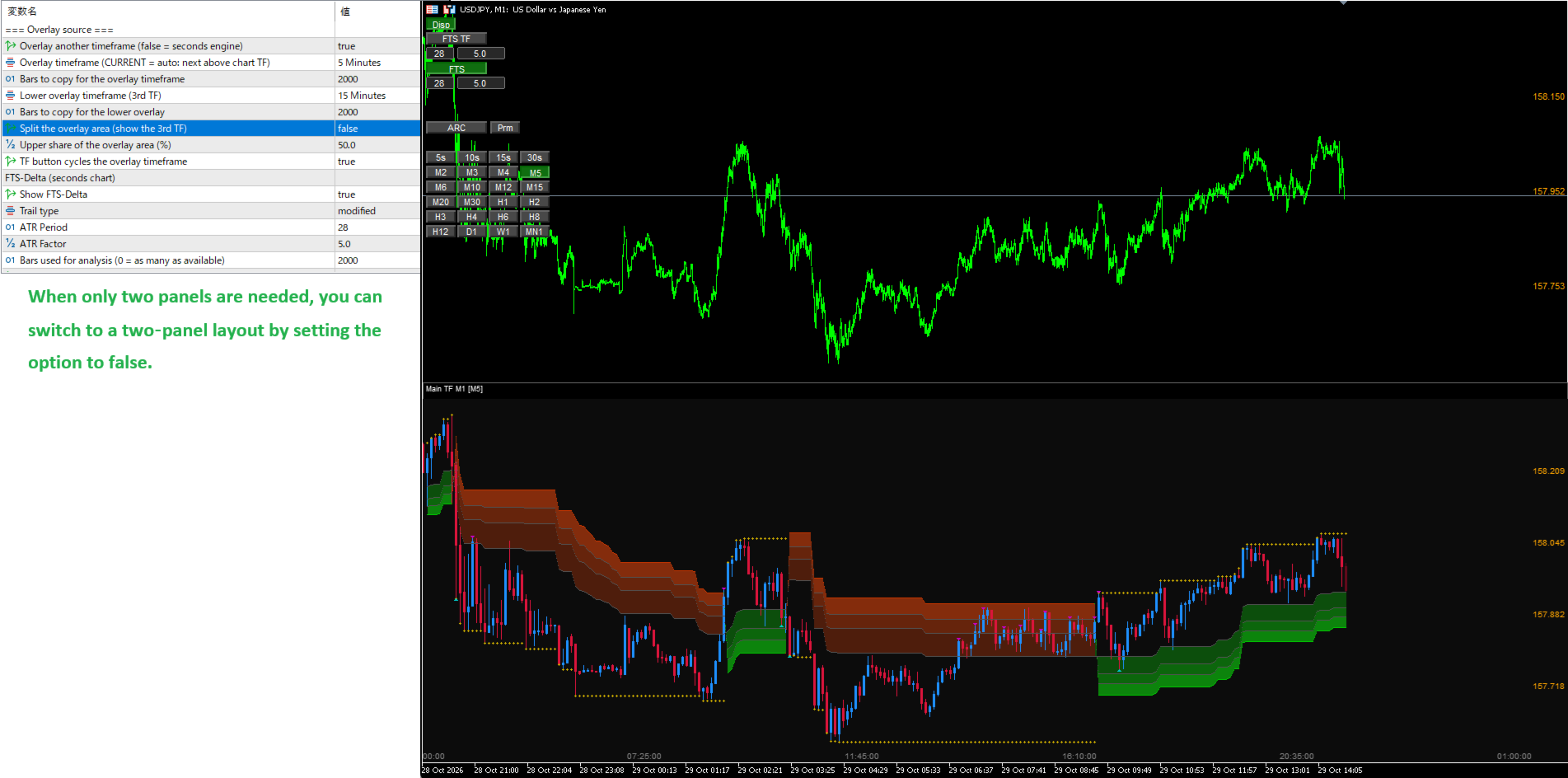
Supports up to two sub‑charts (Main + Sub1 + Sub2)
“You can check multiple charts on the exact same scale!” — this is the strongest advantage of this tool.
● Complete FTS Synchronization (Top / Bottom)
-
Upper panel: Minute‑based FTS (standard chart)
-
Lower panel: Second‑based FTS (canvas‑based pseudo sub‑window)
-
Synchronized with the same logic and band structure
With higher‑timeframe pullbacks and retracements visible on the main chart, the lower‑timeframe internal wave structure becomes directly visible, greatly improving entry precision.
● Automatic Arc Drawing on Sub‑Charts (“Bonus Feature”)
-
Parabolic curves fitted to the chart
-
Automatically generates three lines: upper / center / lower
-
Updated every frame based on the visible range
-
Instantly shows second‑based reversal points and wave centers
Although labeled as a “bonus,” this feature is genuinely powerful.
● Custom Crosshair (Standard Crosshair Replacement)
-
Toggle ON/OFF by clicking the chart
-
Automatically detects second‑zone vs minute‑zone
-
Displays time (including seconds), price, and date
-
Price axis drawn on the right edge of the second‑chart panel
-
Displayed automatically in local time
Works just like a true sub‑chart crosshair.
● Auto‑Scale, Gap Filling, High‑Speed Rendering
-
Missing second data is automatically filled
-
AutoScale optimizes visibility
-
High‑speed processing reduces rendering load
◆ Button Controls (Top‑Left)
-
Disp: Toggle settings panel
-
FTS TF: Main FTS
-
FTS: Sub FTS
-
FTS2: Second sub FTS
-
ARC: Second‑chart arc
-
Prm: Real‑time parameter editing
-
Up / Dn: Target for TF preset switching Up = Sub FTS, Dn = Sub2 FTS
-
TF buttons: Display the selected timeframe on the chart
◆ Notes
This tool is for visualization and analysis only. Currently, automated trading and alert functions are not included.
As a note, the sub‑window is implemented as a canvas‑based pseudo panel, so additional indicators cannot be attached to it. Please understand this limitation.
Of course, you can still add indicators to the main timeframe as usual, but due to the nature of the canvas, the display order will always be:
-
Main chart
-
Canvas (second‑chart panel)
-
Sub‑window indicators added to the main chart
This order is fixed by design.
◆ Recommended Use Cases
-
Improving entry precision using second‑based reversal points
-
Visualizing internal structure of pullbacks/retracements on minute charts
-
Supporting scalping and short‑term trading
-
For traders who want to read FTS hierarchical structure in finer detail
-
Simple comparison of multiple timeframe charts
◆ We want to turn your voices into reality!
"I'd love to have an indicator with this feature,"
"It would be great if I could compare charts like this,"
"This is how I'd like to see it displayed,"
"I'd like this setting in this section,"
etc. No matter how small the suggestion,
please let us know your ideas and requests in the comments or messages.
We will use your feedback to evolve the tool into an even more user-friendly tool.
The free simplified version (seconds only) is available here.
This indicator is free to use until 2026‑11‑07.