FTS Delta Hyper Second
- 지표
- 버전: 1.0

◆ Overview
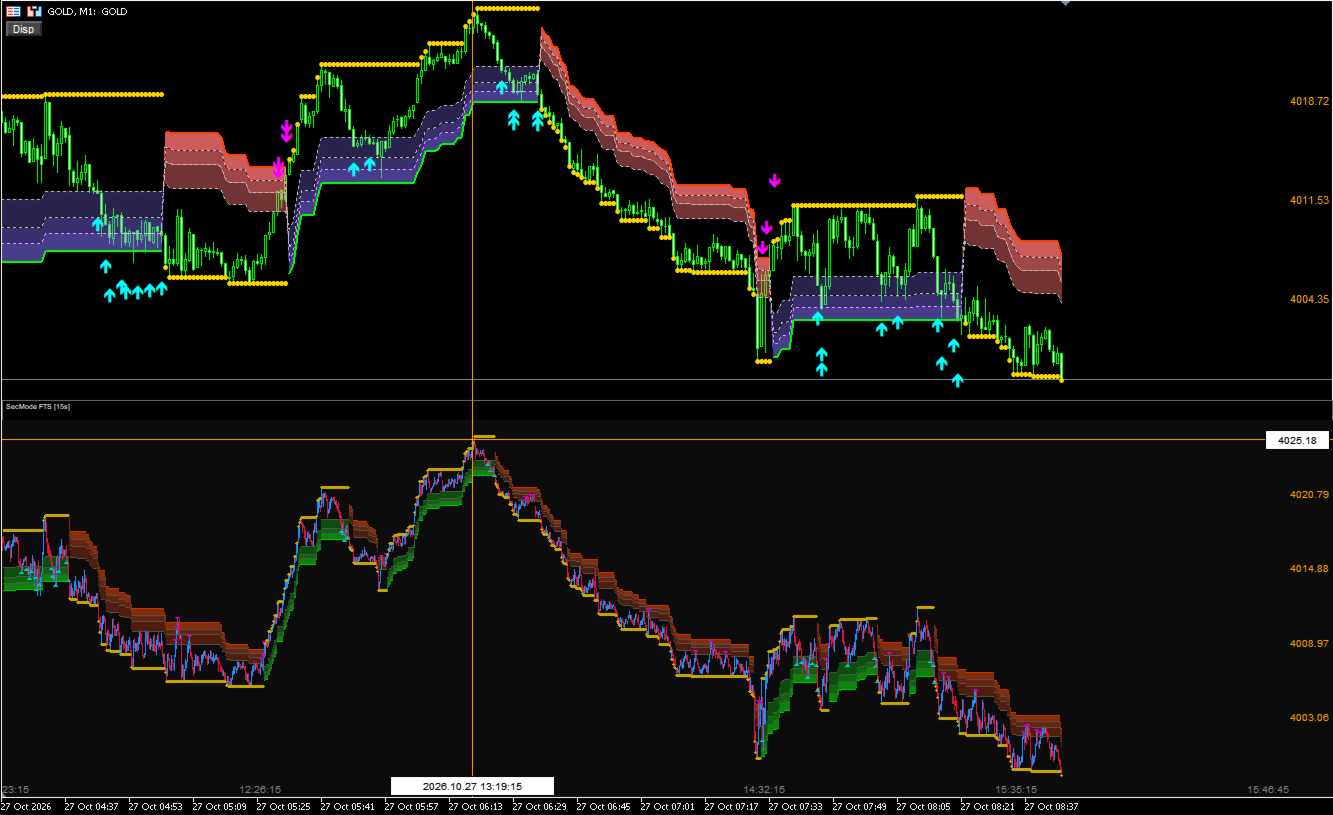
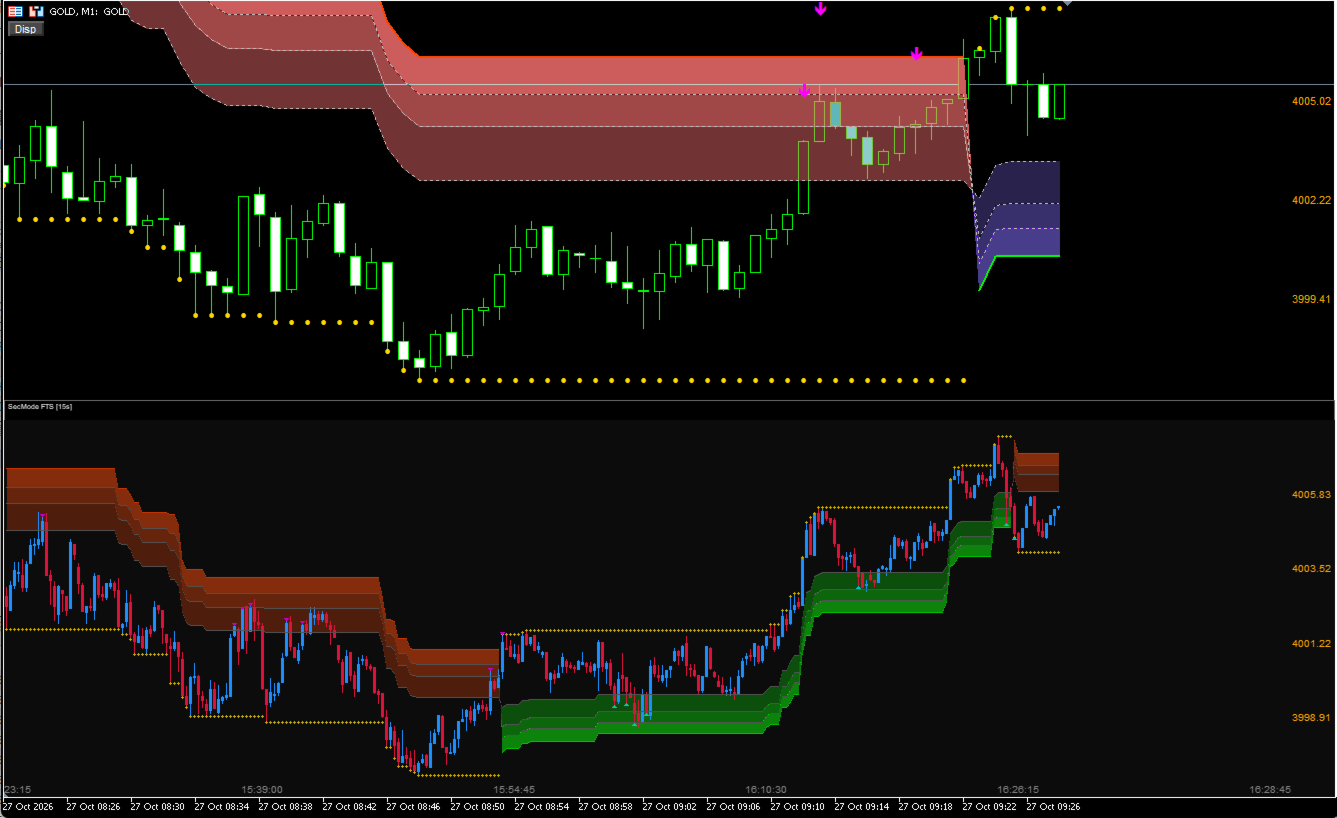
FTS Delta Hyper Second is a lightweight, fast, and highly accurate visualization tool that enables second‑based charts directly overlaid on your existing minute chart.
Normally, MT5 requires second charts to be displayed in a separate window. This tool, however, provides a second‑chart canvas that “sits on top” of your minute chart, allowing you to see micro‑structures such as 5‑second, 15‑second, or 30‑second waves inside the flow of the 1‑minute chart.
◆ Key Features
● Perfect Synchronization Between Minute Chart and Second Chart
-
Accurate reconstruction using a dedicated seconds engine
-
Drawn using the same time scale as the minute chart
-
Second‑chart price labels displayed correctly
-
Automatically follows chart scrolling and resizing
“You can view second‑based price action on the exact same scale as the 1‑minute chart!” This is the core strength of the tool.
● Full FTS Synchronization (Upper & Lower Panels)
-
Upper: Minute‑chart FTS (standard chart)
-
Lower: Second‑chart FTS (canvas‑based pseudo sub‑window)
-
Both use identical logic and band structures
This allows you to see the internal wave structure inside minute‑chart pullbacks and retracements, dramatically improving entry precision.
● “Bonus” Feature — Automatic Arc Drawing on the Second Chart
-
Parabolic curves that fit the chart
-
Automatically generates upper / center / lower arc lines
-
Updated every frame based on the visible range
-
Instantly shows second‑based turning points and wave centers
Although labeled as a “bonus,” this feature is genuinely powerful.
● Custom Crosshair (Replaces MT5 Standard Crosshair)
-
Toggle ON/OFF by clicking the chart
-
Automatically detects minute‑zone vs second‑zone
-
Displays time (with seconds), price, and date
-
Draws a price scale on the right side of the second‑chart panel
Feels just like using a real sub‑window.
● Auto‑Scaling, Gap Filling, and High‑Speed Rendering
-
Missing second‑bars are automatically filled
-
AutoScale optimizes visibility
-
High‑speed processing reduces rendering load
◆ Button Controls (Top‑Left of Chart)
-
Disp: Settings panel
-
FTS TF: Minute‑chart FTS
-
FTS: Second‑chart FTS
-
ARC: Second‑chart Arc
◆ Notes
This tool is for visualization and analysis only. It does not include automated trading or alert functions.
◆ Recommended Use Cases
-
Improving entry precision using second‑based turning points
-
Visualizing internal structures inside minute‑chart pullbacks
-
Supporting scalping and short‑term trading
-
Understanding FTS multi‑layer structure in greater detail