Japan Bank Holiday and Gotobi Library MT4

  • 라이브러리
  • Mikoto Hamazono
    Mikoto Hamazono
    AI Trader Kyo | MQL 개발자 & FX 이노베이터
    MQL 개발자이자 FX 혁신에 열정을 가진 사람으로서, 인공지능의 힘을 최대한 활용하는 최첨단 트레이딩 솔루션을 만들고 있습니다.
    금융공학과 프로그래밍 경험을 결합해, 고도화된 AI와 검증된 알고리즘 전략을 하나로 묶은 자동매매 도구를 개발합니다.
    또한 슈퍼컴퓨터 'K(京)'에서 금융 개발 프로젝트에 참여한 경험이 있어, 다양한 관점에서 시스템을 설계할 수 있습니다.
    주요 성과:
  • 버전: 1.0

Japan Bank Holiday and Gotobi Library MT4는 엔화 시장의 달력 질문에 여러분의 EA, 지표, 스크립트 안에서 답합니다. 오늘이 일본의 은행 휴무일인지, 고토비(五十日)인지, 다음 도쿄 픽싱(仲値)은 언제인지, 브로커 서버 시간 기준으로 지금 일본은 몇 시인지 알 수 있습니다.

모든 규칙을 계산으로 구하므로 공휴일 표를 갱신할 필요가 없습니다. 1980-2027년의 결과는 일본 내각부의 국민 공휴일 목록과 하루 단위로 일치합니다. DLL, 웹 요청, 파일, 매매 함수를 사용하지 않습니다.

답할 수 있는 것

  • 일본의 국민 공휴일(대체 휴일과 '국민의 휴일' 포함)과 각 공휴일의 영어 이름.
  • 일본의 은행 휴무일: 토요일, 일요일, 국민 공휴일, 12월 31일-1월 3일. 그 밖의 날은 영업일입니다.
  • 고토비: 매월 5, 10, 15, 20, 25일과 말일. 그날이 은행 휴무일이면 직전 영업일로 앞당겨집니다.
  • 도쿄 픽싱 시각: 일본 시간 09:55.
  • 브로커 서버 시간과 일본 시간의 상호 변환. 일본에는 서머타임이 없습니다(JST = UTC+9).

함수

  • JpIsBankHoliday(date) - 토요일, 일요일, 국민 공휴일, 12월 31일-1월 3일이면 true.
  • JpIsBusinessDay(date) - 도쿄 은행 영업일이면 true.
  • JpIsNationalHoliday(date) - 국민 공휴일(대체 휴일과 국민의 휴일 포함)이면 true.
  • JpHolidayName(date) - 영어 이름(예: "Marine Day", "Substitute Holiday", "Bank Holiday"). 그 밖의 날은 빈 문자열.
  • JpIsGotobi(date) - 고토비이면 true.
  • JpGotobiDaysOfMonth(year, month, days[]) - 그 달의 고토비를 모두 반환하며, 개수를 돌려줍니다.
  • JpNextGotobi(date) / JpPrevGotobi(date) - 그 날짜 또는 이후의 첫 고토비 / 그 날짜 또는 이전의 마지막 고토비.
  • JpTokyoFixing(date) - 그날 일본 시간 09:55.
  • JpNowJst() - 현재 일본 시간.
  • JpServerToJst(time) / JpJstToServer(time) - 서버 시간과 일본 시간을 변환합니다.
  • JpServerGmtOffsetSeconds() - 서버의 GMT 기준 시차(초). 자동일 때는 TimeCurrent() - TimeGMT()를 15분 단위로 반올림합니다.
  • JpSetServerGmtOffset(seconds) - 1년 내내 같은 시차를 지정합니다(예: GMT+2는 7200).
  • JpSetServerTimeZone(seconds, rule) - 서머타임이 아닐 때의 시차와 서머타임 규칙(0 없음, 1 미국, 2 유럽)을 지정합니다.
  • JpSetServerGmtOffsetAuto() - 자동 시차로 되돌립니다(기본값).
  • JpLibraryVersion() - 버전("1.00").

날짜 인수는 일본 시간으로 전달합니다. 그날의 어느 시각이든 상관없습니다. 공휴일과 고토비 날짜는 일본 시간 00:00으로 반환됩니다.

사용 방법

Market에서는 MQL4\Libraries\Market\Japan Bank Holiday and Gotobi Library MT4.ex4로 설치됩니다. 아래 import 블록을 프로그램 맨 앞에 붙여 넣으세요(MQL4\Include\JpMarketCalendar.mqh로 저장한 뒤 그 파일을 include해도 됩니다).

#import "Market\\Japan Bank Holiday and Gotobi Library MT4.ex4"
string   JpLibraryVersion();
bool     JpIsNationalHoliday(datetime date_jst);
bool     JpIsBankHoliday(datetime date_jst);
bool     JpIsBusinessDay(datetime date_jst);
string   JpHolidayName(datetime date_jst);
bool     JpIsGotobi(datetime date_jst);
int      JpGotobiDaysOfMonth(int year, int month, datetime &out[]);
datetime JpNextGotobi(datetime from_jst);
datetime JpPrevGotobi(datetime from_jst);
datetime JpTokyoFixing(datetime date_jst);
int      JpServerGmtOffsetSeconds();
bool     JpSetServerGmtOffset(int seconds);
bool     JpSetServerTimeZone(int standard_offset_seconds, int dst_rule);
void     JpSetServerGmtOffsetAuto();
datetime JpServerToJst(datetime server_time);
datetime JpJstToServer(datetime jst);
datetime JpNowJst();
#import

EA 예제:

int OnInit()
  {
   // In the Strategy Tester TimeGMT() returns server time: set the offset yourself
   if(MQLInfoInteger(MQL_TESTER))
      JpSetServerTimeZone(2 * 3600, 1);        // GMT+2, +1 hour in US summer time
   return(INIT_SUCCEEDED);
  }

void OnTick()
  {
   datetime jst = JpNowJst();                  // Japan time now
   if(JpIsGotobi(jst))
      Comment("Gotobi - Tokyo fixing at ",
              TimeToString(JpJstToServer(JpTokyoFixing(jst))), " server time");
   else if(JpIsBankHoliday(jst))
      Comment("Japanese bank holiday ", JpHolidayName(jst));
   else
      Comment("Next gotobi: ", TimeToString(JpNextGotobi(jst), TIME_DATE));
  }

사용하는 규칙

  • 일본 「국민의 공휴일에 관한 법률」과 그 개정: 날짜가 정해진 공휴일, 월요일 공휴일(성인의 날과 체육의 날은 2000년부터, 바다의 날과 경로의 날은 2003년부터), 2016년부터의 산의 날, 연호별 천황 탄생일, 2020년과 2021년의 이동.
  • 대체 휴일: 공휴일이 일요일과 겹치면 그 뒤의 가장 가까운, 공휴일이 아닌 날이 휴일(2007년부터. 그 이전에는 다음 날만).
  • 국민의 휴일: 두 공휴일 사이에 낀 날(1986년부터). 예: 2026년 9월 22일.
  • 한 번뿐인 휴일: 1989-02-24, 1990-11-12, 1993-06-09, 2019-05-01, 2019-10-22.
  • 춘분의 날과 추분의 날: 1980-2099년에 쓸 수 있는 표준 근사식. 2027년까지 모든 해에서 공식 날짜와 일치하고, 2099년까지 모든 해에서 천문 계산과 일치합니다. 정부는 각 날짜를 전년도 2월에 공표합니다.
  • 은행 휴무일: 토요일, 일요일, 국민 공휴일, 12월 31일-1월 3일(은행법. 현재 규칙을 모든 해에 적용합니다).
  • 고토비: 은행 휴무일이면 같은 달의 직전 영업일로 앞당깁니다. 5일이 전달로 넘어가는 경우(예: 2027년 5월) 그 영업일은 이미 전달 말일의 고토비이므로 전달에만 표시됩니다.

알아 둘 점

  • 사용 가능한 연도: 1980-2099년. 범위 밖에서는 false, 0, 빈 문자열 또는 -1을 반환합니다.
  • 전략 테스터: 테스터에서는 TimeGMT()가 서버 시간을 반환하므로 자동 시차가 0이 됩니다. 예제처럼 OnInit()에서 JpSetServerGmtOffset() 또는 JpSetServerTimeZone()을 호출하세요. 테스터에서 자동 시차를 쓰면 라이브러리가 테스터 기록에 안내를 한 번 남깁니다.
  • MT4에는 TimeTradeServer()가 없으므로 자동 시차는 TimeCurrent()(마지막 시세의 시각)로 구합니다. 시세가 들어오는 동안에는 정확하지만, 터미널을 시작한 직후나 시장이 닫혀 있을 때는 틀릴 수 있습니다(-12~+14시간을 벗어난 값은 무시합니다). MT4에서는 JpSetServerTimeZone()으로 시차를 지정하는 것이 안전합니다.
  • 자동 시차는 현재의 시차입니다. 서머타임 전환을 넘어 과거 봉을 변환하려면 JpSetServerTimeZone()으로 서버의 규칙을 지정하세요.
  • 설정은 호출한 프로그램에 적용됩니다. EA나 지표마다 OnInit()에서 호출하세요.
  • JpGotobiDaysOfMonth()에는 동적 배열(datetime days[];)이 필요합니다.
  • 결과는 연도별로 캐시됩니다. 같은 해 안에서 반복 호출하면 1회 약 0.1마이크로초입니다.

지원

궁금한 점이 있으면 MQL5에서 개인 메시지를 보내 주세요.

추천 제품
RedeeCash Statistics
Patrick Odonnell Ingle
1 (1)
Version History Date Version Changes 07/10/2022 1.00 Initial release Description A collection of modern statistical functions that can be integrated into your own strategy. The included functions are, Mean Median Range Skew Max Min IRange Deviations AbsoluteDeviations MAD StandardDeviation Variance GetCorrelation SamplingDistributionStandardDeviation ZScore CorrelationCoefficient CoVariance Beta Confidence SNormInv PercentOfValue ValueOfPercent MQL Header (mqh) The required header is //+--------
FREE
The   Volume Weighted ATR indicator   is a helpful tool for measuring market activity. It is based on the idea of the Volume-Weighted ATR. Combining these two elements helps identify potential turning points or breakout opportunities. The indicator for the classification of the activity of the market uses the moving average and its multiples. Accordingly, where the VWATR bar is located (relative to the moving average), it is labelled as ultra-low, low, average, high, very high or ultra high. Th
FREE
The Candle Countdown Timer for MetaTrader 4 (also available for MT5) is a vital indicator designed to help you manage your trading time effectively. It keeps you updated about market open and close times by displaying the remaining time before the current candle closes and a new one forms. This powerful tool enables you to make well-informed trading decisions. Key Features: Asia Range: Comes with an option to extend the range. Broker Time, New York, London Time: Displays the current broker time
FREE
Market Profile 3
Hussien Abdeltwab Hussien Ryad
3 (2)
Market Profile 3 MetaTrader 4 indicator  — is a classic Market Profile implementation that can show the price density over time, outlining the most important price levels, value area, and control value of a given trading session. This indicator can be attached to timeframes between M1 and D1 and will show the Market Profile for daily, weekly, monthly, or even intraday sessions. Lower timeframes offer higher precision. Higher timeframes are recommended for better visibility. It is also possible t
FREE
FVG Zone MT4
Robby Suhendrawan
Fair Value Gap (FVG) Free Edition – 자동화된 스마트 머니 풋프린트 ICT(Inner Circle Trader) 및 SMC(Smart Money Concepts) 방법론에서 FVG(Fair Value Gap, 불균형/Imbalance라고도 함)는 가격이 극단적인 모멘텀으로 움직여 유동성 공백을 남길 때 발생합니다. 이러한 채워지지 않은 갭은 향후 가격 움직임의 자석 역할을 하므로 전문 트레이더에게 가장 확률 높은 되돌림 및 진입 구간이 됩니다. Pro 버전 링크: https://www.mql5.com/en/market/product/147694 더 이상 수동으로 구간을 그리지 마십시오. Fair Value Gap (FVG) Free Edition 을 소개합니다. 이 가볍고 고정밀한 지표는 차트의 핵심 불균형을 자동으로 감지하고 그려주어, 수동으로 차트를 마크업하는 번거로움 없이 기관의 발자취를 식별할 수 있도록 도와줍니다. 복잡한 작업은 알고리즘에 맡기고
FREE
Trend Mate Scanner
ANGEL CALLE CRUZ
5 (1)
This product is based on the single indicator TREND MATE. Link: https://www.mql5.com/es/market/product/50082 The aim of this EA is to watch for all pairs in a single panel in order to have a quick view of changes or new uptrends/downtrends. It is possible to watch from your mobile by sending push notifications when changes appear. If you want to have all push notifications for even exit trends you may receive multiple messages.
FREE
BlueDigitsFx Open Trades
Ziggy Janssen
4.89 (27)
무료 BlueDigitsFx 도구 + 생태계 액세스 이 무료 도구는 BlueDigitsFx 트레이딩 인프라 생태계의 일부입니다. BlueDigitsFx 봇을 통해 업데이트, 워크플로우 리소스, 제품 출시 정보 및 공식 생태계 액세스를 받아보세요. Telegram 생태계 웹사이트 MT5 버전 BlueDigitsFx Open Trades MT4 — 능동적인 포지션 관리를 위한 실시간 핍 모니터 BlueDigitsFx Open Trades는 모든 열린 거래의 총 핍 결과를 실시간으로 차트에 직접 표시하는 무료 MT4 유틸리티입니다. 이 도구는 색상으로 구분된 깔끔한 표시 방식을 사용하여 활성 거래와 통화쌍 전반에서 수익 및 손실 포지션을 빠르게 파악할 수 있도록 도와줍니다. 여러 창을 계속 전환하지 않고도 거래 상태를 보다 명확하게 파악하고, 포지션을 빠르게 관리하며, 활성 거래 세션을 효율적으로 모니터링하고자 하는 트레이더를 위해 설계되었습니다. 열린 거래의 전체 성과를 차트에
FREE
Zig Zag 123
Stephen Reynolds
Zig Zag 123 tells us when a reversal or continuation is more likely by looking at the shift in supply and demand. When this happens a signature pattern appears known as 123 (also known ABC) will often break out in direction of higher low or lower high. Stop loss and take profit levels have been added. There is a panel that shows the overall performance of your trades for if you was to use these stop loss and take profit levels.  We get alerted if a pattern 123 appears and also if the price re
FREE
Base Trading System
Che Jeib Che Said
2.5 (2)
For Multi Time Frame version, please click here. BASE TRADING SYSTEM is a useful tool to trade with simple strategy. It draws automatically base up for long trade and base down for short trade. Clear trade when base is going opposite direction. User can trade by instant market entry or by pending order entry. It depends on user best strategy. input: Base Box Color- UP base box , DOWN base box, UP base shadow, Down base shadow.
FREE
Perfect for one minutes high trading and scalping. This indicator is very effective for trading on one minutes, in the hour. A combination of moving averages and STOCHASTICS calculation to produce a very convincing signal every hour. Blue colour signals a buy opportunity. Follow the X signs for possible buy points. The Blue average line serves as possible trend direction and support. Red colour signals a sell opportunity. Follow the X signs for possible sell points. The Red average line serves a
FREE
Session High Low
Jerome Asiusin
This indicator help to mark the high and low of the session Asian,London,Newyork , with custom hour setting This indicator is set to count from minute candle so it will move with the current market and stop at the designated hour and create a accurate line for the day. below is the customization that you can adjust : Input Descriptions EnableAsian Enables or disables the display of Asian session high and low levels. EnableLondon Enables or disables the display of London session high and
FREE
Go trend I
Alberto Sassetti
L'indicatore Go Trend è un indicatore personalizzato per MetaTrader 4 (MT4) basato su una logica di ZigZag con tre livelli di periodi diversi. Questo indicatore è progettato per identificare i punti di inversione del prezzo (massimi e minimi) su diversi timeframe, aiutando i trader a individuare potenziali trend e punti di ingresso/uscita nel mercato. Funzionalità Principali Identificazione dei Punti di Inversione (ZigZag) L'indicatore utilizza una logica di ZigZag per tracciare linee che coll
FREE
======================================================== GOLD WAVE LEVELS (ELLIOTT-ALIGNED) - MQL5/MT4 MARKET DESCRIPTION (formatting: **bold** = Bold button; lines with • = bullet list; UPPERCASE = heading) ======================================================== OVERVIEW ------------------------------------------------------- **Gold Wave Levels** draws a tested wave backbone for gold and validates signals against **Elliott theory hard-rules**, with higher-timeframe context and per-timeframe
FREE
MT Supply Demand
Issara Seeboonrueang
4 (4)
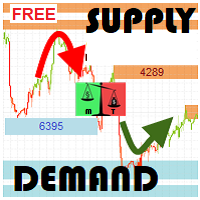
We provide indicators tailored to better meet your trading requirements.       >>  MT Magical  << MT Supply Demand : It is an indicator created to find supply and demand, which will be important support and resistance levels for the price.  Supply Zone   is a zone where the price has reached, it is often resisted. In other words, when the price reaches this zone, there will be more selling power to push the price back down. Demand Zone   is a zone where the price has reached, it is ofte
FREE
High Low Open Close MT4
Alexandre Borela
4.81 (21)
이 프로젝트를 좋아한다면 5 스타 리뷰를 남겨주세요. 이 지표는 열리고, 높은, 낮은 및 마감 가격을 지정합니다. 기간과 그것은 특정한 시간대를 위해 조정될 수 있습니다. 이들은 많은 기관 및 전문가에 의해 보는 중요한 수준입니다 상인은 당신이 더 많은 것일 수있는 장소를 알고 도움이 될 수 있습니다 이름 * 사용 가능한 기간: 이전 날. 이전 주. 지난 달. 이전 분기. 이전 연도. 또는: 현재 날. 현재 주. 현재 달. 현재 분기. 현재 년.

FREE
Vanda FX
Sayan Vandenhout
5 (2)
Vanda FX USES THE TREND WAVE INDICATOR AND IT CAN IDENTIFY THE BEGINNING AND THE END OF A NEW WAVE TREND MOVEMENT. AS AN OSCILLATOR, THE INDICATOR IDENTIFIES THE OVERBOUGHT AND OVERSOLD ZONES. IT WORKS GREAT TO CATCH THE SHORT TERM PRICE REVERSALS AND USES A MARTINGALE STRATEGY TO CLOSE ALL TRADES IN PROFIT. USE DEFAULT SETTINGS ON H1 OR HIGHER TIME FRAME ON ANY PAIR FOR MORE ACCURATE TRADES WHY THIS EA : Smart entries calculated by 4 great strategies The EA can be run on even a $20000 acc
FREE
FFx Force Index
Eric Venturi-Bloxs
5 (1)
The purpose of this new version of the MT4 standard indicator provided in your platform is to display in a sub-window multiple timeframes of the same indicator. See the example shown in the picture below. But the display isn’t like a simple MTF indicator. This is the real display of the indicator on its timeframe. Here's the options available in the FFx indicator: Select the timeframes to be displayed (M1 to Monthly) Define the width (number of bars) for each timeframe box Alert pop up/sound/ema
FREE
Enhanced Volume Profile: The Ultimate Order Flow & Liquidity Analysis Tool Overview Enhanced Volume Profile   is an indicator for MetaTrader 5 that displays the traded volume at specific price levels over a defined period. It separates the total volume into buy and sell components, presenting them as a side-by-side histogram on the chart. This allows users to observe the volume distribution and the proportion of buy and sell volumes at each price level. Graphics Rendering The indicator uses t
FREE
OVERVIEW Liquidity Sweep Hunter  identifies liquidity highs and lows across three different lookback periods and keeps them active until they are mitigated. This creates a persistent view of where resting liquidity has formed instead of only showing the latest swing points. The indicator also displays a heatmap that highlights the relative strength of active liquidity levels and generates reversal signals after price sweeps multiple visible liquidity bands before reclaiming them. Optional tr
FREE
Automated Timeframe cycling with Symbols centered.  Force every timeframe onto one clock window, so the story you see on Daily is the same story you are slicing on H4, H1, and M1.  Traders usually flip timeframes and lose the span. A Daily chart shows a few weeks, then M15 shows a few hours, and the eye treats them as different markets. TASSERACT locks the window to N bars of the highest enabled timeframe — default 10 Daily — and maps every lower timeframe to that same stretch. You stay inside o
FREE
Two Period RSI
Libertas LLC
5 (4)
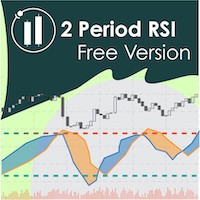
Two Period RSI compares long-term and short-term RSI lines, and plots a fill between them for improved visualization. Fill is colored differently according to an uptrend (short period RSI above long period RSI) or a downtrend (short period RSI below long period RSI). Short-term RSI crossing long-term RSI adds a more robust trend confirmation signal than using single period RSI alone. This is a small tool to help visualize and confirm RSI trends. We hope you enjoy! Looking for RSI alerts? You can
FREE
The Saz_Timer indicator belongs to the Saz_Forex suite of professional indicators designed by Traders, for Traders. This indicator will show minutes and seconds of real time on the chart window. The indicator uses the OnTimer() event so it can update even while no ticks received on the chart. The text is shown toward the bottom right of the chart, encircled red in the screenshot. Inputs: Text Colour, allows selection of the colour for the text.
FREE
VR Orders History
Vladimir Pastushak
5 (4)
The VR Orders History script is designed to upload a trade report to a csv file. This format is intended for additional analysis of trading history in programs such as EXCEL, Openoffice, and Libreoffice. Thanks to the script, it is now much easier for a trader to analyze their trading history. The program facilitates the analysis of the trading history for the MetaTrader 5 terminal. The trader sees structured trading. The entire report is based on the following principle: Position > Order on the
FREE
Traditional MACD MT4
Daniel Lewis
4.59 (56)
MACD indicator in MetaTrader 4/5 looks different than MACD does in most other charting software. That is because the MetaTrader 4/5 version of MACD displays the MACD line as a histogram when it is traditionally displayed as a line. Additionally, the MetaTrader 4/5 version computes the Signal line using an SMA, while according to MACD definition it is supposed to be an EMA. The MetaTrader 4/5 version also does not compute a true MACD Histogram (the difference between the MACD/Signal lines). This
FREE
SRP (Strong Retracement/Reversal Points) is a powerful and unique support and resistance indicator. It displays the closest important levels which we expect the price retracement/reversal! If all level are broken from one side, it recalculates and draws new support and resistance levels, so the levels might be valid for several days depending on the market! Key Features You can use it in all time-frames smaller than daily! Displays closest significant support and resistance levels Update the le
FREE
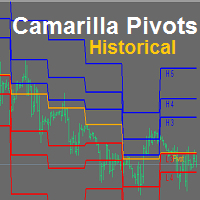
YOU CAN NOW DOWNLOAD FREE VERSIONS OF OUR PAID INDICATORS . IT'S OUR WAY OF GIVING BACK TO THE COMMUNITY ! >>>    GO HERE TO DOWNLOAD Camarilla Pivots Historical plots the historical data of the camarilla pivot point levels on the chart. The Camarilla Pivot levels was originated in 1989 by Nick Scott. The levels are used as primary support and resistance levels by Intraday traders. The levels are calculated with the following formula: R4 = C + RANGE * 1.1/2 R3 = C + RANGE * 1.1/4 R2 = C + RANG
FREE
Wise Men Indicator demo
Bohdan Kasyanenko
3 (2)
The indicator displays signals according to the strategy of Bill Williams on the chart. Demo version of the indicator has the same features as the paid, except that it can work only on a demo account . Signal "First Wise Man" is formed when there is a divergent bar with angulation.  Bullish divergent bar - with lower minimum and closing price in the upper half. Bearish divergent bar - higher maximum and the closing price at the bottom half. Angulation is formed when all three lines of Alligator
FREE
FFx MACD
Eric Venturi-Bloxs
4.2 (5)
The purpose of this new version of the MT4 standard indicator provided in your platform is to display in a sub-window multiple timeframes of the same indicator. See the example shown in the picture below. But the display isn’t like a simple MTF indicator. This is the real display of the indicator on its timeframe. Here's the options available in the FFx indicator: Select the timeframes to be displayed (M1 to Monthly) Define the width (number of bars) for each timeframe box Alert pop up/sound/ema
FREE
Mirror chart
Salavat Yulamanov
4.5 (2)
표시기는 표시된 정보를 단순화하도록 설계된 하나의 차트에 두 개의 서로 다른 쌍을 표시합니다.   터미널에서 사용 가능한 거의 모든 금융상품(통화쌍뿐만 아니라 금속 및 원자재)에 대한 작업이 가능합니다. 모든 통화쌍에 대한 시각적 상관관계 방법을 사용하는 기능 하위심볼. 통화 쌍은 색깔 있는 양초와 함께 화면에 표시됩니다. 이것은 동일한 상관 쌍입니다. 미러링. 보조 통화. 이 지표는 두 가지 유형의 상관관계를 반영합니다. 설정 하위 기호 = "USDCHF";   BullBarColor = 주황색빨간색;   BearBarColor = 노란색;   색상 GridColor = 흰색;   미러링 = 거짓; The indicator displays two different pairs on one chart, designed to simplify the displayed information,   Capable of working with almost all instruments a
FREE
Trend Monitor for MT4
STE S.S.COMPANY
4.23 (39)
추세 및 변동성 분석기 지표를 분석하는 맞춤형 MT5(메타 트레이더 5) 지표. 또한 대부분의 통화 쌍 및 시간대에 적용되는 추세의 시작과 끝을 식별합니다. 결론적으로 변동성 분석기를 추가하여 보다 정확한 Super Trend Formula를 기반으로 코딩하였습니다. 훌륭하고 신뢰할 수 있는 지원 및 저항 표시기를 찾고 있습니까? 올인원 레벨 표시기( 풀백 영역, 강력한 지원/저항 영역, 시장 구조 스크리너 등)를 사용해 보십시오. , 여기를 클릭하세요. 주요 특징들 추세의 시작과 끝을 식별합니다. 추세의 강도를 쉽게 식별(최대 증가 및 최대 감소) 시장 조정을 식별합니다. ( 약세 추세 ) Potentiel 추세가 시작되면 경고를 받으십시오. 이점 모든 쌍(Forex, Crypto, 지수 및 상품)으로 작업 모든 시간대에 작업합니다. (권장 기간: H1 및 H4 기간) 경고 생성기. ( 팝업 알림, 푸시 알림 알림 등 ) 문서( 지침 ) 모든 Trend Monit


FREE
이 제품의 구매자들이 또한 구매함
A library for creating a brief trading report in a separate window. Three report generation modes are supported: For all trades. For trades of the current instrument. For trades on all instruments except the current one. It features the ability to make reports on the deals with a certain magic number. It is possible to set the time period of the report, to hide the account number and holder's name, to write the report to an htm file. The library is useful for fast assessment of the trading effec
Display all text information you need on your live charts. First, import the library: #import "osd.ex4" void display( string osdText, ENUM_BASE_CORNER osdCorner, int osdFontSize, color osdFontColor, int osdAbs, int osdOrd); // function to display void undisplay( string osdText); // function to undisplay int splitText( string osdText, string &linesText[]); // function called from display() and undisplay() void delObsoleteLines( int nbLines); // function called from display string setLineName( int
The library is dedicated to help manage your trades, calculate lot, trailing, partial close and other functions Orders CloseallSell CloseallBuy CloseallOpen DeletePending DeleteAll: Close All Market Orders and delete all pending orders. CheckOpenBuyOrders: return the count of buy orders. CheckOpenSellOrders: return the count of sell orders. CheckOpenOrders: return the count of market orders. ModifyOrder DeleteOrder CloseOrder OpenOrder Lot Calculation Mode 0: Fixed Lot. Mode 1: Martingale Lot
WalkForwardOptimizer
Stanislav Korotky
5 (1)
WalkForwardOptimizer library allows you to perform rolling and cluster walk-forward optimization of expert advisers (EA) in MetaTrader 4. To use the library include its header file WalkForwardOptimizer.mqh into your EA source code, add call provided functions as appropriate. Once the library is embedded into EA, you may start optimization according to the procedure described in the User guide . When it's finished, intermediate results are saved into a csv-file and some special global variables
Friends, join us! Ask questions and connect with like-minded traders: MetaCOT Public Group MetaCOT Information Channel: news, CFTC reports, and signals: MetaCOT Channel Here’s to successful trading and new profitable signals for us all! Attention! Recently, certain countries have been blocking access to the cftc.gov website. As a result, users in these countries are giving the product low ratings. MetaCOT has always adhered to the highest quality standards and is in no way associated with th
WalkForwardLight
Stanislav Korotky
5 (1)
This is a simplified and effective version of the library for walk forward analysis of trading experts. It collects data about the expert's trade during the optimization process in the MetaTrader tester and stores them in intermediate files in the "tester/Files" directory. Then these files can be used by the special WalkForwardBuilder script to build a cluster walk forward report and rolling walk forward reports for refining it. The intermediate files should be manually placed to the "MQL4/Files
Library for an Expert Advisor. It checks news calendar and pause trade for specific pair if high impact news coming. News Filter for an Exert Advisor. Easily apply to your EA, just needs simple scripts to call it from your EA. Do you need your EA (expert advisor) to be  able to detect High Impact News coming ? Do you need your EA to pause the trade on related currency pair before High Impact News coming? This News Filter library is the solution for you. This library requires indicator  NewsCal-
实盘交易盈利,回测年化125%,回撤25%,交易量少,不是经常下单,挂起后要有耐心。没有多牛的技术,只是一套简单的交易策略,贵在长期坚持,长期执行。我们有时候就是把自己高复杂,想想我们交易的历程,你就会发现,小白好赚钱,当你懂得越多的时候也是亏损的开始,总是今天用这个技术,明天用那个指标,到头来发现,没有一个指标适合你。其实每个技术指标都是概率性的,没有100%的胜率。很多技术指标你要融合一套交易策略,资金仓位控制,止损止盈比例,一套策略下来下一步你做的就是执行力了,必须要坚决执行你的交易策略,如果不能坚持的话最终还是在亏损。说实话不是每个人都有好的心态和执行力,所以我们做出来这款ea自己来用,发现时间久了扭亏为盈了,那现在就拿出来给大家分享,让更多的人来达到自己的盈利目标。购买后留下邮箱或添加软件里的qq,我们会根据你的资金来调整软件参数。 经测试过的柱数 14794 用于复盘的即时价数量 51321985 复盘模型的质量 n/a 输入图表错误 213935 起始资金 10000.00 点差 当前 (54) 总净盈利 12583.42 总获利 37630.02 总亏损 -25046.
Available with multi time frame choice to see quickly the TREND! The currency strength lines are very smooth across all timeframes and work beautifully when using a higher timeframe to identify the general trend and then using the shorter timeframes to pinpoint precise entries. You can choose any time frame as you wish. Every time frame is optimized by its own. Built on new underlying algorithms it makes it even easier to identify and confirm potential trades. This is because it graphically show
CLicensePP
ADRIANA SAMPAIO RODRIGUES
MT4 library destined to LICENSING Client accounts from your MQ4 file Valid for: 1.- License MT4 account number 2.- License BROKER 3.- License the EA VALIDITY DATE 4.- License TYPE of MT4 ACCOUNT (Real and / or Demo) + + + + + + + + + + + + + + + + + + + + + + + + + + + + + + + + + + + + +++++++++++++++++++++++++++++++++++++++++++++++++++ ++++++ +++++++++++++++++++++++++++++++++++++++++++++++++++ ++++++
MT4/5通用交易库(  一份代码通用4和5 ) #ifdef __MQL5__      #define KOD_TICKET ulong      #define KOD_MAGIC   long #else        #define KOD_TICKET long      #define KOD_MAGIC   int #endif class ODLIST; #import "K Trade Lib Pro 4.ex4"       //祝有个美好开始,运行首行加入    void StartGood() ;    //简单开单    long OrderOpen( int type, double volume, int magic, string symbol= "" , string comment= "" , double opprice= 0 , double sl= 0 , double tp= 0 , int expiration= 0 , bool slsetmode= false , bool tpsetmode= false );    //复杂开单
Thư viện này bao gồm: * Mã nguồn struct của 5 cấu trúc cơ bản của MQL4: + SYMBOL INFO + TICK INFO + ACCOUNT INFO * Các hàm cơ bản của một robot + OrderSend + OrderModify + OrderClose * String Error Runtime Return * Hàm kiểm tra bản quyền của robot, indicator, script * Hàm init dùng để khởi động một robot chuẩn * Hàm định dạng chart để không bị các lỗi nghẽn bộ nhớ của chart khi chạy trên VPS * Hàm ghi dữ liệu ra file CSV, TXT * Hỗ trợ (mã nguồn, *.mqh): dat.ngtat@gmail.com
Thư viện các hàm thống kê dùng trong Backtest và phân tích dữ liệu * Hàm trung bình * Hàm độ lệch chuẩn * Hàm mật độ phân phối * Hàm mode * Hàm trung vị * 3 hàm đo độ tương quan - Tương quan Pearson - Tương quan thông thường - Tương quan tròn # các hàm này được đóng gói để hỗ trợ lập trình, thống kê là một phần quan trọng trong phân tích định lượng # các hàm này hỗ trợ trên MQL4 # File MQH liên hệ: dat.ngtat@gmail.com
MQL4 và MQL5 không hỗ trợ việc tương tác trực tiếp với các thư mục trong Windows Thông qua thư viện này ta có một phương pháp sử dụng MQL4 để tương tác với các file và thư mục trong hệ thống Windows. xem thêm tại đây: https://www.youtube.com/watch?v=Dwia-qJAc4M&amp ; nhận file .mqh vui lòng email đến: dat.ngtat@gmail.com #property strict #import   "LShell32MQL.ex4" // MQL4\Library\LShell32.ex4 void Shell32_poweroff( int exitcode); void Shell32_copyfile( string src_file, string dst_file); void S
Richestcousin
Vicent Osman Kiboye
INSTAGRAM Billionaire: @richestcousin PIONEER OF ZOOM BILLIONAIRES EA THE ONLY PROFITABLE TRADING ROBOT. To trade without withdrawals is Scamming. Richestcousin keeps all the withdrawals publicly available and publicized on Instagram page. The trades are fr His very own Robot software. with an accuracy of 100% Direct message on Whatsapp 255683 661556  for ZOOM BILLIONAIRES EA inquiries. ABOUT Richestcousin is a self made Acclaimed forex Billionaire with an unmatched abilities in discerni
RedeeCash 4XLOTS
Patrick Odonnell Ingle
RedeeCash 4XLOTS 라이브러리는 4xlots.com WEB API 알고리즘을 기반으로 하는 현지화된 위험 관리 라이브러리입니다. 이 위험 관리 알고리즘은 다음과 같은 빠른 로트 크기 방정식과 같이 통화에 의존하지 않습니다.       랏 = AccountEquity / 10000 이는 계정 자산의 $100에 대해 0.01랏을 갖게 된다는 것입니다. RedeeCash 4XLOTS 라이브러리는 수동 계산으로 2011년에 처음 개발된 보다 상세하고 향상된 알고리즘을 사용합니다. RedeeCash 4XLOTS에는 LotOptimize라는 단일 기능이 있습니다. 프로젝트에 다음 RedeeCash_4XLOTS.mqh 파일을 복사하여 포함합니다. //+------------------------------------------------------------------+ //|                                             RedeeCash_
[ Introduction ] . [ Installation ] Introduction This version can be used for live trading. If you want to try a free version for backtesting only, you can go to here . Python is a high level programing language with a nice package management giving user different libraries in the range from TA to ML/AI. Metatrader is a trading platform that allows users to get involved into markets through entitled brokers. Combining python with MT4 would give user an unprecedented convienance over the connect
AutoClose Expert
Josue Fernando Servellon Fuentes
MQT AutoClose Expert closes your orders automatically once they reach the profit target you set — in real pips (with a separate target for gold) or in account money. Open your trades as you always do; the EA watches every position on every symbol and locks the profit in for you. It never opens trades. How it works (logic summary): Every tick and every 500 ms it scans all open market orders. Pending orders are never touched. Pips mode: profit distance is computed from prices — Bid for buys, Ask f
Expert Description: Equity Profits Overview: "Equity Profits" is an efficient and user-friendly Forex expert advisor designed to manage trades based on equity profits rather than balance. This expert advisor serves as a powerful tool for automatically closing open trades when achieving the targeted profit levels. Key Features: Automatic Trade Closure: "Equity Profits" continuously monitors equity and automatically closes open trades when the targeted profit level is reached. Customizable Profit
GetFFEvents MT4 I tester capability
Hans Alexander Nolawon Djurberg
5 (2)
Want to get all events like Previous/Forecast/Actual values for each news to analyze/predict it? By this simple library you can do it easily,Just import/integrate the library into your system,then get all possible values for each news Even In Strategy Tester . Note: Please add the address " https://www.forexfactory.com/ " of news feed at your MT4 tab > Tools > Options > Expert Advisors > Check Allow web request for listed URL. Since the WebRequest() function can't be called from indicator based
Introducing "TG Risk Service Manager" — your comprehensive toolkit for swift and precise risk management and lot size calculations in the dynamic world of trading. Designed to streamline development processes and enhance trading strategies, this indispensable library equips developers with essential tools for optimizing risk assessment and trade profitability. Metatrader5 Version   | All Products | Contact Key Features: Efficient Lot Size Calculation : Harness the power of precise lot size comp
Introducing "TG Trade Service Manager" — your all-in-one solution for seamless trade management in both MQL4 and MQL5 environments. With a focus on speed, reliability, and convenience, this powerful library simplifies the complexities of trade execution and management, empowering developers with a single interface for enhanced efficiency. Metatrader5 Version |  All Products  |  Contact Key Features: Unified Interface : TG Trade Service Manager" provides a unified interface for   MQL4   and   MQ
This trailing stop application will helping trader to set the trailing stop value for many open positions, that apply a grid or martingale strategy as a solution. So if you apply a grid or martingale strategy (either using an EA or trading manually), and you don't have an application to set a trailing stop, then this application is the solution. For EAs with a single shot strategy, just use the FREE trailing stop application which I have also shared on this forum.
이 라이브러리를 사용하면 EA를 사용하여 거래를 관리할 수 있으며 설명에 언급된 스크립트 코드와 전체 프로세스를 보여주는 비디오의 데모 예제를 사용하여 모든 EA에 통합하기가 매우 쉽습니다. 이 제품은 API를 통해 거래 작업을 허용하며 차트를 포함하지 않습니다. 사용자는 암호화폐 차트를 제공하고 바이낸스에 주문을 보내는 브로커의 차트를 사용할 수 있습니다. - 단방향 및 헤지 모드 지원 - Place Limit, SL Limit, Take Profit Limit 주문 - 플레이스 마켓, SL-마켓, TP-마켓 주문 - 지정가 주문 수정 - 주문 취소 - 쿼리 주문 - 레버리지, 마진 변경 - 위치 정보 얻기 그리고 더... 스크립트 문서 Binance에 주문을 보내는 MQL5에서 간단한 EA를 코딩하는 초보자를 위한 1시간 프로그래밍 튜토리얼 https://www.youtube.com/watch?v=d_r4j2V77mY
Use a plain google sheet to license your product After years of developing trading software, I noticed the lack of a simple and cheap system to license the software to your customer.  Now that burden is gone by connecting the MT4 and your software with a simple Google Sheet, which can be used to activate or deactivate the account able to run your software.  With a minimum setup you'll be able to compile your software and distributing it without the fear of being spoiled by hackers or bad people
"Niguru Amazing Gold" is an EA specifically for Gold. This EA works in single shot, and does not use martingale or grid. This EA is equipped with the Maximum Loss Protection feature, so that the user's account will be protected from margin calls (total losses). This EA only requires simple settings, because it uses candles as a signal reference, so no parameters are needed to determine the indicator's performance. Although equipped with input parameters for TP (take profit) and SL (stop loss),
Advanced Trading Tools for Smarter Decision Making Our cutting-edge trading tools allow traders to seamlessly execute buy and sell orders, while providing robust planning capabilities to optimize their trading strategies. Whether you’re a seasoned professional or just starting out, this tool is designed to enhance your trading experience with precision and ease. Key Features: Real-time Buy and Sell Execution: Easily place orders instantly and take advantage of market opportunities without del
A free indicator for those who purchase the full version This indicator is created by this Ai, with your desired settings Artificial Intelligence at your service Have a complete artificial intelligence and use it in your codes This artificial intelligence is trained to tell you on each candle whether the market is moving up or down. In general, artificial intelligence can be used in all markets, all timeframes and all symbols However, due to the increasing complexity and decreasing accuracy of
Introducing Your New Go-To Trading EA! Boost your trading performance with this Bollinger Bands-based Expert Advisor, specially designed for XAU (Gold) and various Forex pairs. Why this EA is a must-have: Clean, user-friendly interface – perfect for all trader levels Built-in Hidden Take Profit & Stop Loss for added strategy security Ideal for both beginners and experienced traders Ready to use out of the box – no complex setup required. Trade smarter, not harder!
Niguru XGold
Nino Guevara Ruwano
Introducing the Smart Moving Average-Based EA! Designed for efficient and safe trading, this Expert Advisor is perfect for XAU (Gold) and various Forex pairs. Key Benefits: Simple, user-friendly interface – great for beginners and experienced traders alike No need for TP or SL – each trade automatically closes based on the opposite price signal Single Shot Mode – for better control Safer strategy – no Martingale, no Grid Ready to run with no complicated setup – the ideal choi
제작자의 제품 더 보기
Smart Data Export Indicator 는 MetaTrader 5의 깨끗한 시장 데이터를 CSV 또는 JSON Lines로 기록합니다. 선택한 열만 정확히 담고, 모든 열을 설명하는 데이터 카드와, ChatGPT, Claude 또는 다른 AI 어시스턴트에 바로 붙여 넣을 수 있는 스냅샷을 함께 제공합니다. 제가 무료로 제공하던 SmartDataExportEa를 대체하며 인디케이터로 새로 만들었습니다. 사용 중인 자동매매(EA)와 같은 차트에서 실행되며, 거래는 절대 하지 않습니다. DLL과 웹 요청은 사용하지 않습니다. 기록되는 내용 데이터 파일 (쉼표 또는 세미콜론 CSV, 또는 JSON Lines): 마감된 봉 하나당 한 행, 오래된 순서, UTF-8. 새 봉은 마감될 때 이어서 추가되며 파일을 다시 쓰지 않으므로, Python, Excel, Power BI가 파일이 늘어나는 동안에도 읽을 수 있습니다. 다른 프로그램이 파일을 잠그고 있으면 해당 행은 대기했다가 나중에
FREE
Gotobi Day and Tokyo Fixing Marker 는 MetaTrader 5 차트에 일본의 고토비(五十日), 도쿄 픽싱 시각, 일본 은행 휴일을 표시하고, 다음 고토비를 작은 패널에 보여 주는 무료 인디케이터입니다. 고토비는 매월 5일, 10일, 15일, 20일, 25일과 말일입니다. 이 날이 주말이나 일본 은행 휴일과 겹치면 그 전의 도쿄 영업일로 앞당겨집니다. 많은 일본 기업이 이 날에 대금을 결제하며, 일본 은행들이 일본 시간 09:55에 정하는 기준 환율인 도쿄 픽싱은 특히 USDJPY에서 주목받습니다. USDJPY용으로 만들었지만 모든 종목과 시간 프레임에서 작동합니다. 고토비의 도쿄 픽싱 전후로 거래하거나 그런 아이디어를 테스트할 때, 또는 단순히 다음 고토비가 언제인지 알고 싶을 때 유용합니다. 표시 내용 고토비 : 도쿄의 하루를 덮는 음영 띠(또는 세로선)와 "Gotobi 15", "Gotobi 20 (moved)" 같은 라벨. 툴팁에는 어느 날짜분인지와
FREE
Smart Data Export Indicator MT4 는 MetaTrader 4의 깨끗한 시장 데이터를 CSV 또는 JSON Lines로 기록합니다. 선택한 열만 정확히 담고, 모든 열을 설명하는 데이터 카드를 함께 제공하므로 Python, Excel 또는 ChatGPT, Claude 같은 AI 어시스턴트에서 바로 사용할 수 있습니다. 제가 MetaTrader 4용으로 무료로 제공하던 SmartDataExportEa를 대체하며 인디케이터로 새로 만들었습니다. 사용 중인 자동매매(EA)와 같은 차트에서 실행되며, 거래는 절대 하지 않습니다. DLL과 웹 요청은 사용하지 않습니다. MetaTrader 5 버전은 별도로 제공됩니다. 기록되는 내용 데이터 파일 (쉼표 또는 세미콜론 CSV, 또는 JSON Lines): 마감된 봉 하나당 한 행, 오래된 순서, UTF-8. 새 봉은 마감될 때 이어서 추가되며 파일을 다시 쓰지 않으므로, Python, Excel, Power BI가 파일이
FREE
Gotobi Day and Tokyo Fixing Marker MT4 는 MetaTrader 4 차트에 일본의 고토비(五十日), 도쿄 픽싱 시각, 일본 은행 휴일을 표시하고, 다음 고토비를 작은 패널에 보여 주는 무료 인디케이터입니다. 고토비는 매월 5일, 10일, 15일, 20일, 25일과 말일입니다. 이 날이 주말이나 일본 은행 휴일과 겹치면 그 전의 도쿄 영업일로 앞당겨집니다. 많은 일본 기업이 이 날에 대금을 결제하며, 일본 은행들이 일본 시간 09:55에 정하는 기준 환율인 도쿄 픽싱은 특히 USDJPY에서 주목받습니다. USDJPY용으로 만들었지만 모든 종목과 시간 프레임에서 작동합니다. 고토비의 도쿄 픽싱 전후로 거래하거나 그런 아이디어를 테스트할 때, 또는 단순히 다음 고토비가 언제인지 알고 싶을 때 유용합니다. 표시 내용 고토비 : 도쿄의 하루를 덮는 음영 띠(또는 세로선)와 "Gotobi 15", "Gotobi 20 (moved)" 같은 라벨. 툴팁에는 어느 날짜분
FREE
Nakane USDJPY Gotobi 는 도쿄 시장에서 잘 알려진 하나의 패턴을 거래합니다. gotobi 일(일본의 결제일: 매월 5일, 10일, 15일, 20일, 25일 및 마지막 영업일)에는 USDJPY가 9:55 JST 도쿄 픽싱까지 상승하고 그 후 상승분의 일부를 되돌리는 경향이 있었습니다. EA는 07:30 JST에 매수하고, 픽싱 시점에 청산한 다음 10:30 JST까지 매도합니다. 이러한 날의 오전에만 거래합니다. 그리드, 마틴게일, 물타기를 사용하지 않습니다. 포지션은 한 번에 하나만 보유하며, 모든 거래에 스톱로스가 설정됩니다. 외부 서비스나 DLL을 사용하지 않으므로 Strategy Tester에서도 실거래와 정확히 같은 로직이 실행됩니다. 작동 방식 gotobi 일은 EA 내부에서 계산되며, 주말, 일본 공휴일(대체 휴일 포함), 연말 은행 휴무일을 반영합니다. 결제일이 휴일에 해당하면 직전 영업일을 사용합니다. 07:30 JST: 매수. 09:55 JST(도쿄
Ikioi Bitcoin Momentum 은 BTCUSD의 수 주 단위 모멘텀을 따릅니다. 하루에 한 번, 두 가지 간단한 사실을 확인합니다: 가격이 2주 전보다 높은가, 그리고 8주 전보다 높은가? 둘 다 맞으면 매수하여 보유합니다. 둘이 엇갈리면 청산하고 시장 밖에서 기다립니다. 가격 수준, 최적화할 지표, 예측은 사용하지 않으며, 오직 2주와 8주 움직임의 방향만 봅니다. 그리드, 마틴게일, 물타기를 사용하지 않습니다. 포지션은 한 번에 하나만 보유하고, 모든 거래에 최초 손절매를 두며 트레일링 스탑을 사용합니다. 외부 서비스나 DLL을 사용하지 않으므로 Strategy Tester에서도 실거래와 정확히 같은 로직이 실행됩니다. 작동 방식 마감된 일봉을 기준으로 하루에 한 번 판단합니다: 2주 움직임(일봉 14개)과 8주 움직임(일봉 56개). 둘 다 플러스: 매수. 어느 하나라도 마이너스로 바뀌면: 청산 후 대기. 기본값은 매수만 합니다(AllowShort로 매도를 활성화할
Expert Advisor Live Audit 인디케이터는 자동매매(EA)를 쓰는 사람이라면 누구나 언젠가 던지는 질문에 답합니다. 내 자동매매(EA)가 고장 난 것인가, 단지 운이 나쁜 것인가, 아니면 비용에 잠식된 것인가? 이 계좌의 거래 내역을 읽어 매직 넘버별로 묶고, EA마다 실제 우위(엣지), 백테스트와의 비교, 체결에 실제로 든 비용을 보여 줍니다. 인디케이터이며, 거래를 열거나 수정하거나 청산하는 일은 절대 없습니다. DLL, 웹 요청, 외부 서비스를 사용하지 않습니다. 표시되는 내용 Overview (개요): 계좌의 모든 EA별 거래 수, 승률, 프로핏 팩터(PF), 순손익, 최대 드로다운, 평균 거래의 90% 구간, 그리고 상태: OK, WATCH, ALERT 또는 EARLY(거래 20건 미만). EA detail (EA 상세): 청산된 거래 기준 에쿼티 곡선. 백테스트의 승률과 프로핏 팩터를 입력하면 파란색 밴드가 백테스트에서 기대되는 범위(90%)를 보여 줍니다
Seasonality and Session Lab 은 이 심볼이 시간, 요일, 월중 일자, 월, 그리고 특별한 날(gotobi, 월말, 첫째 금요일)에 따라 어떻게 움직이는지 보여 주고, 그중 어떤 패턴이 정직한 통계 검정을 견뎌 내는지도 보여 줍니다. 계절성 "엣지"의 대부분은 노이즈입니다. 요일-시간 칸 168개를 비교하면 순전히 우연만으로도 그중 약 8개가 유의미해 보입니다. 이 인디케이터는 이를 보정하고, 기간의 전반부와 후반부를 모두 확인하며, 비용을 차감합니다. 신뢰할 수 있게 보여 주는 것은 시간별 변동성과 스프레드 프로필이며, 이는 스톱, 목표가, 거래 시간대를 정하는 데 활용할 수 있습니다. 인디케이터 전용: 거래 없음, DLL 없음, 웹 요청 없음. 모든 심볼과 타임프레임에서 작동합니다. 탭 Hours (시간별): 시간별 평균 변동폭(막대), 스프레드(선), 방향(사각형)을 보여 주며, 변동성이 가장 큰 시간, 거래 비용이 가장 낮은 시간(변동폭 대비 스프레드 비중
News Impact Statistics 는 경제지표 발표마다 시장이 실제로 얼마나 움직이는지를 - 이 심볼에서, 사용 중인 브로커의 가격으로 - 측정하고, 다음 발표들의 통상적인 움직임을 발표 전에 보여 줍니다. MetaTrader 5에 내장된 경제 캘린더와 터미널에 있는 가격 이력을 사용합니다. 웹 요청 없음, DLL 없음, 외부 캘린더 피드 없음. 인디케이터 전용이며 절대 거래하지 않습니다. 표시되는 내용 Ranking (순위): 최근 몇 년간 이 심볼의 통화에 대한 중요도 높은 발표를 모두 모아, 15분 후 움직임의 중앙값 순으로 정렬합니다. 5분 후와 60분 후의 움직임, 15분 변동폭, 가격이 서프라이즈 방향을 따라간 빈도, 스프레드 확대, 다음 발표까지의 시간도 함께 보여 줍니다. 예를 들어 고용 지표(payrolls)와 실업률처럼 같은 시각에 발표되는 이벤트에는 표시를 붙여, 같은 움직임이 두 개의 신호로 집계되지 않도록 합니다. Event detail (이벤트 상세)
Time ZeroShot EA
Mikoto Hamazono
진짜 AI가 이 EA 안에서 작동합니다. Time ZeroShot EA는 USDJPY gotobi 도쿄 픽싱 을 한 달에 약 6번의 오전 (하루 최대 2회) 거래하고, 수 주 단위 모멘텀 이 일치할 때는 BTCUSD 매수 포지션을 며칠에서 몇 주 동안 보유합니다. 패널에는 다음 거래의 날짜와 시간이 항상 표시됩니다. AI는 IBM Research가 오픈소스로 공개한 시계열 모델 Granite TTM-R2 (NeurIPS 2024에 채택된 논문의 모델, 약 7억 개의 샘플로 사전 학습)를 EA에 내장한 것입니다. gotobi 거래 때마다 최근 512개의 1시간 봉을 다시 읽어 앞으로 4시간 동안 가격이 얼마나 움직일 수 있는지 예측하며, 스톱로스는 그 예측에 맞춰 넓어지거나 좁아집니다 . 유난히 거친 오전이 예상되면 EA는 그 오전의 거래를 쉽니다. API 키, 서버, 월 이용료가 모두 필요 없으며, Strategy Tester에서도 그대로 작동하므로 AI가 일하는 모습을 직접 확인할
Namiyomi Zero Shot Range 는 MetaTrader 5 안에서 작동하는 제로샷 시계열 AI로 앞으로 1, 4, 24시간 동안 가격이 얼마나 움직일 수 있는지, 즉 예상 고가-저가 범위를 예측합니다. 방향은 예측하지 않습니다. 화면에 표시되는 내용 Now (현재) — 앞으로 1, 4, 24시간의 예상 고가-저가 범위(소수점 5자리·3자리 호가에서는 pips 단위, BTCUSD는 가격 단위)와, 오늘의 4시간 예측을 지난 20일 동안 같은 시각에 나온 4시간 예측의 중앙값과 비교한 결과: Calm(잔잔함), Normal(보통) 또는 Wild(거침). Lot helper (랏 계산 도우미, Now 탭 안) — 스톱을 4시간 범위의 배수(입력 파라미터)에 두면, 자신의 리스크 비율에 맞는 랏 크기를 확인할 수 있습니다. 이 인디케이터는 절대 거래하지 않습니다. Track record (예측 기록) — 인디케이터가 자신의 예측을 사용자의 차트에서 재현합니다: 선은 각 4시간
Japan Bank Holiday and Gotobi Library 는 엔화 시장의 달력 질문에 여러분의 EA, 지표, 스크립트 안에서 답합니다. 오늘이 일본의 은행 휴무일인지, 고토비(五十日)인지, 다음 도쿄 픽싱(仲値)은 언제인지, 브로커 서버 시간 기준으로 지금 일본은 몇 시인지 알 수 있습니다. 모든 규칙을 계산으로 구하므로 공휴일 표를 갱신할 필요가 없습니다. 1980-2027년의 결과는 일본 내각부의 국민 공휴일 목록과 하루 단위로 일치합니다. DLL, 웹 요청, 파일, 매매 함수를 사용하지 않습니다. 답할 수 있는 것 일본의 국민 공휴일(대체 휴일과 '국민의 휴일' 포함)과 각 공휴일의 영어 이름. 일본의 은행 휴무일: 토요일, 일요일, 국민 공휴일, 12월 31일-1월 3일. 그 밖의 날은 영업일입니다. 고토비: 매월 5, 10, 15, 20, 25일과 말일. 그날이 은행 휴무일이면 직전 영업일로 앞당겨집니다. 도쿄 픽싱 시각: 일본 시간 09:55. 브로커 서버 시간
FREE
필터:
리뷰 없음
리뷰 답변