Backtest Analyzer Monthly Returns and Drawdown
- 유틸리티
-
Ahmed Aangour
 Based in France. I trade my own accounts on MT4 and MT5 and build what I need to do it properly: the tools that measure risk honestly, and the trading systems that rely on them.
 - 버전: 1.0
- 활성화: 5
Turn any MT5 backtest into a monthly return and drawdown report, and combine several EAs into one portfolio.
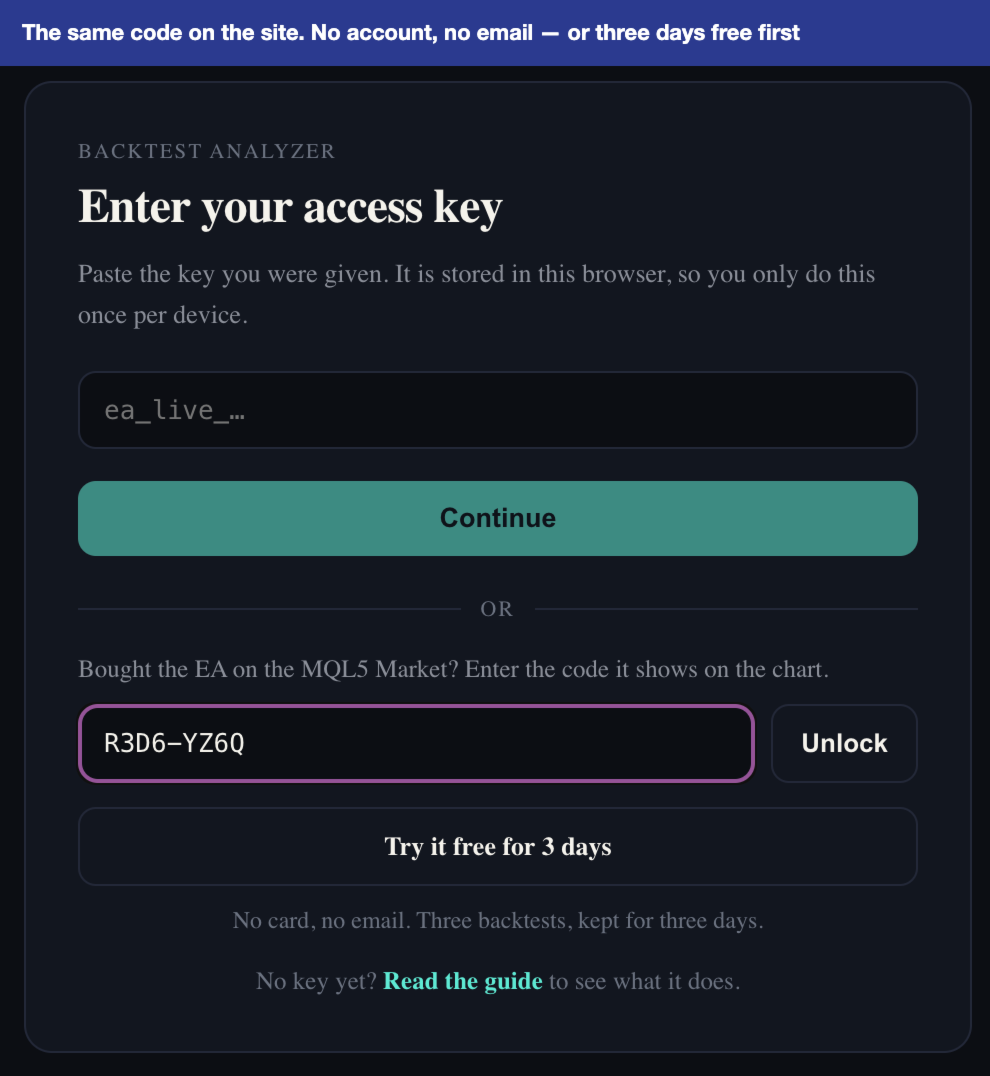
Free three-day trial on ea-backtest-analyzer.com - no card, no email, no account to create.
WHAT IT DOES
The strategy tester gives you one number: net profit. It does not tell you what the year of losses looked like, which month nearly broke the account, or what happens when you run three EAs together.
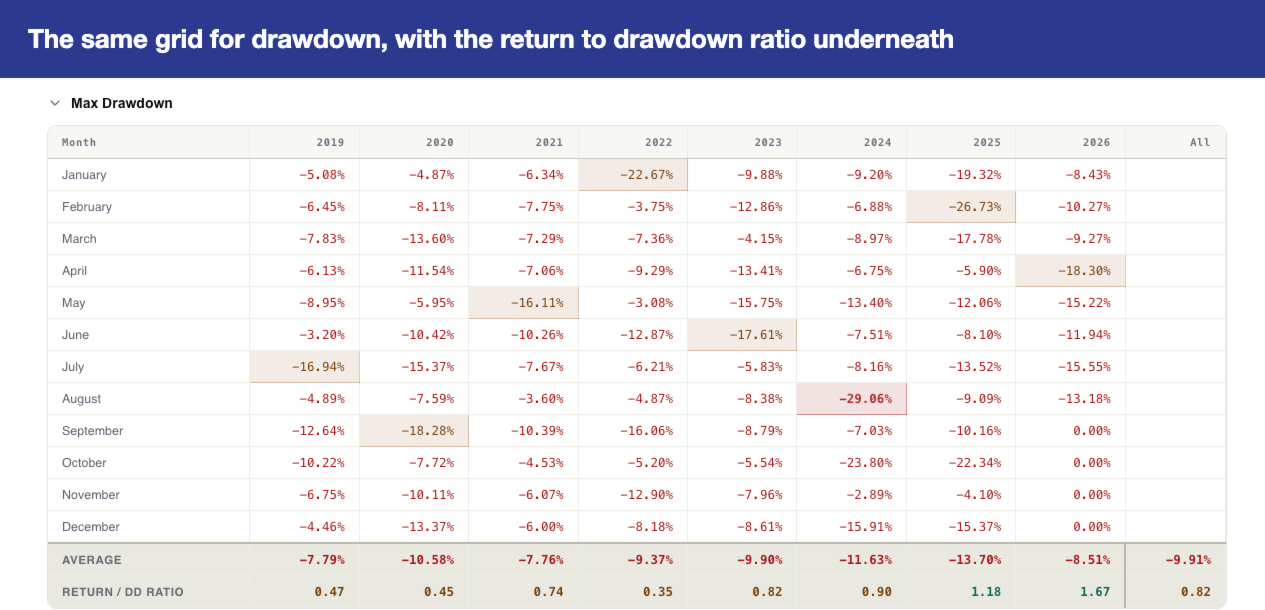
This tool does. Export your backtest and it reads it straight away. You get the report you would have built by hand in a spreadsheet: return month by month, drawdown month by month, the worst day, the worst open loss, and the same figures for a basket of several strategies. Attached to a chart, it reads a live account the same way, so you can hold the two side by side.
TRY IT FIRST, FREE
Open ea-backtest-analyzer.com and start a three-day trial. No card, no email, no account to create. Drop in a backtest you already have and see your own numbers before you decide.
THE PANEL ON YOUR CHART
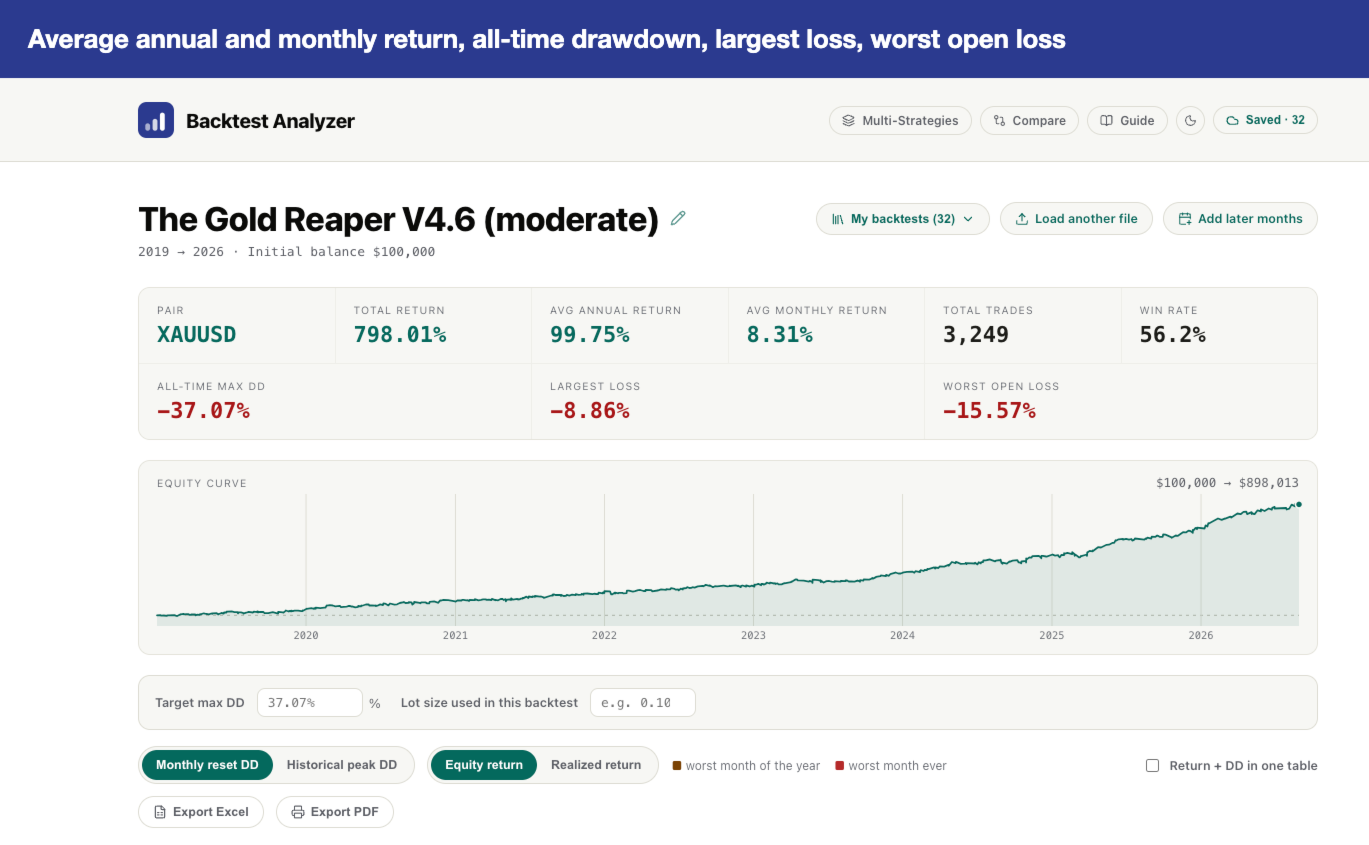
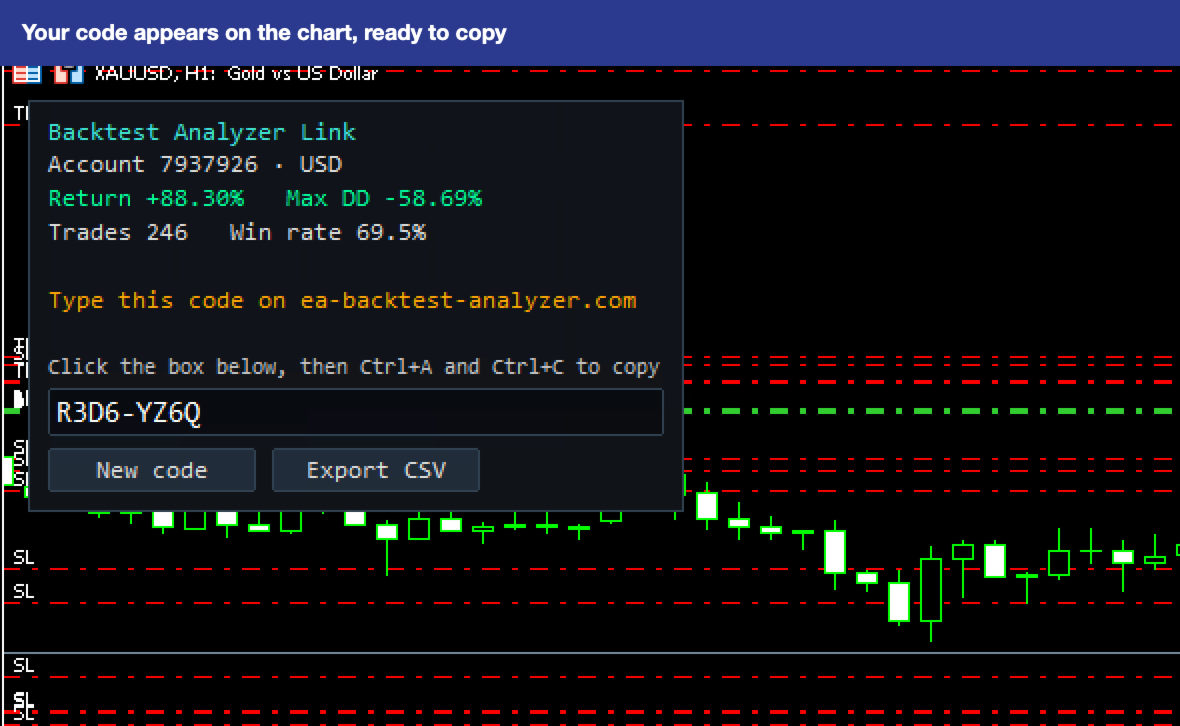
- Return and maximum drawdown as a share of your deposit.
- Number of trades and win rate.
- One click writes your account history as a DATE / BALANCE / EQUITY file, the same format the strategy tester exports.
THE DASHBOARD
Your purchase includes access to the web dashboard at ea-backtest-analyzer.com, where the numbers become a report:
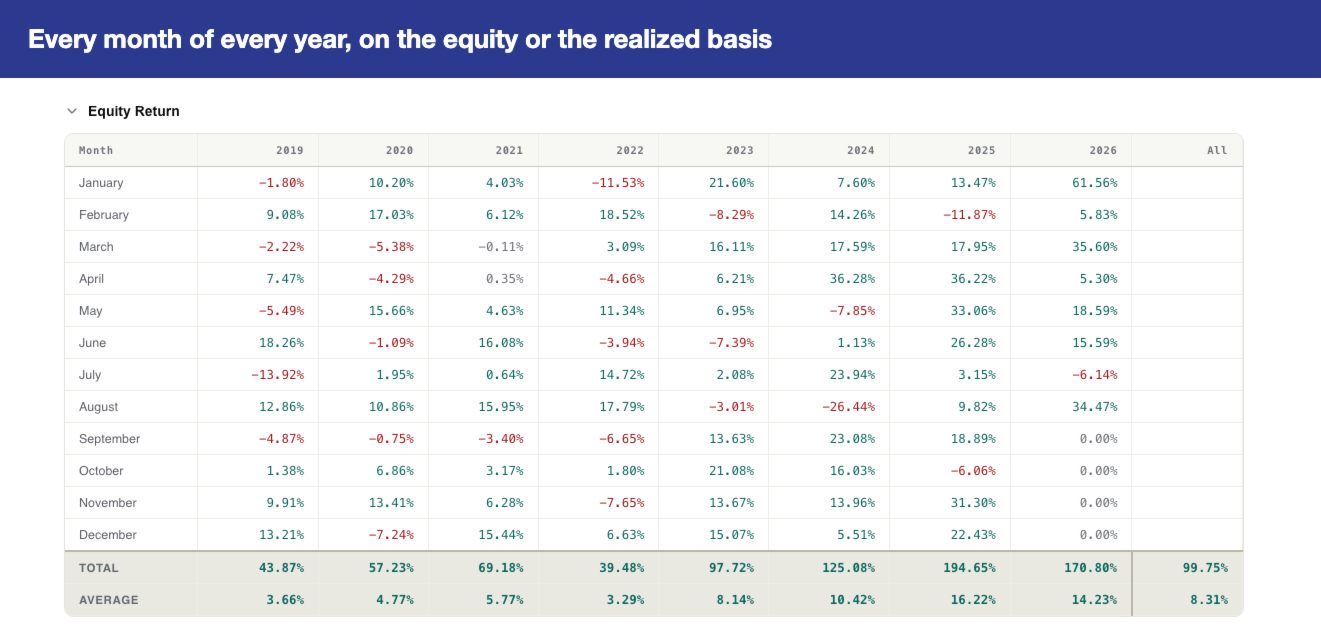
- Monthly return table, year by year, on the equity or the realized basis.
- Monthly drawdown table, on a monthly reset or an all-time peak.
- Worst month, worst day, largest single loss, worst open loss.
- Equity curve, trade count and win rate per month.
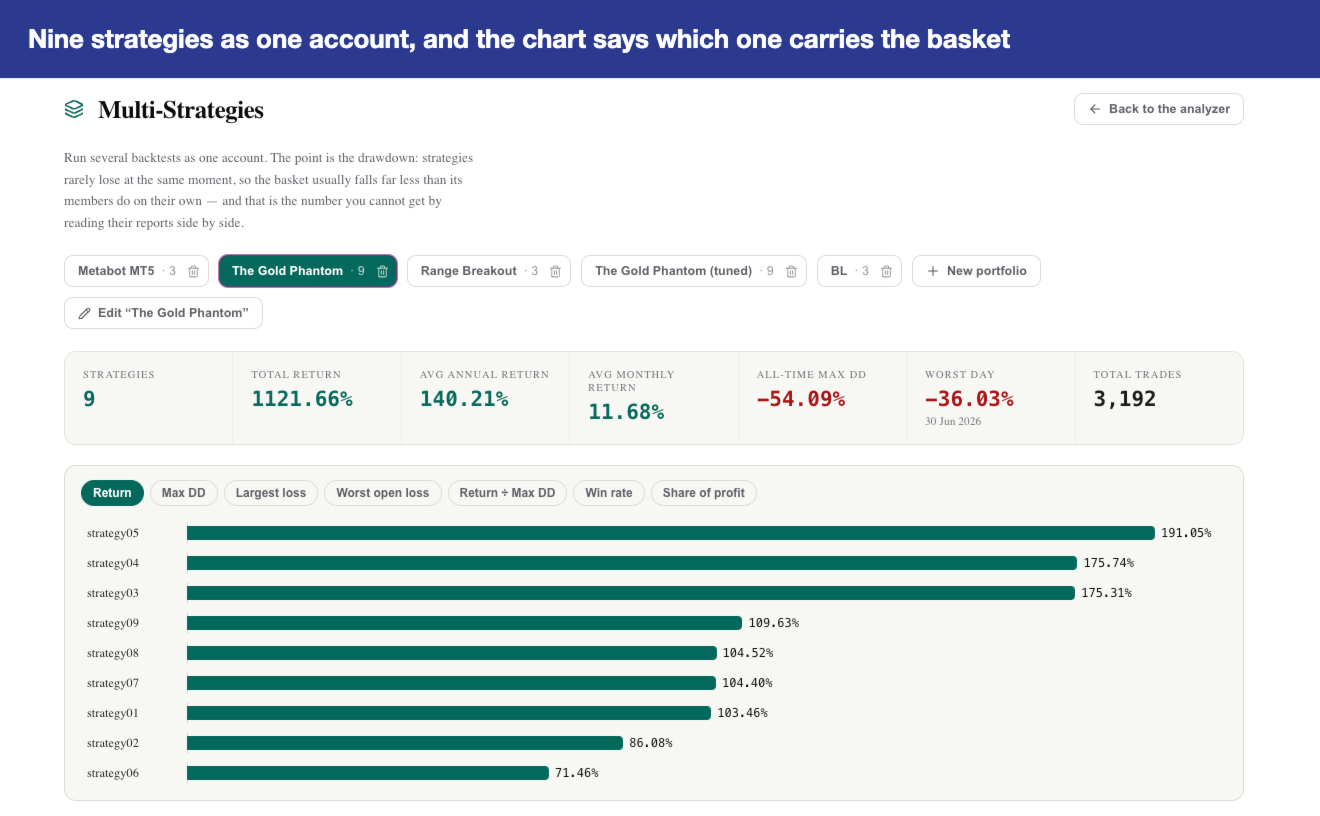
- Multi-Strategies: combine several backtests into one account and see what the basket does. Strategies rarely lose in the same week, so a basket usually draws down far less than its members — the number you cannot get by reading three reports side by side.
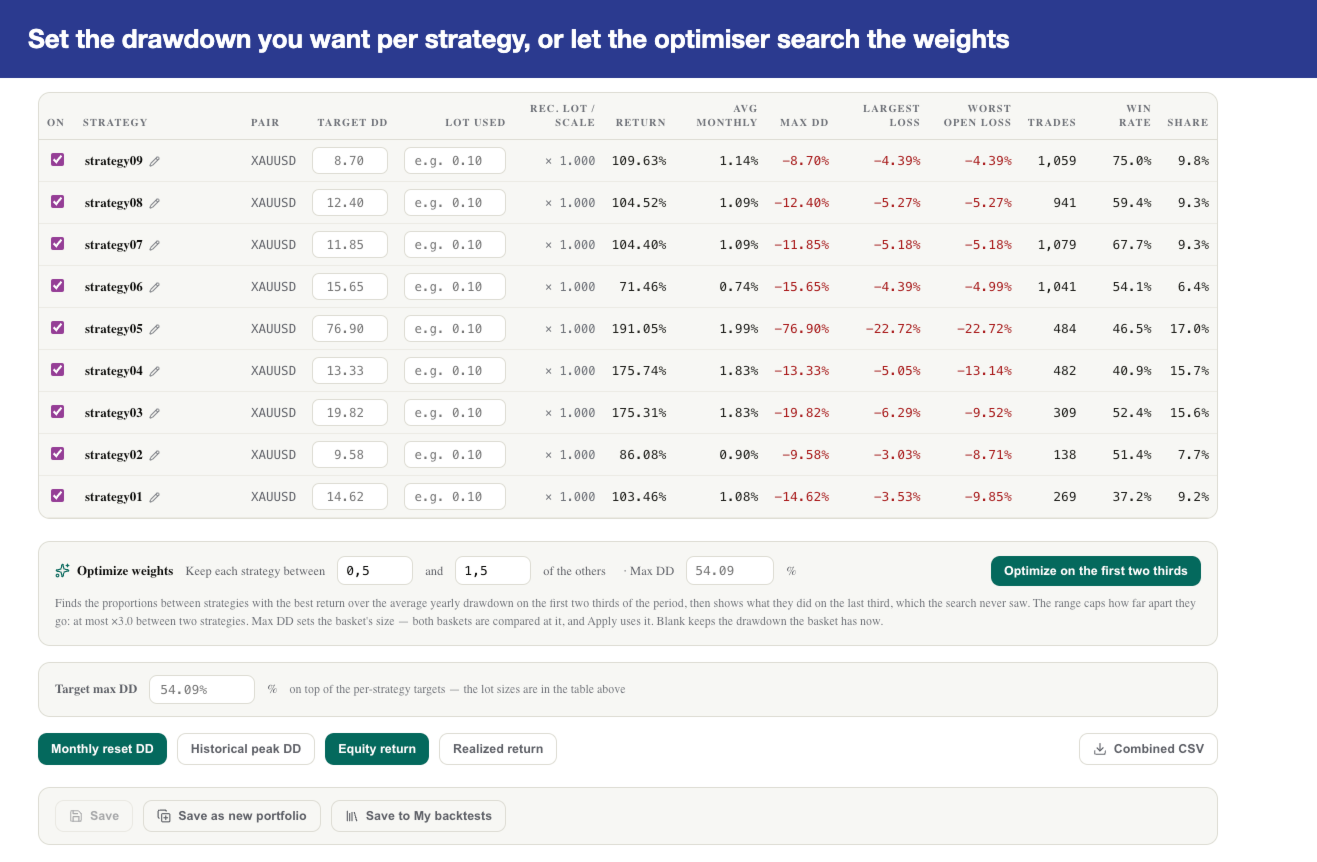
- Weight optimiser: finds the lot multiplier per strategy with the best return for the drawdown, fitted on the first two thirds of the period and checked on the last third, which the search never sees. It tells you plainly when the weights do no better on that unseen third.
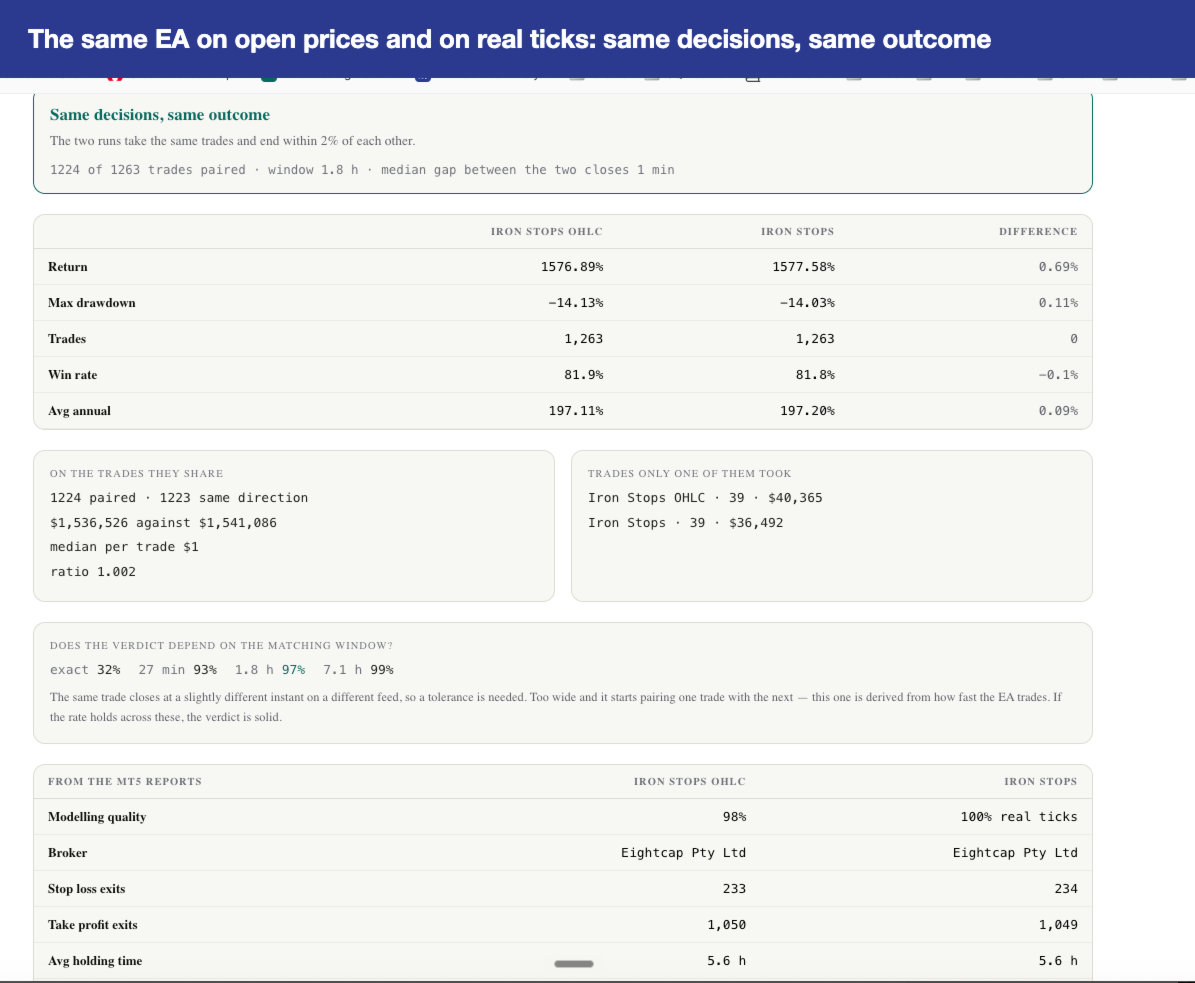
- Compare: two backtests against each other, or a live account against the backtest it came from — the answer to "is my EA behaving like it did in the test?"
- Export to Excel and PDF.
HOW ACCESS WORKS
- Attach the EA to any chart.
- The panel shows an eight-character code.
- Type that code once on ea-backtest-analyzer.com.
- You are in. Your browser keeps the key; the code is never needed again.
There is no account to create, no email to give, no password to remember.
BEFORE YOU START: ONE SETTING
MetaTrader only lets an EA reach an address you have allowed. Open Tools > Options > Expert Advisors, tick Allow WebRequest for listed URL and add: https://api.ea-backtest-analyzer.com
Without it the panel still analyses your account and writes the export, but it cannot issue your code. The panel says so and shows you the address.
WHAT THE DEMO DOES
The Market's demo runs in the strategy tester only, where MetaTrader forbids an EA from reaching any address. The demo therefore shows the panel and the export but cannot unlock the dashboard. Use the three-day trial on the site instead: it is the same dashboard, with your own backtests in it.
RENTAL OR PURCHASE
A rental keeps the dashboard open while it runs. A purchase keeps it open for good; the EA renews it quietly in the background, so leave it on a chart on any account — demo included — and you will never think about it again.
REQUIREMENTS
- MetaTrader 5, any broker, any account including demo.
- The WebRequest address above allowed once.
- No DLL, no external library, no account number ever sent.
WHAT IT DOES NOT DO
It opens no positions and closes none. It reads your history and draws a panel.