Volume Snap for MT4
- 지표
-
Part-time Day Trader
 I build practical MT4 and MT5 tools designed to reduce screen time, remove doubt, and make consistent trade execution easier.
Because consistency is what allows a strategy’s edge to play out—and without consistent execution, no strategy works. Period. - 버전: 2.2
- 업데이트됨: 5 9월 2026
- 활성화: 8
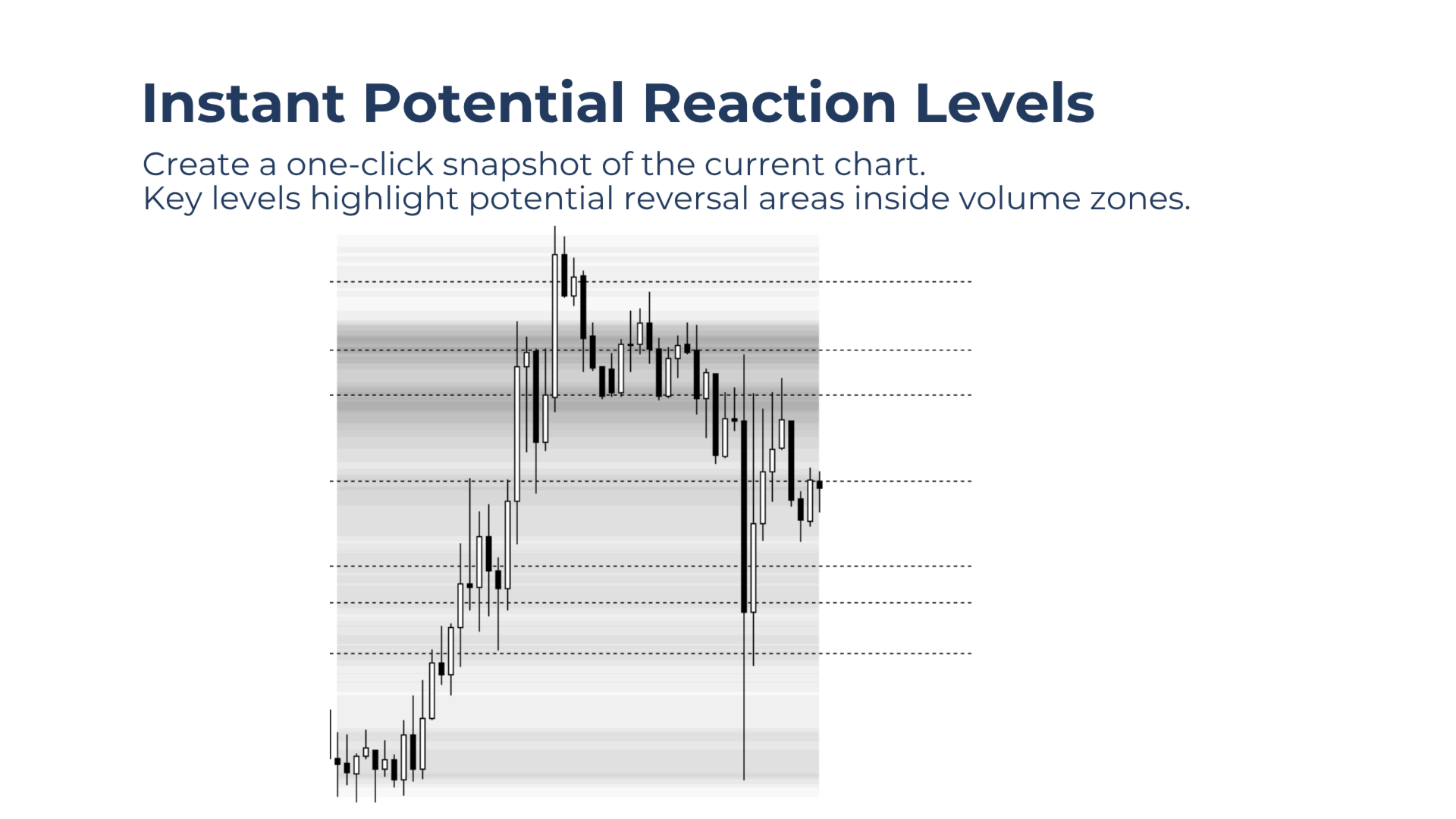
Create Volume-Based Key Levels for Potential Reversal Trades With One Click
Adjust the chart until the price action to be captured fits within the chart window, then click Snap to instantly create a set of volume zones and key levels.
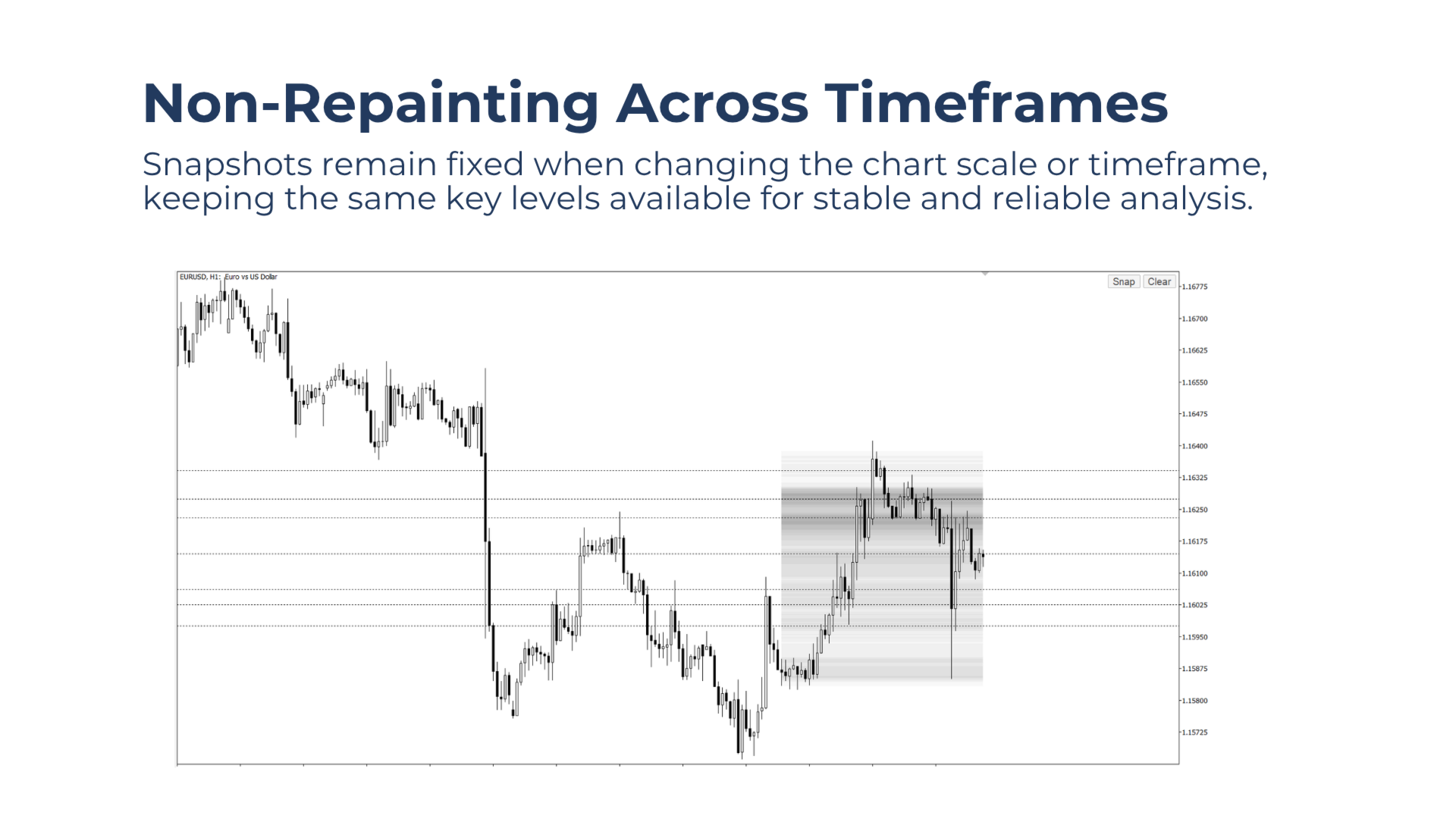
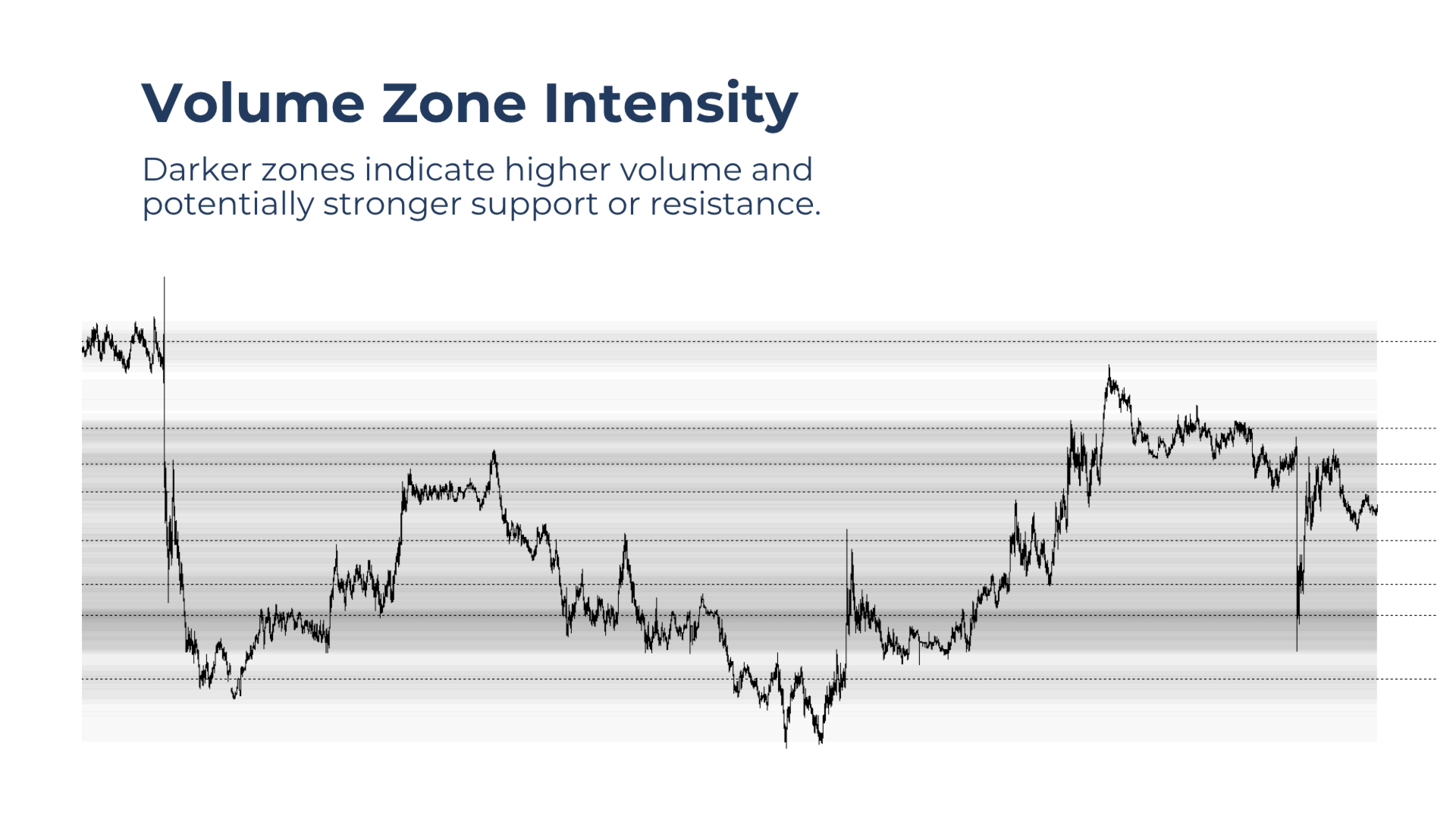
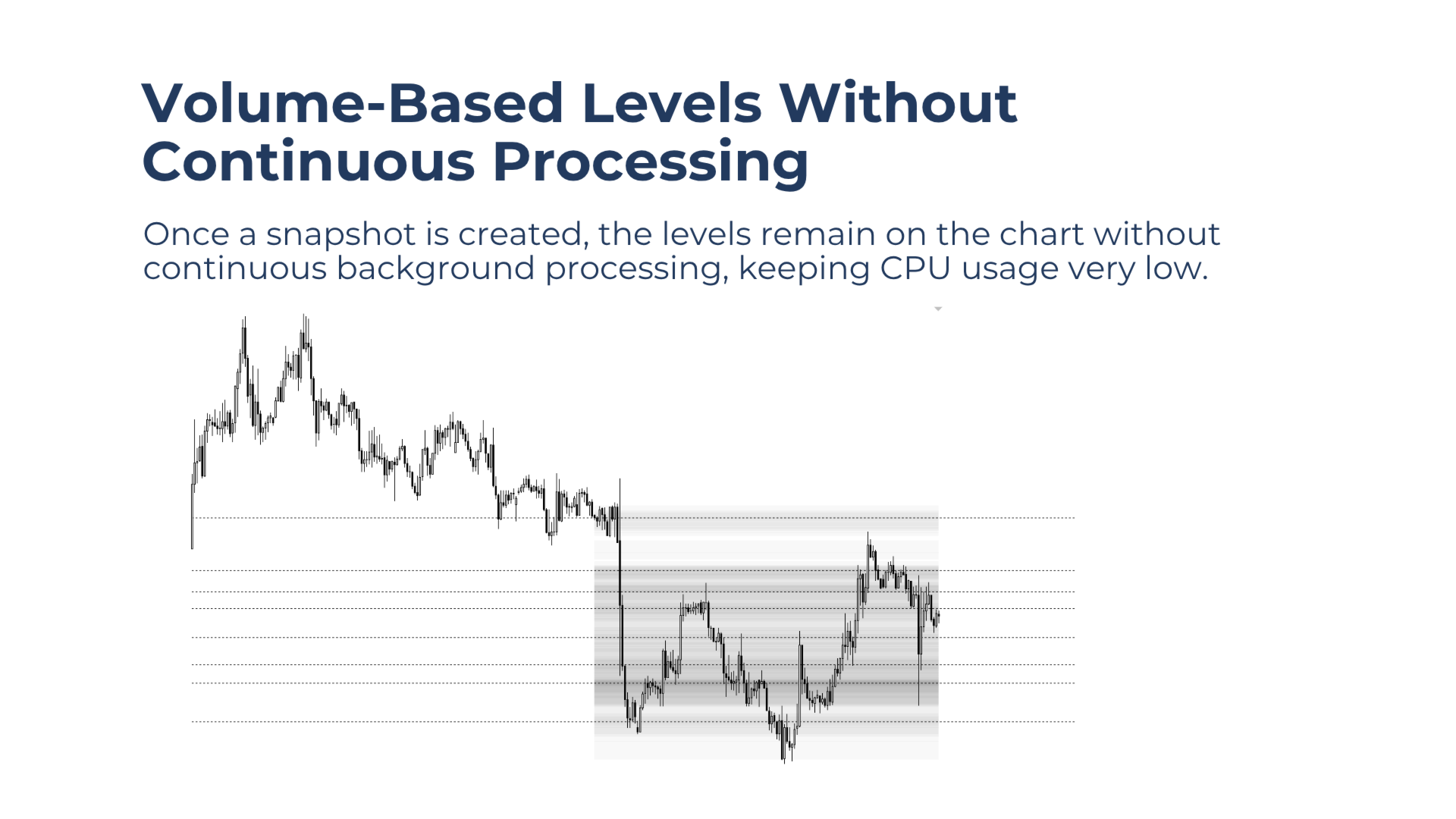
Darker zones indicate higher volume and potentially stronger support or resistance. Snapshots remain fixed when changing the chart scale or timeframe, keeping the same levels available for stable and reliable analysis. Because snapshots are generated only on demand, CPU usage remains very low.
What Volume Snap Does
Volume Snap analyzes the price action visible within the chart window and converts its volume distribution into key levels and supporting volume zones.
The key levels highlight local concentrations of volume that may become relevant reversal areas. These include local volume peaks found within both thicker and thinner parts of the volume structure.
The surrounding heatmap helps place each level in context. Darker zones represent higher volume and potentially stronger areas of support or resistance.
Once created, every snapshot remains fixed. Changing the chart scale or timeframe does not recalculate or reposition its levels, supporting consistent and reliable analysis.
Because Volume Snap calculates the volume structure only when the Snap button is clicked, it avoids unnecessary continuous processing and keeps CPU usage very low.
Core Features
One-Click Key Levels
Click Snap to instantly create volume-based key levels from the price action currently visible in the chart window.
Non-Repainting Snapshots
Snapshots remain fixed when changing the chart scale or timeframe, keeping the same levels available for continued analysis.
Key Levels Only Mode
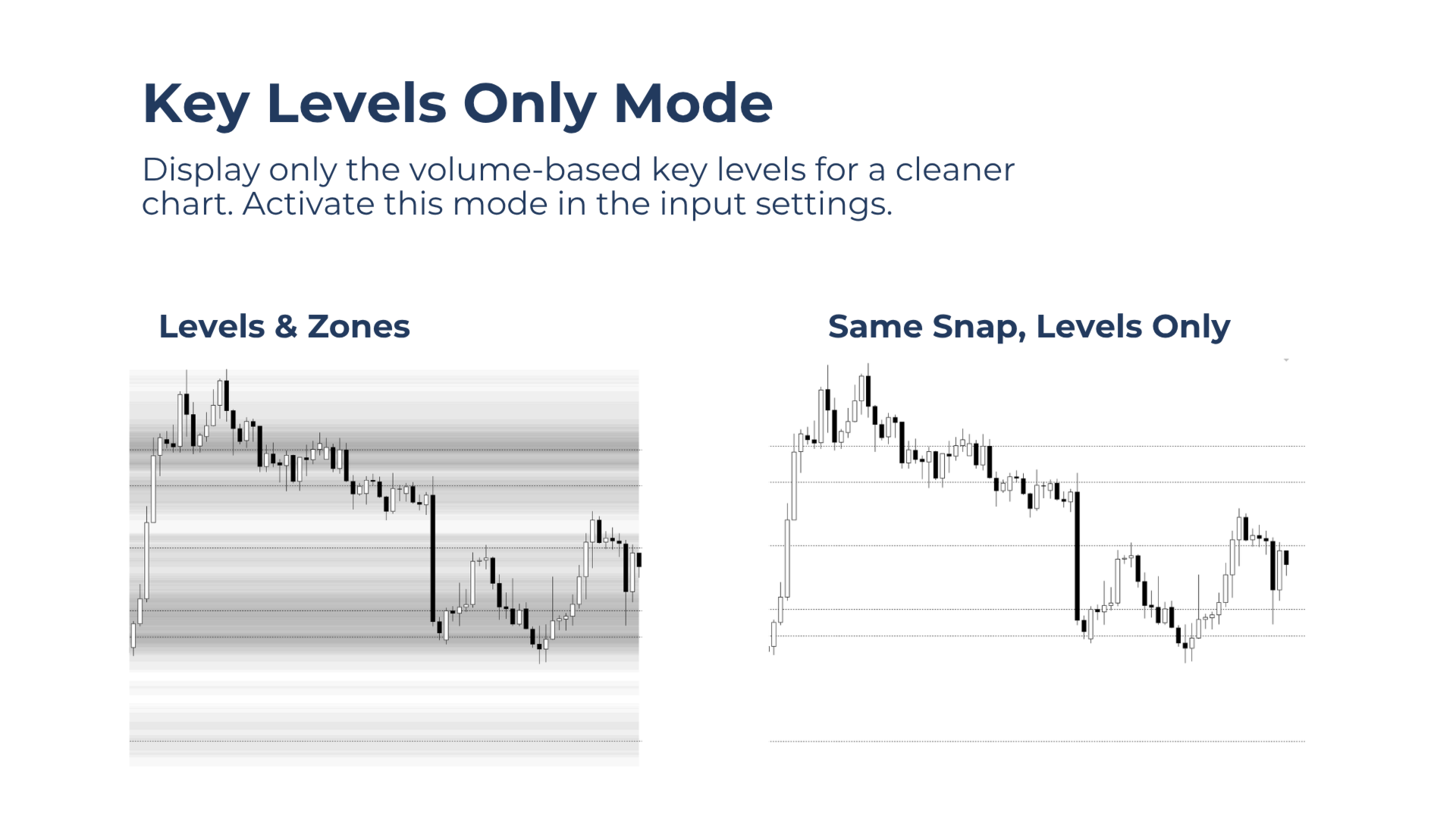
Hide the surrounding zones and display only the key volume levels for a cleaner chart.
Flexible Control Panel
Place the compact two-button control panel in any chart corner.
Works on All Symbols and Timeframes
Use Volume Snap on any Market Watch symbol and chart timeframe.
Lightweight Performance
Snapshots are generated only on demand, helping maintain very low CPU usage.
How to Use
-
Attach Volume Snap to a chart.
-
Adjust the chart until the price action to be captured fits within the chart window.
-
Click Snap to create a set of volume-based key levels and supporting zones.
-
Use the levels to plan potential reversal trades, with the zones providing additional support and resistance context.
-
Change the scale or timeframe to review the same fixed levels from another perspective.
-
Click Clear to remove all snapshots from the chart.
Free Demo in Strategy Tester
Download the demo version to try Volume Snap directly in the Strategy Tester.
For the best demonstration, use the Every Tick modeling mode.
Tip: Use darker zone colors on light chart backgrounds and lighter zone colors on dark chart backgrounds for better contrast.
Your Feedback Is Welcome
Have an idea, a question, or found something that could work better? Feel free to get in touch. Your feedback helps improve Volume Snap and guides future updates.