Aurum Vector Gold Pullback
- Experts
-
Putu Hery Siswanto
 Hello, I am Putu Hery - Founder of Dua Putra International Foreign Exchange and Product Owner of algorithmic trading systems for MetaTrader 5.
I don’t sell dreams. I provide experience.
The market is not mine, and I do not control it. - 버전: 2.10
- 업데이트됨: 7 8월 2026
FOX CUSTOMER BENEFITS
Verified customers with qualifying MQL5 Market purchases may be eligible for complimentary FOX commercial Expert Advisors.
Learn more about the FOX Customer Benefits Program:
https://www.mql5.com/en/blogs/post/774575
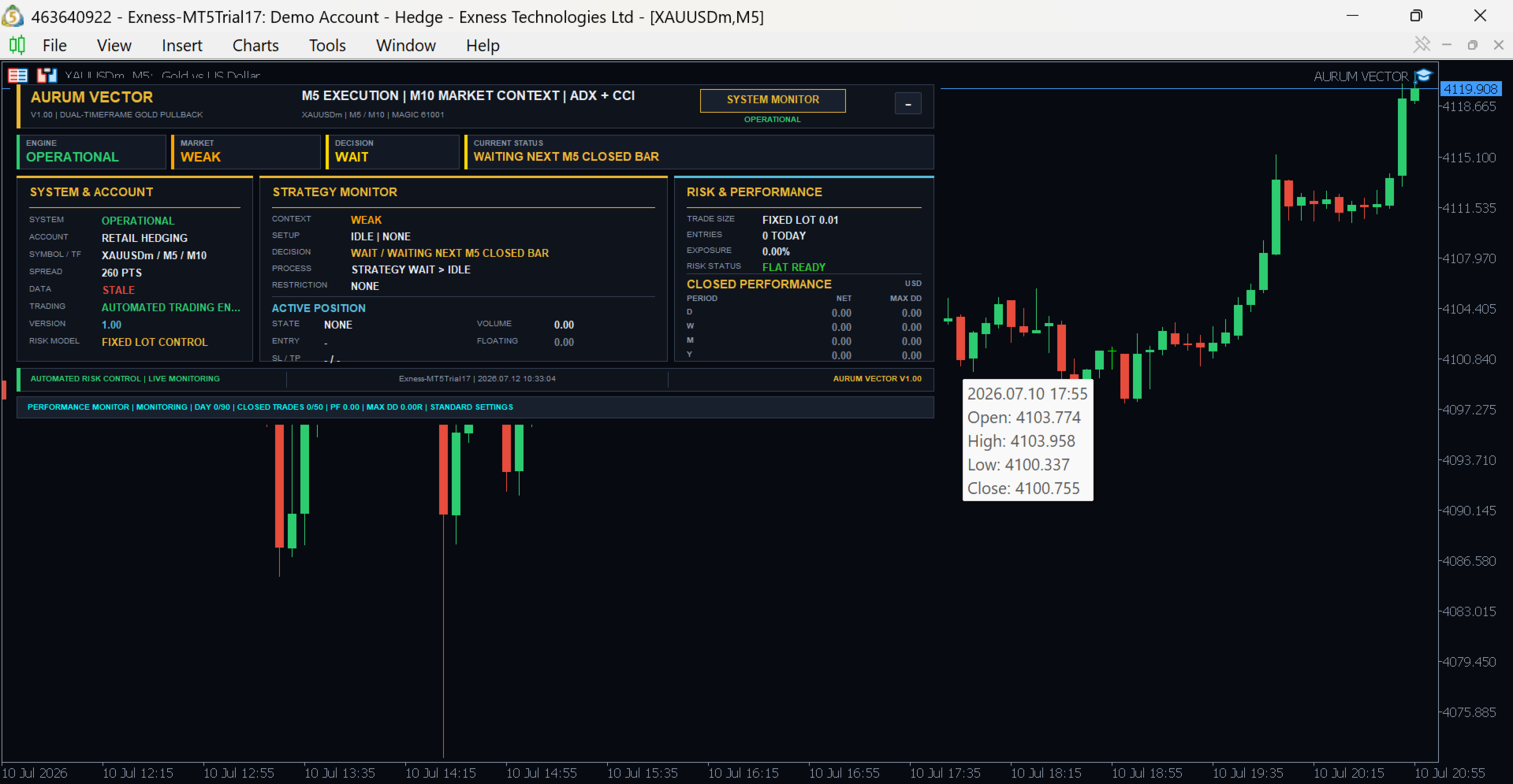
Aurum Vector Gold Pullback is a MetaTrader 5 Expert Advisor designed to trade structured pullbacks on Gold.
The EA studies the broader market direction and waits for price to return to a technically relevant area before considering an entry. It is designed to avoid chasing extended price movements and does not trade continuously. A position is opened only when the trend, pullback location, momentum and entry conditions are aligned.
The recommended setup is XAUUSD on the M5 timeframe. Broker suffix variants such as XAUUSDm or XAUUSD.a may also be used. The recommendation is advisory; the EA does not impose a hard symbol or timeframe restriction.
Trading approach
Aurum Vector uses multi-timeframe market analysis. Higher-timeframe information is used to determine the main directional context, while the working timeframe is used to detect pullback completion and possible continuation.
The EA can trade both BUY and SELL opportunities. It is not a grid, martingale, averaging or high-frequency system. Each trade is managed independently according to the active strategy and risk settings.
Main features
- Multi-timeframe trend and pullback analysis
- Selective BUY and SELL entries
- Configurable lot size and risk settings
- Stop Loss and Take Profit management
- Break-even protection
- Trailing Stop management
- Optional partial position closing
- Spread, margin and trading-permission checks
- Friday and market-gap protection
- News-related trading protection
- Recovery and restart-state handling
- On-chart operating dashboard
Position management
The EA uses predefined exit and protection rules to manage open trades. Depending on the selected settings, a position may be protected through Stop Loss, Take Profit, break-even, trailing management or partial closing.
Market conditions can change rapidly. Protective functions are designed to control execution and exposure, but they cannot eliminate trading risk or guarantee a specific result.
Recommended setup
- Platform: MetaTrader 5
- Instrument: XAUUSD or broker suffix equivalent
- Timeframe: M5
- Account type: Hedging recommended
- VPS: Recommended for continuous operation
- Initial testing: Demo account or Strategy Tester
Before live use, check the symbol specification, spread, minimum stop distance, contract size and trading conditions provided by your broker. Gold pricing and execution conditions may differ between brokers.
Important information
Historical results and Strategy Tester reports do not guarantee future performance. Slippage, spread expansion, execution delay, broker settings and market volatility may affect actual results.
Test the EA carefully and use a risk level appropriate for your account. Never trade with funds you cannot afford to lose.