Grid Synthetic Master
- Experts
-
Arno Olivier
 I specialize in developing high-performance trading solutions tailored for Forex and high-volatility Synthetic Indices. My expertise includes creating custom MetaTrader 5 Expert Advisors (EAs), tailored indicators, and seamless VPS deployments to ensure low-latency execution. As an active MQL5 AI
 - 버전: 2.51
- 업데이트됨: 13 9월 2026
- 활성화: 5
Grid Scalp Synthetics V2.51 — Grid/Basket Expert Advisor for High-Volatility Synthetic Indices
Overview
Grid Scalp Synthetics is a grid/basket Expert Advisor (EA) for MetaTrader 5 designed for high-volatility synthetic instruments such as Volatility Indices, FX Vol, GainX, PainX and similar derived markets. Instead of managing single positions, it builds a structured basket of layered orders and treats the basket as one entity, with dynamic spacing, volatility filters and unified risk controls.
The EA requires a hedging account and is optimized for mobile monitoring: basket initiations, grid expansions and trailing moves are sent as push notifications to the MetaTrader 5 mobile app.
How It Works
-
Envelope filter with two configurable modes
- Compression mode — starts the basket during low-volatility phases, before an expected expansion.
- Expansion mode — follows breakouts after price clears a defined geometric threshold.
-
Fair Value Gap (FVG) confirmation — the EA verifies breakouts against real price imbalances before opening the first level, reducing false signals.
-
Asymmetric grid spacing — the distance between safety levels is not linear. An ATR-based multiplier dynamically widens the spacing as a trend extends, reducing exposure to extended one-way moves.
Risk Management
- Unified basket trailing stop in three selectable modes: % of account, fixed amount, or points.
- Spread compression filter: grid scaling is paused when the spread exceeds the configured limit.
- Broker-aware SL/TP placement: take profits and stop losses are aligned with the broker's stops level to avoid rejected orders.
- Emergency drawdown lock: the entire basket is closed automatically when the user-defined maximum loss threshold is reached.
- Every layer, spacing value and trail setting is controlled by explicit input parameters.
Input Parameters
| Group | Parameter | Example |
|---|---|---|
| Sizing | Volume per level | 0.01 |
| Sizing | Volume multiplier | 1.0 |
| Grid | Maximum levels | 10 |
| Grid | Base step (points) | 500 |
| Grid | ATR spacing multiplier | 1.5 |
| Filters | Envelope mode | Compression / Expansion |
| Filters | FVG minimum distance | 10 |
| Filters | Max spread (points) | 30 |
| Trailing | Mode | Percent / Fixed / Points |
| Protection | Max drawdown limit (currency) | 100 |
| Service | Magic number | 250230 |
Replace the example values with the exact input names and defaults from your EA.
Recommended Settings
| Parameter | Recommendation |
|---|---|
| Instruments | High-volatility synthetic indices, FX Vol / derived markets |
| Timeframes | M1 (scalping), M5–M15 (structural swings) |
| Environment | Low-latency VPS recommended |
| Account type | Hedging accounts only |
Installation
- Copy GridScalpSyntheticsValidate.ex5 to MQL5\Experts .
- Attach the EA to a chart of a supported instrument (M1, M5 or M15).
- Enable notifications: Tools → Options → Notifications → Enable push notifications, then enter the MetaQuotes ID from your MT5 mobile app.
- Test on a demo account before live use.
Important
- Grid/basket strategies increase exposure during strong one-way trends. Keep the drawdown lock enabled and size positions carefully.
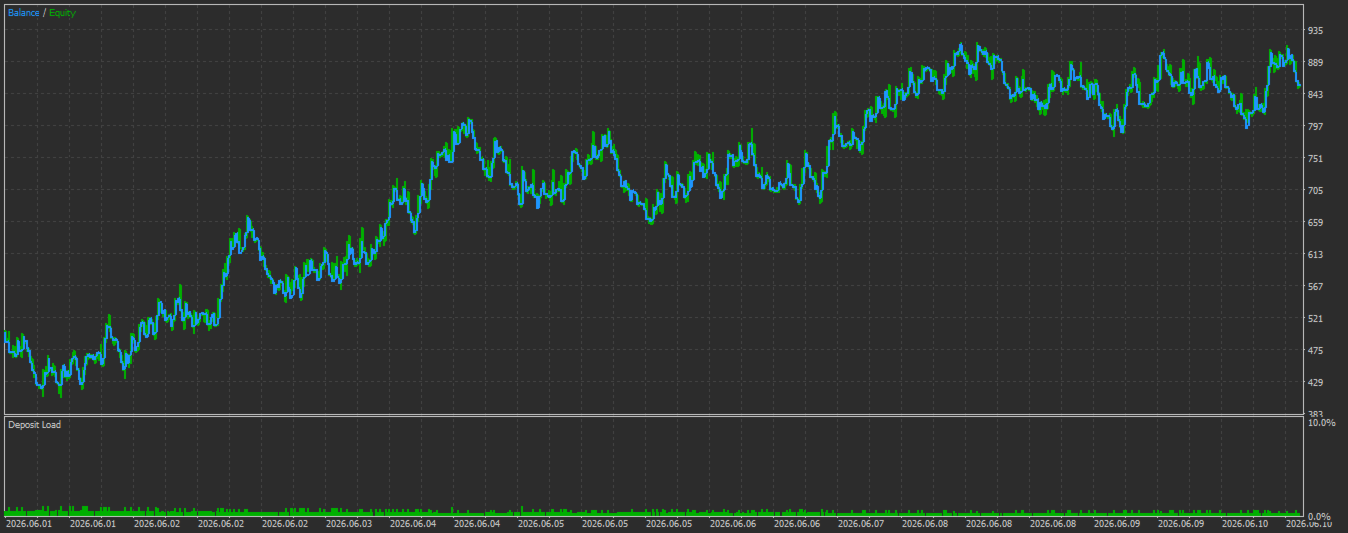
- Past performance, including backtests, does not guarantee future results.