Magic Zone
- 지표
- 버전: 1.0
- 활성화: 5

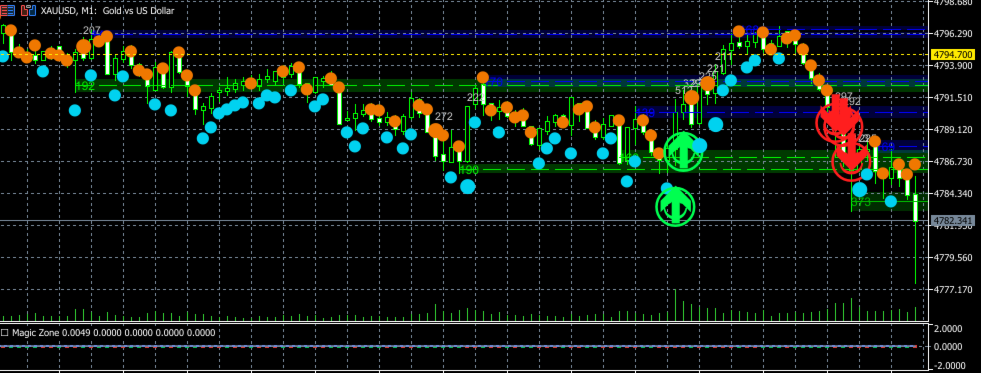
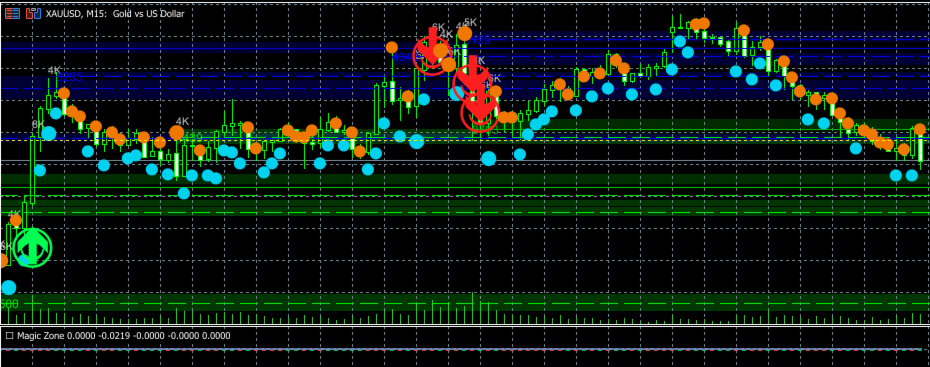
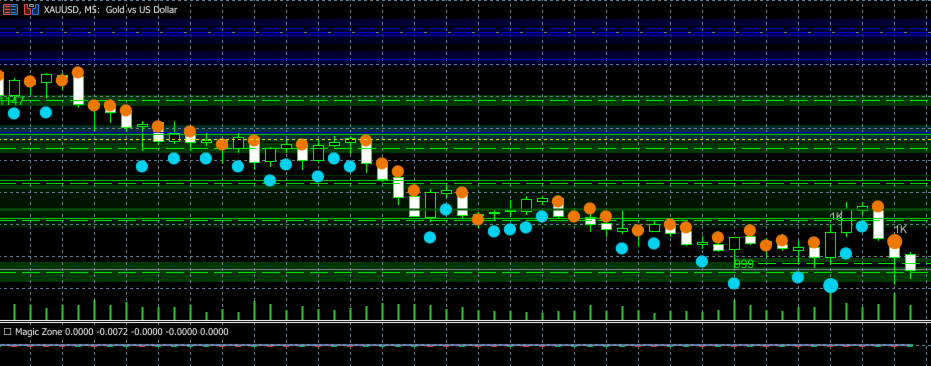
MagicZone is a professional multi‑dimensional indicator that visualises order book dynamics, bid/ask pressure, volume‑based support/resistance zones, and real‑time DOM (Depth of Market) levels – all in a clean, customisable sub‑window.
Ideal for scalpers, day traders, and order flow analysts who want to see exactly where large orders accumulate and how market participants drive price.
🔥 Key Features
1. Order Book Heatmap
-
Displays a price‑level heatmap for each bar (bid = green, ask = red).
-
Colour intensity adapts to volume concentration near the bar’s midpoint.
-
High‑volume bars are highlighted with brighter/yellowish tones.
2. Magic Zones (Horizontal Support / Resistance)
-
Automatically detects swing highs (resistance – red) and swing lows (support – green).
-
Zone colour darkens proportionally to the volume at that swing point → the higher the volume, the stronger/darker the zone.
-
Configurable transparency, extension to the right, and optional midline.
3. Order Flow Dots
-
Each bar shows a dot (▲ for bullish, ▼ for bearish) reflecting directional volume.
-
Dot size changes based on volume ratio (small → medium → large).
-
Large orders are encircled for extra visibility.
4. Volume Profile (right side of chart)
-
Horizontal histogram showing volume distribution across price levels.
-
Highlights Point of Control (POC) in yellow, Value Area High (VAH) in green, Value Area Low (VAL) in orange.
-
POC line can be displayed as a dotted horizontal line.
5. Real‑time DOM Lines (Market Book)
-
Displays Best Bid and Best Ask lines with volume labels.
-
Option to show 5 levels of bid/ask with fading colours.
-
Updates on every book event (requires Market Book access).
6. Delta & Step Line (in sub‑window)
-
Buy Delta (green histogram) and Sell Delta (red histogram).
-
Cumulative Delta (cyan line) and Step Line (magenta) with auto‑scaling.
-
Zero line for reference.
⚙️ Input Parameters (fully customisable)
| Group | Parameter | Description |
|---|---|---|
| Core | Lookback | Number of bars for visualisation (default 250) |
| Volume Multiplier | Threshold for “large order” detection (2.2) | |
| Swing Length | Length for swing high/low detection (3) | |
| Heatmap | Heat Levels | Number of price levels per bar (16) |
| Bid/Ask Colours | Green / dark orange | |
| Alpha & Gradient | Intensity and gradient mode | |
| Zones | Zone Alpha | Transparency of zone boxes (60‑80) |
| Zone Extend | How many bars to extend zones to the right (50) | |
| Midline | Show/hide centre line | |
| Dots | Dot sizes & colours | Fully configurable for small/medium/large |
| Volume Profile | Profile Bars / Levels | Width and price resolution |
| DOM | Best Bid/Ask lines | Colour, width, and 5‑level display |
| Labels | Show/hide volume labels, font size, colour |
📈 How to Use
-
Attach MagicZone to any chart (forex, indices, commodities, crypto).
-
Enable Market Book in your terminal (Tools → Options → Market Book).
-
Observe:
-
Heatmap – where liquidity sits at each price level.
-
Green/Red zones – strong support/resistance based on volume‑confirmed swings.
-
Dots – immediate buy/sell pressure per bar.
-
DOM lines – real‑time best bid/ask and next levels.
-
Delta sub‑window – buying vs selling momentum.
-
✅ Advantages
-
All‑in‑one order flow analysis – no need for multiple indicators.
-
Volume‑weighted zones – avoids false swing points.
-
Low CPU usage – objects are redrawn only on new bars or chart changes.
-
Fully customisable colours, sizes, and visibility.
-
Works on any timeframe – from tick to daily.
📋 Requirements
-
MQL5 build 2000 or higher.
-
Market Book must be available for your symbol (most forex majors, indices, and some futures).
-
Separate indicator window – the main chart remains clean.
🎯 Perfect for
-
Order flow traders
-
Volume spread analysis (VSA)
-
Supply & demand zone traders
-
Scalpers needing real‑time DOM
-
Anyone who wants to see where the big orders are
Get MagicZone today and turn your chart into a real‑time order flow command centre!
Note: For symbols without Market Book, the DOM lines will not appear, but all other features work perfectly.