Grid Closed Systems
- Experts
- 버전: 2.0
- 업데이트됨: 25 4월 2026
- 활성화: 20

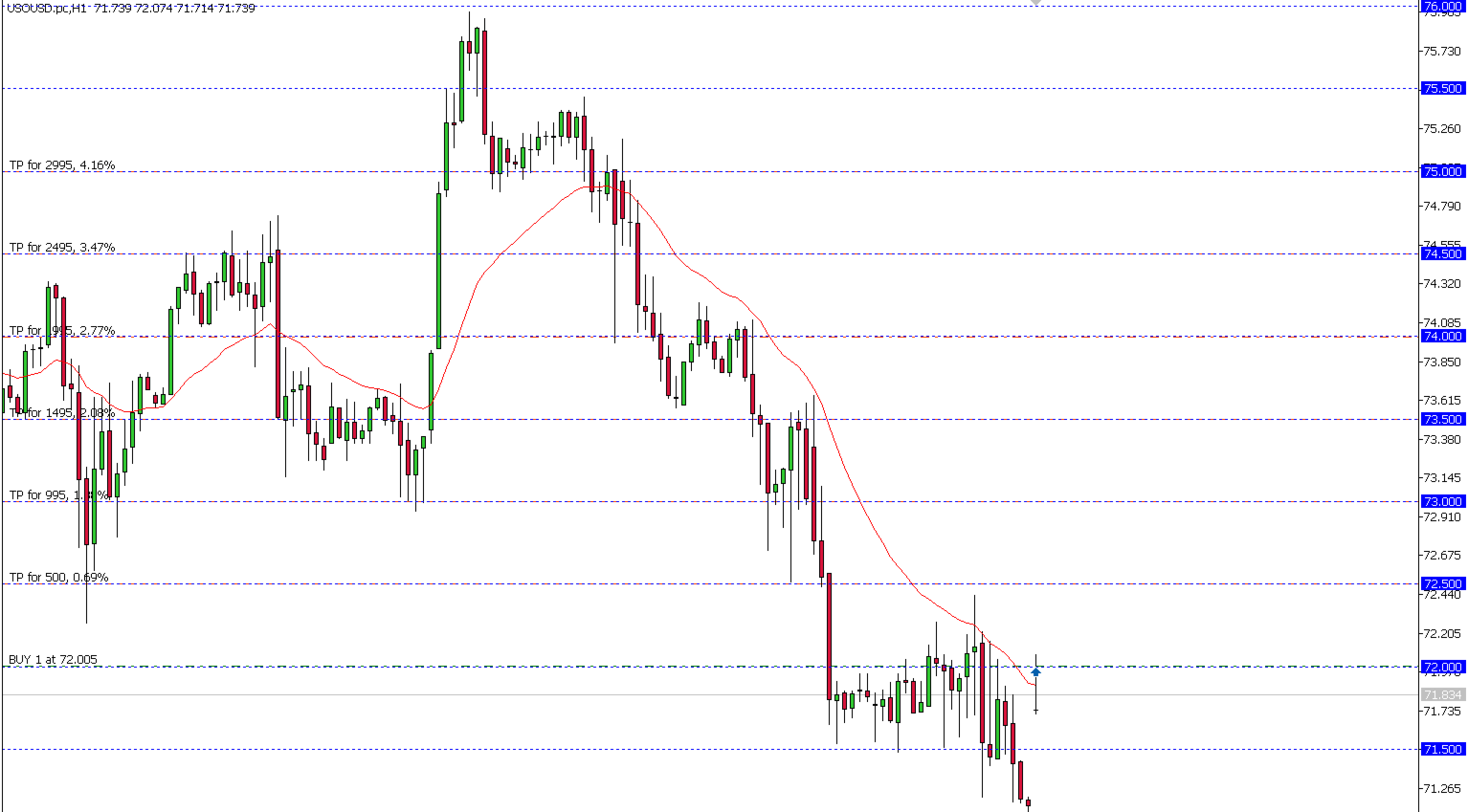
2. %: A defined percentage zone range.
This EA has open parameters, making it suitable for research, learning, or optimization. It also features advanced security measures to prevent duplicate order openings in case the VPS or MT5 restarts.
-------------Special functions that are not available in the free version.-------------
-------------------------------------Catch function-------------------------------------
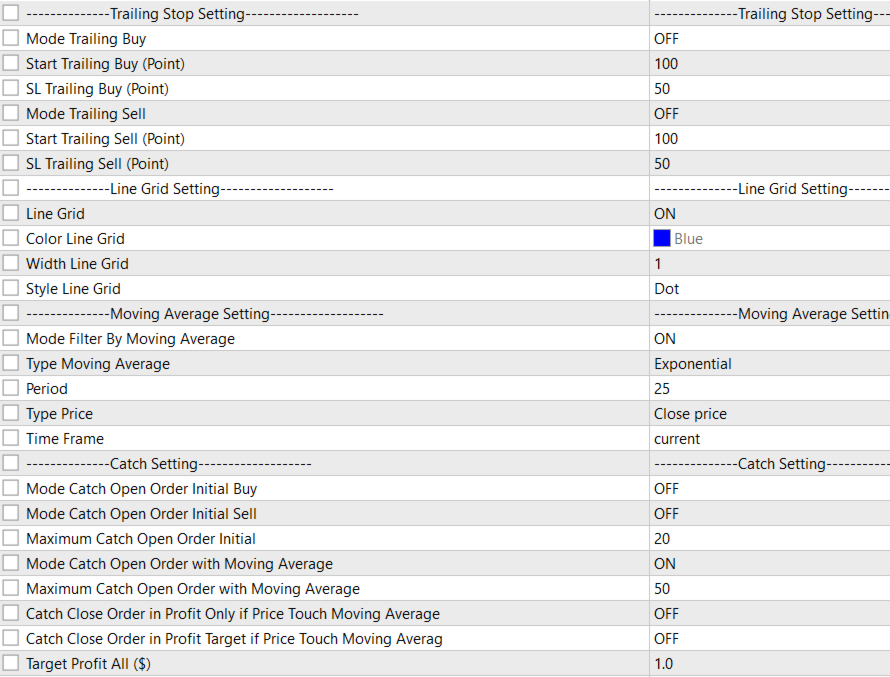
Before using the Catch function, you must enable Mode Filter By Moving Average, except for Mode Catch Open Order Initial Buy and Mode Catch Open Order Initial Sell.
1.Mode Catch Open Order Initial Buy --
Imagine your Grid is set at levels: 1.10, 1.11, 1.12, 1.13, 1.14 Current price is at 1.115
Without Catch Initial Buy: The EA waits for price to move up and touch each level one by one
With Catch Initial Buy: The EA immediately opens Buy orders at 1.12, 1.13, and 1.14 all at once — no waiting require
2.Mode Catch Open Order Initial Sell --
Imagine your Grid is set at levels: 1.10, 1.11, 1.12, 1.13, 1.14
Current price is at 1.115
Without Catch Initial Sell: The EA waits for price to drop down and touch each level one by one
With Catch Initial Sell: The EA immediately opens Sell orders at 1.10, 1.11, and 1.12 all at once — no waiting required
The Mode Catch Open Order Initial Buy and Mode Catch Open Order Initial Sell functions require careful margin calculation before use. This function is suitable for use when the asset price is within 2SD of the normal distribution. For example, if the price of crude oil falls below $55 per barrel, which is below production cost, producers may consider reducing production.
3.Maximum Catch Open Order Initial ---
Maximum Catch Open Order Initial is a function that controls the order quantity for the Mode Catch Open Order Initial Buy and Mode Catch Open Order Initial Sell functions.
4.Mode Catch Open Order with Moving Average ---
This mode makes the EA wait for price to cross the Moving Average, then automatically opens orders at all the grid levels it missed while price was on the wrong side of the MA.
Think of the Moving Average as a dividing line between Buy zone and Sell zone
Imagine price has been below the MA for a while, passing through several grid levels without opening any Buy orders
The moment price crosses back above the MA — the EA says:"Okay, we're back in Buy territory — let me catch up on all those levels I skipped"
And it opens all the missed Buy orders at once when price reaches the trigger level
5.Maximum Catch Open Order with Moving Average ---
Control the number of open orders using the Mode Catch Open Order with Moving Average function.
6.Catch Close Order in Profit Only if Price Touch Moving Average ---
When price touches the Moving Average, the EA will automatically close any open orders that are currently in profit — letting winners ride until the MA acts as an exit signal
Think of the Moving Average as a profit-taking trigger line
The EA holds all open orders and waits patiently. The moment price crosses back through the MA line — the EA checks every open order and asks:
"Is this order making money right now?"
- Yes → Close it immediately and take the profit
- No → Leave it alone, keep holding
7.Catch Close Order in Profit Target if Price Touch Moving Average ---
"When price touches the Moving Average AND the total combined profit of all orders reaches your target amount — the EA will close ALL orders at once to lock in that profit."
8.Target Profit All ($) ---
The profit target is in the monetary value of the account; this means that the system will close with a minimum profit of $10. The system will then wait for the total profit to exceed $10 before closing.
-------------------------------------Trading Control function-------------------------------------
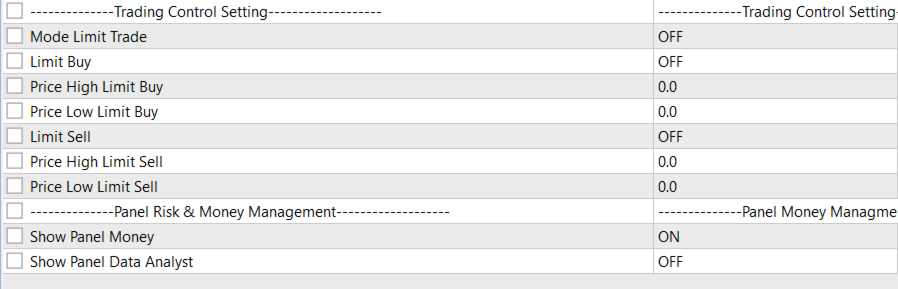
This function controls the BUY or SELL opening zones based on price levels defined by the user. The function's range must be within the High Price - Low Price range.
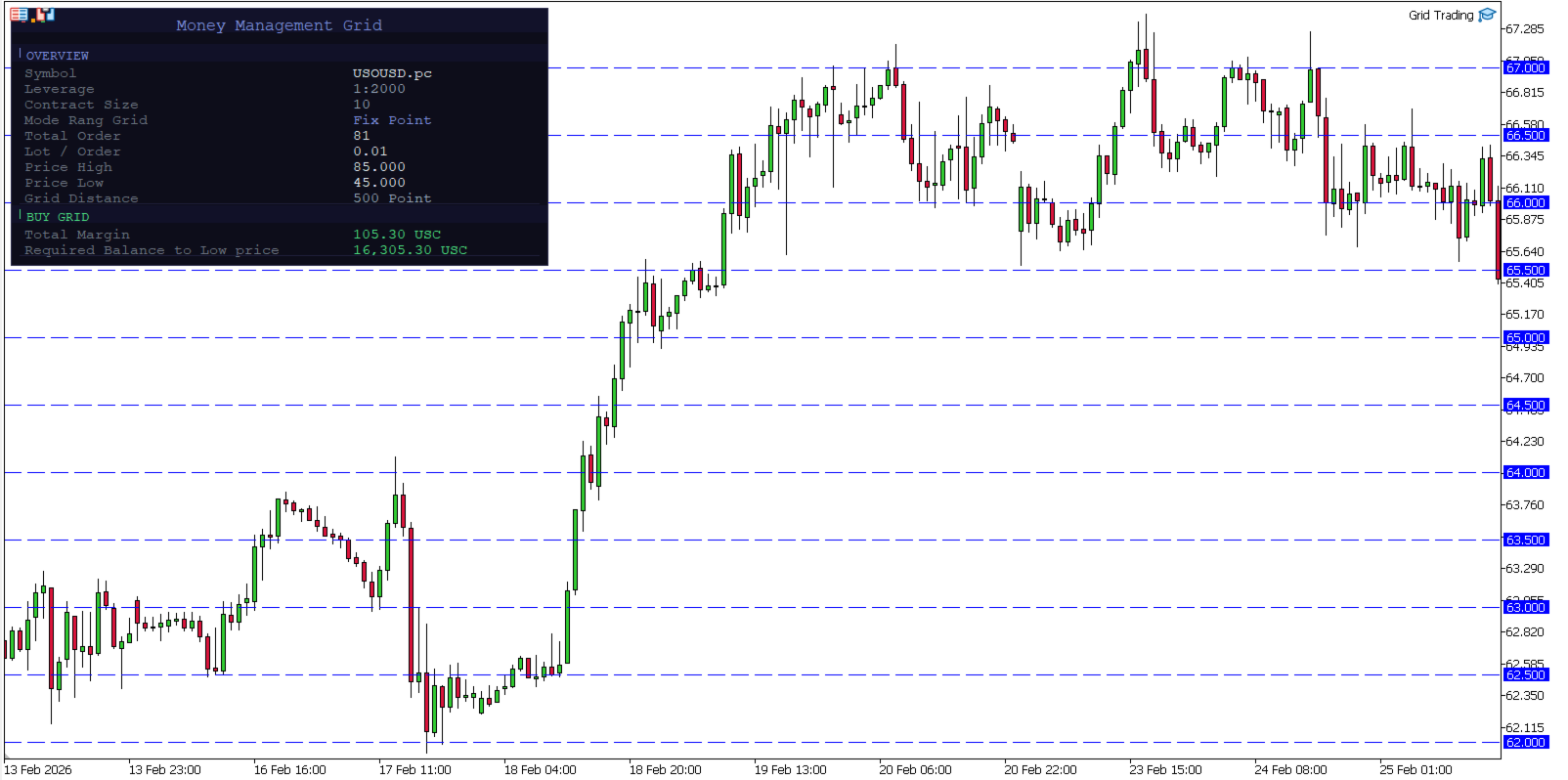
Show Panel = ON.This function is used to display the total capital required. The system calculates the capital based on the following key settings:
1. High Price
2.Low Price
3.Type Rang Grid
4.Distance Grid
-------------------------------------Developer's instructions-------------------------------------
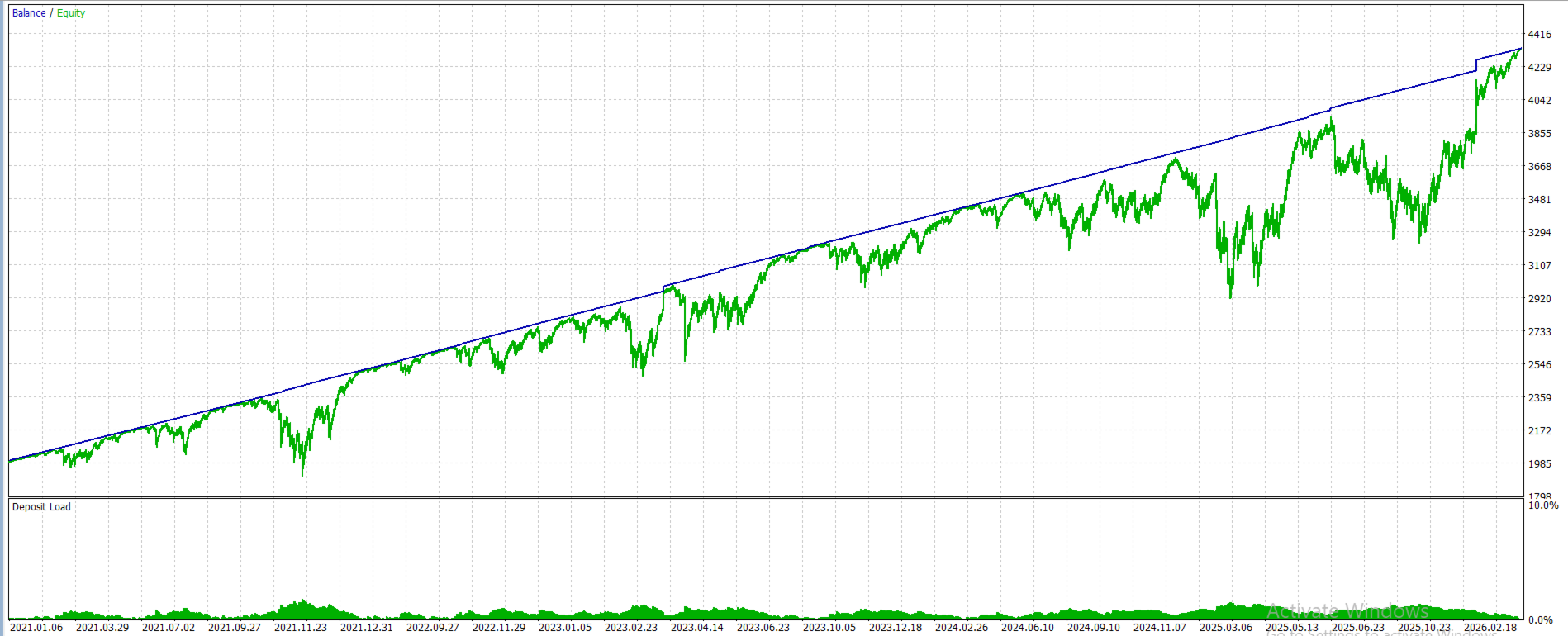
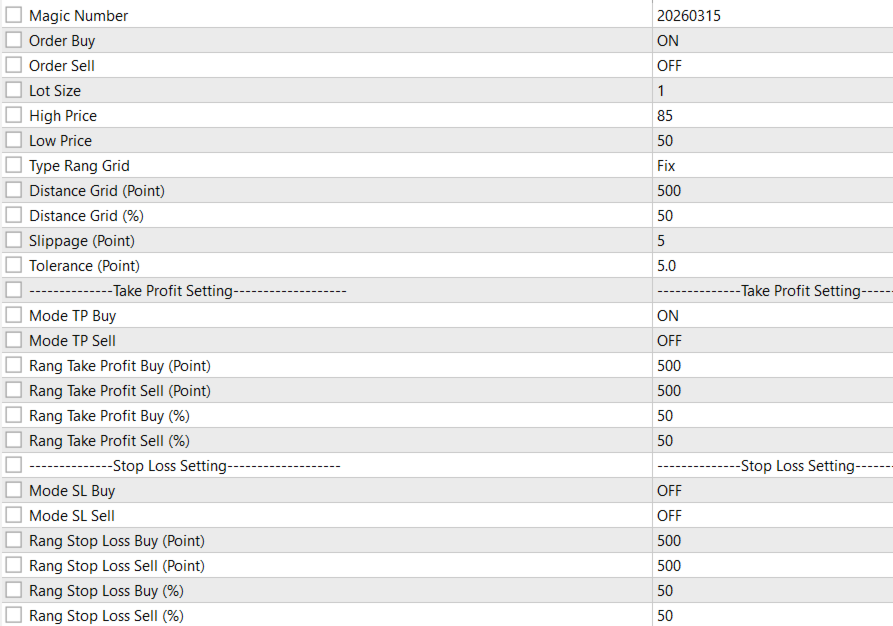
This EA is highly suitable for trading crude oil assets, including both WTI and other crude oil. For optimal results, users must first have sufficient capital. The Panel function can be used to view the total required capital. The developer recommends calculating capital up to a price of $0 to mitigate unforeseen events. Although crude oil drilling costs are between $45-$35 per barrel, a supply disruption, such as the COVID-19 pandemic, could cause prices to fall below drilling costs. Therefore, users should have sufficient capital to reach a price of $0 per barrel for safety. Recommended settings are shown in the image below.