 MetaTrader 5
 Experts
 지표
지표
 라이브러리
라이브러리
 유틸리티
유틸리티
 위젯
위젯
 규칙
규칙
MetaTrader 5용 기술 지표 - 70
 기술 지표의 시그널은 주식 및 외환 시장에서 거래를 개시 및 종료하는 데 중요한 역할을 합니다. 지표의 본질은 미래의 가격 변화를 예측하기 위한 금융 시그널 값의 수학적 변형입니다.
기술 지표를 테스트하여 시장 행동과 그로 인한 이익을 더 잘 예측할 수 있습니다.
기술 지표의 시그널은 주식 및 외환 시장에서 거래를 개시 및 종료하는 데 중요한 역할을 합니다. 지표의 본질은 미래의 가격 변화를 예측하기 위한 금융 시그널 값의 수학적 변형입니다.
기술 지표를 테스트하여 시장 행동과 그로 인한 이익을 더 잘 예측할 수 있습니다. 
Numa folha qualquer
Eu desenho um sol amarelo
E com cinco ou seis retas
É fácil fazer um castelo
Corro o lápis em torno da mão e me dou uma luva
E se faço chover com dois riscos, tenho um guarda-chuva
Se um pinguinho de tinta
Cai num pedacinho azul do papel
Num instante imagino uma linda gaivota a voar no céu
Vai voando, contornando
A imensa curva norte-sul
Vou com ela viajando
Havai, Pequim ou Istambul
Pinto um barco à vela
Branco navegando
É tanto céu e mar num beijo azul
Entre as nuvens vem
FREE

Kito Horizon Forecast is a closed-bar analytical indicator for MetaTrader 5. It combines current-chart conditions with confirmation and macro-timeframe context to present a directional forecast and a fixed planning roadmap.
The indicator does not open, modify or close trades. It is designed to support discretionary analysis and EA integration.
Main features
Long and short confidence The panel displays separate directional confidence scores and classifies the current state as LONG, SHORT or W
FREE
The indicator is getting the four most important trading sessions: New York London Sydney
Tokyo The indicator auto calculate the GMT time. The indicator has buffers that can be used to get the current session and the GMT.
You can use it as stand alone indicator and you can turn the draw off and call it from your EA. INPUTS Max Day: Max days back to get/draw. London Session On: Show/Hide London Session. New York Session On: Show/Hide New York Session. Sydney Session On: Show/Hide Sydney Session
FREE

Description L'indicateur Bid/Ask Spread Signal est un outil avancé conçu pour les traders utilisant MetaTrader 5 (MT5) qui souhaitent surveiller et réagir efficacement aux variations du spread Bid/Ask. Il offre une visualisation claire du spread actuel, de sa moyenne mobile, et des niveaux d'alerte personnalisables, permettant ainsi une meilleure prise de décision et une gestion des risques optimisée.
Caractéristiques Principales • Visualisation du Spread en Temps Réel : Affiche le spread Bid
FREE
Простой индикатор, показывающий цены Bid и Ask. Есть настройки отображения информации и возможность перетаскивать панель. Индикатор используется для наглядного отображения цен покупки и продажи актива.
Входные параметры : Support - Ссылка, на помощь проекту heigth - Высота формы width - Ширина формы size - Размер текста bidcol - Цвет текста bid askcol - Цвет текста
FREE

The indicator calculates the inclination angle between the Highs, Lows and Closes of adjacent bars. The angle can be measured in degrees or radians. A linear graph or a histogram is drawn in a subwindow. You can set the scale for the calculation — floating or fixed. For use in Expert Advisors or indicators, you need to specify a fixed scale.
Parameters Angular measure — degrees or radians. Scale mode for calculation — scaling mode. Free scale — free transformation, the indicator will calculate
FREE
SMC Donchian Keltner MTF Painter The SMC Donchian Keltner MTF Painter for MetaTrader 5 is a versatile trend indicator that colors candles according to multi-timeframe EMA bias and Keltner channel breakouts. The combination of trend and momentum logic enables fast, visual assessment of market conditions – perfect for both intraday and swing traders. Key Features: Multi-Timeframe Trend Assessment: Candle colors are based on EMA slope from two timeframes (e.g., H1/H4), instantly showing the curren
FREE
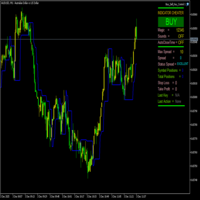
FractalBreakoutLevels 개요:
이 지표는 가격 변동 분석을 기반으로 동적인 가격 수준을 표시합니다. 거래의 참고가 될 수 있는 주요 수준을 식별하기 위해 과거 가격 데이터를 결합합니다. 작동 원리:
이 지표는 현재 및 과거 가격 데이터 간의 관계를 분석하여 시장 구조를 조사합니다. 변화하는 시장 조건에 적응하는 연속선을 그리며, 동적 지지/저항 수준으로 작용합니다. 수준 형성 원리: 지표는 여러 연속 봉에 대한 분석을 결합하여 사용합니다 특정 가격 관계 하에서 수준이 형성됩니다 명확한 신호가 없을 경우, 지표는 이전 값을 유지하여 연속선을 생성합니다 기술적 사양: 가격 차트에서 직접 작동합니다 연속 수준(파란색 선)을 표시합니다 외부 설정이 없으며 표준 가격 데이터로 작동합니다 과거 값을 다시 그리지 않습니다 적용:
이 지표는 다음과 같은 목적으로 사용할 수 있습니다: 잠재적 지지/저항 수준 식별 가능한 추세 반전 지점 탐지 표시된 수준에 대한 손절매 수준 설정
FREE

The indicator is built on a principle similar to neural networks, and it calculates a multidimensional polynomial. When you install it on a chart or make changes to the indicator's parameters, or when you switch the chart period, the indicator is initially initialized. During initialization, not only the entire period of the chart is recalculated, but also the indicator is self-trained. The indicator's parameters include Sensitivity, Forecast, and degree of harmonization. The indicator theoretic
FREE

️ RISK MANAGER — Risk Management Indicator Indicator version: 1.70 · Style: QuikTrade · Position: bottom-left corner of the chart 1. What it is Risk Manager is an informational indicator for MetaTrader 5 that shows the daily risk budget in real time and helps calculate the recommended lot , taking into account: risk per single trade (% of balance); daily risk (% of balance); losses and profits already realized today; risk of open positions (based on their Stop Loss); distance
FREE

交易数据分析助手 : 这是一款交易数据统计分析工具,数据图表较多可供分析参考 . 语言: 支持语言的选择切换(目前支持中文和英文 主动识别不用人工选择) 主窗口显示: 余额显示 总盈亏显示 现在持仓盈亏金额显示 现在持仓盈亏比例显示 买单卖单总单量,总手数,以及盈亏情况显示. 仓位使用比例显示 按照目前持仓能够承受的亏损点数预计 (点击右下角可缩放)每日订单单量,手数,盈亏情况统计 (点击右下角可缩放) 当周盈亏数据
(点击右下角可缩放) 当月盈亏数据
(点击右下角可缩放) 当年盈亏数据
交易数据统计区: 详细订单统计,(可以选择按日,周,月,季度,年)(按品种,识别码)(现有持仓详细统计) 盈亏/手数/交易次数 柱状图 多/空持仓时间/获利水平情况 多货币盈利次数/盈利水平分布情况 余额净值曲线/余额曲线/盈利曲线等(注:加载余额净值曲线可能需要一定的数据处理时间,请耐心等待加载完成...) 每次订单盈亏利润柱状图 多货币对盈利曲线图 数据统计分析报告 关于版本更新 有任何问题,建议,欢迎交流.
FREE

Mattrix Cockpit — read market structure at a glance
A multi-timeframe navigation panel for one chart and any symbol. It shows where price sits inside its range, the risk-reward of trading either direction, the trend on every timeframe, and a single weighted directional bias — so you can read the situation in seconds and make your own call.
What it shows Range box over the last N candles, drawn from candle bodies so wicks stand out as rejections Upper and lower

Now free. Know your real spread, and know exactly what it costs you on every trade.
Know your real spread. Know what it costs you.
Real Spread Monitor puts the one number most traders ignore right on your chart: the real bid/ask spread, live, and exactly what it costs you per trade. Scalpers and intraday traders lose money to the spread every single day. This tool shows you when the spread is normal, when it is too wide to trade, and how it behaves hour by hour — so you trade with your eyes o
FREE

트레이더라면 누구나 아는 절차가 있습니다. 지표 설정을 열고, 숫자를 바꾸고, 확인을 누르고, 차트를 노려보다가, 아니다 싶으면 다시 설정을 엽니다. Standard Deviation은 설정할 값이 period 하나뿐이지만, 자신의 심볼에서 20을 더 짧은 값이나 더 긴 값과 비교해 보고 싶을 때마다 그 한 번의 설정창 왕복이 여전히 똑같은 "바꾸고 노려보기" 사이클을 요구합니다. StdDev Live Tuner가 그 굴레를 끝냅니다. 차트 위에서 실시간으로 조정하는 Standard Deviation이며, 별도의 서브 창에 표시됩니다. 차트에는 period 슬라이더가 달린 작은 패널이 놓입니다. 슬라이더를 끌면 보고 있는 그 자리에서 라인이 즉시 재계산되고 다시 그려집니다. 짧은 스파이크를 볼 것인가, 더 부드러운 변동성을 볼 것인가 — 포럼 글이 아니라 내 차트에서 몇 초 만에 답이 나옵니다. 래퍼가 아닌 진짜 Standard Deviation. 이 지표는 교과서적인 자체 구현으로
FREE

Kiwi Spread Monitor MT5 Kiwi Spread Monitor MT5 is a free MetaTrader 5 utility designed to help traders monitor the current bid/ask spread and understand trading costs directly from the chart. Spread can change significantly during volatile market conditions, news events, session changes, rollover periods, or periods of reduced liquidity. Kiwi Spread Monitor provides a clear on-chart dashboard so traders can quickly see whether the current spread is within their preferred trading range. The util
FREE

Title: Price Time Pro Monitor – The Ultimate Multi-Dimensional Chart Guardian Stop cluttering your screen with basic labels. Price Time Pro Monitor is not just another price and countdown tool; it is a sophisticated data engine designed for professional traders who demand precision and multi-timeframe awareness at a single glance. Why is this different from standard indicators? Smart RSI Engine (Multi-TF): Monitor RSI levels for M15, H1, and H4 directly on your current chart. No more switc
FREE

Wikirobo | Smart Entry Zone Indicator for All Timeframes Wikirobo is a powerful indicator that automatically highlights potential entry zones as Buy Limit and Sell Limit orders across all timeframes. Highlights Suggested entry zones for every timeframe ️ Clear, timeframe-specific Stop Loss levels shown on the chart for better risk management and position sizing Suitable for scalpers, day traders, and swing traders —flexible for any trading style How to Use Instea
FREE

SMF Cloud is a clean, lightweight chart indicator that visualizes directional market flow using an adaptive trend “cloud”, dynamic volatility bands, retest markers, and a TradingView-style strength gauge. It is designed for fast decision-making: identify trend shifts, measure trend strength, and spot pullback/retest opportunities at a glance. Key Features Smart Money Flow Trend Cloud Smooth trend baseline (EMA or ALMA) with optional additional smoothing. Clear bullish/bearish flow visualization

Spread Ranking Panel Spread Ranking Panel is a compact MetaTrader 5 indicator that displays currency pairs ordered from the lowest to the highest spread. It scans the Market Watch symbols, filters forex pairs, and shows a clean on-chart ranking table to help traders quickly identify the pairs with the best trading conditions. Key Features Real-time spread ranking from lowest to highest Compact on-chart dashboard Shows spread in pips and points Displays up to 7 visible pairs Include or exclude sp
FREE

MACD indicators https://mql5.com This MACD indicator looks slightly different from the MACD indicator found in many other charting software. When the value of the signal line parameter is greater than the value of the MACD parameter, the indicator will give a buy prompt, and when the signal line parameter is less than the value of the MACD parameter, the indicator will give a sell prompt.
FREE
Se você está procurando uma maneira de melhorar seus resultados de negociação, então o indicador VWAPiEagleVision é o que você precisa! Este robô é programado para rastrear o VWAP em tempo real e usar essas informações para identificar tendências e oportunidades de negociação lucrativas.
O VWAP (Volume Weighted Average Price) é um indicador amplamente utilizado pelos traders para determinar o preço médio ponderado pelo volume negociado. Ele é comumente usado por traders institucionais e pode
FREE

The Simple Dashboard is a dashboard where you can build your own strategy based on RSI, Stochastic, and Moving Average. You can define your own buy and sell signal conditions as you wish. For example, you can set a sell signal when RSI is at the 70 level and Stochastic is in a death cross, or even the opposite. The point is, set it however you like and apply your own custom configuration. That’s how simple it is.
FREE

Hi Traders, Info Panel with PnL Coloring is a compact yet powerful on-chart dashboard for MT5.
It delivers real-time insights into Buy/Sell volume, symbol-based PnL, overall account performance, margin status, and detailed candle metrics.
With dynamic color-coding and a live candle countdown, this panel helps you monitor your essential trading information and market conditions instantly so that you can make decisions with greater clarity and precision. Abbreviations (current candle information)
FREE
WindFlow HTF is a useful tool suited to use in conjunction together with my WindFlow indicator. This indicator will give you a background vision about the price action trend on a higher timeframe, so when it runs with the WindFlow indicator you have an almost complete trading solution. At this point, you only need some support/resistance analysis and a bit of focus to become a consistent trader.
The metaphorical "wind's ballet" Professional traders know that every timeframe is governed by its o
FREE

MT5 Hammer Pattern Detector: Your guide to more profitable operations
Tired of searching for the best trading opportunities? Our innovative indicator gives you a competitive advantage by automatically identifying hammer patterns on your charts. Known for its high probability of success, the hammer pattern has been a fundamental tool in the arsenal of experienced traders for decades. Our indicator, designed to accurately detect this key pattern, will allow you to:
Identify trend reversals earl
FREE
Regime Radar — Market Regimes + Bias Stops (MT5) Regime Radar shows the current market regime — Range, Weak Trend, Strong Trend, or Shock — and draws ATR-based stop lines on the chart. It also provides a compact panel with regime, direction, confidence and optional RSI/Bollinger suggestions. This is an analysis tool; it does not provide trading signals and does not guarantee any profit. Main functions Regime detection in four states (Range, Weak Trend, Strong Trend, Shock). Bias indicator with
FREE

OWL Fibonacci SMC Elite v2.0 **The most intelligent Fibonacci tool on the MQL5 marketplace.** Automatic swing detection · OTE zone · Smart Money Order Blocks · FVG alignment · Confluence scoring 0–100% · Non-repainting arrows · Professional dark dashboard
WHY OWL FIBONACCI SMC ELITE IS DIFFERENT? Every other Fibonacci indicator draws lines and leaves you to figure out which levels matter. **OWL Fibonacci SMC Elite v2.0 tells you EXACTLY which levels to trade — and scores each one from
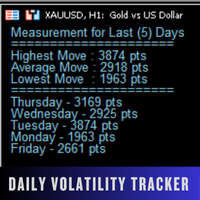
Daily Volatility Tracker is a practical and lightweight indicator designed to help traders monitor and analyze market volatility based on historical daily price movements. Whether you're a day trader, swing trader, or scalper, understanding how much a market moves per day is critical for: Choosing the right pairs to trade Setting accurate stop-loss and take-profit levels Adapting to changing market conditions MT4 Version - https://www.mql5.com/en/market/product/134958/ Join To Learn Market De
FREE

Directional Impulse One formula. Every candle. Instantly legible. Most indicators tell you where price is or how fast it's moving. Directional Impulse tells you something different: who won this candle, and by how much. Built on an original formula — X = (2C − H − L) × (H − L) & X = (C − O) x (H − L) — it multiplies directional bias by the bar's full range rather than normalising it away like every preceding indicator in this lineage. The result is a signed energy measure for each bar that ca
FREE

RaysFX Elastic Order Flow Matrix (EOFM) L'indicatore definitivo per gli Scalper e i Day Trader che operano su timeframe rapidi (M1). Il RaysFX Elastic Order Flow Matrix non è un semplice oscillatore. È un motore analitico avanzato progettato per decodificare la vera pressione compratrice o venditrice del mercato, filtrando il "rumore" tipico dei grafici a 1 minuto. Se sei stanco di farti fermare dai falsi segnali generati dalle candele di basso volume o dalla congestione, questo strumento ti
FREE

This indicator plots the calculated levels of the IBOV's "thousand" regions on the mini-index, where there is strong institutional commitment, based on their Options Lock positions. In this sense, players tend to defend their positions, acting on the mini-index. With these regions on the chart, you can use the concept of bipolarity to seek trades both in defense and in post-breakout testing. If you're interested, see the link where B3 provides information on options positions for these price lev
FREE
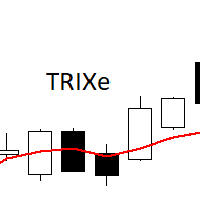
The TRIXe Indicator is the combination of the TRIX indicator (Triple Exponential Moving Average) with the addition of an EMA (Exponential Moving Average) signal. It provides signs of trend continuity and the start of a new trend.
The entry and exit points of operations occur when the indicator curves cross.
It performs better when combined with other indicators.
FREE
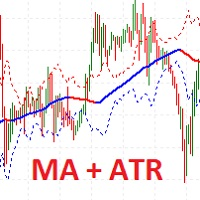
I present the well-known Moving Average indicator connected to the ATR indicator.
This indicator is presented as a channel, where the upper and lower lines are equidistant from the main line by the value of the ATR indicator.
The indicator is easy to use. The basic settings of the moving average have been saved, plus the settings for the ATR have been added.
Moving Average Parameters:
MA period Shift MA Method
Moving Average Parameters:
ATR TF - from which timeframe the values are taken A
FREE

Triple Trend Core (EMA 50, 100, 200): * Dynamic trend tracking across three timeframes. * Ultra-thin visualisation to avoid overlapping with candlesticks. Thermal Fibonacci Retracement (Dynamic Heat Map): * Temperature Levels: Retracements are intuitively coloured. Shallow levels (0% - 23.6%) in Red/Orange indicate high-tension zones and quick continuation, while deep levels (76.4% - 100%) in Blue signal cooling zones or extreme value. * Dynamic Adaptation: Automatically calculates the maximum a
FREE
- Chart Time Indicator is very simple and easy, but it can be very important to control the time before opening any manual trade. This indicator shows the time on the chart between 3 different options. Input Parameters: - Show Time : Select all the time options that you want to see. Local Time (Personal Computer Time), Server time (Broker Time) or GMT Time. Recommendations: - Use only one Chart Time Indicator for each Chart.
FREE

ArgosWatch Prop News and Volatility Guard MT5 — Institutional News and Spread Restriction Monitor
Many prop trading firms enforce a High-Impact News Trading Restriction: no opening or closing trades within a set window (commonly 2 minutes) before or after red-folder news events (NFP, CPI, FOMC, Rate Decisions). The exact rule and window length vary by firm — always verify against your firm's rulebook and configure the inputs accordingly.
ArgosWatch Prop News & Volatility Guard is engineered s
FREE
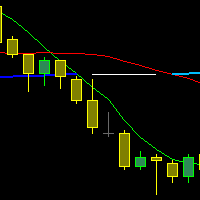
The indicator draws three Moving Averages. Two short ones cross a long one.
At the same time, the long MA changes color: If both short MAs are above the long one - first color; If both short MAs are below the long one - second color; If the two short MAs are on opposite sides of the long one - third color. All three MAs are based on closing prices with a smoothing method of "simple."
cross MA cross 3 MA cross three Moving Average across Moving cross Moving crossing MA crossing MA across MA
FREE

The Previous High Low Levels indicator displays the high and low of the previous candle from a selected higher timeframe. This helps traders identify key support and resistance zones while trading on lower timeframes. Features:
Plots the previous high and low from a higher timeframe
Works on all timeframes and instruments
Helps identify strong support and resistance levels
Lightweight and does not repaint How to Use: Select a higher timeframe (e.g., H1, H4, D1) in the settings. T
FREE

PositionMap Pro — Account Overview Panel for MT5 A real-time panel that groups all open positions by symbol and shows Buy lots, Sell lots and net profit/loss directly on your chart — the whole account at a glance. Instead of counting lots symbol by symbol in the Terminal tab, PositionMap Pro groups everything automatically. You instantly see how much exposure you have on each symbol, split by direction. Panel example Symbol Buy Lot Sell Lot Net P/L EURUSD 0.50 — +12.30 XAUUSD — 1.00 −45.00 GBPUS
FREE
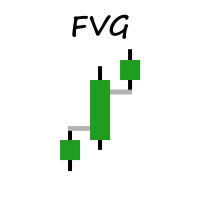
Welcome to MM Fair Value Gap Indicator.
Simple indicator that shows You FVG based on settings. The Fair Value Gap is a pattern made up of three candles: A Bullish Fair Value Gap forms on a second rising candle between the high of the first candle and the low of the third candle. A Bearish Fair Value Gap forms on a second declining candle between the low of the first candle and the high of the third candle
Indicator will be updated in future.
FREE
The Average Force Indicator is a technical analysis tool designed to measure the strength of price movements by analyzing both momentum and volatility. This indicator is based on the Force Index , which combines price changes and volume data, but with a smoothing mechanism to provide a clearer and more stable reading of market dynamics.
Key Features: • Momentum and Trend Strength Measurement – Helps traders identify the intensity of buying or selling pressure. • Smoothed Force Index Calcula
FREE
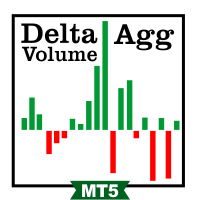
This indicator calculates the difference between the SELL aggression and the BUY aggression that occurred in each Candle, plotting the balance of each one graphically. Note: This indicator DOES NOT WORK for Brokers and/or Markets WITHOUT the type of aggression (BUY or SELL).
Be sure to try our Professional version with configurable features and alerts: Delta Agression Volume PRO
Settings
Aggression by volume (Real Volume) or by number of trades (Tick Volume) Start of the Aggression Delta
FREE

Chaikin Money Indicator (CMF) – Free Trading Indicator
The Chaikin Flow Indicator (CMF) is a technical analysis tool based on the original Chaikin Money Flow (CMF) indicator, developed by Marc Chaikin in the 1980s. It is designed to track capital flows into an asset and helps identify buying and selling pressure. This indicator is useful for both intraday trading and medium-term analysis .
How CMF Works CMF analyzes price action and volume over a given period by calculating the Money Flow Mult
FREE

Non-proprietary study of Joe Dinapoli used for trend analysis. The indicator gives trend signals when the fast line penetrates the slow line. These signals remain intact until another penetration occurs. The signal is confirmed at the close of the period. It is applicable for all timeframes. Inputs lnpPeriod: Period of moving average. lnpSmoothK: %K period. lnpSmoothD: %D period. ********************************************************************************
FREE

Kiwi Trade Statistics Dashboard MT5 See your trading performance clearly — directly on your MetaTrader 5 chart. Kiwi Trade Statistics Dashboard MT5 is a free, visual trade analysis indicator for MetaTrader 5 designed to help traders quickly understand their account performance without manually calculating statistics. The dashboard analyzes your closed MT5 trading history and presents the most useful trading metrics in one clean, easy-to-read panel. Whether you trade manually, use Expert Advisors
FREE
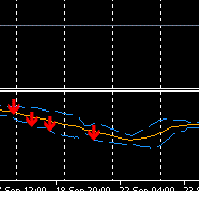
How the Sell Signal Works 1. Bollinger Band condition The current candle must close at or above the Upper Bollinger Band . This signals potential overbought conditions. 2. OBV confirmation (On Balance Volume) OBV must be falling → OBV_now < OBV_prev . Stronger confirmation: OBV decreasing for 2–3 consecutive bars. This shows that buying pressure is weakening . 3. ATR filter (Average True Range) Current ATR must be below its moving average (e.g., ATR_now < ATR_SMA(14) * 1.2 ). Purpose: avoid ente
FREE

**MA Distance Filter: Your Smart Trading Ally!** Discover the **MA Distance Filter**, a powerful MetaTrader 5 indicator designed to elevate your trading strategy! Easily spot precise **buy** and **sell** opportunities based on moving average crossovers and minimum distance thresholds.
**What it offers:** - **Striking visual signals**: Green arrows for buy and red for sell, displayed live on the latest candle. - **Dynamic moving averages**: Track the fast, slow, and optionally a third
FREE

Shadow System Candles - AI Trend Visualization
Concept "Stop trading in the dark. Equip your chart with Night Vision."
Shadow System Candles is the visual core of the "Shadow Operation" project. It eliminates market noise and visualizes the true direction of the trend using AI-based logic (ADX + MA integration).
Note: This tool does not generate buy/sell arrows. It is designed to train your eyes to recognize "Active Trends" and "Dangerous Ranges.
Key Features ・AI Logic Coloring[/b]: Automat
FREE

The RSI everyone uses. Finally READABLE.
RSI is one of the most famous indicators in the world... and one of the most misread. RSI Clarity Zones makes it crystal clear, with colored zones and a plain word.
️ WHAT YOU SEE • The RSI with its colored zones overbought / neutral / oversold • A label stating the state plainly: OVERBOUGHT, OVERSOLD or NEUTRAL • A flag when it crosses the 50 line (the momentum shift) ️
WHO IT'S FOR Beginners who want to understand RSI without memori
FREE

Shows min and max of last M5 Candle. Can be used to trade breakouts of last M5 candle. The M5 Candle Breakout Strategy avoids to stay too long in a sindways phase. See documentation on @swisstrader3713, where you can follow my live trading. The only parameters are the color of the lines defining the M5 stretch. Best use the indicator in M1 timeframe. The M5 Breakout Strategy has helped me to reduce overtrading.
FREE

Many traders use Price Action as entry and exit signal. Since the beginning of chart analysis, traders have found several candlestick patterns that can indicate possible "behaviors" of the market. Candlestick Pattern indicator is an indicator for MetaTrader platform that can detect many of these patterns and show them on screen or to alert traders about them. though they detect slightly different sets of candle patterns. Candlestick Pattern indicator also has a more modern look compared
FREE

Indicador Regressão Linear – Par de Ativos Indicador é um oscilador que faz o plot do Resíduo resultado da regressão linear entre os dois ativos inseridos como input do indicador, representado pela fórmula: Y = aX + b + R Onde Y é o valor do ativo dependente, X é o valor do ativo independente, a é a inclinação da reta entre os dois ativos, b é a intersecção da reta e R é o resíduo. O resíduo representa a quantidade da variabilidade que Y que o modelo ajustado não consegue explicar. E os resíduos
FREE
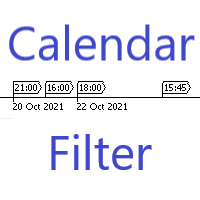
Are you having trouble with too many events in the economic calendar? This reduces to the minimum number you need. You can filter by country code importance any key words and you can receive alerts before the set time of the event. ++++++++++++++ If country code is blank, display available code on the expert tab. You need to turn off the automatic calendar update setting in MT5. Any sound file of .wav format in Sounds directory. The length of keyword characters is limited by MT5.
FREE

The BandsFill Indicator is a modified Bollinger Bands with a colored cloud. It has two adjustable parameters: Period Deviation The cloud is colored as follows: If the price crosses the upper band, the cloud is blue. If the price crosses the lower band, the cloud is pink. Thanks to this, the BandsFill Indicator provides traders with an easy opportunity to detect various features and patterns in price dynamics that are invisible to the naked eye. Based on this information, traders can predict
FREE
Session MA Created by Denis Kislitsyn | denis@kislitsyn.me | [ kislitsyn.me ]( https://kislitsyn.me/personal/algo ) Version: 1.0
SessionMA is a specialized Moving Average (MA) indicator for MetaTrader 5 that calculates the MA only on bars that fall within a specified session time window. Unlike standard MA indicators that calculate across all available bars, SessionMA filters calculations to include only the data points that occur during your defined trading session.
This indicator is particu
FREE

개요 멀티 레벨 ATR 및 이동 평균 밴드 지표는 거래자들이 시장 트렌드, 지지 및 저항 수준, 변동성을 명확히 식별할 수 있도록 도와주는 강력한 도구입니다. 이 지표는 여러 이동 평균을 ATR(평균 진폭 범위) 배수와 결합하여 가격 움직임 주위에 시각적으로 구별되는 밴드를 생성합니다. 이를 통해 거래자는 잠재적인 반전 지점, 트렌드 상태 및 시장 통합 영역을 식별할 수 있습니다. 기능 다중 밴드 표시: 가격의 최고, 중간, 최저 이동 평균 및 ATR 계산에서 파생된 6개의 동적 밴드를 색상으로 구분하여 트렌드를 쉽게 식별할 수 있도록 합니다 (빨간색, 주황색, 노란색, 녹색, 파란색, 보라색). ATR 변동성 밴드: ATR 배수를 사용하여 변동성에 따라 밴드를 조정하고, 잠재적인 가격 반전 또는 지속을 명확히 시각화합니다. 조정 가능한 매개변수: 다양한 시장 조건 및 거래 전략에 맞게 ATR 배수와 이동 평균 기간을 완전히 조정할 수 있습니다. 트렌드 식별의 명확성: 밴드는 변동성
FREE
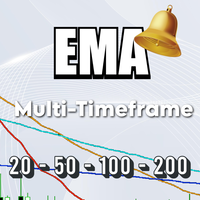
The EMA Navigator Pro is an advanced version of the popular EMA indicator, designed to provide superior flexibility and multi-timeframe analysis capabilities. This indicator not only displays EMA lines but also offers a powerful alert system to ensure you never miss a crucial signal. Key Features: Multi-Timeframe Support: You can assign a separate timeframe to each individual EMA line, allowing you to analyze long-term (e.g., D1) and short-term (e.g., H1) trends on the same chart. Automatic Cro
FREE

CandleScope Pro Demo – Candlestick Pattern Indicator CandleScope Pro Demo is a powerful and easy-to-use indicator for MetaTrader 5 that automatically detects and labels the most popular candlestick patterns directly on your chart. This tool is designed to help traders of all levels quickly identify key reversal and continuation signals, improving decision-making and trading accuracy. Key Features: Automatic Detection: Instantly scans and highlights the following candlestick patterns: Doji Spin
FREE
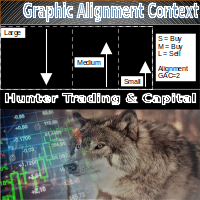
The Graphic Alignment Context (GAC) Technical Indicator measures the vertical difference of the simple average price of a financial instrument in the context of three different timeframes determined by a defined number of bars or candles (periods) to determine the strength of the buy or sell trend. sale. Ascending average prices indicate Buying strength (1), Descending average prices indicate Selling strength (-1) and any scenario different from the previous two conditions indicates Neutrality
FREE
멀티 타임프레임 지원, 커스터마이즈 가능한 시각적 신호, 설정 가능한 알림 시스템을 갖춘 Rate of Change(ROC) 지표입니다.
프리랜서 프로그래밍 서비스, 업데이트 및 기타 TrueTL 제품은 MQL5 프로필 에서 이용하실 수 있습니다.
피드백과 리뷰를 주시면 감사하겠습니다!
ROC란 무엇인가요? Rate of Change(ROC)는 지정된 기간 동안 가격의 백분율 변화를 측정하는 모멘텀 오실레이터입니다. 현재 가격을 n기간 전 가격과 비교하여 차이를 백분율로 표현하므로 가격 움직임의 속도를 쉽게 파악할 수 있습니다. 양수 ROC 값은 상승 모멘텀을, 음수 값은 하락 모멘텀을 나타냅니다. ROC가 제로 라인을 크로스하면 잠재적인 추세 반전을 신호합니다. 트레이더들은 ROC를 사용하여 과매수 및 과매도 상태를 식별하고, 추세를 확인하며, 가격과 모멘텀 간의 다이버전스를 발견합니다. 기능: 화살표와 수직선을 통한 시각적 신호 마커 설정 가능한 트리거를 가진 3개의 독립적
FREE

Hourly Spread Profile는 내 계좌의 확정된 봉을 읽어, 현재 열려 있는 심볼과 타임프레임에서 시간대별로 스프레드가 실제로 얼마였는지 보여줍니다. 예측도 조언도 하지 않습니다. 패널에 나오는 모든 숫자는 이미 일어난 일을 측정한 값입니다.
숫자는 이렇게 만들어집니다. 서버 시각 기준 0시부터 23시까지 각 시간대에 대해, 터미널에 남아 있는 만큼 최대 5,000개의 확정 봉으로 스프레드 중앙값을 계산합니다. 평균이 아닌 중앙값을 쓰는 이유는, 뉴스 발표 순간의 한 번의 급등이 한 시간대 전체를 왜곡하지 않도록 하기 위해서입니다. 표본이 20개 미만인 시간대는 숫자 대신 대시와 표본 수를 표시합니다 - 봉 3개로 낸 중앙값은 공개할 가치가 있는 데이터가 아니기 때문입니다. 스프레드가 기록되지 않은 봉은 비용 0으로 세지 않고 집계에서 아예 제외하며, 전체 이력에서 봉이 단 하나도 없는 시간대는 추측 대신 그 사실을 그대로 표시합니다.
Cheapest와 Most cos
FREE

MAKO Achronos는 MetaTrader 5용 Price Path Intelligence 지표로, 시장이 가격 공간 안에서 어떻게 이동하고 구조를 형성하는지를 시각적으로 보여주기 위해 개발되었습니다.
캔들의 시간 길이를 주요 분석 요소로 사용하는 대신, Achronos는 가격이 실제로 이동한 경로를 정리하고 작은 움직임에서 더 큰 구조 형성까지 가격의 구조적 전개를 추적합니다.
목표는 시장을 다른 관점에서 보는 것입니다. 시계에 대한 의존도를 줄이고 가격이 실제로 이동한 순서에 더 집중합니다.
주요 기능
• 구조적 가격 경로 시각화 • 가격 움직임의 실제 순서에 기반한 분석 • 별도의 창에 Achronos Path 표시 • UP 및 DOWN 방향 시각적 식별 • Inflection Zone 감지 • 구조 형성 단계 분석 • EARLY, BUILD, ACTIVE 및 MATURE 상태 • 구조 보호 상태 평가 • 사용 가능한 가격 공간 분석 • 통합 Price-Path W
FREE

Estadistica.mq5: 여러분의 최고의 트레이딩 및 분석 패널 명확성과 정확성을 추구하는 트레이더를 위한 최고의 제어 패널인 Estadistica.mq5로 트레이딩 관리를 최적화하세요. 이 독립형 지표를 사용하면 간결하고 매우 효율적인 인터페이스 내에서 미결제 포지션과 청산된 거래의 상세 내역을 모두 실시간으로 모니터링할 수 있습니다.
주요 기능: 포괄적인 다중 심볼 패널: 각 통화쌍 또는 자산별 랏 규모와 실시간 결과를 포함하여, 미결제 포지션의 요약 정보를 한눈에 확인하세요.
고급 청산 거래 분석: 총 거래 횟수, 승률(WR), USD 기준 수익, 수익 계수(PF)를 포함한 전문적인 성과 지표(전체 요약 및 심볼별 상세 정보)를 확인하세요.
매직 넘버 필터링: 완벽한 호환성을 위해 설계되었습니다. 매직 넘버를 적용하여 통계를 필터링함으로써, 마틴게일 같은 복잡한 전략을 포함한 모든 전문가 자문가(EA)의 성과를 개별적으로 분석할 수 있습니다.
직관적이고 깔끔한 인터
FREE

Free version of https://www.mql5.com/en/market/product/44815 Simple indicator to calculate profit on fibonacci retracement levels with fixed lot size, or calculate lot size on fibonacci levels with fixed profit. Add to chart and move trend line to set the fibonacci retracement levels. Works similar as default fibonacci retracement line study in Metatrader. Inputs Fixed - select what value will be fix, lot or profit (available in full version, lot is set on free version) Fixed value - value tha
FREE

MetaTrader용 Slope Channel 지표
어떤 거래 스타일에도 적합한 시장 트렌드 분석 도구를 찾고 계신가요? Slope Channel – 가격 움직임과 주요 시장 수준을 파악하는 신뢰할 수 있는 도우미입니다! Slope Channel이란? Slope Channel은 혁신적인 지표로, 차트에 기울어진 채널을 구성하며 로컬 극값을 기반으로 매개변수를 자동으로 계산합니다. 이 도구는 최적의 채널 옵션을 강조 표시하여 변화하는 시장 상황에 신속히 적응할 수 있도록 돕습니다. 주요 특징 채널 각도 자동 계산: 지표는 채널의 기울기 각도를 표시하며, 다음 유형을 나타냅니다: 수렴 (양의 각도): 채널이 좁아지고 가격 압력이 증가함을 나타냅니다. 발산 (음의 각도): 범위가 확대되고 불안정성이 예상됨을 나타냅니다. 최신 데이터: 새로운 캔들이 생성될 때마다 채널이 다시 계산되어 가장 최신 데이터를 제공합니다. 다양한 적용 이 지표는 다음에 적합
FREE

MacD Custom Indicator MTF Plus is a professional MetaTrader 5 port of the original " CM_MacD_Ult_MTF " indicator created by ChrisMoody for TradingView . This version was developed by code4trading for Free provide the MT5 community with high-quality, free access to this proven methodology. Original Concept: ChrisMoody (TradingView) MT5 Development: code4trading Version: 1.0 The Moving Average Convergence Divergence (MACD) is a cornerstone of technical analysis, functioning as a trend-following m
FREE
Time to Trade Trading timing indicator is based on market volatility through 2 ATR indicators to determine the timing of a transaction. The indicator determines the times when the market has strong volatility in trend. When histogram is greater than 0 (blue) is a strong market, when histogram is less than 0 (yellow) is a weak market. Should only trade within histograms greater than 0. Based on the histogram chart, the first histogram value is greater than 0 and the second histogram appears, this
FREE

Simple candle countdown - never again miss how much time is left to open a new bar!
This indicator doesn't plot any line on the chart - it uses only objects and calculates the time left to open a new bar.
You can set custom colors for the panel background and border and for the text color. Simple as that, the indicator is ready to use.
If you find any bugs, feel free to contact me.
FREE

HighVolume SR Boxes is a professional support and resistance zone indicator designed to identify important price areas using confirmed pivot structure and volume-based filtering. Instead of drawing simple horizontal lines, the indicator highlights market zones as dynamic boxes, helping traders see where price has previously reacted with meaningful volume participation. These zones can be used to observe potential reversals, breakouts, retests, and role-reversal behavior between support and resis
FREE
The Kalires Channel Indicator is a technical indicator used to evaluate trend direction and potential trading opportunities. This is a hybrid indicator that combines Kauffman Adaptive Moving Average (KAMA), linear regression and smoothing. The Kalires Channel Indicator consists of two lines: one central and two outer bands. The central line is a smoothed KAMA modified according to the direction of the trend. The outer bars represent two linear regression lines drawn above and below the center l
FREE
MetaTrader 마켓은 과거 데이터를 이용한 테스트 및 최적화를 위해 무료 데모 거래 로봇을 다운로드할 수 있는 유일한 스토어입니다.
어플리케이션의 개요와 다른 고객의 리뷰를 읽어보시고 터미널에 바로 다운로드하신 다음 구매 전 트레이딩 로봇을 테스트해보시기 바랍니다. 오직 MetaTrader 마켓에서만 무료로 애플리케이션을 테스트할 수 있습니다.
