 MetaTrader 5
 Experts
 지표
지표
 라이브러리
라이브러리
 유틸리티
유틸리티
 위젯
위젯
 규칙
규칙
MetaTrader 4용 Expert Advisor 및 지표 - 228
 트레이딩 로봇은 자동으로 시장거래를 수행하는 반면 지표는 가격을 더 잘 분석하고 가격 행동을 예측할 수 있게 해줍니다.
이러한 어플리케이션을 사용하면 MetaTrader 4에서 더 많은 기회를 포착하는 동시에 보다 정보에 입각한 방식으로 거래를 수행할 수 있습니다.
트레이딩 로봇은 자동으로 시장거래를 수행하는 반면 지표는 가격을 더 잘 분석하고 가격 행동을 예측할 수 있게 해줍니다.
이러한 어플리케이션을 사용하면 MetaTrader 4에서 더 많은 기회를 포착하는 동시에 보다 정보에 입각한 방식으로 거래를 수행할 수 있습니다. 
The Strategy Tester product is an indicator where you can both test and run strategies. There are 64 strategies in total in this indicator. It uses 3 indicators. You can test tens of thousands of strategies by changing the parameter settings of these indicators. You can run 6 strategies at the same time. With this product, you will now create your own signals.
Recommendations and Features Used indicators: Macd, Bulls power, Bears power It works on all time frame Recommended time fram

The Strategy Tester product is an indicator where you can both test and run strategies. There are 64 strategies in total in this indicator. It uses 3 indicators. You can test tens of thousands of strategies by changing the parameter settings of these indicators. You can run 6 strategies at the same time. With this product, you will now create your own signals.
Recommendations and Features Used indicators: Rsi, Osma, DeMarker It works on all time frame Recommended time frame H1 You
The Strategy Tester product is an indicator where you can both test and run strategies. There are 64 strategies in total in this indicator. It uses 3 indicators. You can test tens of thousands of strategies by changing the parameter settings of these indicators. You can run 6 strategies at the same time. With this product, you will now create your own signals.
Recommendations and Features Used indicators: Stochastic, Macd, Williams Percent Range It works on all time frame Recommended time fr

Kolmogorov-Zhurbenko 필터는 스펙트럼 누출을 제거하도록 설계된 특수 창 기능으로 간주할 수 있습니다. 이 필터는 확률적(금융 포함) 시계열을 평활화하는 데 최적입니다. 이 필터를 기반으로 하는 지표에는 다음 매개변수가 포함됩니다. iLength - 필터를 만드는 데 사용된 원래 직사각형 창의 기간. 유효한 값은 2 - 255입니다. iDegree - 필터 순서. iDegree=0이면 단순 이동 평균을 얻습니다. iDegree=1이면 삼각형 이동 평균을 얻습니다. 차수가 높을수록 더 나은 평활화 및 노이즈 억제가 가능합니다. 허용되는 값은 2 - 255입니다. 또한 이 매개변수는 표시기 = iLength + iDegree * (iLength - 1)의 마지막 기간에 영향을 줍니다. iMultiplier - 필터 값에서 계산된 표준 편차 수를 표시하는 승수입니다.
표시기의 모양은 그림에 나와 있습니다.

Торговая стратегия. Советник применяет в торговле 4 трендово-сеточные стратегии с различными параметрами. Тем самым обеспечивается распределение рисков по торговым объемам в рынке. Авторская система определения тренда и учет волатильности торгуемой пары позволяют автоматически подстраиваться советнику под настроения рынка. Используется автоматическая фиксация убытка при достижении заданной в настройках просадки. Доступно широкое количество фильтров сигналов, которые позволяют минимизировать лож
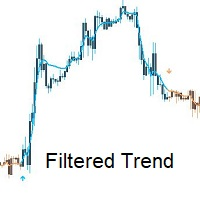
Introducing Filtered Trend: Your Reliable Companion in Forex Trading.
Filtered Trend is a powerful MetaTrader 4 indicator that revolutionizes trend identification and entry point selection in the forex market. Built upon customized Moving Average principles, this intuitive indicator offers traders a simple yet effective tool for navigating the complexities of currency trading.
Key Features: 1. Customized Moving Average: Filtered Trend leverages customized Moving Averages to provide traders wit
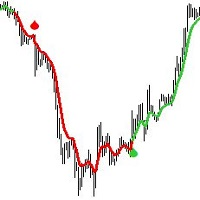
Introducing the Tear Drop Indicator: Your Gateway to Confident Forex Trading.
The Tear Drop Indicator is a powerful MetaTrader 4 tool designed to simplify trend identification and streamline entry point selection. Built upon customized Moving Average principles, this intuitive indicator offers traders an unparalleled advantage in navigating the forex market.
Key Features: 1. Customized Moving Average: The Tear Drop Indicator harnesses the power of customized Moving Averages, providing traders

EA Atom은 고유한 거래 알고리즘을 갖춘 Expert Advisor입니다. EA는 전날의 높거나 낮은 수준의 분석에서 작동합니다. 성공적이고 입증된 전략이 고문의 알고리즘에 통합되어 있어 기술 및 컴퓨터 분석의 모든 미묘함과 함께 자산 가격 책정에서 이익을 얻을 수 있습니다.
구매 후 즉시 저에게 연락하여 지침을 받고 개인 전보 채팅에 액세스하십시오! 설정은 링크의 고문의 토론에서 사용할 수 있습니다. EURUSD, GBPUSD, AUDUSD, USDCAD, NZDUSD, DE40, USTECHCash (100) 거래를 위한 권장 쌍 타임프레임 모두 최소 계정 잔고 1000 $(1쌍)
EA는 좋은 중개 조건이 필요합니다. 롤오버 기간 동안 낮은 스프레드와 슬리피지가 가장 좋은 계정 유형은 ECN입니다. 상담은 비밀댓글로 해주시면 됩니다.
EA는 VPS에서 계속 실행되어야 하며 VPS 대기 시간은 150ms를 초과하지 않아야 합니다.
불필요한 오류를 피하기 위해 다른 Ex

EA Cyclone은 고유한 거래 알고리즘을 갖춘 Expert Advisor입니다. EA는 프랙탈 수준을 사용하여 반전 영역을 결정합니다.
구매 후 즉시 저에게 연락하여 지침을 받고 개인 전보 채팅에 액세스하십시오!
이 로봇을 개발할 때 인기 있는 Fractal 거래 전략이 자동화되어 각 거래에 대해 합리적인 진입점을 제공합니다. 로봇의 미세 조정을 위해 세계적인 명성을 가진 투자 펀드의 숙련된 트레이더가 참여했습니다.
설정은 링크의 어드바이저 토론에서 사용할 수 있습니다.
XAUUSD, DE40, USTECHCash (100) 거래를 위한 권장 쌍 타임프레임 M15 - M30 - H1 최소 계정 잔액 $500(쌍당)
EA는 좋은 중개 조건이 필요합니다. 롤오버 기간 동안 낮은 스프레드와 슬리피지가 가장 좋은 계정 유형은 ECN입니다. 상담은 비밀댓글로 해주시면 됩니다. EA는 VPS에서 계속 실행되어야 하며 VPS 대기 시간은 150ms를 초과하지 않아야 합니다.

Taking as baseline Diamond Trend Indicator, which has provided good results so far detecting Trends , here is coming up a new Expert Advisor taking advantage of its power to open positions following it. It is recommended to use 1:500 or above to mitigate typical margin default risks. Works in any timeframe for FX, Cryptos, GOLD/AUXUSD, BRENT,... (not tested with Indexes) DTT EA instance tracks its own operations, if you want to use more than one DTT EA (and/or any of my other EAs) in the
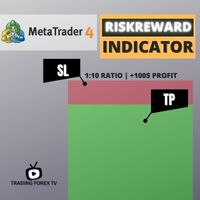
If you are looking for an indicator in the purest Tradingview style to plot your trades with Take Profit (TP) and Stop Loss (SL) as well as the entry point on the chart, Risk Reward Indicator is your indicator for Metatrader 4.
This indicator, among many other functions, allows you to draw and simulate operations, as well as the risk ratio (RB) benefit and the pips that you can win or lose in that operation.
In addition, this indicator includes a calculator where you can indicate the % of ris
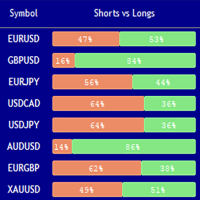
Market Sentiment Indicator Market Sentiment is a Trading Tool which allows you to see the positions of other currency traders. Until now, only institutional traders had access to such data which gave them a serious advantage over retail traders because of obvious reasons. With Market Sentiment, you too will finally know what other traders are doing which makes it easy to beat them on the forex battlefield.
Data comes from MyFxbook Community Outlook data feed and is based on up to 100 000 live

Attention!!! Do not try to test the EA in the MT4 Tester, it is simply impossible, because the EA opens positions on 27 different instruments and 8 timeframe . The tester is able to test only one pair. Multi-currency tester is possible only in MT5. Instructions for launching a multi-currency tester in MT5: https://youtu.be/WrQQwMQclrY How EA works: 1. The main strategy for the breakdown of local extremes is used. 2. An additional algorithm is used to control losing trades and redistribute

Simple Order Panel for calculating actual lot size with fixed risk amount. Working on both Market orders and pending orders. Notify Line Application when an order is opened or closed. Automatic set up Stoploss and Takeprofit with Risk Reward Ratio. Open one order with the risk(amount) per trade or separate the bet into three orders in one click. Involuntary modification Stopsloss to Breakeven when the Market takes the first or second-order profit. Filter button Buy or Sell when Moving Averate C
The ORB-Williams FPO trading robot is the result of combining different Opening Breakout Ranges including the Toby Crabel Opening Range Breakout (ORB) strategy with additional trending indicators for a better entry signal, with the Larry Williams First Profitable Opening (FPO) exit to close the trade. You can see the result of my real account operations in Signals: https://www.mql5.com/es/signals/1481106?source=Site +Signals+Favorites The Opening Range Breakout (ORB) is a range of price varia
Sistema de trading automático adaptado a la volatilidad de la sesión de New York. Se basa en la ruptura de un rango de baja volatilidad con el objetivo de aprovechar diariamente el movimiento fuerte de la sesión americana. El sistema cuenta con parámetros de manejo de riesgo por porcentaje, parámetros de Stop Loss, Take Profit, Break Even, Tambien cuenta con parametro para cantidad de operaciones diarias y validación de entrada por cierre de vela o ruptura de precio.

OCTO TACK TREND PRO INDICATOR Summary/Description: Trend indicator Shows signals that tell you the current market trend Shows different signals to execute orders in favor of the current trend
Get ready to have the best trend indicator you've ever tried. It does not repaint in any way, once a signal has been captured, it remains there until it is finalized. It generates clear signals and always in favor of the trend (see screenshots) Just be attentive and wait for the alert to tell you when a ne

Leave a review for this product, and receive another "Free" product that you want. You can see my other products here: https://www.mql5.com/en/users/zakri/seller
Grid Wizard EA has 4 built-in strategies that are really powerful. This EA is a winner EA. It can work on every symbol and timeframe, preferably H1.
Tests show it was profitable since 2010.
Entry Mode:
Both Directions, Same Basket - This strategy opens buy and sell trades at the same time, they are closed together.
Both Directions, S

Time frame: M1
Leverage : Higher the better
Spread: Lower the better
Account type : All types
(EA may enter hedge positions, if you want to disable this feature deactivate either Buy, or Sell from the setting)
Please please do not take unnecessary risks. (Trading is risky, and there are no guarantees for winning)
We wish you successful trading. (Trading is risky, and there are no guarantees for winning

Night scalping trading in the horizontal Bollinger channel. No risky strategies. All trades are protected by a stop loss. Accounting for the features of real accounts. It is possible to work with a minimum initial deposit of $10. Strategy. At night, near the rollover, market movements usually slow down, since at this time there are no strong disturbing factors. Price movements become small, but quite predictable. As a rule, they have the form of harmonic fluctuations. These movements can be used

Indicator of EARLY determination of the beginning of a new trend.
In addition, the indicator determines the global direction of the trend by the number of points: if there are more green dots (parameter Calculation of the global trend) - the trend is up; if there are more red dots, the trend is down.
The indicator does not redraw on the first candle.
The indicator can be used as an independent trading system, and as an addition to any other trading system.
The indicator can be used on any t
Starkiller Grid Trader Starkiller Grid Trader is a MT4 trading robot which specializes in the management of grid trading systems. A very large variety of customizable settings are included to make sure that you are able to place grid trades on any currency pair, stock, index or commodity automatically according to your own liking. Starkiller is accurate, versatile and robust. - Includes numerous grid trading settings - Includes the ability to select open/close indicators - Includes color coded

Hello all The expert works on the intersection of moving averages with a digital method of opening deals With closing deals on a profit of a number of points programmatically With opening deals with the trend and closing some deals together for a profit until all are closed together for a profit The expert works on regular candles. It is possible to experiment on the timing of five minutes, quarter-hour, half-hour or hour parameters:
Lot1: Manual Lot Size Auto_Lot: Set true to automatically ca
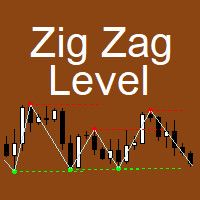
The indicator implements the author's approach to the construction of the popular "Zig-Zag" indicator.
The advantages of the "ZIgZag Level" indicator is that it filters out market noise and shows levels.
"ZIg Zag Level" is based on peaks and troughs, displays levels.
These levels can be disabled and configured.
The indicator displays the price of the level, the price tag can be disabled.
The "zigzag" line between the points can also be disabled.
The indicator has a built-in notification s

Time frame: M1
Leverage : Higher the better
Spread: Lower the better
Account type : All types
(EA may enter hedge positions, if you want to disable this feature deactivate either Buy, or Sell from the setting)
Please please do not take unnecessary risks. (Trading is risky, and there are no guarantees for winning)
We wish you successful trading. (Trading is risky, and there are no guarantees for winning

The market eagle - it is a Secure Automated Software for trade Forex market and indices. This EA takes perspective of the market looking like an eagle. From a distance, observe the entire market amphitheater detecting the entry points and the best points to implement the algorithm based on the set that we indicate in the input.This system allows us to use the key points of the market to adapt them to our algorithms, trend and countertrend.The system uses multiple lot depending on the algorith

Eakao is a trending following EA. This EA uses some custom indicators to detect entry signal. There are 2 trades opened per signal, one trade has fixed take profit, EA will use breakeven and trailing stop for another trade. The fixed stop loss and take profit are always set for each trade. Beside stop loss, this EA uses an exit indicator to exit the trade before stop loss or take profit are triggered. This EA has smart money management. Users only need to determine the accepted loss for each tr

Time frame: M1
Leverage : Higher the better
Spread: Lower the better
Account type : All types
(EA may enter hedge positions, if you want to disable this feature deactivate either Buy, or Sell from the setting)
Please please do not take unnecessary risks. (Trading is risky, and there are no guarantees for winning)
We wish you successful trading. (Trading is risky, and there are no guarantees for winning
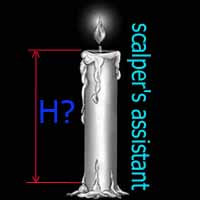
Индикатор "TakeOver" простой в использовании, создавался он для удобства определения разницы между открытием и закрытием текущей свечи. "TakeOver" рекомендуется применять в скальпинге с различными стандартными индикаторами МТ4, к примеру Envelopes, ZigZag, RSI и т.д. В настройках по умолчанию установлены уровни 200 и -200, но вы можете самостоятельно изменить. Один из примеров обнаружения входа в открытие сделки изображено на скриншоте, SELL если свеча закрылась выше уровня Envelopes и гистогра
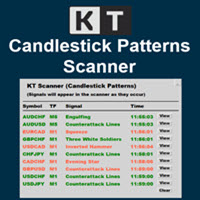
KT Candlestick Patterns Scanner is a Multi-Symbol and Multi-Timeframe scanner that fetches and shows various candlestick patterns on 28 currency pairs and 9 time-frames concurrently . The scanner finds the candlestick patterns by loading the KT Candlestick Patterns indicator as a resource in the background.
Features
The scanner can find the candlestick patterns on 252* combinations of symbols and time-frames from a single chart. Open the signal's chart loaded with a predefined template with a s

제가 몇 년 동안 사용하고 있는 유용한 로봇을 소개드립니다. 반자동뿐만 아니라 자동 모드로도 사용할 수 있습니다. >>> Chat <<<
본 프로그램에는 경제 캘린더의 뉴스별로 유연한 거래 설정이 포함되어 있습니다. 전략 테스터에서 확인할 수 없습니다. 진짜 작업뿐입니다. 터미널 설정에서 허용된 URL 목록에 뉴스 사이트를 추가해야 합니다. 서비스>설정 > 조언자>를 클릭합니다. "다음 URL에 대해 WebRequest 허용:" 확인란을 선택합니다. 다음을 추가합니다 (공백 삭제): https:// nfs.faireconomy.media
최신 설정 아카이브 다운로드: https://www.mql5.com/en/blogs/post/747929 신호 모니터링: https://www.mql5.com/en/signals/author/test-standart 이 전문가를 위해 고유 설정 세트를 만들 때 블로그의 모든 매개변수에 대한 설명을 참조하십시오: https://www

TrendMMK is an extremely simple indicator. The Buy and Sell signal changes as soon as the indicator flips over the closing price. When the TrendMMK closes below the Price, a Buy signal is generated, and when the TrendMMK closes above the Price, a Sell signal is generated.
TrendMMK is a trending indicator, and like all trending indicators it works well in trending markets. However, it does give lesser false signals than a lot of other indicators and hence if you are an intraday trader who want
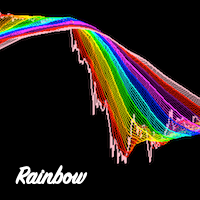
Rainbow Ribbon - Rainbow MA bands - Useful for spotting trend changes - Useful for spotting trend slopes - Useful for spotting trend acceleration - Ability to choose ribbon colors, moving averages, and distances - Provides colorful rainbow ribbons to show an array of moving averages
Rainbow Ribbon is an extremely useful indicator, it has been designed to make it easy to spot the trend and also changes within the trend before they occur. It can be used many different ways and provides the abili
MACD Pro - Features a built-from-scratch overhauled MACD indicator - Signals Buy and Sell Zones - Uses an exceptional noise cancelling filter - Signals up trends and down trends - Precise and accurate signals
MACD Pro is an indicator built from the ground up and is designed to signal optimal buy and sell zones. Take buy trades in the buy zones and sell trades in the sell zones. It includes a noise cancelation feature which rivals the best products on the market.
An indicator for you follow the trend candles.
We are providing a group of indicators that can support your decisions...
At this one you are having access to the candle trend indicator. Please review the others indicators for trend availables...
That you give you the ability to understand the market flow and also you will be developing your pacience... Trend the market as professional...
We are using the Average True Range Indicator! Hope you enjoy.
An indicator for you follow the trend. We are providing a group of indicators that can support you decisions...
At this one you are having access to the trend indicator. Please review the others indicators for trend availables... That you give you the ability to understand the market flow and also you will be developing your pacience...
Trend the market as professional... We are using the Average True Range Indicator! Hope you enjoy.
PV Super Trend Signals
- Detects Key Points of Reversals - Enters Trades at Key Points - Closes Trades at Accurate Levels
- Extremely accurate - Great for almost every currency - Amazing for EURUSD H1 - Backtested across many currencies over many years on many timeframes - H1 is the best timeframe - Can be used to make stable profit - Can be used to hedge other trading robots - ReInvest with Risk and Leverage features if desired - Backtested accurately across many currencies using tick data -

Time frame: M1
Leverage : Higher the better
Spread: Lower the better
Account type : All types
(EA may enter hedge positions, if you want to disable this feature deactivate either Buy, or Sell from the setting)
Please please do not take unnecessary risks. (Trading is risky, and there are no guarantees for winning)
We wish you successful trading. (Trading is risky, and there are no guarantees for winning

The Expert Advisor Risk Manager for MT4 is a very important tools for every trader, to manage his trading risk and keep the Balance safe.more than 60% of the Trader lose their investment because they don`t manage the risk very well. With the Risk Manager Expert Advisor, you will be able to control your risk in your trading account. Risk and profit control can be carried out both in monetary terms and in percentage terms.
For the Expert Advisor to work, simply attach it to the currency pa

Ready trading strategy. The indicator shows price reversal points on the chart. In places of a possible price reversal, the indicator draws an arrow. If the indicator draws a green arrow, then the price will move up. If the indicator draws a red arrow, then the price will move down. The indicator also draws an average line on the chart. It is displayed in yellow. With a probability of 95%, if the indicator draws a green arrow, and the price is below the line, then in the near future the price w

Super Turbo AI is a Multi Currency Trading Robot which has been carefully designed and rigorously tested for successful and consistent long term trading activities with each trade been potentially profitable. The over twelve years Optimization and back testing stages have both been well completed and default setting is best suited to the EURUSD pair. Attached also is the same EURUSD setting which can continually be used for months and even years to come (please visit the Comments section to dow

ATR Scanner Pro is a multi symbol multi timeframe volatility scanner that monitors and analyzes Average True Range indicator value in up to 28 symbols and 9 timeframes in 3 modes : ATR value: As a volatility dashboard it shows the ATR indicator value in all pairs and timeframes and signals when the ATR value reaches a maximum or minimum in a given duration. Short term ATR/Long term ATR ratio: It shows ratio of 2 ATRs with different periods. It's useful in detecting short term volatility and e

Time frame: M1
Leverage : Higher the better
Spread: Lower the better
Account type : All types
(EA may enter hedge positions, if you want to disable this feature deactivate either Buy, or Sell from the setting)
Please please do not take unnecessary risks. (Trading is risky, and there are no guarantees for winning)
We wish you successful trading. (Trading is risky, and there are no guarantees for winning

EA only work XAGUSD symbol Slow trading, low risk low return strategy open position only buy no stoploss , option ea : close equity target, stop equity target. Take profit step by step. For minimum blance please download excel file, and try ea in demo account before purchase link download forex robot ea xagusd miner forex robot to generate profits with very low risk, such as owning a mine but does not require high-spec hardware which is very expensive, rather than buying mining hardware, it is

Slow trading, low risk low return strategy open position only buy no stoploss , option ea : close equity target, stop equity target. Take profit step by step. For minimum blance please download excel file, and try ea in demo account before purchase link download how our ea works is * Recommended free swap account (islamic account) * trading with own money * ea will open buy, the price goes down will buy again and so on ea will stop when the highest price is according to settings * floating min

Levels Pro System рассчитывает канал движения цены, учитывая волатильность инструмента, бары и тренд, - и на основании расчетных данных показывает тренд и чертит уровни поддержки/сопротивления в очень удобном визуальном представлении. В индикатор встроена система определения критических точек (критических баров), которая позволяет трейдеру значительно проще выявлять истинный пробой уровня, ложный пробой, отскок от уровня, возможный сигнал на ранней стадии движения цены итд. Таким образом, торгов

Grid trading is executed when orders are placed above or below a set price, creating a grid of orders with rising and falling prices. Our patented trader makes it possible to open new grids at the average price, thereby increasing the chances of recovering a negative floating balance.
Unlike other trading strategies, our focus is on decreasing Bollinger bands. This means that if the market has abruptly moved into a region and is weakening, it is more vulnerable to a reversal. This innovative a
Fibo + Elliott + CME
The Expert Adviso r is designed as an assistant for manual trading. Ready-made trading system based on Elliott waves and Fibonacci retracement levels . It is simple and affordable. Display of the marking of Elliott waves (main or alternative option) on the chart. Construction of horizontal levels, support and resistance lines, a channel. Superposition of Fibonacci levels on waves 1, 3, 5, A Display data from CME (CME - Chicago Mercantile Exchange Chicago Mercantile Excha

DayNight moving averages along with support and resistance make a remarkable difference if properly utilized This indicator detects trade direction and sends notification to your mobile phone so that you can enter/exit a trade without having to be seated in front of desktop computer all day and night. Although you have to execute/send an order yourself, you can setup rules through the setting made available for proper lots size base on the available balance/fund you are trading with. The opport
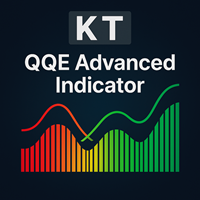
KT QQE Advanced 는 클래식 QQE 오실레이터를 색상 히스토그램과 빠른·느린 Trailing Line(TL) 로 재구성하여 더 정확하게 표현한 개선 버전입니다.
기존 QQE 와 달리, KT QQE Advanced 는 히스토그램 형태에 과매수/과매도 레벨을 표시해 추세의 과열 여부를 직관적으로 확인할 수 있습니다.
활용
MTF 스캐너로 모든 시간대에서 매수·매도 신호를 즉시 탐색. 트렌드 방향을 더욱 정확히 파악. 과매수·과매도 구간을 탐지. 가격 모멘텀을 가시화.
입력값 RSI 기간 스무딩 기간 MTF 스캐너 알림 설정
QQE란? QQE는 Quantitative Qualitative Estimation 의 약자로, 초‑스무딩 RSI 와 ATR 을 결합해 만든 오실레이터입니다. 일반 RSI 대신 Wilder RSI 를 사용하며, 이는 특수한 EMA 방식으로 평활화됩니다. Wilder 평활식 = 이전 MA + (1/n × (종가 − 이전 MA))
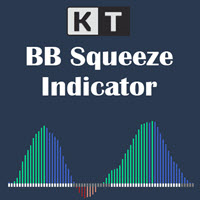
모멘텀이 확장되기 전 변동성 수축 확인 KT BB Squeeze는 변동성 상태와 모멘텀 방향을 하나의 선명한 오실레이터에 결합합니다. Bollinger Bands와 Keltner Channels를 비교하여 시장의 수축 또는 확장 상태를 표시하고, 히스토그램으로 제로선을 기준으로 한 모멘텀 변화를 보여 줍니다. 회색 점: Bollinger Bands가 Keltner Channels 안에 있으며 스퀴즈 또는 수축 구간을 나타냅니다. 흰색 점: Bollinger Bands가 Keltner Channels 밖에 있으며 확장 구간을 나타냅니다. 제로선을 기준으로 네 가지 모멘텀 상태 확인 색상 히스토그램은 방향과 강도를 구분하므로 상승 또는 하락 모멘텀이 강해지는지, 약해지기 시작하는지 쉽게 살펴볼 수 있습니다. 녹색 막대: 상승 모멘텀이 제로선 위에서 강해지고 있습니다. 파란색 막대: 상승 모멘텀이 제로선 위에 있지만 약해지고 있습니다. 빨간색 막대: 하락 모멘텀이 제로선 아래에서 강해지고

DayNight HighLow is base on support and resistance levels, as well as averages of highs and lows. It detects trade direction and sends notification to your mobile phone so that you can enter/exit a trade without having to be seated in front of desktop computer all day and night. Although you have to execute/send an order yourself, you can setup rules through the setting made available for proper lots size base on the available balance/fund you are trading with. The opportunity to take a profit

KT Forex Volume은 통화쌍의 매수 및 매도 거래량을 컬러 히스토그램 형태로 표시합니다. 거래량은 자산에 대한 매수 및 매도 거래로 구성됩니다. FX 시장에서: 매수량이 매도량보다 많으면 해당 통화쌍의 가격은 상승하는 경향이 있습니다. 매도량이 매수량보다 많으면 해당 통화쌍의 가격은 하락하는 경향이 있습니다.
주요 기능 틱 볼륨 데이터를 활용하여 나쁜 거래를 피할 수 있습니다. 시장 내 큰 자금을 움직이는 플레이어의 방향에 따라 거래할 수 있도록 도와줍니다. Metatrader의 모든 알림 기능이 포함되어 있습니다.
틱 볼륨 활용하기 기타 시장과 달리, 현물 외환 시장은 중앙 집중식이 아니기 때문에 개인 트레이더가 실제 볼륨 데이터를 얻는 것은 매우 어렵습니다. 2011년 베테랑 외환 트레이더 Caspar Marney가 발표한 연구에서는 틱 볼륨과 실제 거래량 사이에 높은 정확도와 상관관계가 있다고 결론지었습니다.
히스토그램 계산 공식
KT Forex Volume 지표

KT Fractal Channel Breakout draws a continuous channel by connecting the successive Up and Down fractals. It provides alerts and also plots the Up and Down arrows representing the bullish and bearish breakout of the fractal channel.
Features
If you use Bill Williams fractals in your technical analysis, you must also include it in your trading arsenal. It can be very effective and useful for stop-loss trailing. A new market trend often emerges after a fractal channel breakout in a new direction.
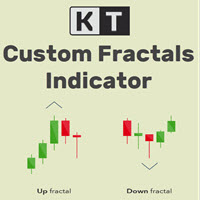
KT Custom Fractals is a personal implementation of the Fractal indicator first introduced by Bill Williams. With KT Custom Fractals you can choose a custom number of bars to allow to the left and right side of the fractal. For example, you can display the fractals that have "three" successive bars with the highest high in the middle and one lower high on both sides , or you can display the fractals that have "Eleven" consecutive bars with the lowest low in the middle and five higher lows on bot

The Vortex Indicator was first presented by Douglas Siepman and Etienne Botes in January 2010 edition of Technical Analysis of Stocks & Commodities. Despite its based on a complex implosion phenomenon, the vortex is quite simple to interpret. A bullish signal is generated when +VI line cross above the -VI line and vice versa. The indicator is mostly used as a confirmation for trend trading strategies. The Vortex was inspired by the work of Viktor Schauberger, who studied the flow of water in tur

Time frame: M1
Leverage : Higher the better
Spread: Lower the better
Account type : All types
(EA may enter hedge positions, if you want to disable this feature deactivate either Buy, or Sell from the setting)
Please please do not take unnecessary risks. (Trading is risky, and there are no guarantees for winning)
We wish you successful trading. (Trading is risky, and there are no guarantees for winning

시장 방향을 한눈에 확인 KT Trend Filter는 개선된 추세 분석 방식을 가격 차트 위의 선명한 색상 라인으로 보여 줍니다. 여러 보조지표를 겹치지 않고도 시장이 상승, 하락 또는 횡보 중인지 빠르게 파악할 수 있습니다. Trend Period 기본값 200은 넓은 방향성을 보여 주면서 현재 상태를 쉽게 확인할 수 있게 합니다. 추세 방향을 명확한 시각 정보로 활용 파란색 Uptrend: 강세 시장 상태를 강조하여 자신의 전략에 맞는 매수 기회에 집중할 수 있게 합니다. 연어색 Downtrend: 약세 시장 상태를 강조하여 자신의 전략에 맞는 매도 기회에 집중할 수 있게 합니다. 카키색 Sideways: 추세 조건이 덜 분명할 때 횡보와 혼합 방향을 더 쉽게 알아볼 수 있게 합니다. 거래 중인 차트에서 진입, 포지션 관리 및 시간대 정렬을 위한 빠른 시각 필터로 라인을 활용할 수 있습니다. 9개 시간대에서 더 큰 흐름 확인 선택형 MTF Scanner는 M1, M5, M15,
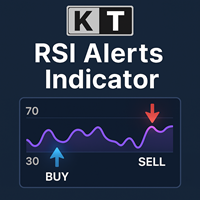
KT RSI Alerts는 RSI(상대강도지수) 오실레이터의 사용자 맞춤형 버전으로, 다음의 네 가지 사용자 지정 이벤트에 대한 신호와 알림을 제공합니다: RSI가 과매수 구간에 진입할 때 RSI가 과매수 구간에서 벗어날 때 RSI가 과매도 구간에 진입할 때 RSI가 과매도 구간에서 벗어날 때
기능 RSI의 과매수/과매도 구간 내 움직임을 기반으로 거래 전략을 구성하는 트레이더에게 매우 적합합니다. 가볍게 설계된 인디케이터로 시스템 자원을 거의 소모하지 않습니다. MetaTrader의 모든 알림 기능을 완벽하게 지원합니다.
RSI(상대강도지수)의 역사 RSI는 J. Welles Wilder가 개발하였으며, 1978년에 출판된 『New Concepts in Technical Trading Systems』와 같은 해 6월 발행된 Commodities 잡지에 처음으로 소개되었습니다. RSI는 모멘텀 오실레이터로 분류되며, 가격 움직임의 속도와 강도를 측정합니다. 상승 종가와 하락 종가
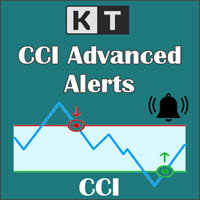
KT CCI Alerts is a personal implementation of the Commodity Channel Index (CCI) oscillator that provide signals and alerts on four custom events: When CCI enter in an overbought zone. When CCI exit from an overbought zone. When CCI enter in an oversold zone. When CCI exit from an oversold zone.
Features A perfect choice for traders who speculate the CCI movements within an overbought/oversold zone. Lightly coded without using extensive memory and resources. It implements all Metatrader alerts.
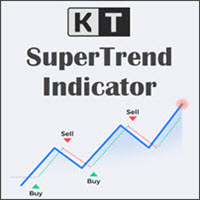
KT SuperTrend는 가격 차트에 하나의 명확한 방향선을 표시합니다. 상승 추세에서는 선이 가격 아래에서 계단식으로 움직이며 추세를 따라가는 기준이 됩니다. 하락 추세에서는 선이 가격 위로 이동해 시장의 하락을 따라갑니다. 가격과 선 사이의 거리는 Average True Range를 기반으로 하므로 변동성이 커지거나 작아질 때 자동으로 조정됩니다. 캔들이 SuperTrend 선의 반대편에서 마감되면 방향이 바뀝니다. 선 위에서 마감하면 상승 추세 신호가 표시되고, 선 아래에서 마감하면 하락 추세 신호가 표시됩니다. 최근 신호 방향과 진입 가격도 차트에 계속 표시되므로 과거 캔들을 찾아보지 않아도 현재 상태를 이해할 수 있습니다. 세 단계로 차트를 확인하세요 현재 선 확인: 선이 가격 아래에 있으면 상승 관점을, 가격 위에 있으면 하락 관점을 뒷받침합니다. 시간대 비교: 내장 스캐너는 M1부터 월봉까지 SuperTrend 방향을 보여 줍니다. 실제 거래하는 시간대의 방향이 일치하
Don이 공격적인 거래 전문가를 만나도록 하겠습니다. 다방향 시스템으로, 모든 시간과 모든 통화를 다루고 드로다운 제어 기능을 갖추고 있습니다. 이 시스템은 더 낮은 시간과 더 긴 시간에 일어나는 일에 대한 후속 조치와 함께 내 마틴게일 논리 중 하나를 사용합니다. 또한 드로다운에 개입해야 하는지 여부도 결정됩니다. 많은 사람들이 마틴을 좋아하지 않는다는 것을 알고 있습니다. 또는 엣지 시스템 그들은 계정을 소각하는 데 익숙하지만 내 시스템은 다르다고 믿습니다. 오류를 처리하고 지속적으로 이동하기 위해 구현된 로직이므로 이러한 시스템은 높은 DD를 가질 수 있으므로 내부 시스템이 있습니다. 이를 제어하도록 설계된 시스템은 Martins가 시장에서 가장 많은 수익을 창출하는 회사라는 점을 기억하십시오.
그리드 거래를 위한 고급 기술을 사용하고 전체 시장을 관리하는 공격적인 시스템, 돈 히트로 진입이 가능합니다. 기술의 가장 진보된 기술은 진입과 퇴출을 통제하는 보호이기 때문입니다.

차트에서 모든 볼린저 밴드 터치 모니터링 KT Bollinger Bands Alert는 상단, 중앙 및 하단 볼린저 밴드를 표시하고 현재 캔들이 선택한 밴드에 닿는지 모니터링합니다. 자신의 거래 방식에 필요한 밴드 이벤트를 활성화하면 다른 시장을 살피는 동안에도 중요한 순간을 알림으로 확인할 수 있습니다. 세 밴드의 현재 가격을 한눈에 확인 선택 가능한 가격 태그는 차트에서 상단, 중앙 및 하단 밴드의 현재 값을 따라갑니다. 각 밴드의 색상도 개별적으로 설정할 수 있어 자신의 차트 구성에서 외부 경계와 중앙 기준선을 쉽게 구분할 수 있습니다. 계산 방식과 알림 흐름 설정 볼린저 설정: 기간, 편차, 이동 및 적용 가격을 조절합니다. 차트 기록: 밴드를 표시할 과거 봉의 수를 선택합니다. 밴드 선택: 상단, 중앙 및 하단 밴드 알림을 각각 켜거나 끕니다. 알림 간격: 반복되는 터치 알림을 관리하도록 알림 사이의 최소 시간(분)을 설정합니다. 원하는 방식으로 알림 수신 선택 가능한 소리
Simple indicator that supports decision makers. You will have the candles directions for different timeframes on your screen. That will allowed you to be one more scenario to analyze before you open your orders. In case you would like to have more details, just let me know.. so we can add it to the chart. Multicurrency that in inform you the directions for multi-timeframes!

The Week7D indicator helps traders identify the day of the week on a price chart. It simply marks each period or each candle as the day of the week at the start of a new trading day. This allows traders to watch how prices move on any given day.
The Week7D indicator has several customization options that traders can use to change the visual representation of the indicator.
The variable "BarCount" changes the number of days during which the indicator will indicate the day of the week in each d
FREE

This Expert Advisor is used in tandem with the FiboMagic Pro indicator https://www.mql5.com/ru/market/product/64978?source=Site +Profile
The FiboMagic Pro indicator shows you:
1) Which way to trade 2) Clear entry point criteria for breaking the counter-trend line in the Fibonacci structure 3) Clear exit criteria based on levels
The FiboMagic Auto Expert Advisor provides you with automatic trading based on the signals of the FiboMagic Pro indicator, namely:
- analyzes the breakout of the cou
A really simple strategy for be trading using M15 for EURUSD. Really impressive results... you just need to care your risk managment according to your account balance. Just one order at once... We suggest London and US opening hours. As you will see we are using GMT-3 for our operations... and a little volume and price action with Average True Range indicator in order to make decisions. Any additional question, just let me know.
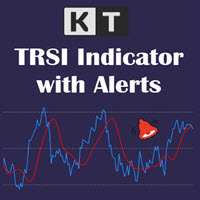
KT TRSI는 RSI(상대강도지수), EMA(지수이동평균), SMA(단순이동평균)를 조합하여 만든 오실레이터입니다. 기존의 RSI와 비교했을 때, SMA의 평활화 기능 덕분에 TRSI는 잘못된 신호에 덜 민감합니다. 또한, 모든 종류의 MetaTrader 알림 기능을 완벽히 지원합니다.
간단한 진입 규칙
매수: 파란 선(RSI)이 빨간 선(TRSI)을 상향 돌파할 때. 매도: 파란 선(RSI)이 빨간 선(TRSI)을 하향 돌파할 때.
고급 진입 규칙 매수: 파란 선(RSI)이 과매도 수준 아래로 내려갔다가 다시 위로 올라가며 빨간 선(TRSI)과의 상승 교차가 발생할 때. 매도: 파란 선(RSI)이 과매수 수준 위로 올라갔다가 다시 아래로 내려가며 빨간 선(TRSI)과의 하락 교차가 발생할 때.
TRSI를 사용할 때는 다른 보조 지표들과 함께 확인 신호를 병행하는 것이 중요합니다.
TRSI 공식
트리플 EMA = RSI의 EMA를 세 번 반복 적용한 값. TRSI = 트리플
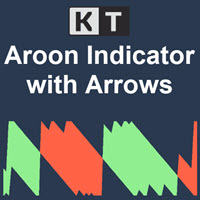
KT Aroon 오실레이터는 1995년 Tushar Chande가 처음 개발한 원래 Aroon 오실레이터를 수정한 버전입니다. 이 지표는 최근 고가와 저가 사이의 시간 간격을 측정하고, 이를 기반으로 시장 추세의 방향과 강도를 계산합니다. 가격은 상승 추세에서는 새로운 고점을 연속으로 형성하고, 하락 추세에서는 새로운 저점을 형성한다는 개념에 기반해 작동합니다. 매수 신호: Aroon Up 라인이 Aroon Down 라인을 상향 돌파할 때.
매도 신호: Aroon Down 라인이 Aroon Up 라인을 상향 돌파할 때.
특징
Aroon 신호를 가격 차트에 표시하는 위/아래 화살표가 표시됩니다. 시장 추세를 효율적으로 보여줍니다. 차트가 복잡하지 않고 깔끔하게 구성됩니다. 모든 MetaTrader 알림 기능을 지원합니다.
입력 설정 기간: Aroon Up 및 Aroon Down 라인을 계산할 기준 기간입니다. 화살표 표시: True로 설정 시, 새로운 신호가 발생할 때마다 차트

KT Currency Strength Meter는 주요 외환 통화쌍에 적용된 종합적인 수학 공식을 통해 각 통화의 강세와 약세를 측정하는 인디케이터입니다. 고정된 기간 동안의 양봉과 음봉을 기반으로 통화의 강도를 계산하며, 이 데이터를 기반으로 알고리즘이 가장 강한 통화와 가장 약한 통화를 실시간으로 정렬하고 지속적으로 업데이트합니다.
장점
강한 통화에 대해 약한 통화를 매수하려는 잘못된 신호를 걸러내어 거래 전략을 즉시 개선할 수 있습니다. 의도하지 않은 헤지나 과도한 거래를 방지할 수 있습니다. 강세 통화에 대해 약세 통화를 매수하는 등의 고위험 역추세 거래를 피할 수 있습니다. 서로 상쇄되는 포지션을 필터링할 수 있습니다. 가장 최근 데이터를 기반으로 실시간 업데이트가 이루어집니다. 가볍고 최적화된 코드로 CPU 리소스를 최소화하여 다른 전략이나 인디케이터의 작동에 영향을 주지 않습니다. 각 통화는 고유 색상으로 표시되어 시각적으로 빠르게 구분할 수 있습니다. 복잡한 설정 없
MetaTrader 마켓은 거래 로봇과 기술 지표들의 독특한 스토어입니다.
MQL5.community 사용자 메모를 읽어보셔서 트레이더들에게 제공하는 고유한 서비스(거래 시그널 복사, 프리랜서가 개발한 맞춤형 애플리케이션, 결제 시스템 및 MQL5 클라우드 네트워크를 통한 자동 결제)에 대해 자세히 알아보십시오.
