 MetaTrader 5
 Experts
 지표
지표 라이브러리
라이브러리 유틸리티
유틸리티 위젯
위젯 규칙
규칙MetaTrader 4용 새 Expert Advisor 및 지표 - 181
 트레이딩 로봇은 자동으로 시장거래를 수행하는 반면 지표는 가격을 더 잘 분석하고 가격 행동을 예측할 수 있게 해줍니다.
이러한 어플리케이션을 사용하면 MetaTrader 4에서 더 많은 기회를 포착하는 동시에 보다 정보에 입각한 방식으로 거래를 수행할 수 있습니다.
트레이딩 로봇은 자동으로 시장거래를 수행하는 반면 지표는 가격을 더 잘 분석하고 가격 행동을 예측할 수 있게 해줍니다.
이러한 어플리케이션을 사용하면 MetaTrader 4에서 더 많은 기회를 포착하는 동시에 보다 정보에 입각한 방식으로 거래를 수행할 수 있습니다. 
Dragon Fire Ultimate Version is a tren following system for swing trading or scalping .trend based on candlesticks and look for corrections or continuations on the trend. you can use period candle or 7 or whatever you want . this time it is the ultimate version modified by our team which has many features that can be adjusted according to your needs in trading with robots. You can also do this backtest Only 5download of the EA left at $79! Next price --> $99 Symbol XAUUSD, EURUSD, GBPUSD A
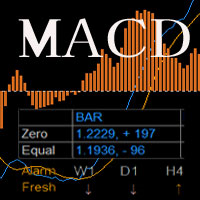
MACD with two lines and bar,
Predict the price, moniotr all period, play sound when it changed.
If there is any other need, contact me.
MACD = [stockPrices,12]EMA - [stockPrices,26]EMA signal = [MACD,9]EMA divergence = MACD – signal User Inputs Fast EMA Period - Fast moving average line, the default period is 12. Slow EMA Period- Slow moving average line, the default period is 26. Signal SMA Period - set signal period , the default period is 9.

Индикатор iVeles_MACD_Pro представляет симбиоз обычного индикатора MACD или разницу показаний между двух динамических МА, рассчитанных по текущим ценам инструмента. Сигнальная линия отсутствует, но ее заменяет более точные динамические облачные уровни.
Хорошо показывает разворотные моменты, позволяет точно определять дивергенции. Имеет цветовое сопровождение изменения показаний.
Параметры: period_Fast - период быстрой МА period_Slow - период медленной МА price_Bar - применяемая цена level -
Индикатор iVeles_RSI представляет собой обычный RSI, привязанный к нулевой отметке . В отличии от обычного RSI, наложены уровни сигнала в виде облака, что заметно расширяет области применения данного индикатора.
Очень хорошо показывает разворотные моменты, так же позволяет точно определять дивергенции.
Параметры: period - период RSI price - применяемая цена level - уровень облака
Индикатор iVeles_RVI представляет собой обычный RVI, с пересчитанными и приведенными значениями . В отличии от обычного RVI, наложены уровни сигнала в виде облака, что заметно расширяет области применения данного индикатора.
Очень хорошо показывает разворотные моменты и циклы тенденций, так же позволяет определять дивергенции.
Параметры: period - период RVI price - применяемая цена level - уровень облака

Индикатор iVeles_DeMarker представляет собой обычный DeMarker, с пересчитанными и приведенными к нулю значениями . В отличии от обычного DeMarker, наложены уровни сигнала в виде облака, что заметно расширяет области применения данного индикатора.
Очень хорошо показывает разворотные моменты и циклы тенденций, так же позволяет определять дивергенции.
Параметры: period - период DeMarker level - уровень облака

Индикатор iVeles_CCI представляет собой обычный CCI . В отличии от обычного CCI, наложены уровни сигнала в виде облака, что заметно расширяет области применения данного индикатора.
Очень хорошо показывает окончание трендов, разворотные моменты и циклы тенденций, так же позволяет определять дивергенции.
Параметры: period - период CCI price - применяемая цена level - уровень облака

Индикатор iVeles_Moment представляет собой обычный Momentum, с пересчитанными и приведенными к нулю значениями . В отличии от обычного Momentum, наложены уровни сигнала в виде облака, что заметно расширяет области применения данного индикатора.
Очень хорошо показывает разворотные моменты и циклы тенденций, может применяться как основной сигнал для входа в позицию.
Параметры: period - период Momentum price - применяемая цена level - уровень облака

<LOGIC> The EA entry based on ATR indicator. The Average True Range (ATR) is a technical indicator that measures the volatility of an asset’s price. If market move with big volatility, then ATR value will increase. The EA reads a certain period of the ATR value and make an order with ATR input value. Also once EA made an order, it will be closed with a profit or it will be closed when the market volatility decreased.
<Best parameter> After some FT result I shared the best set file. Please see t

The AlgoKing Squawk Trendlines script will auto draw trendlines on your chart to use with trendline break and retest strategies. Simply drag the script onto your chart.
Recommendation: Be sure all candle bars that you want to include in the trendline calculation are visible. Draw trend lines using multiple timeframes. Delete all lines that you do not want to use in your strategy. Benefits: Join the AlgoKing Lightning Bolt Expert Advisor support group: https://www.mql5.com/en/messages/02E3BDCF

What is the Overlay Chart Indicator? The Overlay Chart indicator is exactly as its name suggests. It is a custom technical indicator which overlays another price chart over the current price chart window. It allows traders to overlay another currency pair over one pair which allows them to compare price movements and the characteristics of price action. It then plots a grid to indicate the price of the overlaid currency pair for better reference. It also plots the open, high, low, and close pric

EA FXCoreNuclear V6 Overboster Automatic trading algorithm on MT4 platform, trend detection, support of manual operations, integrated DD reduction system to avoid losses. This EA Expert works with very precise signals generated by its market strength indicators it follows the primary trend avoids positions in counter trend as a whole with a convenient dashboard buttons to integrate positions or additional orders Enter the dedicated telegram group: https://t.me/FXCoreNuclear_EA

This Strategy is based on MA slow (SMA 5) and MA fast (SMA12) IF SMA 5 cross above SMA 12 : Buy Position will triggered
IF SMA 5 cross below SMA 12 : Sell Position will triggered TP/SL will be 30Pips. IF hit SL, next position triggered lot will be x2.5. Example: first triggered Buy position with lot 0.01 but hit SL, and the next position triggered either Buy or Sell lot will be 0.03. (0.01 x 2.5 = 0.03)
Recommend use on Gold with TFM5.

FinArk Support and Resistance is an indicator that will detect support and resistance zone that are drawn on the chart by automatic. Supply Demand uses previous price action to identify potential imbalances between buyers and sellers. This trend detection indicator will compliment any strategy and can also be used as an independent tool.
We can enter in good price with this Indicator, in order to follow the strong demand on the current instrument.
***SALE NOW ON***
We've all been there, searching for that profitable trade wading through 25 pairs but missing out because we didn't see it in time.
This is why I say trade simple trade effective and why I designed this scanner to keep watch on the markets that are trending and where a pullback could be able to happen.
Features:
Automatically looks at up to 28 pairs at the same time to save you from having to. Easily adjustable EMA settings to your own critera (Fast, Mid and slow settings

이 표시기는 ogive 모양을 기반으로 합니다. 이러한 모양은 공기 역학 및 우주 기술에 사용됩니다. 총알도 일종의 타원형입니다. 기술 지표에서 이러한 형식을 사용하면 지표의 민감도와 안정성 사이의 절충안을 달성할 수 있습니다. 이는 적용 시 추가적인 가능성을 제공합니다. 표시 매개변수: iType - ogive 형식의 유형입니다. iPeriod - 표시 기간. iFactor 는 포물선 및 지수 형식에 사용되는 추가 매개변수입니다. 유효한 값은 0 - 255입니다. iFactor = 0이면 지표가 단순 이동 평균으로 퇴화합니다. iChannel - 가격이 움직이는 상위 및 하위 채널을 구축할 수 있는 매개변수입니다. 유효한 값은 -128부터 127까지입니다. 값이 양수이면 위쪽 채널이 그려지고 음수이면 아래쪽 채널이 그려집니다. 이러한 매개변수를 결합하여 다른 결과를 얻을 수 있습니다. 지표는 시장의 추세 가격 움직임을 추적하는 데 사용할 수 있습니다. 채널을 구축하면 가격이 움직

스나이퍼 전문가 어드바이저는 반자동 전문가로,소위"안전"규칙과 실패한"안전"규칙과 함께 사용되는 오버 클러킹 위치를 사용하여 트레이더의 전략에 따라 거래를 여는 것이 주요 임무입니다.
전문가가 저격 전략에 따라 시장을 분석하지 않는다는 점은 주목할 가치가 있지만 자금 관리에 대한 대중적인 접근 방식을 구현하기위한 일반적인 조수입니다.
그것은 또한 전문가 고문 절대적으로 모든 가능 하 고 어떤 시간 프레임에 작동,그래서 그것은 당신의 전략에 품질 추가 될 수 있습니다 주목할 가치가 있다.
고문의 알고리즘. 실용적인 응용 프로그램 및 설정
내가 이미 언급했듯이,스나이퍼 고문은 반자동,즉 그는 직접 주문을 직접 열지 않습니다.
차트에서 주문을 열려면 버튼이있는 특수 패널이 있으며 클릭하면 전문가가 두 개의 누적 위치 주문을 동시에 엽니 다. (그림 1)
고문은"안전한"규칙에 따라 작동하며,그 본질은 두 가지 주문으로 총 계획된 볼륨을 여는 것이지만 다른 목표를 갖는 것입니
FREE
이것은 무료 제품이므로 필요에 따라 사용하시면 됩니다!
이 지표가 마음에 드셨다면 짧지만 긍정적인 평가를 남겨주세요! 감사합니다!
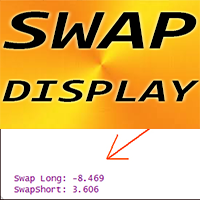
여기를 클릭하여 고품질 트레이딩 로봇과 지표를 확인하세요! ........................................................................ MT4용 외환 지표 SWAP 디스플레이, 훌륭한 보조 거래 도구. Click here to MT5 version! - SWAP 디스플레이 지표는 외환 쌍의 롱 및 숏 거래에 대한 현재 SWAP을 첨부된 위치에 표시합니다. - 차트의 어느 모서리에서나 SWAP 디스플레이 값을 찾을 수 있습니다. - 색상과 글꼴 크기도 설정할 수 있습니다. - 각 거래자는 1일 이상 거래를 열어 둘 때 SWAP을 알아야 합니다. 이 MQL5 웹사이트에서만 제공되는 오리지널 제품입니다.
FREE

Hma Vvm Hull은 모든 시장에서 작동하는 전문 지표이며 통화 쌍을 거래할 때 특히 효과적이며 추세를 변경하는 초기 추세를 보여줍니다. 표시기에는 다양한 거래 방법 및 거래 전략과 함께 성공적으로 사용할 수 있는 많은 설정이 있습니다. 하나의 차트에 매개변수가 다른 여러 지표를 설치할 수 있습니다. 다양한 맞춤형 알림을 통해 거래자는 항상 시장 상황을 제어하고 적시에 시장에 대한 올바른 진입점을 찾을 수 있습니다.
지표를 사용하면 수익성 있는 거래의 수를 크게 늘릴 수 있음을 알 수 있습니다.
지표와 거래하는 세 가지 주요 방법이 있습니다.
1. 가격이 표시선을 돌파한 직후에 포지션을 엽니다.
2. 첫 번째 롤백에서 라인 재도색 신호를 받은 후 시장에 진입합니다.
3. 추세를 따라 모든 후속 풀백에 대한 항목.
설정:
TimeFrame - 시간 프레임 설정. 현재 - 현재 TF. 또한, 1분에서 1개월까지.
TimeFrameAuto - 더 높은 시간 프레임의 데
이 지표는 고전적인 Zigzag 지표가 만든 각 가격 스윙마다 위아래 화살표를 표시합니다. Zigzag가 새로운 스윙 저점을 만들면 녹색 화살표가 표시되며, 새로운 스윙 고점을 만들면 빨간색 화살표가 표시됩니다.
기능
고전적인 ZigZag에 비해 스윙 지점을 더 효과적으로 표시합니다. 차트 패턴이 형성되는 것을 미리 파악하는 데 도움이 됩니다. 여러 시간 프레임에서 Zigzag 방향을 보여주는 다중 시간대 스캐너 포함. 모든 MetaTrader 알림 기능 포함.
입력값 깊이(Depth): Zigzag 전환점에서 고려되는 캔들의 수를 결정하는 정수값입니다. 편차(Deviation): 방향이 바뀌기 전의 백분율 편차입니다. 백스텝(Back Step): Zigzag 고점/저점 사이의 최소 캔들 수입니다. MTF 스캐너: 여러 시간 프레임에서 ZigZag 방향을 표시합니다. 알림 설정
단점 Zigzag는 리페인트되고 지연되는 특성을 가진 지표입니다. 따라서 이를 기반으로 하는 화

이 지표는 RSI의 과매수/과매도 영역 위와 아래로 이동한 막대 수를 기준으로 강세/약세 시장 상태를 표시합니다. 녹색 히스토그램은 강세(매수) 힘을 나타내며, 빨간색 히스토그램은 약세(매도) 힘을 나타냅니다.
특징
새로운 거래 진입에 사용할 수 있으며, 다른 전략이나 지표를 통한 거래 확인에도 활용할 수 있습니다. 멀티타임프레임 스캐너를 포함하여 모든 시간 프레임에서 강세/약세 힘을 분석합니다. 초보 트레이더가 강세/약세 힘을 활용하여 진입을 확인하고 자신감을 높이는 데 이상적입니다. 모든 MetaTrader 알림 기능 포함.
입력 매개변수 기간: RSI의 과매수/과매도 수준을 식별하는 데 사용되는 기간. 막대 기간: RSI의 과매수/과매도 수준 위/아래에 포함될 막대 수. 과매도 수준: RSI에서 과매도 수준을 결정하는 값. 과매수 수준: RSI에서 과매수 수준을 결정하는 값. MTF 스캐너: 사용 가능한 모든 시간 프레임에서 신호를 가져오는 멀티타임프레임 스캐너. 알
SSL은 Semaphore Signal Level(세마포 신호 레벨)의 약자로, 각각 고가와 저가에 적용된 두 개의 이동 평균선을 통해 가격을 따라가는 밴드를 형성하는 지표입니다. 매수 신호: 종가가 상단 이동 평균선 위에서 마감될 때. 매도 신호: 종가가 하단 이동 평균선 아래에서 마감될 때.
주요 기능 모든 시간 프레임에서 새로운 신호를 감지하는 다중 타임프레임 스캐너 내장. 전통적인 SSL 채널을 간단하게 구현하여 추세 방향을 손쉽게 파악 가능. 모든 MetaTrader 경고 기능을 포함합니다.
SSL 계산 방식 상단 라인: 캔들의 고가에 적용된 이동 평균선. 하단 라인: 캔들의 저가에 적용된 이동 평균선.
매수 진입: 종가가 SSL 상단 라인 위에서 마감될 때. 매수 청산: 종가가 SSL 하단 라인 아래에서 마감될 때.
매도 진입: 종가가 SSL 하단 라인 아래에서 마감될 때. 매도 청산: 종가가 SSL 상단 라인 위에서 마감될 때.

이 인디케이터는 2005년 Alan Hull이 개발한 고전적인 HMA를 수정하고 향상시킨 버전입니다. 세 가지 가중 이동 평균(WMA)을 조합하여 지연을 줄이고 더 빠르고 부드러운 추세 반응을 제공합니다. 매수 진입: HMA가 빨간색에서 파란색으로 바뀌며 상향 기울기를 가질 때. 매도 진입: HMA가 파란색에서 빨간색으로 바뀌며 하향 기울기를 가질 때.
특징 모든 시간 프레임에서 새로운 신호를 탐지하는 다중 시간대 스캐너 포함. 전통적인 이동 평균에서 흔히 발생하는 지연 문제를 HMA는 효과적으로 줄입니다. 신규 추세의 시작과 종료를 효과적으로 식별합니다. 모든 MetaTrader 알림 기능을 지원합니다.
HMA 공식 Hull 이동 평균은 아래 세 가지 WMA 계산식을 통해 산출됩니다: WMA1 = P × WMA WMA2 = P/2 × WMA Raw HMA = (2 × WMA1) - WMA2 Final HMA = Raw HMA의 WMA(√P) P = 기간 WMA = 가중 이동

This indicator receives tick data from the terminal and then averages it with three moving averages. This will allow you to catch the trend even inside the M1 candle. The sliding parameters can be adjusted manually. You can also specify the indicator drawing depth.
In order for the indicator to start working, place it on the chart and let it work for several minutes - for normal operation, it needs to collect an array of quotes. This product is designed for aggressive trading, but it is also u

Witch Hat for Binary Options is an indicator for binary options based on analysis of Bollinger Bands and RSI, using a modulated strategy with indicator settings using complex filters. This indicator never repaints, it has an almost accurate answer for you to make the entries.
There are two ways for you to analyze your entry, when an arrow appears you have more than 90% chance of hits, and the other way is the lines that it automatically draws and its trend line.
It has surprisingly strong sup
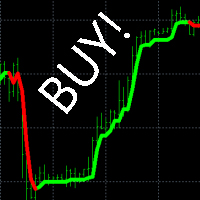
"Buy Sell Alert" - an indicator that shows the trader where the trend is going and when to open a deal. If the indicator draws a green line on the chart, we open a buy order. If the indicator draws a red line on the chart, we open a sell order.
Benefits of the indicator: latency percentage less than 3% signal accuracy over 96% does not redraw its values to build a trading strategy, it is enough to use this one indicator. very easy to set up works on all currency pairs and all times Description

"M1 Scalping Turbo" - indicator for intraday scalping. With this indicator, you can trade on M1, M5, M15, M30, H1 timeframes. We recommend currency pairs GBPUSD, EURUSD, USDJPY, USDCHF, USDCAD, EURAUD, EURCAD, EURNZD, GBPCAD, GBPAUD.
Trading rules:
The indicator shows with arrows on the chart when you need to open a deal, in which direction to open a deal, where to put TakeProfit and StopLoss. Lot size is up to you. We recommend using no more than 10% of the deposit for 1 trading transaction

User Grid MT4 is a multifunctional grid Expert Advisor designed to fully or partially automate various ideas related to grid trading. The Expert Advisor can trade on any timeframe, on any currency pair, on several currency pairs, on any number of signs. It does not interfere with manual trading, trading of other Expert Advisors, or the operation of any indicators. Trading Ideas & Strategies >>
It allows you to adjust your settings on the fly, works only with your own positions and orders. I
SuperTrend Fit for low Stagnation [Expert Advisor]
!!! Current price of $30 will be soon increased to $50, so if you want to get a discounted price this is your last chance !!! Look at the screenshots to see how profitable this Expert Advisor is!!!
This expert advisor uses the Supertrend indicator with an powerful custom optimization metric to help you find the best systems with low stagnation and high net profit.
You enter the position long when bar opens above ST indicator and reverse it (c

Работа индикатора показана в видео во время тестирования на исторических данных. Индикатор поддержек сопротивлений в основном создавался для H4, хотя возможна работа и на других таймфреймах. Присутствует алерт появления очередной поддержки или сопротивления. Также в индикатор встроены восходящая поддержка и нисходящее сопротивление, которые неплохо себя показали. Есть возможность отключения лишнего. Для удобства на экран выведены кнопки, которые работают онлайн. https://youtu.be/UHhM1J-sX2E
This Real Super Trend Signal indicator is designed for signal trading. This indicator generates trend signals.
It uses many algorithms and indicators to generate this signal. It tries to generate a signal from the points with the highest trend potential.
This indicator is a complete trading product. This indicator does not need any additional indicators.
The indicator certainly does not repaint. The point at which the signal is given does not change.
The indicator has a pips counter.

Recommended broker to use this Expert: https://tinyurl.com/5ftaha7c Open Standart Account and request in chat FREE SWAP Dsc Had Mt4 Expert Advisor developed by Diogo Sawitzki Cansi to operate on the active GBPUSD in the 15-minute time frame. It operates by hedging when the market moves a lot in one direction and open positions are closed at the gain limit or at the loss limit. Recommended capital: U$ 1000.00 for Lot of 0.01 Parameters EA:
Password: Write only diogo.cansi as shown in ima
Scalping in the trend channel by Gilbert Raff. Development for real accounts. No risky strategies. All trades are protected by a stop loss. It is possible to work with a minimum initial deposit of $10. There is a similar version for the MT5 terminal
Strategy. The robot builds a trend channel using the Gilbert Raff method. The direction of the trend is determined by the slope of the channel. The robot places pending limit orders only in the direction of the trend. After the order is converted in
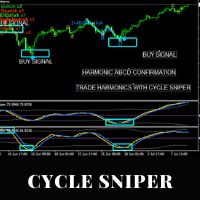
EA for Cycle Sniper Indicator This utility is designed to open/close auto trades according to the Cyle Sniper indicator's signals. Different entry rules with various stop loss, take profit options can be applied. You will find the details in this blogpost. https://www.mql5.com/en/blogs/post/749655 Some important issues are explained in the video. Please do not hesitate to contact us if you need further information. IMPORTANT NOTE: You can not test the full functions of the EA on the strategy t

This is a full automated Multi-Currency Trading System based on price action analysis, algorithm and logic functions to find out what the STRONGEST currency is and what the WEAKEST currency is, then pairing and focus on that symbol pair to trade. It is combined with Breakout Trading Strategy and Loss Recovery Trading Function instead of Stop Loss. This Expert Adviser can also give traders the overview about the whole currency market in specific time frame series and traders can make their own de

<Logic> EA will entry when the price breaks average candle stick price. EA will make Grid order with Hedge logic. When grid order is placed , EA check the trend and if trend is BUY, then place buy order. If trend is sell, then place sell order.
This is to reduce a big draw down.
<Input parameter> Slippage(pips) Max position Baselot size take profit stoploss Risk (MM) Grid order settings. Moving average period and Time frame N of bars for average line calculation
<BEST PAIR and Time frame> XAUU

<Basic logic >
The Golden attacker Super is designed to follow the trend. The entry is made following market big trend and if the order was in the wrong directions, the grid order is placed. However Grid order is also follow the trend to reduce the draw down.
Grid order is placed in the same direction of the Trend. There is no tp/sl , instead if the market trend changes, the order is closed with opposite signal.
<The best pair and time frame> XAUUSD M5
<Myfxbool> Check here
<Setfile> Set fi
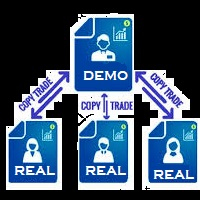
You Can Instantly Copy All the Trades from one account to another account in MT4. It only copy inside the same computer or same VPS. You can also use it to copy from MT4 to MT5, then you also need to download the MT5 version and set the SEND and RECEIVE accordingly.
MT5 Version download - https://www.mql5.com/en/market/product/88791 Note: If you download the demo version, it will not copy the trade into the real account as demo version does not work on real account. Sometime you will find trad
This expert trading tool utilizes two Supertrend indicator lines, one for trend (slow) and the other as entry triggers (fast), with a powerful custom optimization metric to help traders find the best systems with low stagnation and high net profit. Long Entry: Traders enter a long position when the bar opens above the ST Line Slow and the current bar opens above the ST Line Fast. Long Exit: The current bar crosses down the ST Line Fast. Short Entry: Traders enter a short position when the bar op
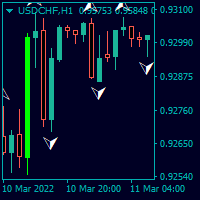
Trendfinder SMA With Zone and Alert are Colored candlesticks showing the trend based on two SMA as Signal and two SMA as a Buy and Sell Zone and the slope of the slow moving average. This indicator will give you the color change on the next bar on the confirmation candle and will provide alert on Buy and sell signal, when it enters the buy and sell zone and when the market test the buy or sell zones as support or resistance and will never repaint . This indicator has the following: 2 SMA for th
FREE
Der Ichimoku EA handelt vollautomatisch
Du bekommst hier einen tollen EA mit extra Zubehör, Kostenlos !
Er verwendet keine gefährlichen Strategien wie Martingale oder Gritter usw. Bei diesem EA kannst du vieles nach deinen Wünschen, oder nach meinem Set einstellen. Zusätzlich hat er einen News Filter, er pausiert die trades während der eingestellten Zeit. Zusätzlich erhöht er auf Wunsch die lots Grösse automatisch.
Der Backtest und die trades wurden mit IC Markets gemacht Hebel 1:500 Zero A
FREE

<LOGIC> EA will place order based on the original logic. This EA should work with take profit and stoploss. Default TP is 50pips and SL is 50pips.
If the order was closed with stoploss, EA will stop in that day. Next day, EA will restart and trade again with lot size increasing. Lot size and volume multiple is changeable in the parameters.
<Best Pair and TF> EURUSD and GBPUSD TF H1
<Default set> Already optimized
TP 50pips SL 50pips Martingale Volume muti X 2 Max martingale 5
FREE

<EA main logic>
1. EA reads candle pattern for most profitable of BUY & SELL.
2. If these pattern matches , then EA places the order.
3. If the order was closed with stoploss, then EA should stop trade on that day.
4. Next day EA will re-start again with increasing lot size to recover the loss.
<INPUT parameters> Slippage 3 pips MaxPosition 1 BaseLots 0,01 takeprofit 10pips stoploss 20pips Martingale True/False Max martingale 2 (times) Multiplier (lot size) 2,5
<Best pair & time frame>
FREE

GM Reverse Indicator works on Fibonacci along with some other tweaks
-> It is programmed to automate 100% when the market fluctuates This indicator I use to find support points. It really works and I want to share it with you.
-> Simply attach the GM Reversal Indicator to any chart you want. The larger the timeframe, the better the signal quality (you should use with the timeframe from H4) -> This is my signal : https://www.mql5.com/en/signals/1415444
Please leave me a positive review, if th
FREE

Change Symbol of all charts with a single click. Place this file in Scripts folder to make it work. Enter your desired chart and me and apply this script to any chart. It will change all charts to that particular chart.
For any help - telegram - @binaryguruofficial
Feel free to use this free script. May god bless you with big profits Good Luck for your trading. Regards : Binary Guru
FREE

Harvesta is an Expert Advisor that makes use of "Probabilistic approach" to trade the congestion zones using the demand and supply principles. It is smart, robust, not adversely affected by any broker, leverage, and slippage.
Recommendations Timeframe: M 15 Balance: 3000 Pairs: NZDCAD, GBPNZD, AUDCAD, AUDNZD, NZDUSD, EURGBP, NZDCHF, EURAUD, GBPAUD, GBPCAD. Settings: The default settings are already configured for the trading currency pairs. Lot: Use 0.01 lot and 0.02 recovery addi

EA Golden Miner is a combination of the old EA buy sell scalper, mood ea and ea grid period. Average profitability on the optimal set is 12-25% per month, on the conservative set 5-15%, on the aggressive set from 30 to 150% per month. Golden Miner is an EA with a scalping strategy system by opening buy and sell positions together, it is recommended to use large and sufficient equity because this EA is a martiangle grid system. The capital requirement of this EA is quite large, especially since

<LOGIC> Forex Robot EA VIX used VIX indicator.
The VIX Index is a calculation designed to produce a measure of constant, 30-day expected volatility of the U.S. stock market, derived from real-time, mid-quote prices of S&P 500 Index (SPX ) call and put options. On a global basis, it is one of the most recognized measures of volatility -- widely reported by financial media and closely followed by a variety of market participants as a daily market indicator. After entry is made with VIX index v
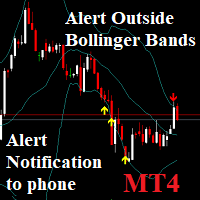
Notifications outside of Bollinger Bands: Send phone Notification and window alerts when price breaks out of Bollinger bands Low & High. You can set the value Alert, Notification. And On OFF Alert on Terminal, Notification on Smartphone. Notifications - Client Terminal Settings - MetaTrader 4 Help
How to Setup MT4/MT5 Mobile Alerts Right to Your Phone (forexschoolonline.com)

GBPJPY scalper EA is a pound yen trading expert advisor designed especially for trading GBPJPY. It is a 5 minute time frame scalper and its strategy is based on low volume trading strategy, it trades at night and day for few hours when the volume is low and there is no news in order to maximize its accuracy and minimize the risk. Join our MQL5 group in order to download the latest set files which will be required to back-test and run the EA on real account. You are also welcome to join our p
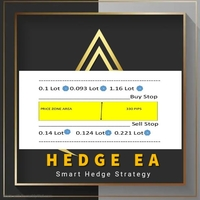
Hedge Zone Recovery EA is fully automated MT4 Trading robot based on HEDGING strategy. The robot open first trade on market price then the second trade will be stop order (BUY STOP or SELL STOP) with hedge lot to recover the previous trade in case close in loss. The screenshots will show a picture on how it hedge trades. The bot has been optimized for EURUSD, US30,GOLD and GER30 Pairs. . Important: Contact me immediately after purchase to get any assistance. You can trade any pair however yo
Очень точный индикатор, с его помощью очень легко определять барные паттерны.
Это очередная разновидность ЗигЗага, за исключением, он не рисует текущую линию, которая может перерисоваться,если нарисовал конечную точку, по закрытому бару, то больше ее не изменяет - это означает смену направления и следующая точка будет другого цвета. Может быть применен как для определения основного движения, при использовании увеличенных параметров, так и непосредственно для входа с минимальным риском. Очень х
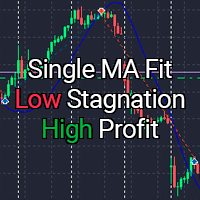
!!! Current price of $30 will be soon increased to $50, so if you want to get a discounted price this is your last chance !!! Look at the screenshots to see how profitable this Expert Advisor is!!! This expert advisor has six types of moving average to choose and a powerful custom optimization metric so you can find the best systems with low stagnation and high net profit for any asset. You enter the position long when bar opens above Moving Average Line and reverse it (close the buy and open a
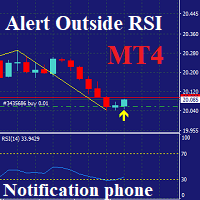
Notifications outside of RSI: only MT4 Send phone Notification and window alerts when price Over RSI: Default: Over Buy RSI=70 & Over Sell RSI=30. You can set the value Alert, Notification, Over Buy, Over Sell. And On OFF Alert on Terminal, Notification on Smartphone. Notifications - Client Terminal Settings - MetaTrader 4 Help
How to Setup MT4/MT5 Mobile Alerts Right to Your Phone (forexschoolonline.com)
The indicator measures the buying and selling force between the buyers and sellers in the form of a histogram/oscillator by using a BOP equation:
BOP = Moving Average of [close – open)/(high – low)]
Igor Levshin first introduced the Balance of power in the August 2001 issue of Technical Analysis of Stocks & Commodities magazine.
Features
Quickly find the buying and selling pressure among the traders. It comes with simple inputs and an interface. All Metatrader alerts included.
Applications
This is a break even(BE)/break even-plus(BE+) EA. It moves your stop loss to BE or BE+ based on pre-set percentage of current TP. You can edit the percentage in the input section. This EA sets breakeven for both manually and auto-opened trades. Moving stop-loss to a breakeven or BE+ is popular among traders who wish to safeguard their trades and to let the trades run without incurring a risk of loss. With this EA , you can have your stop-loss orders moved to a breakeven point automatica
X Bot adv is a fully automatic Expert Advisor for Scalping Trading. This Expert Advisor needs attention, in fact presents highly customizable. X bot adv is based on Ximpletrade MT4 indicator, these Trades can be manage with some strategies. The basic strategy starts with Market order in trend following, but you can change it, in others strategies counter trend.
Parameters : X Bot adv Settings Magic Number: ID number of the orders. Max Spread: maximum spread to trade. Money Management Setting

캔들의 종가를 예측하는 지표입니다. 지표는 주로 D1 차트에서 사용하기 위한 것이. 이 지표는 전통적인 외환 거래와 바이너리 옵션 거래 모두에 적합합니다. 지표는 독립형 거래 시스템으로 사용하거나 기존 거래 시스템에 추가로 사용할 수 있습니다. 이 표시기는 현재 양초를 분석하여 양초 본체 내부의 특정 강도 요인과 이전 양초의 매개변수를 계산합니다. 따라서 지표는 시장 움직임의 추가 방향과 현재 양초의 종가를 예측합니다. 이 방법 덕분에 지표는 단기 및 중장기 거래 모두에 적합합니다. 지표를 사용하면 시장 상황을 분석하는 동안 지표가 생성할 잠재적 신호의 수를 설정할 수 있습니다. 표시기 설정에는 이를 위한 특별한 매개변수가 있습니다. 또한 인디케이터는 새로운 신호에 대해 차트의 메시지 형태, 이메일 및 PUSH 알림 형태로 알릴 수 있습니다. 구매 후 저에게 꼭 써주세요! 나는 당신에게 지표와 거래에 대한 나의 추천을 줄 것입니다! 또한 보너스를 받으세요!

이 표시기는 RPTrade Pro Line 시스템의 일부입니다.
Scalper Pro Line은 Price Action을 사용하는 단기 추세 지표입니다. 누구나 사용할 수 있도록 설계되었으며 거래의 절대 초보자도 사용할 수 있습니다. 다시 칠하지 마십시오. 표시는 닫기에서 닫기로 제공됩니다. 단독으로 사용하도록 설계되어 다른 표시기가 필요하지 않습니다. 특정 그래프는 히스토리 데이터에 따른 이익과 최종 손실을 보여줍니다.
어떻게 작동합니까 Scalper Pro Line은 가격 조치 시스템과 결합된 내부 추세 지표를 사용하고 있습니다. 시작 시 시스템은 10000개의 첫 번째 기록 막대를 분석하여 최상의 설정을 찾습니다. 그런 다음 이러한 설정이 전체 기록에 적용되고 실시간으로 사용됩니다. 가장 신뢰할 수 있는 정확도와 안정적인 거래 신호를 얻을 수 있는 보증입니다. 전략 및 설정의 "성공"은 차트의 그래프 덕분에 즉시 확인할 수 있습니다. OnChart 그래프를 사용하면 전략

자도르
Stoch & Bolinger 거래자를 위한 Jadore 디자인 및 내 특별 추세 표시기를 사용합니다. EA는 추세 방향에 따라 주문을 엽니다. EA는 MARTINGALE 전략을 사용하므로 항상 EA를 제어하고 균형을 잘 맞추십시오. EA가 주문을 여는 데 시간이 오래 걸리는 경우 이 EA는 열린 매수/오픈 매도/오픈 매수 한도/매도 한도/매수 스톱/매도 스톱을 클릭하여 도우미로 사용할 수 있으며 자신 또는 가격으로 로트를 조정할 수 있습니다. 또는 AutoTrade(false) 설정에 의한 완전한 세미 어시스턴트 내 로봇 성능 확인 https://www.mql5.com/en/users/daffasukma22/seller 내 가이드를 읽고 여기 권장 기간 M15 이상 EURUSD/GBPUSD/AUDUSD/NZDUSD의 최소 잔액 = $1000(표준/센트) 1 PAIR 이 전문가의 작동 방식: 매수 조건 : Ea는 Stoch가 과매도 가치에 도달하면 매수 주문을

붐 피보
피보나치 트레이더를 위한 Fibo 디자인을 부풀리고 내 특별 추세 표시기를 사용하여 Fibo 라인을 만듭니다. EA는 추세 방향에 따라 주문을 엽니다. EA는 MARTINGALE 전략을 사용하므로 항상 EA를 제어하고 균형을 유지하십시오. EA가 주문을 여는 데 시간이 오래 걸리는 경우 이 EA는 열린 매수/오픈 매도/오픈 매수 한도/매도 한도/매수 스톱/매도 스톱을 클릭하여 도우미로 사용할 수 있으며 자신 또는 가격으로 로트를 조정할 수 있습니다. 또는 AutoTrade(false) 설정에 의한 완전 반 보조. 백테스트를 시도할 때 fibo 개체를 숨기지 않기 때문에 시간이 오래 걸릴 수 있습니다. 내 로봇 성능 확인 https://www.mql5.com/en/users/daffasukma22/seller 내 가이드를 읽고 여기 권장 기간 M15 이상 EURUSD/GBPUSD/AUDUSD/NZDUSD의 최소 잔액 = $1000(표준/센트) 1 PAIR 이

마이라
Myra는 오실레이터 표시기(Momentum 및 DeMarker)와 특수 추세 표시기에서 실행됩니다. EA는 추세 방향에 따라 주문을 엽니다. EA는 MARTINGALE 전략을 사용하므로 항상 EA를 제어하고 균형을 잘 맞추십시오. EA가 주문을 여는 데 시간이 오래 걸리는 경우 이 EA는 열린 매수/오픈 매도/오픈 매수 한도/매도 한도/매수 스톱/매도 스톱을 클릭하여 도우미로 사용할 수 있으며 자신 또는 가격으로 로트를 조정할 수 있습니다. stoch/cci 사용 여부를 설정하거나 둘 다 사용할 수 있습니다. 또는 AutoTrade(false) 설정에 의한 완전한 세미 어시스턴트 내 로봇 성능 확인 https://www.mql5.com/en/users/daffasukma22/seller 내 가이드를 읽고 여기 기간 M15 이상을 권장합니다. EURUSD/GBPUSD/AUDUSD/NZDUSD의 최소 잔액 = $1000(표준/센트) 1 PAIR 이 전문가의 작동

"Bitcoin indicator" is a ready-made mechanical trading system for Bitcoin. The system is implemented as an indicator that shows the trader on the chart the price reversal points and the current trend direction. This information is enough to effectively trade in the market. The "Bitcoin indicator" consists of a complex analytical block that constantly analyzes the market and shows the trader where the trend is heading. The indicator also shows with dots on the chart, the price reversal points. S

The algorithm of the adviser's work:
When the Expert Advisor is launched at a specified distance from the price (first_step), BuyStop and SellStop orders are placed. Further, depending on which way the price went, one of them becomes market, and the other begins to crawl after the price. When the price rolls back, it also becomes market. If we have reached a set profit in some direction, the order is closed and a creeping pending order of the same direction is placed again. If the profit is no

Trade panel manual is a multifunctional trading assistant. It allows you to open market and pending orders in one click. Value is set via button menu edit or deleted by specific buttons pending orders and the value of take profit and stop loss in one click. Through the edit menu of the button, a value is set that can be easily changed by simply moving level_tp lines for take profit or stop loss levels and for pending orders. It is possible to select orders and determine for them and set the leve

This is based on Demark's TD Sequential and TD Combo set of indicators. It mostly has the TD Sequential features. It contains the Arrows Indicator showing Buy/Sell signals and the scanner dashboard. Both are for MT4 (Metatrader 4) Platform.
Read in detail in this blog post. And get extra indicators here: https://www.mql5.com/en/blogs/post/749596 and commentary about signals and how to wait for right time: https://www.mql5.com/en/blogs/post/759157
Feature List: - Set TD Setup (9), Countdown (13

Trading History - A program for trading and money management on the history of quotes in stratagy tester. It can work with pending and immediate orders, and is equipped with trailing stop, breakeven and take profit functions. Very good for training and testing different strategies.
Manual (Be sure to read before purchasing)
Advantages
1. Allows you to test any trading strategy in the shortest possible time
2. An excellent simulator for trading training. You can gain months of trading experience

The indicator works as an extension that recolors the candles and the background in the terminal at the click of a button (Night Theme / Day Theme). The user can also set the display of the watermark of the symbol, and specify its size. The interactive menu allows you to toggle the display of the Ask value. And switch chart scaling from adaptive to fixed with one click.
You can add your favorite color to the settings for switching.
FREE

ADVISOR "GG" - UNIVERSAL, ABLE TO TRADE YOURSELF AND WITH THE HELP OF A TRADER!
THE PANEL SHOWS THE ENTIRE DOWNLOAD TO HELP WHEN TRADING.
BUTTONS PRESENT
1.CLOSING PROFITABLE ORDERS
2. CLOSE ALL ORDERS
3. LOCKING THESE POSITIONS
TO SET UP THE EXPERT, THE DISTANCE IS USED, WHICH DEPENDS ON THE TREND TO OPTIMIZE THE TREND,
THERE IS A SPECIAL ALGORITHM!
WHEN TRADING, YOU CAN ADD OPENING ORDERS MANUALLY, IT IS ALSO POSSIBLE TO LOCK ALL OPEN ORDERS!
IF YOU DO NOT TRADE WITH THE HELP OF
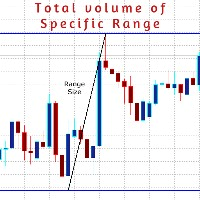
AboaishaRV_Calculator is an info indicator.
It manages to calculate the range and total volume between any 2 points on the chart.
To use it just install the indicator and draw a trend line between point X and point Y and it will show you the difference in the price and the total volume traded inside this range. Indicator inputs: DataColor >> the color of the info range size and volume size of the range. LinesColor >> the color of the range border lines if they are used. FontSize LinesWidth Range
트레이딩 전략과 기술 지표를 판매하기에 가장 좋은 장소가 왜 MetaTrader 마켓인지 알고 계십니까? 광고나 소프트웨어 보호가 필요 없고, 지불 문제도 없습니다. 모든 것이 MetaTrader 마켓에서 제공됩니다.
