 MetaTrader 5
 Experts
 지표
지표
 라이브러리
라이브러리
 유틸리티
유틸리티
 위젯
위젯
 규칙
규칙
MetaTrader 4용 새 Expert Advisor 및 지표 - 175
 트레이딩 로봇은 자동으로 시장거래를 수행하는 반면 지표는 가격을 더 잘 분석하고 가격 행동을 예측할 수 있게 해줍니다.
이러한 어플리케이션을 사용하면 MetaTrader 4에서 더 많은 기회를 포착하는 동시에 보다 정보에 입각한 방식으로 거래를 수행할 수 있습니다.
트레이딩 로봇은 자동으로 시장거래를 수행하는 반면 지표는 가격을 더 잘 분석하고 가격 행동을 예측할 수 있게 해줍니다.
이러한 어플리케이션을 사용하면 MetaTrader 4에서 더 많은 기회를 포착하는 동시에 보다 정보에 입각한 방식으로 거래를 수행할 수 있습니다. 
Works automatically in every pair. the method used can be grid or martingale with adjustable distances. Only requires a little balance and resistance to extreme markets can be relied on compared to other robots of the same type. This robot was made based on special research on the martingale and grid types for 10 years. Before it was launched, it had passed hundreds of tests with various sets used, there was no doubt that it would be published. By using an initial balance of 10000 you can plac

Bitcoin Predictor는 가격 반전을 예측하도록 설계된 화살표 기반 지표입니다. 이 도구는 BTC 및 기타 암호화폐와 함께 사용할 수 있습니다. 화폐로도 사용할 수 있습니다. 그러나 먼저 어떤 쌍이 가장 잘 작동하는지 확인해야 합니다. 일부 쌍과 시간 프레임은 정말 훌륭하게 작동할 수 있습니다. 직접 테스트하고 볼 수 있습니다. 표시기는 사용하기가 매우 쉽습니다. 화살표를 따라가기만 하면 됩니다. 표시기는 독립 실행형 시스템으로 작동하거나 이미 사용 중인 시스템의 일부일 수 있습니다. 표시기는 모든 암호화 통화와 함께 쉽게 사용할 수 있습니다. 또한 사용 중인 시간 프레임 및 쌍에 신호를 적용할 수 있습니다. 표시기에서 사용 가능한 하나의 입력 매개변수만 조정하면 됩니다. 정말 쉬워요. 신호를 다시 칠하지 마십시오! 구매 후 연락주세요! 내 거래 권장 사항 및 보너스를 공유하겠습니다!

Apollo Secret Trend는 모든 통화쌍과 시간대에서 추세를 포착할 수 있는 전문적인 추세 지표입니다. 이 지표는 거래하는 통화쌍이나 시간대에 관계없이 시장 추세를 감지하는 데 사용할 수 있는 주력 거래 지표가 될 수 있습니다. 지표의 특수 매개변수를 사용하여 개인의 거래 스타일에 맞게 신호를 조정할 수 있습니다. 또한 현재 신호 강도를 표시하여 더 나은 신호를 선택하는 데 도움을 줍니다. 이 표시기는 푸시 알림을 포함한 모든 유형의 알림을 제공합니다. 지시등의 신호는 다시 그려지지 않습니다! MTF 모드에서도 지시등의 신호는 다시 그려지지 않습니다. 구매 후 연락 주시면 지표 활용법에 대한 저의 거래 팁을 알려드리겠습니다. 또한 특별 보너스도 제공해 드립니다! 거래에서 큰 성공을 거두시길 바랍니다!
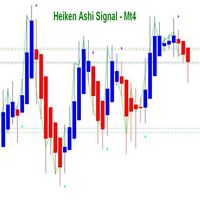
Heiken Ashi 신호 표시기는 MT4 거래 터미널을 위해 설계되었습니다. 표준 Heiken Ashi 표시기는 MT4 터미널을 기반으로합니다. 이 표시기는 매뉴얼 및 저작권 고문의 자동 거래에 사용할 수 있습니다. Heiken Ashi 신호 표시기를 사용하려면 거래 전문가에게는 시장에 진입하고 구매 및 판매 위치를 열기위한 신호 버퍼가 있습니다. 아래에 대해 자세히 읽어보십시오.
Heiken Ashi 신호 지표의 기회와 특성 : (M1, M15, M30, H1, H4, D1, W1, MN). (통화 쌍, 금속, 주식, 지수, 암호 화폐). 시장에 진입하기위한 기초로 신호를 받고 전략에 대한 고문에 신청하십시오. 시간이 지남에 따라 그는 추세가 시작될 때 가격의 전환에 반응하고 지연없이 신호를 제공합니다. 신호가 나타나면 이미 고정되어 있으며 일정에서 사라지지 않습니다. 표시기는 인근 막대에서 신호를 다시 그리지하지 않으며 막대에서 위아래로 이동하지 않습니다. 구매하기 전에 데
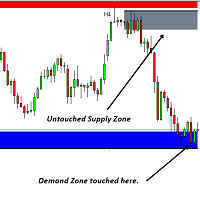
이 소프트웨어 도구는 사용자 정의 가능한 5가지 색상을 선택하여 수평 추세선과 직사각형을 생성하는 프로세스를 간소화하도록 설계되었습니다.
MT5에서 정확한 수평 추세선을 그리는 것은 어려울 수 있지만 이 지표를 사용하면 원하는 색상으로 쉽게 추세선을 만들 수 있습니다.
또한 우리 도구는 귀하가 그리는 수평선과 관련된 가격 수준을 명확하게 표시합니다.
우리는 귀하의 피드백을 소중히 여기며 이 도구가 귀하의 거래 요구에 맞는 귀중한 자산이 되기를 바랍니다.
주저하지 말고 귀하의 생각을 우리와 공유해 주십시오. ..................................................................................

This is an Utility to make your trading easier by putting at one click or a few clicks time-consuming tasks as order management and risk management. Contact for a free trial.
Features
Risk Management
Calculates automatically lots based on risk specified in either % or $ in the risk field and let you enter just by placing lines for SL TP etc and display real-time Risk Reward . TrueRisk so it includes commissions when calculating lot size on FX pairs only so you risk 1% with
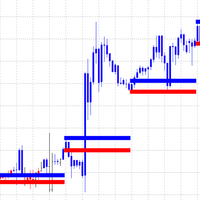
Market Dynamics는 추세 스캘핑을 위한 것입니다. 파란색이 매수, 빨간색이 매도입니다. 라인은 가격 통합 영역이며 일반 막대 캔들은 결정되지 않았습니다. 가격은 지지선과 저항선 사이에서 통합된 다음 해당 영역에서 가격 움직임이 발생합니다. 두피 위 또는 아래에 그림 영역을 그리고 두피에 대한 주요 트렌드 또는 데이 트레이드를 따르십시오. Market Dynamics는 추세 스캘핑을 위한 것입니다. 파란색이 매수, 빨간색이 매도입니다. 라인은 가격 통합 영역이며 일반 막대 캔들은 결정되지 않았습니다. 가격은 지지선과 저항선 사이에서 통합된 다음 해당 영역에서 가격 움직임이 발생합니다. 두피 위 또는 아래에 그림 영역을 그리고 두피에 대한 주요 트렌드 또는 데이 트레이드를 따르십시오.

Golden Idol은 XAU/USD를 거래합니다. 2004년부터 현재 2022년까지 기계 학습 알고리즘으로 구축되었습니다. 거래자가 매개변수를 변경하는 것이 적합하다고 생각하면 추가 최적화를 수행할 수 있습니다. 기본값은 차익 700, 손절매 500으로 설정되어 있습니다.
골든아이돌은 마팅게일이나 기타 위험한 전략을 사용하지 않습니다. 모든 거래에 고급 자금 관리 기능이 내장되어 있다는 사실을 잘 알고 있습니다. 변동성이 큰 시장이 역사적인 움직임을 보이면서 이는 모든 전략이나 시스템에서 기본입니다. 거래 논리는 표준 편차, 볼린저 밴드 및 이동 평균을 기반으로 합니다.
Golden Idol은 XAU/USD를 거래합니다. 2004년부터 현재 2022년까지 기계 학습 알고리즘으로 구축되었습니다. 거래자가 매개변수를 변경하는 것이 적합하다고 생각하면 추가 최적화를 수행할 수 있습니다. 기본값은 차익 700, 손절매 500으로 설정되어 있습니다.
골든아이돌은 마팅게일이나

Trend Capture는 고급 신경 분석 방법을 사용하여 기호의 현재 추세를 식별하고 거래를 시작합니다. 또한 Trend Capture에 의해 시작된 모든 거래를 모니터링하고 전문 거래자가 사용하는 다양한 전략을 따라 헤징을 수행합니다. 개별 포트폴리오를 관리하고 이익으로 거래를 마감합니다. Trend Capture는 귀하의 계정을 날려버릴 수 있는 Martingale, Grid 등과 같은 위험한 방법을 사용하지 않습니다. 결과는 스크린샷을 참조하고 구매하기 전에 테스트하십시오. 입력 설명 bot - Trend Capture 봇이 실행한 거래의 매직 넘버. 각 기호 및 기간 조합에 대해 항상 고유 번호를 부여하십시오. LotSize - 각 거래의 로트 크기를 실행해야 합니다. Trade_Comments - Trend Capture 봇이 실행한 거래를 식별하기 위한 주석 SpreadLimit - Trend Capture는 시장 가격으로 거래를 실행하므로 높은 스프레드에서 기호 거래를
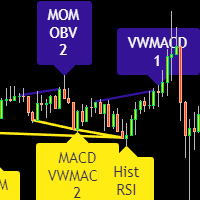
Divergence indicator 10 different indicators. Finding and displaying classic and hidden divergences.
Indicators in which divergences are searched: MACD MACD Histogram; RSI; Stochastic; CCI; momentum; OBV; VWmacd; Chaikin Money Flow; Money Flow Index. This is a replica of the indicator from the tradingview resource, adapted for the MT4 terminal.
MT5 version available here: https://www.mql5.com/en/market/product/87879
Settings: Bars in history for analysis - number of bars for analysis; D

Introducing the trend indicator! Ready trading system. The principle of the indicator is to automatically determine the current state of the market when placed on a chart. The indicator analyzes market dynamics for pivot points. Shows the favorable moments of entering the market with stripes. Can be used as a channel indicator or level indicator! This indicator allows you to analyze historical data, and on their basis display instructions to the trader on further actions. To find out how to dete

*** This month's promotion price is $99 After that, the price will be raised to $199 FX Dragon North is an expert advisor specially designed for trading gold (XAUUSD M5). Execution is based on opening an order using the FX Dragon indicator , so the EA works according to the "Trend Follow" strategy. - Compatible with the FX Dragon North indicator for more accurate order entry. - Let this advisor profit for you (only use XAUUSD time frame with M5). - Leverage 1: 100 or more is recommended. - Lo
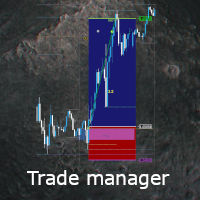
Once you purchase product please drop the review in order to receive invitation to the new community.
Flexible trade manager is a simple and effective trading tool for setting new order by pressing B as Buy or S as Sell on keyboard. All with ability to see additional characteristics before opening with predefined risk and observation of the risk and potential profit. Set and manipulate order levels straight from the charts or or place them right as pending orders
Additional buttons helps to
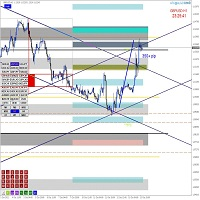
Algo Trading Indicaor
With this indicator , you’ll have zones and trends that hight probability the price will reverse from it. so will gives you all the help that you need MT5 Version https://www.mql5.com/en/market/product/170028 MT4 Version https://www.mql5.com/en/market/product/88034
Why should you join us !? 1-This indicator is logical since it’s working in previous days movement , to predict the future movements.
2-Algo trading indicator will hel
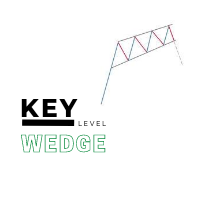
The Key level wedge indicator automatically draws rising wedge pattern and falling wedge pattern for you on the chart. This pattern is really good when used as a confirmation entry at key support & resistance, supply & demand and reversal zones.
Advantages
The Key level wedge block DOES NOT RE-PAINT, giving you confidence when a signal appears and also helps when looking back. The Key level wedge includes an on/off button on the chart to easily keep the charts clean after analysis by just o

The Trend TRN trend indicator works using a special algorithm and a set of indicators. It finds the current trend based on many factors.
Trend TRN entry points should be used as potential market reversal points. The indicator works using the cyclic-wave dependence function. Thus, all entry points will be optimal points where the movement changes.
A simple and convenient indicator. The user can easily see the trends. You can use this indicator alone or in combination with other indicators acco
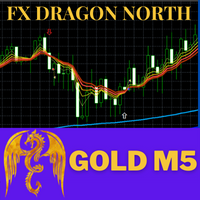
FX Dragon North Indicators is a trend indicator designed specifically for gold and can also be used on any financial instrument. Recommended time frame (XAUUSD:M5,M15,M30,H1,H4.) , (Forex: H1,H4,DAY) Can be combined with EA FX Dragon North X to increase the accuracy of EA FX Dragon North X and make more profit. ... SETTINGS Alerts - on off audible alerts. E-mail notification - on off. email notifications. Puch-notification - on off. Push notifications.
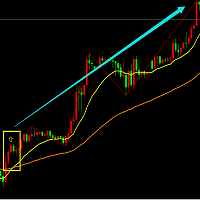
This is a signal that mainly diagnoses the current direction based on data analysis, price breakout algorithms, and strategies based on some major indicators. This signal will display all the signals from a historical period on the main chart and is a good choice if you like to show the direction of the signals on the chart. Advantage: Suitable for all breeds. Applies to all cycles. Only one adjustable parameter, easy to use. Notice: This signal only provides all the most probable signals, and u
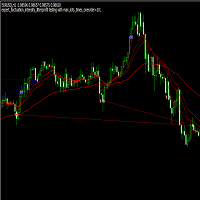
This is an automatic EA based on fluctuation. This EA will analysis the fluctuation intesity of symbols, and combine EAM, RSI and other indicators to distinguish open signal. advantage: Suitable for all symbols. Suitable M15, H1, H4, D1 and so on.
Just two adjustable parameters, easy to use. Input parameters: first order open lots times: the times of minimum open lots to first order. The smaller the value, the smaller the risk. For example, the minimum open lots of EUR/USD is 0.01. If you se

Are you tired of drawing trendlines every time you're analyzing charts? Or perhaps you would like more consistency in your technical analysis. Then this is for you. This indicator will draw trend lines automatically when dropped on a chart. How it works Works similar to standard deviation channel found on mt4 and mt5. It has 2 parameters: 1. Starting Bar 2. Number of bars for calculation The starting bar is the bar which drawing of the trend lines will begin, while the number of bars for c
FREE
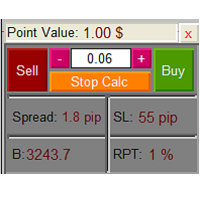
The Lot Calculation FJD is an expert for risk management for Meta Trader 4. This expert calculates the value of lot size for every position based on Trader’s given balance, Risk, and Stop loss. This expert is really user friendly, and calculates lot size with just a few clicks which helps traders specially the scalpers to open a position as quick as possible with respect to the Risk management.
The following inputs can be changed by the user: 1. Percentage of Risk per Trade (RPT %) 2. Balance
FREE

THE PLATE EA IC Market or FTMO Recomment Broker.
This EA „PLATE“ BUY and SELL in one.
Only DE40 with this Standart Settings (You can Change the Take Profit to 500 for other Endpoints or the Stopp Loss to 60 or higher)
M1, M5, M15, M30, H1.
Minumum 1000$/€ ...Lot 1 in first Week. The EA work with a small Stop Loss and a good Take Profit Risk Ratio. When you a undecided or have any Question write me a Message.
FREE
Strateji-1=>TRUE(Support&Resistance) Strateji-2=>FALSE Alt da ki destek & direnç indikatörünü indirerek grafik üzerine ekleyelim. Bunu yapmaz iseniz EA çalışmaz. Indicator(true/false=>TRUE) TestIndicator(true/false=>TRUE) STOPLOSS= 0 TAKEPROFİT=0 TRAİLLİNGSTOP=TRUE shved_supply_and_demand.EX4 => DİKKAT!!! => KESİNLİKLE İNDİKATOR GRAFİK EKLENMELİDİR.
Kendine özel Strateji ile İndikatörlerden sinyal alarak çalışmaktadır. Destek ve Direnç seviyelerinde işleme girer. İstenirse Dirençte BUY vey

The scalper EA uses strategies based on intra-bar trading on the H1 and H2 timeframes. Also many filters are used to find the right signals to open an order. The EA uses pending orders BuyStop and SellStop. The EA trades on two pairs: EURUSD, USDJPY and two timeframes H1, H2. Also, the adviser can be installed on other currencies using the instructions: https://www.mql5.com/ru/blogs/post/750726 The EA places a protective stop order on all orders. The adviser is safe and does not require any set

The Border Crossing expert system does not use the history stored in the database to work. For his own needs, he uploads historical data online, creating his own database. In order to achieve good results in the real ticks mode on the tester, it is necessary to carry out optimization. The expert system works with ticks on all types of accounts. For the internal algorithm, the elementary unit of analysis is a tick.
The internal optimizer, after optimizing according to the specified principle, s
Pariteler(EURUSD M30) Fibonacci 2MA Momentum Trend1 Trend2 Support-Resistance-Pivot Parçalı kar alma Özel bir strateji ile yazılmış olan SCANNER yazılımı tarama yaparak gerekli koşullar oluştuğunda işleme girer. TakeProfit ve StopLoss bulunmaktadır. Martingalle ile işlem hacmini kar aldıkça arttırır. İşlem açıldığında dikey çubuk ile açılış tarihi ve saati ile ekranda uyarı verir. Ekranda bulunan bilgi ekranı ile kullanıcıya anlık bilgi aktarır.

Mumları tarayarak işlem arar yapay bir zeka gibi çalışır. (1 veya 1+5) işlem açar. Sadece BUY veya sadece SELL yönde işleme girebilir. Kullanılan indikatörler. 2MA MACD MOMENTUM FİBONACCİ MİNMAX TREND-1 TREND-2 Gerekli koşullar oluştuğunda işleme girer önce tek sonra istenilen yönde ilerliyor ise beş işlem daha açar . Parçalayarak kar alır. FİBONACCİ seviyelerini kontrol eder.

BlueZon robot mavi taralı alan içerisindeki mumları kontrol ederek işleme girer. Genelde bu alandaki mumların hareketleri BUY ve SELL girişleri tetikler. İşleme girmek için gerekli indikatörler 2MA MACD MINMAX MOMENTUM TREND1 TREND2 MA FİBONACCİ işleme (1 - 1+5) şekilde girer bunu ayarlamak kullanıcıya bağlıdır. İşlem zamanı ayarlanabilir. Kar alarak işlemden parçalı çıkılabilir.

Hello;
Our automatic trading system works with a fast algorithm. It has a grid strategy. This automatic trading robot starts trading with a low lot amount and applies short Tp buying methods. As the grid intervals open, the lot amount increases slightly and forces the system to buy tp. The following optimization test results carefully I recommend you to examine it somehow. A stable tp line is formed. It uses the rsi indicator for overbought and oversold signals.
Input parameter descriptions:

Hello;
This indicator presents you with a power matrix of 28 cross pairs made up of the eight most voluminous currencies. Thanks to this power chart, it shows the pairs with the best trend strength and direction. The dashboard offers a basket trading method. So you can make an average profit by trading between pairs with certain correlations.
Input parameter descriptions:
Note_1: Indicates which method the dashboard will use to find the correlation.
Input parameter that allows you to select

MT5 Version DoIt SMT Divergences - Non-Repainting ICT SMT Indicator for MT5 An SMT divergence indicator for MT5 that shows a perfect setup only after the swing has changed is not giving confirmation. It is giving hindsight. DoIt SMT Divergences compares confirmed swing highs and lows between the chart symbol and a second correlated instrument. When one market makes a new extreme and the other fails to confirm it, the indicator marks the disagreement. The default workflow uses confirmed swings. Y

Strategy creation : Create lines of stop loss, entry and take profit. Live parameters such as lot size, gap in pip from SL to TP, Risk/Reward ratio are update whenever lines of SL and Entry move. This function allows traders to clarify their strategy before making any orders. Risk management - The risk calculation function calculates the volume for a new order taking into account the set risk and the distance from the Stoptloss to Entry Line. In addition, maximum risk (%), RR value are
FREE
Ea tw79 adx grid scalping automatic trading robot finds all healthy trading levels by putting all price movements in a cluster. The system closes with the total amount of earnings in dollars. Also, the reverse signal of the adx indicator has the ability to exit the trade with the shortest take profit target. It focuses on the grid system to work in the trend direction thanks to its control. The system works with 1-2-3-4-5.... progressive lot amount. The initial lot amount should be kept low. Opt

Requirements Trading pairs Any pair
Timeframe H1, H4
Minimum deposit
$100
Leverage
1:100 or above Brokers
Hedging ECN account. Low spreads
Features Adjustable inputs: Risk per trade, Pay off, and number of symbols to trade Work with market orders Stop loss strictly setup for every order Auto tracking all position with advanced algorithm of trailing and taking profit More than 10 years research in statistics for financial markets Input Settings Setting is very simple, suitable for

In a nutshell Karla One is a product that organically came out from several years of manual trading. My goal was to built a system without the necessity of regular updates. Having said that, this Expert Advisors was specifically built for MQL5 customers, so please remember that I am always open to suggestions. Karla One uses machine learning to find the right entry points but at the same time before placing a trade, there are 7 conditions that have to be met. It relies on Price Action which seem
This automated trading robot uses the capabilities of the macd indicator to create a grid strategy. The algorithm creates a grid strategy at overbought and oversold levels and in times of high volatility. This makes it susceptible to all price fluctuations. The Close Money input is the total amount of earnings in the cycle. We define it as the total take profit amount in the cycle. It has the ability to open more cycles in short periods. However, you can use the robot in medium-term trading. Rea

** All Symbols x All Time frames scan just by pressing scanner button ** Discount: The price is $70$, But now it is just $39, Limited time offer is active.
*** Contact me to send you instruction and add you in "Swing scanner group" for sharing or seeing experiences with other users. Swing EA: https://www.mql5.com/en/market/product/124747 Introduction: Swing Scanner is the indicator designed to detect swings in the direction of the trend and possible reversal swings. The indicator studies sev
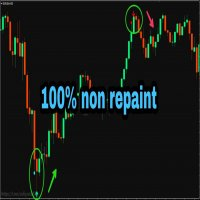
PLEASE NOTE You can customize the settings of K_period value, the oversold and the overbought value is customizable. You can change it as per your requirement. The accuracy will change as per your settings.
100% Non repaint indicator
Pre-alert (get ready) signals
Non-delay indications
24/7 signals
100% No lag
No recalculating The arrows wont repaint even if the signal fails, or you refresh or restart the mt4 Indicator is based on simple crossover strategy of main line and signal line of St
FREE

Please follow the "How To Trade" instructions exactly for best results Wycoff theory is vastly used by institutional traders but when it comes to retail traders the concept isn't well understood by most. It is even more difficult to implement in intraday & swing trading. This No REPAINT indicator helps you in analyzing the market cycles and plots buy/sell signals at the start of trending phase. It studies the market strength of bulls and bears and does a effort Vs reward matrix calculation befor

BitDooZER is an Expert Advisor designed primarily to trade Bitcoin vs US Dollar on the M1 timeframe, and only on the weekends. BitDooZER is, above all, DooZER 's little brother, and behaves in a similar way, even though all internal parameters are adjusted keeping in mind the volatility, spread and price behavior of the BTCUSD symbol. BitDooZER also follows an averaging strategy with initial entry based on price action. If you want to know more about the strategy you can read all articles relat
FREE
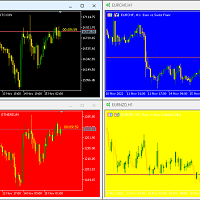
Hello again This is a free indicator that provides you with a panel at the corner of your chart to change your background. If you want to hide it, you should click on the minimize button above the buttons. Let me know what other free indicators you need! If those are easy I will make them for you ;) Many other tools are in the row. So wait and look! Hope to Enjoy it Sepehr (Faran)
FREE
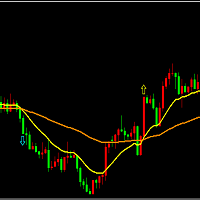
基于均线交叉的算法信号,该指标会显示历史1000个周期的信号方向,其中短周期和长周期数值可以按需要资金调整。使用者可以依据该信号判断当前趋势。该信号适用于任何周期,使用者可以切换不同周期观察各个周期的最近信号方向,然后综合进行开仓分析。 开仓建议:综合日级别、4小时级别、1小时级别信号进行整体判断,再参考RSI,波动强度等进行开仓分析。 优点: 适用于所有周期; 适用于所有品种; 可以自定义短周期、长周期参数; 适用于判断当前趋势; 能抓住大趋势,获取长期利润。 不足: 由于是均线策略,所以对趋势的反转反应不及时,可以借助波动强度和突破情况来改进该信号。 输入参数: 均线短周期数:短周期参数。 均线长周期数:长周期参数。

KT Casanova Mesh EA is developed by combining our proprietary artificial intelligence (AI) entry triggers with an intelligent mesh-grid algorithm that targets a positive favorable excursion based on market volatility and position sizing. The EA achieves profitability using the mesh of 8-16 bi-directional pending orders. Warning: Grid trading is dangerous. You could accumulate a larger and larger losing position if the price keeps running in one direction instead of ranging. The EA has successfu

Basic Trade Buttons is a tool to help you to quickly open and close trades, place take profit and stop loss points by clicking on the button of each job that you preferred. Once you attached this tool to mt4 chart, the program will calculate a trade volume(Lots size) automatically to prepare to send to the trade server when you click on 'Buy' or 'Sell' button. Click on 'TP', 'SL' or 'Close' button to place take profit, stop loss based on the predefined levels or to close all open positions respe
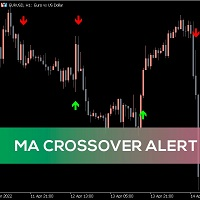
Hello. Another free indicator from Sepehr! ;) You can determine the trend with this tool. Using crosses of two Moving averages, you can say that the trend is going to be bullish or bearish; A fast-moving average and a slow one. When the fast-moving crosses up the slow-moving, it's going to be an uptrend and when it crosses down the slow-moving, it means that you are going to have a downtrend. That's easy ;) Hope to enjoy it Sepehr(Faran)
FREE

Plain — Semi-Automatic Trading, Your Direction
Plain keeps you in control: you choose the direction, and the EA handles the execution automatically. A clean, semi-automatic Expert Advisor for traders who want to call the bias and let automation do the rest.
What it does for you You set the direction: the EA opens and manages trades the way you decide. Hands-off execution: automation handles the mechanics once you've chosen the bias. Simple and transparent: no black box — you stay in charge. Fu
FREE

Simply clock. Local time as default. There are possible to Select: Local Time /Server Time /GMT Time as input. Please take into account that the local time is the most accurate. However ,this clock always uses local time seconds, even If GMT / Server Time Is selected. I solved it this way to get more accuracy. Delays can occur when changing minutes or hours, if local time is not selected.
FREE

*OPTMIZE* High Speed Low Drag trades XAU/USD on 1 hour charts. The EA was made with machine learning and uses RSI and moving averages to trade its logic. By default the take profit is at 150 and stops are at 50 with additional advanced money management like movable stops. I would suggest this if you have the know how but this is for beginner or advanced as is. The money management system scales the balance so you can figure what % you want to start and then the max lots to trade.

KP Scalper PRO is a fully automated scalping robot that uses a very efficient breakout strategy, advanced money management. Most effective in the bollinger support and resistance. Proven itself on real accounts with an excellent risk-to-reward ratio. Does not need forced optimization, which is the main factor of its reliability and guarantee of stable profit in the future. S uitable for both beginners and experienced traders.
Requirements Trading pairs EURUSD, GBPUSD, USDJPY, XAUUSD
Timefr

Idea Pro Trend Premium This EA is a Semi-auto Trading Panel with a variety of strategic settings, such as those listed below. It is excellent for scalping or long-term trading by traders. This EA is simple and convenient to trade and attach to the chart with the default settings on AUDUSD, EURUSD, GBPUSD and NZDUSD.
How to use You can trade based on the trend that is displayed on the left-hand side of Info Panel. If the trend are" 2 Up Trend" and "2 Down Trend", please do not trade. Simply pro

A useful scanner/dashboard that shows the RSI values for multiple symbols and time-frames.
It can be easily hidden/displayed with a simple click on the scanner man top left of the dashboard.
You can input upper and lower RSI values and the colours can be set to show when above/below these values. The default values are 70 and 30. There are also input colours for when the RSI is above or below 50 (but not exceeding the upper/lower levels
Symbols and time-frames are input separated by commas.
Dear Traders, check out my new multi level market liquidity indicator : https://www.mql5.com/en/market/product/73098
Many of you have been trading very good with this indicator, thanks for the support and positive feedbacks ! For more information about market liquidity, a manual on how to use this indicator please send me a message. A lot of information can be found on the net. (search liquidity trading/ inner circle trader)
https://www.youtube.com/watch?v=yUpDZCbNBRI
https://www.youtube.com/
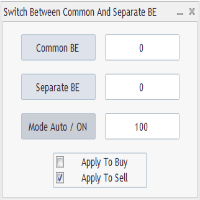
Advanced Auto BE. Program for switching between common and separate breakeven stop loss. Levels can be modified with user-defined point values The program also offers auto mode, where common/separate BE levels are switching depending on whether all positions are profitable. Calculation includes open prices . It can be used for BUY/SELL positions separately or together. HOWEVER I HAVE NEVER TESTED SITUATION, WHERE I HAD BOTH SELL AND BUY POSITIONS PROFITABLE ( I Mean AUTOMODE pyramyds) . Rememb
FREE

Offer 249 down from 350 for the next 3 copies. then back to 350 $
Are you tired of using outdated indicators that leave you guessing where to set your profit targets? Look no further than the AK CAP Opening Range Breakout Indicator. This powerful tool is backed by a US patent and has already helped countless traders pass funded challenges like FTMO. We use it daily on our prop traders and internal funds, and now it's available to you as well. The calculation behind the indicator is incredibly a

I will support only my client. สำหรับลูกค้า Proton Electron Ai Robot with Current TF, Auto Trading, Current Chart, Any Asset Pairs, Any Brokers, Any time zone He can recovery with compare the position win and loss direction. No Martingale, No more indicator. You can select day to trade, You can input period time to trade
You can using frequency trading (HFT). Recommended 1-3 minutes Next open trade after time(Minutes) Not Recommend for ECN/Lowest Spread Account type, because it have commission f
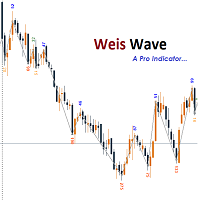
This indicator is based on the Weis wave principle of wave volume. Below are few features of the indicator It draws the wave on the chart while the accumulated volume per wave in a different window at the bottom of the chart You can configure the turning point move It displays the accumulated volume (in thousands, eg for 15000 volume it will show 15) at the end of each wave You can also configure to show number of candles in the wave along with the wave volume The indicator calculates the distin

The scientific approach to trading and responsible development are the main principles of Millennium EA. In order to create this EA, a research work was done in the field of trading. Dow theory, the theory of fractal analysis, the methods of Bill Williams and other traders, all this served as the theoretical basis for the advisor, which is designed to automate trading decisions. Signals: https://www.mql5.com/en/signals/1748354 https://www.mql5.com/en/signals/1748359 https://www.mql5.com/en/sig

This is a fully automatic expert advisor. It opens trades in the direction of the trend and opens more trades in the set profit. Each trade is secured by a small trailing StopLoss. This EA achieves excellent results in many markets. The TimeFrame selected is not decisive. This EA will be profitable only with the best brokers with low fees and slippages. The maximum size of the spread is recommended at 2 points. Settings StartTrading - the start of trading every day EndTrading – end of trading

My EA does not use any martingale or grid functionalities and follows a logical automatic concept. EA used one day one trade logic.
Forex Master EA finds its direction in the real data analysis and then follows this trend for the day. This expert advisor is designed to trade these trends especially in EURUSD pair M15. Recommended pair: EURUSD Timeframe :M15 EA also has News Filter Option for users who do not want to trade in News Times.
MT5 Version is HERE
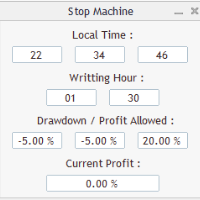
Close all orders immediately: if account balance is less/greater than allowed. PROGRAM USES ACCOUNT BALANCE, NOT EQUITY. Initial balance is calculated once a day if writting hour/minute comes ( local time is using ). It is also reset each restart program ( program does not read account balance from the past! ) Program is developed for VPS running purposes, to prevent from attempts of trading after daily DD limit is reached. I made decision to share this for free. It is not developed for commerci
FREE
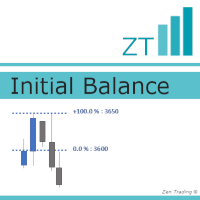
Initial Balance is a concept for the first hour of a trading session, lowest(starting) to highest point, that often determines important support / resistance for the next hours. It is based on Fibonacci levels and offers very relevant levels of reaction. Nowadays, it's mainly used for the first hour BEFORE the open. --------------- The advantage of this indicator lies here : - you could define by yourself the period for YOUR Initial Balance (first hour of a trading session, one hour before the o

One of the best EAs on MQL
For backtests you can use this SET
How to install
The EA must be connected to only one M15 chart (for example: NZDCAD M15)
Easy to set up: _base_ - You can leave the default setting Symbols: AUDCAD,NZDCAD,AUDNZD - multicurrency set from one chart M15 First Trade: Long and Short - sets Long/Short positions Emergency closing at BE - Close all positions on BE Orders Comment - comment at trade Magic Number - Magic Number Virtual TP - sets the virtual TP New Year Trad

It is an attractive, smart and safe robot with a stop loss. If you have invested more than 100$, you should fill in the Stop Loss option by inserting a stop number in the point so that you can protect your account in case of danger.
Adjust the stop loss number to your capital management
The (SL) option in the input is for stop loss
It is better to activate this bot on " XAUUSD" in time M1
If you want less risk, use M5 time frame or change " Pivote" parameters
This robot is fully automati

The Auto Percentage SL TP is not taking any trade! It was made especially for Proptrading Challenges like FTMO, Myforexfunds, Fundednext and many more. Most Propfirms ban your funded Live-Account if you do not set SL and TP soon after the trade. It is a tool to help setting automatically TP and SL based on given percentage in settings. You can add e.g. 1% risk for a trade and it sets the stop loss to 1% from your balance. Same with stop loss, which is default also 1%. But these values can be cha
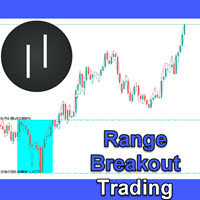
Unlike many other programs in the mql5 market this is a REAL day trading strategy. It does not use any martingale or grid functionalities and follows a logical concept. The Range Breakout Expert Advisor can be used to trade time ranges. The market often finds its direction in the morning hours and then follows this trend for the day. This expert advisor is designed to trade these trends after the morning breakout. Still you can trade all sorts of time breakouts with this program. I use the stra

FX 화살표 반전은 스캘핑 추세를 의미하는 간단하고 복잡하지 않은 화살표 표시기입니다. 거래 선택의 임의적 방법이 사용됩니다. 추세선, 오실레이터, 이동 평균, 채널 또는 거래자가 원하는 기타 방법. 표시기는 모든 시간 프레임 및 모든 자산에서 작동합니다. 자본을 보존하기 위해 손절매를 사용하십시오.
지표가 작동하는 방식은 수렴 및 발산 및 추세 모멘텀에서 파생됩니다. ATR은 지표가 모든 자산에서 작동할 수 있도록 사용됩니다. 표시기에 경고가 있습니다. FX 화살표 반전은 스캘핑 추세를 의미하는 간단하고 복잡하지 않은 화살표 표시기입니다. 거래 선택의 임의적 방법이 사용됩니다. 추세선, 오실레이터, 이동 평균, 채널 또는 거래자가 원하는 기타 방법. 표시기는 모든 시간 프레임 및 모든 자산에서 작동합니다. 자본을 보존하기 위해 손절매를 사용하십시오.
지표가 작동하는 방식은 수렴 및 발산 및 추세 모멘텀에서 파생됩니다. ATR은 지표가 모든 자산에서 작동할 수 있도록 사

신경 밴드는 스캘핑 지표입니다. 과매수 및 과매수 수준에 대해 2가지 다른 편차 밴드가 있습니다. 색상 촛불은 편차를 통과하고 강한 추세를 보이거나 색상 촛불이 편차에서 멈추고 평균으로 돌아가는 경우 추세를 결정하는 것입니다. 이 EA는 일종의 회귀 지표 거래 범위 및 가격 돌파입니다.
Neural Bands 2.0에는 다시 그리기 화살표가 추가되지 않았습니다. 신경 밴드는 스캘핑 지표입니다. 과매수 및 과매수 수준에 대해 2가지 다른 편차 밴드가 있습니다. 색상 촛불은 편차를 통과하고 강한 추세를 보이거나 색상 촛불이 편차에서 멈추고 평균으로 돌아가는 경우 추세를 결정하는 것입니다. 이 EA는 일종의 회귀 지표 거래 범위 및 가격 돌파입니다.
Neural Bands 2.0에는 다시 그리기 화살표가 추가되지 않았습니다.

GMGS PRO – Adaptive Strategy for Consistent Performance GMGS PRO is designed to follow market structure and trend behavior with advanced trade logic aimed at minimizing drawdown and managing risk effectively. It focuses on steady growth using reliable currency pairs with optimized parameters for long-term use. Strategy Overview Trading Style : Trend-following with risk-controlled trade entries Recommended Pairs : GBPUSD, EURUSD Timeframe : M15 or H1 (H1 preferred for lower risk) Lot Size : 0
FREE

Are you an intraday trader or do you want to close your open positions at a certain time each day? Problems with the time zone? use our tools and after specifying the time we will close the order for you.
How to use it:
1) Just insert our tools into your chart.
2) Enable auto trading
3) Expert Options enter TIMECLOSE (time to close operations)
If you need more information, do not hesitate to contact us privately.
FREE
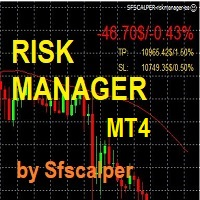
RISK CONTROL MANAGER
Now You can have the same control over risk management as big trading rooms, institutional investors and hedge funds. Managing risk is a fundamental operation for your brokerage. Choose your maximum desired risk exposure in percentage to Your account, set it on the RISK CONTROL MANAGER, the EA will check and make sure that You'll never exceed that. When You ignore the trading risk, and you leave your operations open, that potentially could lead to catastrophic trade expos
MetaTrader 마켓은 MetaTrader 플랫폼용 애플리케이션을 구입할 수 있는 편리하고 안전한 환경을 제공합니다. Strategy Tester의 테스트를 위해 터미널에서 Expert Advisor 및 인디케이터의 무료 데모 버전을 다운로드하십시오.
MQL5.community 결제 시스템을 이용해 성능을 모니터링하고 원하는 제품에 대해 결제할 수 있도록 다양한 모드로 애플리케이션을 테스트할 수 있습니다.
