Sopheak Khlot
Sopheak Khlot
3.6 (3)
  • 情報
2 年
経験
14
製品
6
デモバージョン
0
ジョブ
0
シグナル
0
購読者
MT4とMT5の両方のEA開発サービスを提供しています。
Telegramグループチャット: https://t.me/bestforexscript
Sopheak Khlot
Sopheak Khlot
It happened last night in my country and I was sleeping. This is how I would combine the Triplet Cloud indicator with ICT concept.
Sopheak Khlot
スクリーンショットの投稿
Short Opportunity on NZDUSD M5 with Triplet...
NZDUSD, M5FTMO Global Markets LtdShort Opportunity on NZDUSD M5 with Triplet Cloud MTF
Sopheak Khlot
スクリーンショットの投稿
XAUUSD M5 Entry for 05 May 2025
XAUUSD, M5FTMO Global Markets LtdXAUUSD M5 Entry for 05 May 2025
Sopheak Khlot
スクリーンショットの投稿
If it hit SL, that's a valid loss.
USDJPY, M5FTMO Global Markets LtdIf it hit SL, that's a valid loss.
Sopheak Khlot
スクリーンショットの投稿
This is how we can avoid fake signal with...
XAUUSD, M15FTMO Global Markets LtdThis is how we can avoid fake signal with Triplet Cloud MTF
Sopheak Khlot
Sopheak Khlot
Range BreakOut Indicator for both MT4 and MT5!
Sopheak Khlot
スクリーンショットの投稿
AUDUSD 01-May-2025: Applied the ICT Concept...
AUDUSD, M5FTMO Global Markets LtdAUDUSD 01-May-2025: Applied the ICT Concept guided by then trend of Triplet Cloud MTF.
Sopheak Khlot
スクリーンショットの投稿
EURUSD SELL Limit on 29 April 2025. Trend...
EURUSD, M5FTMO Global Markets LtdEURUSD SELL Limit on 29 April 2025. Trend changed to Bearish + Liquidity Taken + Price closed below the Entry Line.
Sopheak Khlot パブリッシュされたプロダクト

Triplet Cloud MTF is an indicator for trend-following strategy. It presents the trend in HTF from the LTF Chart that allows traders focus on looking for trade entry in the right direction and increase striking rate. It comes with simple input setup. You will only need to choose HTF you want to follow its trend and set the alert setup, then all is set. Here are the mostly selected HTF setup for each of entry timeframe: M1 Entry   : M15 Trend M5 Entry   : H1 Trend M15 Entry   : H4

Sopheak Khlot パブリッシュされたプロダクト

Triplet Cloud MTF is an indicator for trend-following strategy. It presents the trend in HTF from the LTF Chart that allows traders focus on looking for trade entry in the right direction and increase striking rate. It comes with simple input setup. You will only need to choose HTF you want to follow its trend and set the alert setup, then all is set. Here are the mostly selected HTF setup for each of entry timeframe: M1 Entry : M15 Trend M5 Entry : H1 Trend M15 Entry : H4 Trend H1 Entry : D1

Sopheak Khlot
Sopheak Khlot
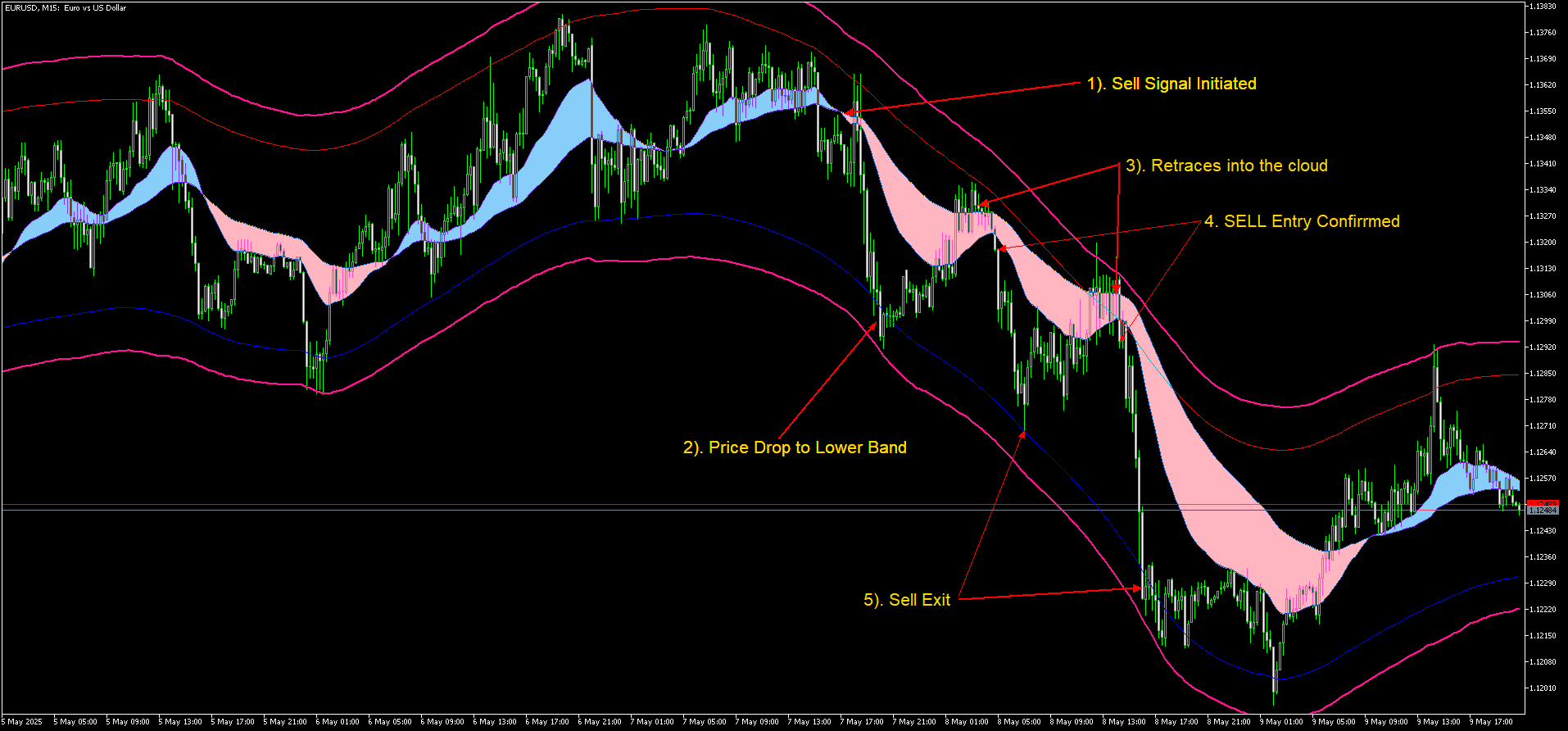
Newly coded indicator namely MA Trend Cloud indicator is designed for trend-following strategy.
Sopheak Khlot パブリッシュされたプロダクト
レビュー: 1
FREE

As the suggested, with this indicator you are able to switch from one symbol or timeframe to another in the same single chart. So forget about opening tons of chart on your screen! It's not designed for ICT or SMC trader, but if you are that kind of trader you still can use it. Imagine you have a strategy containing various indicators and settings, on a single chart you can screen the entry opportunity then move to the next symbol or timeframe.  

Sopheak Khlot パブリッシュされたプロダクト

As the suggested, with this indicator you are able to switch from one symbol or timeframe to another in the same single chart. So forget about opening tons of chart on your screen! It's not designed for ICT or SMC trader, but if you are that kind of trader you still can use it. Imagine you have a strategy containing various indicators and settings, on a single chart you can screen the entry opportunity then move to the next symbol or timeframe.  

Sopheak Khlot パブリッシュされたプロダクト

60.00 USD

ICT Traders! Here's another cool Indicator that will allow to trade the HTF narrative while focus on price action on your entry timeframes.  The following are the input for setup the indicator: Maximum Bar: The number of HTF bar you want to display Bullish Candle: The color of the bullish candle Bearish Candle: The color of the bearish candle Border Width: the width of the HTF candle drawn on the chart

Sopheak Khlot
Sopheak Khlot
An example of how to trade with daily bias using HTF Candle indicator.
Sopheak Khlot パブリッシュされたプロダクト

ICT Traders! Here's another cool Indicator that will allow to trade the HTF narrative while focus on price action on your entry timeframes.  The following are the input for setup the indicator: Maximum Bar: The number of HTF bar you want to display Bullish Candle: The color of the bullish candle Bearish Candle: The color of the bearish candle Border Width: the width of the HTF candle drawn on the chart

Sopheak Khlot パブリッシュされたプロダクト

As an ICT or SMC trader you must do top-down analysis, and you struggle to make template of drawing object on Metatrader just like you normally do on Tradingview. Well, Drawing Assistance indicator will make your top-down analysis much easier on Metatrader. Allow to design template for 3 timeframes. (HTF, MTF and LTF). Each objects drawn on chart will have the color, style and visibility individually by the timeframe it was drawn on. Save time as all analyzing is done on Metatrader chart

Sopheak Khlot パブリッシュされたプロダクト
レビュー: 1
60.00 USD

As an ICT or SMC trader you must do top-down analysis, and you struggle to make template of drawing object on Metatrader just like you normally do on Tradingview. Well, Drawing Assistance indicator will make your top-down analysis much easier on Metatrader. Allow to design template for 3 timeframes. (HTF, MTF and LTF). Each objects drawn on chart will have the color, style and visibility individually by the timeframe it was drawn on. Save time as all analyzing is done on Metatrader chart

Sopheak Khlot パブリッシュされたプロダクト

Session Liquidity is the most anticipated trading strategy among the ICT trader. With this indicator you could frame the trade by simply deploying it on the chart. By simply inputting the Asian Opening Time, New York Opening Time, and choose the color option and display option you like then you will get the session laid down for you on the chart. You can choose between showing session as box or horizontal line. I personally trade this strategies for quite sometimes

Sopheak Khlot パブリッシュされたプロダクト

Session Liquidity is the most anticipated trading strategy among the ICT trader. With this indicator you could frame the trade by simply deploying it on the chart. By simply inputting the Asian Opening Time, New York Opening Time, and choose the color option and display option you like then you will get the session laid down for you on the chart. You can choose between showing session as box or horizontal line. I personally trade this strategies for quite sometimes