Gayan Indika Honnanthara Acharige
  • 情報
no
経験
7
製品
2
デモバージョン
0
ジョブ
0
シグナル
0
購読者
友達 1
Gayan Indika Honnanthara Acharige
パブリッシュされた投稿GTM EA Bot Studio - User Guide
GTM EA Bot Studio - User Guide Drag-and-drop Expert Advisor builder for MetaTrader 5 · guide for v1.42 This post holds the full user guide of GTM EA Bot Studio - Drag and Drop EA Builder https://www.mql5.com/en/market/product/199216...
Gayan Indika Honnanthara Acharige パブリッシュされたプロダクト

GTM EA Bot Studio MetaTrader 5用ドラッグ&ドロップ式エキスパートアドバイザービルダー · v1.42 GTM EA Bot Studio は、MetaTrader 5の中で動作するロボットビルダーです。チャート上のワークスペースに色付きのブロックをドラッグして独自のエキスパートアドバイザーを作成し、そのチャートでテストしてライブ稼働させます。コード不要、MetaEditor不要、コンパイル不要です。 ユーザーガイド: ステップバイステップの完全なガイド(英語およびシンハラ語のPDF)は、私のブログ記事にあります: 使い方 - 3つのステップ 作成。 WHENブロック(例:"WHEN a new candle opens")をドラッグし、フィルターを追加し、"EMA 9 crosses above EMA 21"のような条件を持つIFと、BUYまたはSELLを追加します。任意の数値をクリックすると新しい値を入力できます。 テスト。 Testを押すと、ボットが過去のローソク足で実行され、すべての取引がチャート上に描画されます -

Gayan Indika Honnanthara Acharige パブリッシュされたプロダクト

GTM Bot Maker builds an Expert Advisor from ready blocks, right on the chart. Choose an entry, switch on filters, set the exits and the risk, preview the result on past candles - then switch the EA on. No MQL5, no code editor, no compiling. Everything is changed live from the panel, by /commands, or by describing the idea to an AI with your own key.   ━━━━━━━━━━━━━━━━━━━━━━━━━━━━━━ ■ HOW IT WORKS - THREE STEPS 1. Build - open BUILDER. Pick one of 4 entry types, switch on any of 15 filters

Gayan Indika Honnanthara Acharige パブリッシュされたプロダクト

GTM Journal turns the trade history already sitting in your terminal into a journal you will actually read. Every closed position is rebuilt from your deal history — entry, exit, the stop that was set when you opened it, where that stop finished, the best and worst price the trade ever saw — and laid out across ten pages inside one draggable panel. Nothing is typed in twice. Nothing leaves your computer. It does not trade. It opens no positions, modifies nothing and sends no orders. It reads

Gayan Indika Honnanthara Acharige パブリッシュされたプロダクト

1つのチャートに8本の移動平均線を表示し、指定した2本が交差するたびに買い/売り矢印を表示。設定ダイアログを開かずにコントロールパネルから直接操作可能です。 ● 口座へのアクセス権限は一切ありません。 これはインジケーターです。チャートへの描画とアラート通知のみを行い、注文の発注・決済・変更は行いません。 入力パラメータ (Input parameters) General Applied price (all lines) [初期値: PRICE_CLOSE] — 移動平均線の計算に使用する価格。 Bars to calculate [初期値: 3000] — 計算対象とするバーの数。 Remember settings per timeframe [初期値: true] — 時間足ごとに設定を保存。 Signal FAST line number (1-8) [初期値: 1] — 短期移動平均線の番号。 SLOW line number (1-8) [初期値: 4] — 長期移動平均線の番号。 Signal only on a closed bar [初期値: true] —

Gayan Indika Honnanthara Acharige
Deleted topic "GTM Panel Pro — a manual trade manager for MetaTrader 5"
Deleted by moderator Vladislav Boyko from category General Reason: Advertising and discussion of market products are not allowed on the forum. GTM Panel Pro   is a manual trade management panel for MetaTrader 5. It does not open trades on its
Deleted topic "GTM Panel Pro — a manual trade manager for MetaTrader 5"
Gayan Indika Honnanthara Acharige パブリッシュされたプロダクト

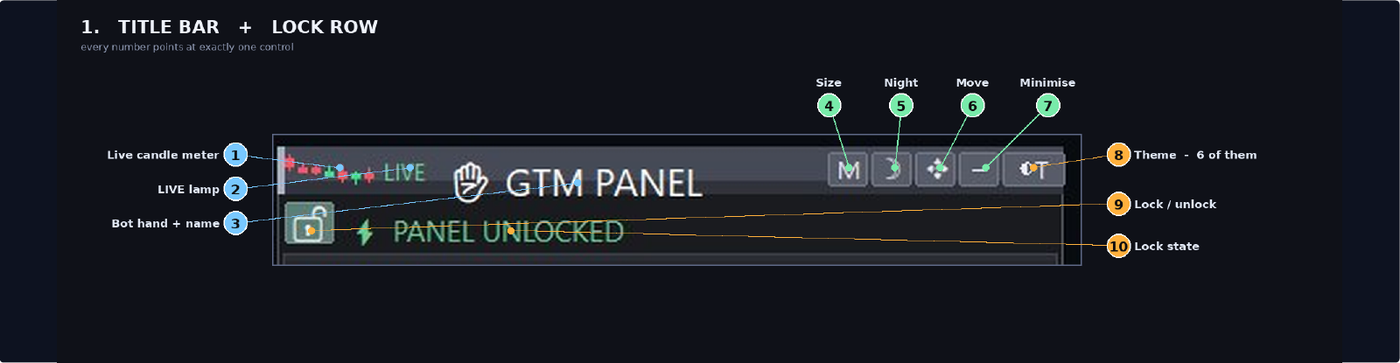
GTM PANEL PRO is a manual trade-management control panel for MetaTrader 5. It does not open trades on its own and it does not predict anything. It gives you a cockpit: you decide, and the panel executes, protects and reports — in one click instead of ten. It was built for the trader who is already good at reading a chart but keeps losing money to the mechanics of trading: the stop that was never set, the basket that had to be closed one trade at a time, the pending order typed at the wrong

Gayan Indika Honnanthara Acharige パブリッシュされたプロダクト

GTM Panel は、MetaTrader 5 専用の 手動トレード管理パネル です。シグナルを自動生成したり、独自にエントリーを行ったりすることはありません。売買の判断とタイミングはすべてトレード自身が行い、パネルはワンクリックで注文の発注、決済、損切り・利確設定、追跡を正確に実行します。 本パネルは、多くのツールで見落とされがちな核心機能である 指値・逆指値注文(Pending Orders) を中心に設計されています。MARKETスコープの隣には、4つの独立した指値スロット(L1〜L4)が用意されています。各スロットには専用のカラー、価格、ロット、SL、TP、およびチャートラインが割り当てられています。5つのスコープすべてを同時に視認できるため、どの注文を編集しているか迷うことはありません。 ご購入前の注意事項 — 本製品の概要 本製品は トレード管理ユーティリティ

Gayan Indika Honnanthara Acharige パブリッシュされたプロダクト

GTM PANEL PRO は、MetaTrader 5 専用のマニュアルトレード管理コントロールパネルです。自動でトレードを開始したり、価格を予測したりすることはありません。コックピットのように、1回のクリックで実行、保護、レポートを行います。 チャート分析が得意であるにもかかわらず、注文の遅れ、1筆ずつの手動決済、誤った価格での指値注文、手動での決済ライン移動による機会損失など、 トレードの操作面 で損失を出してしまうトレーダーのために開発されました。 🔧 まずはお試しください — 無料デモはストラテジーテスターで動作します MQL5の仕様上、エキスパートアドバイザーのデモ版はライブチャートでは動作しません。すべての機能を無料で試す手順: 1.  デモ版をダウンロード を押し、ストラテジーテスターを開きます ( Ctrl + R ) 2.  エキスパート: GTM PANEL PRO  ·  通貨ペア指定  ·  M5  ·  期間を選択 3.