Daniel Stein
Daniel Stein
4.7 (728)
  • 情報
12+ 年
経験
29
製品
2344
デモバージョン
9
ジョブ
0
シグナル
0
購読者
Founder において Stein Investments
Your rules. Our tools.

Since 2013 I have built tools for the gaps I saw. And I use them myself. That toolkit has grown to over 20 products, and around it an ecosystem that answers the questions tools alone leave open: What is the market doing right now? Which EA deserves your trust? And does your trade plan hold up?

TRADING TOOLS
Currency strength (FX Power, IX Power), momentum (Power Candles and Scanner), levels, volume, smart stops, the Yukon gold EA, and the Premium Trade Manager for professional execution. Built for professionals, improved continuously.

REVDEN
Reads the trading day across forex, gold, indices, crypto and stocks and gives every symbol a state word with its meaning and its boundary.
https://revden.io

ALGOCHECK
Reviews MQL5 expert advisors and public signals against measured facts.
https://algocheck.net

MAX
Knows every tool, every setting and every strategy we publish. Ask him about your setup before you take it.

Every purchase opens the door to our customer group on Telegram. Everything comes together at stein.investments.

https://stein.investments
https://youtube.com/@SteinInvestments
Daniel Stein
Daniel Stein
One ordinary week in gold was enough to wipe out accounts

Between October 7 and 9, nine buyers of Quantum Queen X reported on the product page that the EA wiped out their account or came close. The accounts they named ranged from 700 EUR to 4,500 USD.

An ordinary market was enough: from the last closed trade on the vendor's signal on September 30 to the day's low on October 7, gold fell 110 USD. Across a whole week, that is only slightly more than gold moves on an average day (about 98 USD).

The EA sits at rank 2 on the MT5 bestseller list and sells for 1,199.99 USD. As of October 10, one of the nine reviews shows neither text nor stars. Our archive kept it.

The MQL5 Market Report, week 41, with the full analysis:
https://algocheck.net/report/2026-w41
Daniel Stein
Daniel Stein
🎬Premium Trade Manager has its film. Sixty seconds, one gold trade, from the plan to the trailing stop.

Every other trade manager executes your click. This one weighs it first.

✅ Drag the stop, the lot size follows, and your risk stays exactly what you set.

✅ Max reads this exact setup against your live account. The decision stays yours.

✅ One click on Execute, and the panel takes over. The trailing stop carries the rest.

🚀Version 3.3 is in the MQL5 Market too: Break-Even runs alongside every trailing method, Max answers while the manager keeps working, and Smart Stop works for sells, spread included. If you own it, 3.3 is a free update.

New to it? One-time purchase, lifetime updates, and every purchase comes with two months of Max as your coach.

Daniel

👉 https://stein.investments/products/premium-trade-manager
Daniel Stein
Daniel Stein
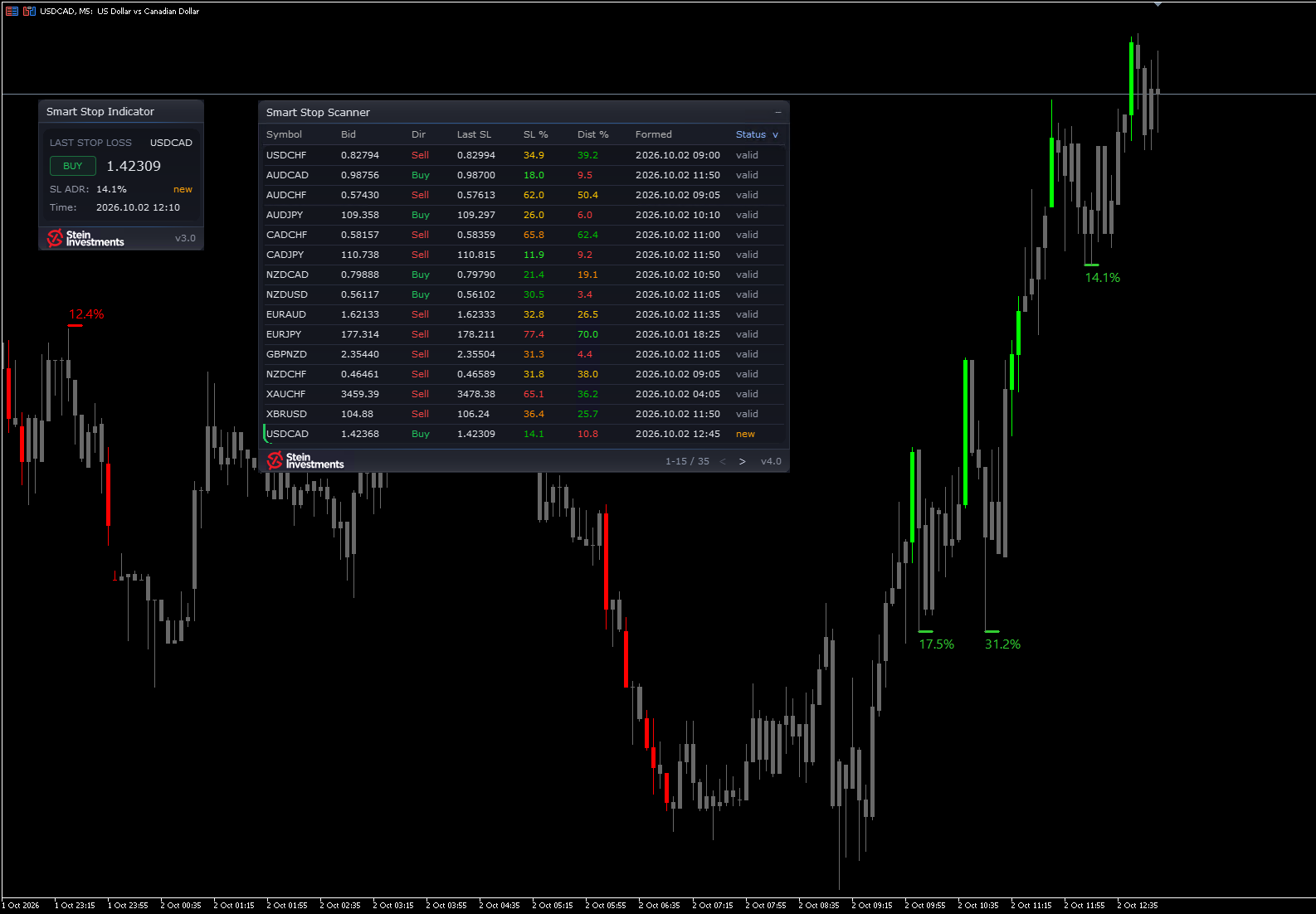
🚀Smart Stop Scanner 4.0 scans your Market Watch, live.

The symbols you trade already sit in your Market Watch. So I made it the scan. And the panel now wears the glass design of the Smart Stop Indicator 3.0.

✅ Change your Market Watch and the scan follows. An Include or Exclude list narrows it down.

✅ Behind the gear sits a settings page: hide broken stops, show only new ones, switch alerts and their channels.

✅ Short stops include the spread, by the same rule as the Smart Stop Indicator since 3.0.

✅ Every alert is one line: symbol, timeframe, event, stop and scanner name.

✅ The panel is there the moment you attach it and fills symbol by symbol.

✅ Click a row and the chart switches to that symbol. With the Smart Stop Indicator on it, you see the level drawn.

If you own the scanner, 4.0 is a free update in the MQL5 Market. New to it? This week it is 79 USD instead of 99, until Sunday 11 October. Have a look.

Daniel

👉 https://stein.investments/products/smart-stop-scanner
Daniel Stein
Daniel Stein
The Smart Stop Indicator got a new panel this week, and short stops now include the spread.

The panel now has the same Glass layout as Power Candles. The stop level is the largest figure on it, in white, with BUY in green or SELL in red beside it, so where your last stop sits is the first thing you read.

A short is stopped out on the Ask. So the sell stop line, the panel level and the alerts now sit the normal spread above the swing high. A trader asked me for this.

The chart stays responsive however many stop levels it shows. Six fixes keep the ADR labels readable, give each status its own colour and let your EA read the levels with the candle colouring hidden.

Version 3.0 is in the MQL5 Market now, free for every owner. And until Sunday, 4 October, 23:59 CEST, the new version comes at the series price: 59 USD instead of 79.

Daniel

👉 https://stein.investments/products/smart-stop-indicator
Daniel Stein
Daniel Stein
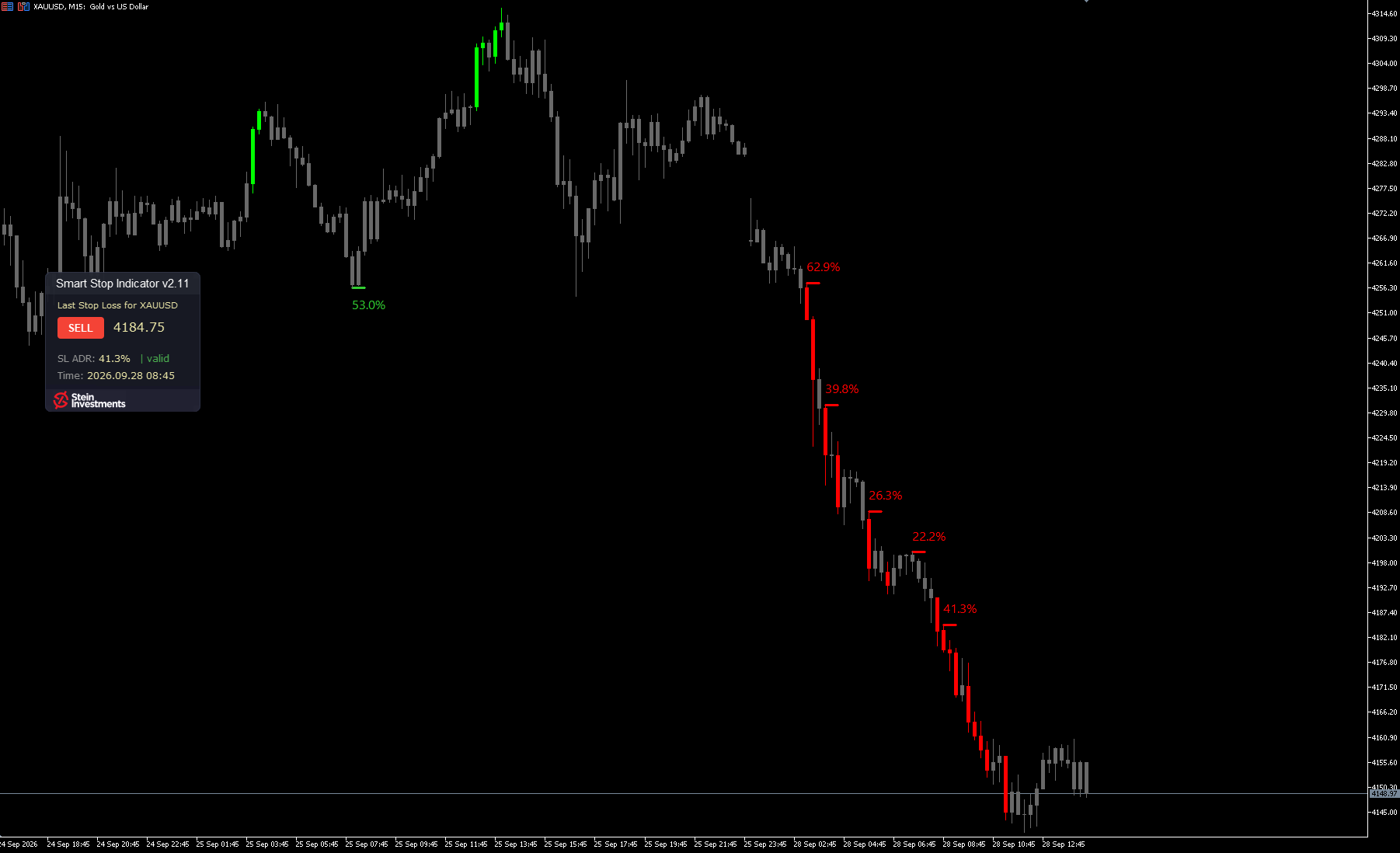
Your stop at the level the chart actually gives you.

My stop methods had proven themselves, and still they sometimes took me out too early. So I built a stop that reads the market structure and moves with it.

The Smart Stop Indicator shows the most recent valid stop level on your chart, for BUY or SELL: the exact price, its distance as a share of the daily range, and its status live: new, valid or broken. Alerts tell you when a new level forms and when one breaks, and broken levels turn grey in the panel, so the valid one stands out. I spent a long time on this one aspect of trading, and it became one of my favorite products.

A new structure takes a little longer, and until it forms, the indicator waits. The call on the trade stays yours. It runs in MetaTrader 5, on every timeframe.

This week it is 59 USD instead of 79, until Sunday 4 October. Have a look.

Daniel

👉 https://stein.investments/products/smart-stop-indicator
Daniel Stein
Daniel Stein
Sentiment is live in REVDEN.

Who is on which side of a pair? The answer sits in three places: the regulator's weekly report for the large funds, the futures exchange for the active trades of the last trading day, the spot market for the live positions of retail traders. The new sentiment overview puts all three side by side, one row per pair, for the seven major pairs and gold.

✅ Large funds, exchange flow and retail traders, each from its own source
✅ Funds and retail traders on one scale of seven classes, next to the state of a week ago
✅ When all three sit on the same side, the row shows it at a glance
✅ Its own page in REVDEN, plus the detail on each of the eight symbol pages

Pro and VIP see all three players live, and a free account shows the eight rows with each pair's weekly move.

👉 Sentiment overview: https://revden.io/sentiment
→ The film, from the sentiment scene: https://youtu.be/EAr28q9dAqw?t=54
→ The whole series: https://www.youtube.com/playlist?list=PLKm-ziHHBYxw
Daniel Stein
Daniel Stein
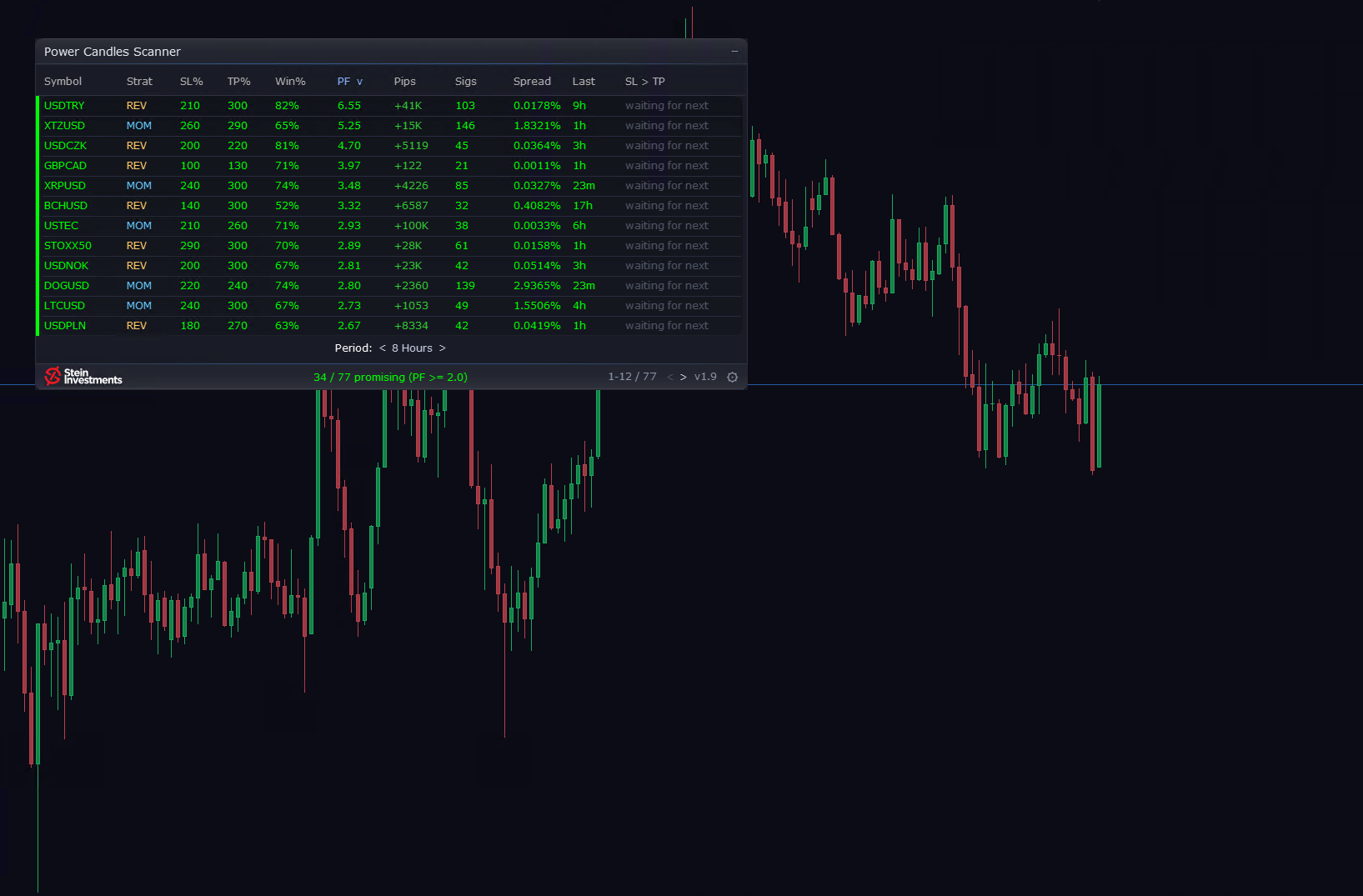
The Scanner now fills its list in about 80% less time than before. Two free updates this week.

Attach the Power Candles Strategy Scanner and the panel is there at once. The list fills in one continuous pass, also after a change of calculation period. I timed it on my own terminal and rounded the figure down.

The same update brings five requests from traders: a panel that folds to one line, alerts that carry the scanner's name, a minimum historical win rate, a spread column and two more filter fields.

The second update lets you click through the list freely. Each chart keeps its calculation period through a symbol click and a restart, and each alert comes once, however often you click. The first scan only fills the list, every alert after it reports a change.

Both are in the MQL5 Market now, free for every owner.

The series price runs until Sunday, 27 September, 23:59 CEST: 111 USD instead of 139.

Daniel

👉 https://stein.investments/products/power-candles-scanner
Daniel Stein
Daniel Stein
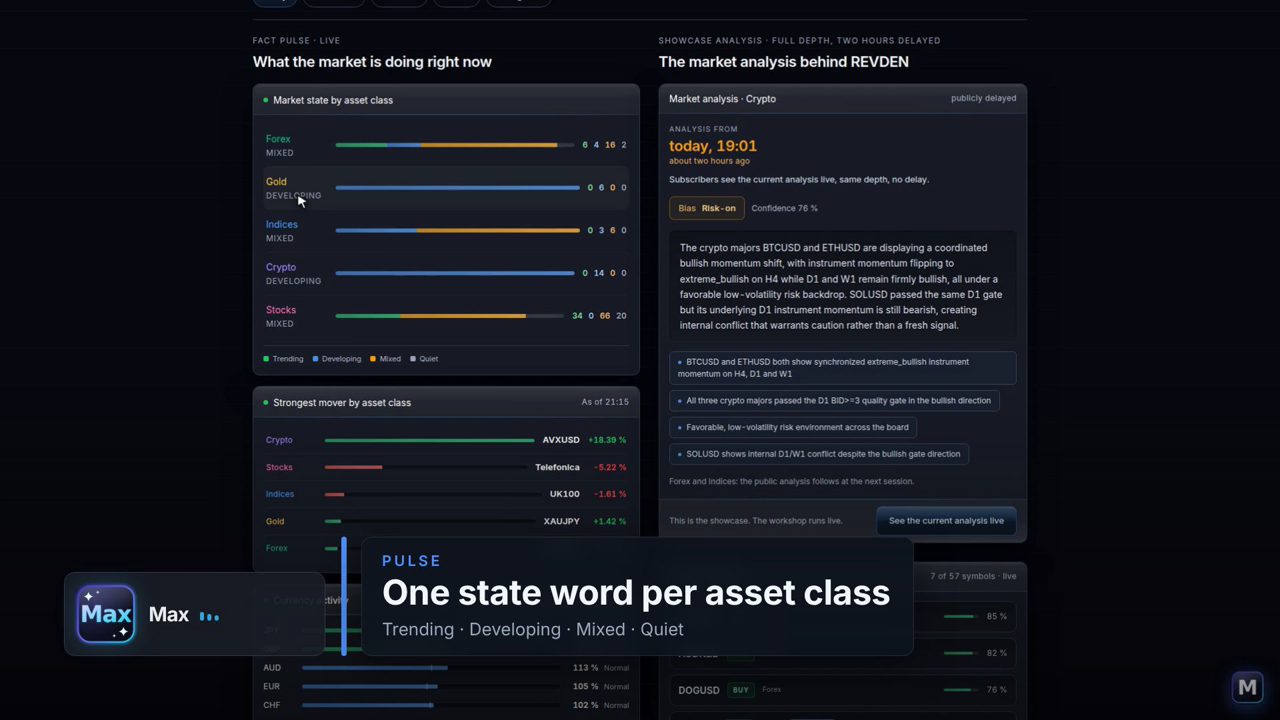
What is the market doing today, and which part of it concerns me?

Max walks through REVDEN in one take: every page gives the market a state word, says what it means today and where the label stops. Nine pages in the order of a trading day, from the pulse to Max in the portal, around four minutes.

The futures exchange in the market picture, the calendar read for your symbols, the whole signal population in Intelligence, and at the end Max answers with the same words.

Watch the tour, then look at today's symbol.

👉 The tour on YouTube: https://youtu.be/DgCC0x01UJc
→ The tour on our own page: https://stein.investments/videos#tour
→ Today's symbol, free: https://revden.io/today

REVDEN reads the trading day and names the state. Trading involves risk.
Daniel Stein
Daniel Stein
The first chart after install now opens on the tested setup. Power Candles 4.5, a Friday update.

In the first minute after install the chart and the Auto-Optimizer table could show two different setups, the standard one on the chart and the tested one in the table. Needless confusion, spotted thanks to your feedback, and 4.5 clears it up.

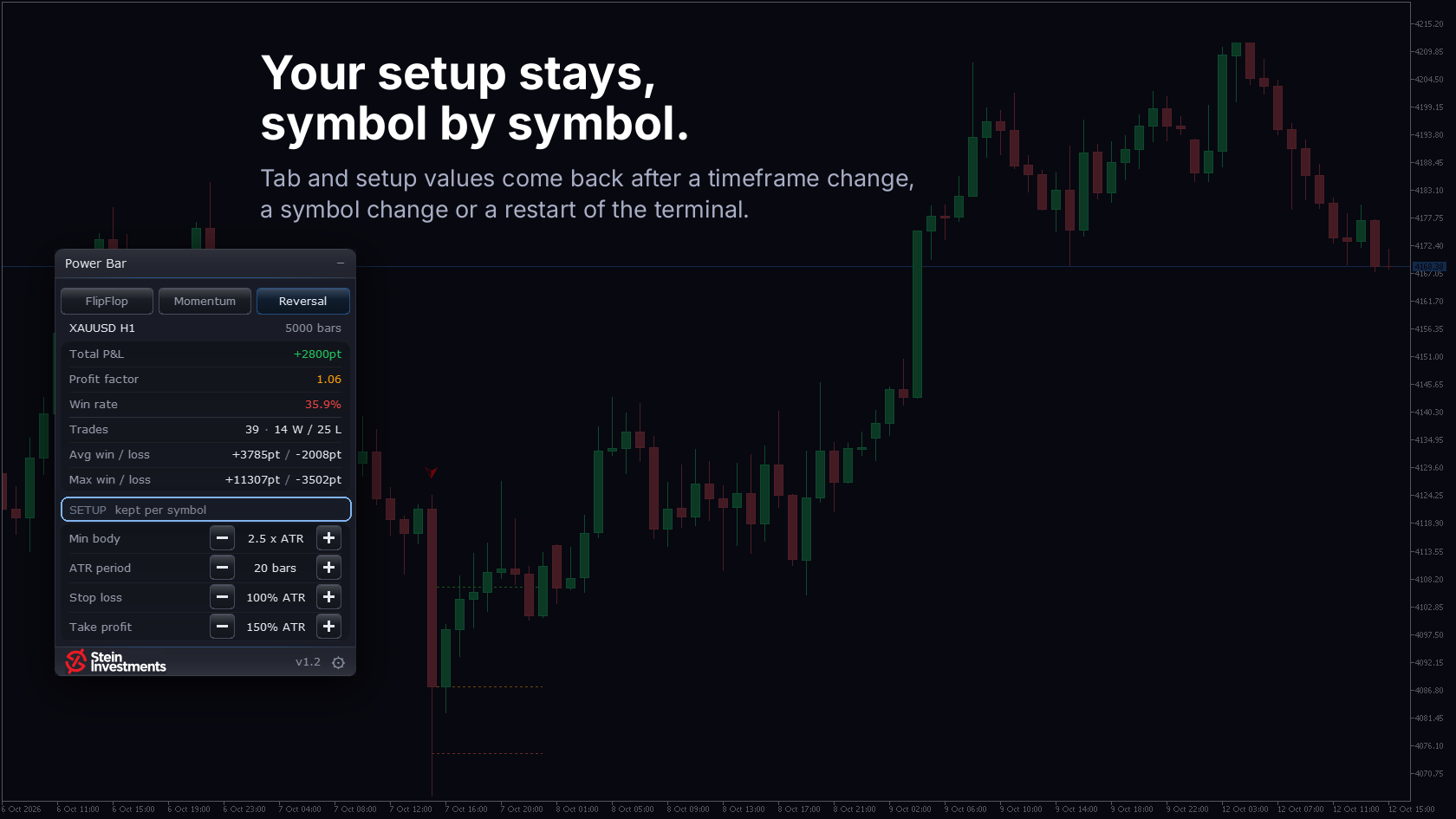
Auto-apply best is now on by default. The chart lands on the setup that measured best on its own past candles and follows the optimizer from there, once an open signal has closed. Off in Settings if you want the chart to hold.

Four more things went into 4.5. After a setup change the next new arrow is the next signal, and the panel reads "waiting for next" until it arrives. A signal whose stop would sit under the spread floor stays off the chart and out of the optimizer (new input "Min SL (x spread)"). The panel folds to one line with a click on the header glyph, setup and signal state stay visible. And the indicator is lighter on busy charts: a new bar is drawn from what it already knows.

Version 4.5 is in the MQL5 Market now, a free update.

The series price runs until Sunday, 20 September, 23:59 CEST: 79 USD instead of 99.

Daniel

👉 https://stein.investments/products/power-candles
Daniel Stein
Daniel Stein
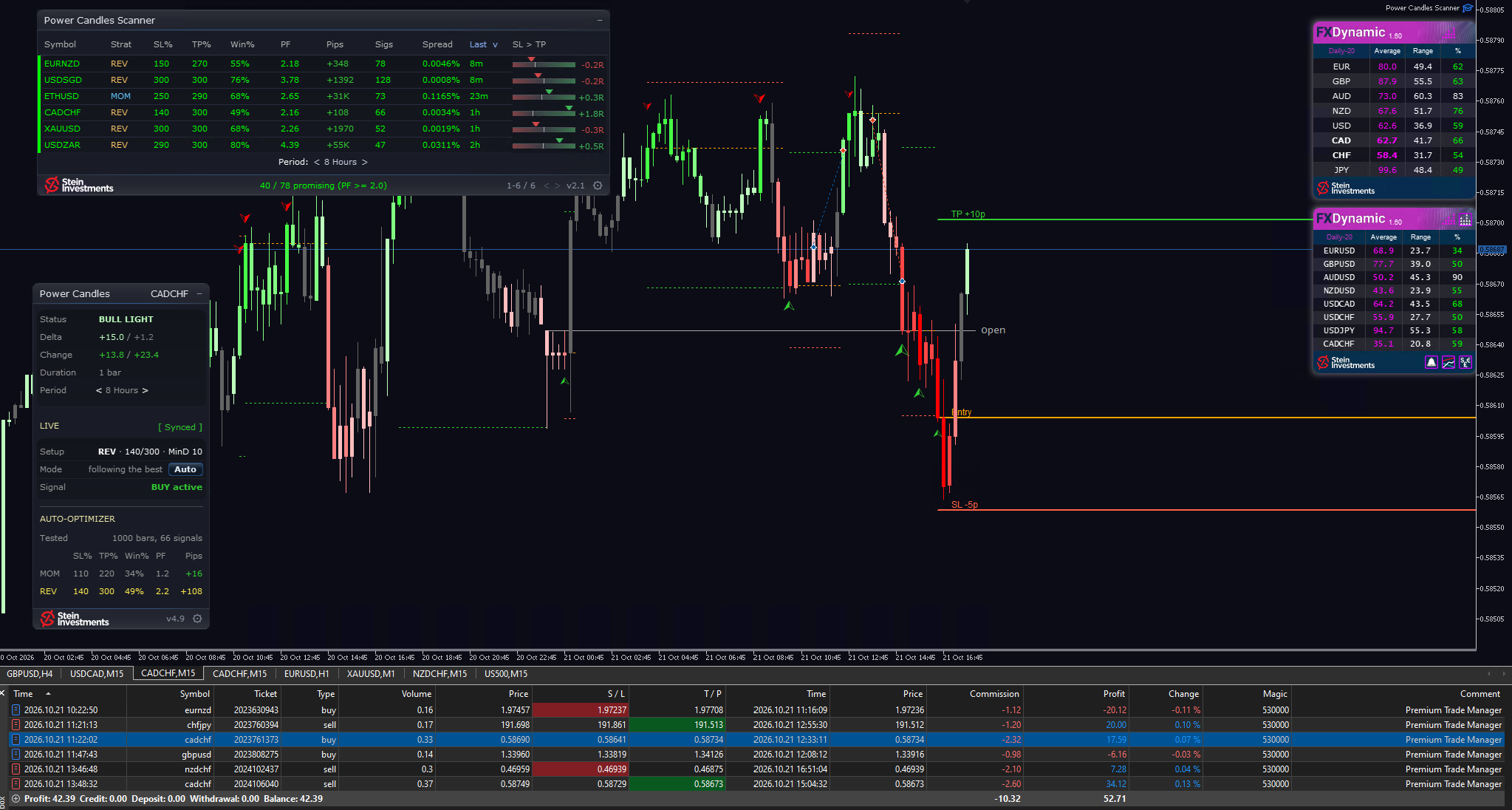
The strength sits in the candle, and the indicator finds its own best settings.

Strength indicators used to live in a sub-window, and I kept connecting line and candle by eye. So I put the strength into the candle itself: Power Candles colors it from dark red to dark green, and the chart reads at a glance.

While I built it, the indicator began testing its own strategies. On every closed bar it runs more than 3,000 trade simulations for the symbol and timeframe on your chart, and one click on Apply Best puts entry, stop and target at exact prices. On the Market it stands at 4.7 out of 5.

The best setup is the one that did best on the past candles of that chart, a record of history, and the call stays yours. It runs in MetaTrader 5, and the Market demo works in the Strategy Tester.

This week it is 79 USD instead of 99, until Sunday 20 September. Have a look.

Daniel

👉 https://stein.investments/products/power-candles
Daniel Stein
Daniel Stein
Stocks are live in REVDEN.

Reading one stock takes a chart, three moving averages, then the index and its sector next to it. Twenty names on a list, and the evening is gone. REVDEN now does that after every exchange close, for 120 stocks from the US (62), Europe (43) and the UK (15).

✅ Trend state: ordered up, ordered down, sideways or in transition, with the distance in ATR
✅ Relative strength against the home index and the stock's own sector basket, over 20 and 60 days
✅ 52-week band, day move, volatility and activity, as of the last exchange close
✅ The overview sorts all 120 by the same fields, every row opens the stock's daily structure

Prices come from the IC Markets CFD feed, and every label is computed from price structure alone. The whole field belongs to the VIP membership, and one stock a day stands open to everyone.

👉 Stock of the day: https://revden.io/demo/stock
→ All 120 (VIP): https://revden.io/stocks
→ Membership: https://stein.investments/membership
Daniel Stein
Daniel Stein
A trader asked for this on 3 September. It made sense, so news protection in 3.2 now covers the running position too.

The news guard in Premium Trade Manager already holds you back from a new entry around a high-impact release. The request: the same cover for the position that is already running while you are at work.

Version 3.2 adds Hard Close on News as an option, off until you switch it on. You set how many minutes ahead of the event it acts, and whether it reaches everything the panel manages or only the currency the release belongs to. Inside that window it closes at market and deletes the pending orders behind them.

Which releases count is decided by the impact we measured on how the market actually moved: critical and high.

It is in the MQL5 Market now, a free update.

The series price runs until Sunday, 13 September, 23:59 CEST: 89 USD instead of 111.

Daniel

👉 https://stein.investments/products/premium-trade-manager
Daniel Stein
Daniel Stein
Push is part of Pro now. VIP gets the Premium mark.

Push notifications belong to Pro with the same reach VIP has. A new signal in Forex or Gold, a setup on your watchlist that comes off the table, a high impact release ahead, a risk change on a symbol you follow: it reaches your device with the browser closed. You switch it on in Settings, tab Notifications.

Premium setups are the signals that have performed better than the average of all signals since February 2026. VIP sees the mark where the signal is, with the reason beside it. Pro sees how many are active right now.

The mark appears as soon as a setup meets the conditions, and the line under the active signals holds the count on the quiet days too.

The symbol workspace also has a new pair of tiles: Why now, and What ends it.

What you read there is an observation of what has already happened. The trading decision stays with you.

👉 https://revden.io/
Daniel Stein
Daniel Stein
The panel works out the size, Max takes the second look.

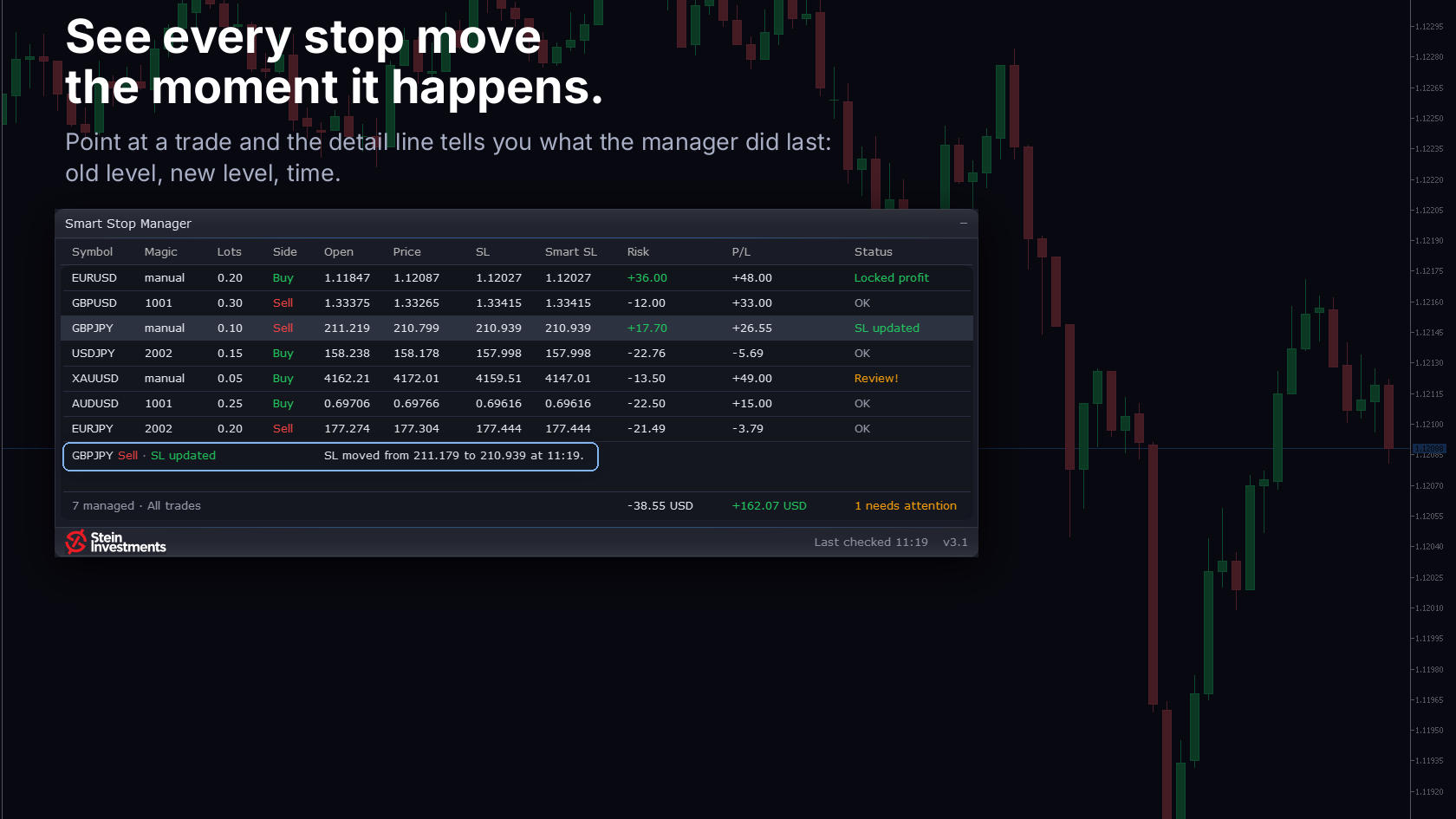
You have found the entry, and then the arithmetic happens in your head, against the wrong anchor. I built Premium Trade Manager for that moment: the lot comes out of your stop distance and the risk you set, and your risk stands in your account currency before you click. After the click it carries the exit, partials and trail, and holds new entries around heavy releases.

Max, the coach in the same panel, reads the trade you set up. More than 3,800 questions from over a hundred traders have reached him.

It lives in your MetaTrader 5 terminal and has more buttons than I first intended. On a terminal from build 6090 the Market demo drives the whole panel in the Strategy Tester; the calendar and Max join you on a live chart.

This week it is 89 USD instead of 111, until Sunday 13 September. Have a look.

Daniel

👉 https://stein.investments/products/premium-trade-manager
Daniel Stein
Daniel Stein
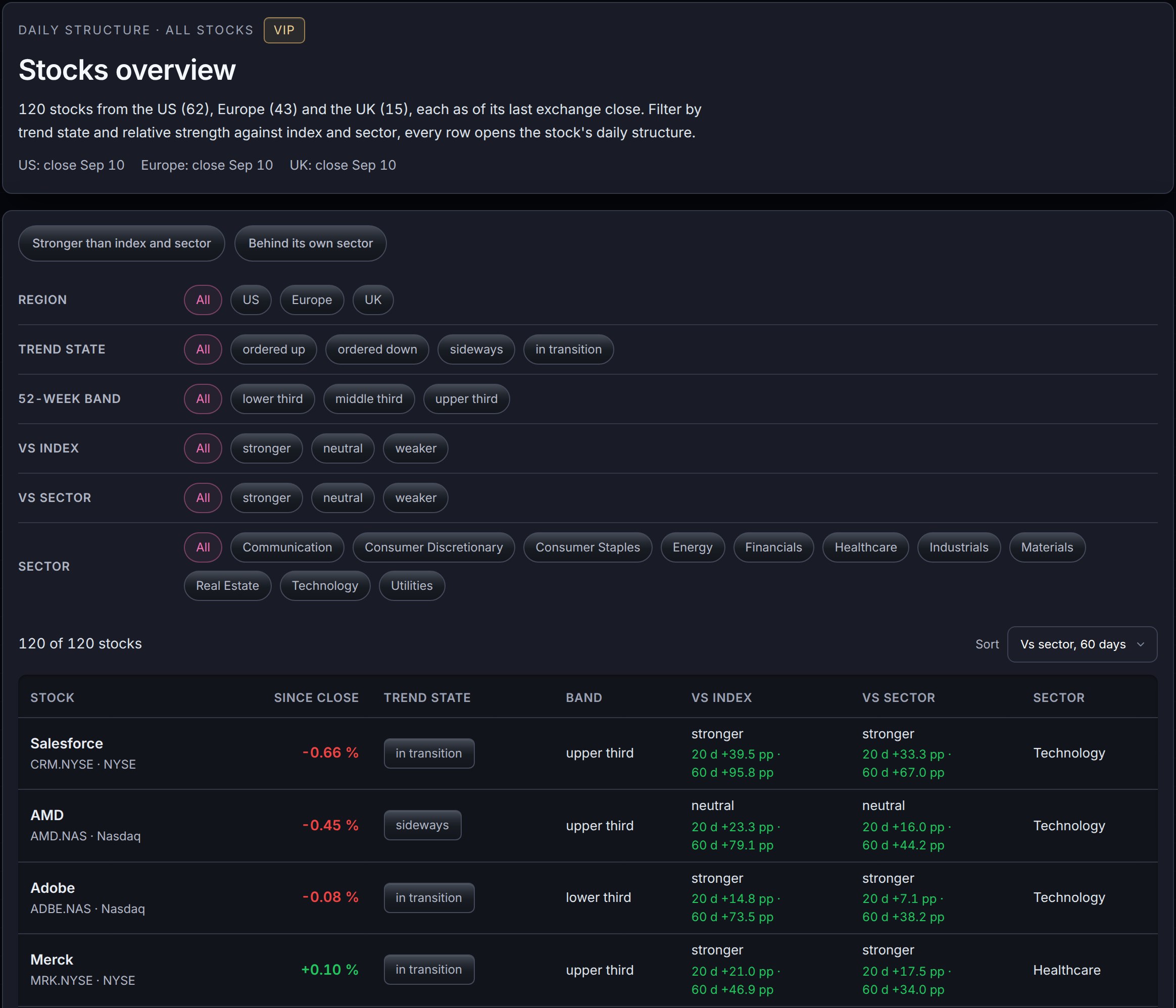
Stocks are coming to REVDEN.

From Saturday, September 12, REVDEN shows the daily structure for 120 stocks from the US (62), Europe (43) and the UK (15): trend state, 52-week band, day move, volatility and relative strength against index and sector, each as of its last exchange close.

The overview sorts the whole field with one click: which names run in an uptrend and lead their own sector, which ones trail it. Every row opens the stock's page with the full daily structure.

Included in the VIP membership. The image shows the overview as a draft.

Which names are on your list right now? Tell us in the group.

👉 https://stein.investments/membership
Daniel Stein
Daniel Stein
A sales page is written by the seller. A trade record is written by the market.

AlgoCheck has reviewed more than 750 published products against their own trade record. Since this week your trading assistant reads those reviews directly. Ask about the EA in your own words, the product name is enough, and back comes what we recorded, including how many dirty tricks the review found, plus the link to the full report.

Pro opens the review itself: the verdict, the red flags and the figures from the tracked trades. VIP places each figure among all published reviews with its rank and its band. One review is open in full to everyone, so the whole depth is there before you decide about a membership.

The endpoint is the one you already use. Your assistant now has a fourth tool.

👉 https://stein.investments/mcp
Daniel Stein
Daniel Stein
Your assistant asks. The judgement is already made.

In MT5, Claude or any other MCP client, your trading assistant answers a market question from what it remembers, or from a raw quote it has to interpret on the spot. Since today it can reach REVDEN instead.

One remote endpoint, three tools. The market state arrives as finished labels, classified on a standing run and refreshed every 5 minutes. The calendar grades each release by the reaction it produced, measured on 3,153 releases from 2021 to 2026, at 15 minutes, 1 hour and 4 hours. And new today, the Research Register: the measured verdicts from our own strategy work, with one entry open in full for everyone.

It answers keyless. Paste the URL into MetaTrader 5 from Build 6140, into Claude, ChatGPT or Cursor, or put it next to cTrader AI Agent Connect, then ask what the state of XAUUSD is. The first test takes a minute.

👉 https://stein.investments/mcp
Daniel Stein
Daniel Stein
The last trade of the day now knows your budget

Two losses behind you, a remainder of the day's budget still there. You set your risk to one percent, the way you always do. This is the moment that decides whether a mediocre day turns into an expensive one.

From version 3.1 on, Premium Trade Manager sizes the position against what is left of your loss budget: with a prop preset against the daily limit or the maximum drawdown, on your own account against the daily loss limit you set. If the budget only covers less, less goes out, and the pre-check row tells you why. If what is left falls short of the minimum lot, you get the reason instead of the order.

For that arithmetic to hold, the day's P/L now counts the trades you closed by hand in the terminal.

The update is free over the normal MetaTrader channel. And from this version on the tool is also available to rent, 30 USD a month, for everyone who wants to see it on their own account first. The purchase still brings two months of coach Max with it.

👉 https://stein.investments/products/premium-trade-manager
Daniel Stein
Daniel Stein
Three months live. Now three months to rent.

Yukon has been trading gold forward on three broker terminals for three months, every trade public and verified: IC Markets +4.4%, Tickmill +7.1%, FBS on a real cent account +6.7%. Between 60 and 76 closed trades per terminal, and the deepest drawdown of the three stood at 1.9%.

Since today there is a second way in: rent Yukon for three months at $199 on the MQL5 Market. The full EA with all four engines on your own account, and you decide which engines run. Three rentals cost what owning does. The purchase adds two months of coach Max and every future version.

Both open straight from the product page, live results included.

👉 https://stein.investments/products/yukon#pricing
Daniel Stein パブリッシュされたMetaTrader 5シグナル
「REVDEN News Intelligence」は利用できません