WallStreet Pro Analyzer

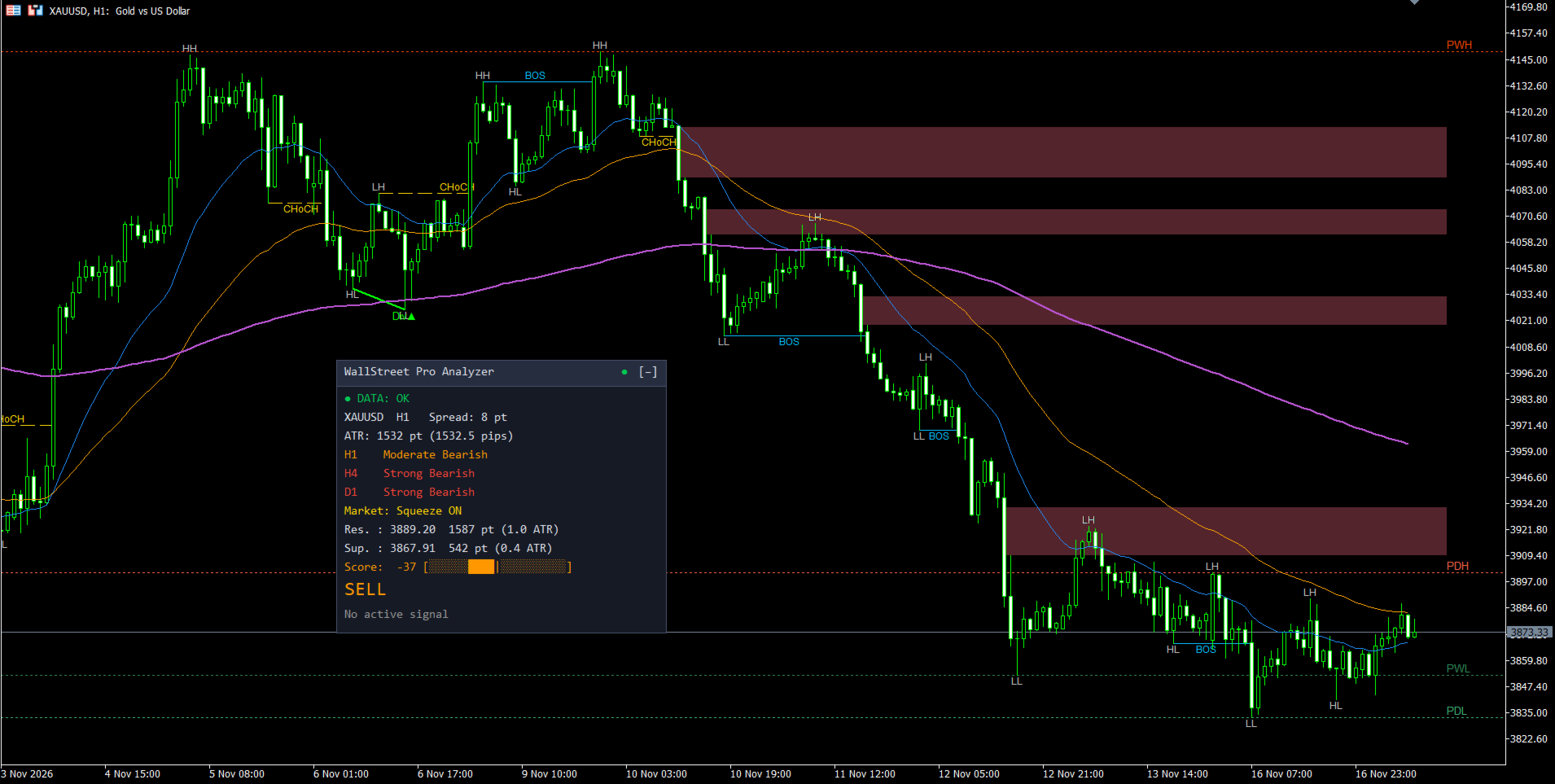
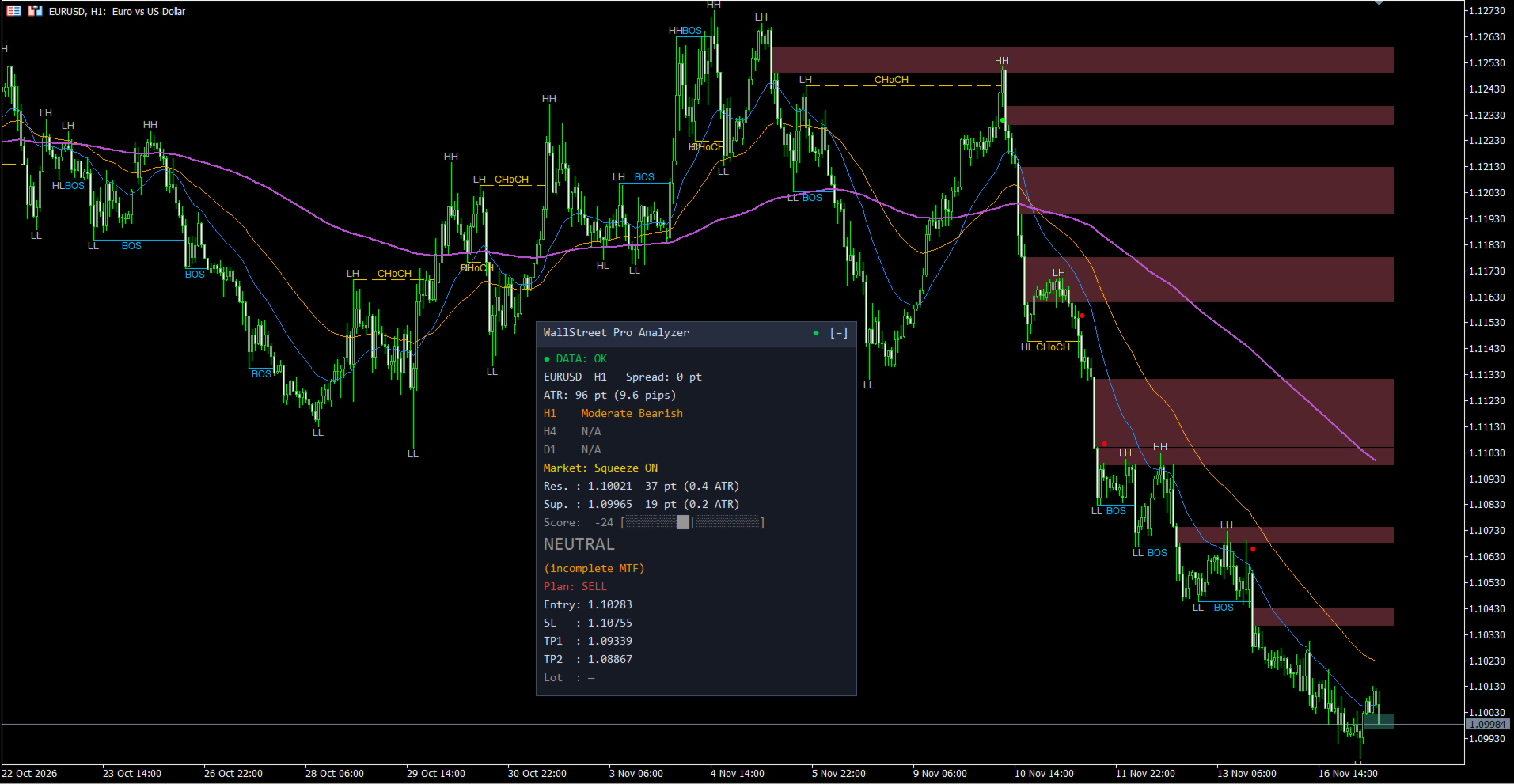
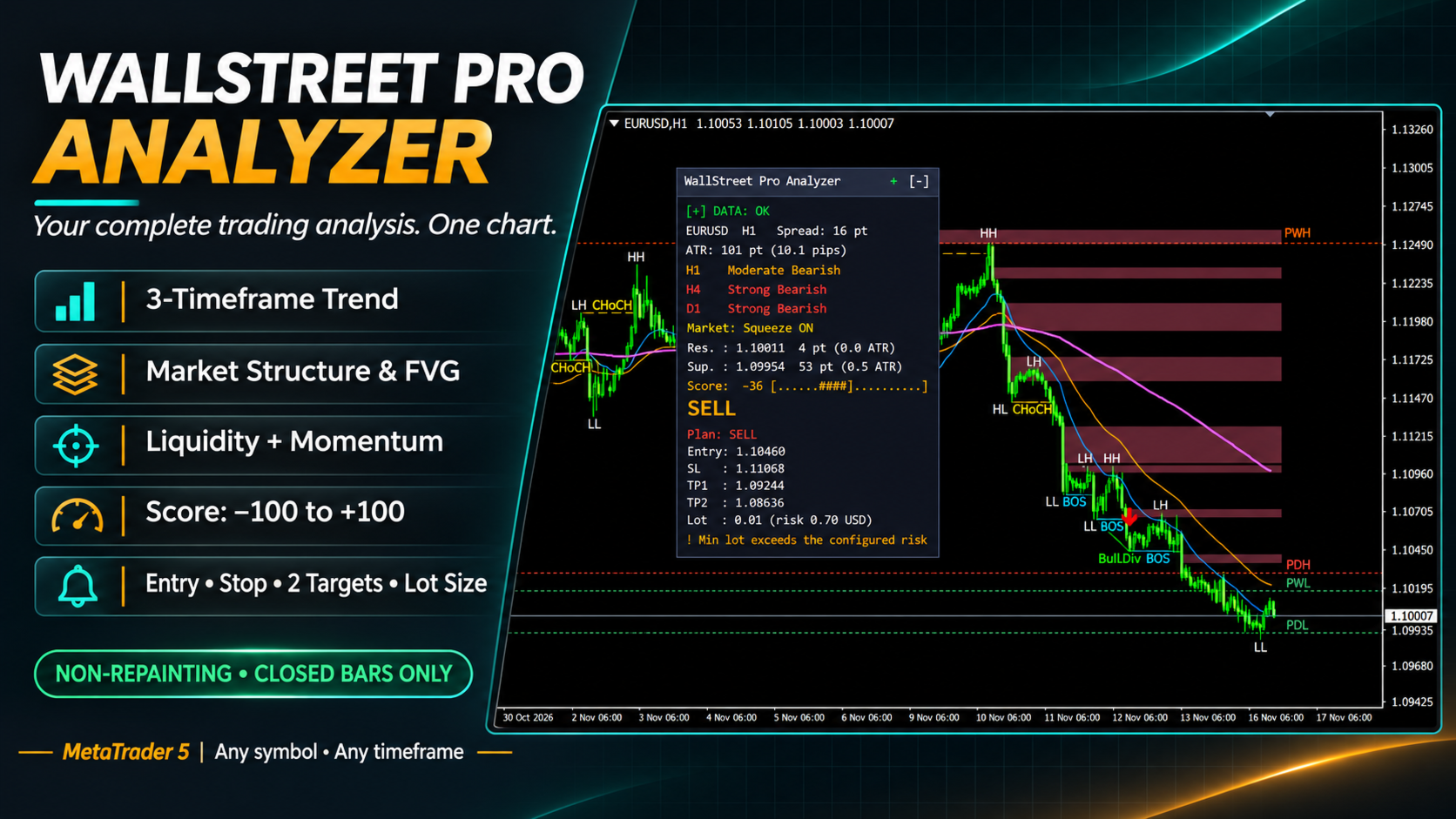
WallStreet Pro Analyzer は MetaTrader 5 用のインジケーターです。トレーダーがエントリー前に手作業で確認する内容を1つのチャートにまとめます。3つの時間足のトレンド、市場構造、不均衡ゾーン、流動性レベル、モメンタム、ボラティリティです。それらを -100 から +100 の1つのスコア、わかりやすい判定、そしてエントリー、ストップロス、2つの目標、ロットサイズを含む取引プランにまとめます。リペイントはしません。すべての計算は確定した足だけを使います。

ご注目 - プレゼント!ご購入後にご連絡いただければ、私のインジケーターをどれでも1つ無料で差し上げます!

インジケーターの仕組み

  • 3つの時間足のトレンド。 現在の時間足と2つの上位足で、トレンドの方向と強さを評価します。それぞれに「強い上昇」「穏やかな上昇」「レンジ」「穏やかな下降」「強い下降」「混在」のいずれかが付きます。現在の時間足の3本の EMA をチャートに表示できます。
  • 市場構造。 スイングの高値と安値に HH、HL、LH、LL のラベルが付きます。構造の方向へのブレイクは BOS、逆方向への最初のブレイクは CHoCH と表示されます。
  • 不均衡ゾーン (FVG)。 急な値動きで残った価格のギャップを矩形で描き、価格が埋めるまで右へ伸ばします。
  • 流動性レベル。 前日の高値と安値 (PDH、PDL)、前週の高値と安値 (PWH、PWL) を水平線で描きます。
  • モメンタムとダイバージェンス。 バックグラウンドでモメンタムを追跡し、価格とモメンタムが逆行したときにチャートへ線を描きます。
  • Squeeze。 ボラティリティの縮小と、そこから価格が抜け出すタイミングと方向を検出します。
  • スコアとシグナル。 すべてのブロックを1つの Score にまとめます。Score がシグナルのしきい値を越えると、確定した足に Buy または Sell の矢印が出ます。3つの時間足が同じ方向を向いた最も強いシグナルは A+ クラスになります。
  • データの状態。 すべての時間足の履歴が読み込まれているかを確認し、読み込みの進捗を表示します。データが不完全な間は、許可しない限りシグナルを出しません。

インジケーターの使い方

  1. インジケーターをチャートに適用し、ステータス行が DATA: OK になるまで待ちます。
  2. 3行のトレンドを見ます。すべての時間足が同じ方向なら、その方向へ取引します。食い違う場合は慎重に判断します。
  3. Score と判定を確認します:STRONG BUY、BUY、NEUTRAL、SELL、STRONG SELL。
  4. 矢印が出ると、パネルに取引プランが表示されます。エントリー、ストップロス、2つの目標、リスク率に合わせたロットサイズです。そのまま使うことも、参考にすることもできます。
  5. 最も近いレジスタンスとサポートから、価格が動ける余地を判断します。
  6. アラートをオンにすれば、チャートを見続けなくてもシグナルを受け取れます。初期設定では A+ シグナルだけが送られます。

どの銘柄、どの時間足でも使えます。EA は2つのインジケーターバッファから Score とシグナルの方向を読み取れます。

パネルの表示内容

パネルの行

意味

役割

データの状態

履歴の準備状況:OK、同期中、進捗付きの読み込み、再計算、履歴不足、データなし

今パネルの値を信頼できるかを示します

銘柄、時間足、Spread

現在の銘柄、チャートの時間足、ポイント単位のスプレッド

エントリーのコストを判断する助けになります

ATR

ポイントと pips で表した足の平均幅

現在のボラティリティを示し、ストップ幅を決める助けになります

3行のトレンド

現在の時間足と2つの上位足のトレンド分類(色分け)

時間足どうしで方向がそろっているかを示します

Market

市場の状態:トレンド、レンジ、Squeeze ON、方向付きの Squeeze fired

今が値動きの局面か、レンジか、ブレイク前の溜めかを示します

Res. と Sup.

最も近いレジスタンスとサポート:価格、ポイントと ATR での距離

価格が止まりそうな場所と、そこまでの距離を示します

Score

-100 から +100 の総合スコアとスケール

買い手と売り手の優劣を1つの数字で示します

判定

大きな文字の STRONG BUY、BUY、NEUTRAL、SELL、STRONG SELL

他の行を読まなくても結論がすぐわかります

Plan

シグナルが有効な間のエントリー、SL、TP1、TP2、ロット、A+ マーク

リスクに合わせたポジションサイズ付きの取引プランです

パネルはヘッダーをドラッグして移動でき、ヘッダーのボタンで折りたためます。位置と状態は記憶されます。パネルの言語は英語またはロシア語です。

設定

Main Settings

  • Max history bars to analyze - インジケーターが処理する履歴の足の数。
  • Minimum warm-up bars - 計算を信頼できるとみなすために各時間足で必要な足の数。
  • Data wait timeout (sec) - 履歴の読み込みを何秒待ってから、ある分だけで動作するか。
  • Allow signals on incomplete history - 履歴が足りないときに矢印とアラートを許可します。
  • Show status when everything is OK - データが正常なときにステータス行を表示するかどうか。
  • Higher TF+1 (current = auto)、Higher TF+2 (current = auto) - 上位足を手動で選びます。初期設定では自動で選ばれます。

Trend Filters

  • Fast EMA period、Middle EMA period、Slow EMA period - 3本の移動平均の期間。
  • ADX period、ADX: strong trend threshold、ADX: flat threshold - トレンドの強さの期間と、強いトレンドおよびレンジの境界。
  • RSI period、MACD: fast EMA、MACD: slow EMA、MACD: signal line、ATR period - モメンタムとボラティリティのブロックの期間。
  • Squeeze: BB / Keltner period、Squeeze: Bollinger deviation、Squeeze: Keltner ATR multiplier - スクイーズ検出の感度。
  • Block weight: MTF trend、position vs EMA、structure、zones、momentum - 各ブロックが Score に与える影響の大きさ。
  • Score multiplier in flat market - レンジ相場で Score をどれだけ下げるか。
  • Verdict threshold STRONG BUY / STRONG SELL、Verdict threshold BUY / SELL - 判定の境界。
  • Score threshold for signal arrow、Score threshold for A+ signal - 矢印が出る Score と、シグナルが A+ クラスになる Score。
  • Min ATR for signal, points (0 = off)、Max ATR vs 50-bar average (multiplier) - 静かすぎる相場と荒れすぎる相場を除外するフィルター。
  • Pause between signals, bars - 矢印と矢印の間の最小の足数。

Smart Money and Levels

  • Swing depth, bars - スイングを確定するために左右それぞれ必要な足の数。値が大きいほど大きなスイングになります。
  • Structure break: by close / by wick - ブレイクを終値で判定するか、ヒゲで判定するか。
  • BOS/CHoCH contribution decay, bars、Zones and sweep contribution decay, bars - イベントが Score に影響し続ける長さ。
  • Min FVG size, ATR fraction - FVG ゾーンの最小サイズ。
  • FVG mitigation mode - ゾーンが埋まったとみなす条件:ヒゲによる完全なカバー、実体が境界の外で確定、または 50% の埋まり。
  • Mitigated FVG: delete / gray - 埋まったゾーンを削除するか、灰色にするか。
  • FVG drawing lookback, candles - 読み込み時にどこまでさかのぼってゾーンを描くか。
  • Max FVG on chart、Max structure labels (BOS/CHoCH)、Max swing labels、Max divergence lines - チャート上のオブジェクト数の上限。
  • Divergence: min bars between swings、Divergence: max bars between swings、Divergence: require RSI zone at 1st swing、RSI: overbought level、RSI: oversold level、Divergence stays active, bars - ダイバージェンスの検索条件と有効期間。
  • Show PDH、Show PDL、Show PWH、Show PWL とそれぞれの色 - 各流動性レベルの表示切り替えと色。

Risk Management

  • Stop-loss mode - ストップの置き方:ATR 基準、直近スイングの外側、または両者のうち遠い方。
  • SL: ATR multiplier、SL: buffer beyond swing, ATR fraction - ストップ幅とスイングの外側の余裕。
  • TP1: reward/risk ratio、TP2: reward/risk ratio - 2つの目標のリスクリワード比。
  • Min RR to TP1 for A+ class (spread included) - A+ クラスに必要な最小のリスクリワード比。
  • Risk calculation base - リスクを残高から計算するか、有効証拠金から計算するか。
  • Risk per trade, % - ロット計算に使う1取引あたりのリスク率。

Interface and Alerts

  • Panel and alerts language - パネルとアラートの言語。
  • Show panel、Show EMA lines、Show signal arrows、Show swings (HH/HL/LH/LL)、Show BOS / CHoCH、Show FVG、Show liquidity levels、Show divergences、Show Squeeze markers - 各要素を個別に切り替えます。
  • Panel anchor corner、Panel X offset、Panel Y offset、Panel scale, % - パネルの位置とサイズ。
  • Panel theme とダークテーマ・ライトテーマの色 - パネルの外観。
  • EMA ライン、矢印、スイングラベル、BOS、CHoCH、FVG ゾーン、ダイバージェンスの色。
  • Terminal alert、Push notification、Email - アラートの送信方法。
  • Alert mode - A+ シグナルだけを通知するか、すべてのシグナルを通知するか。

新しいインジケーターやアップデートを見逃さないよう、ぜひ私のチャンネルをご登録ください:https://www.mql5.com/en/channels/algotrader

作者のその他のプロダクト
このインジケーターは、相場が現在どの状態にあるか(上昇トレンド、下降トレンド、またはレンジ)を表示します。状態は価格チャート上に色付きのゾーンとして直接表示され、情報パネルにも同じ内容が表示されます。 MT5 version:   https://www.mql5.com/en/market/product/70409 チャートの見方 ティール色のゾーン — 上昇トレンド。 赤色のゾーン — 下降トレンド。 グレーブルーのゾーン — レンジ。 ゾーンは2本のラインで区切られます。太いラインが遅いライン、細いラインが速いラインです。両方とも相場の状態に合わせて色が変わります。 境界付近で状態がちらつくことはありません。相場が新しい状態にはっきり移行した場合にのみ色が変わります。 使い方 取引フィルター。 ゾーンがトレンドの色のあいだは順張りで取引し、レンジが現れたら取引を控えるか、手法を切り替えます。 戦略の選択。 トレンド中は順方向のエントリーや押し目・戻りでのエントリーが向いています。レンジ中はレンジの上下端での取引、またはブレイクアウトの待機が向いています。 局面の変化。 レンジ
SuperTrend
Evgeniy Zhdan
2.5 (2)
The Supertrend Expert Advisor The Supertrend Expert Advisor with averaging elements. It has been developed during three months until I finally got good results. It is not a scalper. The minimum balance to start trading - 100 $. Is automatically adjusted to the 4 and 5-digit prices. Has an efficient risk management system. The lot and limit on the maximum lot is automatically calculated based on the settings specified in the EA. As a result, you have a complete automated trading system. Download
StarDust searches for divergences in the values of several indicators considering them as signs of flat and enters the market if a relatively steady trend is detected. The Expert Advisor trades "basic" symbols with a low spread. The best results are achieved on М15. The EA automatically adjusts to 4 and 5-digit quote flows. Settings Comment_to_orders – comment to a placed order. The field can be left blank if no comment is required. MM – enable money management with automatic setting of a worki
The EA catches the price when it moves against the trend in an effort to open an order in an opposite direction (direction of the main trend). Screenshots illustrate examples of entries and the strategy gist. The EA uses stop losses depending on values of ATR. Settings: Lot_ - if Risk_ = 0, the EA will trade this lot; Risk_ - risk per one trade. Stop loss is taken into account; koeff_ATR - coefficient multiplied by the ATR value to calculate stop loss (the bigger the value, the bigger stop loss
The FastBoom EA finds the most probable points of price pullback/reverse and places an order. It places averaging orders if the price moves further against take profit. Settings of the EA: Lots - initial lot; LotExponent - multiplier for following orders (Martingale). 1 - no multiplier. TakeProfit - take profit in points; Stochastic Settings InpKPeriod - K Period of Stochastic InpDPeriod - D Period of Stochastic InpSlowing - Stochastic Slowing LevHigh - level for sell positions of Stochastic L
The Expert Advisor calculates the double/triple divergence of volumes, and starts trading. It uses a unique formula of lot calculation, which greatly improves stability of trading. Recommended TF - 1h. Currency pair - EURUSD , but the EA can be used on any trading instruments which are not subject to high volatility. Settings mode - trading direction can be set manually; close - order close level (details on the screenshot); Step between orders - step between orders in points; Maximum orders -
The Expert Advisor opens orders from the horizontal line, the a trader can set on any level by dragging using the mouse or by changing the line properties. For example, when a horizontal line is above the current price, the EA will open a Buy order once the horizontal line is reached. And vice versa: If the line is below the current price, the EA will open a sell order once the line is crossed. A buy crossover of the line is: opening of the current candlestick below the horizontal line; the curr
SellerATR
Evgeniy Zhdan
5 (1)
The Expert Advisor only sells. Recommended currency pairs : EURUSD; GBPUSD; USDCHF; USDJPY; USDCAD; AUDUSD; EURGBP; EURAUD; EURCHF; EURJPY; GBPCHF; CADJPY; GBPJPY; AUDNZD; AUDCAD; AUDCHF; AUDJPY; CHFJPY; EURNZD; EURCAD; CADCHF; NZDJPY; NZDUSD. Timeframe: H1. Percent% manages closing both loss-making and profitable deals based on the account overall status. Using the EA on 23 symbols mentioned above allows the robot to cope with the drawdown in case of a long trend. While positions on some pairs
Illusion
Evgeniy Zhdan
3 (2)
The Illusion EA uses the probability theory - after a series of consecutive virtual losses - i.e. right during a flat the EA already starts trading in the trend. In addition, the EA considers the ratio of bullish/bearish candles on the higher timeframes to determine the greatest probability of the price movement direction. Only 1 order can be opened at a time. In case of a loss the following order will be placed with an increased lot (the multiplication coefficient is set in the parameters). The
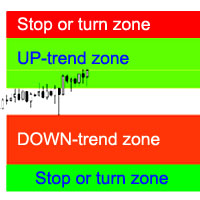
インディケータは、最も可能性の高いトレンドストップ/反転エリア、自信のあるトレンド移動エリアを計算します。 計算では次のことが考慮されます。 価格変動率; チャートの相対偏差角度。 価格変動の平均振幅。 その「コンフォートゾーン」を離れる価格。 ATRインジケーターの値。 インジケーターは、価格がストップ/リバーサルエリアに入るとアラートを生成できます。 設定 全長を描きますか? -チャートの最後まで領域を描画します。 Show StopUP-trend-上昇トレンドのストップ/反転エリアを表示します。 上昇トレンドを表示-自信を持って上昇トレンドの領域を表示します。 下降トレンドを表示-自信を持って下降トレンドの領域を表示します。 Show StopDOWN-trend-下降トレンドのストップ/反転エリアを表示します。 エリア変更のアラート-価格がトレンドストップ/変更エリアに入ったときにアラートを生成します。 次は、各商圏の色設定です。
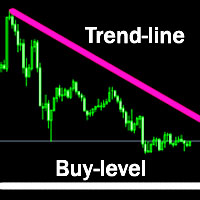
The indicator plots a trend line and determines the levels for opening trades, in case the price goes "too far" away from the trend level. More detailed information is available in the screenshots. Settings Away from the trend line - distance from the trend line to the trades level; Arrow Signal for deals - enable displaying an arrow when the price reaches the trades level; Size of Arrow - size of the arrow; Alert Signal for deals - enable generating alerts when the price reaches the trades lev
Turbina
Evgeniy Zhdan
5 (4)
The axiom of the Forex market is that any trend will be broken. The Expert Advisor determines trend direction (the pink line), and calculates levels for opening opposite orders depending on the settings. The value of Away from the trend line for Deal will be different for each pair and timeframe, depending on the volatility of the trading instrument. Next orders can be opened with an increased lot (a static lot is used by default). See the screenshots to understand the idea of the Expert Advisor
The Expert Advisor determines the moments of strong movements and opens a position in the direction of the most probable price movement. The strategy always uses stop loss and take profit. Several independent orders can be in the market (the maximum number is set in parameters). The goal of the EA's underlying trading system is the quantitative excess of the number of profitable deals over the number of losing ones. Recommended: EURUSD 5m; GBPUSD 5m; USDJPY 5m. The Expert Advisor is able to work
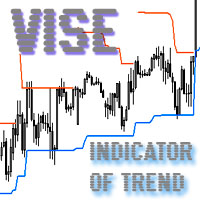
Vise is a trend indicator. The upper and lower lines follow the price showing the prevailing price direction. Frequent breakthroughs of the upper line indicate a bullish trend, while frequent breakthroughs of the lower line indicate a bearish one. Parameters Points for UpLine - initial number of points for the upper line; Points for DownLine - initial number of points for the lower line. During the breakthrough of the upper level (line), this level shifts upwards by Points for UpLine. If the up
Twinkle is a trend-based scalper using stop loss and take profit invisible to the broker. The EA does not look for trend reversals. The EA catches strong market movements and opens orders in the direction of the trend. Your broker will not see the order closing levels. The EA closes orders independently when reaching the take profit or stop loss levels specified in the settings. Recommended trading symbols: EURUSD M5, GBPUSD M5. ECN accounts with 5 digits quotes are recommended. Expert Advisor
Shine
Evgeniy Zhdan
4.75 (4)
This Expert Advisor implements elements of the Martingale system. Orders are opened at a specified distance from the moving average. The Parabolic SAR indicator and certain technical details are used to ensure the most accurate entries. The EA is highly customizable. It is recommended for simultaneous use on 4 currency pairs: EURUSD M15; GBPUSD M15; USDJPY M15; USDCAD M15. Despite good stability, it is advisable to disable the EA operation during the days rich in news releases. Configurations P
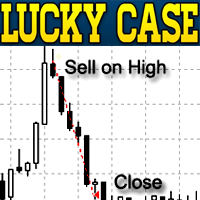
LuckyCase is an Expert Advisor with martingale elements. The EA strategy is based on a significant "deviation" of the price from SAR inadicator and the Bands levels breakthrough point. The money management system is an essential part of the EA. It starts working after a trade is opened. Trades are closed after accumulating specified points of market orders, by deposit % or after an opposite side of the channel is broken through. The default EA settings are meant for: EURUSD M15; USDJPY M15. The
The Elize Expert Advisor has been designed to work with the EURCHF currency pair. It considers the peculiarities of this trading instrument, its behavior and dependence on the behavior of other currencies. In particular, when the currencies of the European countries (EURUSD, GBPUSD, EURNOK, EURCHF) move in the same direction, the EA starts its operation and opens a deal in the trend direction of the European currencies. In the event of price rollbacks, the EA uses a unique method for making the
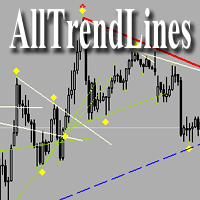
Brief Description of the All Trend Lines Indicator The indicator analyzes the wave structure of the market. What it displays on the chart: First. Wave pivots (semaphores) • Red markers – wave highs • Yellow markers – wave lows • Yellow-green markers – additional local extremes Second. Trend lines • Purple/blue lines – trends based on highs (resistance/support) • Beige/green lines – trends based on lows • Lines are built automatically by connecting wave pivots of the same type Third. Main trend
The Expert Advisor has been specifically developed for trading gold (Spot Gold). The strategy is based on Fibo levels calculated from the previous (first) candle High/Low and the width of the current and lower timeframes channel. If important Fibo levels of different orders are located in a single price channel (within a spread), the EA defines this channel as the target for price movement and starts operation. Martingale and averaging are not used. Each order is independent and is accompanied b
The algorithm of this Expert Advisor determines the significant price levels, where the trend often turns into a flat or reverses. Stochastic Oscillator serves as an additional filter of overbought/oversold zones. The EA sets stop loss and take profit after opening an order. The underlying trailing strategy applies a trailing stop. The EA is recommended for simultaneously use on three trading instruments: EURUSD M5, GBPUSD M5, EURCHF M5. Settings: Comment to order - comment to orders. MaxRisk -
The Expert Advisor looks for technical analysis patterns formed on the higher (hourly) timeframe to start working on the 5-minute chart. Technical analysis patterns used: double top/double bottom, head/shoulders, flag, expanding/narrowing triangles. The Relative Vigor Index technical indicator is used as the filter for opening deals. It is based on the idea that on the bull market the closing price is, as a rule, higher, than the opening price. It is the other way round on the bear market. This
The Expert Advisor calculates the divergence on the current and higher timeframes. In case the divergences coincide, the EA starts its operation. Deals have strict take profit and stop loss levels. Each deal is managed by trailing stop. The strategy involves the use of a tight stop-loss. Therefore, losing deals and/or series of losing deals are not uncommon. This EA is not suitable for those who have difficulties coping with losing deals. The EA is recommended for simultaneous use on the followi
The Expert Advisor algorithm determines on daily charts those candlestick patterns, which set the intraday trading direction. The trading EA determines how long the price is moving in overbought/oversold zones and starts working in the direction of the expected trend movement. Each position is accompanied with a tight stop loss and take profit. Only one active position can be open in the market. The EA was developed and tested using 99% quality quotes. The Expert Advisor has a built-in news filt
The strategy of this Expert Advisor is based on a hedging system, which implies placing opposite orders. The EA algorithm determines trend beginning and opens a position in the trend direction. In case of a wrong entry, the EA tries to neutralize the drawdown through opposite (hedging) orders at a preset interval (Coefficient of counter orders). Orders are closed when one of the two values ​​is reached - profit in percent or profit in points. The EA does not use lot increase. The EA wast tested
Советник работает по принципу хеджирования с периодическими "перекосами" в сторону трендовых направлений. Направления тренда советник определяет на основании стандартного индикатора Parabolic Stop and Reverse system (SAR). Уникальная стратегия установки балансирующих позиций позволяет избегать больших просадок даже при самых не благоприятных рыночных условиях. Параметры по умолчанию рекомендуется использовать на торговом инструменте: GBPJPY 15m. Разработка и оптимизация параметров производились
Snoot
Evgeniy Zhdan
5 (1)
This Expert Advisor works using a grid in the direction of a trend movement with the step between opened positions defined in the settings. The positions are closed by the total take profit. The Parabolic SAR standard indicator is used to filter order opening, which comes in the MetaTrader 4 package. The EA has been developed and tested using 99,9% quality of quotes. Operation of the EA in real time can be viewed in the signals . The best trading results have been achieved on CHFJPY M15. Settin
The Expert Advisor builds channels based on the data obtained using ATR and MA indicators according to the equations: Upper channel border = MA + ATR * (FIBO); Lower channel border = MA - ATR * (FIBO), where FIBO has the following values: Style of Trade - Aggressive = 1.61852; Style of Trade - Average = 3.26704; Style of Trade - Calm = 4.85556. Trades are opened inside the channel with the intervals defined in the settings. Long and short positions are opened independently. Positions are closed
The trading statistics indicator notifies the trader of the aggregate income of the trading account for different time intervals. The indicator has wide display settings on the graph. There is a choice of one of the two display languages on the chart- English and Russian. Settings Indicator language (ENG, RUS) - Select the language to display on the chart; To control the magic (-1: any magic) - Entering the Magic for control (-1: any Magic); Angle of indicator tie - Selecting the angle of the c
The advisor works on the basis of a strategy for determining the calm and volatile market conditions, as well as the phases of redistribution of trading activity. In moments of increased volatility, the adviser analyzes similar price behavior (patterns) in the recent past, and if matches are found (the number of matches is configured by the user in the Strategy Accuracy parameter), the advisor decides to start trading. Advisor does not use dangerous trading strategies based on lot increase and
フィルタ:
レビューなし
レビューに返信