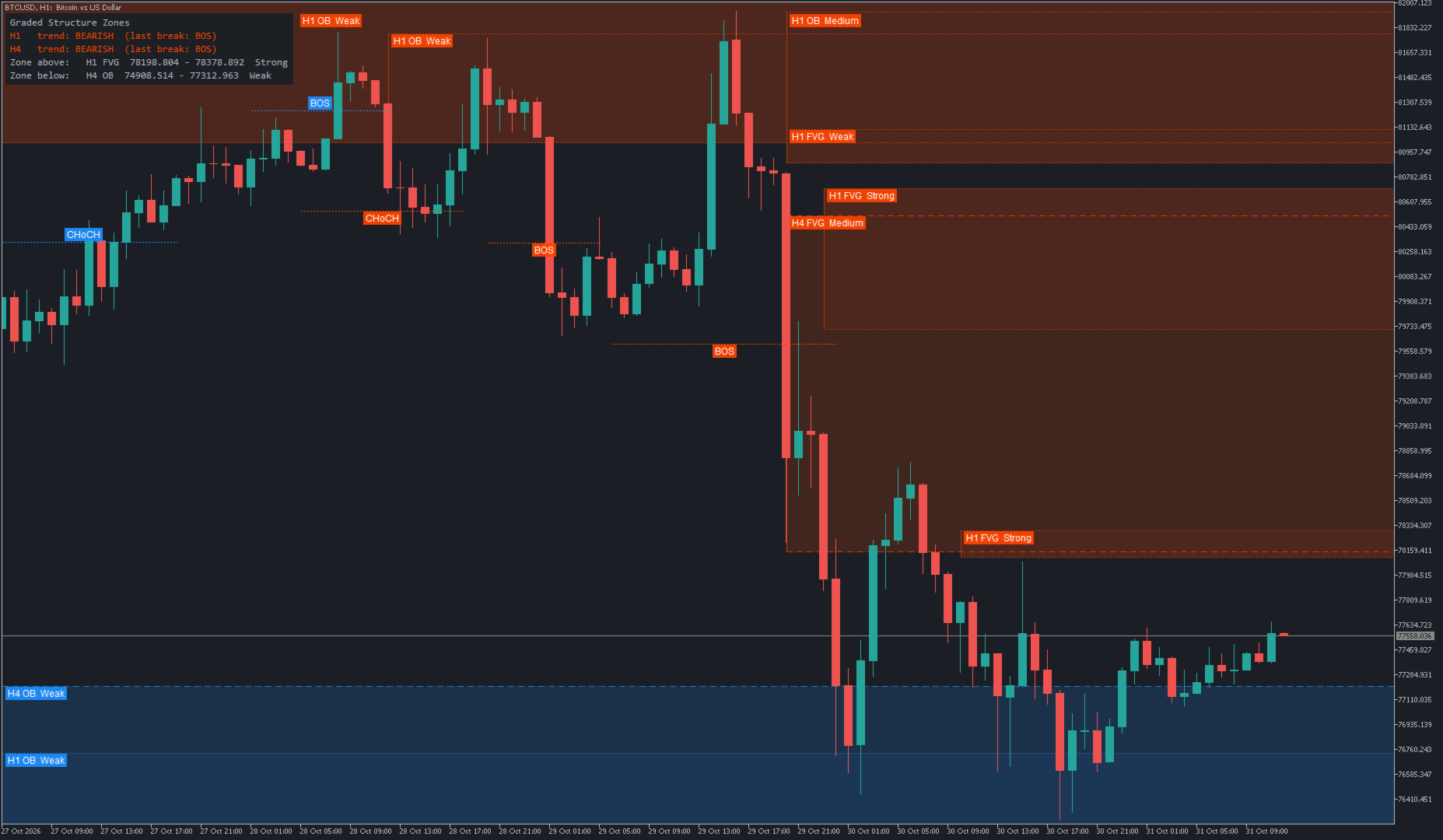
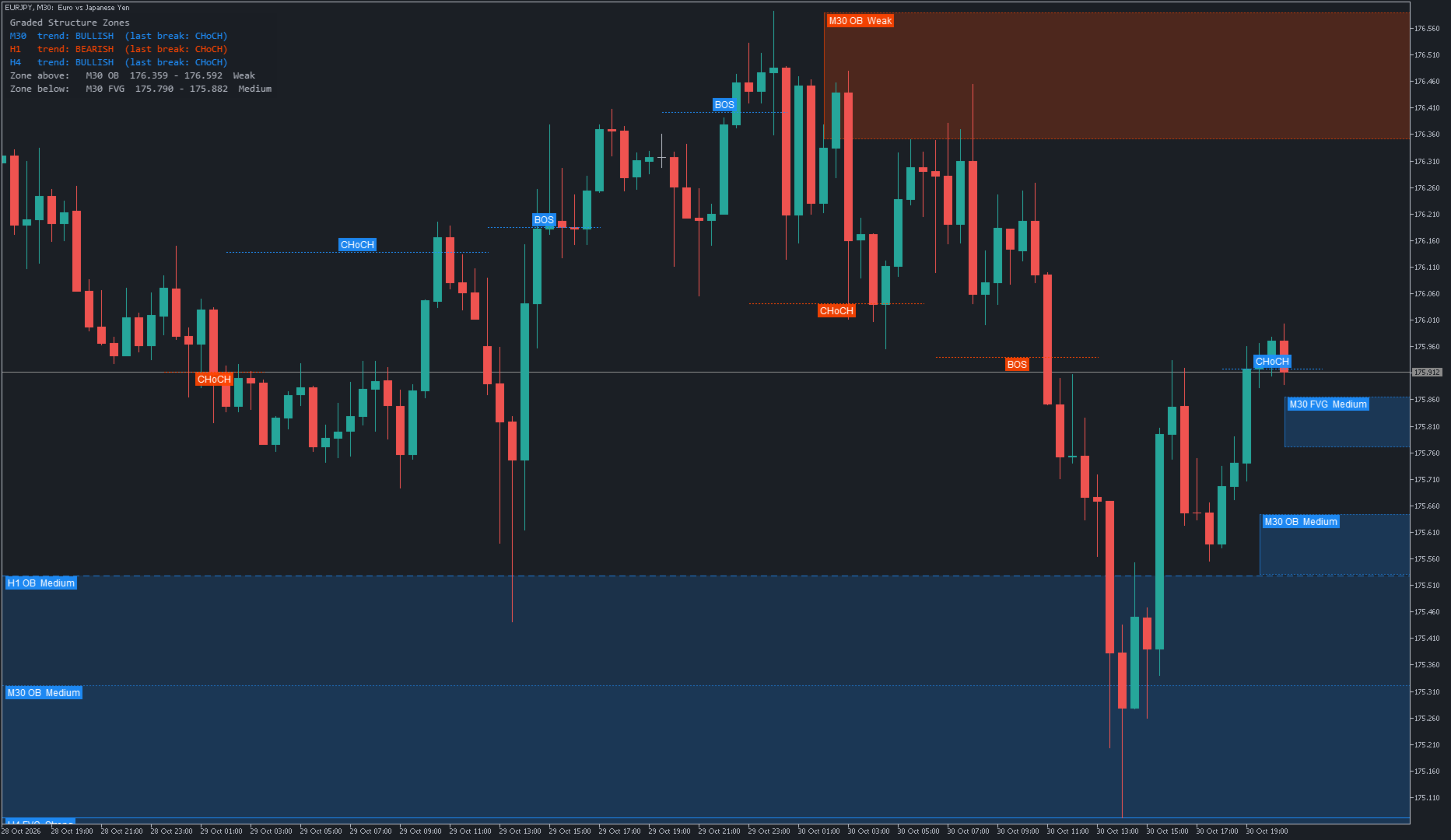
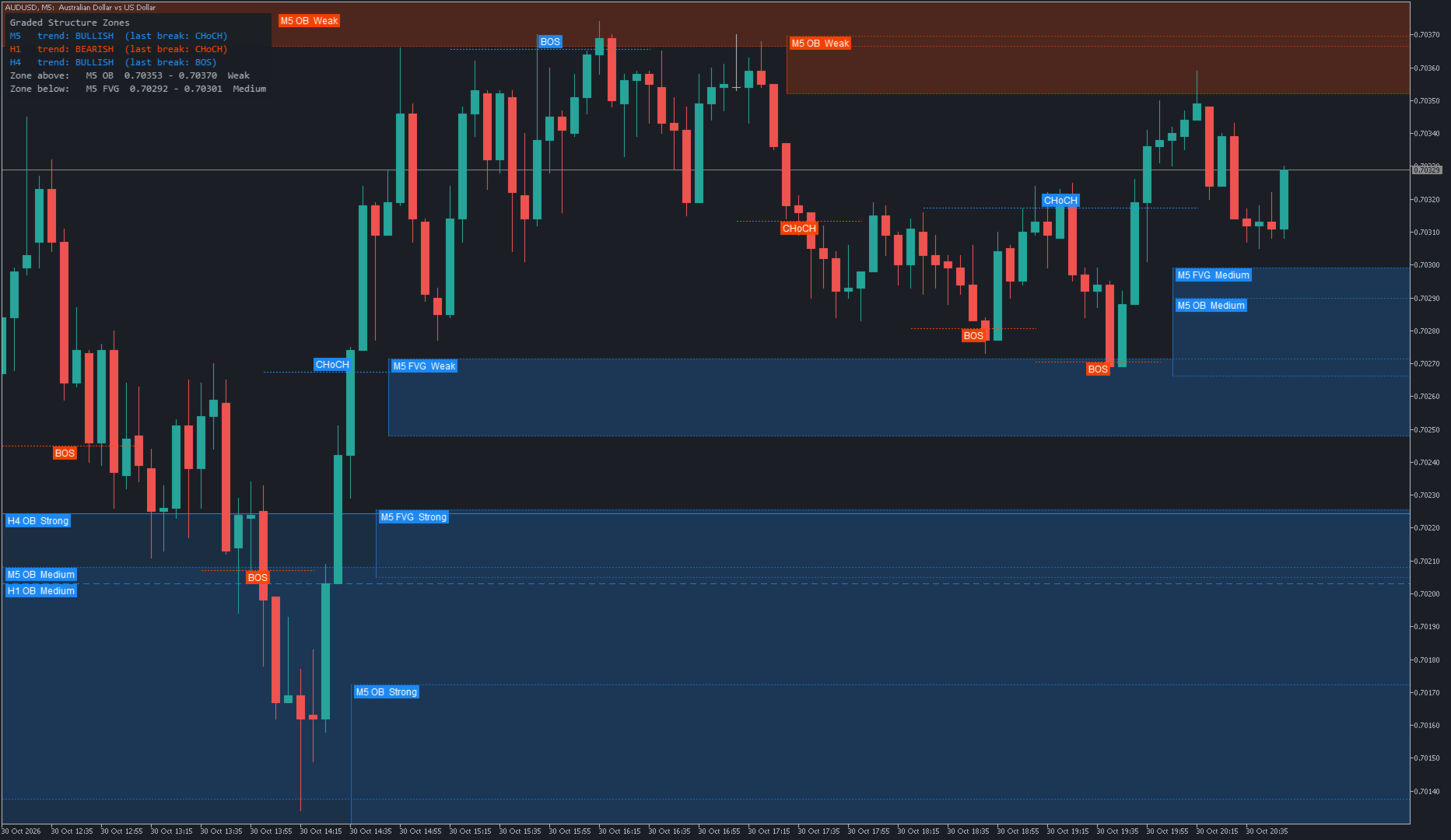
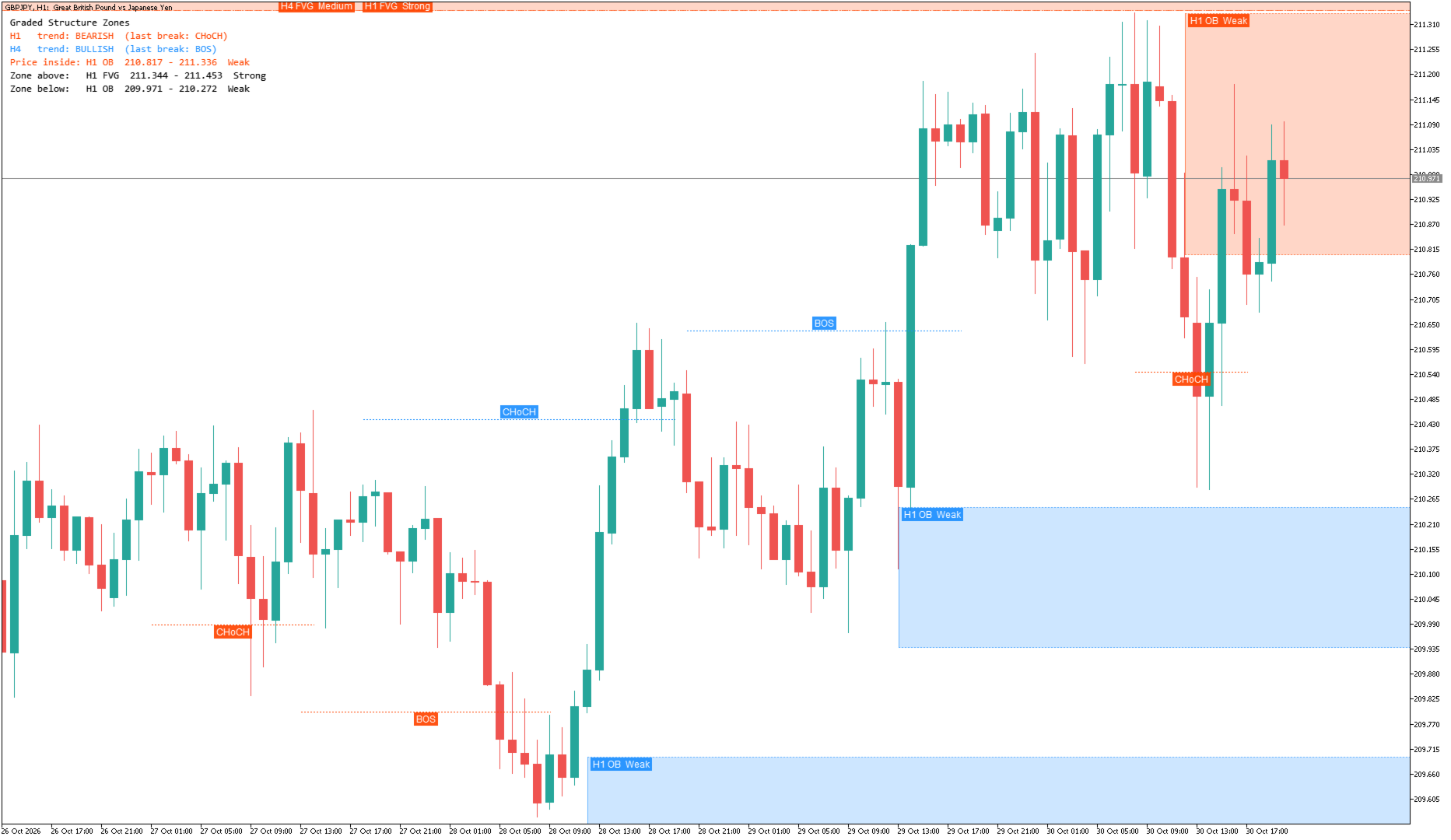
Graded Structure Zones
- インディケータ
- バージョン: 1.2
- アクティベーション: 5

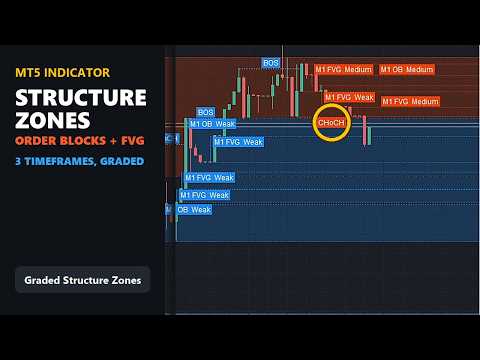
Graded Structure Zones maps the market on three timeframes at once: the trend, and the zones price may pull back into. It finds order blocks and fair value gaps by itself, grades each one Strong, Medium or Weak, and removes them once price has used them up. There are no arrows. It is a chart-reading tool for manual trading on any symbol and timeframe.
What you see on the chart
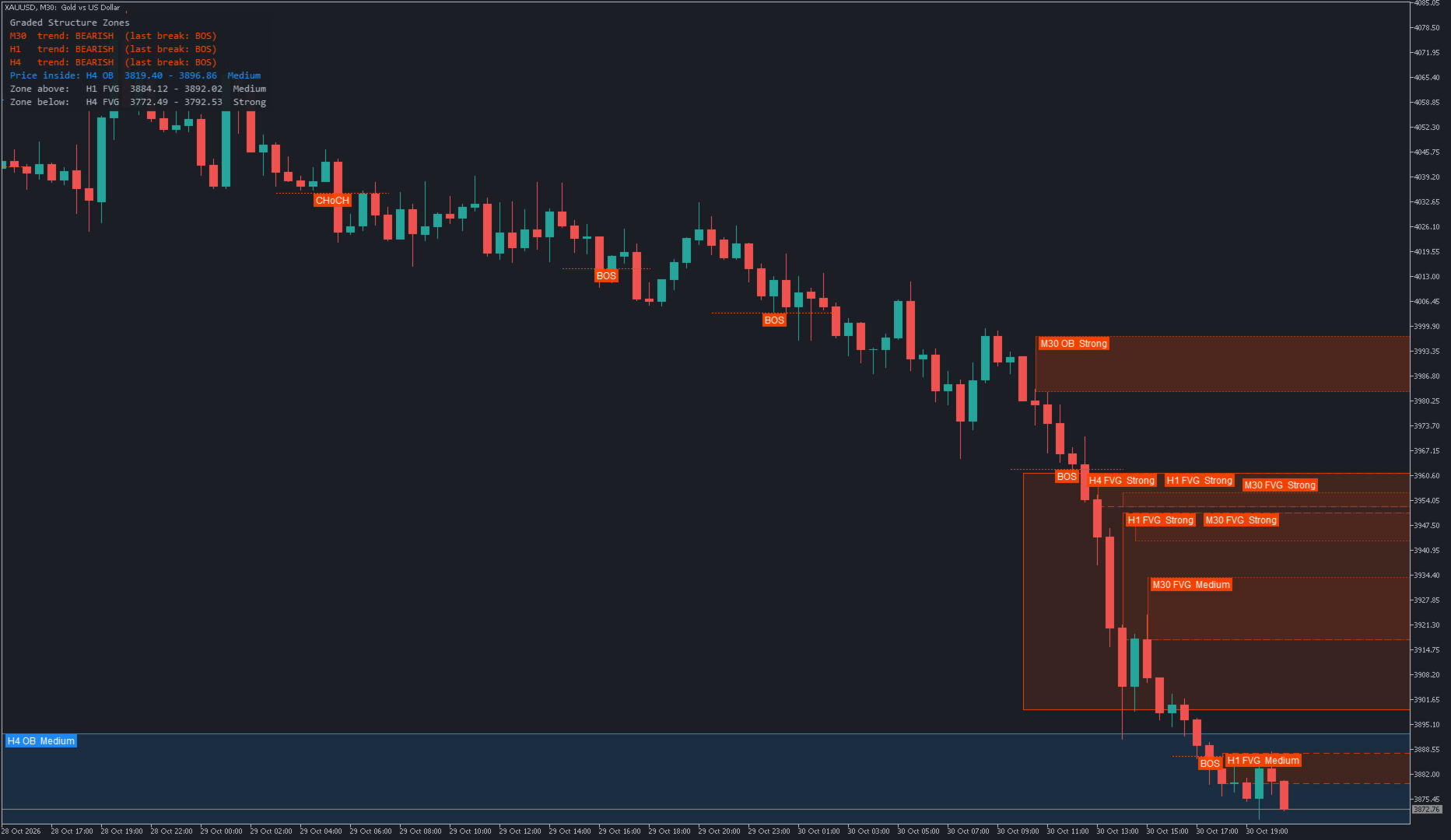
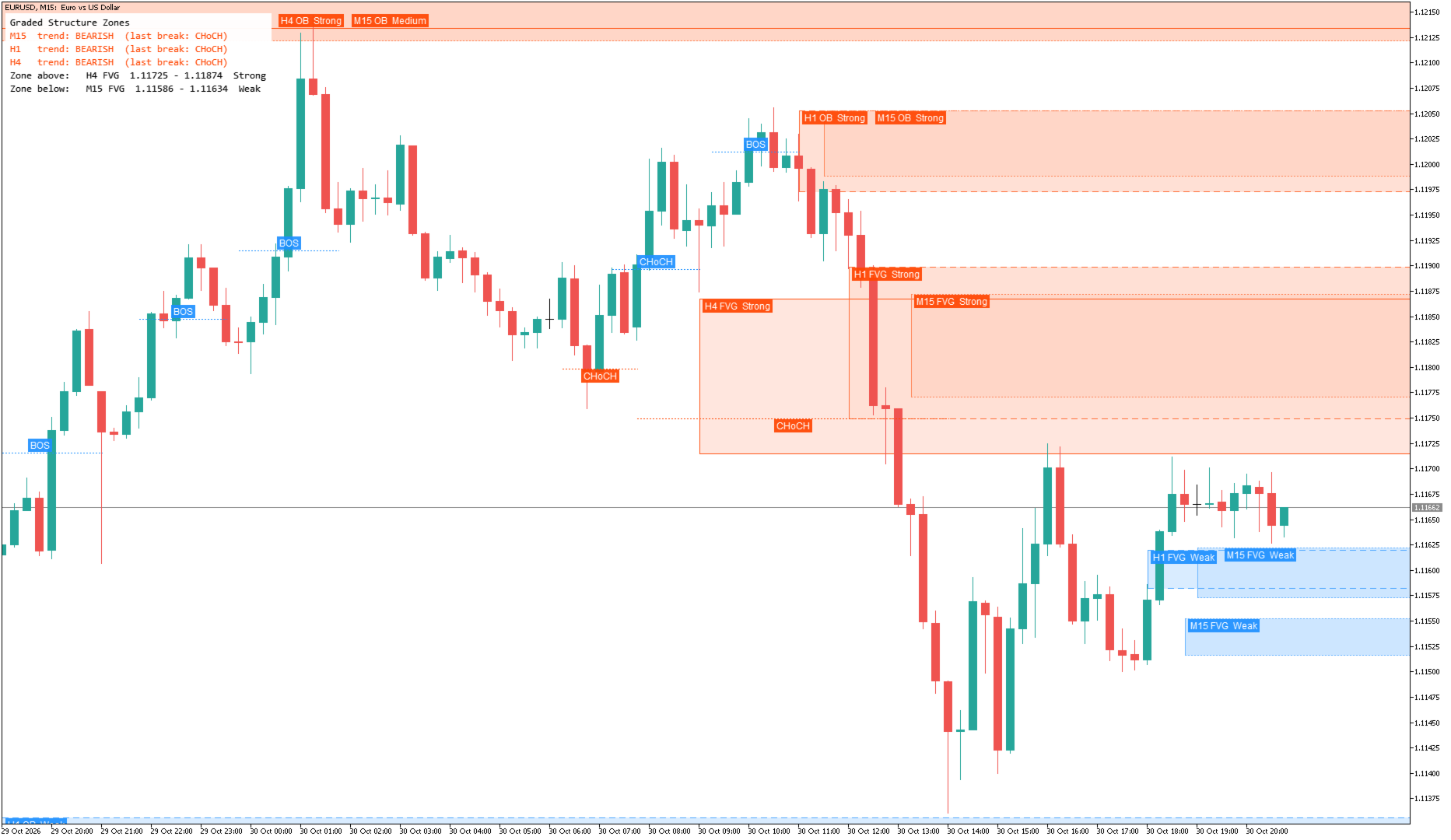
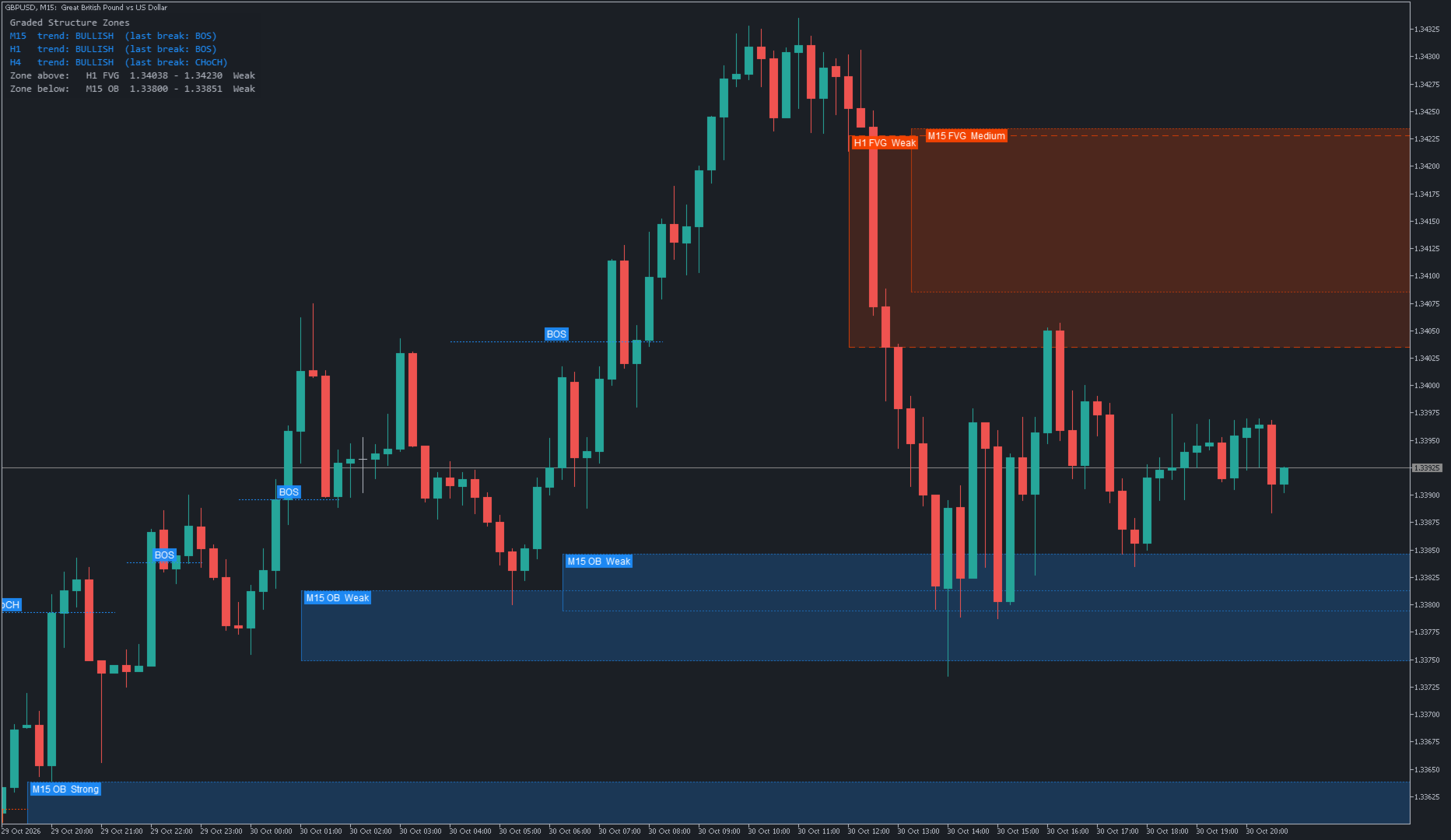
- Order blocks (OB) and fair value gaps (FVG) from the chart timeframe and two higher timeframes (H1 and H4 by default), drawn behind the candles so price stays easy to read.
- A label on every zone with its timeframe, type and grade, for example "H1 OB Strong". Labels sit on solid tags, so they stay readable on any background, and they never overprint each other.
- A grade for every zone: Strong, Medium or Weak. It takes into account the zone's timeframe, whether price has already come back to it, whether it agrees with the trend, and whether it sits inside a zone of a higher timeframe.
- Outlines that tell the timeframes apart: dotted for the chart timeframe, dashed for the first higher timeframe, solid for the second.
- BOS (break of structure) and CHoCH (change of character) labels on the chart timeframe.
- A status panel with the trend and last break on each timeframe, the zone price is in, and the nearest zone above and below.
- Zones that price has used up disappear. You choose when: a gap when price touches it, fills half of it or fills all of it; an order block when a candle closes through it, a wick goes through it, or price touches it.
Alerts
- Price entering a zone (from the grade you choose), and a CHoCH on any timeframe shown.
- Popup, sound, push notification to the MetaTrader mobile app, and email.
- All off by default and switched on with a single Enable alerts setting.
Settings
The defaults work as they are: attach it to a chart and it runs. Every value can be changed, grouped so the list stays readable.
- Timeframes - the two higher timeframes, or switch either one off.
- Structure - swing size, break confirmed by candle close or wick, BOS/CHoCH labels, optional range middle (premium / discount).
- Fair value gaps and Order blocks - minimum gap size, what a zone covers, and when it is used up.
- Zones - how many are shown per type, side and timeframe, and the minimum grade to show.
- Display - colours, fill opacity, label text colour, status panel, and text size (Small, Medium or Big).
- Alerts and Performance.
Notes
- Every timeframe is worked out from its closed candles, so nothing repaints. Only "touched" and "used up" react to the live candle.
- It repaints the chart only when something has changed, so it stays light even with many charts open.
- The indicator does not open or manage trades.
- It has no output buffers, so nothing it calculates can be read by Expert Advisors or other indicators.
- It works on a chart and in the Strategy Tester in visual mode.
- Zone sizes are measured in Average True Range, so it behaves the same way on forex, metals, indices and crypto.
- It is a tool for reading market structure, not a trading system. Use it together with your own analysis and risk management.
Also by the same author: Graded Liquidity Sweep, reversal arrows after stop hunts. The two work side by side: Graded Structure Zones shows the map, Graded Liquidity Sweep marks the turns.