TTS Strength
- インディケータ
- バージョン: 2.0
- アクティベーション: 10

TTS STRENGTH — Currency Strength Indicator for MT4
Stop guessing which currency is strong and which is weak. TTS Strength ranks all 8 major currencies in real-time, shows you where the momentum is flowing, and fires signals when a strong currency crosses into a weak one — so you're always trading the pair with the most power behind it.
Why TTS Strength?
Most traders pick pairs based on what they're used to — EURUSD, GBPJPY, whatever's on their screen. But if EUR and USD are both flat, that pair isn't going anywhere. The edge comes from finding where one currency is surging and another is dumping, then trading the pair where those two collide. TTS Strength does that for you across all 28 pairs, all 8 currencies, in real-time.
What It Does
TTS Strength measures the strength of USD, EUR, GBP, JPY, CHF, CAD, AUD, and NZD by analyzing all 28 forex pairs simultaneously. Each currency gets a 0-100 strength score. The dashboard ranks them from strongest to weakest, and the engine fires buy/sell arrows when the fast momentum layer confirms what the slow trend layer is already showing.
Two-layer engine:
- Trend Layer (High TF) — Slow, wide lookback. Tells you the overall direction. "Is EUR strong or weak right now?"
- Momentum Layer (Low TF) — Fast, reactive. Tells you when to pull the trigger. "Did EUR just cross into buy territory?"
Arrows only fire when BOTH layers agree — the trend says yes AND the momentum confirms with a level crossover. No single-indicator noise.
Key Features
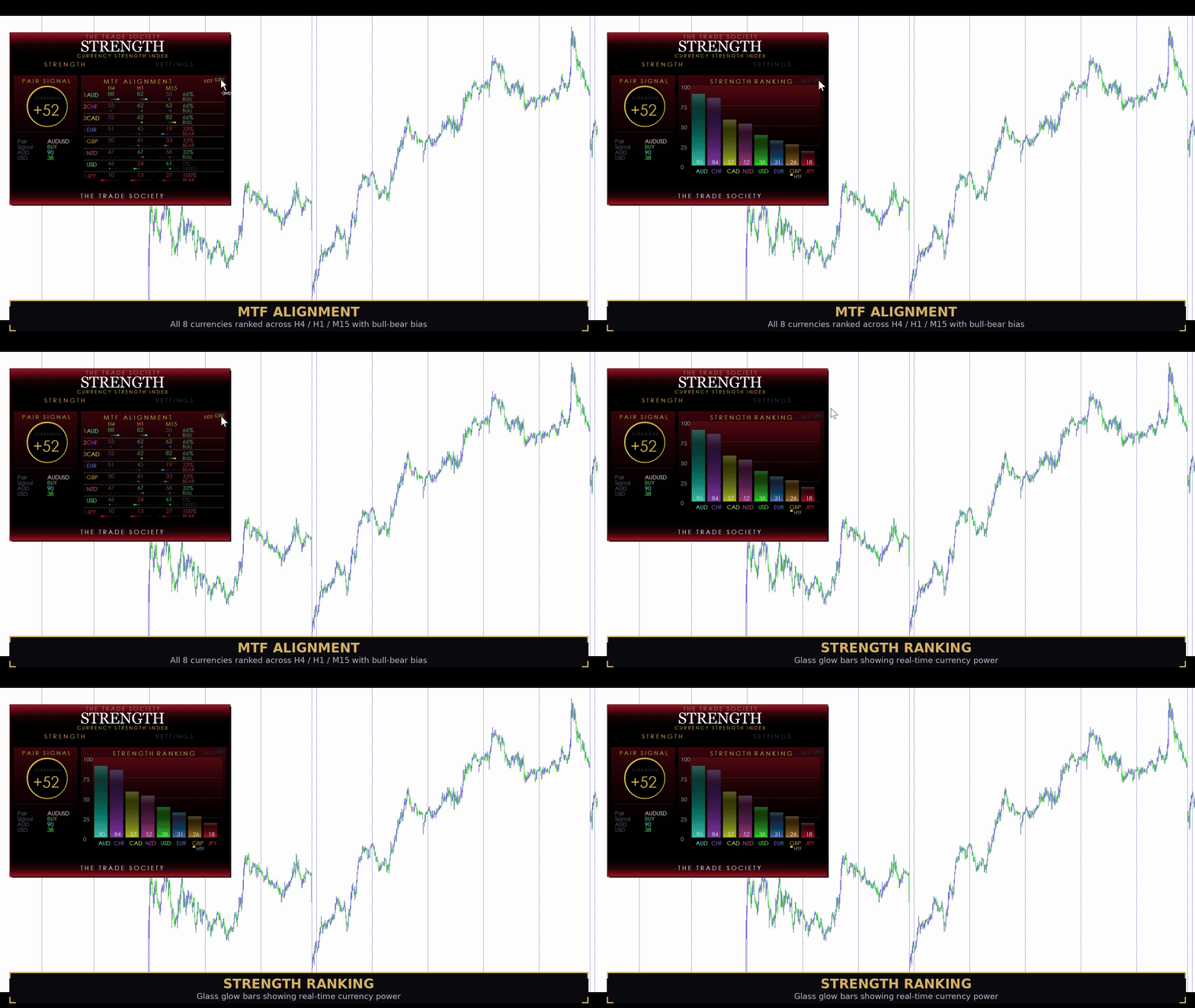
- 8-currency strength ranking with color-coded glass glow bars
- Two-layer engine — slow trend + fast momentum confirmation
- Buy/sell arrows on chart when both layers align
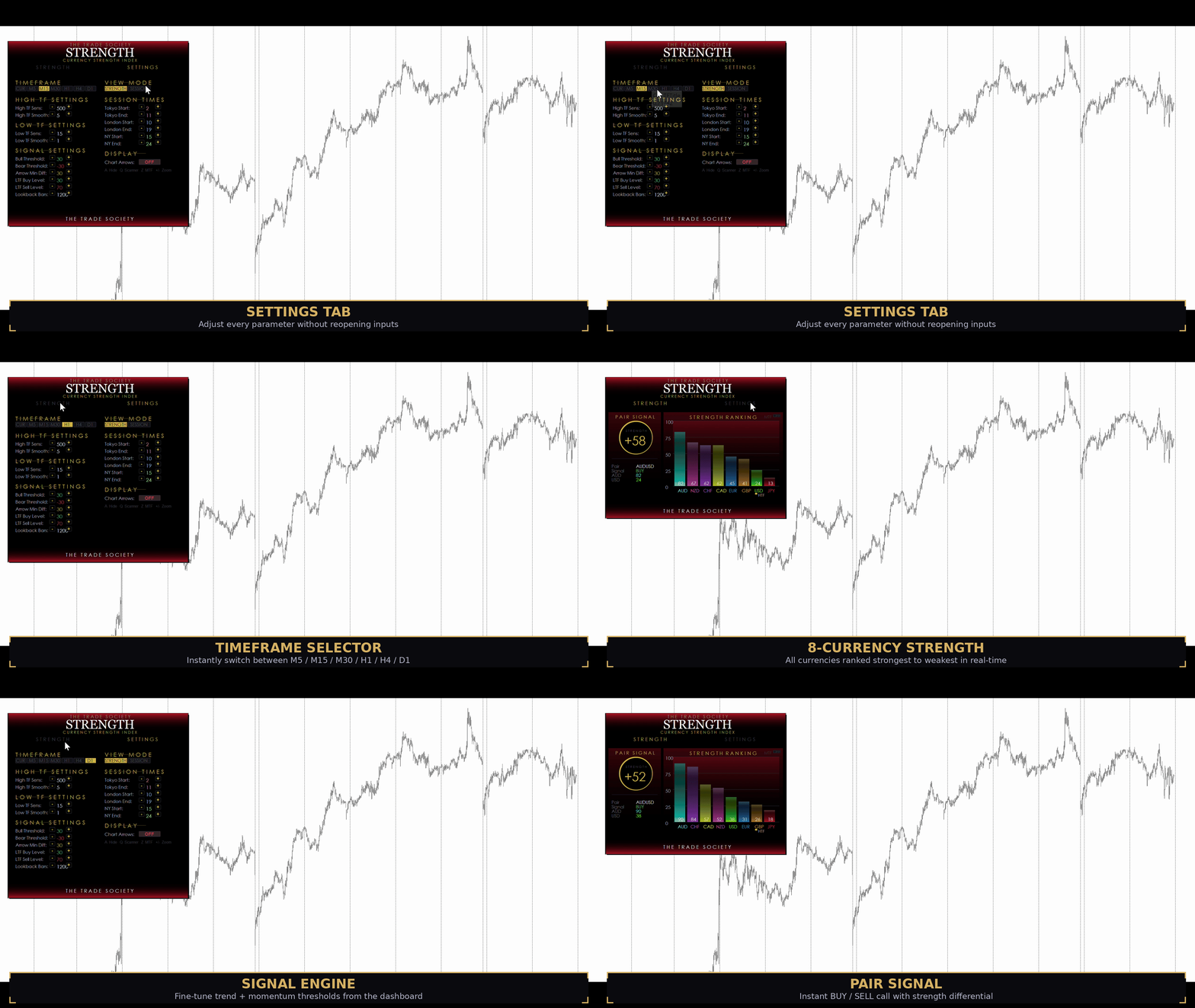
- Adjustable sensitivity, smoothing, and signal thresholds from the Settings tab
- LTF Buy/Sell Levels — set exactly where the momentum layer needs to cross to trigger
- Arrow Min Diff — control how much trend separation is required before a signal fires
- MTF Alignment view — see all 8 currencies ranked across 3 timeframes (chart + 2 HTFs)
- 28-pair Scanner popup — every pair ranked by strength differential, strongest to weakest
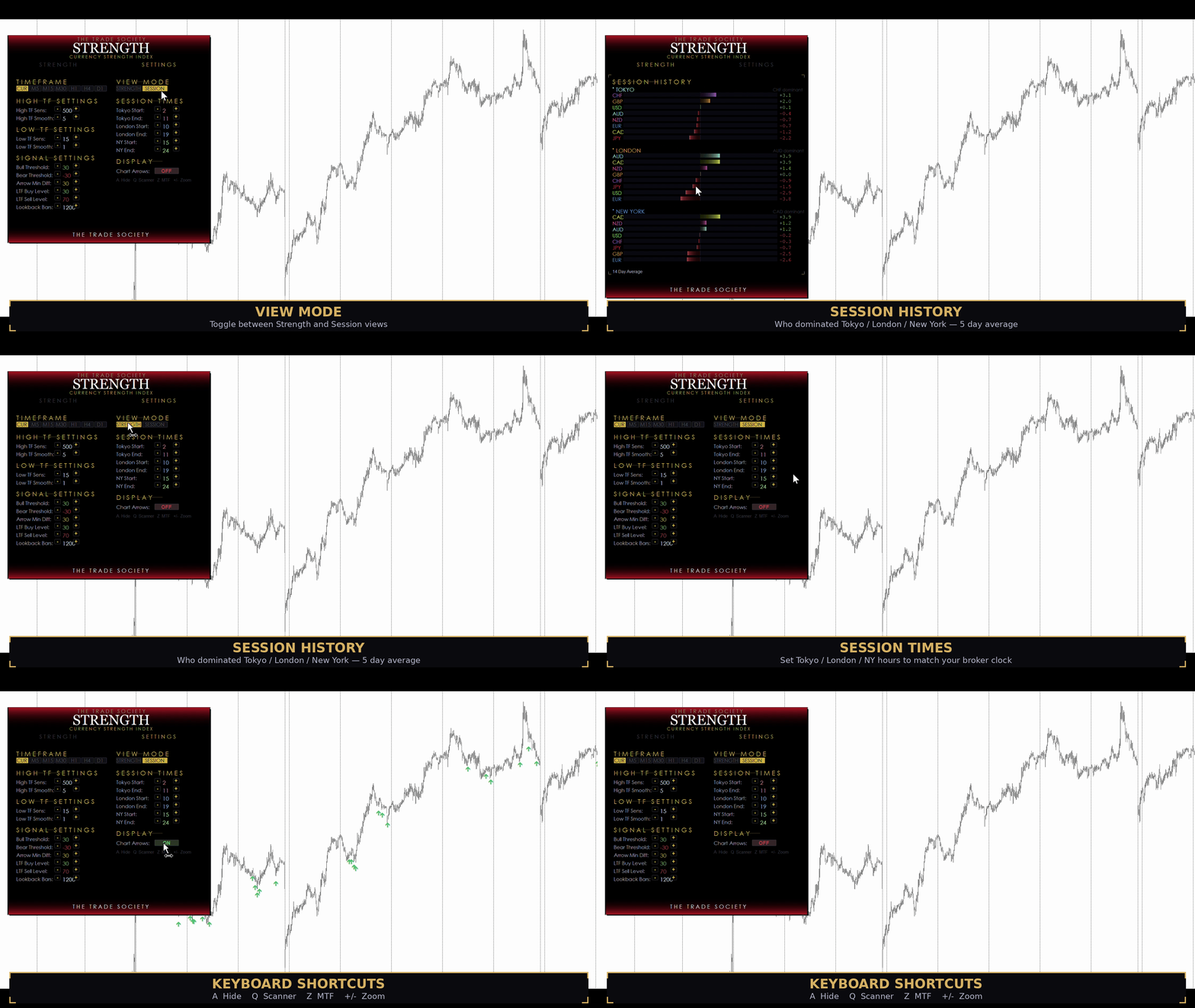
- Session History view — see which currencies gained or lost strength during Tokyo, London, and New York sessions (5-day average)
- Adjustable session times — set Tokyo/London/NY hours to match your broker's server clock
- Settings tab with +/- controls for every parameter — no need to reopen inputs
- Full zoom scaling — CTRL+Plus / CTRL+Minus adapts to any screen resolution
- Strategy Tester compatible — works in visual backtesting mode
- Lightweight — dashboard redraws are throttled to prevent tick spam on fast pairs
Keyboard Shortcuts
- A — Show / hide dashboard
- Q — Open the 28-pair Scanner popup
- Z — Toggle MTF Alignment view on/off
- CTRL + Plus / Minus — Zoom dashboard in or out
Settings (all adjustable from the dashboard)
Trend Layer: High TF Sens — how far back the trend layer looks (higher = smoother trend) High TF Smooth — noise filter on the trend reading (higher = less noise)
Momentum Layer: Low TF Sens — how far back the fast layer looks (lower = more reactive) Low TF Smooth — noise filter on the momentum reading
Signal Controls: Bull Threshold — minimum trend strength diff to label a pair as BUY on the dashboard Bear Threshold — minimum negative diff to label as SELL Arrow Min Diff — how much trend separation the slow layer needs before allowing an arrow LTF Buy Level — the momentum reading the base currency must cross above to fire a buy arrow LTF Sell Level — the momentum reading the base currency must cross below to fire a sell arrow Lookback Bars — how many historical bars get arrows drawn
Session Times: Tokyo / London / New York start and end hours — set to your broker's server time
Display: Chart Arrows — toggle arrow visibility on/off
How The Arrows Work
The arrow system uses two conditions that must BOTH be true:
- Momentum crossover — the base currency's fast reading crosses above the Buy Level (for buys) or below the Sell Level (for sells)
- Trend confirmation — the slow layer shows the base currency is already stronger than the quote by at least Arrow Min Diff points
This means you're entering when momentum confirms what the trend is already saying. No arrows fire in choppy, undecided markets.
Designed for traders who want to stop guessing and start trading the strongest move on the board.