Comprehensive Moving Average MT5
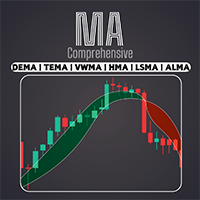
FREE
パブリッシュ済み:
3 3月 2024
現在のバージョン:
1.71
Didn't find a suitable robot?
Order your own one
on Freelance
フリーランスにアクセス
Order your own one
on Freelance

取引の機会を逃しています。
- 無料取引アプリ
- 8千を超えるシグナルをコピー
- 金融ニュースで金融マーケットを探索
Could you add Dema?
Indicator is excellent.
Would it be possible to add additional moving averages, like T3, AMA, VIDYA and KAMA?
Indicator is excellent.
Would it be possible to add additional moving averages, like T3, AMA, VIDYA and KAMA?
Hi, thanks for the suggestion. We'll consider it for the future update.
Good Luck!
Hi, thanks for the suggestion. We'll consider it for the future update.
Good Luck!
Thanks Mehran. Would you be able to do this as a freelancer specific to my additional moving averages requirements?
One question on the bar colors. The indicator has an option to select MA1, or MA2, or MA cross or both MA on the bar colors.
How does it show 'both MA' on the bar colors. For example, if one MA is red and one is green at a specific time (on a specific single bar), what is the resultant color of the bar with the indicator?
Thanks
One question on the bar colors. The indicator has an option to select MA1, or MA2, or MA cross or both MA on the bar colors.
How does it show 'both MA' on the bar colors. For example, if one MA is red and one is green at a specific time (on a specific single bar), what is the resultant color of the bar with the indicator?
Thanks
In this case, the color of the bars will be determined based on both MA.
If the Close price is above both MA, it will be green and if the Close price is below both MA, it will be red.
how to download the indicator? keeps asking me if i have mt5, which i do. but it's not downloading
how to download the indicator? keeps asking me if i have mt5, which i do. but it's not downloading
Indicator is excellent.
Would it be possible to add additional moving averages, like T3, AMA, VIDYA and KAMA?
Hi, The new update was released based on your needs. The new MA types are added.
Good luck!
Hi, The new update was released based on your needs. The new MA types are added.
Good luck!
Thank you very much.
In this case, the color of the bars will be determined based on both MA.
If the Close price is above both MA, it will be green and if the Close price is below both MA, it will be red.
On this, is it possible for a slight amendment, maybe call it something like 'both MA [2]'.
When one MA is green, and one MA is red, the resultant color is for example grey.
Because what happens right now, say we are using two EMAs, one is 10 the other is 50. If EMA 50 is green, and EMA 10 is red, it is showing in 'both MA' as green.
Green in this new option only happens if both are Green, or Red if both are Red, but if one is green and the other is red, then there is a third color to show that both MA dont agree.
On this, is it possible for a slight amendment, maybe call it something like 'both MA [2]'.
When one MA is green, and one MA is red, the resultant color is for example grey.
Because what happens right now, say we are using two EMAs, one is 10 the other is 50. If EMA 50 is green, and EMA 10 is red, it is showing in 'both MA' as green.
Green in this new option only happens if both are Green, or Red if both are Red, but if one is green and the other is red, then there is a third color to show that both MA dont agree.
Love the Indicator.
How can I prevent the candles changing colour but retain the shading between MA's ?
Please ignore last comment....I found a solution.
I do have problems with the indicator going a little bit mad though..!!
Please ignore last comment....I found a solution.
I do have problems with the indicator going a little bit mad though..!!
Hi Steve, Is your problem solved?
Hi Steve, Is your problem solved?
No.
I have to 'none' out all the colours and turn off the MA's and the highlights.
The only thing that I can have working is the pop up alerts.
Even like this I am getting grey vertical lines drawn full height of the chart window on the current candle.
I have attached 2 pics of charts with everything switched on (MA's and highlights). It seems to be some form of oscilator or wave pattern which may or may not move across the chart. It will alter if I change to another TF and return or reload the chart template....but it rarely goes away.
I have also attched a 3rd pic of a chart with everything switched off or 'none'd' out.
No.
I have to 'none' out all the colours and turn off the MA's and the highlights.
The only thing that I can have working is the pop up alerts.
Even like this I am getting grey vertical lines drawn full height of the chart window on the current candle.
I have attached 2 pics of charts with everything switched on (MA's and highlights). It seems to be some form of oscilator or wave pattern which may or may not move across the chart. It will alter if I change to another TF and return or reload the chart template....but it rarely goes away.
I have also attched a 3rd pic of a chart with everything switched off or 'none'd' out.
Hallo,
die Farben der Kerzen ist nicht optimal gelöst.
Runter = Rot
Hoch = Grün
Kannst du hierfür eine Lösung finden?
Danke