 MetaTrader 5
 エキスパート
 インディケータ
 ライブラリ
 ユーティリティ
 ウィジェット
 ルール
YouTubeにあるマーケットチュートリアルビデオをご覧ください
ロボットや指標を購入する
仮想ホスティングで
EAを実行
EAを実行
ロボットや指標を購入前にテストする
マーケットで収入を得る
販売のためにプロダクトをプレゼンテーションする方法
MetaTrader 5のためのエキスパートアドバイザーとインディケータ - 167
 自動売買ロボットとインジケータを使用して、外国為替取引の収益性を高めます。 自動売買ロボットを使用すると、取引の開始と終了を自動化でき、インジケータは市場の行動をより正確に予測するのに役立ちます。
このページには、MetaTrader5アプリケーションのカタログが掲載されています。

For those who use the Trading Arrows on the chart for later study, but use the Triple Screen approach and got all those arrows everywhere on all additional charts, here it is: Arrows Cleaner! Just drop it on the chart and leave it there. When needed, just with 1-click you get rid of all those annoying arrows...
SETTINGS You can position the little Button on any corner of the chart. Additionally you can displace it with the Offset settings. You can enlarge or shrink its size, as well as the text
FREE

Northvale Prop Guard watches every trade on your account, from any EA or done by hand, and steps in before you break a prop firm rule. Protection Daily loss limit, measured from your challenge size (FTMO style) or the day’s starting balance Maximum loss, static or trailing Profit target lock: closes everything when your target is reached, so a good day can’t turn into a failed challenge Safety buffer: acts before the firm’s limit, not after When a limit is reached , Prop Guard closes all positio
FREE

AlphaManager – Advanced Trading & Risk Management Trade Smarter. Stay in Control. AlphaManager is a comprehensive trade and portfolio management tool for MetaTrader 5, designed to help traders monitor exposure, manage positions and maintain better control over trading risk. ️ Key Features Dynamic Position Sizing – Calculate optimal trading volume based on account equity and market volatility. Portfolio Monitoring – Track open positions, floating P/L, potential SL losses, TP profits
FREE

TeleSnap Telegram Broadcaster is an ultra-fast, lightweight MetaTrader 5 trade notification and chart broadcasting utility. It bridges your MT5 terminal directly to your Telegram channels, groups, and personal chats with zero latency. Whether you trade manually or execute trades through algorithmic Expert Advisors, TeleSnap monitors your open charts, captures HD screenshots with entry, stop loss, and take profit markers, and delivers them straight to your mobile device in under 300 milliseconds.
FREE

This Expert Advisor captures and sends information about all open positions to a REST API server in real-time using HTTP POST requests. It is ideal for building synchronization tools, external monitoring systems, or custom trade copier solutions. What does this EA do? Iterates through all active orders in the account. Compares current positions with the previously sent ones. If any change is detected (SL, TP, price, symbol, volume, type, etc.), it sends updated information to the defined endpoi
FREE

opnMAX Ponos: Utility Overview opnMAX Ponos is a highly interactive, institutional-grade risk management and trade execution utility designed for MetaTrader 5. It acts as an on-chart graphical dashboard that allows for precise, mathematically validated position sizing and one-click order execution. Instead of manually calculating risk thresholds before taking a trade, Ponos uses a reactive, omni-directional calculation matrix to handle the math in real-time. Key Functional Features Omni-Directio
FREE

Donation: USDT (TRC20) : TQJsYp64FgLLeQiyNnS6hhCNBjnz4ykbT1 USDT (BEP20, Polygon) : 0x5b50AaaE515452071D395D28BC3D78d16279D168
You can use this expert to execute Martingale orders for you open positions. This expert will add to your positions with a pre-defined loss step.
For choosing open positions you can use Symbol Name or Magic Number . Also the loss step will be defined by currency or pips. All positions that refer to a certain order will be closed by entered Profit from input section. For
FREE

GBPUSD indicator.mq5 – Smart Signal Arrow Indicator Mark.mq5 is a professional-grade, fully autonomous signal indicator designed for serious traders who want visual, consistent trade signals with smart logic and advanced filtering. Built for GBPUSD M15 , it generates Buy , Sell , Buy Stop , and Sell Stop signals using a custom combination of Alligator (Lips) , RSI , DEMA , and DeMarker indicators — and it even writes signal data to a .csv file for automation or external trade management. K
FREE

Order Book, known also as Market Book, market depth, Level 2, - is a dynamically updated table with current volumes of orders to buy and to sell specific financial instument at price levels near Bid and Ask. MetaTrader 5 provides the means for receiving market book from your broker in real time. The expert OrderBook Recorder records market book changes and stores them in local files for further usage in indicators and expert adviser, including testing in the tester. The expert stores market book
FREE

How to Use All Symbols Opener Preparation : Open any symbol chart in your MetaTrader 5 platform. Select your preferred time frame for the open chart (e.g., M5, H1, D1). Launch All Symbols Opener : Attach the All Symbols Opener utility to the currently open chart: Drag and drop it from the Navigator window under Experts onto the chart. Alternatively, double-click All Symbols Opener from the Navigator to activate it. Automatic Operation : The tool will detect the active chart’s time frame and appl
FREE
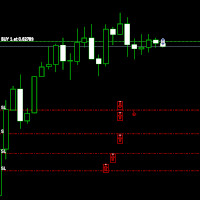
Move StopLoss - 使用方法 使い方 ドラッグ&ドロップ スクリプトをクリックし、新しい StopLoss レベルを設定したいチャート上にドラッグします。 希望の価格レベルでスクリプトをドロップします。 確認ポップアップ スクリプトをドロップすると、確認ウィンドウが表示されます。 修正されるポジション数と正確な StopLoss 価格が表示されます。 「はい」をクリックすると確定、「いいえ」をクリックするとキャンセルされます。 自動 StopLoss 更新 確認後、スクリプトは現在のチャートのすべてのオープンポジションの StopLoss を更新します。 StopLoss が設定されていないポジションには、選択したレベルで自動的に追加されます。 配置の検証 スクリプトは、 買い (BUY) の StopLoss がエントリー価格 以下 であることを確認します。 売り (SELL) の StopLoss はエントリー価格 以上 でなければなりません。 無効な StopLoss の配置がある場合、エラーが表示され、処理はキャンセルされます。 完了メ
FREE

Tick Data HTTP Exporter NZDUSD この無料版は NZDUSD のみをエクスポートし、フルバージョンの Tick Data HTTP Exporter は任意の銘柄をエクスポートできます。 説明 この EA は、お使いのターミナルをアプリケーション向けの過去およびリアルタイムのティックデータの提供元にします。
インターネット上には多くのマーケットデータ提供サービスがありますが、実際には提供されるデータの品質が常に良いとは限りません。さらに、こうしたサービスは割高なことが多く、通常は銘柄ごとに月額の利用料がかかります。
この EA を使えば、ターミナルで表示されているものとまったく同じティックデータ、つまり取引や相場分析の根拠としているデータそのものをアプリケーションに提供できます。
レートデータ(OHLC、ローソク足)を提供する Candle Data HTTP Exporter と組み合わせれば、相場分析に必要なデータ一式がそろいます。 機能 あらかじめ設定した外部の HTTP URL へティックデータを送信します。 すべてのティックの配信を保証し、中断時に
FREE

TradeCopy MT5 Demo is an efficient MT4, MT5 single system only used on MT5 demo account. Features: 1, can achieve cross-MT4 and MT5 each other. 2. The transmitting end and the receiving end are in the same file, which is convenient to use. 3, can achieve cross-platform follow-up. 4, more ways to follow the order, you can follow the balance, net worth, lot ratio or fixed lot. 5, can enlarge or reduce the amount of the single. 6, the currency has a different name, you can convert. Use the wizard:
FREE
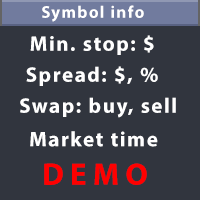
This utility displays the information required for making trades on each opened chart. For example: spread value, swap value; triple swap day; session closing time; ATR of the symbol by Gerchik; total profit/loss for the current symbol; the number of trades made earlier; the percentage change in the quotes of 6 selected instruments; and much more. The spread value is always shown. The rest of the information is displayed depending on the settings: Show total orders at the moment (long, short) .
FREE

High and Low
The indicator marks bars with a simple trend definition“ each subsequent high above/below the previous one and each subsequent low above/below the previous one ”. Charles Dow
Formula:
Max – The current maximum Min – The current minimum MaxK – Maximum per period MinK – Minimum per period
Min>MinK & Max>=MaxK – Symbol on top Max<MaxK & Min<=MinK – The symbol on the bottom
Input parameter:
Number of bars in the calculated history Period for current timeframe The distance to th
FREE

This is the demo Version of Money and Trade Manager, which can be found here: https://www.mql5.com/en/market/product/58163# The Demo is limited to EUR/USD , but otherwise fully functional.
Features: easy positioning of stoploss and takeprofit with horizontal Assistance-lines
automatic Volume calculation fixed risk, set by the trader Closing of all trades of one type, with the click of one button (long or short, for this symbol) Creation of pending orders with one click Direct feedback throug
FREE

この製品は PositionRelay Slave Subscriber にリブランディングされました。
MQL5 Market から PositionRelay Slave Subscriber をインストールしてください。この TradeEcho 出品は後継となり非表示になります。Market のタイトルは変更できません。
同じ User ID とクラウド API です。TradeEcho Slave Subscriber を削除し、各フォロワー口座に PositionRelay Slave Subscriber を取り付けてください。
関連製品:PositionRelay Master Publisher。
キーワード: コピートレード, トレードコピー, PositionRelay, リブランディング, スレーブ
PositionRelay Slave Subscriber は PositionRelay マスター口座のオープンポジションを読み取り、ローカルの MetaTrader 5 ターミナルにミラーします。固定・スケール・残高適応ロット、シンボル単位の制御、ダッ
FREE

PropArmor — 有効証拠金保護シールド (Equity Protection Shield)
ワンクリックで、破滅的なドローダウンから取引口座を保護します。
PropArmorは、口座の有効証拠金(エクイティ)をリアルタイムで監視し、有効証拠金が指定した保護レベルに低下したときに、すべてのポジションと待機注文を自動的に決済します。
プロップファームのトレーダー、資金提供口座のチャレンジ、および口座に信頼できるセーフティネットを求めるすべての人のために設計されています。
仕組み
1. 入力設定で「Equity Protect」レベルを設定します(例:10,000ドルの口座で9,900ドルに設定)
2. ダッシュボードの「Start Protect」をクリックします
3. PropArmorは500ミリ秒ごとに有効証拠金を継続的に監視します
4. 有効証拠金が保護レベルに達した場合 → すべてのポジションが即座に決済されます
FREE

Script Name: Close All Positions Language: MQL5 Type: Utility Script Primary Function: Instantly close all open positions on the current trading account Purpose The “Close All Positions” script is a lightweight and efficient tool designed for traders using MetaTrader 5. Its main purpose is to help users quickly exit all active trades with a single click, especially during volatile market conditions or when risk management requires immediate action. Instead of manually closing each position on
FREE

Broker Basket Preflight 複数銘柄の戦略をテストする前に、ブローカーの正確な銘柄名を確認するための、読み取り専用の MetaTrader 5 診断スクリプトです。契約仕様と取引数量のルール、価格の刻み幅、気配値の経過時間、スプレッドを Experts ジャーナルに出力します。 2026年10月更新キット:設定、既定値、シミュレーション比較概要 . MT5 Setup Hub . デスクトップ版 MetaTrader 5 の Market から実行可能なバージョンを無料でインストールし、ナビゲーター → スクリプト → Market で Broker Basket Preflight を見つけて、別のチャートで実行してください。 ツールボックス(Ctrl+T)を開き、Experts タブを選択してレポートを確認してください。 バージョン 1.10 任意のローカルCSV監査で、重複、取得不可、古いデータ、制限、刻み不一致を含む各銘柄を1行で記録。 任意の逆方向価格変動シナリオをOrderCalcProfitでBUY/SELL別に計算。例示数量をブローカーの刻みに切り下
FREE

Easy Trade Copier (Master / Sender) The lightning-fast, lightweight engine that broadcasts your trades safely. Description:
Welcome to the Easy Trade Copier (Master) . This is the "sender" EA. You attach this to your main trading account, and it instantly broadcasts every trade you take to your client accounts. Standard copiers often cause errors or freeze your trading platform when trying to send data to multiple accounts at once. The Easy Master uses smart, glitch-free saving technology so
FREE

「長い時間同じトレンドが続いているとき」、つい目の前の動きに翻弄されていませんか?
「もう反転するだろう」という値ごろ感での逆張り 「利益を失いたくない」という動揺による早すぎる利確 これらはすべて、ローソク足が確定するまで待つことができれば防げた後悔です。
モニターの前でじっと待ち続けるストレスをなくし、規律あるトレードをサポートするためにこのツールを作りました。 本ツールは、陽線または陰線のローソク足が確定した瞬間にアラートを鳴らす、シンプルな監視EAです。
操作:「陽線」か「陰線」を選んでSETボタンを押すだけ。 通知:指定したローソク足が確定した瞬間にアラート通知。 多言語対応:11ヶ国語に対応(Languageボタンで切替可能)。 I also offer other useful products. Check them out!
FREE

This Expert Advisor monitors all open positions across all symbols in MetaTrader 5. Whenever a Stop Loss (SL) or Take Profit (TP) is manually set or adjusted on any position, the EA automatically applies that value to all other open positions , regardless of symbol or order type (Buy/Sell). This ensures consistent and synchronized SL and TP levels across your account.
Perfect for mobile trading via tablet or smartphone!
FREE

Account and Market Dashboard Advanced Account Dashboard & Risk Monitor (MT5) This script provides a real-time on-chart dashboard for monitoring account performance, risk exposure, and execution conditions in MetaTrader 5. It is designed for traders who want clear visibility of account health and risk awareness during live trading or VPS operation.
The script does not open trades and does not interfere with any strategy logic . Key Features Account Metrics Live equity, balance, and float
FREE

Toma el Control Absoluto de Tus Operaciones ¿Cansado de calcular manualmente el tamaño de tu posición o de sudar frío esperando a que el precio toque tu stop loss? La gestión del riesgo es la línea que separa a los traders consistentes del resto. No dejes tu capital en manos de la improvisación. Presentamos la Calculadora de Posición y Riesgo , tu nueva aliada esencial para operar con precisión y disciplina profesional. Con esta poderosa herramienta, tú: Maximiza tu Potencial: Calcul
FREE

Product Description: GODFX EXECUTIONER v1.00 Take Control of Your Trading with Institutional-Grade Precision. The GODFX Executioner is not just a trade manager; it is a professional-grade command center for MetaTrader 5. Designed for scalpers and day traders who demand speed, it combines advanced risk management with intuitive visual tools to ensure you never have to calculate a lot size or fumble with orders again. Key Features: Dynamic Visual Planning: Drag-and-drop SL and TP lines on y
FREE

This demo EA only sends text messages to a predefined Telegram channel ( there is no need to configure telegram ). The messages can be customized to show information about the trading activity. Also it shows the daily account PnL. Several instances of this EA can be used simultaneously from the same MT5 terminal but ensure that each one has different EA ID number (setting B16).
I have tested this EA with forex symbols but it should work fine with any MT5 symbol (e.g. indexes, commodities, stoc
FREE

Mattrix Basket Viewer
Mattrix Basket Viewer creates 8 synthetic currency index charts directly in MetaTrader 5 using geometric mean calculation. It analyzes all 28 major forex pairs and groups them into 8 currency baskets, one for each major currency. Instead of watching 28 individual pairs, you see 8 basket charts that show the strength of each currency. A compact dashboard ranks the baskets by pip sum and coherence - per day, week, month, year or trading session. Click any basket name to open
FREE

JVH Trading Information Panel – Professional Account Dashboard (MT5) The JVH Trading Information Panel is a clean, accurate, and professional account monitoring dashboard for MetaTrader 5.
It gives traders full control and insight into account performance, risk, drawdown, and trading statistics — all in real time , directly on the chart. Designed for manual traders, funded traders, scalpers, and algorithmic traders , this panel focuses on clarity, correctness, and stability . What This Indic
FREE

Trade Assistant – Position & History Overview Streamline your trading workflow with a powerful all-in-one panel for MetaTrader 5. Trade Assistant is a professional EA panel that gives you full control over your trades — from order execution to real-time position monitoring — all within a clean, intuitive on-chart interface. Key Features One-Click Order Execution Instant Market Orders (Buy / Sell) with configurable Lot, SL and TP Full Pending Order support: Buy/Sell Limit & Buy/Se
FREE

Hi you, I need your help! Be my Patron, let's make it possible!
https://www.patreon.com/joaopeuko https://github.com/Joaopeuko/Mql5-Python-Integration
Channel: English version - Versão Inglês:
https://www.mql5.com/en/channels/Mql5_Python_Integration_EN
Portuguese version - Versão Português:
https://www.mql5.com/en/channels/Mql5_Python_Integration_PT
Paid version with 38 indicator: https://www.mql5.com/en/market/product/58056
I believe that development in PYTHON is easier and simpler
FREE

IN DEMO VERSION, "CLOSE BY PIPS & ALERTS" ARE DISABLED. FOR COMPLETE ACCESS PLEASE BUY. : https://www.mql5.com/en/market/product/58097 FIRST 10 COPIES AT 30 USD, NEXT PRICE WOULD BE 50 USD RISK AND TRADE MANAGER RISK AND TRADE MANAGER is an advanced trading panel designed for manual trading. Utility helps to manage trades effectively and efficiently with a single click. You can also try our high probability indicator HAWA Price Action HAWA Price Action WITH 90% WIN RATE
MT4 VERSION:
https:/
FREE

The Expert Advisor Monitoring Tool Shows if your Expert Advisor is running and able to trade, right on the chart. Alerts you when it stops, goes quiet, cannot trade or passes a loss limit. Keeps reporting its trades even after the Expert Advisor has stopped. Shows closed profit, win rate and floating profit from Today to All Time. Adds a 365-day view: profit factor, drawdown, monthly results and more. Draws only your Expert Advisor's trades on the chart, by magic number. Why I built it I run
FREE

Role in MT5 Spread Trading 1. Spread Compensation Trading Spread Calculation: The indicator automatically calculates the current spread and adds it to the price. Actual Cost Consideration: Helps traders account for the actual transaction cost (spread). Precise Entry: Ensures stop loss and take profit settings already incorporate spread factors.
FREE

Get a Clean Chart Instantly
This script quickly and reliably removes everything unnecessary from the chart — all graphical objects and all indicators.
Key Benefits - Full Cleanup Removes all graphical objects (lines, arrows, shapes, etc.) Removes all indicators from the main and auxiliary windows - Logging Outputs detailed information about the cleanup process to the Experts tab
Recommendations - Read the product description carefully before purchasing - Back up importa
FREE

a script created with ChatGPT. It changes the symbol in every other chart window to the symbol of the window where you run the script. The story behind it. I use MT5 across 2 monitors. Same price/symbol, different candles. because changing the symbol in every window was tedious. So I had ChatGPT write this script. Important: this script only changes the symbol, everything else like indicators or objects is not transferred to other chart windows
FREE

This is a simple tool to display the maximum lot size permitted for any asset based on the size of your account (or more accurately the free margin), and the leverage. It will display the max lot size allowed, and then the script will naturally exit after 3 seconds which gives you enough time to see the information. When you have an active position, it will calculate the maximum number of lots that are left while a position of a certain lot size is already running. Before the script terminates
FREE

It adds the symbols listed on Binance Spot to the Metatrader5 market clock. With this free file you can list the entire list in seconds. You can easily upload it to your demo account. It is the first file uploaded for Binance Spot Tick and is available for free. Tools menu / Options / Expert Advisors / You need to select Use WebRequest for listed URL You can watch videos to add Metatrader.
FREE

Assistant_for_Reopen - an Expert Advisor that helps to re-set pending orders. Many brokers force the order to expire at the end of the trading session or at the end of the trading day. Therefore, a trader has to restore all pending orders manually every time at the beginning of a new trading session. Assistant_for_Reopen frees the trader from this routine work. It controls expiration by the order expiration time and resets it if the trader ticked the checkbox. The maximum number of orders the EA
FREE
The script removes all of the indicators on the chart with one movement of the hand. There are situations when there are too many indicators on the chart. And it is required to delete all of them without closing the tab. Unfortunately, the settings window doesn't allow us to select all indicators at once and we have to delete one by one. This script will solve this problem. Simply drag the script from Navigator window onto the chart.
FREE

Draws trend lines from the high and / or low values of the week. The color and thickness of the levels are customizable. All trend lines can be edited. Suitable levels of the past can be renamed and other properties changed. Levels are re-read only on the H1 timeframe once an hour.
...
FREE

Vyl Focus Trainer — это инструмент для дыхательной разминки, разработанный для MetaTrader 5, который помогает трейдерам войти в спокойное, сосредоточенное состояние перед началом торговой сессии.
В отличие от стандартных торговых инструментов, эта утилита не анализирует рынок и не открывает сделки. Ее цель — подготовить вас, трейдера, к дисциплинированной, эмоционально уравновешенной торговле. Благодаря двухминутной управляемой дыхательной сессии с визуальными подсказками, инструмент помогает
FREE

EARLY ACCESS
The first users can download Riskonix for FREE.
This is a limited early release to gather feedback and improve the product.
Users who download now will get: • Free access before price increase • Priority updates • Direct support
️ Price will increase soon.
Riskonix is a professional trading panel for MetaTrader 5 designed to simplify execution, automate risk management and improve trading precision.
Built for serious traders, Riskonix combines smart automation with full m
FREE

OrderCalc opens a window in the chart with the data of your orders:
Position size, stop loss, take profit, profit/loss
Only the positions for this symbol are displayed. If several positions exist, these are totalled and displayed in the last line. If you work with pyramids, you can see at a glance how big the total profit or loss is.
M can be used to display information about the symbol: Margin, spread, minimum order size, increment etc. R opens the risk calculator. A click in the chart calc
FREE

Q市价做空,W市价做多,E市价全部平仓。 持仓最大数量为1,即:禁止加仓。 ea的输入为手数,止损和最大滑点,不支持设置止盈。 专为短线吃一个小波段设计。 无论下单还是止损都会有提示声。 Q W E sell buy close
The Q key is short, the W key is long, and the E key is closed. The maximum number of positions is 1, i.e., it is forbidden to add positions. The EA's inputs are lots, stop loss and maximum slippage, and take profit is not supported. Designed for short-term swing trader. Play sound whenever position open or stoploss.
FREE

MetaTrader 5 플랫폼에서 사용되는 사용자 정의 인디케이터로, 다양한 타임프레임에서의 시장 트렌드를 시각적으로 표시하는 데 사용됩니다. 이 인디케이터는 사용자가 지정한 X 및 Y 좌표에 위치하는 패널을 생성하여, M1부터 MN1까지 총 21개의 타임프레임에 대한 트렌드를 각각 라벨 형태로 보여줍니다. 각 타임프레임의 트렌드는 20기간 단순 이동평균(SMA)과 50기간 단순 이동평균을 비교하여 결정되며, 상승 트렌드는 초록색, 하락 트렌드는 빨간색, 보합은 회색으로 표시됩니다. 또한, 모든 타임프레임에서의 트렌드를 종합하여 상승 비율을 계산하고, 이 비율에 따라 전체 시장 트렌드가 표시됩니다. 전체 트렌드는 일정 간격으로 깜빡이며 사용자에게 시각적 주의를 끌도록 설계되었습니다. 이 인디케이터는 시장 상황을 빠르게 파악하고자 하는 트레이더들에게 유용하며, 업데이트 간격과 깜빡임 간격은 사용자의 필요에 맞게 조정할 수 있습니다. 또한, 패널의 위치와 색상도 사용자 정의가 가능하
FREE

This system is a semi- automatic trend following system that operates during the days of highest probable market volatility aiming to capitalize on major retracements and reversals that occur midweek. It can operate on full autopilot, act as just a signal generator, or any customized user preference based on the needs of the user and the functionality of the program. It is capable of risk management with an inbuilt lot size calculator with adjustable risk pecentage to suit the user's unique apet
FREE
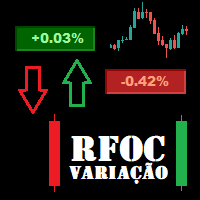
O Produto RFOC Variação Diária apresenta a função de indicar no gráfico a variação, em porcentagem, do preço em relação ao preço de fechamento do dia anterior.
O indicador permite configurar 100% da coloração para variações de alta, baixa e neutra (0.00%).
O painel com a apresentação da variação diária do preço fica fixada na parte superior do gráfico, e se ajusta automaticamente no centro da janela.
FREE

The utility opens an order in the opposite direction from already open positions on the currency pair on which it is launched, creating a lock of orders. The utility has a simple interface and is easy to use. MT4 version of the utility - https://www.mql5.com/en/market/product/78127 If you like this utility, take a look at my other products - https://www.mql5.com/en/users/nina_yermolenko/seller
FREE

Привет. Сегодня представляем индикатор корреляции - SynchroWindowTomson. Индикатор в одном окне показывает движение нескольких инструментов, по отношению друг к другу, удобно определять направление и изменение, особенно когда вы работаете с целым портфелем разных инструментов и нужно определить какой из них тянет результат назад и движется в другую сторону. Так же видны точки разворота спреда.
FREE

Change lot size, set TP / SL points and with one click place an order. Track current order count and total running profit. Instant Close all Buy trades, Close all Sell trades or Close All open trades buttons. Trailing SL feature Support for Manual orders. Utility types Risk management, Graphical objects, Panels. Main features
Take Profit and Stop Loss in points (10pip = 100 points) After the price reaches the Take Profit threshold, orders will be closed in profit After the price reaches the St
FREE
The AllClosedMT5 utility in the form of an expert. The utility is designed for closing all open positions simultaneously based on the total profit (in the deposit currency) of all open positions. The utility can be attached to any chart with any trading instrument.
Parameters Profit - the total positive profit in the deposit currency, at which all open positions are closed (profit). Stop - the total negative profit in the deposit currency, at which all open positions are closed (loss). The valu
FREE

Простая утилита, которая показывает на какую сумму средств куплено активов в портфеле. Необходима для отслеживания загрузки депозита. Выводит информацию в удобную надпись, которую можно разместить в любом месте графика. Учитывает валюту депозита: USD или RUB Учитывает, в какой валюте торгуется актив (USD или RUB) и автоматически конвертирует по текущему курсу. Можно настроить размер и цвет надписи
FREE
This simple logging library is designed to provide clear and contextual log output with minimal hassle. It exposes five methods: LogError Message (message) LogWarn Message (message) LogInfo Message (message) LogDebug Message (message) LogTrace Message (message) Each method prints the provided message to the console only if the severity level meets or exceeds the current threshold set by a global variable logLevel. This means you control the verbosity of your application's logs by adjusting logL
FREE

I find the lot calculation tedious so I just use this script and tell it the dollar amount to use. It then does the rest. This works for any currency.
How-To: Open a sell position using the desired dollar amount instead of lots. To use, just drop it onto a chart and set inputs as needed. The script will then do the necessary lot calculation and open the trade.
Inputs: FIXED_DEAL_AMOUNT: Fixed amount to use per trade e.g 100 to open a R100 deal USE_SL_ON_BUY: If true then a suitable stoploss wi
FREE
I find the lot calculation tedious so I just use this script and tell it the dollar amount to use. It then does the rest. This works for any currency.
How-To: Creates a buy limit order at chosen MA price using the desired dollar amount instead of lots. To use, just drop it onto a chart and set inputs as needed. The script will then do the necessary lot calculation and create a buy limit order.
Inputs: FIXED_DEAL_AMOUNT: Fixed amount to use for the trade e.g 100 to open a R100 deal MA_PRICE: MA
FREE
Индикатор отображает изменение баланса В правом нижнем углу окна.
Отображаются следующие периоды Сегодня Вчера 3 дня Неделя 10 дней Месяц 3 месяца Полгода Год Все время Есть возможность выставить расчетное время. Удобно пользоваться для расчетов прибыли/убытков с определенного часа.
Будет полезен например ночным скальперам. Данные совпадают с расчетами отчета в терминалее.
FREE

Phone Notification
Send Information from VPS direct to Phone No TradingOperation only MessageNotification Send Information to your selected Time-Window Configure Time when want to receive the Message What will be send:-Bull/Bear Candle Bull: 0 Bear: 0 Level that get Touched by Price most Level: 00000.00 any Question or modification ex5 Code write me a Message
FREE

AdaptiveStats is a comprehensive and visually stunning performance analysis tool for the MetaTrader 5 (MQL5) platform, featuring a professional "Fintech Dark" (JARVIS-inspired) aesthetic. It is engineered to provide traders with real-time, actionable insights into their trading performance directly on the chart interface. Key features and capabilities include: Multi-Timeframe Performance Tracking : Automatically calculates and aggregates Net Profit, Win Rate, and Total Trades for three critical
FREE

Introducing our cutting-edge Trade Copier Expert Advisor for MetaTrader 5 (MT5) – the ultimate solution for seamless trade replication across multiple accounts on the same server or computer. Elevate your trading experience and take control of your investment strategy like never before with our professional-grade Trade Copier. Key Features: Effortless Trade Replication: Our Trade Copier effortlessly duplicates trades from a master account to multiple slave accounts, ensuring that you never miss
FREE
This indicator allows to hide Volume (on all MT5 timeframes) from a date define by the user with a vertical line (Alone) or a panel (with "Hidden Candles"). The color of each bar depends if this one is higher or lower of the previous bar. Indicator Inputs: No inputs for this indicator Information on "Volume" indicator is available in this post: https://www.mql5.com/en/forum/134260 ************************************************************* Hey traders!! Give me your feeds! We are a commun
FREE
This indicator allows to hide CCI oscillator (on all MT5 timeframes) from a date define by the user, with a vertical line (Alone) or a panel (with "Hidden Candles"). Indicator Inputs: Period Apply To Information on "Commodity Channel Index" indicator is available here: https://www.metatrader4.com/en/trading-platform/help/analytics/tech_indicators/commodity_channel_index ************************************************************* Hey traders!! Give me your feeds! We are a community here and
FREE
This indicator allows to hide Bill Williams Fractals (on all MT5 timeframes) from a date define by the user with a vertical line (Alone) or a panel (with "Hidden Candles"). Indicator Inputs: Indicator Color Indicator Width Information on "Fractals" indicator is available here: https://www.metatrader4.com/en/trading-platform/help/analytics/tech_indicators/fractals ************************************************************* Hey traders!! Give me your feeds! We are a community here and we ha
FREE
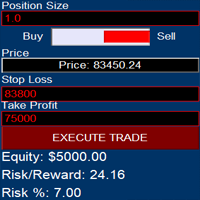
The SmartTrader Panel is a powerful and intuitive trading panel designed to streamline trade execution and risk management in MetaTrader. With its sleek and user-friendly interface, traders can quickly manage their positions, calculate risk metrics, and execute trades with precision. Key Features: One-Click Trading: Easily place Buy or Sell orders with a single click.
Risk Management: Automatically calculates risk percentage, risk-reward ratio, and potential profit/loss.
Customizable Trad
FREE
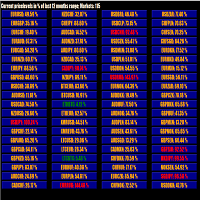
This tool scans up to 200 markets simultaneously and displays the current price level in a range specified by the user in a chart window.
By clicking on one of the buttons, a new chart window opens for the selected symbol. A template file can be specified as an input parameter, which is applied directly to the opened chart window.
The user can specify the font size of the buttons, the number of buttons per column and the level at which marking should take place in the input parameters. The upd
FREE

MT5 History Checker Can you trust the historical data behind your MT5 backtest? MT5 History Checker is a diagnostic utility designed to identify missing periods and coverage problems in the historical data supplied by your MetaTrader 5 broker. Select the symbol and date range you want to examine and run the checker. The utility analyses the available history and provides a clear PASS, WARNING or FAIL result. What it checks Historical tick-hour coverage M1 historical-data coverage Missing periods
FREE

**DER AUTOR ÜBERNIMMT KEINE HAFTUNG FÜR VERLUSTE, DIE DURCH DIE NUTZUNG DIESER SOFTWARE ENTSTEHEN, INSBESONDERE NICHT FÜR VERLUSTE DURCH DAS AUTOMATISCHE SCHLIESSEN VON POSITIONEN (TRADES). BITTE TESTEN SIE DIE SOFTWARE AUSFÜHRLICH AUF EINEM DEMO-KONTO!** --- # Equity Drawdown Monitor - Ihr Wächter für Risikomanagement **Schützen Sie Ihr Kapital mit professionellem Multi-EA-Monitoring und automatischem Notfall-Stopp.** Der **Equity Drawdown Monitor** ist ein unverzichtbares Werkzeug für Trader,
FREE

Candle Momentum Alert R13 Free Candle Momentum Alert Utility for MetaTrader 5 Candle Momentum Alert R13 is a lightweight utility for MetaTrader 5 designed to help traders monitor candles with significant price movement based on a user-defined candle body size threshold. This tool is intended for monitoring and awareness purposes only and does not place, manage, or modify any trades. Key Features Candle momentum monitoring based on candle body size Multi-symbol monitoring (main chart + opti
FREE
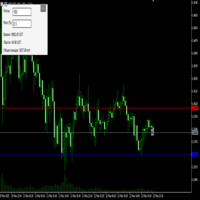
Преимущества и принцип работы индикатора "Risk end Lot Size Calculator" Преимущества : Простота использования :
Индикатор автоматически рассчитывает все необходимые параметры, вам нужно только ввести количество пипсов и риск.
Управление рисками :
Помогает определить, сколько вы можете потерять в сделке, и какой объем позиции (лот) выбрать, чтобы не превысить допустимый риск.
Визуализация :
На графике отображаются линии стоп-лосса для Buy и Sell, что позволяет быстро оценить уровни.
Удобство :
О
FREE

Trading Companion is an EA bridge to the Telegram chat. It does not place trades, it provides to your Telegram's terminal information about your accounts - it can be used with any other EA, indicator or trading solution. It notifies you about the server lag (ping between your terminal and your broker) and includes a feature to withdraw wisely from your account.
Settings Ping limit: default 300ms - will warn you if ping is superior Basis Fund: 0, deactivated - each time you will withdraw, it is
FREE
MetaTraderマーケットは、履歴データを使ったテストと最適化のための無料のデモ自動売買ロボットをダウンロードできる唯一のストアです。
アプリ概要と他のカスタマーからのレビューをご覧になり、ターミナルにダウンロードし、購入する前に自動売買ロボットをテストしてください。完全に無料でアプリをテストできるのはMetaTraderマーケットだけです。

取引の機会を逃しています。
- 無料取引アプリ
- 8千を超えるシグナルをコピー
- 金融ニュースで金融マーケットを探索