Multi Timeframe Sniper Grid
- Experts
- Versione: 4.3
- Attivazioni: 10

Multi-Timeframe Sniper Grid is an automated Expert Advisor for MetaTrader 5.
IMPORTANT RISK NOTICE
This EA uses a grid / multi-trade technique and can keep many trades open in the same direction without a stop loss on each trade. A basket can show a large floating loss and a long drawdown before it recovers. Position size and the number of open trades can grow. Past or simulated results do not guarantee future results. Test on a demo account first and only risk money you can afford to lose.
How it works
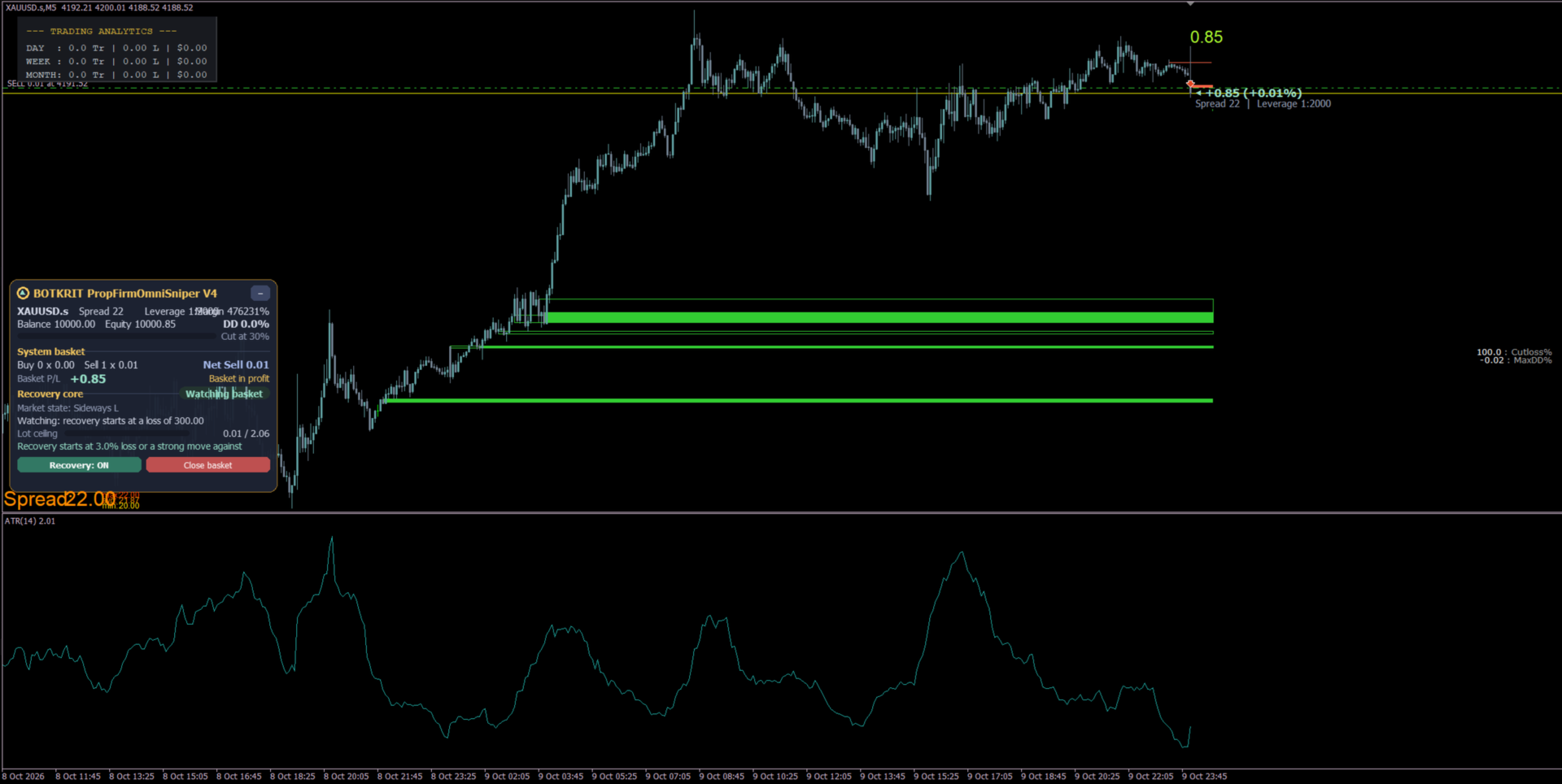
- Finds engulfing boxes that price has not touched yet on M1, M5, M15 and H1 (up to three boxes per side per timeframe) and draws them on the chart.
- The newest fresh box on M1/M5 gives the Buy or Sell signal; the EA opens stepped trades at the box levels 1 to 3, with a "no position nearby" filter to avoid stacking at the same price.
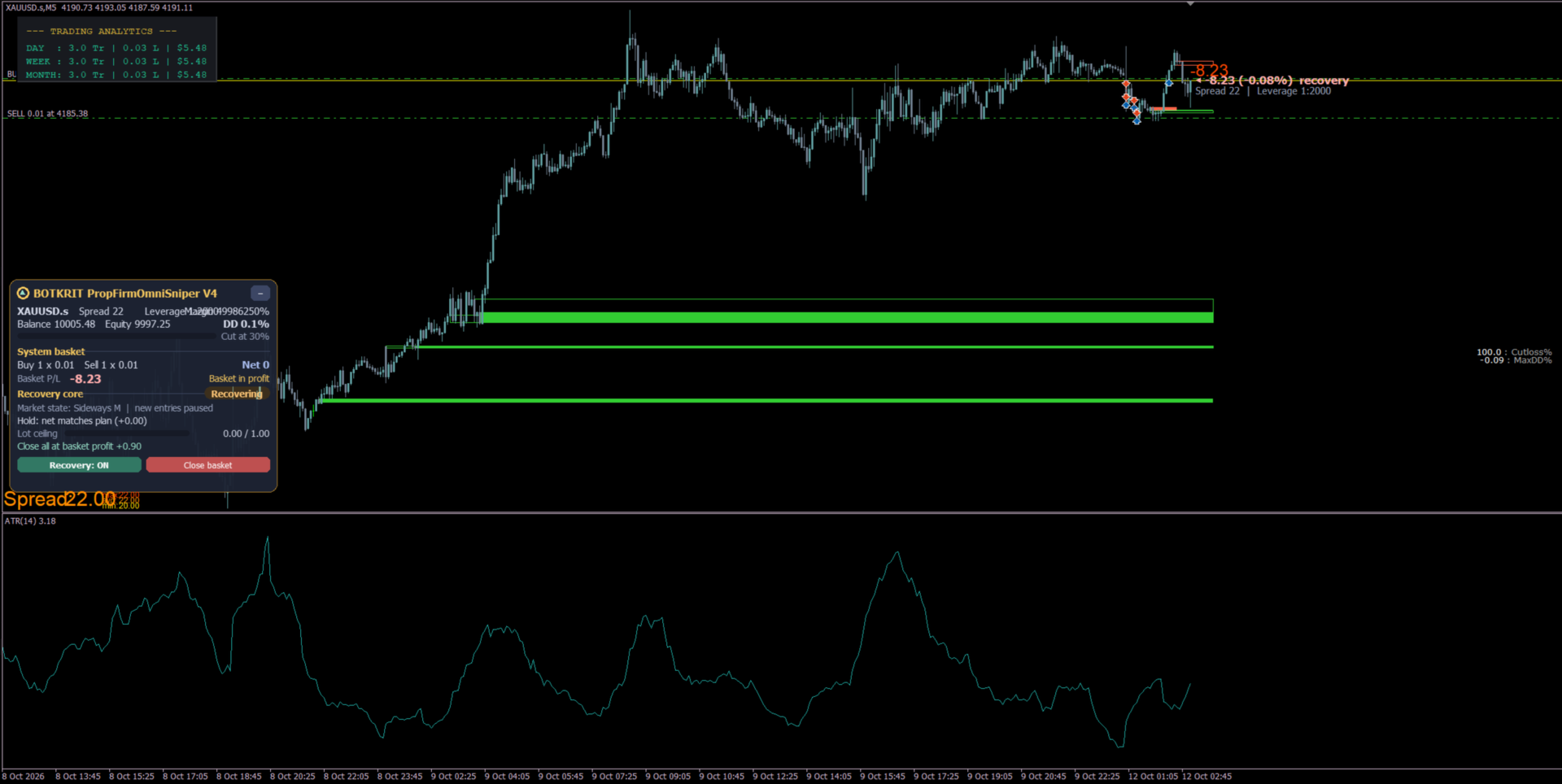
- All trades on the symbol are closed when the total profit reaches the basket target; a drawdown cut-off closes everything when the loss reaches a percentage of the balance.
- Statistics for the day, week and month and the maximum drawdown are shown on the chart.
Safety and broker compatibility
- Volume is normalized to the symbol minimum, maximum and step before every order.
- Free margin is checked with OrderCalcMargin before an order is sent.
- Stops level and freeze level are respected when placing or modifying orders and SL/TP; a modification is not sent when the values are unchanged and nothing is modified inside the freeze zone.
- Symbol trade mode, trading session, order limit and filling mode are checked before sending requests.
- No DLL, no web requests, no files are written.
BOTKRIT recovery core and dashboard
This build includes a basket recovery core and a standard BOTKRIT panel. When the open basket of this EA loses more than the set percentage of the balance the EA pauses its own new entries and the core can open balancing (hedge) trades with its own magic number until the basket can be closed at break-even plus a target; the basket is cut at the set loss percentage. Balancing trades can increase exposure. The core works on hedging accounts only and can be switched off with InpRKOn = false. The panel can be collapsed and moved to another corner.
Inputs
- Grid_Basket_TP (default 5.0): Grid basket tp
- Grid_Distance (default 3000.0): Grid distance
- Grid_Start_Lot (default 0.01): Grid start lot
- MaxLot (default 0.05): Max lot
- News_Spread_Multiply (default 1.2): News spread multiply
- Grid_Multiplier (default 1.3): Grid multiplier
- Lots_Push_Buttom (default 0.01): Lots push buttom
- Lot_Risk_Percent_EA (default 0.1): Lot risk percent ea
- _sl_buffer (default 250.0): Sl buffer
- Max_SL_Points (default 550.0): Max sl points
- DD_Cutloss_Percent (default 100.0): Dd cutloss percent
- Repeat_Start_Lot_Count (default 5.0): Repeat start lot count
- sysmbol_sync_NEG1 (default USDJPY.v): Sysmbol sync neg1
- sysmbol_sync_NEG2 (default DXY_Jun.v): Sysmbol sync neg2
- sysmbol_sync_POS1 (default XAGUSD.v): Sysmbol sync pos1
- sysmbol_sync_POS2 (default EURUSD.v): Sysmbol sync pos2
- MagicStart (default 3413): Magic Number, kind of...
Recovery core and dashboard inputs:
- InpRKOn (default true): Recovery core on/off: when the basket loss grows, new entries of the EA are paused and balancing trades can be opened until the basket closes
- InpRKStartPct (default 3.0): Start recovery when the basket loss exceeds this percent of the balance at basket start
- InpRKStartATR (default 3.0): or when price runs against the net position by this many ATR (0 = off)
- InpRKCutPct (default 30.0): Close the whole basket at this percent loss of the start balance
- InpRKShockATR (default 10.0): Shock distance to survive (ATR multiples), used for the lot ceiling
- InpRKMinMargin (default 300.0): Do not open a recovery trade if the margin level after opening would be below this percent
- InpRKSpreadMul (default 2.0): Pause recovery trades when the spread is above this multiple of the 60-minute median
- InpRKCorner (default bottom right): Corner of the BOTKRIT panel
- InpRKBar0 (default FULL): Bar-0 label (basket profit, spread and leverage)
Recommended setup
- M1/M5 charts, gold and major pairs, low-spread account.
- Minimum capital: At least 1,000 USD with the default 0.01 lot.
- Test on a demo account first and keep the lot small.