Thunder Raptor
- Indicatori
- Versione: 1.0
- Attivazioni: 15

A trend line with a ready trade plan
A Supertrend line shows the trend, but not where to enter, stop or take profit. Thunder Raptor marks each trend change on a closed bar and draws that plan for you.
Bonus for buyers
Bonus preset pack: after purchase, send me a private message on MQL5 and I will send you 4 ready-made settings files (.set) for different markets and timeframes, which load in one click from the inputs window.
How it works
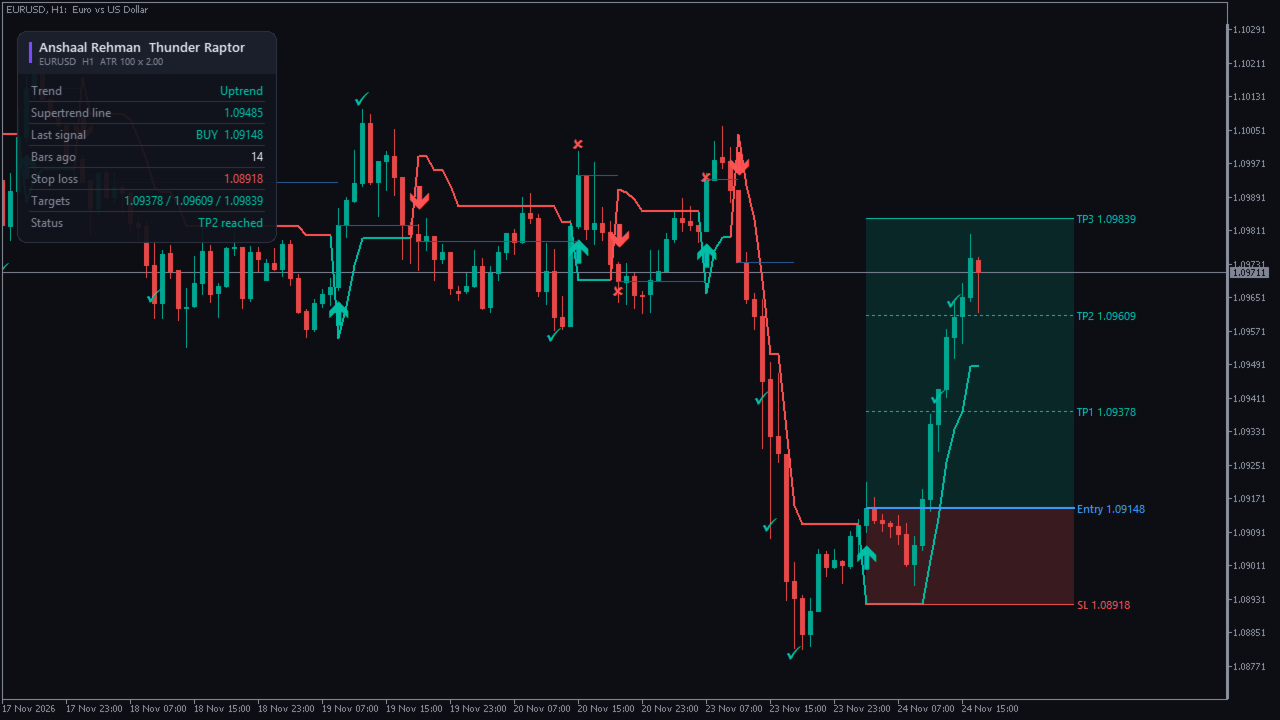
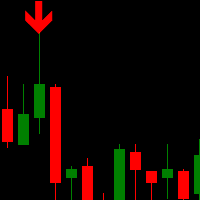
The indicator builds two bands around the median price of each bar, a set multiple of the ATR away. A close above the previous upper band turns the trend up, a close below the previous lower band turns it down, and otherwise the trend stays. During a trend the line only moves in the trend direction, like a trailing stop. When a closed bar changes the trend, an arrow appears. Entry is that bar's close, the stop loss sits on the Supertrend line, and the three take profit levels are multiples of that risk.
Key features
- Supertrend line in two colours, joined at each trend change
- Buy and sell arrows on closed bars, half an ATR from the candle
- Entry, stop loss and three take profit levels with zones and price labels
- Past signals fade to a thin entry line with hit marks
- Dashboard: trend, line value, last signal, bars ago, stop, targets, status
- Trend and Signal buffers readable by an Expert Advisor
- Same calculation on MetaTrader 4 and MetaTrader 5
How to trade it
Buy: the line flips below price and a buy arrow appears under the closed bar. Enter near the drawn entry, keep the stop on the line, and close part of the trade at TP1, TP2 and TP3.
Sell: a sell arrow appears above the closed bar and the line moves above price. Enter near the entry with the stop on the line and manage the trade at the three targets. An opposite signal ends the old plan.
Check it yourself in two minutes
1. Open the Strategy Tester and choose the indicator on EURUSD H1.
2. Turn on visual mode and start the test.
3. Watch arrows appear only after their bar closes, and the dashboard status change as targets or the stop are hit.
Signals are fixed when the bar closes and never redrawn afterwards. Only the line on the open bar moves with price.
Recommended use
Any symbol and timeframe. The defaults (ATR period 100, multiplier 2.0) give a steady line for forex majors and gold from M15 to H4. It suits trend followers who want a clear stop on every trade.
Alerts
Popup, sound, push and email, sent once when a closed bar changes the trend. Switch on Enable notifications feature first.
Inputs
Supertrend: Objects prefix (used to draw objects) names the chart objects, so give a second copy its own prefix. ATR multiplier sets the band distance (2.0). ATR period sets the ATR length (100). Max bars sets how many bars are calculated (1000). Indicator shift, positive or negative moves the line in bars (0).
Trade levels: Show entry, stop loss and take profit levels (true), Shade risk and reward zones (true), Mark take profit and stop loss hits (true) and Keep full levels on past signals (false) control what is drawn. Take profit 1 (x risk to the Supertrend line), Take profit 2 (x risk) and Take profit 3 (x risk) set the targets (1.0, 2.0, 3.0). Level line length (bars) sets the line length (12). Signals with levels kept on the chart sets the history kept (25).
Dashboard: Show dashboard (true), Dashboard corner (left upper), Dashboard X offset (px) (14) and Dashboard Y offset (px) (28).
Alerts: Enable notifications feature is the master switch (false). Popup alert on a trend change, Sound alert, Push notification to phone and Email alert pick the channels (all false). Sound file is the file to play (alert.wav).
Style: Uptrend line color and Downtrend line color (teal, red), Line width (1-5) (2), Buy color (arrows and targets) and Sell color (arrows and stops) (teal, red), Arrow size (1-5) (3).
About: Print the license text to the Experts log prints the Apache 2.0 license (false).
Support and versions
Ask in the Comments tab or by MQL5 private message. The tool is available for MetaTrader 4 and MetaTrader 5 as separate products. The Supertrend calculation is open source under the Apache License 2.0.
Risk note
Trading carries a risk of loss. The levels are a planning aid, not a forecast.
Credits
Supertrend calculation based on open-source code by EarnForex.com (Apache License 2.0). The full license text is included in the program (input Show license) and sent on request.