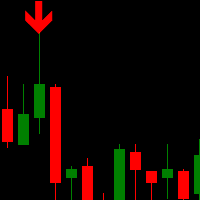
Viper Trend Strike
- Indicatori
- Versione: 1.0
- Attivazioni: 10

Moving average crosses are easy to read but easy to act on late. This indicator marks each cross on the closed bar and draws a full trade plan around it.
Bonus for buyers
Buyer kit: after purchase, send me a private message on MQL5 and I will send you the PDF trading guide plus 4 ready-made settings files (.set) for different markets and timeframes.
How it works
The indicator plots a fast and a slow moving average. A buy arrow prints when the fast line closes above the slow line after being at or below it on the bar before. A sell arrow prints on the opposite cross. The forming bar is never checked.
The entry is the close of the signal bar. The stop loss is placed a set number of ATR from the entry. The three take profits are multiples of that risk (1, 2 and 3 by default). A new signal ends the previous one.
Key features
- Buy and sell arrows on closed bars, not redrawn afterwards
- Entry, stop loss and three take profit levels for the latest signal
- Shaded risk and reward zones, with marks where a level was touched
- Dashboard with trend, last signal, bars ago, levels and status
- Signal buffer (1 buy, -1 sell) that Expert Advisors can read
- Popup, sound, push and email alerts
- Works on any symbol and timeframe
How to trade it
Buy: the fast line closes above the slow line and an arrow prints under the bar. Enter near the entry line, keep the stop at the stop line and take part of the trade off at each target.
Sell: the fast line closes below the slow line and an arrow prints above the bar. The dashboard lists the stop and targets so you can set the order at once. A new buy cross ends the plan.
Check it yourself in two minutes
Open the Strategy Tester. Select the indicator, a symbol such as EURUSD H1, and visual mode. Start the test and watch arrows appear only after a bar closes. Pause and compare with earlier bars. Signals are fixed when the bar closes and are never redrawn.
Recommended use
Forex majors and gold on M15 to H4. It suits trend traders who want a clear stop and targets for each cross. In flat markets crosses come often, so check the higher timeframe trend first.
Alerts
Popup, sound, push and email alerts on each new signal, each switched on or off in the inputs.
Inputs
Signal: InpFastPeriod is the fast MA period (9). InpSlowPeriod is the slow MA period and must be above the fast one (21). InpMaMethod is the MA method (EMA). InpMaPrice is the applied price (Close). InpAtrPeriod is the ATR period for stops and arrow spacing (14).
Trade levels: InpShowLevels shows entry, stop loss and take profit levels (true). InpShowZones shades risk and reward zones (true). InpShowMarks marks take profit and stop loss hits (true). InpPastLevels keeps full levels on past signals (false). InpStopAtr is the stop loss distance in ATR (1.5). InpTp1Ratio, InpTp2Ratio and InpTp3Ratio set the take profits as multiples of risk (1.0, 2.0, 3.0). InpLevelBars is the level line length in bars (12). InpMaxSignals is the number of signals kept with levels on the chart (25).
Dashboard: InpShowPanel shows the dashboard (true). InpPanelCorner sets its corner (left upper). InpPanelX and InpPanelY set the offset in pixels (14, 28).
Alerts: InpAlertPopup gives a popup alert on a new signal (true). InpAlertSound plays a sound (false) using InpAlertFile (alert.wav). InpAlertPush sends a push notification to your phone (false). InpAlertEmail sends an email (false).
Style: InpFastColor and InpSlowColor set the MA line colors. InpBuyColor and InpSellColor set the buy and sell colors, also used for targets and stop. InpArrowSize sets the arrow size from 1 to 5 (3).
Support and versions
Questions are welcome in the Comments tab or by private message on MQL5. The tool is available for MetaTrader 4 and MetaTrader 5 as separate products.
Risk note
Trading involves risk. The levels help you plan a trade but do not forecast price, so test on a demo account first.