EngulfingScanner MT4
- Utilità
-
Dragos Mihai Ofrim
 DuoFX Labs: trading tools for MetaTrader 5 and MetaTrader 4
We build the tools we use ourselves: fast, clean and honest about what they do. Every product ships for both MT5 and MT4 from the same code, is tested on live charts before release, and gets updates when traders ask for something. - Versione: 1.0
- Attivazioni: 10
Every engulfing candle on 29 markets and 6 timeframes, graded A, B or C by where it formed. One panel, one glance.
User guide and articles: User guide, How to trade engulfing candles at key levels, Bullish and bearish engulfing patterns: what the context tells you.
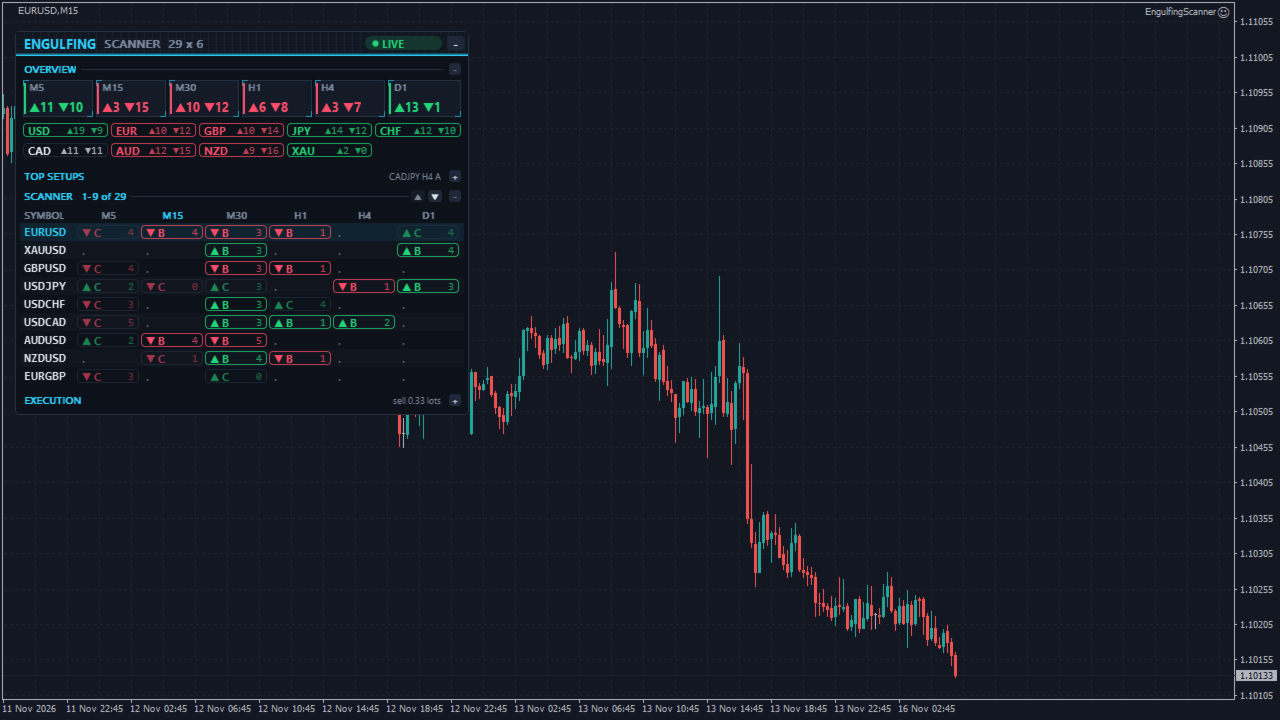
Most engulfing candles form in the middle of nowhere. The ones traders wait for form at a key level, after a liquidity sweep, with the higher timeframe behind them. EngulfingScanner finds every fresh engulfing on closed bars, checks that context for you and puts the A grades at the top, one click from the chart, with the stop and the lot size already worked out.
Scanner grid
Symbols down, timeframes across. By default the 28 major and cross currency pairs plus XAUUSD on M5, M15, M30, H1, H4 and D1, or your own list (up to 40 symbols and 8 timeframes). Broker suffixes and prefixes such as EURUSD.a are found from the chart symbol.
- A cell shows the newest fresh engulfing on that symbol and timeframe: an up or down arrow, the grade A, B or C, and how many closed bars ago it formed.
- Closed bars only: a pattern is found when its candle has closed, so a cell never changes its past or repaints.
- Hover a cell for the full check list behind its grade. Click it to switch the chart to that symbol and timeframe (or open a new chart), with the two candles and their key level marked on it.
What counts as an engulfing
A bullish engulfing is an up candle (close above open) after a down candle, whose body covers the prior body: its close is at or above the prior open and its open at or below the prior close. A bearish engulfing is the mirror image. You can also require the full range to be engulfed (high and low), switch off the opposite-colour rule (the body must then be larger and cover the prior body), and set a minimum body size as a share of ATR(14), 0.25 by default. Below D1, two candles separated by a market closure, such as the weekend, are not treated as one pattern.
Context grade A, B, C
Each check adds points, and the grade comes from the total:
- Key level (2 points): a prior day or prior week high or low, the last Tokyo, London or New York session high or low, or a round number lies in the pattern's wick zone, within 0.25 ATR. Round numbers are every 50 pips below H4 and every 100 pips on H4 and above (about 0.4% and 1% of the price on gold and other symbols).
- Liquidity sweep (1 point): the pattern or the bar before it wicked through the latest confirmed swing high or low and closed back inside.
- Trend (1 point): on the next higher timeframe (M5 to M15, M15 to H1, M30 and H1 to H4, H4 to D1, D1 to W1) the last closed bar is on the pattern's side of its EMA 50.
- Size (1 point): the engulfing body is at least one ATR(14).
- Session (1 point, below H4): the candle formed during the London or New York session.
- High-impact news (below H4): no point, but a release for either currency from 30 minutes before the pattern to 30 minutes after it closed keeps it from an A. On H4 and above a single release inside the candle is not checked.
An A needs 5 of 6 points with a key level and no news nearby, a B 3 points, everything else is a C. On H4 and above the session is not counted and both thresholds are one point lower. The thresholds are inputs.
Overview
- Counts of fresh bullish and bearish engulfings per timeframe.
- Counts per currency: a bullish engulfing on EURUSD counts bullish for EUR and bearish for USD, so you see which currencies are turning across the board.
- Top setups: the best fresh patterns, A grades first and then the newest, one click away.
Alerts
A new A grade (or A and B, or every engulfing) on the timeframes you choose, M15, M30, H1 and H4 by default. Popup, sound, push notification and email; several at once are combined into one message. Telegram and Discord alerts with the free DuoFX Alert Relay: switch on "Send to DuoFX Alert Relay" in the inputs.
Execution slice
A small section to trade the chart symbol from its selected setup:
- Stop beyond the pattern: below the lower of the two lows for a buy, above the higher of the two highs for a sell, plus a buffer in ATR or pips.
- Target as a multiple of the stop distance (2R by default, or none).
- Lot size from your risk: a percentage of balance, a money amount or fixed lots, including commission, rounded down to the lot step.
- One-click Buy and Sell, your open trades with break-even and close on each, break-even all and close all (close all asks once more). A request tag on every order keeps a click from ever opening two trades after a timeout.
- It folds to one line when you only want the scanner.
Panel
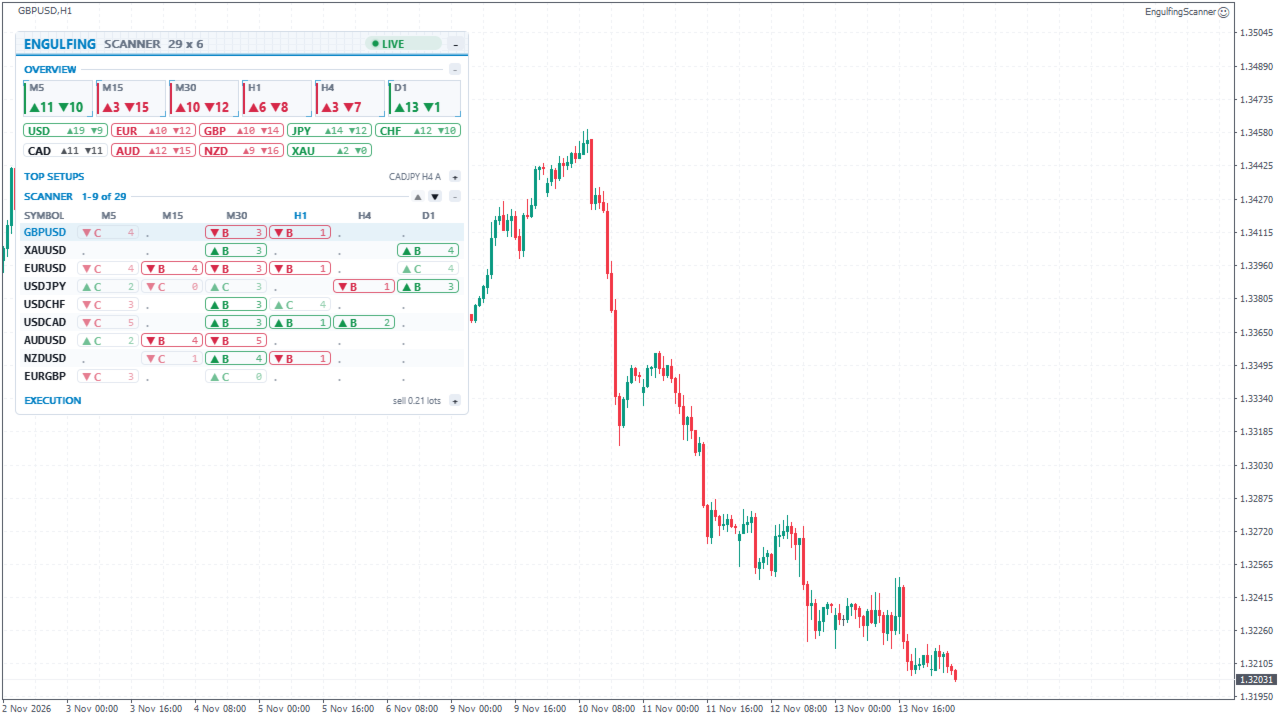
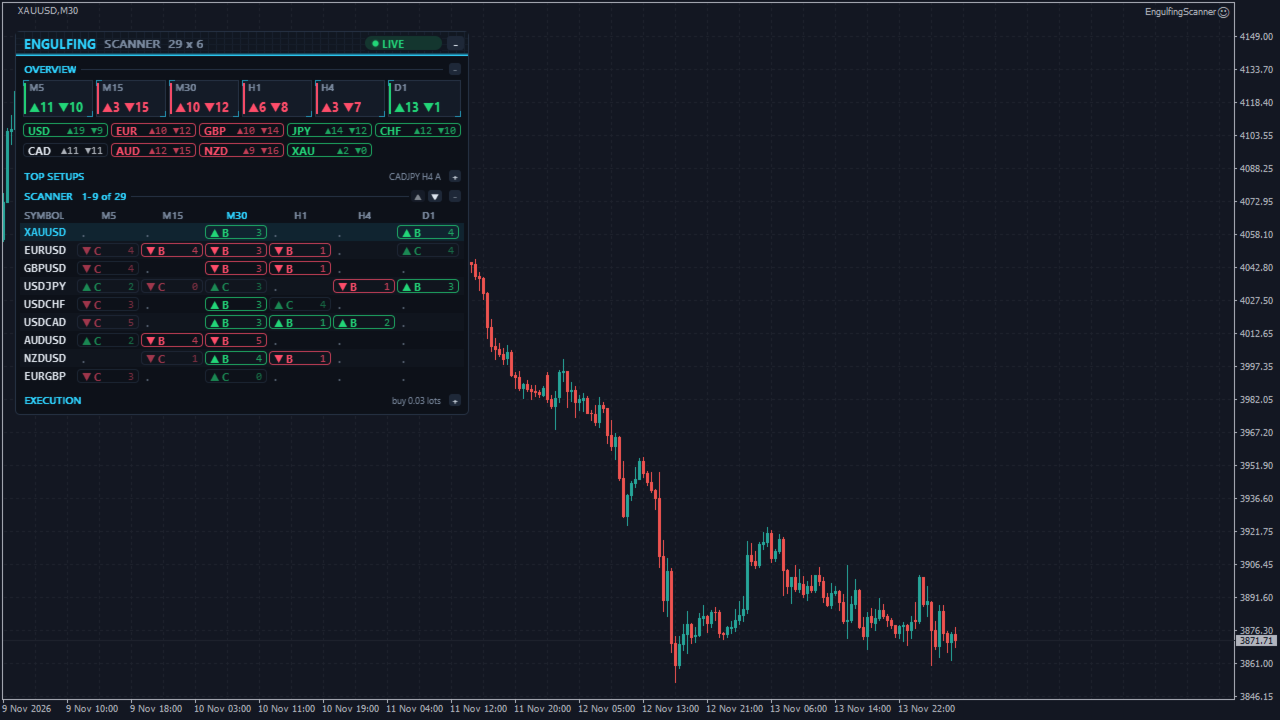
- Dark and light, following the chart background, or set in the inputs.
- Each section folds to a summary line; the panel minimises to a bar that keeps the count of A and B setups. On a small chart it shows fewer rows and scrolls, and folds sections by itself before it covers the chart.
- Drag it by the header. Hover any cell for what it means.
- Light on the terminal: each symbol and timeframe is read again only when a new bar opens on it, the levels are cached per symbol, and only changed cells are redrawn, so the panel does not flicker.
Available for MetaTrader 4 and MetaTrader 5.
Settings
- Scanner: symbols, prefix and suffix, timeframes, how many closed bars a pattern stays fresh, click action.
- Engulfing: opposite colour, full range, minimum body in ATR.
- Grade: level tolerance, round number step, swing and sweep bars, trend EMA, size in ATR, news window, points for A and B, number of top setups.
- Execution: show the section, risk mode and value, buffer unit and size, target in R, maximum lots, commission, break-even offset, manual trades in scope, magic number, comment, slippage.
- Alerts and panel: grades and timeframes that alert, channels, corner, offsets, theme, fonts, font size, rows kept visible, start minimised.
Notes
- News: MT5 reads the terminal's economic calendar. MT4 has no calendar, so it uses bundled US and euro-area release dates (to 31 December 2027) and checks news for USD and EUR only; other currencies show "no data" in the tooltip.
- The Strategy Tester can only read the tested symbol, so the scanner shows that symbol alone there. The panel and the buttons work in visual mode.
- On its first start the scanner loads each symbol's history from your broker; cells show three dots until they are ready, then every update is quick.
- Break-even and close act on the panel's own orders and, by default, on manual trades of the chart symbol. Trades of other Expert Advisors are left alone. A stop can fill further away in gaps and fast markets.
The screenshots show demo data, not trading results.
Disclaimer: Trading forex and CFDs carries a high risk and markets can move fast. This product is a tool for information and order entry. It is not financial advice and does not guarantee any result.