Live Trade Control Pro
- Utilità
- Versione: 6.13
- Attivazioni: 5

Professional Live Trading and Order Management Panel for MetaTrader 5
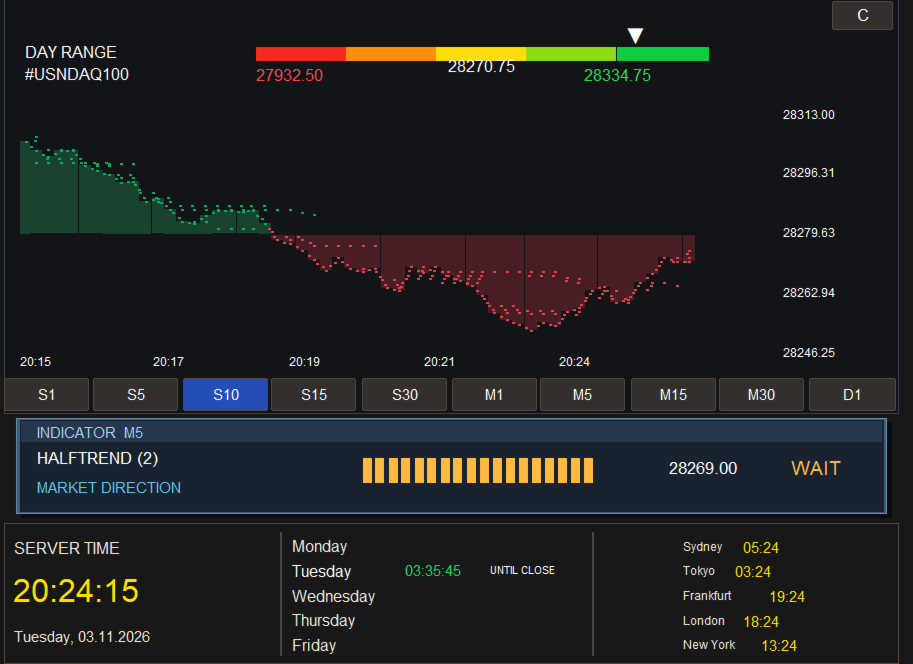
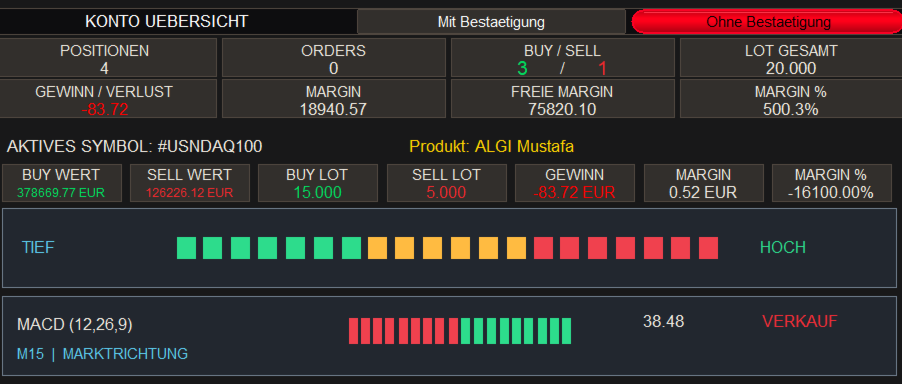
Live Trading Manager Pro combines manual trade execution, order management, position control, and market monitoring in one modern, user-friendly trading panel.
1. Features
Live Trading and Order Management
-
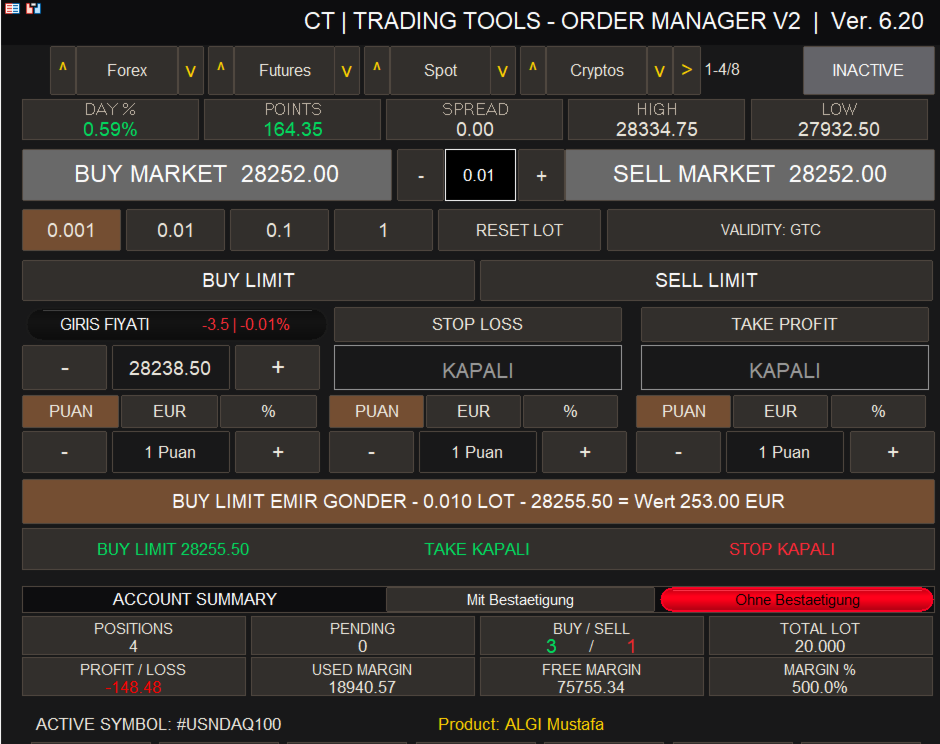
Manual BUY and SELL orders directly from the trading panel.
-
Placement of BUY LIMIT and SELL LIMIT orders.
-
Management of open positions and pending orders.
-
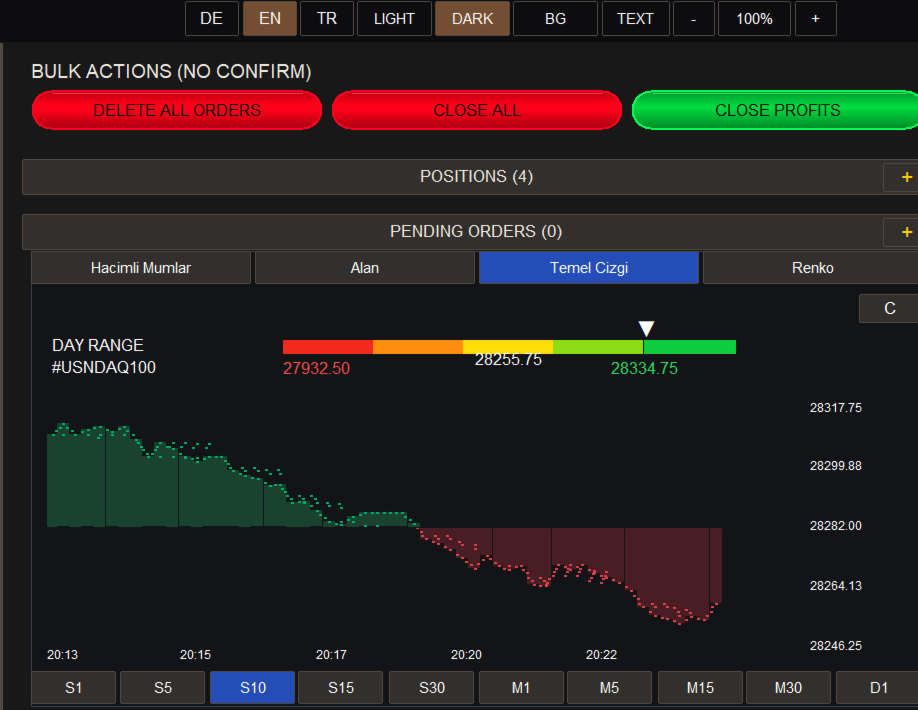
Simultaneous deletion of multiple pending orders.
-
Individual or bulk closing of open positions.
-
Selective closing of profitable positions.
-
Adjustable lot sizes, Stop Loss, and Take Profit.
-
Fast trade execution using clearly organized buttons.
Market Monitoring and Trading Signals
-
Symbol groups for Forex, Futures, Spot, and Cryptocurrencies.
-
Selection of trading symbols offered by your broker.
-
Display of current market prices.
-
BUY and SELL signals directly on the chart.
-
Audible BUY and SELL alerts for M5, M15, and M30 timeframes.
-
Clear display of important trading and position information.
Risk Management
-
Monitoring of open positions.
-
Quick closing of individual or multiple positions.
-
Stop Loss and Take Profit management.
-
Manual monitoring and control of trading activities.
2. How to Download and Install MetaTrader 5
Step 1 – Download MetaTrader 5
-
Visit the official website: https://www.metatrader5.com/en/download
-
Click "Download MetaTrader 5 for Windows".
-
Save the installation file to your computer.
Step 2 – Install MetaTrader 5
-
Open the downloaded installation file.
-
Follow the instructions in the installation wizard.
-
Wait for the installation to complete.
-
Launch MetaTrader 5.
Step 3 – Connect Your Trading Account
-
In MetaTrader 5, open "File → Login to Trade Account" or "Open an Account".
-
Select your broker and the correct trading server.
-
Enter your account number and password.
-
Verify that the connection to the trading server has been established successfully.
We recommend using a demo account for initial testing.
3. How to Install Live Trading Manager Pro in MT5
Step 1 – Install the Product
-
Log in to your MQL5 account in MetaTrader 5.
-
Open the Market section.
-
Search for Live Trading Manager Pro.
-
Purchase or rent the product.
-
Click "Install".
St