Vortex TradingLab
- Experts
- Versione: 2.88
- Aggiornato: 27 settembre 2026
- Attivazioni: 10

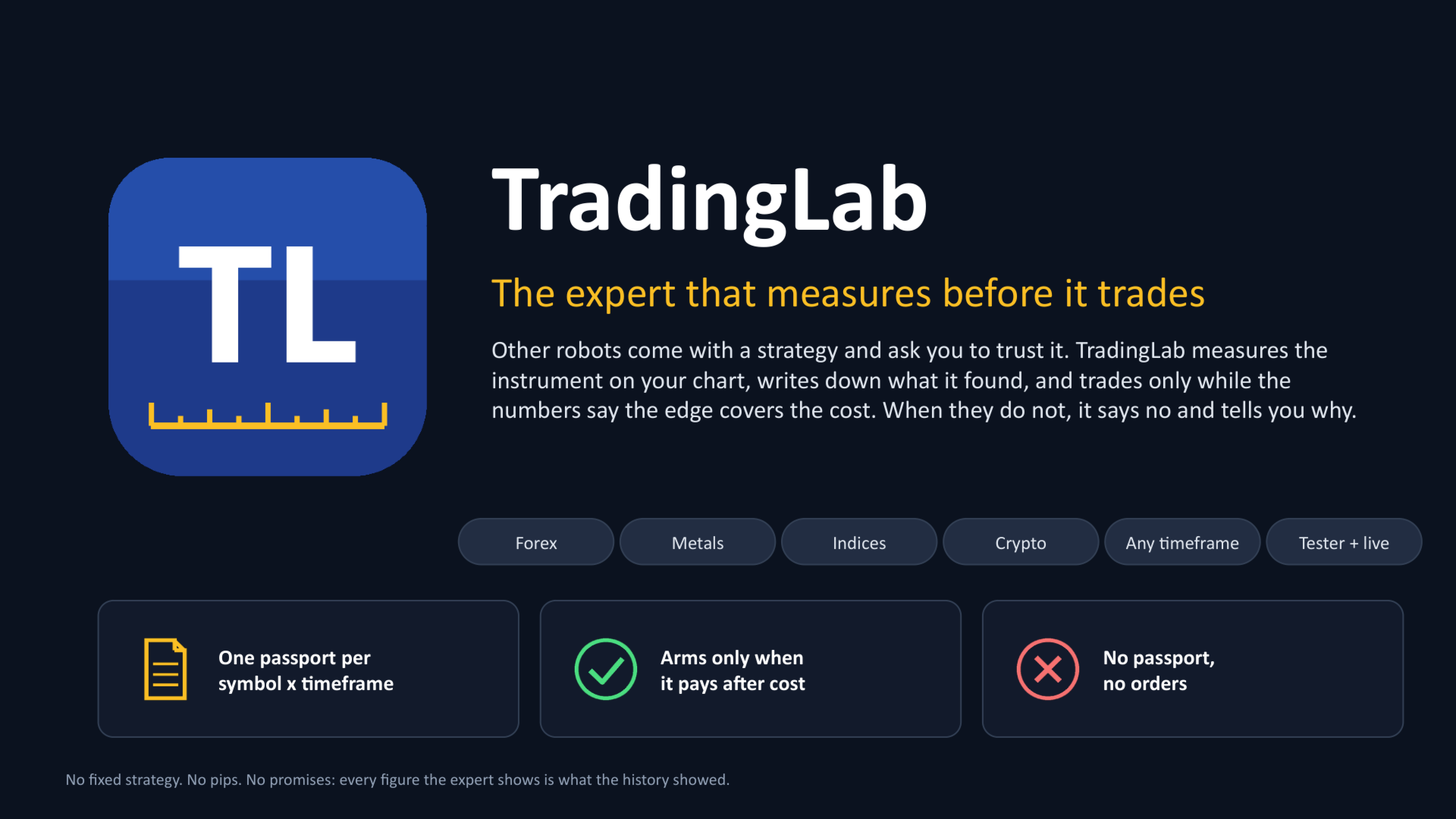
Vortex TradingLab - the expert that measures before it trades
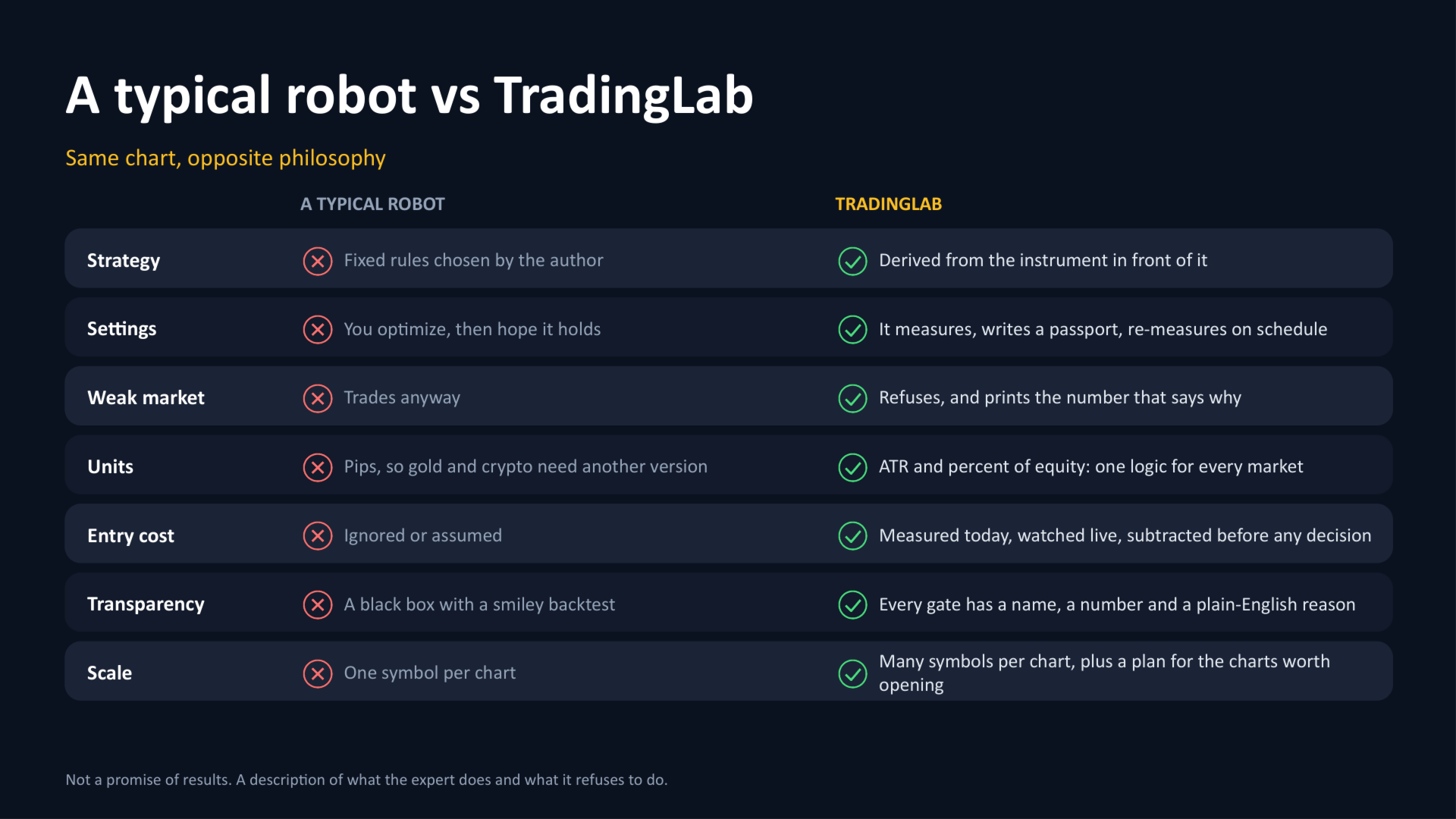
Most trading robots come with a strategy baked in and ask you to trust it. TradingLab does the opposite: it measures the instrument on your chart, writes down what it found, and trades only when the numbers say the edge is bigger than the cost of getting in. When they don't, it tells you why and stands aside.
AT A GLANCE
- No fixed strategy: the settings are derived from the instrument in front of it, not chosen by the author.
- Any market, any timeframe: forex, metals, indices, crypto. Everything in ATR and percent of equity, nothing in pips.
- Trades only what it measured to pay after today's entry cost. Refuses the rest, with the reason in plain words.
- Several instruments from one chart, plus a written plan of which other charts are worth opening.
- Every number it acts on is on the chart and in plain-text files you can open and check.
WHAT IT DOES FOR YOU
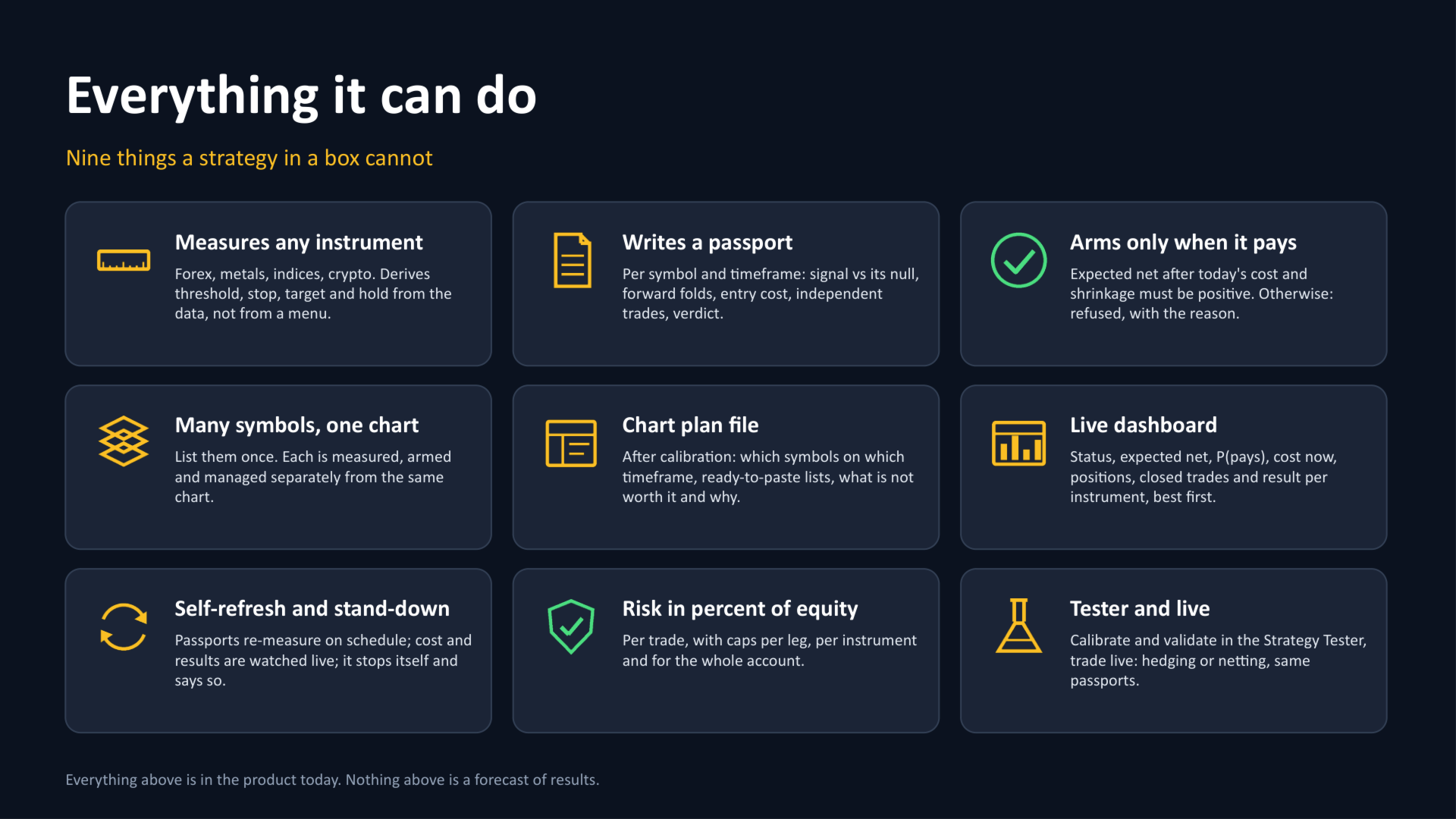
- Measures any instrument you put it on and derives its own threshold, stop, target and holding time. Nothing is hard-coded, nothing is in pips: the same logic works on EURUSD, gold or Bitcoin.
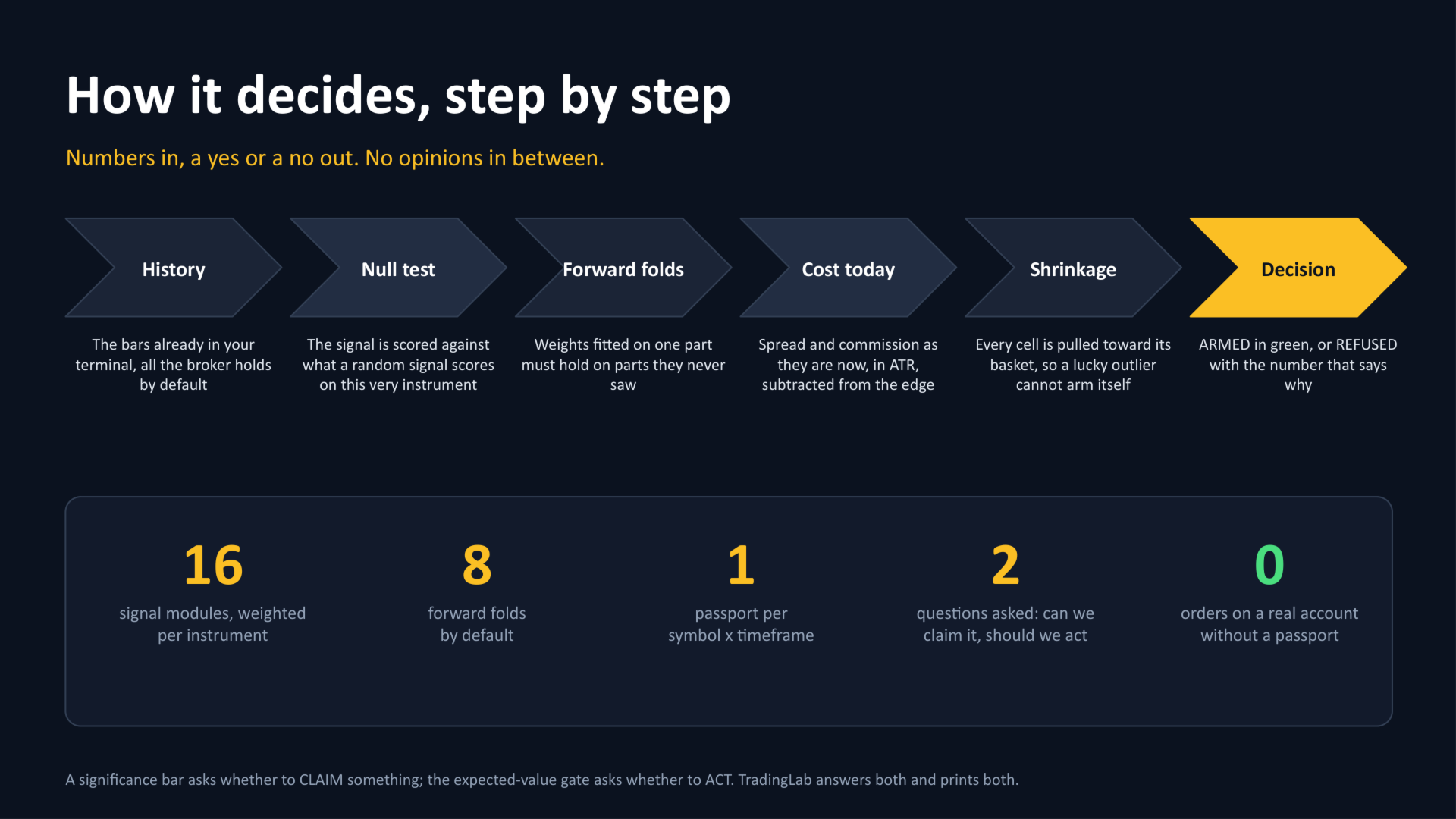
- Writes a passport for every symbol and timeframe: how strong the signal was, whether it survived out-of-sample folds, how much entry cost eats, how many independent trades stand behind the numbers.
- Opens the door only when it is worth it. A cell is armed when the expected result after cost and after shrinkage is positive; otherwise it is refused, with the reason in plain words.
- Trades several instruments from one chart. List them once, the expert measures and manages each of them separately.
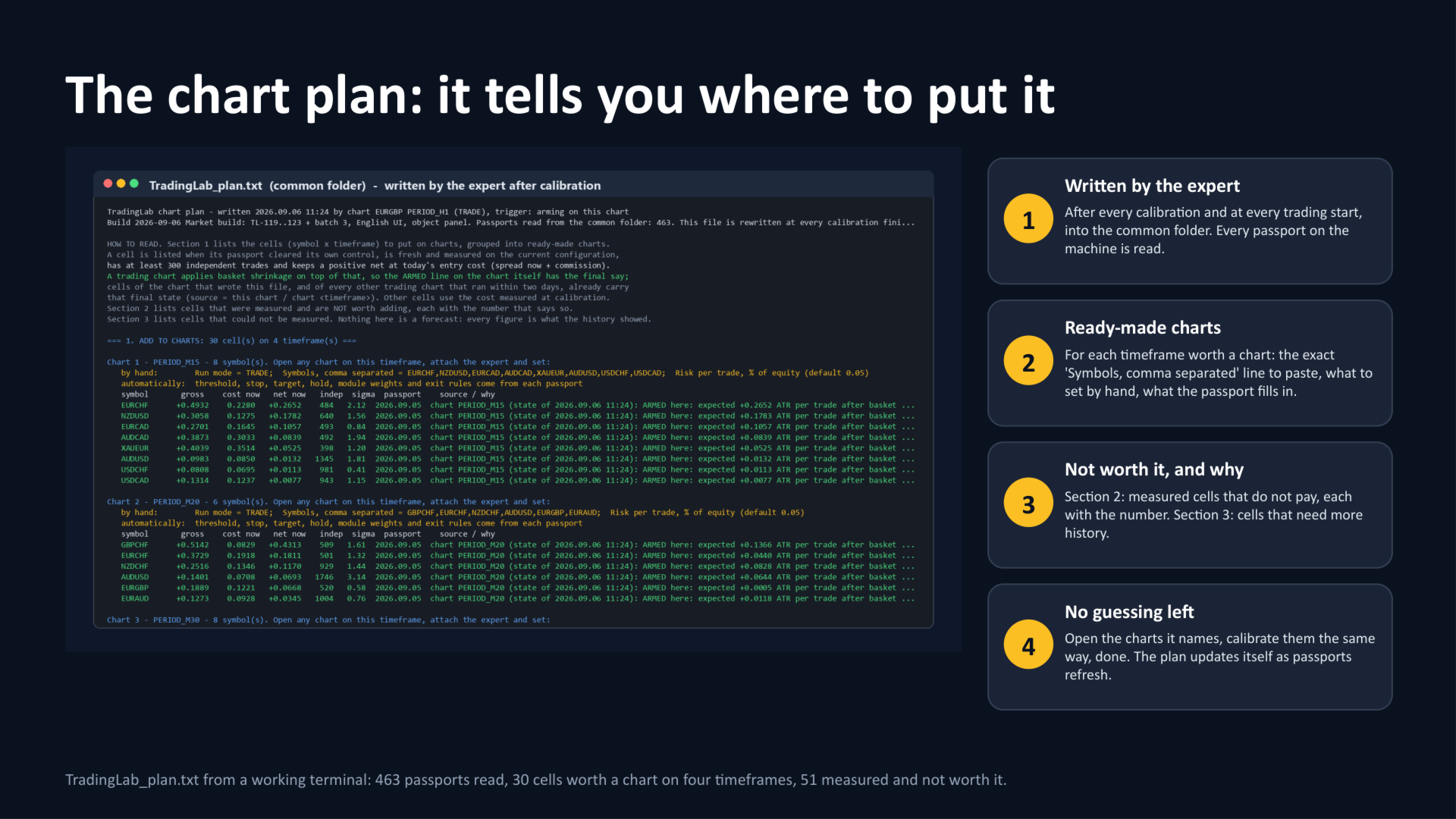
- Chart plan file. After calibration it writes TradingLab_plan.txt : which symbols to put on which timeframe, a ready-to-paste list for each chart, what it set automatically, what was measured and is not worth it, and what needs more history.
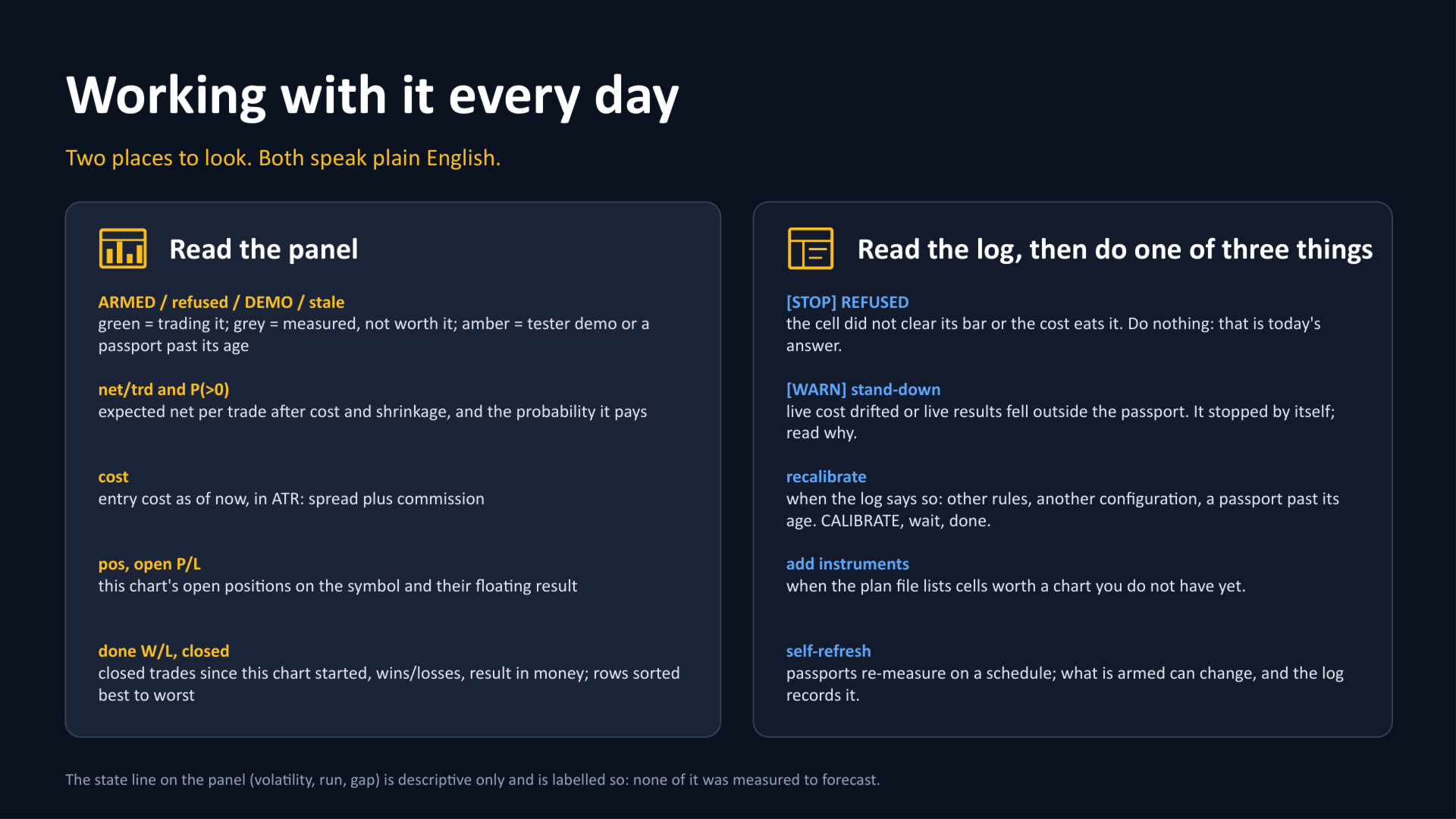
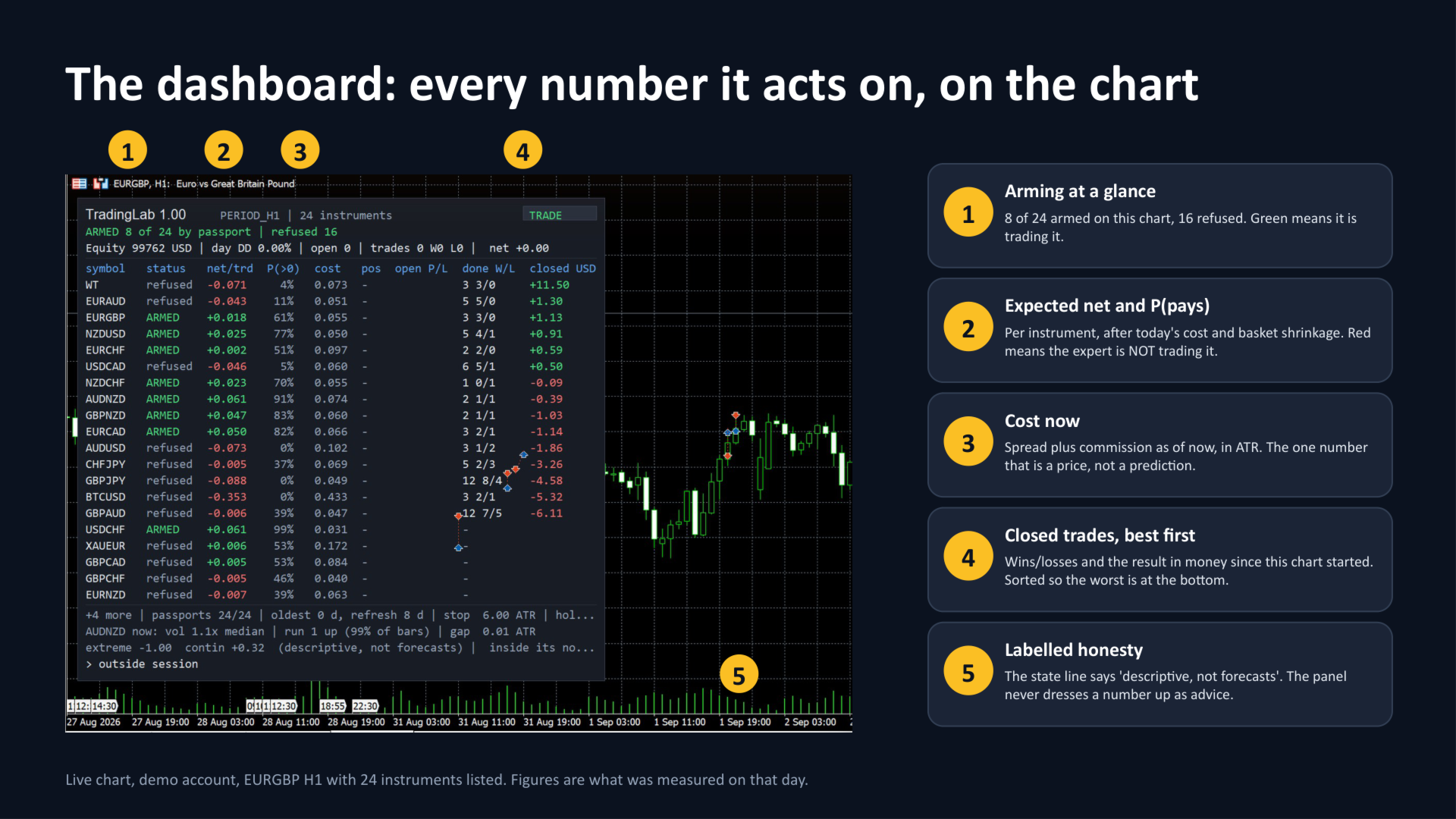
- Live dashboard on the chart: mode, arming status, equity and daily drawdown, and a table per instrument - expected net per trade, probability it pays, entry cost now, open positions, closed trades with wins/losses and the result in money, sorted best to worst.
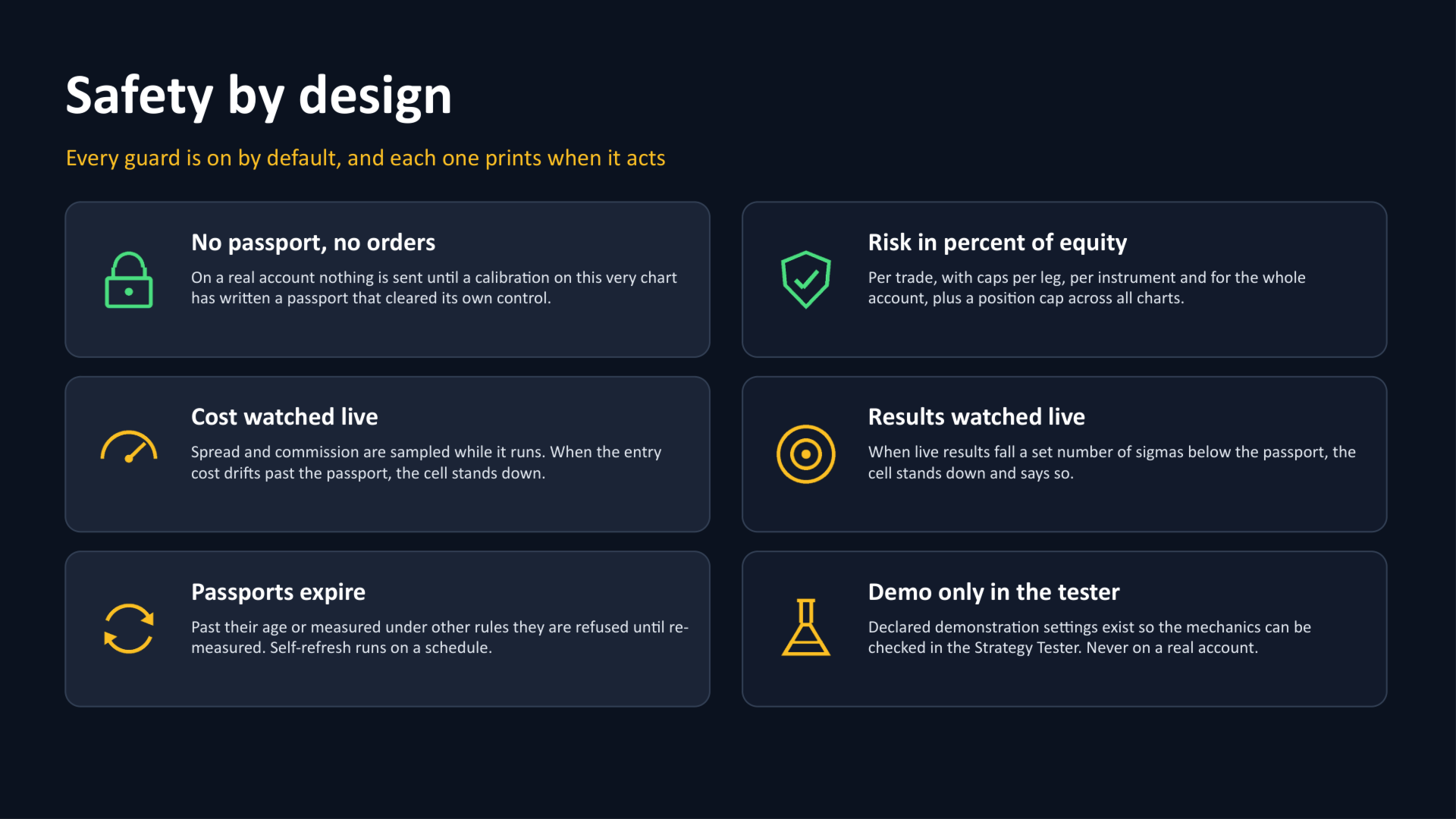
- Keeps itself honest while running. Passports are re-measured on a schedule, the entry cost is watched live, and when the market stops looking like the passport the expert stands down and says so.
- Risk in percent of equity with caps per instrument, per leg and for the whole account.
WHAT IT WILL NOT DO
- It will not promise profit. Every figure it shows is what history showed, labelled as such, and the dashboard says which numbers are descriptive rather than predictive.
- It will not trade on a real account without a passport. No measurement - no orders. Demonstration settings exist only in the Strategy Tester so that the mechanics can be checked.
- It will not carry a calibration from one instrument or timeframe to another. That is the whole point.
HOW TO START (three steps)
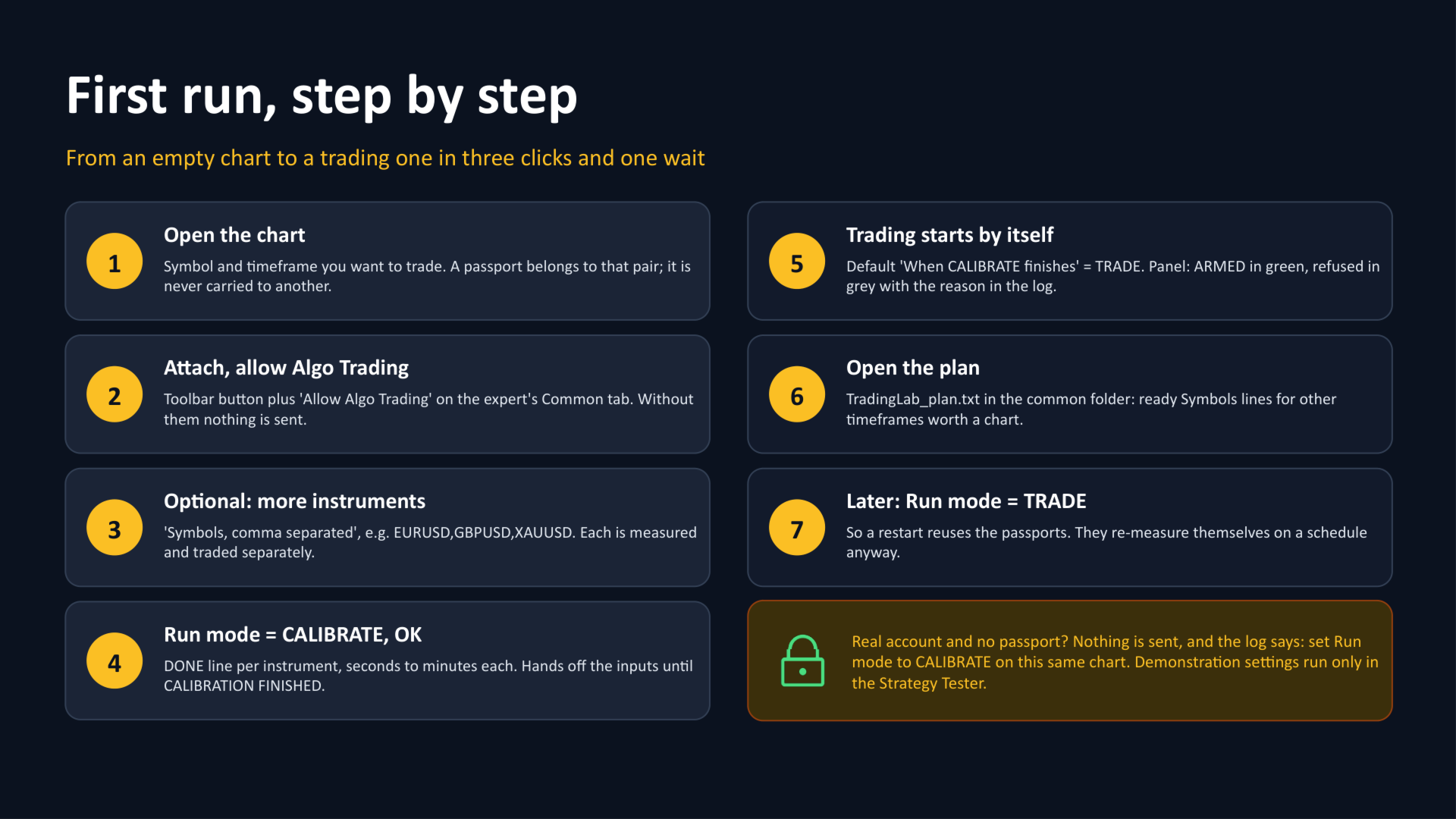
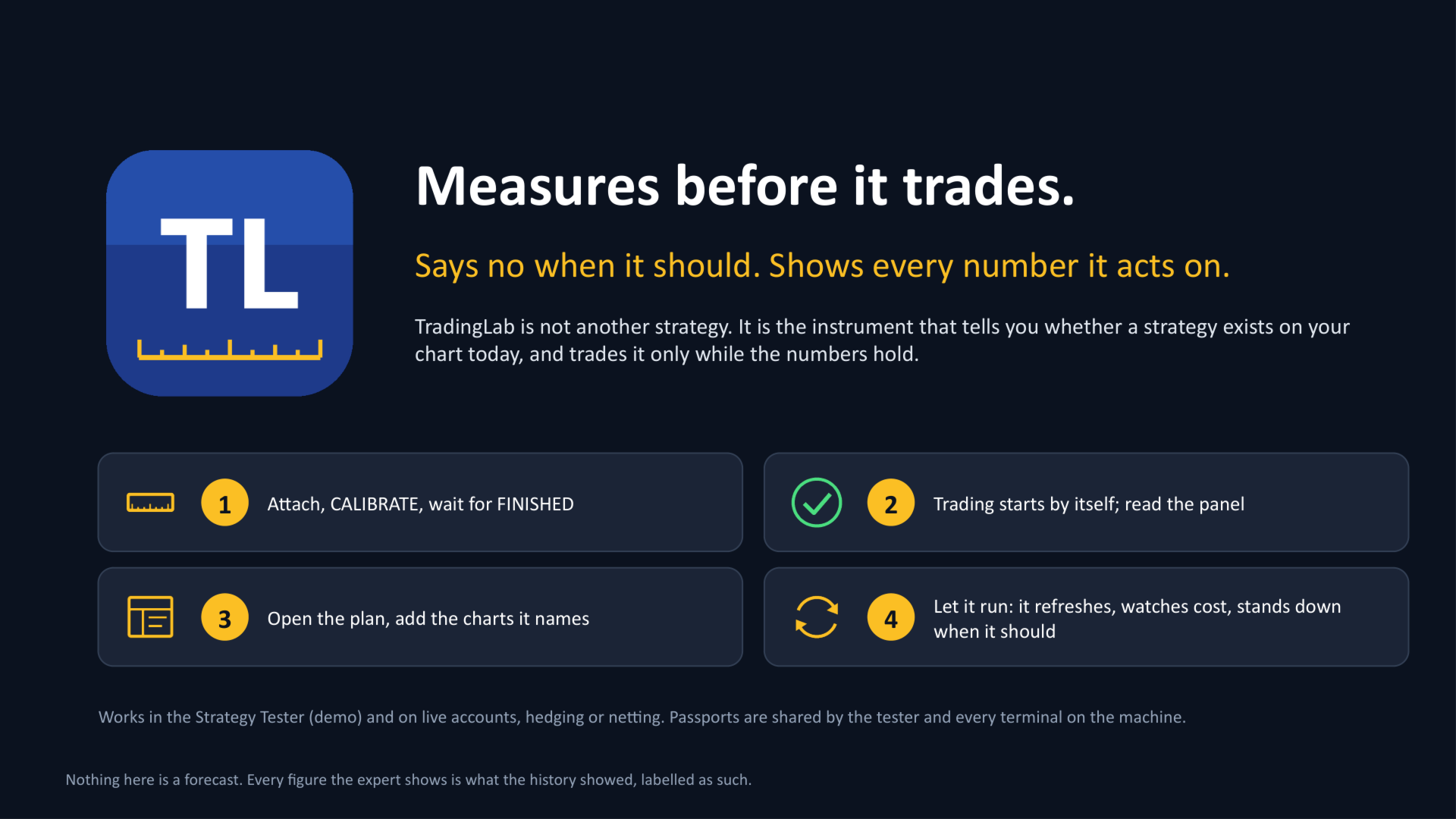
- Open a chart of the symbol and timeframe you want to trade, attach the expert, allow Algo Trading.
- Set Run mode = CALIBRATE and press OK. The expert reads the history already in your terminal and prints a DONE line per instrument. Wait for the CALIBRATION FINISHED banner - seconds to a few minutes per instrument.
- That is it: by default trading starts as soon as calibration finishes. The panel shows ARMED in green for every instrument that cleared the bar and covers today's cost; refused ones are listed with the reason in the Experts log. Read TradingLab_plan.txt in the common folder to see which other charts are worth opening.
HOW TO TRY IT IN THE STRATEGY TESTER
The tester shares the common folder with your terminal, so a passport written there is a real passport. Run it in two passes: first CALIBRATE on a date range, then TRADE on a later range that the calibration never saw. That is the honest test. If you run TRADE with no passport at all, the expert falls back to declared demonstration settings that fire on almost every bar - that pass only proves the mechanics work, it says nothing about the product's judgement.
WHERE IT WRITES, WHAT YOU CAN READ
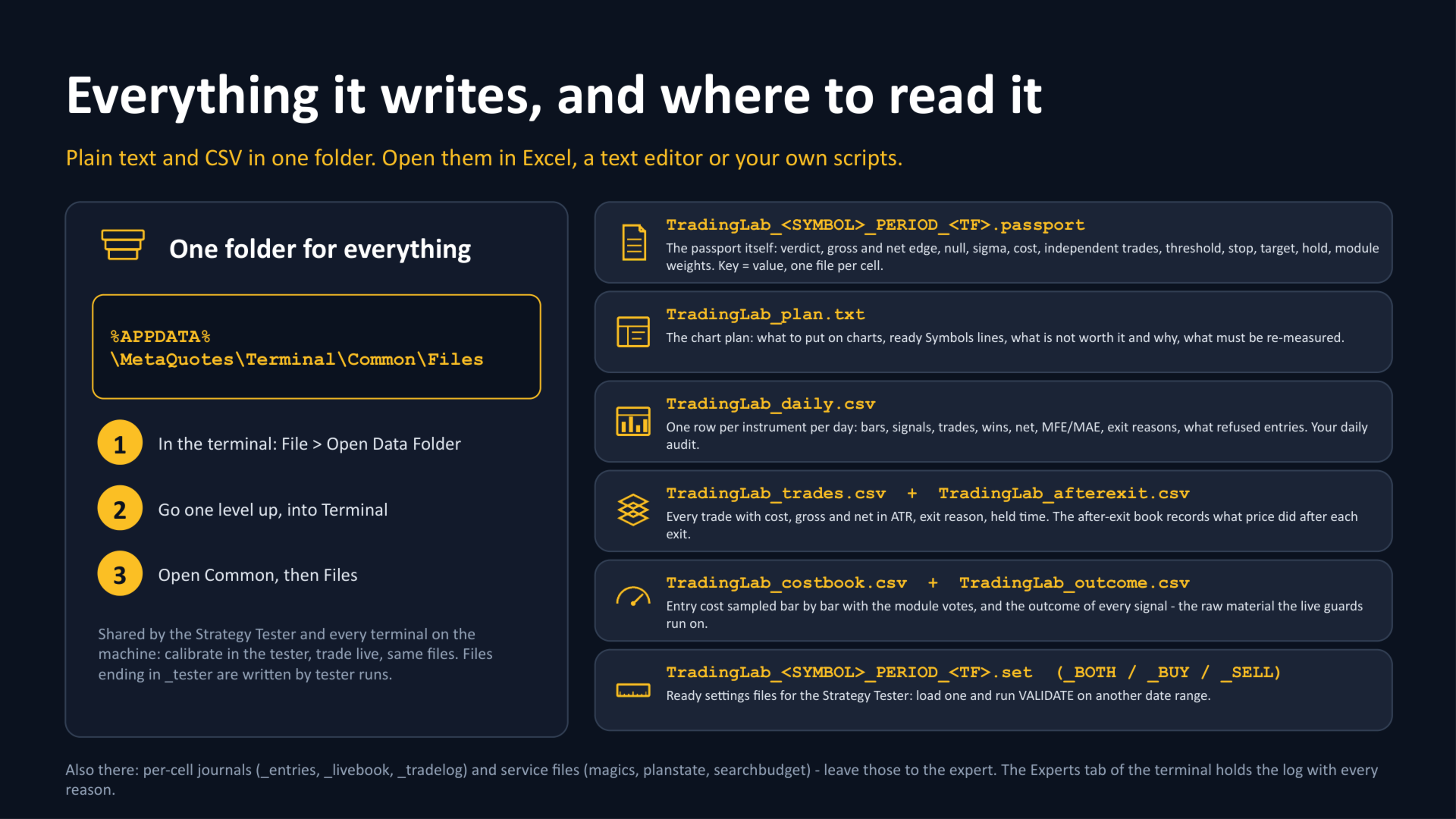
Everything lives in the common folder, shared by the Strategy Tester and every terminal on the machine:
%APPDATA%\MetaQuotes\Terminal\Common\Files (in the terminal: File > Open Data Folder, one level up, then Common > Files).
| File | What is inside |
|---|---|
| TradingLab_<SYMBOL>_PERIOD_<TF>.passport | the passport of each cell: verdict, gross and net edge, null, sigma, entry cost, independent trades, threshold, stop, target, hold, module weights. Plain text, key = value. |
| TradingLab_plan.txt | the chart plan: what to put on charts with ready Symbols lines, what is not worth it and why, what must be re-measured. |
| TradingLab_daily.csv | one row per instrument per day: bars, signals, trades, wins, net, MFE/MAE, exit reasons, what refused entries. |
| TradingLab_trades.csv and TradingLab_afterexit.csv | every trade with cost, gross and net in ATR, exit reason and held time; and what price did after each exit. |
| TradingLab_costbook.csv and TradingLab_outcome.csv | entry cost sampled bar by bar with the module votes, and the outcome of every signal. |
| TradingLab_<SYMBOL>_PERIOD_<TF>.set ( _BOTH , _BUY , _SELL ) | ready settings files for the Strategy Tester. |
Files ending in _tester are written by tester runs. Per-cell journals and service files ( magics , planstate , searchbudget ) belong to the expert. The Experts tab of the terminal holds the log with every reason it printed.
QUICK FACTS
- Platform: MetaTrader 5. Account: any broker, hedging or netting.
- Instruments: anything with price history in your terminal. Timeframes: any.
- One chart can run many symbols; one passport per symbol and timeframe.
- Works in the Strategy Tester (demo) and live. No DLL, no external services, nothing leaves your terminal.
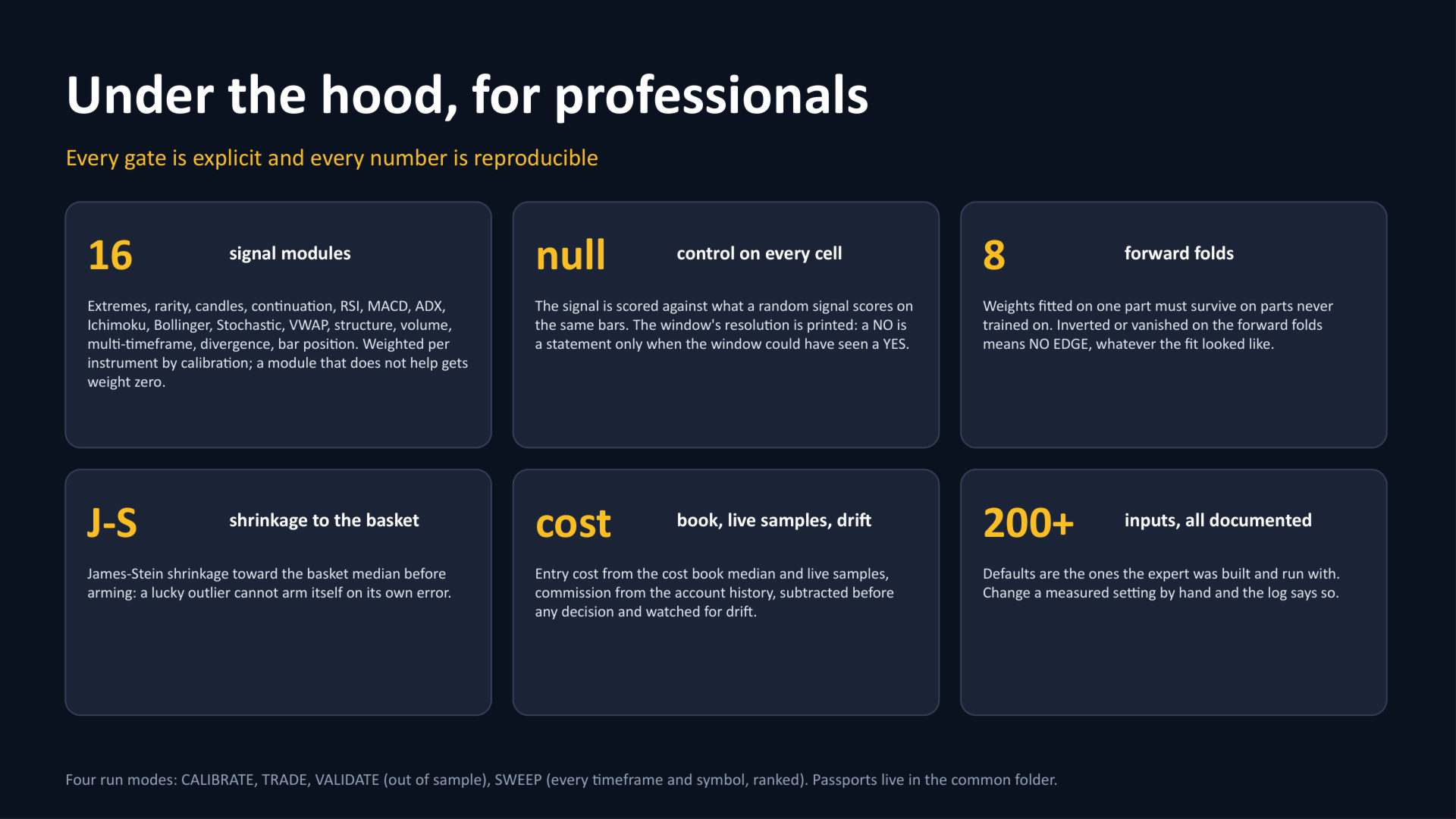
- 16 signal modules weighted per instrument by calibration; run modes CALIBRATE , TRADE , VALIDATE , SWEEP and a SELF-TEST ; 200+ documented inputs with working defaults.
- Updates are included for buyers.
WHO IT IS FOR
- If you are new: you do not need to know what an ATR is. Attach, calibrate, read the panel. Green means the expert found something worth trading and is trading it; red means it did not, and the log says why.
- If you are a professional: every gate is explicit and every number is reproducible - null control, out-of-sample folds, independent trade count, cost drift, expected value after James-Stein shrinkage toward the basket. Two hundred inputs are there if you want them; the defaults are the ones the expert was built with.
QUESTIONS BUYERS ASK
- It refused my favourite symbol. Is it broken? No. It measured that symbol and found no edge that covers the cost today, and the log shows the numbers. Open the plan file: it lists what is worth a chart instead.
- Can I use my own threshold, stop or weights? Yes. The expert trades them and the log says clearly that they were supplied by hand, not measured.
- How often does it recalibrate? On its own: after a number of days it works out from cost drift, or the number of days you set. Stale passports are refused until re-measured.
- Do I need a VPS? Any MetaTrader 5 terminal that stays online will do. A VPS helps only in the way it helps every expert: uptime.
Works in the Strategy Tester (demo) and on live accounts, hedging or netting. Passports are stored in the common folder and shared between the tester and every terminal on the machine.