Orbit Pattern Terminal
- Indicatori
-
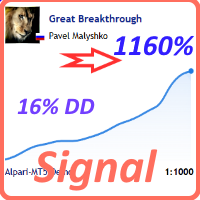
Pavel Malyshko
 Voglio essere onesto e dire parole molto importanti: non fare trading sugli ultimi soldi è molto stressante e questa è una delle regole più importanti relative agli investimenti.
Lascia che tu non compri nulla da me, ma saprò che non stai dando gli ultimi soldi. - Versione: 5.33
- Attivazioni: 15
Discover ORBIT Levels Terminal for MetaTrader 5, an institutional-grade technical analysis engine built to eliminate market noise and map high-probability price reaction zones with statistical precision.
Why Traders Choose ORBIT Levels Terminal:
-
Stop Drawing Levels Manually: Manual support and resistance lines are subjective and prone to emotional bias. ORBIT automates zone identification using pure quantitative math, saving your time and keeping your chart objective.
-
Zero Repainting & Zero Lag: Unlike moving averages or standard oscillators that lag behind the market, ORBIT uses dynamic Kernel Density Estimation (KDE) to calculate static reaction zones based on historical volume decay and price structural swings. Once a zone forms, it stays locked.
-
Eliminate Chart Clutter: Tired of dirty charts covered in dozens of weak lines? ORBIT dynamically filters out low-probability levels, showing only the most relevant institutional zones near active price action.
-
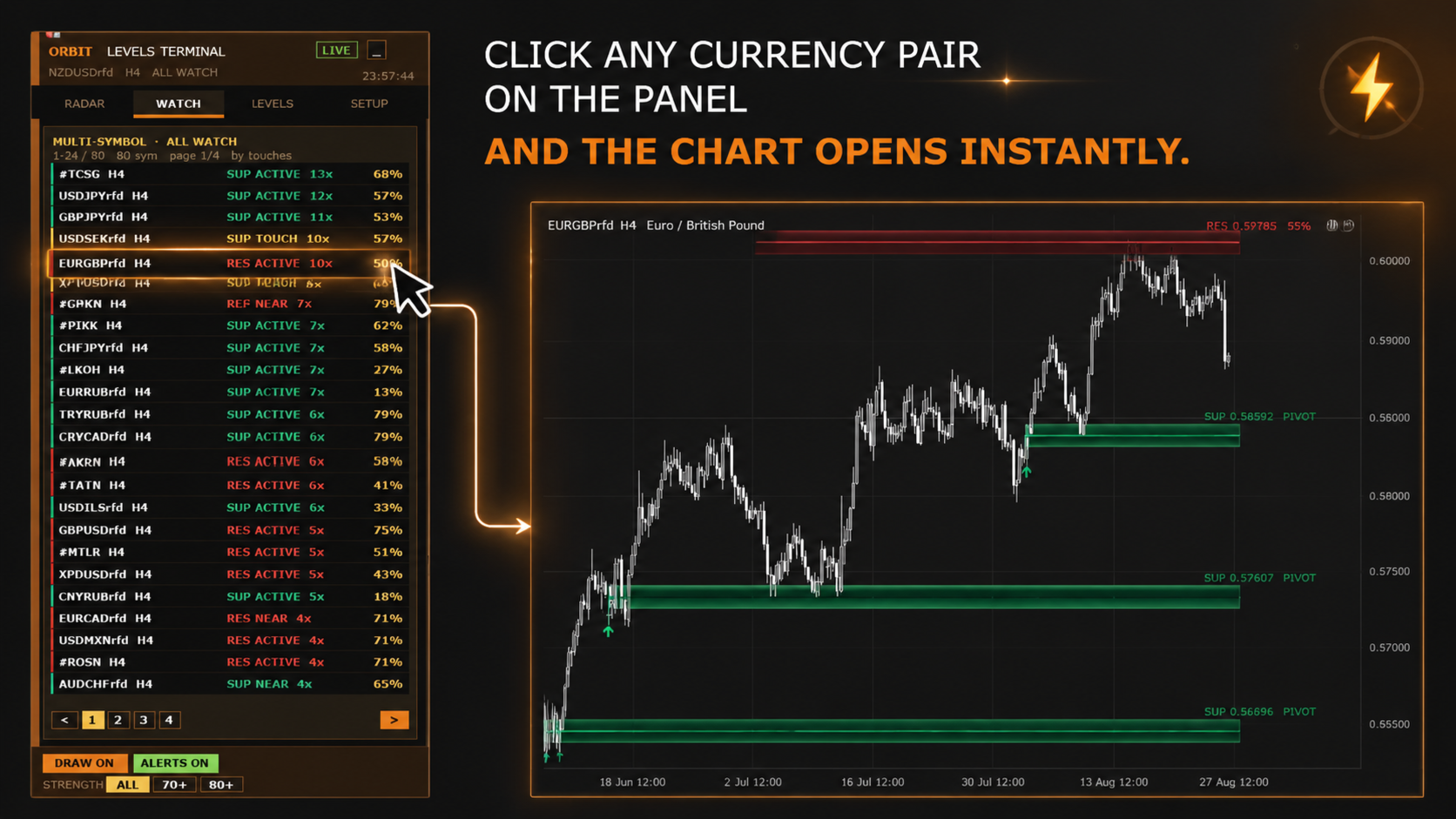
Never Miss an Entry on Other Pairs: You no longer need to manually toggle through dozens of charts. The built-in multi-symbol scanner monitors your entire Market Watch in real time and alerts you the moment price touches a key zone on any currency pair.
-
Trade Probabilities, Not Guesswork: Stop buying blindly into weak support lines. Every ORBIT level comes with a real-time Wilson confidence score and touch frequency counter, showing you exact statistical strength before you enter a trade.
Key Capabilities:
-
Statistical Swing KDE Engine: Identifies true dynamic price clusters without lagging or repainting.
-
Multi-Symbol Watchlist Scanner: Monitor your entire Market Watch or custom symbol list simultaneously from a single chart.
-
Real-Time Strength Meter: Rank and filter reaction zones by percentage quality and touch counts.
-
On-Chart Interactive Control Panel: Toggle scan timeframes, adjust swing depths, and manage active levels directly on screen.
-
Multi-Channel Alerts: Receive immediate terminal popups, audio notifications, and mobile push alerts upon level touches.
Download link is available in the pinned comment below.
ORBIT Levels Terminal — Input Parameters Description
LEVELS
-
Depth: Sets the swing threshold bias (Tight, Normal, Wide).
-
Lookback: Defines the number of historical bars scanned for statistical density calculations.
-
MinQ: Minimum Wilson confidence score required to draw a level on chart (0 disables filtering).
-
DrawOn: Toggles graphic rendering of levels on the active chart.
UNIT = ATR(14) OF D1
-
KSwing: Swing confirmation move threshold measured in ATR units.
-
HalfLife: Event memory half-life parameter in bars for time-decay weighting.
-
KdeH: Bandwidth parameter h for Gaussian Kernel Density Estimation.
-
NmsK: Non-Maximum Suppression minimum distance between neighboring level candidates.
-
TfMergeK: Distance threshold for merging multi-timeframe level alignments.
ZONE / REJECTION
-
ZoneMinK: Minimum drawn zone band width in ATR units.
-
ZoneMaxK: Maximum drawn zone band width in ATR units.
-
RejectMin: Required ratio of level touches to time spent inside the zone.
-
BreakK: Close-beyond price distance required to flip a support level into resistance.
-
MinOutside: Minimum required bars outside a zone before counting a new touch event.
-
ReturnBars: Maximum allowed bars inside a zone without a price reaction before marking a break.
RELEVANCE (NEAR PRICE ONLY)
-
StructK: Minimum impulse move required to classify a pivot as a structural swing.
-
TfScaleK: Ensures calculated unit scaling remains proportional to chart timeframe ATR.
-
MaxDistK: Distance cutoff parameter to discard levels far from current market price.
-
RelK: Rate of relevance decay applied to levels further away from active price.
-
DrawMaxK: Hard cap ceiling for total visual zone band height.
DRAW LIMITS
-
MaxAbove: Maximum number of active zones displayed above current price.
-
MaxBelow: Maximum number of active zones displayed below current price.
-
MaxDraw: Maximum limit on total graphical zone objects drawn simultaneously.
-
PixelMin: Pixel proximity threshold below which lower-ranked overlapping lines are hidden.
-
UseMtf: Enables multi-timeframe zone aggregation around the current chart timeframe.
-
WilsonZ: Wilson score confidence coefficient Z (default 1.28 corresponds to 80% lower bound).
UNIVERSE
-
Universe: Selects scan universe between active Chart, custom Symbol List, or Market Watch.
-
Symbols: Comma-separated list of symbols to scan when List mode is selected.
PANEL
-
X: Horizontal pixel offset for the control panel dashboard.
-
Y: Vertical pixel offset for the control panel dashboard.
-
Corner: Chart corner anchor position for dashboard placement.
-
Font: Typography font face used across dashboard text elements.
-
Drag: Enables manual dashboard drag-and-drop repositioning via mouse.
-
Refresh: Automatic scan and dashboard refresh rate in seconds.
ALERTS
-
AlertOn: Master toggle to enable or disable indicator alert system.
-
AlertTouch: Enables alert triggers when price touches a mapped level.
-
AlertPopup: Enables native MetaTrader terminal popup message notifications.
-
AlertSound: Triggers an audio playback event upon alert activation.
-
AlertPush: Sends mobile push notifications to configured MetaTrader mobile apps.
-
SoundFile: Audio sound file name designated for level alerts.
-
AlertCool: Mandatory cooldown delay in seconds between consecutive alerts on the same level.