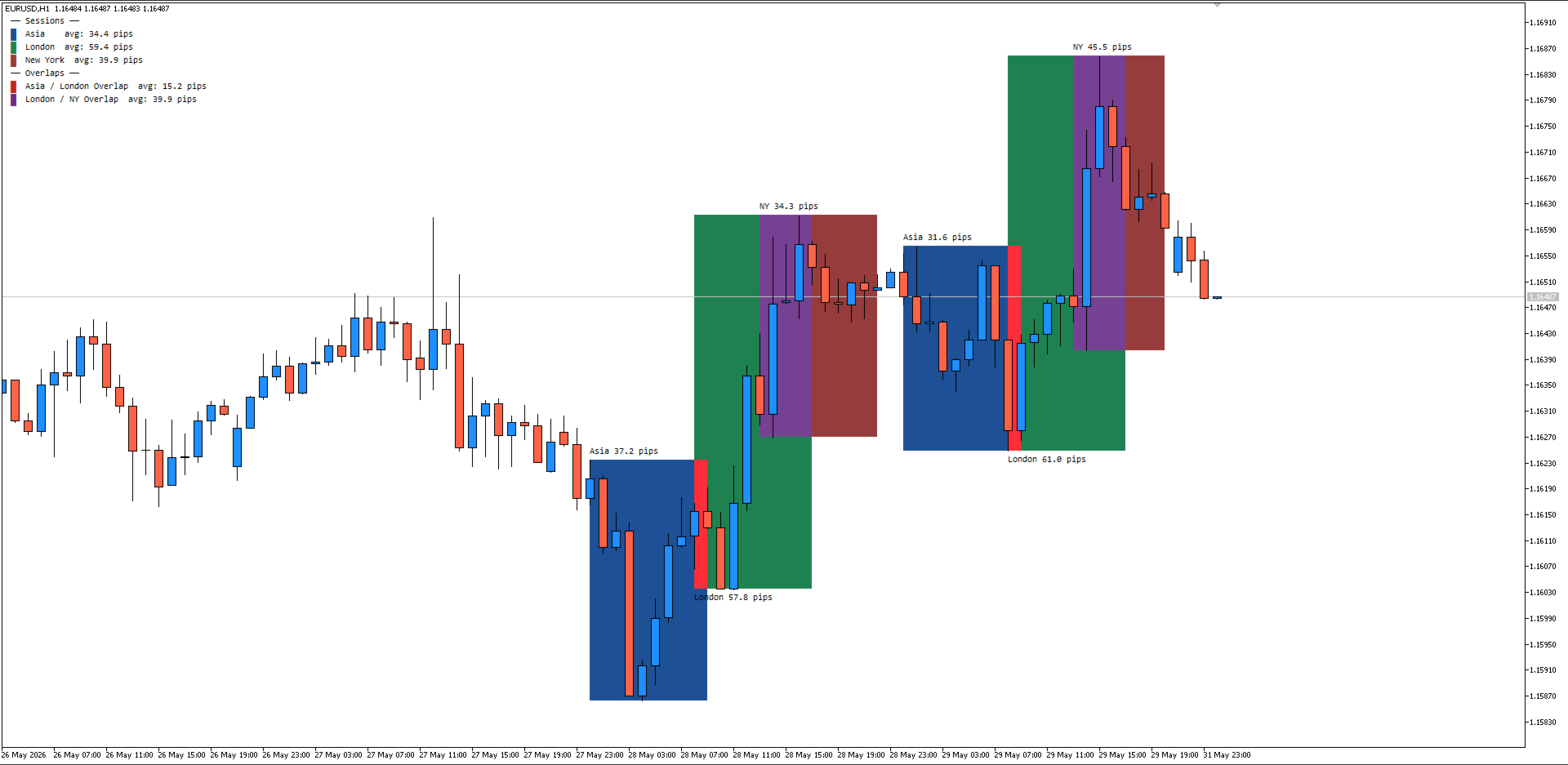
Session Pip Range Map
- Indicatori
- Versione: 1.60
- Attivazioni: 5

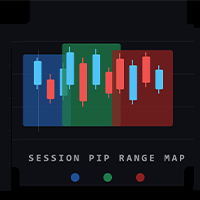
Session Pip Range Map is a clean, practical session indicator built for traders who plan their day around volatility, not guesswork. It draws colored boxes over the Asia, London, and New York sessions directly on your chart, then tells you exactly how big each session's range was, in the correct unit for whatever you're trading.
Why it's different
Most session indicators just draw boxes. This one calculates range in a way that actually makes sense per instrument. Forex pairs show pips (handling both 4/5 digit and 2/3 digit JPY style brokers correctly). Metals like Gold and Silver show a straight dollar value. Indices, crypto, and commodities show raw points, so you're never left doing mental math to figure out what the number means.
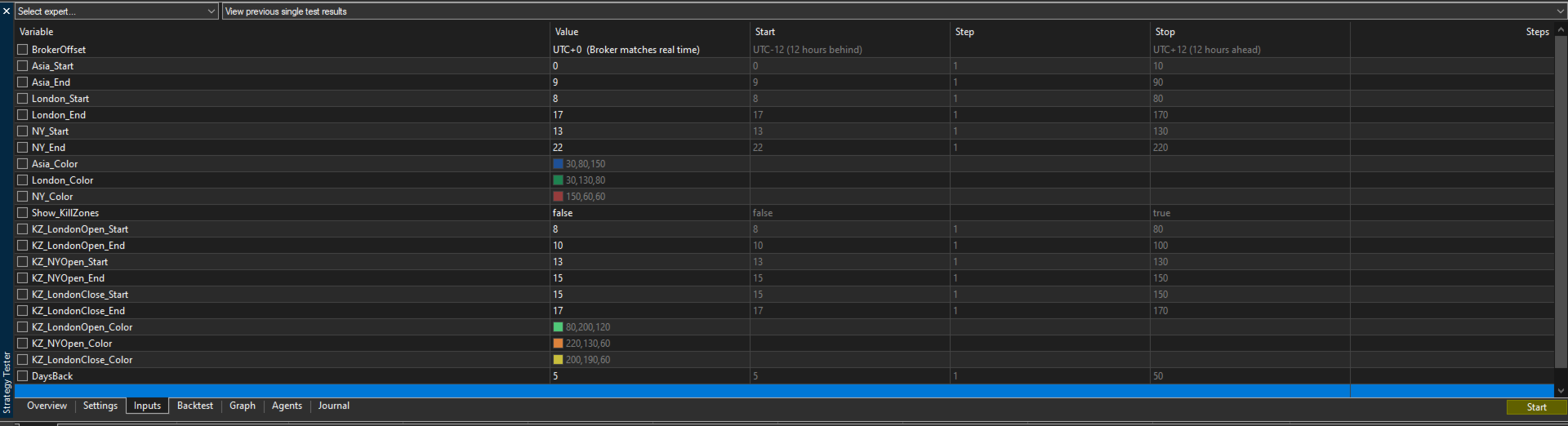
Input Settings Explained
Broker Time Offset BrokerOffset (UTC-12 to UTC+12) Set this to match your broker's server time relative to UTC. This is the single most important setting, get it wrong and every session box will be drawn at the wrong hours. Check your broker's server time vs GMT and pick the matching offset.
Session Times (Asia / London / New York) Asia_Start , Asia_End London_Start , London_End NY_Start , NY_End These define each session in real (UTC-adjusted) hours, using a 24 hour clock. The defaults follow standard session hours, but you can tighten or widen them to match your own strategy, for example if you only care about the first two hours of London.
Session Colors Asia_Color , London_Color , NY_Color Controls the fill color of each session box. Useful for matching your chart theme or making sessions easier to tell apart at a glance.
Kill Zones Show_KillZones (on/off) KZ_LondonOpen_Start / KZ_LondonOpen_End KZ_NYOpen_Start / KZ_NYOpen_End KZ_LondonClose_Start / KZ_LondonClose_End KZ_LondonOpen_Color , KZ_NYOpen_Color , KZ_LondonClose_Color Enables narrower highlighted windows inside the main sessions, built for traders who focus on high volatility windows like London Open or New York Open. Each kill zone has its own adjustable start/end hour and color, independent of the main session times.
Lookback DaysBack Controls how many previous trading days are scanned and averaged. Higher values give a more stable average range in the legend but take slightly longer to calculate. Weekends are automatically skipped.
Key features
- Automatic session boxes for Asia, London, and New York with customizable start/end hours
- Live range readout printed above and below each session box
- A running legend showing average range per session over your chosen lookback period, plus average range for the Asia/London and London/New York overlap windows
- Broker time offset input (UTC-12 to UTC+12) so your sessions line up correctly no matter what timezone your broker runs on
- Optional kill zone overlays for London Open, New York Open, and London Close, each with its own adjustable time window and color
- Fully customizable colors for every session and kill zone
- Adjustable lookback (DaysBack) to control how many historical sessions get averaged and drawn
Who it's for
Built for intraday and session based traders, ICT/SMC style traders working with kill zones and liquidity, and anyone who wants a fast visual read on where volatility has been concentrating recently. If you trade breakouts, range expansion, or simply want to know whether "today's London session is bigger or smaller than usual" at a glance, this indicator gives you that answer without opening a spreadsheet.
Lightweight, non-repainting session boxes, and works across Forex, Metals, Indices, Crypto, and Commodities out of the box.