Teclado ProClickTradePad
- Experts
-
Jean Carlos Takaki
 Nome: Jean Carlos Takaki
Idade: 40 anos
Local de Residência: Shizuoka, Japão
Nacionalidade: Brasileiro
Experiência no Japão: 20 anos
Experiência como Trader: 7 anos
Especialização: Programacao, Forex e Commodities - Versione: 1.18
━━━━━━━━━━━━━━━━━━━━━━━━━━━━━━━━━━━━━━━━
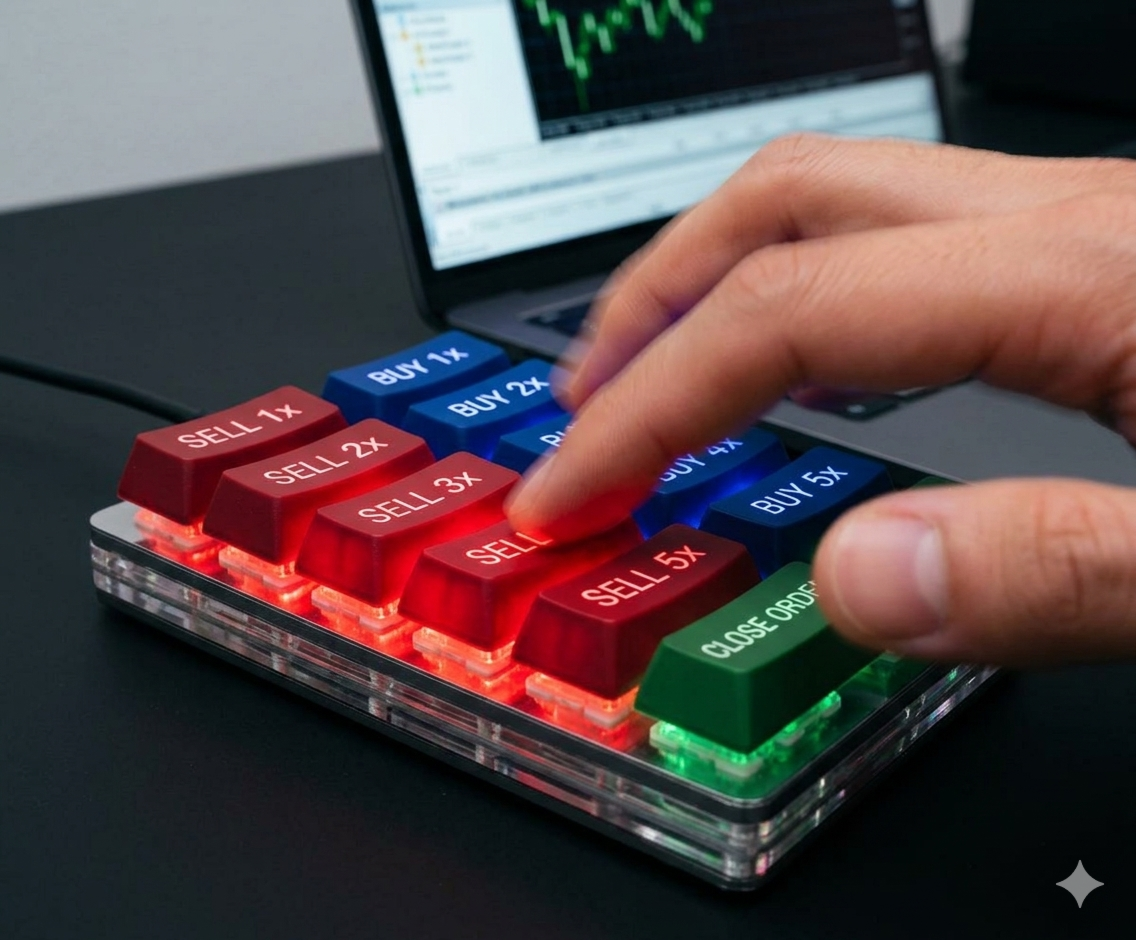
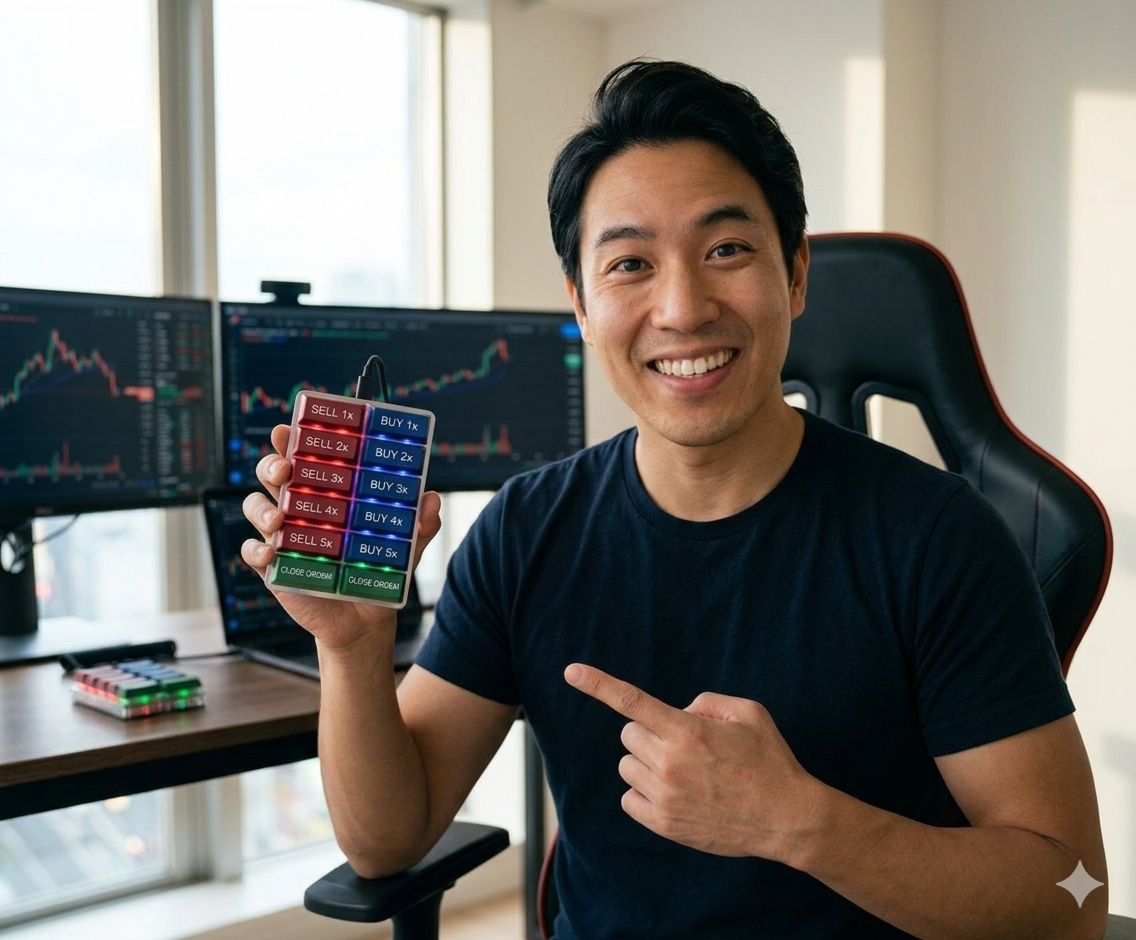
⚡ PROCLICKTRADEPAD — SPEED IS MONEY
━━━━━━━━━━━━━━━━━━━━━━━━━━━━━━━━━━━━━━━━
For scalpers, the gap between "I want in" and "order filled"
costs pips. ProClickTradePad closes that gap permanently.
No mouse. No ticket window. No double-click confirmation.
One keystroke → order hits the server. Done.
━━━━━━━━━━━━━━━━━━━━━━━━
🎯 WHAT IT DOES
━━━━━━━━━━━━━━━━━━━━━━━━
✔ Opens BUY and SELL orders via keyboard hotkeys
✔ 5 pre-configured lot sizes (1X, 2X, 3X, 4X, 5X)
✔ Close all BUY positions with a single key
✔ Close all SELL positions with a single key
✔ Native debounce protection (no accidental double orders)
✔ Automatic margin check before every order
✔ Auto-retry on execution failure
✔ Works on any symbol: Forex, XAUUSD, indices, crypto
✔ Compatible with netting and hedging accounts
━━━━━━━━━━━━━━━━━━━━━━━━
⚙️ INPUT PARAMETERS
━━━━━━━━━━━━━━━━━━━━━━━━
Lote_Tecla_1X → default 0.01
Lote_Tecla_2X → default 0.02
Lote_Tecla_3X → default 0.04
Lote_Tecla_4X → default 0.08
Lote_Tecla_5X → default 0.16
Simply set your lot sizes. The EA auto-normalizes
for each symbol's volume step.
━━━━━━━━━━━━━━━━━━━━━━━━
🛡️ TECHNICAL SAFETY
━━━━━━━━━━━━━━━━━━━━━━━━
✔ Free margin verified via OrderCalcMargin() before each order
✔ Order blocked with warning if margin is insufficient
✔ Volume auto-normalized (SYMBOL_VOLUME_MIN/MAX/STEP)
✔ Protection against numeric keys and MT5 shortcuts
✔ Unique Magic Number per instance
━━━━━━━━━━━━━━━━━━━━━━━━
📌 HOW TO INSTALL
━━━━━━━━━━━━━━━━━━━━━━━━
1. Download the .ex5 file
2. Copy to: MQL5/Experts/
3. Drag onto any chart
4. Enable AutoTrading in MT5
5. Set your lot sizes in the parameters
6. Trade from your keyboard
━━━━━━━━━━━━━━━━━━━━━━━━
💡 WHO SHOULD USE THIS
━━━━━━━━━━━━━━━━━━━━━━━━
→ Scalpers on XAUUSD, EURUSD, GBPUSD and indices
→ Traders running multiple charts simultaneously
→ Mechanical keyboard / macro pad users
→ News traders who need sub-second execution
→ Day traders scaling in and out of positions
━━━━━━━━━━━━━━━━━━━━━━━━
❓ FAQ
━━━━━━━━━━━━━━━━━━━━━━━━
Q: Does it work with hedge accounts?
A: Yes, fully compatible.
Q: Can I run it on multiple charts at once?
A: Yes. Each instance operates on its own chart symbol.
Q: Do the hotkeys conflict with MetaTrader shortcuts?
A: No. The EA has native protection that blocks interference
with numeric keys and standard MT5 shortcuts.
Q: Does it work with physical macro pads (Stream Deck, etc.)?
A: Perfectly. That's one of the primary use cases.
━━━━━━━━━━━━━━━━━━━━━━━━
📲 SUPPORT & COMMUNITY
━━━━━━━━━━━━━━━━━━━━━━━━
Instagram: @proclicktradepad
Questions: use the product comments section on MQL5
━━━━━━━━━━━━━━━━━━━━━━━━━━━━━━━━━━━━━━━━
Developed by Jean Carlos Takaki
Brazilian trader living in Japan for 20 years.
7 years of operational experience in Forex and Commodities.
━━━━━━━━━━━━━━━━━━━━━━━━━━━━━━━━━━━━━━━━