ChronoEdge
- Experts
- Versione: 2.0
- Aggiornato: 7 giugno 2026
- Attivazioni: 10

ChronoEdge
ChronoEdge is a pre-calibrated multi-market Expert Advisor for MetaTrader 5. The EA trades a portfolio of 13 market modules on H1 and combines recurring institutional timing, liquidity and price-action phases.
The strategy is not designed as an optimization toolbox. The default values are calibrated as one connected portfolio and should remain unchanged for the first use. The focus is a calm portfolio logic, clear defaults and reproducible behavior across multiple markets.
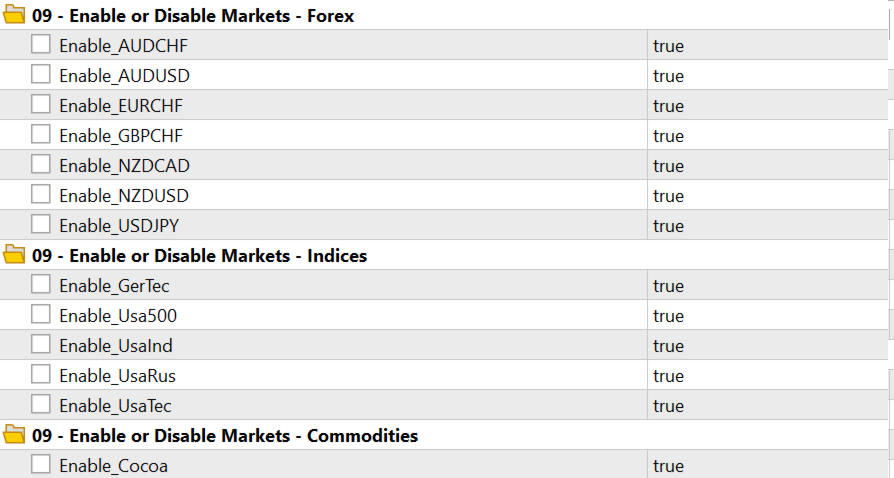
ChronoEdge trades Forex, indices and one commodity market inside one EA. One chart is enough as long as all required symbols are available in Market Watch and the symbol mapping is set correctly.
Main Features
- Multi-market EA with 13 pre-calibrated modules
- One dedicated module per market
- H1 portfolio for Forex, indices and Cocoa
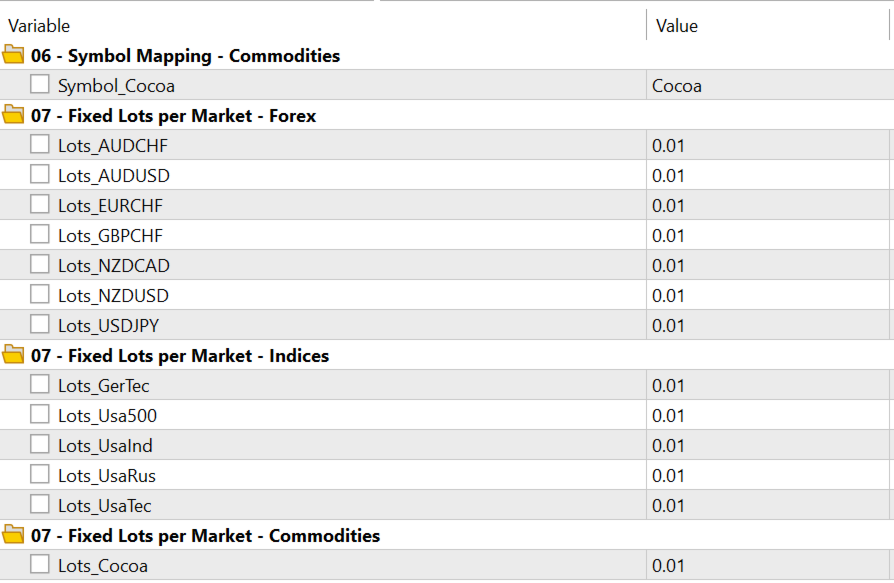
- Fixed-lot or balance-based lot calculation
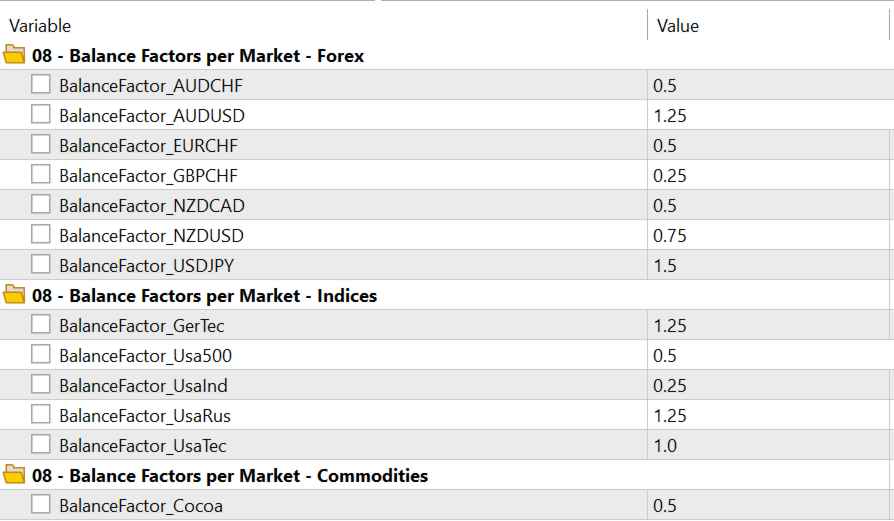
- Pre-calibrated market weighting in Balance-Based mode
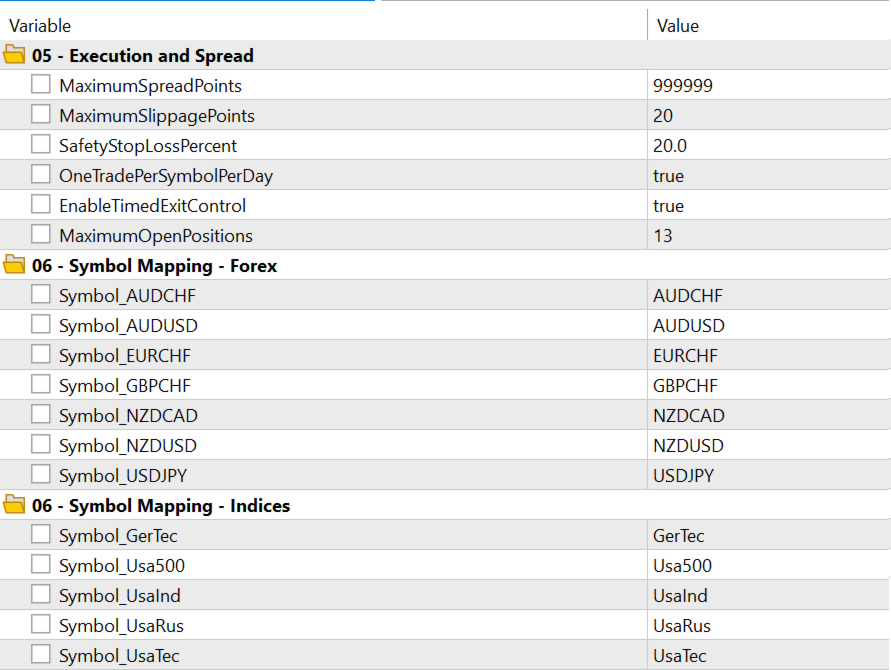
- Broker symbol mapping for different symbol names or suffixes
- Simple broker GMT-offset calibration
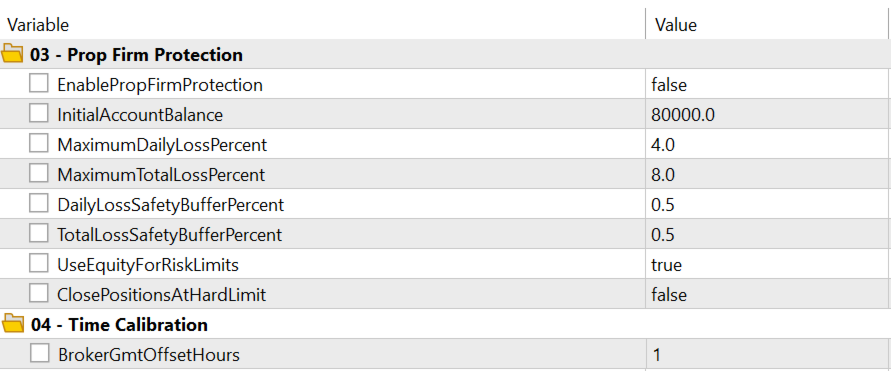
- Optional prop-firm protection
- Broker-side safety stop-loss as a technical emergency stop
- Compact status panel for live and demo charts
Traded Markets
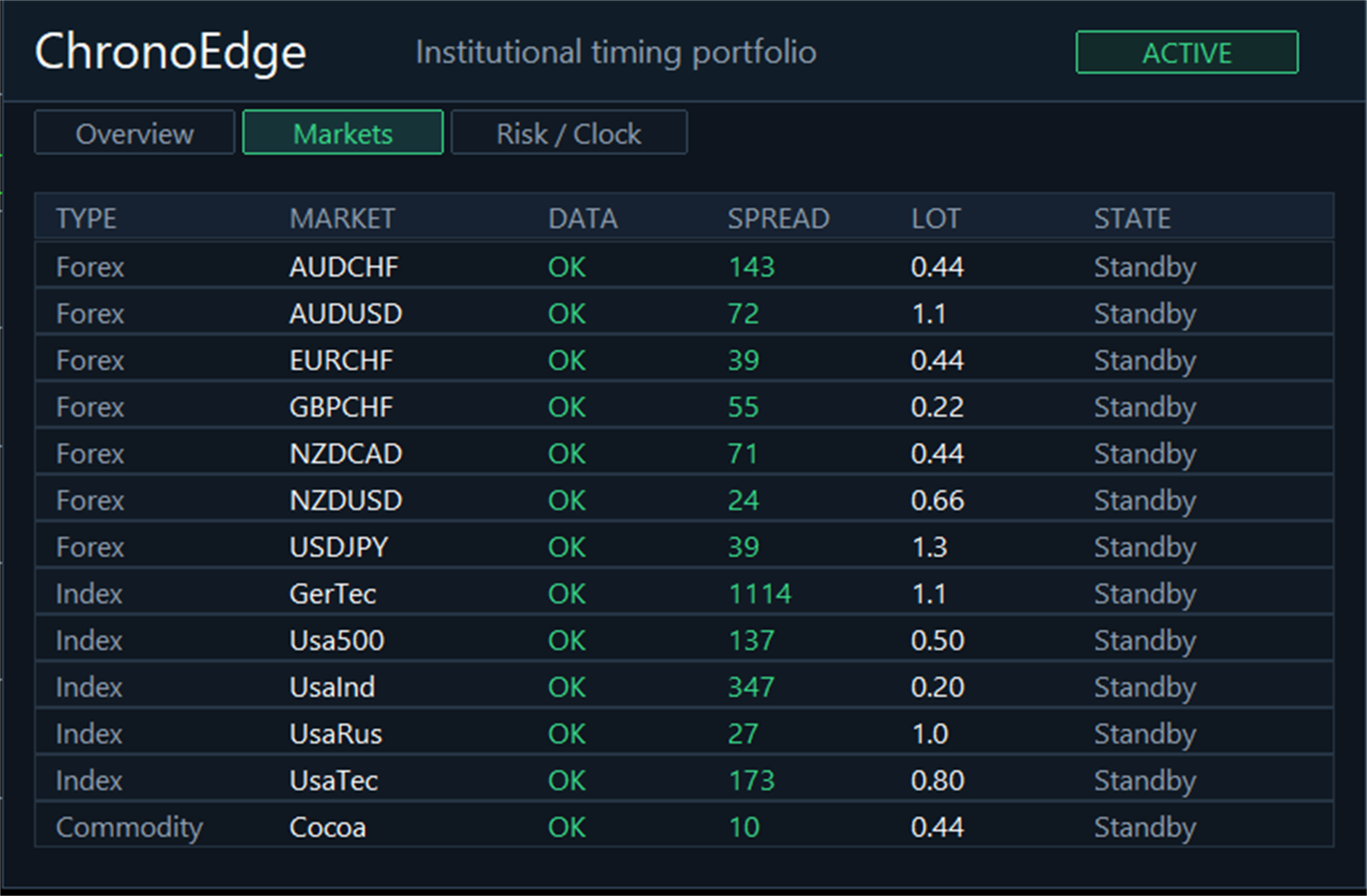
Forex: AUDCHF, AUDUSD, EURCHF, GBPCHF, NZDCAD, NZDUSD, USDJPY
Indices: GerTec, Usa500, UsaInd, UsaRus, UsaTec
Commodity: Cocoa
Symbol names can differ depending on the broker. If a broker uses suffixes, the symbol-mapping inputs must be adjusted accordingly. The markets should be visible in Market Watch and should have H1 history available.
Strategy Idea
ChronoEdge does not constantly search for random signals. The logic works with recurring market phases where timing, liquidity and price action have historically shown better conditions. The individual market modules are calibrated together and are traded as a portfolio.
The strategy is not designed to force the highest possible number of trades. It waits for suitable situations and manages the trading logic through internal time and exit rules.
Money Management
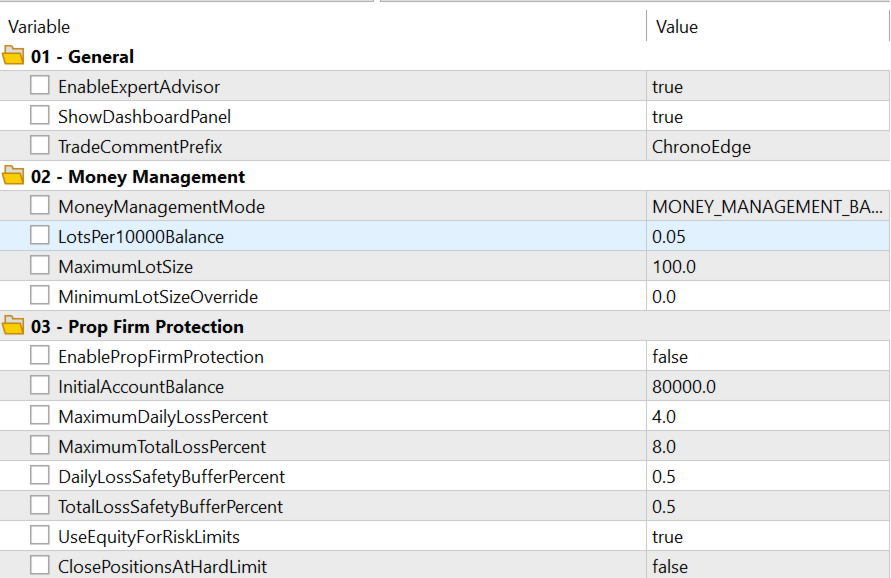
The recommended default is MoneyManagementMode = MONEY_MANAGEMENT_BALANCE_BASED.
In this mode, ChronoEdge calculates the order lot from account balance, LotsPer10000Balance and the corresponding BalanceFactor_<Market>. The balance factors are part of the portfolio calibration and should not be optimized or randomly changed. They only apply in Balance-Based mode.
The default LotsPer10000Balance = 0.01 is intentionally conservative. Higher values increase the trading volume accordingly. In Fixed-Lot mode, each market directly uses its own Lots_<Market> input.
Time Settings
ChronoEdge uses its own Strategy Time. To keep entries reproducible across different broker server times, the EA converts Broker Time into the internal Strategy Time.
There is only one visible time input:
BrokerGmtOffsetHours describes the effective GMT offset of the broker server time. The user's country or local timezone is not relevant. The relevant factor is the time basis used by the broker for H1 candles and historical data.
The ChronoEdge reference time is based on the calibration-data time basis and is internally fixed at GMT+1.
Examples:
| Broker server time | Setting |
|---|---|
| GMT+1, for example the ChronoEdge calibration-data basis | BrokerGmtOffsetHours = 1 |
| GMT+0 | BrokerGmtOffsetHours = 0 |
| GMT+2 | BrokerGmtOffsetHours = 2 |
| GMT+3 | BrokerGmtOffsetHours = 3 |
Brokers may operate multiple servers with different server times. Therefore, the broker name alone is not enough. The relevant factor is the specific server used for testing or trading.
Important: BrokerGmtOffsetHours should not be used as an optimization parameter. It is used to align the broker server time with the ChronoEdge reference time.
Dashboard
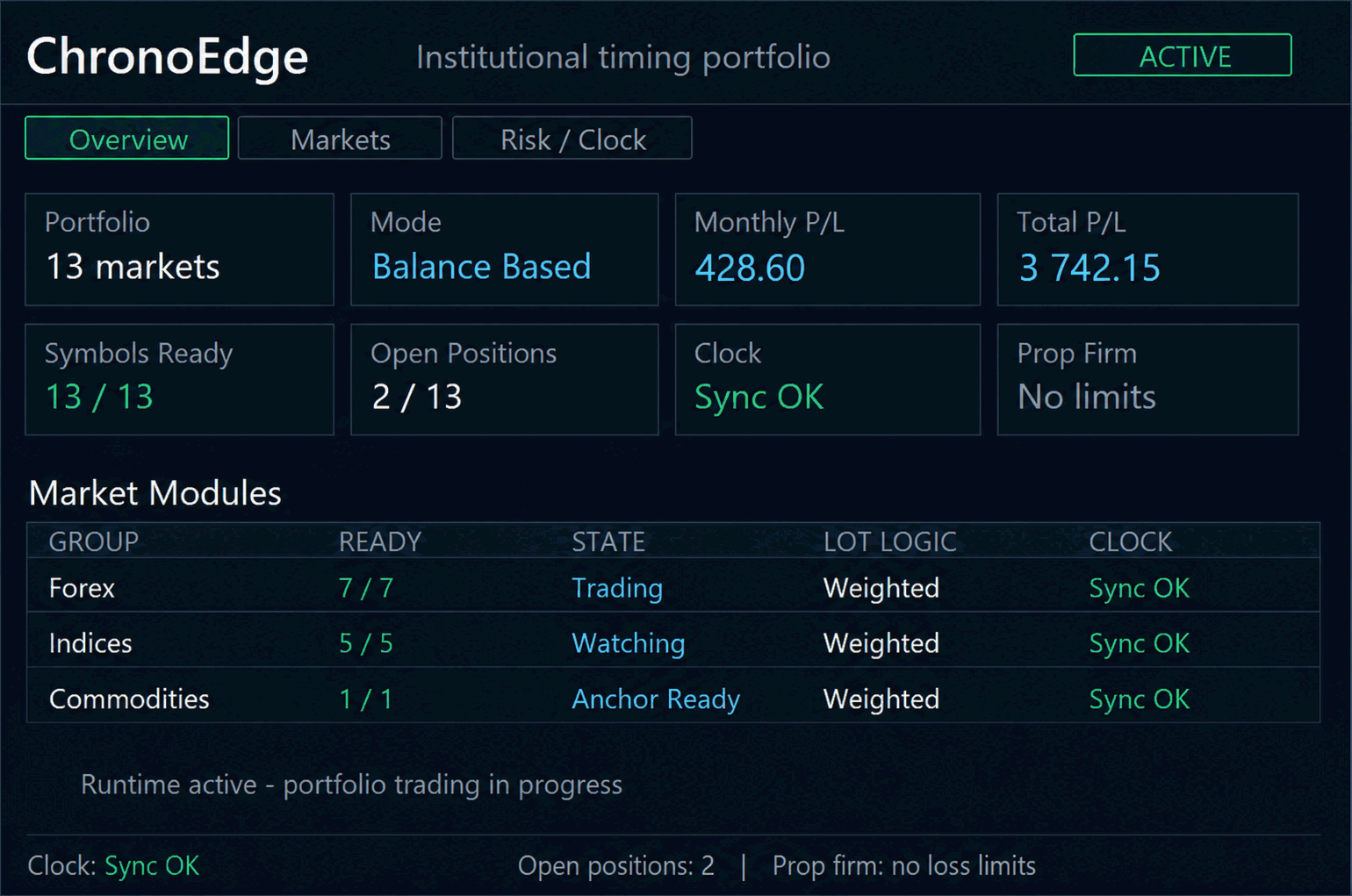
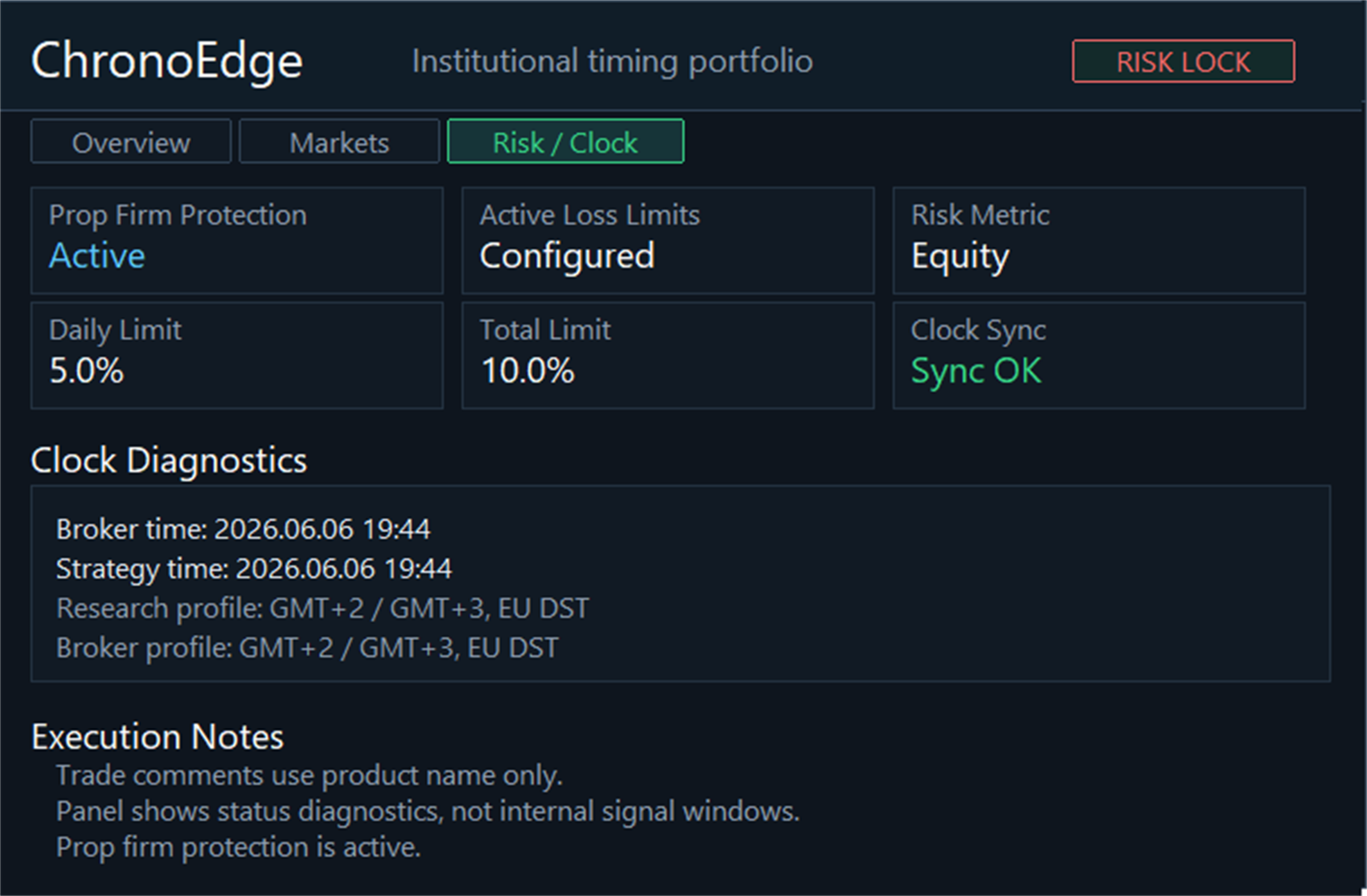
The chart panel shows portfolio status, active markets, lot display, spread, open positions, monthly/total result, time status and optional prop-firm status.
The status pill can be clicked on a live or demo chart. ACTIVE allows new strategy entries. PAUSED blocks new entries. If the global MT5 Algo Trading button or the EA permission is disabled, ChronoEdge also shows PAUSED.
In the Strategy Tester, the panel is always automatically disabled, including the visual tester. This prevents backtests from being slowed down by chart objects.
Prop-Firm Protection
Prop-Firm Protection is disabled by default.
If EnablePropFirmProtection = false, no daily or total loss limits are applied and the panel does not show active loss limits.
If EnablePropFirmProtection = true, ChronoEdge can monitor daily loss and total loss based on the selected percentage values. This protection logic can block signals or, depending on the setting, close its own open positions at the hard limit. This can change the actual trade execution.
Safety Stop-Loss
ChronoEdge uses a broker-side safety stop-loss as a technical emergency stop. The default SafetyStopLossPercent = 20.0 is intentionally far away from the entry price and is not intended as a normal exit signal. The normal exit logic remains internal. With SafetyStopLossPercent = 0.0, the safety stop-loss is disabled.
Recommended Start
- Attach the EA to a liquid H1 chart.
- Make all 13 symbols available in Market Watch.
- Check symbol mapping.
- Check BrokerGmtOffsetHours. Default 1 matches the ChronoEdge calibration-data basis.
- Use Balance-Based Money Management with the conservative default.
- Do not change the default weighting.
- Only enable Prop-Firm Protection if this protection logic is actually desired.
Tester Notes
- Timeframe: H1
- All required symbols must be available.
- The panel is automatically disabled in the tester.
- Different broker times should be corrected through BrokerGmtOffsetHours.
- Strategy parameter optimization is not required for the standard version.
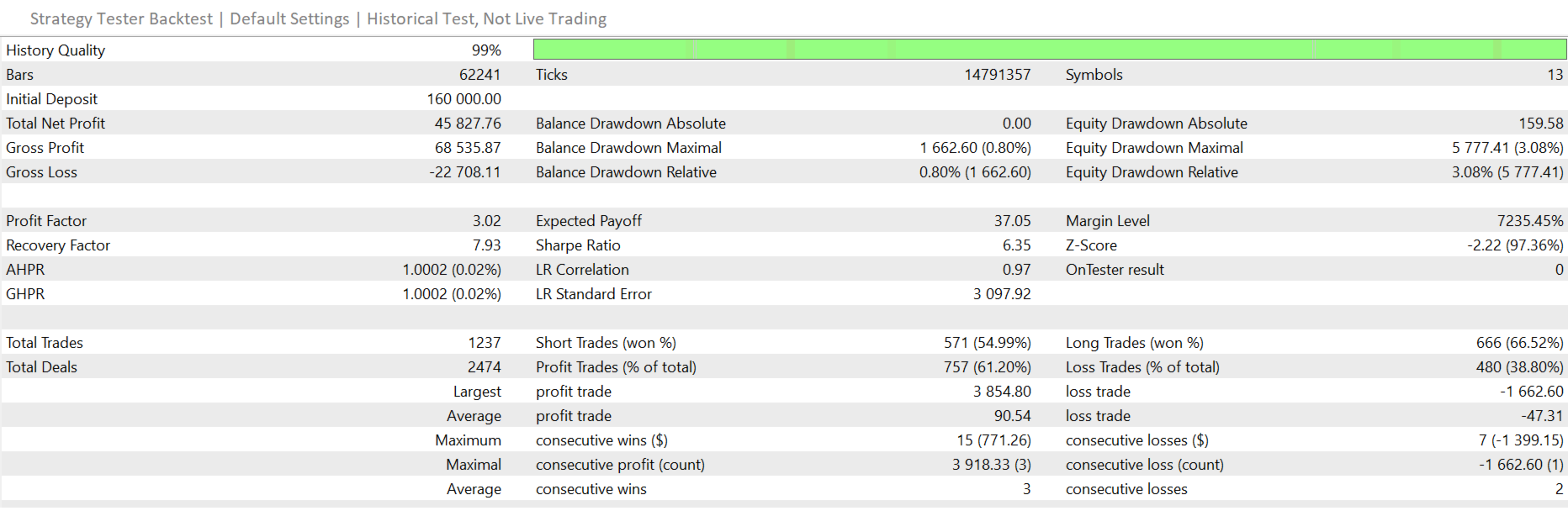
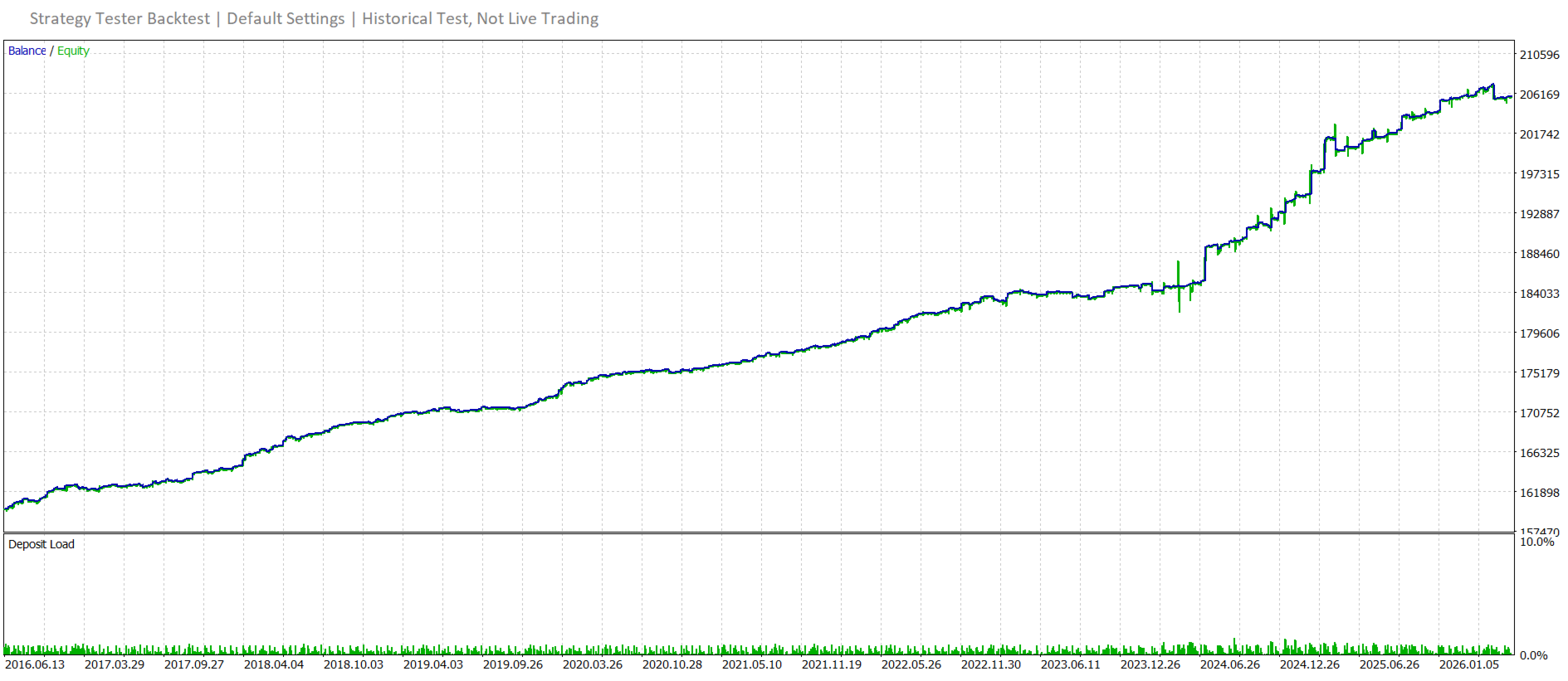
Past backtest results do not guarantee future profits. Results can differ depending on broker, symbol mapping, spread, commission, slippage, execution and data history.