Easy Crash
- Experts
-
Geethika Rasnayake Mudiyanselage
 I am a specialist advisor and indicator developer. I have been trading since 2014, and this is my profession. Support me on your journey into automated trading by purchasing my expert advisors.
 - Versione: 1.0
- Attivazioni: 10
Professional Automated Trading for MetaTrader 5
EasyCrash is an automated Expert Advisor developed for MetaTrader 5, designed to provide an efficient, convenient, and professional automated trading experience.
Built with a focus on automated trade execution, configurable trade management, and real-time account monitoring, EasyCrash combines essential trading functionality with a premium information dashboard.
The Expert Advisor is designed for compatibility with different MT5 brokers and account configurations, with XAUUSD (Gold) as its default trading instrument.
Whether you are exploring automated trading or looking for a convenient way to manage your trading activities, EasyCrash offers a streamlined trading environment with flexible settings and an easy-to-use interface.
VIEW THE OFFICIAL EASYCRASH LIVE TRADING SIGNAL
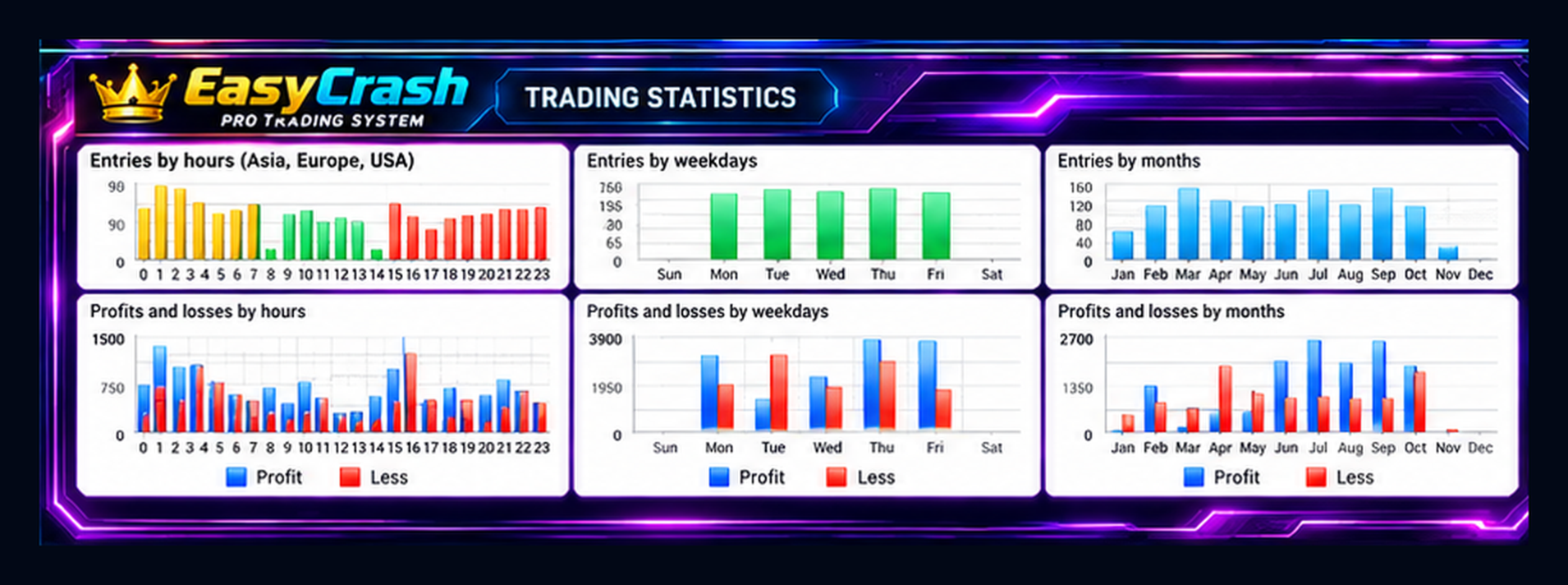
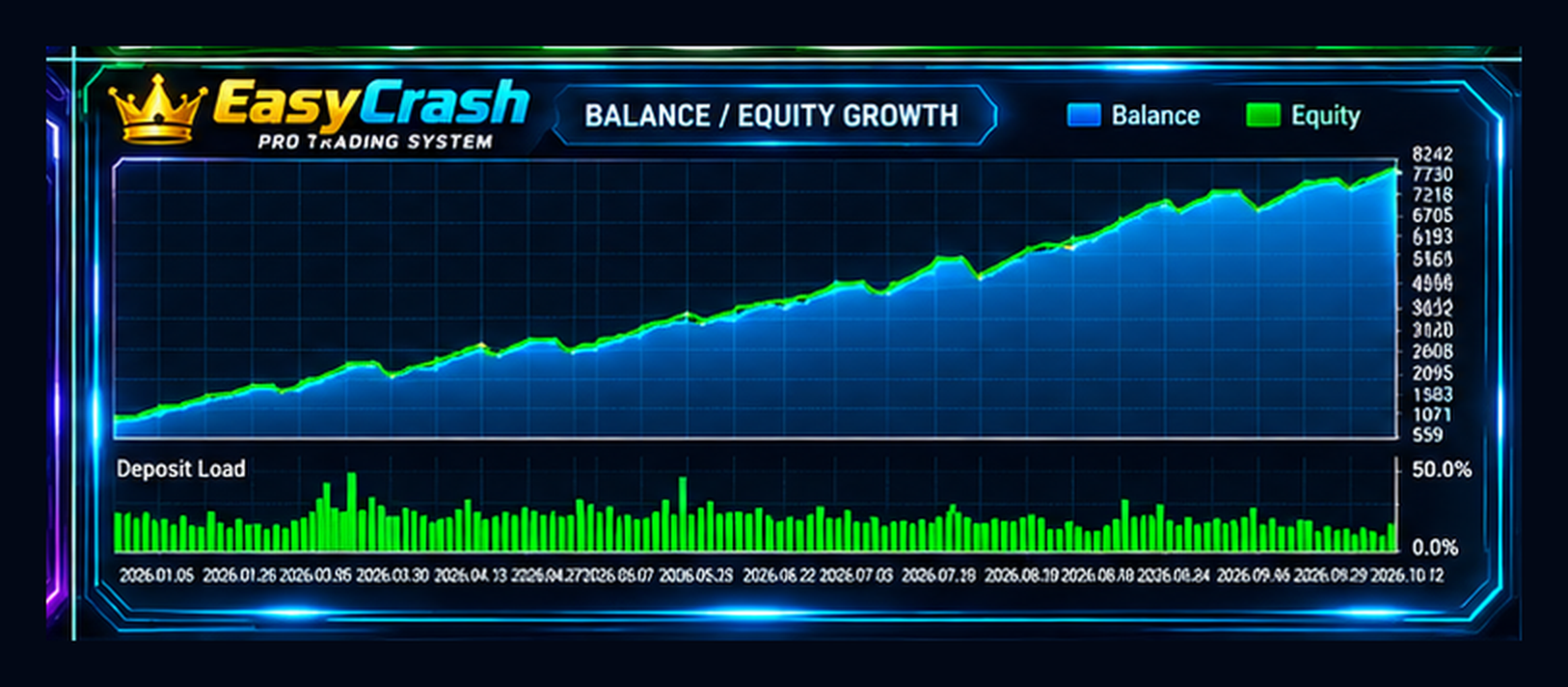
Follow our live trading signal on MQL5 to explore trading activity, account performance, trading history, and drawdown statistics.
Review actual trading results and risk statistics directly on the MQL5 Signals platform.
SPECIAL LAUNCH OFFER – LIMITED COPIES!
Get EasyCrash at a special introductory launch price!
Take advantage of the current launch offer before the next pricing stage.
-
Current Price: Special Launch Discount
-
Next Price: $150
-
Final Price: $1,750
-
Availability: Limited Copies at the Current Price
Secure your EasyCrash license at the current introductory price before the next price increase!
Promotional pricing and availability are subject to change.
KEY FEATURES
1. Fully Automated Trading
EasyCrash automatically executes and manages trading operations according to its integrated trading system.
Once properly configured and activated, the Expert Advisor monitors the market and performs its automated trading functions without requiring constant manual intervention.
2. MetaTrader 5 Compatibility
EasyCrash is developed specifically for the MetaTrader 5 platform and supports automated trading through the MT5 Expert Advisor environment.
3. Multi-Broker Compatibility
EasyCrash is designed to operate with different MT5 brokers and compatible trading accounts.
The system accommodates broker-specific trading conditions, including symbol specifications, trading volume requirements, and execution restrictions.
Actual compatibility depends on the broker's trading permissions and contract specifications.
4. Premium Trading Dashboard
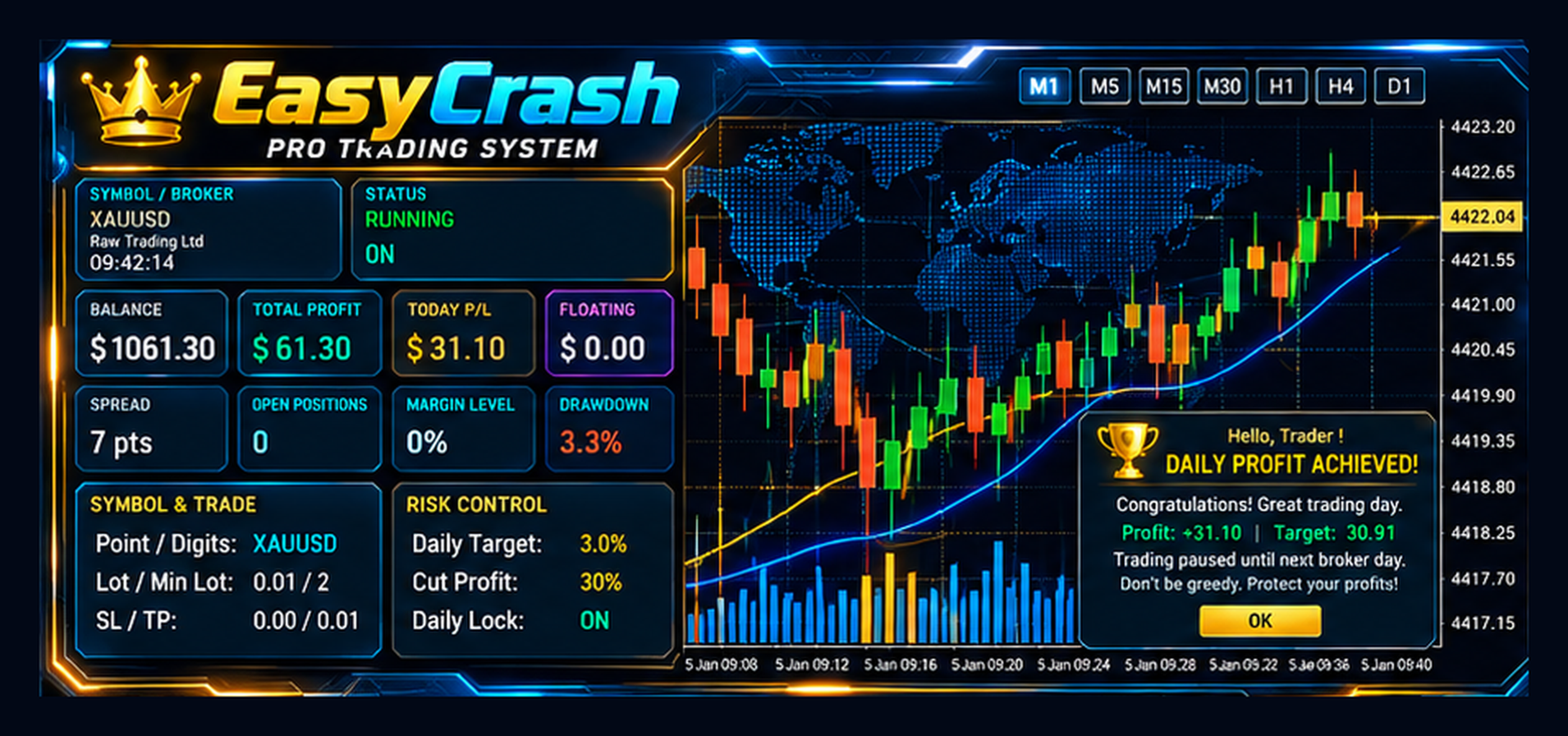
EasyCrash features an integrated premium dashboard that displays essential trading and account information directly on the chart.
Dashboard Information Includes:
-
Account Balance
-
Total Profit
-
Today's Profit/Loss
-
Floating Profit/Loss
-
Current Spread
-
Open Positions
-
Margin Level
-
Account Drawdown
-
Trading Symbol
-
Broker Information
-
Trading Status
-
Daily Profit Target
-
Cut Profit Settings
-
Daily Trading Lock Status
The dashboard provides a convenient overview of trading activity and account performance.
5. Automated Trade Management
EasyCrash includes configurable trading management features such as:
-
Stop Loss
-
Take Profit
-
Trailing Stop Management
-
Profit Management
-
Trading Volume Settings
-
Daily Profit Controls
These functions help users configure the Expert Advisor according to their trading preferences.
6. Daily Profit Target
EasyCrash includes a configurable daily profit target feature.
When the configured daily target is achieved, the Expert Advisor can pause new trading activity according to its daily profit management settings.
This feature provides an additional level of control over automated trading activity.
7. Cut Profit Function
The integrated Cut Profit function allows users to configure profit management parameters through the Expert Advisor settings.
8. Flexible Account Configuration
EasyCrash offers configurable inputs that allow traders to adjust available settings according to their account size, broker conditions, and trading preferences.
RECOMMENDED TRADING SETTINGS
| Parameter | Configuration |
|---|---|
| Expert Advisor | EasyCrash |
| Trading Platform | MetaTrader 5 (MT5) |
| Default Trading Symbol | XAUUSD (Gold) |
| Recommended Timeframes | M5 / M15 |
| Suggested Account Balances | $300 / $500 / $1,000 |
| Trading Mode | Fully Automated |
| Recommended Configuration | Default Settings |
| Broker Compatibility | Compatible MT5 Brokers |
| Trading Dashboard | Included |
| Daily Profit Management | Included |
RECOMMENDED ACCOUNT BALANCE
EasyCrash can be configured for different account sizes, subject to broker trading requirements.
$300 – Starting Account
A starting-capital option for traders who want to use a smaller account.
Users should carefully consider trading volume, leverage, margin requirements, and market volatility.
$500 – Standard Account
Provides additional available capital and margin flexibility compared with a smaller starting account.
$1,000 – Higher Capital Account
Offers greater available capital for trading operations and account management.
Important: These are suggested account sizes, not guaranteed safe minimums. Actual capital requirements depend on broker leverage, contract specifications, trading volume, and market conditions.
DEFAULT TRADING CONFIGURATION
Platform: MetaTrader 5
Default Symbol: XAUUSD (Gold)
Recommended Timeframes: M5 and M15
Settings: Default Configuration
Suggested Balance Options: $300 / $500 / $1,000
For initial setup, we recommend testing the default configuration on a demo account before using the Expert Advisor with real funds.
HOW TO INSTALL EASYCRASH
-
Open MetaTrader 5.
-
Install EasyCrash through the MQL5 Market.
-
Open an XAUUSD (Gold) chart.
-
Select the M5 or M15 timeframe.
-
Attach EasyCrash to the chart.
-
Enable Algo Trading in MetaTrader 5.
-
Review the Expert Advisor input settings.
-
Start with the default configuration.
-
Monitor trading activity using the integrated EasyCrash dashboard.
For continuous operation, MetaTrader 5 must remain connected and automated trading must be enabled. A reliable VPS may be useful for uninterrupted operation.
BROKER AND ACCOUNT COMPATIBILITY
EasyCrash is designed for use with MT5 brokers that support the required trading operations.
Broker conditions may differ in several areas:
-
Spread and execution costs
-
Minimum and maximum trading volume
-
Leverage and margin requirements
-
Symbol naming and contract specifications
-
Stop Level and Freeze Level restrictions
-
Trading permissions and execution policies
Users should verify their broker's trading conditions before using the Expert Advisor on a live account.
WHY CHOOSE EASYCRASH?
Automated Trading
A convenient Expert Advisor environment for automated trading operations.
Professional Interface
A premium chart dashboard for monitoring important account and trading information.
Configurable Settings
Adjust available trading and management parameters according to your requirements.
Daily Profit Management
Includes daily target and trading activity controls.
MetaTrader 5 Integration
Designed for use within the MT5 trading environment.
XAUUSD Default Configuration
Provides a straightforward starting configuration for Gold trading on M5 and M15.
IMPORTANT INFORMATION
Trading results depend on market conditions, broker execution, spread, slippage, account leverage, trading volume, and selected settings.
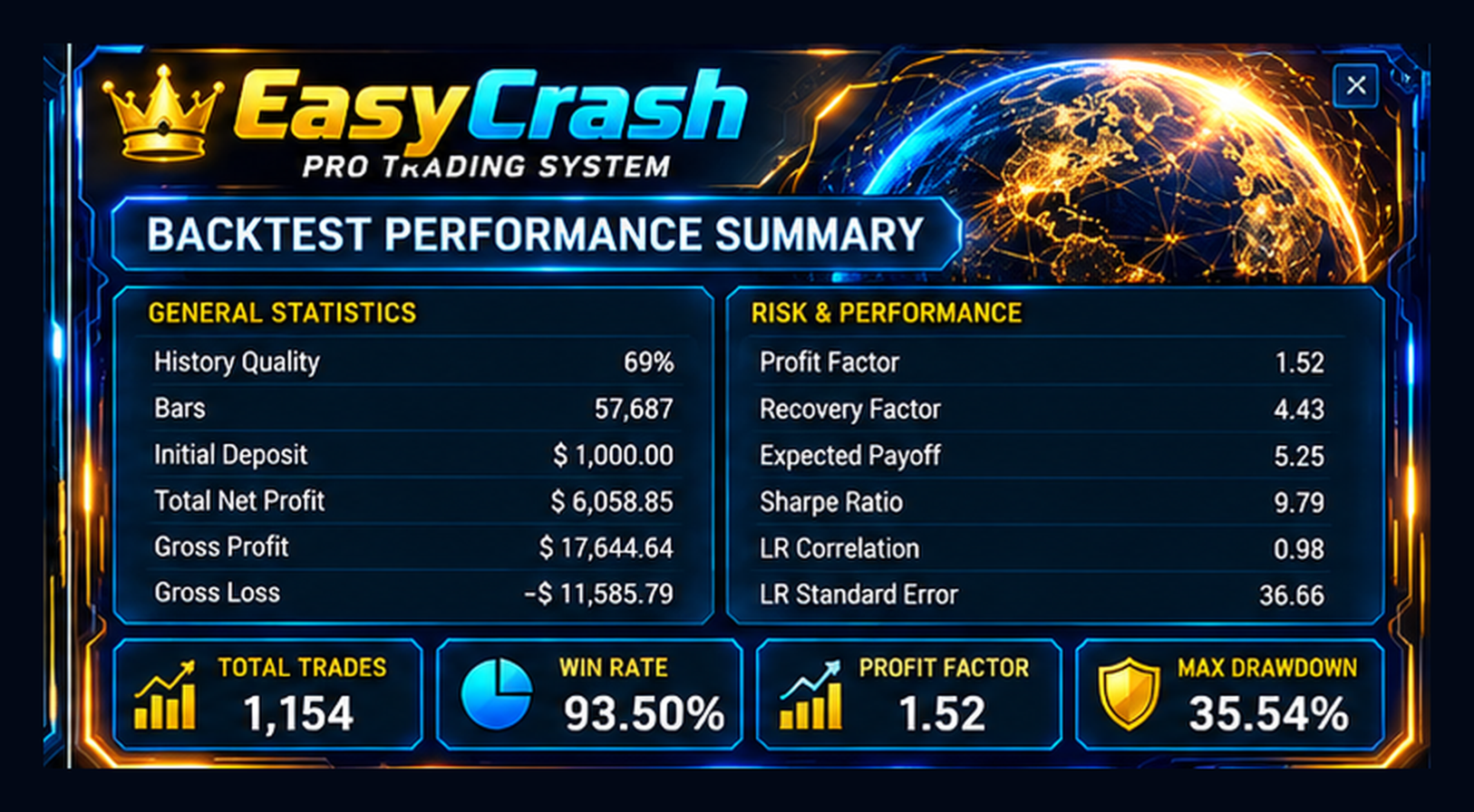
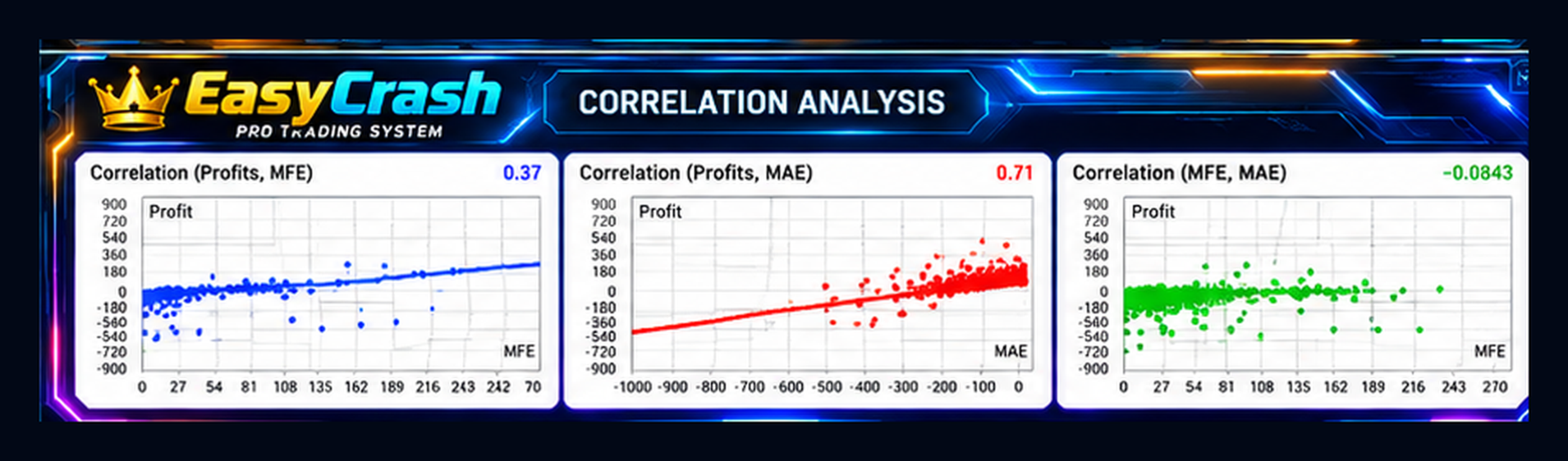
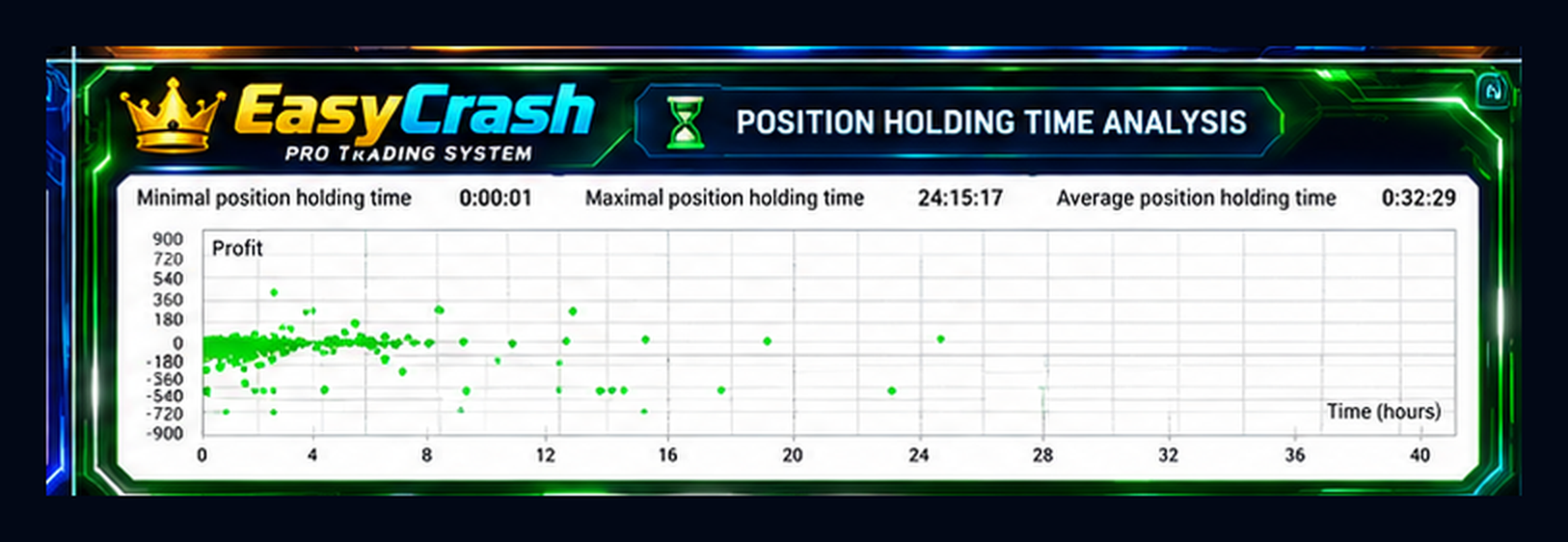
Backtesting results represent historical simulations and may differ from live trading performance.
Users are encouraged to test the Expert Advisor on a demo account and review the settings before live deployment.
RISK DISCLAIMER
Forex and CFD trading involve significant financial risk and may result in the partial or complete loss of invested capital.
No automated trading system can guarantee profits or eliminate trading losses.
Past performance, historical results, and backtesting outcomes do not guarantee future performance.
Use appropriate risk management and trade only with funds you can afford to lose.
Automated Trading | Premium Dashboard | Professional Trade Management
Experience a streamlined automated trading environment with EasyCrash for MetaTrader 5.