 MetaTrader 5
 Experts
 Indicatori
 librerie
 Utilità
 Widget
 Regole
Guarda i video tutorial del Market su YouTube
Come acquistare un Robot di Trading o un indicatore
Esegui il tuo EA
hosting virtuale
hosting virtuale
Prova un indicatore/robot di trading prima di acquistarlo
Vuoi guadagnare nel Market?
Come presentare un prodotto per venderlo con successo
Expert Advisors e Indicatori per MetaTrader 5 - 49
 Usa i robot di trading e gli indicatori per rendere il trading sul Forex più redditizio. I robot di trading ti permettono di automatizzare l'apertura e la chiusura delle transazioni, e gli indicatori ti aiutano a prevedere con maggior precisione il comportamento del mercato. La pagina contiene il catalogo delle applicazioni MetaTrader 5.

TMU Copier – Copy Receiver Utility for MetaTrader 5 TMU Copier is a professional Copy Receiver Utility for MetaTrader 5 that works exclusively with Trade Manager Ultimate – Risk, Alarms & CopyTrade (Master Utility) . It receives and executes trades published by one or more Master Utilities running on the same Windows computer or VPS , providing fast local synchronization, flexible lot scaling, symbol mapping, and advanced copy controls. This is NOT a standalone utility. It does not generate tra
FREE
如果产品有任何问题或者您需要在此产品上添加功能,请联系我 Contact/message me if you encounter any issue using the product or need extra feature to add on the base version.
Session TakeProfit StopLoss is basically helping to set the take profit and stop loss in dollar for the total open orders (session). Once the total profit is greater than session_tp or less than session_sl, the EA will help to close all open orders acting similarly to a take profit/stop loss for a single order.
Inputs session_tp: session take profit ses
FREE

"Terminator Trades " EA robot, built on the powerful MQ5 code, is designed to simplify the process of closing your positions and pending orders. You can adjust if you want close all the trades or by specific symbols. With just a single click on a button, you can efficiently manage your current positions, ensuring that you never miss an opportunity to terminate a trade. Close Trades , Delete Pending Orders with Terminator Trades.
FREE

Trend Falcon Signals is a professional-grade, lightweight signal indicator utility developed for MetaTrader 5. It is specifically designed to identify high-probability, trend-following entry points using a multiple-timeframe moving average crossover system. Please note: This utility is purely an analytical tool. It does NOT open, manage, or close trades automatically. It strictly provides visual arrows on the chart and sends mobile notifications to assist manual traders. Core Trading Logic & St
FREE
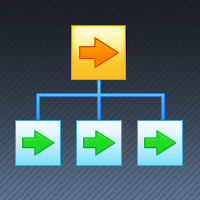
If you want something as below: Sell FOREX trading signal. Manage multiple accounts. Follow the trading from somebody. "TradeCopier_follow" and "TradeCopier_source" can help you! Features: Copying from one source (master) account to multiple follower (slave) accounts. Allow investor (read only) password for the source (master) account. There are no complicated settings and input parameters, everything is easy. Works with different Brokers. Works with different symbols (EURUSD_FX, eurusd_m, e
FREE

PropCorrelation shows whether your open positions are really different trades. Three index shorts feel like three trades; most days they are one bet, sized three times. The panel puts the number on your chart: the correlation between every pair of open positions, signed by direction, next to the money each of them risks to its stop. Free. Setup takes a minute: attach it to one chart, and the matrix appears for whatever is open on the account. No inputs are required to start. Try it first
It is
FREE

**DER AUTOR ÜBERNIMMT KEINE HAFTUNG FÜR VERLUSTE, DIE DURCH DIE NUTZUNG DIESER SOFTWARE ENTSTEHEN, INSBESONDERE NICHT FÜR VERLUSTE DURCH DAS AUTOMATISCHE SCHLIESSEN VON POSITIONEN (TRADES). BITTE TESTEN SIE DIE SOFTWARE AUSFÜHRLICH AUF EINEM DEMO-KONTO!** --- # Equity Drawdown Monitor - Ihr Wächter für Risikomanagement **Schützen Sie Ihr Kapital mit professionellem Multi-EA-Monitoring und automatischem Notfall-Stopp.** Der **Equity Drawdown Monitor** ist ein unverzichtbares Werkzeug für Trader,
FREE
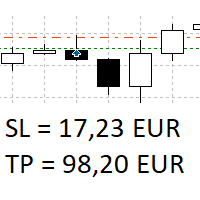
The panel shows all positions and all orders in a small movable window in the chart. Stop loss and take profit are converted into account currency. With the tool you can immediately see the maximum loss in the case of stop loss and the profit in the case of take profit. If there are several positions, a sum is formed. The panel shows either all positions/orders of the current symbol or all existing ones. The data is recalculated for each tick, and moving Stop Loss or Take Profit is immediately v
FREE

Solarize – Professional Trading Panel for MetaTrader 5 Solarize is a premium trading panel designed for traders who demand speed, precision, and efficiency in every execution. Built with a luxurious Black & Gold interface, Solarize combines an elegant design with practical trading tools, allowing traders to manage positions, pending orders, risk, and account statistics from a single control panel. Whether you're a scalper, intraday trader, or swing trader, Solarize helps simplify your workflow
FREE

izi hedge is a tool that helps you manage risk, manage hedge orders and rebalance losing orders.
How it works It will place an order opposite to the order you placed with that currency pair. If the order you place is correct, the reverse order will be automatically deleted If the market unfortunately goes against your order and touches the hedge order, it will begin to calculate the hedging volume to limit the risk of the market going in reverse.
FREE

The one minute chart has a bug, but the one-day chart can still be used after deleting the bug and reloading the indicators, This indicator can be used to determine how far the indicator goes up to place an order to buy, how far it goes down to place an order to sell, and not placing an order until it reaches this distance, which is considered oscillation, open an account gift index
FREE

# LBU Trading Console
LBU Trading Console is a unified MetaTrader 5 utility for visual trade planning, position management, equity protection and multi-symbol RSI monitoring. Its tabbed interface keeps four practical workflows in one chart and one EX5 file.
## Main modules
### Trade
- Draw and drag Entry, Stop Loss and Take Profit levels directly on the chart. - Calculate volume from the selected account risk percentage. - Support market, limit and stop orders. - Validate volume, margin and
FREE

Position Story MT5 answers a practical history question: what happened inside this position?
Select a position from the account history and the panel rebuilds its story from the recorded deals. You can see the opening deal, partial exits, reversals or close-by events, their order, and the values MT5 recorded for each one.
What it shows
• Position summary with symbol, position ID, deal count, recorded entry/exit volume when that split is knowable, and coverage state. • Ordered deal sequence wi
FREE

DS Risk Calculator works out your lot size from the stop you actually intend to use, and shows how much room is left before your daily loss limit, your overall drawdown limit and your consistency rule are reached. It is built for funded account rules, and it works just as well on an ordinary account with rules you set yourself.
It does not place, modify or close orders. There are no trading functions in it. It reads your account and shows you arithmetic.
WHAT IT SHOWS
- Lot size for the sto
FREE

A simple utility that tells you to leave the computer and go for a walk and have a coffee every 60 minutes, or however long you configure.
The function is to remind us to get off the computer and go for a walk so as not to make the mistake of opening up an emotional order, taking every day to the end and a simple walk would solve the problem.
--- NEW VERSION FULL https://www.mql5.com/en/market/product/192677
Check out my FOMO blocker as well https://www.mql5.com/en/market/product/188473
Ch
FREE

AlgoWay Telegram Reporter is a free MetaTrader 5 utility that sends clear and detailed trading notifications directly to Telegram. The utility does not open, modify, or close trades. It only monitors trading activity on the account. It works with: • Manual trades
• Trades opened from mobile or web terminals
• Trades opened by Expert Advisors
• Trades opened through AlgoWay
• Netting and hedging accounts Main features • Position opening notifications
• Entry price, volume, Stop Loss and Take Prof
FREE

The MetaTrader 5 script to set TP and SL for all positions during volatile market conditions in the current chart It is able to modify or close Key Features Absolute prices only
Leave as 0.0 if you don't want to change a particular value
No confirmation. The script executes immediately
Current symbol only. The script only affects positions in the chart the script is dragged to Use Cases Emergency exit
Risk management by changing SL and TP of all orders
FREE

ENGLISH DESCRIPTION CampTrader Tools is a trade management utility designed for MetaTrader 5. The tool helps traders manage existing positions by applying configurable trade management features such as stop loss, take profit, trailing stop, and position averaging. It is intended to assist with trade management and does not provide trading signals or guarantee trading results. FEATURES — AUTOMATIC SL & TP —
The tool can automatically apply stop loss and take profit levels to positions that do no
FREE

Symbol Carousel EA provides a clear and structured way to monitor all your active trades. The Expert Advisor automatically cycles through all open orders, positions, both or all symbols in the Market Watch and switches the chart symbol accordingly. Each symbol is displayed for a defined amount of time before moving on to the next one, creating a clean and intuitive carousel-style view of your trading activity. This EA is designed purely for visual trade monitoring and does not open, modify, or c
FREE

“One-Click Flatten — Fast, Clean, Reliable” Close all orders and positions in your account with a single click — no hassle, no fumbling through tabs.
Time-saving tool for traders needing instant exit from the market—especially during volatile moves or news events.
Emotion-free execution reduces human errors and hesitation—just click and it's done.
Easy to use: load the EA in MT5 and let it handle the rest. Perfect for both beginners and seasoned traders.
Fu
FREE

Short description :
TheTrendHunterMax is a LIMITED VERSION tool that can be used either as a trading robot for automated trading or just a signal provider for manual trading.
As an EA, it uses the techniques we usually employ in trading like determining the highs and lows on the trading chart. With this, it determines the trend convergence and divergence in the chart. Combined with the volatility, price movements, it analyzes the possible order type that can be most profitable. By default,
FREE

Chopar MT5 — Transaction Notification Utility This tool is designed exclusively for broadcasting trading account events to Telegram ( @ChoparTradeBot) . It does not perform market analysis or provide financial advice; instead, it functions as an informational bridge between your MT5 terminal and the messenger. What This Monitor Tracks: Opening and Closing Trades: Captures the moment a deal is added to the history ( DEAL_ADD ). For closed positions, it immediately calculates and displays the fin
FREE

http://www.tradepositive.lat
ALGO Smart Flow Risk Manager (Keyboard Edition)
Have you ever spotted the perfect entry but hesitated so long calculating the lot size that the price ran away without you? Or has a bad streak ever wiped out 20% of your account because you didn't know when to stop? The ALGO Smart Flow Risk Manager is not an automated trading bot. It is a professional Execution Tool designed strictly for Manual Traders who demand speed, structure, and discipline. We turn your keyboar
FREE

Please visit = https://www.mql5.com/en/market/product/181686 for slave EA
MT4 Version = https://www.mql5.com/en/market/product/183101 Free Demo Version = https://c.mql5.com/6/1033/COPYTRADE_DEMO7D.zip User Manual : download here
Professional Copy Trade EA for MT5, NO HASSLE, PLUG and PLAY and CROSS PLATFORM MT4 <---> MT5. A powerful and reliable Copy Trade Expert Advisor designed for traders, signal providers, fund managers, and prop firm users. Easily copy trades between multiple accounts
FREE
Note: Demo version only works on NZDJPY and USDRUB
What does it do? It assists you in your trading and has some important jobs to perform: It sets virtual pending orders, stop loss and take profit. It can set real stop loss and take profit if desired. It makes trading independent of bid-ask line concept, thus useful for very short term traders and price action traders. Orders can be opened, managed and closed with 1 click providing fastest management. It can automatically set your position sizi
FREE

TrendFollowing is an multi-currency scanner that just indicates where to buy/sell: Abilities: Opens up the chart automatically with and arrow indicating where to take action. Send the signal to a telegram channel, see @fx_signal_com channel to get the idea. Configuration: No need to configure "Market Watch". Open a chart and attach the scanner to it. Trading Rules: Use only buystop/sellstop orders above/below arrow on the chart. Delete the pending order if price retraces below/above the moving
FREE

You only need to load this EA into a single chart. Key Features Session Lockdown Blocks ALL trades outside London/NY sessions Instant position closing at session end NEW: Pre-close alerts (configurable minutes before session end) Smart Daily Limits Profit Target: Set $ or % goals to lock in gains Loss Limit: Hard-stop protection against bad days NEW: Choose between Balance (closed P&L) or Equity (including floating P&L) Dual-Layer Protection Prevention: Stops orders before execution Elimination
FREE

# StopOut Auto Calculator — Pre-Trade Margin & Stop-Out Risk Simulator for MT5
**Never get liquidated before your Stop-Loss again.**
Are you tired of setting a strict Stop-Loss (SL) on your trades, only to have your broker forcefully liquidate (Stop-Out) your entire account before price even touches your SL line?
Most traders believe having a Stop-Loss guarantees risk control. **In reality, it doesn't.** Brokers enforce a **Stop-Out threshold (typically 50% or 20% Margin Level)**. When you h
FREE

AlphaLogic PropProtector: The Ultimate Equity Shield Protect your Prop Firm account with institutional-grade precision. Are you tired of losing Prop Firm challenges due to emotional over-trading or a few dollars' calculation error? Most traders fail because they lose track of their Daily Drawdown or Absolute Equity Floor . AlphaLogic PropProtector is a professional-grade utility designed for traders who take risk management seriously. Whether you are trading a $50,000 challenge or managing a fun
FREE

Panel Tool – Button Click Trading (Replaces Default Trade Panel)
Features
1. Open or close Long positions with a button click.
2. Open or close Short positions with a button click.
3. Set lot sizes.
4. Set Stop-Loss (SL) or Take-Profit (TP) points (0 = not used).
5. Set order comments.
6. Display the Break-Even price .
7. Show total Long and Short lot sizes.
8. Display Profit or Loss in USD.
9. Show daily Profit or Loss in USD.
10. Set ID = 0 to manage manual orders together .
FREE

Script for deleting pending orders If you need to delete all pending orders you placed, this script will do it for you! It doesn't have any input parameters. Allow AutoTrading before running the script. Usage:
Run the script on a chart. If you need a possibility to adjust parameters of the script, use the version with input parameters https://www.mql5.com/en/market/product/627 You can download MetaTrader 4 version here: https://www.mql5.com/en/market/product/2782
FREE

TradeCopier is an application for automated copying of trades for different accounts in MetaTrader 5 terminal with flexible rules of filtering and modification. With TradeCopier, copying, filtering and transformation of trades are realized and processed via the server . It means that copying trades is possible within one or several computers. How can you boost your trading results with TradeCopier? Your convenience and speed Average speed of copying: 100 ms Working with MetaTrader 5 Working with
FREE

Purse Guard v1.00 — User Manual 1. What Purse Guard Does Purse Guard is a trailing stop manager, Stop Loss manager, trade manager, and position-management utility for MetaTrader 5. It provides practical risk management for existing trades by managing Stop Loss on open positions with two conventional trailing methods: Points Trailing — a fixed-distance points trailing stop that follows price by a selected number of MetaTrader 5 points. Candle Trailing — a candle trailing stop that follows the st
FREE

Free version. Only works on EURUSD. Would you like to have statistics about your trades displayed while you operate? Have you a solid understanding of the symbol you are trading? Do you really know everything you need to about your trading account? Do you need to keep an eye on the local times around the world? Advanced Info Displayer answers to all that. It helps you to know many hidden or hard to find data. Also, it is very convenient if you value statistics and maths. Just to exemplify, in mo
FREE

Know the broker symbol before you evaluate the EA. D7 Symbol Inspector is a free, read-only MetaTrader 5 chart utility. It brings the symbol fields that often decide whether an EA can size, place or protect an order into one panel — without sending or modifying a trade. Who it is for Use it before testing an Expert Advisor on a broker symbol, especially when the symbol has a suffix, unusual contract size, nonstandard volume steps or a spread that changes through the session. What it reads Last a
FREE

Funded Account Guard monitors the whole trading account and enforces the risk limits you set. When a limit is reached, it closes all positions, deletes pending orders and blocks new entries until the limit period ends. It is intended for funded and evaluation accounts with a daily loss limit and a maximum drawdown limit, and for any trader who wants a fixed daily stop.
The utility does not open trades, does not give signals and does not move stop loss or take profit levels.
Rules - Daily loss
FREE
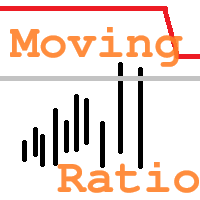
"Moving Ratio Candle" is used to check the distance of a candle to a theoretical pressure point. Furthermore, we have two points of interest, the first for the mean and the second for the median. This indicator uses the shape of bars and the line that crosses the bar from left to right is based on the calculation of the closing price for both sides. The rest follows a more standard calculation. The same could be done as a line, but I want to know the behavior of this indicator in relation to the
FREE
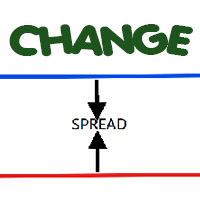
Most current tick data does not accurately reflect the actual spread levels. To achieve more precise backtest results, we need to adjust it to a higher value to account for slippage that may occur when Expert Advisors (EAs) execute orders in real trading.
This tool is used to change the Spread value in custom symbols created from tick data for backtesting purposes. Simply select the desired Spread value and wait for the tool to adjust it accordingly.
FREE

Northvale Prop Guard watches every trade on your account, from any EA or done by hand, and steps in before you break a prop firm rule. Protection Daily loss limit, measured from your challenge size (FTMO style) or the day’s starting balance Maximum loss, static or trailing Profit target lock: closes everything when your target is reached, so a good day can’t turn into a failed challenge Safety buffer: acts before the firm’s limit, not after When a limit is reached , Prop Guard closes all positio
FREE
This Expert Advisor captures and sends information about all open positions to a REST API server in real-time using HTTP POST requests. It is ideal for building synchronization tools, external monitoring systems, or custom trade copier solutions. What does this EA do? Iterates through all active orders in the account. Compares current positions with the previously sent ones. If any change is detected (SL, TP, price, symbol, volume, type, etc.), it sends updated information to the defined endpoi
FREE

opnMAX Ponos: Utility Overview opnMAX Ponos is a highly interactive, institutional-grade risk management and trade execution utility designed for MetaTrader 5. It acts as an on-chart graphical dashboard that allows for precise, mathematically validated position sizing and one-click order execution. Instead of manually calculating risk thresholds before taking a trade, Ponos uses a reactive, omni-directional calculation matrix to handle the math in real-time. Key Functional Features Omni-Directio
FREE

Donation: USDT (TRC20) : TQJsYp64FgLLeQiyNnS6hhCNBjnz4ykbT1 USDT (BEP20, Polygon) : 0x5b50AaaE515452071D395D28BC3D78d16279D168
You can use this expert to execute Martingale orders for you open positions. This expert will add to your positions with a pre-defined loss step.
For choosing open positions you can use Symbol Name or Magic Number . Also the loss step will be defined by currency or pips. All positions that refer to a certain order will be closed by entered Profit from input section. For
FREE

Order Book, known also as Market Book, market depth, Level 2, - is a dynamically updated table with current volumes of orders to buy and to sell specific financial instument at price levels near Bid and Ask. MetaTrader 5 provides the means for receiving market book from your broker in real time. The expert OrderBook Recorder records market book changes and stores them in local files for further usage in indicators and expert adviser, including testing in the tester. The expert stores market book
FREE

Tick Data HTTP Exporter NZDUSD This free version exports NZDUSD only; the full version, Tick Data HTTP Exporter , exports any symbol. Description The EA turns your terminal into a historical/realtime tick data provider for your application.
There are many market data providers on the internet, but in practice, the data provided is not always of good quality. Moreover, these services are often more expensive and typically require monthly subscription fees per each symbol.
With this EA, you can fe
FREE
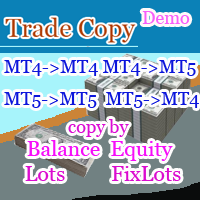
TradeCopy MT5 Demo is an efficient MT4, MT5 single system only used on MT5 demo account. Features: 1, can achieve cross-MT4 and MT5 each other. 2. The transmitting end and the receiving end are in the same file, which is convenient to use. 3, can achieve cross-platform follow-up. 4, more ways to follow the order, you can follow the balance, net worth, lot ratio or fixed lot. 5, can enlarge or reduce the amount of the single. 6, the currency has a different name, you can convert. Use the wizard:
FREE
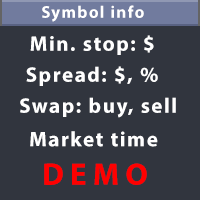
This utility displays the information required for making trades on each opened chart. For example: spread value, swap value; triple swap day; session closing time; ATR of the symbol by Gerchik; total profit/loss for the current symbol; the number of trades made earlier; the percentage change in the quotes of 6 selected instruments; and much more. The spread value is always shown. The rest of the information is displayed depending on the settings: Show total orders at the moment (long, short) .
FREE

IN DEMO VERSION, "CLOSE BY PIPS & ALERTS" ARE DISABLED. FOR COMPLETE ACCESS PLEASE BUY. : https://www.mql5.com/en/market/product/58097 FIRST 10 COPIES AT 30 USD, NEXT PRICE WOULD BE 50 USD RISK AND TRADE MANAGER RISK AND TRADE MANAGER is an advanced trading panel designed for manual trading. Utility helps to manage trades effectively and efficiently with a single click. You can also try our high probability indicator HAWA Price Action HAWA Price Action WITH 90% WIN RATE
MT4 VERSION:
https:/
FREE

This is the demo Version of Money and Trade Manager, which can be found here: https://www.mql5.com/en/market/product/58163# The Demo is limited to EUR/USD , but otherwise fully functional.
Features: easy positioning of stoploss and takeprofit with horizontal Assistance-lines
automatic Volume calculation fixed risk, set by the trader Closing of all trades of one type, with the click of one button (long or short, for this symbol) Creation of pending orders with one click Direct feedback throug
FREE

Quick Scalper Pro MT5 is an automated Expert Advisor for short-term trading in MetaTrader 5. It checks trend, momentum, volatility and optional market-structure conditions before placing an order. If the configured conditions do not agree, the EA remains inactive.
Trading approach
A Fast EMA and Slow EMA determine directional bias. RSI recovery or rejection provides momentum confirmation. ADX and ATR filters can prevent entries during quiet conditions. Optional Order Block and Fair Value Gap a
FREE

Script Name: Close All Positions Language: MQL5 Type: Utility Script Primary Function: Instantly close all open positions on the current trading account Purpose The “Close All Positions” script is a lightweight and efficient tool designed for traders using MetaTrader 5. Its main purpose is to help users quickly exit all active trades with a single click, especially during volatile market conditions or when risk management requires immediate action. Instead of manually closing each position on
FREE

Broker Basket Preflight Script diagnostico MetaTrader 5 in sola lettura per verificare i simboli esatti del broker prima di testare una strategia multi-simbolo. Riporta le regole dei contratti e dei volumi, gli incrementi di prezzo, l'età delle quotazioni e lo spread nel registro Experts. Kit di ottobre 2026: configurazione, valori predefiniti e confronto delle simulazioni . MT5 Setup Hub . Installa gratuitamente la versione pronta all'uso dal Market in MetaTrader 5 per computer, poi trova Broke
FREE

Easy Trade Copier (Master / Sender) The lightning-fast, lightweight engine that broadcasts your trades safely. Description:
Welcome to the Easy Trade Copier (Master) . This is the "sender" EA. You attach this to your main trading account, and it instantly broadcasts every trade you take to your client accounts. Standard copiers often cause errors or freeze your trading platform when trying to send data to multiple accounts at once. The Easy Master uses smart, glitch-free saving technology so
FREE

This Expert Advisor monitors all open positions across all symbols in MetaTrader 5. Whenever a Stop Loss (SL) or Take Profit (TP) is manually set or adjusted on any position, the EA automatically applies that value to all other open positions , regardless of symbol or order type (Buy/Sell). This ensures consistent and synchronized SL and TP levels across your account.
Perfect for mobile trading via tablet or smartphone!
FREE

Product Description: GODFX EXECUTIONER v1.00 Take Control of Your Trading with Institutional-Grade Precision. The GODFX Executioner is not just a trade manager; it is a professional-grade command center for MetaTrader 5. Designed for scalpers and day traders who demand speed, it combines advanced risk management with intuitive visual tools to ensure you never have to calculate a lot size or fumble with orders again. Key Features: Dynamic Visual Planning: Drag-and-drop SL and TP lines on y
FREE

Trade Assistant – Position & History Overview Streamline your trading workflow with a powerful all-in-one panel for MetaTrader 5. Trade Assistant is a professional EA panel that gives you full control over your trades — from order execution to real-time position monitoring — all within a clean, intuitive on-chart interface. Key Features One-Click Order Execution Instant Market Orders (Buy / Sell) with configurable Lot, SL and TP Full Pending Order support: Buy/Sell Limit & Buy/Se
FREE

ENGLISH DESCRIPTION (MQL5 Standard Optimized) Product Name: TWolf Receiver MultiStation V2.29B (MT5) [Subtitle: Zero Orphan Code | Auto-Retry Engine | Emergency Equity Protector] TWolf Receiver MultiStation V2.29B is an elite Client-Side Execution Bridge . It is explicitly designed to function as a "Receiver Station" for signals broadcasted via the official Astracodewolf Bridge Channel . Important: This EA does not generate trading signals independently. It is a high-speed execution protocol tha
FREE

Role in MT5 Spread Trading 1. Spread Compensation Trading Spread Calculation: The indicator automatically calculates the current spread and adds it to the price. Actual Cost Consideration: Helps traders account for the actual transaction cost (spread). Precise Entry: Ensures stop loss and take profit settings already incorporate spread factors.
FREE

Assistant_for_Reopen - an Expert Advisor that helps to re-set pending orders. Many brokers force the order to expire at the end of the trading session or at the end of the trading day. Therefore, a trader has to restore all pending orders manually every time at the beginning of a new trading session. Assistant_for_Reopen frees the trader from this routine work. It controls expiration by the order expiration time and resets it if the trader ticked the checkbox. The maximum number of orders the EA
FREE
Botti Tools features
1 - Automatically places Take Profit and Stop Loss values, previously defined, in Pending Orders and in Market Positions
2 - Based on the amount of Stop Loss points defined and the specified monetary value it calculates what volume should be used for that order.
3 - After X points he puts the order on breakeven
4 - It cancels the Take Profit at X points away from it and places the Stop Loss in such a way as to guarantee Y gain points
5 - If the fourth option is selecte
FREE

Table Royale — Product Description The best traders know how to wait. The smartest ones know how to stay busy in the meantime. Table Royale turns your MetaTrader into a trading floor… and a gaming table. An elegant panel, a 52-card deck, and 25,000 € in virtual chips to spice up your idle hours. Hit, stand, double down — real Black Jack, right inside your chart. Available in 7 languages: Français · English · Español · Italiano · Deutsch · 日本語 · 中文 30-second set
FREE

OrderCalc opens a window in the chart with the data of your orders:
Position size, stop loss, take profit, profit/loss
Only the positions for this symbol are displayed. If several positions exist, these are totalled and displayed in the last line. If you work with pyramids, you can see at a glance how big the total profit or loss is.
M can be used to display information about the symbol: Margin, spread, minimum order size, increment etc. R opens the risk calculator. A click in the chart calc
FREE

The utility opens an order in the opposite direction from already open positions on the currency pair on which it is launched, creating a lock of orders. The utility has a simple interface and is easy to use. MT4 version of the utility - https://www.mql5.com/en/market/product/78127 If you like this utility, take a look at my other products - https://www.mql5.com/en/users/nina_yermolenko/seller
FREE

Simple script for Buy by Market Execution on all financial instruments.
Inputs Volume - default: 0.10 Deviation - default: 10 points Stoploss - default: 50 points Takeprofit - default: 50 points Comment - default: Order by Market Confirm - default: false
Inputs Details Type Order Buy Order is preset. Deviation Maximum deviation from quoted price in points. Stoploss & Takeprofit In points value, be careful that this value will be added to minimum stop allowed by the broker. For example if you s
FREE
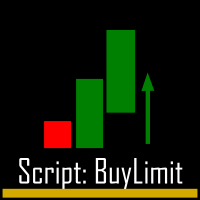
I find the lot calculation tedious so I just use this script and tell it the dollar amount to use. It then does the rest. This works for any currency.
How-To: Creates a buy limit order at chosen MA price using the desired dollar amount instead of lots. To use, just drop it onto a chart and set inputs as needed. The script will then do the necessary lot calculation and create a buy limit order.
Inputs: FIXED_DEAL_AMOUNT: Fixed amount to use for the trade e.g 100 to open a R100 deal MA_PRICE: MA
FREE

Titan Dual Mode Utility is a high-performance trading assistant designed for traders who require speed, precision, and flexibility in the MetaTrader 5 terminal. This utility was developed to solve the delay of manual order entry, providing a professional interface for modern scalpers and intraday traders. The main innovation of this tool is the Dual Mode System , which allows the user to switch between two different execution strategies instantly: Protected Mode: This mode is designed for conser
FREE
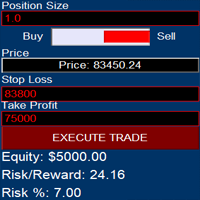
The SmartTrader Panel is a powerful and intuitive trading panel designed to streamline trade execution and risk management in MetaTrader. With its sleek and user-friendly interface, traders can quickly manage their positions, calculate risk metrics, and execute trades with precision. Key Features: One-Click Trading: Easily place Buy or Sell orders with a single click.
Risk Management: Automatically calculates risk percentage, risk-reward ratio, and potential profit/loss.
Customizable Trad
FREE

CloseByLossOrProfit Expert Advisor closes all positions as their total profit or loss reaches a specified value (in deposit currency). In addition, it can delete pending orders. Allow AutoTrading before running the Expert Advisor. Usage: Run the Expert Advisor on a chart. Input Parameters: Language of messages displayed (EN, RU, DE, FR, ES) - language of the output messages (English, Russian, German, French, Spanish); Profit in the currency - profit in points; Loss in the currency - loss in p
FREE

Session Stat is a utility for tracking the results of a trading session, as well as information about the position for the current instrument.
The panel displays:
Session statistics (for all instruments) Initial trading account balance Current trading account equity Profit during the operation of the utility Profit in % terms during the operation of the utility Session statistics (for the current instrument) Profit of the current position Profit of the current position in % terms Total volume
FREE
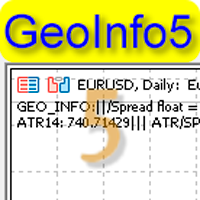
GeoInfo5 is one of the most informative indicators, it displays basic information about a trading instrument in a compact form. The version for the Meta Trader 4 terminal has gained wide popularity among traders. The indicator is free and will always be free. The launch version is now available for MetaTrader 5 as well.
displays information about the main parameters of the tool in a brief form in the line in the upper left corner of the chart: Spread, Swap for Buy order, Swap for Sell order, c
FREE

Equity Ratchet FX Stealth Profit Manager & Smart Scalping Assistant "Lock your profits in stealth mode. The ultimate safety net for manual scalpers and grid strategies." What Is Equity Ratchet FX? Equity Ratchet FX is a professional trade management utility built for: Manual Scalpers who want fast execution with structured risk management Grid & Martingale Traders who need a smart, silent profit-locking system This is NOT another traditional trailing stop. Instead, it uses a Virtual Stop
FREE
Il MetaTrader Market offre un luogo pratico e sicuro dove acquistare applicazioni per la piattaforma MetaTrader. Scarica versioni demo gratuite di Expert Advisors e indicatori direttamente dal tuo terminale e testali nello Strategy Tester.
Prova le applicazioni in diverse modalità per monitorare le prestazioni ed effettuare pagamenti per i prodotti desiderati, utilizzando il sistema di pagamento MQL5.community.

Ti stai perdendo delle opportunità di trading:
- App di trading gratuite
- Oltre 8.000 segnali per il copy trading
- Notizie economiche per esplorare i mercati finanziari
Registrazione
Accedi
Accetti la politica del sito e le condizioni d’uso
Se non hai un account, registrati