 MetaTrader 5
 Experts
 Indicatori
 librerie
 Utilità
 Widget
 Regole
Guarda i video tutorial del Market su YouTube
Come acquistare un Robot di Trading o un indicatore
Esegui il tuo EA
hosting virtuale
hosting virtuale
Prova un indicatore/robot di trading prima di acquistarlo
Vuoi guadagnare nel Market?
Come presentare un prodotto per venderlo con successo
Expert Advisors e indicatori gratuiti per MetaTrader 5 - 126
 Usa i robot di trading e gli indicatori per rendere il trading sul Forex più redditizio. I robot di trading ti permettono di automatizzare l'apertura e la chiusura delle transazioni, e gli indicatori ti aiutano a prevedere con maggior precisione il comportamento del mercato. La pagina contiene il catalogo delle applicazioni MetaTrader 5.
Советник торговый помошник, располагается на инструменте (прикрепляется к графику) при закрытом рынке или просто когда планируется при достижении цены открыть сделку с заданным тейк-профитом и стоп-лоссом в % от цены автоматически открываемой сделки, при установке задается лот, цена сделки, направление, уровень прибыли и убытка, а также количество открытий по заданному уровню после срабатывания стоп-лосса.
FREE
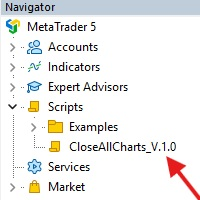
This Script was made for faster handling closing all open Chartwindows espacially in Backtesting Mode. The Script is totally for free. It is made for the MT5 Version of Metatrader. Closes all open chart windows, including the chart on which the script is being executed.
I hope you have fun with this simple but for me useful script. if you have any question please let me know...
FREE

This script allows you to visualize the risk of your account based on the open orders you have. * Low risk is between 0 and 10% of handicap * Medium risk is between 11% and 30% of handicap * High risk is more than 31% of handicap
The script displays the spread of the current pair, the total of open positions, showing the lotage for both directions (buy, sell) as well as the number of buy and sell operations.
FREE

Painel informativo fácil de usar e pode ser usado em qualquer gráfico . Painel Pega o Resultado Por Numero Magico Somente para plataforma Metatrader5. Painel informa todos os resultados do dia sendo positivo ou negativo, Lucro e muito mais. Fácil de usar e pode ser colocado facilmente dentro de um Robô . Muitas pessoas precisam de diferentes paineis para cada tipo de EA, ou seja, pode se tornar cansativo fazer um novo para cada aplicação. Portanto decidi fazer um painel modular que se adapta ao
FREE

This script is a very useful tool when it comes to practicing chart analysis.
If you activate this script, you are going to be thrown down on a random chart position. The active chart is used where you are right now. You need to have at least 6000 historical bars. You can set the number of bars at: Tools->Charts tab->"Max bars in chart"
Should you have any questions, comments feel free to contact me.
FREE

Script to load on chart the orders, starting from "Signal history report" downloaded from MQL5. If you found a good signal on "Signals" section of this site and you want to see the history orders on chart, you can do it, following this steps: - Download the csv file of history orders - Copy file in the common folder - Launch the script and set the input that are: - Report type (MT4 or MT5) - File name - Delimiter (default is ;) - Name of symbol to load (if symbol on file is for example EURUSDi,
FREE

Utility for know all informations and settings of terminal where the utility is loaded. The informations that you can know are for example:
- The path of folder where the terminal start
- The path of folder where the terminal store the indicators, experts advisors etc
- The path of common folder
- The permission to use DLL, to automated trading etc
- The permission to send email, FTP or notifications to smartphone
and many other informations
FREE

Utility for know all informations and settings of account where the platform is connected The informations that you can know are for example:
- The difference from server time and time of your PC
- The limit orders that you can place at market
- The credit that you have
- The stopout mode of your broker
- The exact name of company of your broker
and other informations
FREE

BatchLoader for Mobile Traders: The idea of BatchLoader just as the name implies is to enable traders open a single position through their mobile phone and have it duplicated based on the max position such trader set in the "input settings", we have day traders and scalpers who find it difficult to open several position when trying to scalp, with this BatchLoader, you won't have to worry about poor entry execution.. How to Use it; *install the expert on your desired chart you usually trade on(
FREE

Signalator Symbol Inspector is a local MetaTrader 5 utility that displays practical symbol and broker conditions directly on the chart.
It helps traders inspect the real trading parameters of the current symbol before using manual trades, Expert Advisors, panels, scripts, or other trading tools.
The utility does not open, modify, or close trades. It does not provide trading signals. It does not connect to any external server.
Main features:
• Current Bid / Ask and spread • Spread cost estim
FREE

Иногда бывает, что наши построения на графике выходят за пределы последнего бара. После выходных, эти построения могут измениться в виду особенностей учета времени в мт5. Данный индикатор поможет решить эту проблему - он проходит по всем графикам и сдвигает дату объекта, которая дальше, чем нулевой бар. После завершения работы индикатор удаляется. Параметры:
Direction - направление сдвига; DaysShift - количество дней, на которые сдвигается дата объекта, правее нулевого бара.
FREE

The script allows selecting the required 'Filter level' value of the AIS-MTF MT5 indicator. Run the script on the required chart and selected timeframe. Once its operation is complete, the HPS.csv file will be created in the Files folder. Open the file. You will see three columns. The 'Filter lvl' column represents the value of the 'Filter level' for the AIS-MTF indicator. Am. dev. - degree and direction of the indicator's deviation from the price level (sorted in ascending order). Negative valu
FREE

Expert Advisor to help beginners.
It allows you to adjust the following parameters:
Number of simultaneous positions The asset allowed to trade Maximum lots allowed per position Maximum number of positions per day When one of the parameters is not/no longer valid, the EA automatically closes new positions, preventing you from trading. This Expert Advisor helps you trade by mastering your trading psychology for you.
VPS essential.
Feel free to give me feedback and suggest further improvement
FREE

Shows various helpful informations lik: ATR (in Pips) Spread (in Pips) Spread in percent of ATR (very helpful when your SL/TP is based on ATR Time left to next candle period Change in percent of last X candles (configurable) Spread warning, when its higher then 1/3 of the ATR Next-candle warning, when it appears shortly (2.5% of period) Please follow me on Twitter https://twitter.com/semager and stay up to date with the newest Indicators and EAs.
FREE

Tetris remains one of the most fun and addictive pieces of software to ever grace the computing scene. That's right, everything that everyone loves about Tetris can now be experienced on MT5 platform. Its beautiful simplicity and surprisingly fast-paced gameplay make it an exceptionally easy thing to just pick up and play on short notice. This version comes with everything everyone loves about Tetris. It has all six of the classic tetrimino shapes, the steadily growing level of challenge tha
FREE

️ META SHOOTER MT5 – Defeat Trading Stress Before It Defeats Your Deposit. Exhausted by endless market waiting and staring at charts? It's time to turn your trading terminal into a powerful source of stress relief and adrenaline! META SHOOTER is a full-featured, dynamic Survival Shooter that runs directly on your MetaTrader 5 chart . It is the ultimate tool for traders to manage emotions and conquer stress. Why META SHOOTER is Your Best Anti-Stress Weapon: Instant Psychological Relief: Trad
FREE

Ofir Blue exporter is a handy utility to export your orders history to a JSON file . You'll need it if you want to back-test Ofir blue or Ofir Hedging , using your own trading history. How it works: Install the indicator on a chart Press export all or export <current symbol> (for example GBPUSD) The indicator will create the json file in the directory files/ofirblue/export. This directory is in the common file area. The file will be automatically taken in charge by Ofir blue strategy tester
FREE

All utilities of my experts advisors included in a single one. Includes: Raba Time Scheduler EA Raba Challenge Manager EA Raba BreakEven and Trailing StopLoss EA Notes: Auto enabling/disabling algo trading is disabled due to MQL Market policies.
I you have any doubt you can leave it in comments and I will anwer it asap. If you found this tool helpful for you, a comment and a good rating will be appreciated. Also any proposal will be taken into account for future versions.
FREE

This script allows selecting the TakeProfit and StopLoss levels. It analyzes the history data, and then calculates the probability of reaching a given price level.
How the script works Suppose you have a trading strategy and you want to select the TakeProfit and StopLoss levels. Run the script and set the parameter: Number of Bars - the average position holding time in bars. Once the script operation is complete, the AIS-PPL.csv file will be created in the Files folder in the terminal data cata
FREE
This indicator allows to hide RSI (on all MT5 timeframes) from a date define by the user with a vertical line (Alone) or a panel (with "Hidden Candles" utility). Indicator Inputs: Period Apply To Information on "Relative Strength Index" indicator is available here: https://www.metatrader4.com/en/trading-platform/help/analytics/tech_indicators/relative_strength_index ************************************************************* Hey traders!! Give me your feeds! We are a community here and we
FREE
Protect Your Stops from Spread Spikes! Description:
This trading utility is designed to protect your stops during market closure periods and low liquidity phases. With this tool, you can hide your Stop Loss levels within a defined time frame, preventing brokers and extreme market conditions from prematurely triggering your SL due to an abnormally high spread. Why Use It?
Prevent your trades from being stopped out due to spread widening during market closures.
Precisely control when your S
FREE

这款专为MetaTrader 5设计的EA(Expert Advisor),能够在加载后自动关闭所有图表,并立即从当前图表中自行移除。它适合那些希望快速清理所有图表,并避免手动关闭每个图表的用户。 功能特点: 一次性清理: 加载后立即关闭所有打开的图表。 自动移除: 执行完毕后,EA自动从当前图表中移除,无需手动操作。 快速高效: 适用于快速清理交易环境,特别适合在需要快速重置或结束交易日的情境。 使用说明: 只需将此EA添加到任何一个图表上,它将自动执行关闭所有图表的操作并自行移除。使用前,请确保已保存所有重要的图表数据和设置。 风险提示: 请谨慎使用此EA,以防不小心关闭重要图表。 适用于MetaTrader 5平台。 技术支持: 如有任何技术问题或需求,请联系我以获得帮助。
FREE

The Environment State Info Print is a script to display the constants that describe the current runtime environment of a MQL5 program. General Description
The constants are divided into four groups in the Environment State section of the MQL5 documentation and each group is divided into enumerations/subgroups (with designations “Integer”, “Double” or “String”). The script displays constants in two ways: a single constant or all group constants. The constants are obtained by selecting the
FREE

A service to keep the SQLite database up to date . Fast real -t ime operation . Saves open positions and orders , current quotes , and trading history . Take advantage of SQLite 's capabilities for intermediate data storage , analytics , and integration of the MetaTrader platform . Save all your data in one place . Use the saved data in SQL analytical queries , from Python and other la
FREE

Heartbeat Agent is a cross-platform utility for monitoring the status of your trading terminal, compatible with both Windows and Linux. This tool sends regular GET requests to a specified URL, allowing you to monitor the terminal's performance and receive real-time updates on its status. If the connection to the terminal is lost for any reason, you will be immediately aware and can take the necessary actions. Key Features of Heartbeat Agent: Cross-Platform Compatibility: Heartbeat Agent supp
FREE

OR One-Click - Exiting EA on OsMA and RSI
This utility will not create a new position for you nor will it find a new opportunity. It will help you exit a trade. It allows you to use the "One-Click" feature on your cellphone MT5 APP to place a trade; then the utility will modify and manage the position until it is closed. This utility will work on the following 16 symbols. USDJPY, EURJPY, AUDJPY, CADJPY, GBPJPY, EURUSD, EURGBP, EURCAD, EURAUD, AUDCHF, AUDCAD, USDCAD, USDCHF, AUDUSD, GBPUSD, N
FREE

Script to configure "TweetHelper for MT5" environment settings for "Twitter API v2 OAuth 2.0 with PKCE".
Client ID : ${CLIENT_ID} Auth Basic base64 : β string(Base64) Response Code : auth_code to be obtained in step 2 of "Connection Procedure Using OAuth2.0" Callback URI : the value set in User authentication settings "Callback URI / Redirect URL"
TweetHelper trial for MT5 https://www.mql5.com/ja/market/product/54832
TweetHelper for MT5
https://www.mql5.com/ja/market/produ
FREE

The indicator is a real-time trading dashboard for MT5, showing account, trade, and risk information in a compact panel directly on the chart. Key Features Dashboard Display Shows instrument, price, spread, and remaining candle time. Shows account stats: balance, equity, margin, free margin, margin used. Floating profit and pips of all open trades. Historical profits: today, this week, this month, and all-time. Risk stats: total lot size, average risk per trade, average R:R ratio, average tr
FREE

Shows the full name of the symbol on the chart.
Especially relevant for Stocks, CFDs, Indices and Futures.
Also, when you press "right"(cifre 6) on the NumPad, an "Alert" is issued, from which you can copy the name in the "Experts" column
and use, for example, to search for additional information about the company.
In the settings you can select the color, placement and font size.
FREE

The script illustrates the usage of the OBJPROP_XOFFSET and OBJPROP_YOFFSET properties. It displays the specified fragment of the .BMP image.
FREE

Hi you, I need your help! Be my Patron, let's make it possible!
https://www.patreon.com/joaopeuko https://github.com/Joaopeuko/Mql5-Python-Integration
Channel: English version - Versão Inglês:
https://www.mql5.com/en/channels/Mql5_Python_Integration_EN
Portuguese version - Versão Português:
https://www.mql5.com/en/channels/Mql5_Python_Integration_PT
Paid version with 38 indicator: https://www.mql5.com/en/market/product/58056
I believe that development in PYTHON is easier and simpler
FREE
This indicator allows to hide ATR oscillator (on all MT5 timeframes) from a date define by the user, with a vertical line (Alone) or a panel (with "Hidden Candles"). Indicator Inputs: Period Information on "Average True Range" indicator is available here: https://www.metatrader4.com/en/trading-platform/help/analytics/tech_indicators/average_true_range ************************************************************* Hey traders!! Give me your feeds! We are a community here and we have the same o
FREE

This demo EA only sends text messages to a predefined Telegram channel ( there is no need to configure telegram ). The messages can be customized to show information about the trading activity. Also it shows the daily account PnL. Several instances of this EA can be used simultaneously from the same MT5 terminal but ensure that each one has different EA ID number (setting B16).
I have tested this EA with forex symbols but it should work fine with any MT5 symbol (e.g. indexes, commodities, stoc
FREE

Ofir blue is the first full trading application for Telegram. It is proposed in 2 versions : OfirBlueLite (without trading) and OfirBluePro (with trading). The Pro version is still in beta (available on request).
To access Ofir Blue Lite, go to Telegram and open the bot @OfirBlueLite. All demos, tutorials and docs are available in Telegram.
Join the Telegram group @OfirBlueUserGroup to get updated information and support.
Features: Dashboard ️ Account summary ️» Profit of the day ️» Eq
FREE

LotMaster AI – Calcolo Intelligente del Lotto & Gestione del Rischio! Calcolo automatico della dimensione del lotto e protezione del capitale per un trading sicuro e stabile! Cos'è LotMaster AI?
Questo Expert Advisor calcola automaticamente la dimensione della posizione in base al saldo del conto e alla percentuale di rischio selezionata.
Dimentica le congetture su quanti lotti aprire – LotMaster AI lo fa per te , tenendo conto del Stop Loss e delle condizioni di mercato . Funzionali
FREE

SymbolMonitor 1.3 – Controllo totale sul tuo trading! Operi con più strumenti e vuoi monitorare i tuoi profitti in tempo reale ?
SymbolMonitor 1.3 è un potente Expert Advisor che analizza automaticamente la redditività di ogni simbolo e offre impostazioni flessibili e notifiche! Novità della versione 1.3 Impostazioni visive personalizzabili – regola font, dimensione e colore del testo
Notifiche automatiche – ricevi un avviso quando il profitto raggiunge l'obiettivo
Calcolo pre
FREE
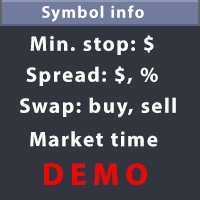
This utility displays the information required for making trades on each opened chart. For example: spread value, swap value; triple swap day; session closing time; ATR of the symbol by Gerchik; total profit/loss for the current symbol; the number of trades made earlier; the percentage change in the quotes of 6 selected instruments; and much more. The spread value is always shown. The rest of the information is displayed depending on the settings: Show total orders at the moment (long, short) .
FREE

Broker & Account Info / Network Connection / Historical Order Benchmarks / Market Watch Symbols / Current Order Status
Features:
1. Symbol’s Trading Privileges – Ensure the symbol is tradable.
2. Order Execution Mode – Check the broker’s execution type.
3. Trade Session Hours – Verify the trading hours.
4. Min/Max Lot Sizes – Check the allowed lot range.
5. Max Pending Orders – Confirm the maximum number of pending orders allowed.
6. Freeze Point & Pending Order Distance – Minimum distance re
FREE

This is the demo Version of Money and Trade Manager, which can be found here: https://www.mql5.com/en/market/product/58163# The Demo is limited to EUR/USD , but otherwise fully functional.
Features: easy positioning of stoploss and takeprofit with horizontal Assistance-lines
automatic Volume calculation fixed risk, set by the trader Closing of all trades of one type, with the click of one button (long or short, for this symbol) Creation of pending orders with one click Direct feedback throug
FREE

Total Closed Trades – MT5 Indicator The Total Closed Trades indicator for MetaTrader 5 provides a quick, visual overview of your trading performance by displaying a simple and intuitive 3-value breakdown : Total Trades – The total number of closed trades. Winning Trades – Number of profitable trades. Losing Trades – Number of losing trades. Instead of digging through reports, traders can instantly monitor their historical performance with a compact and elegant pie chart-style widget. Key
FREE

Toma el Control Absoluto de Tus Operaciones ¿Cansado de calcular manualmente el tamaño de tu posición o de sudar frío esperando a que el precio toque tu stop loss? La gestión del riesgo es la línea que separa a los traders consistentes del resto. No dejes tu capital en manos de la improvisación. Presentamos la Calculadora de Posición y Riesgo , tu nueva aliada esencial para operar con precisión y disciplina profesional. Con esta poderosa herramienta, tú: Maximiza tu Potencial: Calcul
FREE

See the Supertrend direction on your chart and on four higher timeframes at once. How it works The indicator calculates Supertrend from ATR and a multiplier, using the standard final upper and lower band method. The line changes color when the trend changes: one color for up and one for down. An arrow marks every confirmed flip, and it appears only after the flip candle has closed. A dashboard runs the same calculation internally on M15, H1, H4 and D1, using ATR and the high, low and close of ea
FREE

Join strong trends at better prices after a pullback. How it works On each new bar of the signal timeframe (H1 by default) the EA defines the trend with two filters: EMA 50 above EMA 200 for an uptrend, or below it for a downtrend, and ADX 14 above a threshold (20 by default) so that weak, sideways markets are skipped. It then waits for a pullback. In an uptrend price must touch or dip into the zone between EMA 20 and EMA 50 within the last few bars. The entry comes when a closed bullish candle
FREE

Four uncorrelated rule sets for gold, managed as one portfolio. How it works The EA runs four independent strategies on the chart symbol. Each one has its own switch, direction mode (buy and sell, buy only or sell only), risk percent, ATR stop loss and ATR take profit. Strategy A follows the H1 trend and trades crossovers of EMA 21 and EMA 50. Strategy B waits for an M15 Bollinger Band squeeze (band width near its lookback low) and enters when a candle closes outside the band. Strategy C waits f
FREE

Institutional price action concepts made systematic: structure break, order block, retest. How it works On each new bar of the signal timeframe (M15 by default) the EA tracks swing highs and swing lows. A bullish break of structure happens when a bullish candle closes above the last swing high for the first time. The EA then marks the order block: the last opposite colored candle before the impulse that caused the break. The zone is drawn on the chart. When price returns to the zone on a later b
FREE

Mean reversion scalping in the quiet night session. How it works During the night window (22:00 to 02:00 server time by default, crossing midnight) many pairs range quietly. The EA trades stretches away from the mean on closed M5 bars, whatever the chart timeframe. A buy signal needs a close below the lower Bollinger Band (20, 2.0) and RSI 14 below 25. A sell signal needs a close above the upper band and RSI above 75. A spread filter, in points or relative to M5 ATR, blocks entries when the spre
FREE

Imbalances get revisited. This EA trades the retest with defined risk. How it works On each new bar of the signal timeframe (M15 by default) the EA scans the last three closed candles for a fair value gap. A bullish gap appears when the low of the newest candle is above the high of the candle two bars earlier, with a bullish middle candle. Bearish gaps are the mirror image. Gaps smaller than a fraction of ATR are ignored. Up to N unfilled gaps are tracked and drawn on the chart. When price retra
FREE

Trade the stop hunt, not the breakout trap. How it works On each new bar of the signal timeframe (M15 by default) the EA watches two kinds of liquidity: the most recent untapped swing high and swing low, and the previous day high and low. You can watch one of them or both. A liquidity sweep happens when a candle wicks beyond one of these levels but closes back inside. This is the typical footprint of a stop hunt. The EA then enters in the reversal direction at market. If you prefer extra confirm
FREE

Trade the first move of the cash session with a clear, time based opening range breakout. How it works At the session open time (server time, 16:30 by default) the EA measures the high and low of the opening range, 15 minutes by default, using M1 data. After the range is complete the EA trades the breakout. You can choose a market entry when an M1 bar closes beyond the range, or Buy Stop and Sell Stop orders at the range edges. The stop loss goes to the opposite side of the range, capped by an A
FREE

Two momentum engines in one EA, built for the strong moves of Bitcoin. How it works Breakout mode watches an N bar price channel on the signal timeframe (H1 by default). A trade is opened when a closed bar breaks above the channel high or below the channel low, but only if volatility is expanding: the current ATR must be above its own average multiplied by a factor. Runner mode follows established trends. It buys when price is above the EMA 50 and the EMA 50 is above the EMA 200, after a pullbac
FREE

Let the market prove the breakout: pending stop orders at the latest swing high and swing low. How it works On every new bar of the signal timeframe (H1 by default) the EA finds the latest confirmed swing high and swing low using a fractal rule. A Buy Stop is placed a few points above the swing high and a Sell Stop a few points below the swing low, as long as price has not already broken that level. Each order carries an ATR based stop loss and take profit. A swing level is kept for a limited ti
FREE

A disciplined trend follower that turns Supertrend flips into clean, rule based gold trades. How it works The EA calculates Supertrend internally from ATR on the signal timeframe (H1 by default), so no external indicator files are needed. A trade is considered only when Supertrend changes direction on a closed bar. A two stage filter then checks the trend: a bullish flip must close above the EMA 200 and a bearish flip below it. An optional ADX filter can require a minimum trend strength. The sto
FREE

Giano Session Range Breakout Automatically marks the session range and shows its first confirmed breakout on XAUUSD M15. Use it to review a fixed daily setup without drawing the session high and low manually. This free research release provides visual references for manual analysis. What you see on the chart Teal line: the highest price of the measurement session. Orange line: the lowest price of the measurement session. Green or red arrow: the first confirmed upward or downward breakout, marke
FREE

AlphaDesk Heikin Ashi Trend Channel MTF is a chart indicator for MetaTrader 5. It calculates Heikin Ashi on one timeframe of your choice and shows that trend direction on the chart you are working on.
The usual workflow is to open a higher timeframe to read the trend, then return to a lower timeframe to look for an entry. This indicator removes that switch. You keep your working chart open, and the higher timeframe Heikin Ashi bias is drawn on it continuously.
The indicator draws three things:
FREE

FOREXPANDA Performance Dashboard A complete visual overview of your trading account — directly on your MetaTrader 5 chart. Turn your account statistics into a clean, professional dashboard. FOREXPANDA Performance Dashboard helps you monitor trading results, drawdown, floating profit and loss, profitability metrics, daily performance, and account balance history in one convenient place. Designed for traders who value clarity and efficient account monitoring, the dashboard brings essential perform
FREE

ADONIS - Gold EA (XAUUSD M30), gratuito ADONIS fa trading su Oro nel grafico M30. Entra a mercato solo quando il prezzo rompe un livello giornaliero con forza, il trend conferma e il mercato è attivo. Gestisce le operazioni come un unico paniere con stop loss fisso su ogni unità. Nessuna griglia, no martingala, nessun mediagione al ribasso. CARATTERISTICHE PRINCIPALI Strumento: XAUUSD. Timeframe: M30. Un solo grafico. Uno stop fisso viene inviato con ogni unità. No grid, no martingala, nessuna m
FREE

RMT Prop Rules Monitor is a read-only panel for evaluation and funded accounts on MetaTrader 5. It shows how much money is left before the daily-loss rule and the maximum-loss rule, and whether your open stop losses would break a rule if they were all hit.
It never opens, modifies or closes a trade. It runs as an Expert Advisor only because it uses the terminal's own profit calculation for every open position, which indicators are not allowed to call. Put it on its own chart (any symbol): it w
FREE

Xauiq ATR Trade Manager is a position management utility designed for manually opened XAUUSD trades. It does not generate entry signals and does not decide whether to buy or sell. After a manual position is detected, the utility manages risk, partial profit taking and the remaining position according to the confirmed settings. Main Features Manual Position Management The utility manages eligible manually opened positions and detects the actual Buy or Sell direction before calculating any level.
FREE

How big is a normal Asia, London or New York session on this symbol, and how does today's compare? Session Ranges answers from the symbol's own history: the typical and big size of each session, today's size so far as a multiple of normal, and a box around every session of the last days, tinted quiet, normal or big. Free, clear, and checked against a separate implementation. What it does Session Ranges draws a box around each Asia, London and New York session on the recent days, from the session
FREE

AIX Notifier — Telegram and Discord alerts for AIX Analyst
AIX Notifier is a free companion utility for the AIX Analyst indicator. MetaTrader 5 indicators cannot access the internet by themselves, so AIX Notifier does it for them: it delivers AIX Analyst alerts, reports and the morning overview to Telegram and Discord, with a screenshot of the chart. It does not open, modify or close trades.
What it does • Sends AIX Analyst alerts to Telegram and Discord: price in a scenario zone, objective r
FREE

PropBlaster Stats shows the key statistics of your MT5 account directly on the chart. It reads your trade history and never opens, closes or changes a trade.
Key figures
- Today, this week, this month or all history with one click - Net profit, trades, win rate, profit factor - Average win and loss, expectancy per trade - Maximum drawdown in money and percent - Best and worst day - Commission, swap and fees included
Good to know
- Filter by magic number and symbols (inputs) - Works on hedgin
FREE

Golden TUT – Apex Momentum Panoramica Golden TUT – Apex Momentum è un Expert Advisor (EA) sviluppato principalmente per il trading dell’oro (XAUUSD). È il successore di Golden TUT Momentum PLUSE e si basa su un motore di segnali indipendente dal timeframe del grafico, che analizza una struttura di mercato fissa appartenente a un timeframe superiore. L’EA può essere applicato a qualsiasi timeframe e la sua logica di generazione dei segnali rimane invariata, indipendentemente dal grafico utilizzat
FREE

Liquidity Grabs (Swing Failure Patterns)
Fair Value Gaps (FVG)
Market Structure Shifts / Break of Structure (MSS/BOS)
Alerts
It identifies potential bullish and bearish liquidity grabs, confirms them optionally using volume validation on a lower timeframe, and tracks subsequent price structure changes. The indicator visually marks key swing highs/lows, FVG zones, and BOS/MSS levels—allowing traders to observe how price reacts to liquidity and imbalance zones.
Features:
Swing Failure
FREE

Detects liquidity grabs (swing failure patterns) and rejection blocks. Marks the swept swing level, the structure-break confirmation level and the reaction zone, with alerts and a built-in dark/light theme. Full description Overview
SFP Rejection Block is a chart-analysis indicator for MetaTrader 5. It automatically finds two price-action patterns and draws them on the chart: Liquidity grabs (swing failure patterns, SFP): a candle wicks beyond the latest swing high or low but closes back on the
FREE

Titan AstroCycle & Gann Time Utility is a 100% FREE educational and analytical time-cycle tool for MetaTrader 5, inspired by William D. Gann's harmonic time principles and quantitative lunar/solar cycle research.
While 95% of technical indicators focus exclusively on PRICE (where the market is), institutional cycle analysis focuses on TIME (when volatility inflection points and trend exhaustion windows are statistically likely to occur). Titan AstroCycle maps both macro Synodic Lunar Phases an
FREE

Vantrex Gold EA — Built on 7 Years of Trading Experience Three Modes. One Vision. Complete Trading Automation. After more than seven years of trading experience, testing strategies, learning from market conditions, and refining my approach, I created Vantrex Gold EA — an Expert Advisor designed to bring my trading vision into an automated system. This is one of the most ambitious trading robots I have developed throughout my trading journey. My goal was simple: build an EA that offers flexible t
FREE

Elsna Trade Manager is a self-contained on-chart trading manager that lets you place, size, protect, monitor, and close MT5 trades entirely through buttons — with per-panel memory, risk-based sizing, an embedded economic calendar, and a live performance dashboard. ️ Interface & Layout Independent floating panels — 6 separate views (Market, Pending, Info, Close, Calendar, Settings), each with its own position, zoom, size, collapse, and lock state Menu sidebar — toggle each panel on/off; the pan
FREE

Market State Reader Panel is the free version of Market State Reader. It reads the chart the way a price action trader does and writes the result on the chart in plain words: is this a trend or a trading range, who is in control (bulls or bears), did the last breakout follow through or fail, where is the gap, is there a measured-move target, and what is worth looking for on the next bar. It works on closed bars only, so nothing repaints. It was built for intraday index trading (DAX, US500, Nasda
FREE

### Overview
Professor Prop è un Expert Advisor completamente automatizzato, progettato per i trader che desiderano eliminare completamente le emozioni umane, l'esitazione e la stanchezza dalla propria routine di trading. Sviluppato con intervento manuale pari a zero, questo sistema gestisce tutto in modo autonomo: dall'analisi di mercato e l'esecuzione degli ingressi fino al posizionamento preciso di stop-loss e take-profit. Che stiate gestendo un portafoglio personale o affrontando rigorose
FREE

Bastion Daily Guard protegge il tuo conto dalla giornata storta. Imposti due limiti, il numero massimo di operazioni al giorno e il drawdown giornaliero massimo, e Daily Guard fa in modo che tu li rispetti su tutto il conto fino al reset giornaliero successivo. Come funziona Imposta il numero massimo di operazioni al giorno e il drawdown giornaliero massimo in %, poi premi OK per armare la difesa Il drawdown giornaliero comprende le operazioni chiuse e il profitto o la perdita fluttuante delle p
FREE
Scopri come acquistare un robot di trading dal MetaTrader Market, il negozio di applicazioni per la piattaforma MetaTrader.
Il sistema di pagamento di MQL5.community supporta le transazioni tramite PayPal, carte bancarie e gli altri sistemi di pagamento più diffusi. Per essere pienamente soddisfatto, ti consigliamo vivamente di testare il robot di trading prima di acquistarlo.

Ti stai perdendo delle opportunità di trading:
- App di trading gratuite
- Oltre 8.000 segnali per il copy trading
- Notizie economiche per esplorare i mercati finanziari
Registrazione
Accedi
Accetti la politica del sito e le condizioni d’uso
Se non hai un account, registrati