Rewindeck Backtest Simulator
- Utilitaires
- Version: 1.10
- Activations: 10

(Free edition: Rewindeck One - pause / play, one-click trading, lines set by click, basic statistics.)
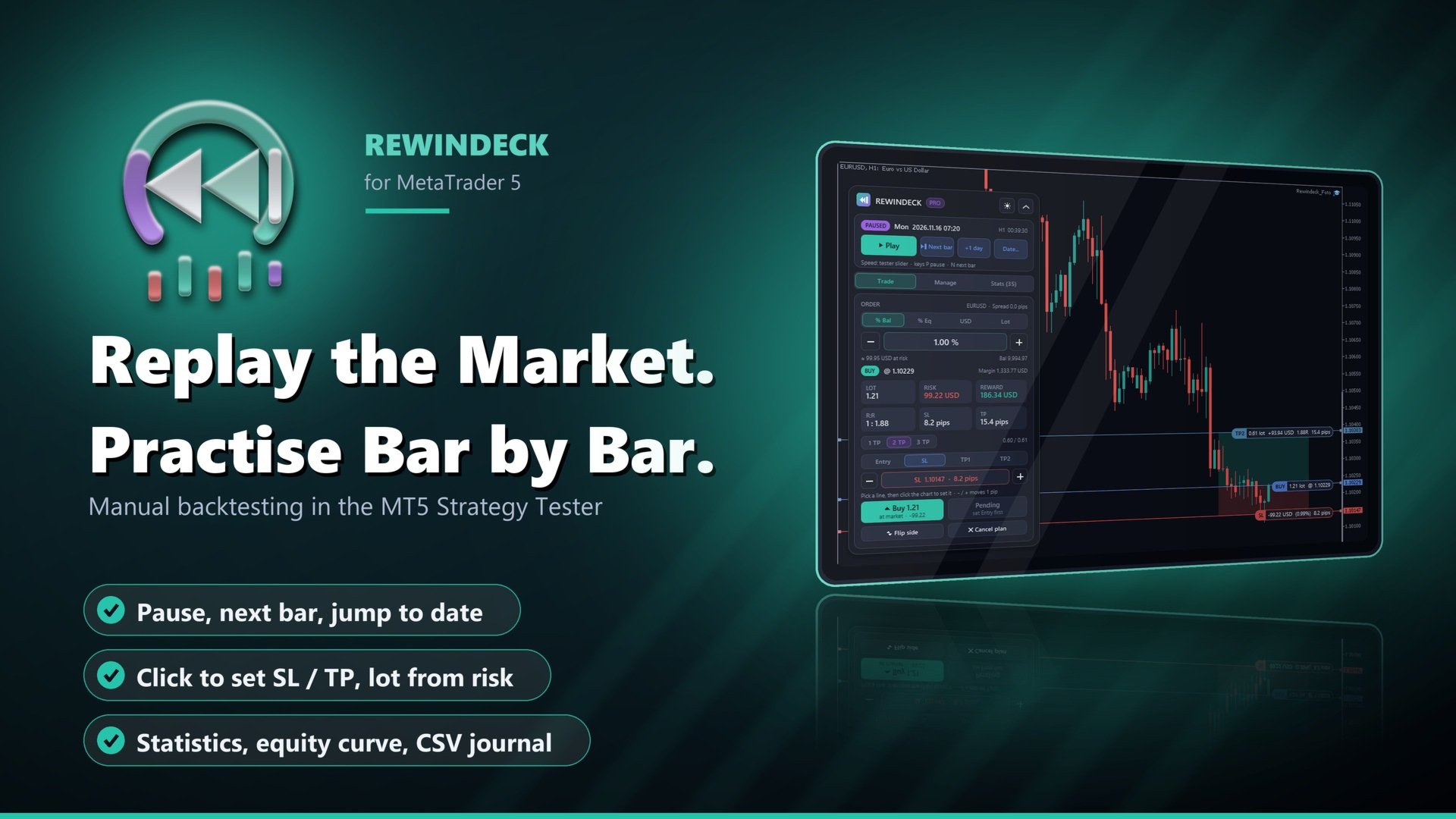
Replay the market in the MT5 Strategy Tester and practise manual trading bar by bar - with a pause button, a trade panel and statistics for your session.
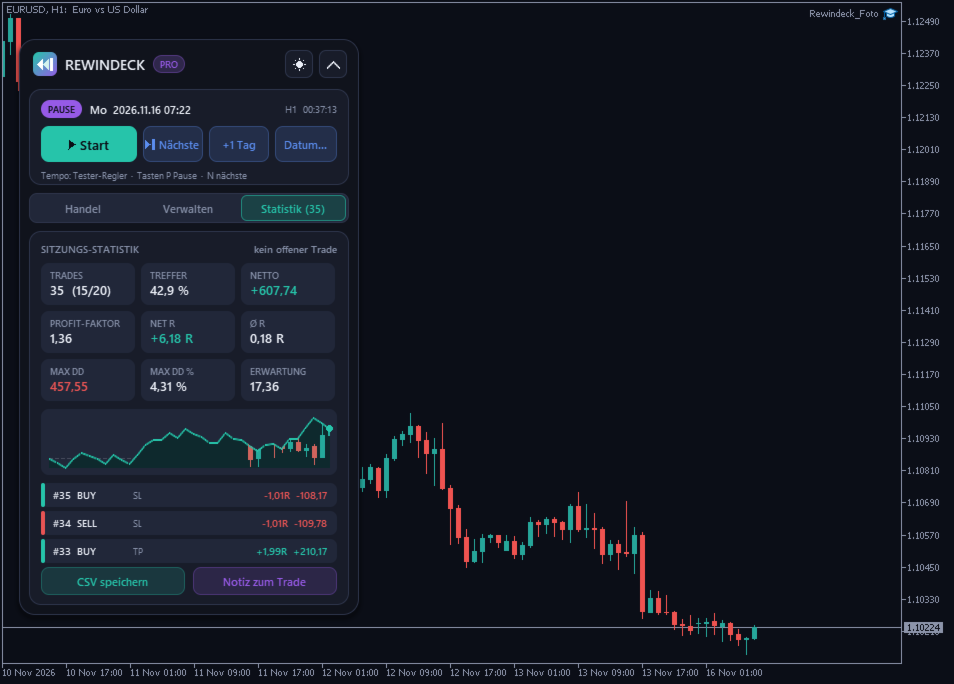
Rewindeck is an Expert Advisor for the visual mode of the MetaTrader 5 Strategy Tester. It adds a replay control (pause, play, next bar, jump to a date) and a trade panel to the tester chart. You place trades like on a live chart: set the Entry, Stop Loss and Take Profit lines with one click on the chart (or move them with the - / + buttons), the lot size is calculated from your risk, and the order is sent with one click. Every closed trade goes into the session statistics (win rate, profit factor, R multiples, drawdown, equity curve) and into a CSV journal that you can open in Excel.
Rewindeck only executes what you click. It has no trading strategy of its own.
Replay Control
- Pause / Play button on the panel. The replay starts paused, so you can look at the chart first.
- Next bar: plays until a new candle of the chart timeframe opens, then pauses again.
- +1 day and "Date...": fast-forward to a date and time, then pause.
- Optional auto pause when a trade opens or closes.
- Hotkeys while the replay runs: P pause, N next bar, B new buy plan, S new sell plan, 1 / 2 / 3 set Entry / SL / TP by click, Esc cancel.
- Speed: use the speed slider of the Strategy Tester (MQL5 programs cannot change it).
Trade Panel (same engine as our Pilotdeck trade manager)
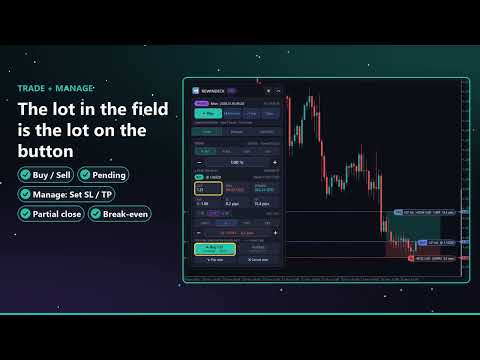
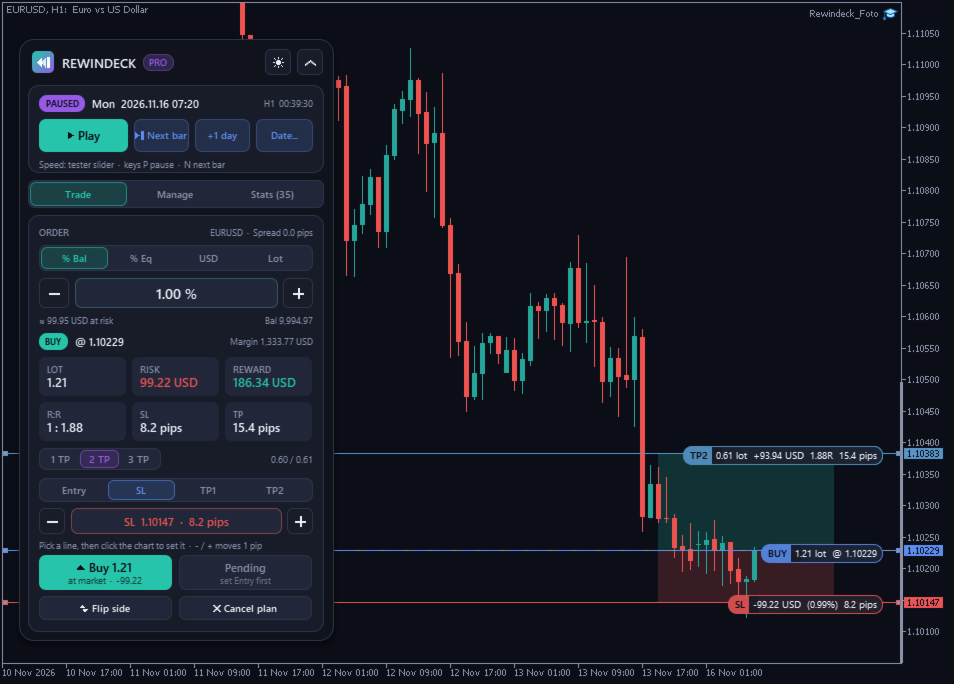
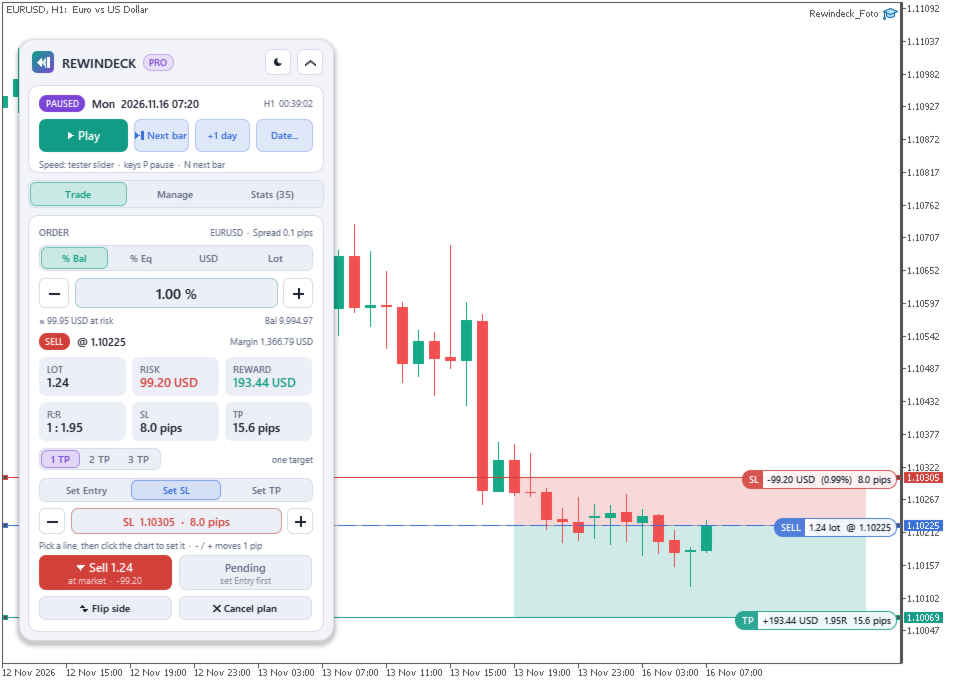
- New Buy / New Sell places Entry, SL and TP lines. The entry line follows the price until you set it, so the lot on the panel matches the market order.
- Set a line with one click on the chart: press "Set SL" (or Entry / TP1 / TP2 / TP3), then click the price on the chart - the line jumps there. This works while the replay is paused.
- - / + buttons move the chosen line by 1 pip (forex) or a small round step on other symbols. Dragging the lines also works where the terminal allows it.
- Open trades: on the Manage tab pick a position and set its SL or TP the same way (click on the chart or - / +).
- Live tags at every line: risk in money and %, reward, R:R, distance in pips or points.
- Market order or pending order at the entry line (Buy/Sell Limit or Stop is chosen from the line position).
- Lot size from % of balance, % of equity, fixed money or fixed lot; volume step, min/max lot and margin are checked.
- Up to 3 targets per trade with partial closes, break-even (button or automatic), optional trailing stop.
- Close part (default 50 %), close all, close buys / sells / winners / losers.
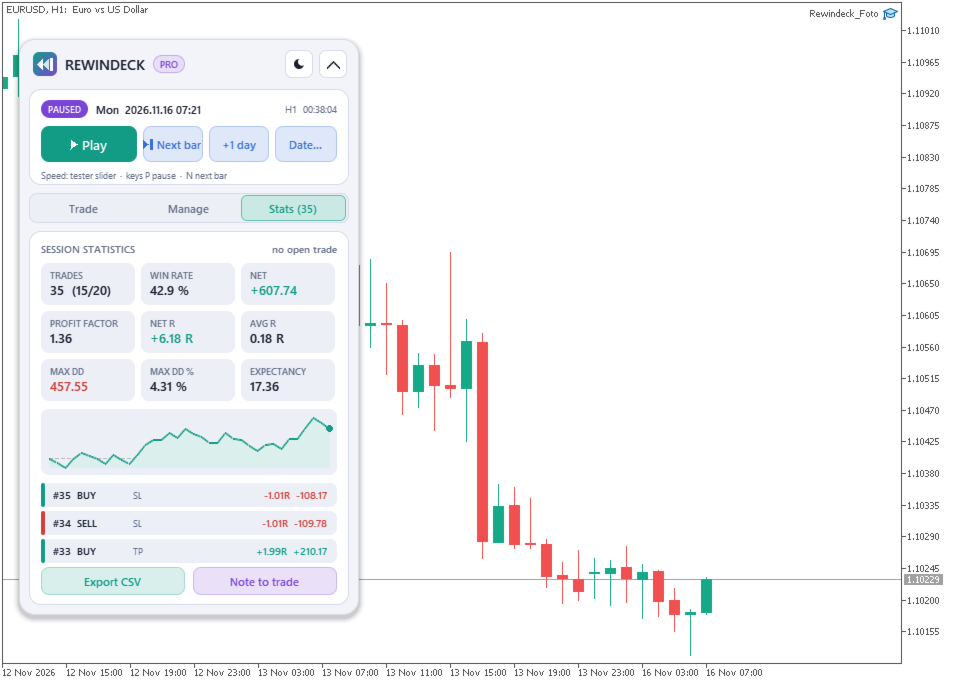
Session Statistics
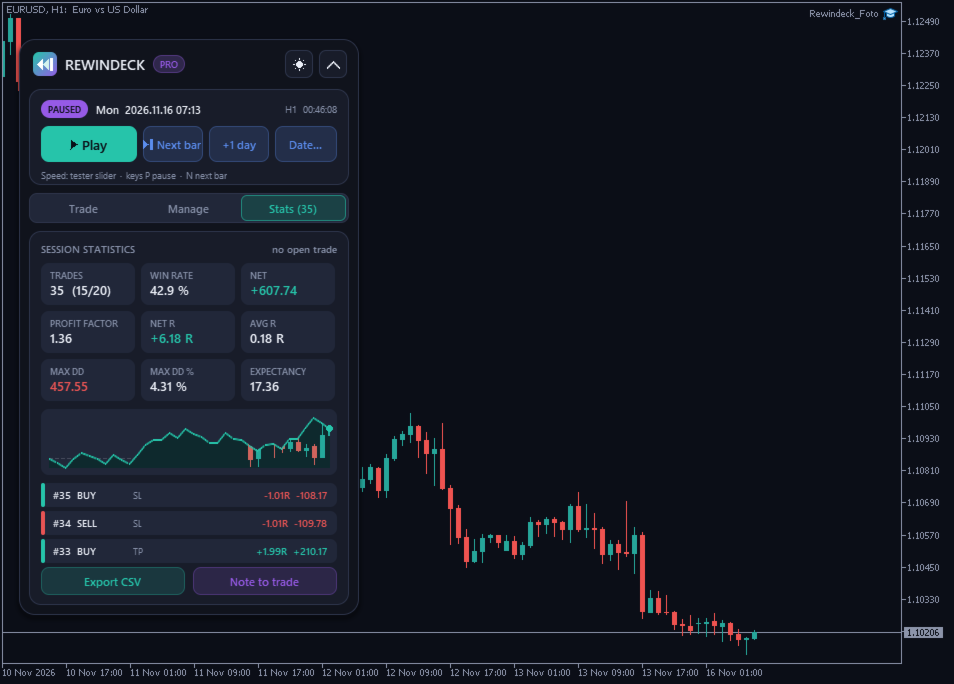
- Trades, wins / losses, win rate, net result, profit factor.
- Net R, average R per trade, expectancy in money per trade.
- Maximum drawdown of the closed trades in money and %.
- Equity curve of the session and the last trades with exit reason (SL, TP, BE, manual, partial).
- R is measured against the risk at the SL when the trade was sent.
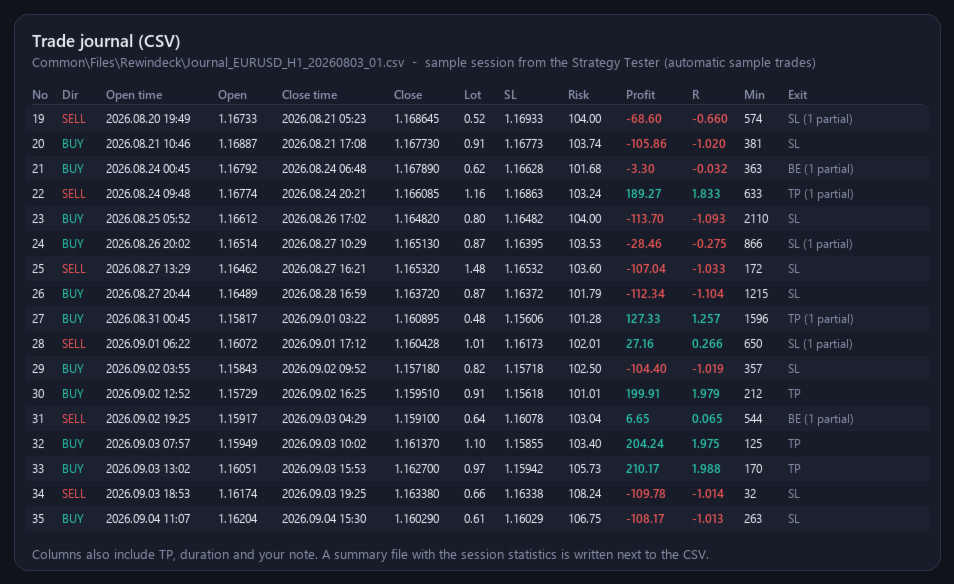
Trade Journal (csv)
- Written to Common\Files\Rewindeck\ (MetaTrader common folder, File > Open Data Folder > one level up > Common).
- One line per trade: direction, open / close time and price, volume, initial SL, TP, risk, profit, R, duration, exit reason, your note.
- "Note to trade" button: type a note for the open or the last closed trade; it is saved in the journal.
- A summary file with the session statistics is written next to the CSV.
- Optional: chart screenshot after each closed trade (MQL5\Files\Rewindeck\ of the tester; depends on the terminal build, see Limits).
How To Start (step By Step)
1. Open the Strategy Tester: View > Strategy Tester or Ctrl+R.
2. Choose "Single test", Expert: Rewindeck Backtest Simulator.
3. Choose symbol, timeframe and the date range you want to practise.
4. Modelling: "Every tick based on real ticks" or "Every tick" for realistic fills; "1 minute OHLC" is faster.
5. Set the deposit you want to practise with (for example the size of your prop account).
6. Tick "Visual mode" ("Visualisierung") and press Start.
7. The tester window opens and the replay waits (status PAUSED). Press Play on the panel.
8. Use the speed slider in the tester toolbar for the speed. Press Pause or P when you want to think, Next bar to move candle by candle.
9. New Buy / New Sell, press "Set SL" / "Set TP" and click the chart (or use - / +), then press Buy / Sell. Manage the trade on the Manage tab.
10. The Stats tab shows your results; Export CSV saves the journal (it is also saved automatically).
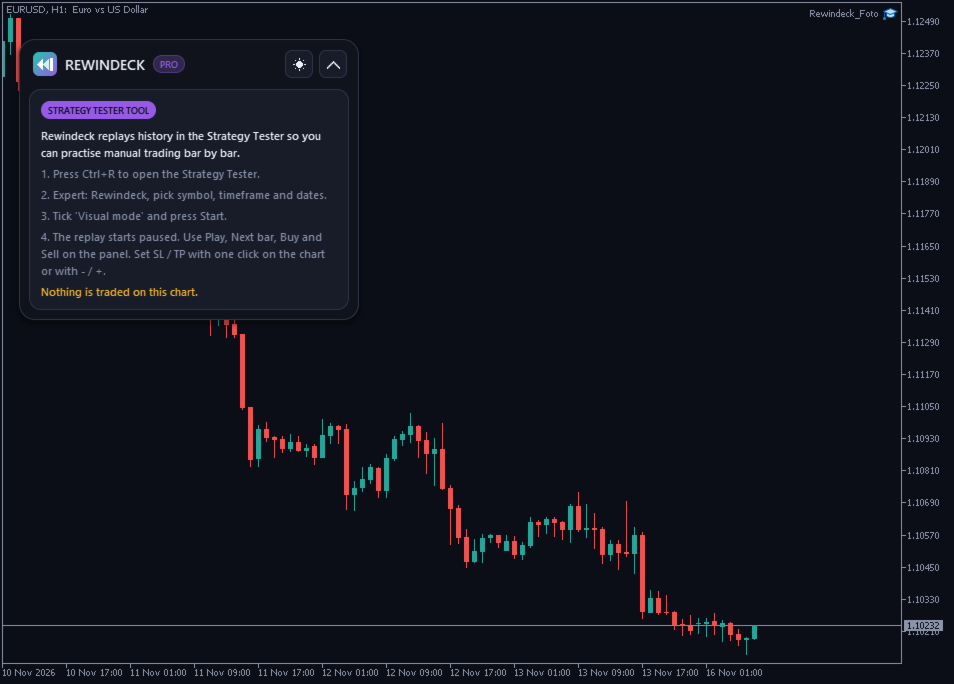
On A Live Chart
On a normal chart Rewindeck shows a short guide and does not trade.
Inputs (main)
- General: Language (English) - Panel language (English / Deutsch)
- General: Theme (Dark) - Start theme, can be switched on the panel
- General: Magic number (735300) - Magic of the simulated trades
- Replay: Start paused (true) - The replay waits for you at the start
- Replay: While paused: let queued keys through every N ms (0) - 0 = full pause; see "How the pause works"
- Replay: Hotkeys (true) - P, N, B, S, 1 / 2 / 3, Esc while the replay runs
- Replay: Pause automatically on fill (false) - Pauses when a trade opens or closes
- Risk: Risk mode / value (% balance / 1.0) - Lot size from risk
- Management: Targets per trade (1) - 1-3 targets, partial closes
- Management: Close part button (50 %) - Share closed by "Close 50%"
- Management: Automatic break-even (off) - Move SL to entry after X R
- Journal: Write CSV journal (true) - Common\Files\Rewindeck\
- Journal: Screenshot when a trade closes (false) - Chart picture per trade
HOW THE PAUSE WORKS (technical, honest)
MetaTrader has no function that pauses the tester from a program. While Rewindeck is paused, it holds the tester inside its tick function (a short wait loop; the simulated clock stands still). Clicks on the panel and clicks on the chart after "Set ..." are detected and handled at once; each such action lets one price tick pass. Keys pressed during the pause are handled with the next click (Play, Next bar, ...), so in the pause use the panel buttons. Dragging a line with the mouse depends on the terminal build in the visual tester; the click and - / + way always works. While paused, MetaTrader keeps one CPU core busy. Do not use the tester's own pause button together with the panel: when the tester itself is paused, the panel cannot react.
Limits
- Strategy Tester visual mode only; one symbol per test (the tested symbol). Other symbols can be shown in the tester but not traded from the panel.
- The tester speed is set with the tester slider; programs cannot change it.
- Results depend on the tester data and the modelling mode. "1 minute OHLC" is fast but less precise for tight stops.
- Screenshots from the visual tester (ChartScreenShot) depend on the terminal build and the Windows session; if no picture is written, use the journal.
- The journal and statistics count the trades of this EA (magic number) on the tested symbol.
- Practice results do not predict live results.
Tested
- Non-visual Strategy Tester runs (as in the Market validation): EURUSD H1, XAUUSD M15, GBPJPY M5, deposits 100 and 10,000 USD, 1-minute OHLC and every tick: no errors, sample trades placed, journal checked line by line against the tester report (entries, volumes, net result) and all statistics recomputed independently.
- Visual tester: pause held the simulated time for 15 s and 10 s without moving, panel clicks (Play, Next bar, New Buy, Buy, Close 50%, +1 day, Stats tab, Export CSV) worked while paused.
- Visual tester, paused: Set SL / Set TP / Set Entry + click on the chart moved the plan lines, - / + moved the SL by 1 pip, and SL / TP of an open trade were changed by click and by + (checked in the tester log).