Maria Trade Manager

Maria Trade Manager est un poste de trading pour les traders manuels, directement sur votre graphique MetaTrader 4. Avant que vous cliquiez sur BUY ou SELL, le panneau dessine le plan du trade sur le graphique : l'entrée, les zones de stop loss et de take profit avec le montant risqué, le gain visé et le ratio risque/rendement. Faites glisser une ligne pour modifier le plan, puis ouvrez l'ordre en un clic. Une fois le trade ouvert, le panneau continue de le protéger avec le breakeven, le trailing stop, la prise de profit partielle et une protection journalière.

Le panneau comporte trois onglets : TRADE, PROTECT et STATS. Chaque règle qu'il applique est visible sur le panneau ou dans les paramètres.

ONGLET TRADE

  • BUY et SELL en un clic, avec le spread en direct et le temps restant avant la clôture de la bougie.
  • Taille de lot : FIXED LOT (lot fixe) ou RISK % du solde (le lot est calculé à partir de la distance du stop loss).
  • Stop loss et take profit en pips, en montant, en % du solde ou en x ATR. Changez d'unité en un clic.
  • PLAN ON THE CHART : l'entrée et les zones SL et TP sont dessinées avant de trader. Faites glisser les lignes pour placer SL et TP à l'œil.
  • Ordres en attente : passez le plan en PENDING, faites glisser la ligne d'entrée jusqu'au prix voulu et appuyez sur PLACE PENDING. Le panneau choisit lui-même Buy/Sell Limit ou Stop.
  • Zones sur les ordres ouverts et en attente : faites glisser la ligne SL ou TP d'un ordre ouvert pour la déplacer. Faites glisser la ligne d'entrée d'un ordre en attente, et son SL et son TP suivent.
  • Actions pour ce symbole : CLOSE ALL, PROFIT (fermer les gagnants), LOSS (fermer les perdants), CLOSE 50%, REVERSE, SL TO ENTRY, DEL PENDING.
  • CLOSE ALL, LOSS et REVERSE demandent un second clic dans les 3 secondes : un faux mouvement de souris ne ferme rien.

ONGLET PROTECT

  • Breakeven : déplace le stop loss au prix d'entrée (plus quelques pips sécurisés) quand le profit atteint votre seuil de déclenchement.
  • Trailing stop : distance de départ, distance de suivi et pas, en pips.
  • Prise de profit partielle (TP1) : ferme une part de la position à un % choisi du chemin vers le TP, puis place le stop loss au breakeven si vous le souhaitez. TP1 garde en mémoire ce qu'il a déjà fait : un redémarrage de MT4 ne ferme jamais deux fois le même trade.
  • Protection journalière (style prop firm) : perte journalière maximale et objectif de profit journalier en montant ou en % du solde de début de journée, clôturé plus latent, et une limite de nouveaux trades par jour. Quand une limite est atteinte, le panneau ferme les trades et bloque les nouveaux ordres jusqu'au lendemain.
  • Filtre de spread : aucun nouvel ordre tant que le spread dépasse votre limite.

ONGLET STATS

  • Ce symbole : positions ouvertes, lots, P/L latent, clôturé aujourd'hui.
  • Aujourd'hui sur tous les symboles : trades clôturés, taux de réussite, meilleur et pire trade, résultat net.
  • Alertes quand le TP, le SL ou le TP1 est touché ou que la protection se verrouille : son, notification push sur le téléphone et pop-up.
  • Raccourcis clavier : Shift+B achat, Shift+S vente, Shift+C tout fermer, Shift+P plan affiché/masqué.

CONTRÔLES DE SÉCURITÉ

  • Un stop loss plus proche que ce que le broker autorise est refusé avec un message clair, pour que le risque réel corresponde toujours au plan.
  • Chaque ordre est vérifié : pas de lot, lot minimum et maximum, marge libre, stop level et freeze level, et limite d'ordres du broker.
  • Les tailles de lot suivent le pas du broker, y compris chez les brokers avec un pas de 0,001 lot.
  • Les couleurs des zones s'adaptent au fond de votre graphique (graphique sombre ou clair).

MODE D'EMPLOI

  1. Placez Maria Trade Manager sur le graphique du symbole que vous tradez et autorisez le trading en direct (AutoTrading activé).
  2. Choisissez FIXED LOT ou RISK %, puis réglez le stop loss et le take profit ainsi que leurs unités.
  3. Regardez le plan sur le graphique, faites glisser les lignes si besoin et appuyez sur BUY ou SELL.
  4. Dans l'onglet PROTECT, activez le breakeven, le trailing, le TP1 ou la protection journalière selon vos besoins.

PRINCIPAUX PARAMÈTRES

  • Magic number, gérer aussi les trades manuels (magic 0), slippage, commentaire d'ordre
  • Mode de lot, lot fixe, risque % par trade
  • Stop loss et take profit : activé/désactivé, valeur, unité ; période ATR
  • Plan du trade sur le graphique, distance de la ligne d'ordre en attente, masquer le plan pendant qu'une position est ouverte
  • Déclenchement et pips sécurisés du breakeven ; départ, distance et pas du trailing
  • TP partiel : % du chemin vers le TP, % à fermer, stop loss au breakeven après TP1
  • Protection journalière : perte journalière max, objectif de profit, unités, nombre max de trades par jour, ce qu'il faut fermer quand une limite est atteinte
  • Spread max, alertes (son, push, pop-up), raccourcis clavier, zones sur le graphique, confirmation de fermeture par un second clic
  • Trades de démo dans le Strategy Tester (testeur uniquement)

REMARQUES

  • Maria Trade Manager est un outil de trading manuel. Il n'ouvre aucun trade de lui-même sur un graphique en direct : chaque ordre provient de votre clic ou d'un raccourci clavier.
  • Le breakeven, le trailing, le TP1 et la protection journalière agissent sur les trades gérés par ce panneau (son magic number, et les trades manuels si vous l'autorisez).
  • MetaTrader 4 ne peut pas cliquer sur des boutons dans le Strategy Tester. Le panneau n'y place que de petits trades de démo au lot minimum avec SL et TP, afin que vous puissiez observer les outils de protection en mode visuel. Essayez le panneau lui-même sur un compte démo.
  • Le trading comporte des risques. Utilisez l'outil avec votre propre jugement et votre propre gestion du risque.
Produits recommandés
TSTrendLineSymbol
Salvatore Labriola
Utility, which draws buy or sell trendlines, which can also become support or resistances able to close any position on the screen Algorithm that calculates the gain of the position, at the touch closure of the line.   The benefits you get: Works on forex and CFD, timeframe from M1 to Weekly. Easy to use screen control panel. Audible warning messages at the touch of the line. Easy to use.

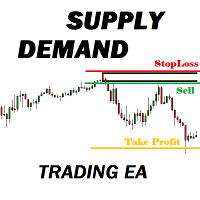
Many supply demand traders find their entry levels easily, but they have trouble finding exit point, risk management and trade management. This EA is created just for that. T his is the only tool you need to trade Forex. This is not an automatic Supply Demand EA! You have to find and draw your levels yourself and EA will take care of the rest. EA handles position openings, automatically calculates the risk you define, and creates a take profit level based on the expected movement in the time you
NRP Risk Manager Pro Institutional-Grade Trade Management & Prop Firm Protection Get the MetaTrader 4 Version Here: https://www.mql5.com/en/market/product/179888 Get the MetaTrader 5 Version Here: https://www.mql5.com/en/market/product/179885 Trading isn't just about finding the right entry; it is about flawlessly executing your edge while fiercely protecting your capital. NRP Risk Manager Pro is not an automated trading robot—it is a comprehensive, institutional-grade trade terminal d
FTMO passing EA (High risk) is unique Expert Advisor that continues the iBoss series of advisors. Innovative methods of the programme's approach to trading, and promising performance results are possible thanks to the use of modern technologies and methods. The iBossTrade is a fully automated EA designed to trade currencies only. Working pairs US30. EURUSD, GBPUSD, EURGBP, USDCAD. XAUUSD. Expert showed stable results on currencies in 1999-2023 period. No dangerous methods of money management
Margin Call Shield – Defend Your Margin on Your Terms Margin Call Shield   is a tool for MetaTrader 4 traders who want to decide for themselves which open positions are closed during margin call situations before the platform does so automatically based on its internal rules. By default, the broker or platform decides which positions to close, often using undisclosed algorithms. Margin Call Shield lets you set this order according to your own strategy. Why Was Margin Call Shield Created? In a  
Introduction L'outil utilitaire de gestion des commandes Virtual TPSL Close M4 (conseiller expert) gère vos positions ouvertes existantes effectuées par un autre conseiller expert que vous utilisez ou vos commandes ouvertes manuellement et les ferme avec des niveaux de take profit et de stop loss virtuels. Adviser fonctionne en mode virtuel complet, aucun niveau visuel n'est présent plus qu'un objet flèche colorée dessiné lorsque la position surveillée a été fermée, qu'elle soit en profit ou en
Vizzion
Joel Protusada
Vizzion is a fully automated scalping Expert Advisor that can be run successfully using GBPJPY currency pair at H1 timeframe. Very Important This Expert Advisor can not run with any EAs in the same account. As part of the money management plan, it calculates and monitors the Margin Level % and assumes that all open trades are created by it. If you want an Expert Advisor that trades in a daily basis, this EA is not for you because using this requires a patience to wait for a few days or weeks on
Introducing "TG Trade Service Manager" — your all-in-one solution for seamless trade management in both MQL4 and MQL5 environments. With a focus on speed, reliability, and convenience, this powerful library simplifies the complexities of trade execution and management, empowering developers with a single interface for enhanced efficiency. Metatrader5 Version |  All Products  |  Contact Key Features: Unified Interface : TG Trade Service Manager" provides a unified interface for   MQL4   and   MQ
Savage Trades M.T.A.  is a Manual Trade Assistant expert advisor. This EA contains self-adaptive market algorithm, which uses price action patterns and standard trading indicators. 1.) Quickly Execute trade entries with the click of a button with your own predetermined Stop Loss and Take Profit. 2.) Non-Repainting retracement and reversal warnings indicated by arrows and system alert. 3.) Auto adjusting Support and Resistance levels with strength indicated by color shade. 4.) Auto adjusting Fibo
GoldenShield MT4
Aleksandr Bezverkhikh
Golden Shield – Account Protection Utility Golden Shield   is a professional risk management utility that automatically closes   ALL open positions   when your account equity falls below a critical level. It works as a "circuit breaker" for your trading account.   Key Features Feature Description Equity Protection Closes all positions when Equity ≤ STOP level Instant Monitoring Checks equity every 50 milliseconds – immediate reaction Interactive Panel Gainsboro panel with Teal ON / Red O
VN Trade Panel II
Vyacheslav Nekipelov
4 (1)
The new version of the trading panel, which now has the ability to separately close Buy and Sell orders, display targets for all orders on the chart, as well as the ability to use the panel to trade with brokers working on the FIFO rule. Also, the new version adds option buttons for separate management of open orders. It has a convenient visualized interface and intuitive control without a lot of additional tabs to which traders have to be distracted and switch their attention. Thanks to this,
AdvCopyTraders
Chukwudi Joshua Obiekwe
AdvCopyTraders PRO is a powerful and ultra-fast trade copier designed for traders who manage multiple MT4 accounts. It duplicates all trades from a Master account to one or more Slave accounts instantly — including entries, exits, modifications, SL/TP updates, and partial closes. Whether you're a signal provider, fund manager, or using multiple brokers, this copier guarantees perfect synchronization and zero execution delay on the same PC/VPS. Key Features Instant Copying (0–1ms) Lightning-f
Trade Copier Professional — Solution de Copie Locale   Trade Copier Professional est un système fiable de copie locale des transactions pour MetaTrader 4/5. Il permet aux traders de répliquer instantanément des positions sur plusieurs comptes d’un même ordinateur, avec des contrôles de sécurité intégrés et un tableau de bord professionnel.   Aperçu   L’EA fonctionne en modes Master et Slave à partir d’un seul fichier, avec bascule fluide. Les transactions peuvent être copiées entre terminaux MT
Signal Copy Multiplier automatically copies trades on the same account, for example, to get a better entry and adjusted volume on a subscribed signal. MT4-Version:  https://www.mql5.com/de/market/product/67412 MT5-Version:  https://www.mql5.com/de/market/product/67415 You have found a good signal, but the volume of the provider's trades is too small? With Signal Copy Multiplier you have the possibility to copy trades from any source (Expert Advisor, Signal, manual trades) and change the volume o
Rhino Backtest Manager - panneau de gestion des trades pour le trading réel et le testeur de stratégies Rhino Backtest Manager est un panneau de gestion des trades qui fonctionne aussi bien en trading réel que dans le testeur de stratégies de MetaTrader 4. Il permet de placer et de suivre des ordres manuellement à l'intérieur du testeur avec la même interface que sur un compte réel, de sorte qu'une stratégie peut être vérifiée sur des données historiques puis tradée sans changer d'outil. Le pan
TradePilot
Hossein Khalil Alishir
TradePilot Expert Advisor (EA) for MetaTrader 4 TradePilot is a professional and user-friendly Expert Advisor (EA) for MetaTrader 4 (MT4) . It simplifies automated trading , risk management , and trade execution using a smart trading panel . Perfect for beginners and experienced traders looking for a reliable trade manager EA with automated lot size calculation . Key Advantages User-Friendly Trading Panel: Customizable panel with buttons and hotkeys. Smart Risk Management: Supports percen
Indicator function This index buys and sells according to the color, using time is one hour,Please run the test on a 30-minute cycle It is best to use 1H for testing   About update questions In order to be more suitable for market fluctuations, the company regularly updates the indicators   Product cycle and trading time applicable to indicators Applicable mainstream currency pair EUR/USD GBP/USD NZD/USD AUD/USD USD/JPY USD/CAD USD/CHF Applicable mainstream cross currency pair EUR/JPY EUR/GBP E
快捷下单控件EA,可以实现很多实用功能,不仅可以实盘中操作,也可以在复盘中使用,大家知道一般情况下复盘只能使用复盘软件,占用多达10个G的内存呢,而且贵的让人难以接受,如今这个EA控件可以让你直接在MT4里实现复盘,实时下单,占用内存几乎可以忽略不计,对于交易者来说,复盘的重要性不用多说了吧,很多时候,盘感都来自于一次次的复盘,那是经验积累的必经之路,如果你需要提升自身的交易能力,需要快速累积盘感,需要快速实现稳定盈利,那么这个复盘EA工具将是你的不二选择,你也可以直接加VX:EURNZD,它集诸多功能于一身,如果你想试用它,不要犹豫,联系我,我会让你高兴而来,满意而归,如果你不想复盘,那么还是花更多的时间来积累经验吧
Layer Master Toolbox
Peter Andrew Thomas
5 (5)
Layer Master: Professional Grid Trading Tool for MT4 Transform your grid trading with Layer Master - the most intuitive and powerful order management toolkit designed specifically for professional traders. MT5   Version:  https://www.mql5.com/en/market/product/129705 FREE - 7 Day Trial Version available. Please   contact  me to get your Free trial! Master Grid Trading with Precision Layer Master revolutionizes how you place and manage grid trades. With our visual interface, you can: Deploy hun
Virtual Collider Manual   is a trading assistant with a built-in panel for manual trading. It automatically moves a position opened by a trader in profit using innovative adaptive grid algorithm of averaging and adaptive pyramiding Know-how of the grid algorithm of averaging and pyramiding of the   Virtual Collider Manual   trading robot is based on fully automatic adaptation of all characteristics of dynamically build order grid and pyramid with actual price movement with no need for adjusting
Equity Protect Pro : Votre expert en protection de compte complet pour un trading en toute sérénité Si vous recherchez des fonctionnalités telles que la protection de compte, la protection des capitaux propres, la protection de portefeuille, la protection multi-stratégies, la protection des bénéfices, la prise de bénéfices, la sécurité de trading, les programmes de contrôle des risques, le contrôle automatique des risques, la liquidation automatique, la liquidation conditionnelle, la liquidatio
FTMO Protector 7
Vyacheslav Izvarin
PROTECT YOUR FTMO Account in a simplest way Must-Have   Account Protector for any Prop-trading Account and Challenge MT4 / MT5 Expert Advisor that protects your Forex Prop Trading account from an unexpected drawdown! FTMO Protector  is a Tool that lets you manage trades and control your profit and loss across multiple Robots and currency pairs using a simple parameters and settings. Use as many EAs and Instruments you need, the Protector will: 1.   Calculate your midnight (01:00 System time) Bal
Phase Analytics Pro: Advanced Cyclic Market Analyzer Phase Analytics Pro is a sophisticated technical tool designed for traders who prioritize mathematical precision over lag-heavy traditional indicators. Based on the principles of digital signal processing, this indicator decomposes price action into phase and quadrature components to identify the dominant market cycle. How it works: The algorithm calculates the instantaneous phase of the market, allowing it to distinguish between trending and
Product Description: MT4 Trade Copier with Advanced Features MT4  Trade Copier is designed to streamline and enhance your trading experience by allowing seamless replication of trades across multiple accounts. It offers advanced features to cater to different trading needs and preferences. Features: Master/Slave Selection: Easily choose between master and slave modes to manage trades effectively. Multiplier for Slave Accounts: Set a multiplier to adjust the size of trades copied to slave a
Smartility
Syed Oarasul Islam
This utility is designed to help you with your Manual Trading. It allows different ways of closing trades. It can display total number of BUY and SELL orders individually and also their individual profits. It can enter trades without stopl loss and take profits. However upon selecting UseStopLossTakeProfit from the settings it can use best possible stop loss and take profits based on the market conditions. Upon selecting the CloseOppositeTrades  from the settings it can close opposite trades. Fo
Smart Sweep Sniper: Midnight Open PRO Edition The ultra-specialized institutional tool for Day Trading and Prop Firms If you like it, please leave a positive review to support our work; if you encounter any problems, please let us know. This Midnight Open edition marks a radical evolution. It abandons generalist macro-economic analysis to become an instrument of surgical precision, focused exclusively on intraday reactivity and the pinpoint exploitation of the midnight opening price (NY). Design
Echo Simulator Trader
Frank William Jr Colbert
Echo Simulator Trader is a powerful hybrid simulation-to-live EA that runs thousands of pure price-action simulated trades in parallel with your live account. It opens simulated LONG and SHORT positions at regular intervals on multiple pairs, meticulously tracks their performance using your exact risk rules, and only activates real trading once simulated strategies pass your custom performance filters (Net Profit, Profit Factor, Win Rate, Drawdown, etc.). Built for complete control and proof-of
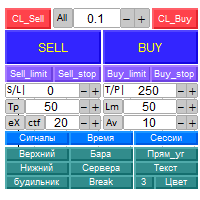
Panel "panel_kjutaMultiTerminal" for trading. Opens, modifies, closes and deletes trading and pending orders from the chart using virtual lines, buttons and the active information terminal. Automatically opens an order by indicator levels. Hints in Russian, English or disabled. It has a number of functions for trailing virtual Take Profit lines and limit orders. Displays information on the active information terminal.  Hides and includes virtual lines S/L , T / P, buttons "<>","M","X", as well a
Close by percentage MT4
Konstantin Kulikov
5 (1)
Hello friends. I wrote this utility specifically for use in my profile with a large number of Expert Advisors and sets ("Joint_profiles_from_grid_sets" https://www.mql5.com/en/blogs/post/747929 ). Now, in order to limit losses on the account, there is no need to change the "Close_positions_at_percentage_of_loss" parameter on each chart. Just open one additional chart, attach this utility and set the desired percentage for closing all trades on the account. The utility has the following function
GoldenTrend
Aliaksandr Sych
GoldenTrend — a next-generation high-frequency scalping Expert Advisor designed to extract profit from the smallest market movements. Utilizing advanced algorithms for price action and volume analysis, it opens dozens of highly accurate trades daily with minimal risk. Why GoldenTrend? Монитор Ultra-Fast Trades : Captures profit from 5–15 pip movements. Ideal for ECN accounts with low spreads. Adaptive Strategy : Automatically adjusts to current market volatility and dynamically shifts tradi
Les acheteurs de ce produit ont également acheté
Unlimited Trade Copier Pro is a tool to copy trade remotely to multiple MT4, MT5 and cTrader accounts at different computers/locations over internet. This is an ideal solution for you if you are a signal provider and want to copy your trades to other receivers globally on your own rules. One provider can copy trades to multiple receivers and one receiver can get trade from multiple providers as well. The provider can even set the subscription expiry for each receiver, so that receiver will not b
Strategy Builder offers an incredible amount of functionality. It combines a trade panel with configurable automation (covert indicators into an EA), real-time statistics (profit & draw down) plus automatic optimization of SL, TP/exit, trading hours, indicator inputs. Multiple indicators can be combined into an single alert/trade signal and can include custom indicators, even if just have ex4 file or purchased from Market. The system is easily configured via a CONFIG button and associated pop-up
The FFx Hidden Manager panel will help you to manage easily your orders directly on the chart. Below all features described: TP, SL and TrailingStop are hidden Each order has its own lines on chart Drag & Drop any line to change the TP/SL as per your need Option to move automatically the SL line at breakeven when TP #1 is reached Option to choose the TP/SL type (by pips or price) Option to choose the TrailingStop type (by pips, MA, Fractals, PSAR or ATR) Define which order(s) you want to manage
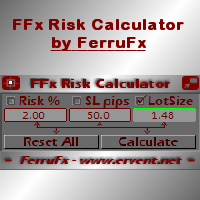
FFx Risk Calculator panel will help you to calculate very easily your trades size, SL or the risk directly on the chart. All features are described below: Option to select which parameter to calculate: Risk, Stop Loss or Lot Size The panel will show if the lot size is allowed according to the current account free margin Button to maximize/minimize the panel Drag and Drop the panel anywhere on the chart How to use it? Select the parameter you want to be calculated. It will be based on the 2 other
News Trader Pro
Vu Trung Kien
4.38 (16)
News Trader Pro is a unique robot that allows you to trade the news by your predefined strategy. It loads every piece of news from several popular Forex websites. You can choose any news and preset the strategy to trade it, and then News Trader Pro will trade that news by selected strategy automatically when the news comes. News release gives opportunity to have pips since the price usually has big move at that time. Now, with this tool, trading news becomes easier, more flexible and more exciti
FFx Watcher PRO
Eric Venturi-Bloxs
The FFx Watcher PRO is a dashboard displaying on a single chart the current direction of up to 15 standard indicators and up to 9 timeframes. It has 2 different modes: 1. Watcher mode: Multi Indicators User is able to select up to 15 indicators to be displayed User is able to select up to 9 timeframes to be displayed 2. Watcher mode: Multi Pairs User is able to select any number of pairs/symbols User is able to select up to 9 timeframes to be displayed This mode uses one of the standard indicat
Elliott Wave Counter est un panneau pour le balisage manuel rapide et convivial des vagues d'Elliott. On peut sélectionner une couleur et un niveau de marques. Il existe également des fonctions pour supprimer le dernier balisage et tout le balisage effectué par l'outil. Le balisage se fait en un clic. Cliquez cinq fois - ayez cinq vagues ! Elliott Wave Counter sera un excellent instrument à la fois pour les débutants et les analystes professionnels des vagues d'Elliott. Guide d'installation et d
If you wish to draw Support and Resistance lines, view: daily market opening, classical pivot levels, Fibonacci pivot levels, trend lines, Fibonacci levels, the remaining time to candle closing, and current spread. If you seek to place your orders with the exact lot that meets your desired stop loss risk. If you wish to do all this and more with just one click, then this is the perfect tool to use. This tool will allow you to feel more relaxed when deciding to open orders, as well as predicting
Unlimited Binary Options Copier Remote is a powerful tool to copy binary options trades remotely between multiple accounts at different locations over internet. This is an ideal solution for signal provider, who want to share his binary options trades with the others globally on his own rules. One provider can copy trades to unlimited receivers and one receiver can get trade from unlimited providers as well. The provider can set the subscription expiry for each receiver, so that receiver will no
This is an Expert Adviser use for manual trading as a background EA or combine with external EA to open orders. Loss Recovery Trading is one of your options to handle the lose positions instead of using stop loss by setting a zone recovery area and target to exit the turn rounds sequence. How It Work? If the market goes against your first positions direction at the specific of losing points, the EA will open an opposite direction position with calculated larger lot size and also keep the first
Telegram Publisher Agent   est un module complémentaire qui permet aux commerçants d'envoyer des signaux à leurs canaux et groupes Telegram en temps réel. Avec des messages personnalisables, des captures d'écran de graphiques et d'autres fonctionnalités, l'outil aide les traders à partager leurs idées et stratégies de trading avec leurs abonnés. L'outil présente également un beau design avec un commutateur de thème clair et sombre, offrant aux utilisateurs une expérience de trading esthétique et
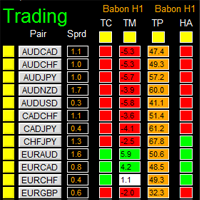
如果产品有任何问题或者您需要在此产品上添加功能,请联系我 Contact/message me if you encounter any issue using the product or need extra feature to add on the base version. There is Demo version of this panel Dashboard Babon Scalping System Demo in my product list, please try it out to get familiar with all functionalities for free, LINK . This system basically utilizes TDI, Heiken Ashi Trend, Price Trend on H1 time-frame and TMA on H1&H4 time-frame to generate the trend (big picture). Then the system will zoom in to genera
Pairs Trade
Oleg Pechenezhskiy
The Pairs Trade indicator is a utility for semi-automatic pair trading. It allows combining the charts of two arbitrary instruments, even if the schedules of their trading sessions are different. It displays a spread chart in the form of a histogram with an overlaying moving average. It calculates the swap that will be charged for the synthetic position (in the deposit currency). It is possible to set a level for automatic opening of a synthetic position on the spread chart (analogous to the 'se
Corporate Report
Pavel Verveyko
5 (1)
The script displays info about the share's corporate reports and dividends. The data is downloaded from   investing.com : Report date Profit per share (EPS) Revenue Market capitalization Amount of dividends Date of payment of dividends Dividend income The product cannot be tested in the tester (since it is not possible to receive data from the Internet). Before launching:  Add 2   URL   https://ru.investing.com/earnings-calendar/Service/getCalendarFilteredData  and   https://ru.investing.com/di
This Stacker EA will: Automatically set Stop loss on a new order Automatically set Take profit on a new order Stack (or open up to 4 additional orders at the same time) when a new order is placed, the SL/TP can be preset individually for each order. Provides a transparent replacement for the standard 1-click trading buttons in MetaTrader 4 (1 click still works and SL/TP will automatically be set as well as Stacking). Automatically calculate lot order size according to preset risk management perc
Currencies Cleaner panel will give you an overview of all the most traded market's currencies in a single click. First of all the panel will refresh all your charts, opening them four times in all timeframes needed. 1 - CURRENCIES It uses a complex algorithm to study the movement of 17 different indicators. It means that the algorithm not only "reads" the actual value of an indicator, but also creates a probability of success using the position of this value on the indicator and the last moveme
Buy or rent it and request a copy of the Antimartingale EA for free  Trendline based utility, you design your trendlines or horizontal lines, the EA opens trades for you Possibility to trade on break and/or bounce events Indipendent break and bounce settings Configurable market, stop and limit orders T1T2 Logic to lock profits and minimize losses Trailing Stop Loss Max Spread check Notifies you when your trendlines are crossed No strange trendline name or syntax, you decide the color of tr
FXFledgling Exit Tool is a complete risk management tool that analyzes both the open trades and the direction of the pair of open trades. As long as the suggested entry and lotsizing management presented here is followed strictly, you will have a high chance (but no guarantee) of surviving the trade. What It Does It is used as an exit tool. It helps the trader to manage any manual trade that he transacted. It does the following: Trail Stop Dynamic Stop Loss - a calculated stop-loss that changes
This utility records the swap, which allows you to monitor and analyze the changes in the swap. The program writes a file with the swap data for every pair selected in the Market Watch. The data are recorded to a csv file at the specified time, the file is located in <terminal root directory>/MQL4/Files. File format: Date Day Time Currency pair Long-swap Short-swap 16.01.2018 Mon 23:30 EURNOK -34.81 27.14 16.01.2018 Mon 23:30 EURDKK -0.022 -0.032 16.01.2018 Mon 23:30 EURGBP -2.38 0.15 To start r
Crypto Market Pro
Daniil Kurmyshev
5 (1)
New opportunities for analyzing cryptocurrency in the usual MetaTrader 4. For example : We select the symbol of the cryptocurrency and attach any indicators, Expert Advisors or scripts. Startup Mode View cryptocurrency; Data collection. Capabilities Work as with a standard currency chart; Automatic update of open charts; Selection of individual cryptocurrency for updating; Selection of individual timeframes for updating; Work on the desired timeframes; Open charts do not affect the work of Cry
Telegram Notify
Kin Hang Tan
1 (1)
Notify Telegram is a utility that bridge your MetaTrader4 trading activities to your Telegram chat/channel. It will help you to monitor your MetaTrader4 actions such as placing trade, modifying order's TP/SL, closing trades etc and send a notification message to your dedicated Telegram chat/channel. It does not execute any trade on your MetaTrader4 account. It can be useful for monitoring EA performance or providing signal to your Telegram channel/group subscribed. Parameters Token ="" - enter
Easy Strategy Builder
Gheis Mohammadi
5 (3)
The  Easy Strategy Builder (ESB)  is a " Do It Yourself " solution that allows you to create a wide range of the automated trading strategies without any line of codes. This is the world’s easiest method to automate your strategies that can be used in STP, ECN and FIFO brokers. No drag and drop is needed. Just by set conditions of your trading strategy and change settings on desired values and let it work in your account. ESB has hundreds of modules to define unlimited possibilities of strategi
Telegram ChartSnap is an utility tool to bridge your MetaTrader 4 activities to your Telegram chat/group/channel. It will screen shot your MetaTrader 4 chart and send it to your dedicated Telegram chat/group/channel through a Telegram bot. The whole process will keep repeating based on a time cycle that predetermined by the user. It is a convenient tool for those who like to get access to their favorite system/dashboard that only available at MetaTrader Desktop. Beside that, trader can easily s
Fibonacci Expansion and Retracement Analysis Fibonacci retracing and extended line tools for the MT4 platform, ideal for traders who use the DiNapoli point trading method and the Golden Section trading The main function: 1. You can draw multiple sets of Fibonacci retracements directly, and the relationship between important return points is clear at a glance. 2. Can draw Fibonacci extensions 3. The Fibonacci foldback and extension of the line can be moved left and right for easy observation
Советник риск-менеджер с огромным арсеналом возможностей защиты вашего депозита. Для инвесторов, которые решили передать капитал в доверительное управление. Когда у трейдера нет доступа к настройкам - нивелирует торговые риски. А также для трейдеров, которые осознали необходимость стороннего контроля за их торговлей для улучшения торговых результатов.  Для максимальных результатов - должен стоять на отдельном VPS сервере и у трейдера не должно быть возможности менять настройки в торговый период.
Grid Hero War Pad
Chock Hwee Ng
3.4 (5)
Grid Hero War Pad is a  GRAPHICAL MANUAL TRADER version of the original Grid Hero EA, designed and created for ADVANCED TRADERS who are experienced in plotting their own market entries. It is coded using ADVANCED GRAPHICAL INTERFACE programming, that combines the power of discretionary trading with Grid Hero algorithm in the form of a graphical console with button-click easy execution. It allows you to execute trades manually using Market Orders and Pending Orders, and then automatically uses th
The advantage of using this EA This EA directly updates takeprofit and stop losses that are still empty in a manual order Parameters Multiplier: Multiplier value of the previous transaction Distance: Distance hedging from the previous order Takeprofit: take profit taken from the last price + the value of this column We recommend that you do not add more than one manual transaction in the same pair martingale hedging | manual hedging | hedging manual | hedging lot | best robot | best ea
MirrorEA
Eugenio Bravetti
The new version of  MirrorSoftware 2021  has been completely rewriten and optimized.  This version requires to be loaded only on a single chart because  it can detect all actions on every symbol and not only the actions of symbol where it is loaded. Even the  graphics and the configuration mode  have been completely redesigned. The MirrorSoftware is composed of two components (all components are required to work):  MirrorController  (free indicator): This component must be loaded into the MASTER
Open charts
Maksim Slovakov
Скрипт открывает графики по всем инструментам находящимся в окне "Обзор рынка" и по желанию может задать для всех графиков один шаблон. Так-же можно удалить все графике открытые в терминале Мт4. В скрипте имеются следующие настройки: "Таймфрейм" по умолчанию M30;             (Можно поставить свой: M1, M5, M15, M30, H1, H4, D1, W1, MN.) "Задержка" по умолчанию "0";                  (Задержка перед открытием следующего графика в миллисекундах.) "Шаблон" по умолчанию "True";                (True=пр
По факту вы выставляете виртуальные Buy Stop и Sell Stop которые срабатывают после закрытия свечи. Данный помощник позволяет заранее выставить уровень Stop Loss и Take Profit. Так-же имеется демо режим для предварительного расчёта параметра риск/прибыль. Помощник имеет следующие настройки "Лот" по умолчанию "0.01" "Проскальзывание" по умолчанию "60"        (Значение в пунктах) "Номер Ордера" по умолчанию "0"               (Магический номер ордера) "Цвет Комментариев" по умолчанию "Black"  "Шрифт
Plus de l'auteur
AbuTrader
Murodillo Eshkuvvatov
Seulement 10 exemplaires à partir de 800$ Bon moment de la journée --- en bref, nous avons créé un robot forex 100% automatisé appelé AbuTrader (pas besoin de confirmation humaine du tout) il peut gagner de l'argent pendant que vous dormez ou vivez une vie PROP FIRM spécial Set FILE pour réussir le test ou gérer de vrais comptes réussis toutes les limites confortables * fonctionne toutes les paires majeures et mineures * Période - sélection automatique avec le comportement PAIRs (H1,
BitcoinRobot
Murodillo Eshkuvvatov
4.2 (5)
SET FILE Manual Guidebook  Why Bitcoin trading 1.   Elite Precision Precision – Redefining Trading Cutting-edge algorithms fine-tuned for pinpoint execution. Smart setups crafted to navigate risks and seize opportunities. 2. Adaptive Market Strategies with Real-Time Price Movement Markets shift—but Bitcoin Robot is built to adapt instantly: Trading in trending, volatile, or ranging conditions. Captures breakouts, reversals, and price surges before they happen. Dynamic strategy adjustments en
AfterMathMT4
Murodillo Eshkuvvatov
AfterMath - one panel, two ways to trade Most tools make you choose: a robot that trades without you, or a manual assistant that waits for you. AfterMath is both, and you pick which one on the chart, not in the settings. When you attach it, the panel asks a single question - AUTO TRADING or MANUAL TRADING - and shows you only the controls for the mode you chose. A SWITCH button in the header takes you back to that choice at any time, so the same chart can run the robot in the morning and beco
Maria AI
Murodillo Eshkuvvatov
Maria AI - Chat de marché IA et coach de trading (MT4) ====================================================== TITRE Maria AI DESCRIPTION COURTE (une ligne pour la fiche du Market) Interrogez une IA sur n'importe quel marché directement dans votre graphique MT4 : elle lit les prix en direct, l'image du graphique, les news et le calendrier, trace les niveaux clés et coache chaque trade. DESCRIPTION COMPLÈTE Maria AI installe un analyste de marché IA directement dans votre graphique MetaTrader
Maria Copier
Murodillo Eshkuvvatov
Maria Copier copie les trades d'un compte MetaTrader 4 vers d'autres comptes MetaTrader 4 qui tournent sur le même ordinateur ou VPS. Attachez-le à un graphique dans le terminal MASTER et à un graphique dans chaque terminal SLAVE, utilisez le même nom de canal, et les slaves suivent le master en une fraction de seconde. Un seul EA assure les deux rôles : vous choisissez MASTER ou SLAVE dans les paramètres. Le master écrit ses ordres ouverts dans un petit fichier du dossier partagé Common\Files p
Maria Telegram
Murodillo Eshkuvvatov
Maria Telegram vous tient informé de votre compte MetaTrader 4 sur votre téléphone. Placez-le sur n'importe quel graphique, saisissez le token de votre bot Telegram et le chat ID, et il envoie des rapports clairs, une fiche pour chaque trade ouvert et fermé, des alertes de risque et des captures du graphique dans votre chat privé, votre groupe ou votre canal. Il ne fait que lire le compte : sur un graphique réel, il n'ouvre, ne modifie et ne ferme jamais de trades. RAPPORTS Rapport quotidien à l
Maria News
Murodillo Eshkuvvatov
Maria News est un Expert Advisor pour MetaTrader 4 qui trade les annonces économiques avec la méthode straddle. Autour d'une grande publication (NFP, CPI, FOMC et autres), le prix bondit souvent fortement dans un sens, mais personne ne sait à l'avance lequel. Maria News place des buy stops au-dessus du prix et des sell stops en dessous, à la même distance : quel que soit le sens du mouvement, un côté se déclenche. Chaque ordre a son propre take profit et stop loss. Placez la grille en un clic, o
Maria Indicators
Murodillo Eshkuvvatov
Maria Indicators remplace un graphique encombré de dizaines d'indicateurs séparés par un seul petit panneau. Tous les outils sont intégrés, rien d'autre à installer : activez ou désactivez un outil d'un clic, ou chargez un preset prêt à l'emploi pour votre style de trading. Le panneau mémorise votre choix pour chaque graphique, tout revient donc à l'identique après un redémarrage ou un changement d'unité de temps. OUTILS SUR LE GRAPHIQUE MA : moyenne mobile rapide et lente (périodes, méthode, pr
AbuTraderMT5
Murodillo Eshkuvvatov
2025 year ending PROMO (valid till 01.01.2026year) Launch promo: Free get 70000 Files + 5000 video courses -> contact me after purchase Hello, I am   Murodillo Eshquvvatov , An EA (Expert Advisor) completely different from all other EAs on the market. You might like trading METALS or Index. But I like to move in most major active pair, flexibility for every broker I like PROFIT. Any currency pair that can provide good long-term profits is where I will focus. That's why this EA focuses on jus
BitcoinRobotMT5
Murodillo Eshkuvvatov
Guidebook Why Bitcoin trading 1.   Elite Precision Precision – Redefining Trading Cutting-edge algorithms fine-tuned for pinpoint execution. Smart setups crafted to navigate risks and seize opportunities. 2. Adaptive Market Strategies with Real-Time Price Movement Markets shift—but Bitcoin Robot is built to adapt instantly: Trading in trending, volatile, or ranging conditions. Captures breakouts, reversals, and price surges before they happen. Dynamic strategy adjustments ensure continued p
AfterMathMT5
Murodillo Eshkuvvatov
AfterMath - one panel, two ways to trade Most tools make you choose: a robot that trades without you, or a manual assistant that waits for you. AfterMath is both, and you pick which one on the chart, not in the settings. When you attach it, the panel asks a single question - AUTO TRADING or MANUAL TRADING - and shows you only the controls for the mode you chose. A SWITCH button in the header takes you back to that choice at any time, so the same chart can run the robot in the morning and beco
Filtrer:
Aucun avis
Répondre à l'avis