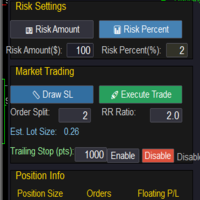
TradeDeck Manual Trading Panel MT5

TradeDeck is a trade assistant and trading panel for manual trading: a lot calculator, risk management and one-click order placement from the chart. You set the risk and place three lines on the chart; the panel calculates the volume, sends the order and then takes care of the routine management: breakeven, trailing stop and partial close.


Placing a trade from the chart

Press Lines (or Shift+L) and three lines appear on the chart: entry, Stop Loss and Take Profit. Each line has a label with the money at risk, the potential profit and the R multiple. While you drag a line, the volume, the risk in money and percent and the risk-to-reward ratio are recalculated. If the entry line is away from the current price, the panel places a Limit or Stop order; Stop Limit orders are available as well. Dragging the Stop Loss across the entry line changes the direction of the trade. The 1R, 2R and 3R buttons at the Take Profit label set the target in one click, and while dragging, the lines snap to the High and Low of candles.

Volume that matches the risk

- risk as a percentage of balance, equity, free margin, day start or week start balance, or as a fixed amount;
- the spread and the commission are included in the risk; the commission is taken from the account history, from an input or from a table by symbol;
- the volume is calculated with the terminal's own profit function for the symbol, so gold, indices, crypto and accounts in any currency are handled the same way;
- the volume is rounded down to the lot step; if it is below the minimum lot, the panel uses the minimum lot only when its risk is at most 1.5 times the set risk (adjustable) and shows the real risk; otherwise the order is not sent.
A maximum lot, a warning about a wide spread and splitting a trade into several positions are available in the settings.

Managing an open position

- breakeven by points, by R or by a percentage of price, with an offset that can be set automatically to spread plus commission;
- trailing stop by points, ATR, fractals, moving average, Parabolic SAR or by the partial close levels, starting after a set distance or R;
- up to 10 partial close levels on the profit side and on the loss side, set in points, price or R;
- one set of settings for all positions, or separate settings for a single position.
Every open position has its own labels on the chart with buttons for breakeven, partial close and close. The panel manages its own positions and positions opened by hand, including those opened in the MetaTrader mobile app; positions of other Expert Advisors are not touched (the Close tab can include them if you turn on All IDs). One chart can manage the current symbol or all symbols of the account.

Protection of positions and orders

- hidden Stop Loss and Take Profit: the levels are kept by the panel, and a far safety Stop Loss stays at the broker (by default at 3 times the hidden distance);
- virtual pending orders executed by the panel, with an optional cancel level;
- OCO: when one pending order is filled, the other pending orders of the symbol are deleted;
- trailing of pending orders.
Hidden levels and virtual orders are kept after a restart of the terminal.

Closing, schedule and alerts

- close all positions, only buys, only sells, profitable or losing ones; delete pending orders by type;
- close everything when a set profit or loss is reached, in money or in percent;
- scheduled actions by weekday: open a trade, close positions, delete orders;
- alert lines, horizontal and trend, with a popup, sound, push notification and Telegram message;
- screenshots of the chart on open, close and alert;
- statistics of closed trades by symbol or for the whole account.

Economic calendar news

The panel reads the economic calendar built into MetaTrader 5 and shows the events for the currencies of the chart symbol: a line on the chart at the time of each event, a countdown row on the Trade tab and a list for today and tomorrow with forecast, previous and actual values. Optional functions: a warning a set number of minutes before an event (popup, sound, push notification, Telegram); a pause for new trades for a set number of minutes around important events (off by default, for traders who do not trade the news), while open positions, stops and closing are not affected; moving the stop of profitable positions to breakeven before high-impact events (off by default). Each function is switched on and off separately and has its own importance filter.

A panel that leaves room for the chart

The panel has four sizes and three views: Full, Mini and a one-line Strip. It can turn transparent when the mouse is away, its sections fold into single lines, and its colour can be set to your own. When the lines of a new trade are on the chart, open positions fold to the left onto the candles, so the new levels stay easy to read. Hotkeys: Shift+L lines, Shift+H minimise, Shift+A alert line, Shift+B and Shift+S buy and sell with a second press to confirm.

Phone companion (optional)

The panel can be linked to a phone. The phone opens a web page with the account, positions, chart and trade controls: it can open and close a trade, move Stop Loss and Take Profit on the chart, close a part of a position and move it to breakeven. It also shows the history of closed trades with results for the day, week and month, keeps price alerts with notifications and its own list of symbols, and has a News tab, a banner before high-impact events, event marks on the chart and a push before the news. Phone trades require a Stop Loss and are limited to 2% risk by default; a command that reaches the terminal late is not executed; if the terminal loses the connection to the broker, the phone shows this and sends nothing. The link is off by default (the Phone link input), and the panel works fully without it. The phone is linked with a one-time code; the trading account password is not used. The connection steps are posted in the Comments section.

Data sent when the phone link is on

While the Phone link input is on, the Expert Advisor sends to a relay server what the phone displays: the last 4 digits of the account number, the currency, account type (demo or real) and leverage, balance, equity and margin, open positions and pending orders with their comments and Expert IDs, quotes, candles and specifications of the selected symbols, and a terminal code; the list of upcoming events of the terminal's economic calendar (public data); on request from the phone, the history of closed trades for the selected period and the names of the terminal symbols for search. Price alerts set from the phone are stored and checked on the server. The account number, the trade server and broker names, the account holder name and passwords are not sent: to tell accounts apart, the Expert Advisor sends an account code that is calculated on your computer and cannot be turned back into the number. The data is used only to show it on your phone and is not passed to third parties. With the link off, this data is not sent anywhere. Telegram messages, if you set your own bot token, go directly to Telegram.

What runs where

Stop Loss, Take Profit and pending orders are stored by the broker and work when the computer is off; the same applies to the safety Stop Loss of a hidden stop. Trailing, breakeven, partial close, hidden levels, virtual orders, the schedule, the closing rules and the phone link are performed by the Expert Advisor: they work while the terminal is running and connected. For round-the-clock work, run the terminal on a VPS.

Getting started

1. Attach TradeDeck to a chart and allow algorithmic trading.
2. Set the risk per trade on the Trade tab.
3. Press Lines, place the lines and send the trade.
Inputs that you set once in the properties window are used by new charts of the same terminal. The interface language is set with the Language input: English or Russian.

Main inputs

- Language: English or Russian.
- Expert ID (Magic): the ID of the orders sent by the panel.
- Risk mode and Risk value: the default risk for new trades.
- Default SL and Default TP, R multiple: the starting position of the lines; with SL 0 the lines are placed by the chart scale, and hotkey and scheduled trades use 1.5 ATR.
- Commission per lot, round turn, or Commission per lot by symbol: if your broker charges a commission.
- Max lot: an upper limit for any order.
- Hidden SL: real broker safety SL: the distance of the broker-side Stop Loss for hidden stops.
- Phone link, Allow trading from the phone, Max risk per phone trade: the phone companion.
- Panel theme, Panel color: the look of the panel.
- Text contrast: Normal, High or Maximum, for the panel and the chart labels.
- Hotkeys: Shift + letter shortcuts; the ones that send orders or act on all positions (B, S, P, C, D, E) need a second press.

Notes

The panel works on hedging and netting accounts; a position larger than the broker's maximum lot is closed in parts. On netting accounts an add in the same direction asks for a second press, because Stop Loss and Take Profit become common for the whole position; on FIFO accounts positions are closed from the oldest one. It can run on several charts in one terminal: automatic management is performed by one of them, without duplicate actions. When you switch to an account of another broker where the symbol has a different name, the terminal removes the Expert Advisor from the chart; attach it to a chart of the new symbol. In the Strategy Tester (the free demo) the panel buttons and input fields work: a click is processed on the next tick while the test is running. Dragging the lines and hotkeys are not available in the tester. Questions and suggestions are welcome in the Comments section or in private messages.

TradeDeck is a tool for manual trading. It does not make trading decisions on its own and does not guarantee results. Trading on financial markets involves risk.
Produits recommandés
FiT Panel Pro
Thonglak Janyakorn
Overview FiT Panel Pro is a professional-grade trade management panel designed for MetaTrader 5 traders who demand speed, precision, and full control over their trades. Built with a modern dark-theme UI, it combines one-click execution with advanced risk management, visual SL/TP drag lines, automatic Fibonacci-based levels, and comprehensive order management — all in a single, compact panel. Whether you are a scalper, day trader, or swing trader, FiT Panel Pro gives you the edge you need to exec
FREE
Trade assistant pro v8
Ahmed Mohammed Bakr Bakr
2 (1)
FREE FREE FREE Trade Assistant MT5 – Professional Trading & Risk Management Panel Trade Assistant MT5 is an advanced trading panel designed to help traders execute orders faster, safer, and more professionally . It simplifies manual trading by combining smart order management , precise risk control , and one-click execution , making it ideal for both beginners and advanced traders. This tool does not trade automatically . Instead, it empowers you with full control while applying professional-gra
FREE
Click Trading
Jawad Tauheed
5 (2)
One Click Trading – Auto TP SL Developer TraderLinkz Version 1.00 Category Utility What it does Adds missing TP and SL to your manual trades and pending orders Sets them once per ticket Lets you move TP and SL afterward Works on hedging and netting accounts Scans on every tick and reacts on trade events Why you want it You place faster entries You get consistent risk and exit targets You reduce fat finger errors You keep full manual control Quick start Attach the EA to any chart Keep TP and SL e
FREE
Apex Point
Marco Engstermann
Apex Point is a trend-following indicator for MetaTrader 5, transforming complex market data into signals for traders. It displays blue dots for uptrends, red dots for downtrends, and yellow crosses at potential reversals, helping users identify momentum shifts quickly. Key features include a confirmation system requiring multiple bars (default: 3) to validate changes, reducing false signals; dynamic ATR-based offsets for adaptive trailing, with instant ratcheting in the trend direction and smo
FREE
GDS RiskLab TradeDesk Free Manual Trading Desk and Risk-Control Utility for MetaTrader 5 GDS RiskLab TradeDesk is a free chart-based utility for traders who want a cleaner manual trading workspace in MetaTrader 5. It is designed as a simple execution-support and risk-control panel. The goal is to keep the trading process more organized: review the chart, plan the trade, keep risk visible and execute manually with more structure. This tool does not generate buy or sell signals. It does not predic
FREE
Voici NAS100 Auto SL and TP Maker pour MT5 : Ne manquez plus jamais le réglage du StopLoss et du TakeProfit avec notre NAS100 Auto SL and TP Maker, un assistant indispensable pour les traders qui naviguent sur le marché du Nasdaq 100 sur MetaTrader 5. Cet outil est conçu pour ceux qui recherchent une solution transparente pour automatiser la gestion des niveaux de StopLoss et TakeProfit. Caractéristiques principales : Automatisation sans effort : Surveille automatiquement les transactions sur
FREE
Imagine flying a real aircraft without ever stepping into a flight simulator. That's what trading is like. You have to simulate your strategy before you can take it to a live market. It is good if you can simulate things speedily before even stepping into any live market, or before coming up with an automated system.  People don't have all day to stare at a higher timeframe chart until the entry signal finally arrives. That's why I built this so that you can simulate your strategy with speed. Th
FREE
Account Monitor Pro — Your Ultimate Trade Statistics Hub Account Monitor Pro is a professional information dashboard designed for traders who combine Expert Advisors (EAs) and manual trading. The indicator separates statistics in real-time based on your Magic Number, allowing you to clearly see who is driving the profit: the algorithm or yourself. Key Features: Split Monitoring: Instant separation of "Robot" positions (by Magic Number) and "Manual" trades. Multi-language Support: 11 languages in
FREE
Chart Pro Classic Dark v1.00 Chart Pro Classic Dark is a professional MT5 chart styling and customization tool designed to give your charts a clean, modern, and professional dark appearance. Key Features Dark Black Background — Applies a clean black background to the chart. ️ Candlestick Chart — Automatically configures the chart to use candlesticks. Bullish Candles — Green/Lime bullish candles. Bearish Candles — White bearish candles. Grid Removal — Hides the chart grid for a clean
FREE
Equity monitor
Vasiliy Pritchin
Equity monitor This is a simple means change informer. I wrote it for myself, maybe someone will need it... 1. Displays the change in funds for the day. Every day, when the terminal is first launched, it remembers the current funds and monitors changes throughout the day. 2. The first day of the month, well remembers the money and, within months, to monitor changes. 3. Well, it displays the profit of the open position. To work, you need to create 4 global variables: gvarEqityDay , gvarEq
FREE
Titan Trade Panel
Thi Ngoc Tram Le
4.5 (2)
Panneau de Trading Personnalisé pour un Trading Manuel Efficace Ce panneau de trading fournit des outils pour le trading manuel sur MT5, offrant des fonctionnalités pour vous aider à gérer vos transactions. Le panneau comprend des fonctions pour l'exécution des ordres, la gestion des ordres et le suivi des positions via une interface compacte. Pourquoi choisir ce panneau de trading ? Que vous souhaitiez gérer plusieurs transactions ou simplement rationaliser votre processus de trading, ce panne
FREE
Risk Manager – Account Protection Tool Risk Manager is an Expert Advisor for MetaTrader 5 designed to protect your trading account by applying automatic risk management rules. This tool does not open trades . It continuously monitors your account and enforces predefined limits to help prevent excessive losses and maintain disciplined trading. Risk Manager works in the background and can manage positions opened by manual trading or other Expert Advisors. It is particularly useful for: • Manual tr
FREE
CosmiCLab SMC FIBO CosmiCLab SMC FIBO is a professional trading indicator designed for traders who use Smart Money Concepts (SMC), market structure analysis and Fibonacci retracement levels. The indicator automatically detects market swings and builds Fibonacci levels based on the latest impulse movement. It also identifies market structure changes such as BOS (Break of Structure) and CHOCH (Change of Character), helping traders understand the current market direction. CosmiCLab SMC FIBO also pr
Title:   Smart Position Manager PRO - Advanced Risk & Position Manager Description: Smart Position Manager PRO is an all-in-one visual trade management and risk calculation tool designed for serious traders who prioritize iron discipline and strict risk management. Whether you are executing precise SMC or ICT setups on personal capital or managing large funded accounts on strict prop firms, this tool ensures you focus on counting percentages rather than emotional money swings. With a highly int
FREE
HedgeSafe Trade Assistant Un panneau de trading manuel pour MetaTrader 5 centré sur la maîtrise du risque. HedgeSafe aide à préparer, valider et gérer une opération directement sur le graphique avant de cliquer sur BUY ou SELL. HedgeSafe n'est ni un service de signaux, ni un outil de prévision, ni un robot IA, ni une stratégie automatique. Il ne choisit pas la direction et ne promet aucun profit. Chaque décision reste sous le contrôle du trader. Fonctions principales Calcul du lot selon un pourc
Market & Pending Risk Manager EA Operation Manual Market & Pending Risk Manager is a professional MT5 trading panel EA that integrates multiple functions such as market order trading, pending order trading, risk management, and trailing stop loss, providing traders with a comprehensive trading solution. Core Advantages Intelligent Dual-Mode Trading Market Order Mode: One-click buy/sell for fast execution Pending Order Mode: Precise entry to wait for the optimal timing Seamless Switching
FREE
Objectif: Ouvre automatiquement les graphiques de tous les symboles du Market Watch avec le modèle default.tpl sur le timeframe actuel (TF) , en fermant tous les autres graphiques (sauf l’actif). Idéal pour analyser rapidement plusieurs instruments sans effort manuel! Fonctionnalités: Automatisation: Ouvre des dizaines de graphiques en un clic. Sécurité: Ferme les graphiques inutiles, en conservant l’actif. Flexibilité: Utilise votre modèle default.tpl (configurez-le à l’avance!).
FREE
Here's how to use the BTC_PriceAlert.mq5 indicator in MetaTrader 5: What it does It's a custom indicator (not an EA) for BTCJPY that draws horizontal alert lines on your chart and fires a notification when price touches your specified upper or lower target. It checks the high/low of each bar (wick touches count, not just closes). Install the indicator Copy BTC_PriceAlert.mq5 into your MT5 data folder under MQL5/Indicators (File > Open Data Folder in MetaEditor or MT5). Compile it in MetaEditor
FREE
Free. Set your risk, click Buy or Sell, done. TrueRisk Trade Panel works out the lot size for you. Type how much of your account you want to risk (for example 1%), set the stop loss in points or drag it on the chart, and the BUY and SELL buttons already show the right lot. No lot calculator, no guessing, no trade that risks ten times more than you meant. MT4 version (free) | TrueRisk Trade Manager (auto break-even, partial close, trailing, account guard) | Free 14-day trials of the paid tools |
FREE
This is an EA designed to support manual trading. It can accurately calculate risk, automatically enter trades, set stop loss, and perform trailing stop loss using buttons on the chart. There are many features for risk calculation, setting stop loss, and trailing stop loss to suit various trading styles. It can also automatically manage prop firms by closing trades when reaching the target profit level or maximum daily loss. Additionally, it can perform manual backtesting using the strategy test
FREE
FibRetrace Zones Zones de retracement de Fibonacci du dernier mouvement FibRetrace Zones est le compagnon visuel gratuit de l'Expert Advisor FibRetrace. Il trace les niveaux de retracement de Fibonacci et met en évidence la zone de repli du dernier mouvement, pour que vous voyiez où se situent les entrées avant de trader. La zone est colorée selon la direction : vert pour les configurations haussières, rouge pour les baissières. Fonctionne sur tout symbole et toute unité de temps. FONCTIONNALITÉ
FREE
no Trade operation, Robot Set auto SL to every manually Trade from a Phone Automatic Phone TradeManager Need just Set on 1 Symbol Auto BE Trigger is added that immediately sets a stop-loss for every () But does NOT calculate position size based on risk, allows the fixed  SL to   adjusted dynamically drag on Chart or Menu. It protects capital around the clock, reduces emotional mistakes, and ensures consistent risk management.
FREE
PZ Trade Pad MT5
PZ TRADING SLU
4.46 (24)
This simple visual expert advisor allows you to trade easily from the chart. It handles risk management for you and can perform several useful tasks with your existing trades, saving time and making risk-management for each individual trade easier.  [ Installation Guide | Update Guide | Troubleshooting | FAQ | All Products  |  Get Help ] Trade easily from the chart Trade with precise risk management, hassle free Trade pending order with drag and drop price selection Set SL and TP levels with d
FREE
WAP TP Stealth EA – Intelligent Basket Management for Precision Exits WAP TP Stealth EA is a specialized trade management expert advisor designed for traders who rely on basket strategies, recovery systems, and multi-position workflows. Instead of closing trades individually, the EA dynamically calculates the Weighted Average Price (WAP) of all open positions and executes a coordinated closure once your defined profit target is reached. This approach enables efficient drawdown management, smooth
FREE
EasyTradePad for MT5
Sergey Batudayev
5 (5)
EasyTradePad – Panneau de trading pour MetaTrader 5 EasyTradePad   est un outil de trading manuel et semi-automatisé. Son interface permet une gestion rapide des ordres et des positions, ainsi que des calculs de gestion des risques en un clic. Caractéristiques du panneau : Ouvrir et fermer des transactions avec un risque prédéfini (% ou devise de dépôt) Définissez SL et TP en points, en pourcentages ou en valeurs monétaires Calculer automatiquement le ratio risque/récompense Déplacez le stop lo
Protect your funded accounts and personal capital with military-grade precision. This utility continuously monitors your floating equity against your daily starting balance. The moment your custom drawdown threshold is breached, it instantly liquidates all open positions, deletes pending orders, and completely unloads from the chart. Stop revenge trading and never fail a prop firm evaluation due to a margin breach again.
FREE
TradeGacha
Phongsphat Chanswat
## Version 2.50 I created this EA with the intention of making it free for everyone to use. It serves as a tool to assist in trading with money management, entering order lots according to a percentage of the account balance, and automatically setting TP/SL based on high/low prices. In Version 2.50, The Auto TP/SL feature adjusts from the Line In (entry point), and Auto price in this version only shifts the entry line to the current price. Input settings: Ato update SL/TP Line >>> In version
FREE
Lot by Risk MT5
Sergey Vasilev
4.88 (16)
La barre de trading Lot by Risk est conçue pour le trading manuel. C'est un moyen alternatif d'envoyer des ordres. La première caractéristique du panneau est l'affichage pratique des ordres à l'aide de lignes de contrôle. La deuxième caractéristique est le calcul du volume de la transaction à un risque donné en présence d'une ligne stop loss. Les lignes de contrôle sont affichées à l'aide de raccourcis clavier: take profit-touche T Par défaut; price-touche P par Défaut; stop loss – touche s p
FREE
GDS Renko Pip ST Chart - Pip-Based Renko Chart Indicator for MetaTrader 5 GDS Renko Pip ST Chart is a pip-based Renko chart indicator for MetaTrader 5. It helps traders build and study cleaner Renko price movement using a practical fixed pip or point-based brick structure. This tool is designed as a Renko chart foundation for manual analysis. It does not predict the market, does not generate buy or sell signals and does not decide whether a trade should be opened. Renko EDGE EA Golden Delta | A
Open Risk Budget Cap
Md Nasar Uddin Redoy
Open Risk Budget Cap enforces a total open stop-loss risk budget across your account. It does not choose direction and does not open discretionary trades on a live chart. Attach it to one chart; the symbol and timeframe do not matter. What it measures Every open position and every pending order is priced to its stop-loss in account currency using OrderCalcProfit. Positions or orders without a stop-loss are counted and shown on the panel as "without stop-loss". They are excluded from the budget
Les acheteurs de ce produit ont également acheté
Trade Assistant MT5
Evgeniy Kravchenko
4.43 (216)
It helps to calculate the risk per trade, the easy installation of a new order, order management with partial closing functions, trailing stop of 7 types and other useful functions. Additional materials and instructions Installation instructions - Application instructions - Trial version of the application for a demo account Line function -   shows on the chart the Opening line, Stop Loss, Take Profit. With this function it is easy to set a new order and see its additional characteristics bef
Bienvenue sur Trade Manager EA, l’outil ultime de gestion des risques conçu pour rendre le trading plus intuitif, précis et efficace. Ce n’est pas seulement un outil d’exécution d’ordres ; c’est une solution complète pour la planification des trades, la gestion des positions et le contrôle des risques. Que vous soyez débutant, trader expérimenté ou scalpeur ayant besoin d’une exécution rapide, Trade Manager EA s’adapte à vos besoins, offrant une flexibilité sur tous les marchés, des devises et i
================================================================================ POC BREAKOUT - V20.72. Full Professional Grade Toolkit ================================================================================ POC Breakout is a full MetaTrader 5 trading dashboard for discretionary traders who want breakout signals, Point of Control (POC) context, volume profiles, order flow, market structure, news, alerts, and advanced trade planning in one professional workspace. Attached directly to you
Telegram to MT5 Multi-Channel Copier   copie automatiquement les signaux de trading de vos canaux Telegram et Discord directement vers MetaTrader 5. Pas de bots, pas d'extensions de navigateur, pas de copie manuelle. Un signal arrive sur Telegram ou Discord et l'EA ouvre le trade dans votre terminal en quelques secondes. Et avant de copier un canal, le backtester intégré vous montre ce que ce canal aurait fait sur votre compte. Le produit comprend deux composants : une application Windows qui éc
The Patch
Mian Rameez Ali
The Patch It never opens a trade. It walks behind the ones that did. Every open position, every pending order — checked twice a second for the one thing that's easy to forget: a stop, a target. Found bare, it doesn't ask. It writes the missing number in, measured in points from wherever the position began, and moves on to the next. No strategy, no opinion on direction. Just the quiet assumption that nothing should ever sit on the market unprotected — not because someone decided it shouldn't,

Copiez les signaux Telegram avec vos propres règles de trading Telegram to MT5 Signal Trader copie automatiquement les signaux de trading au format texte provenant de canaux et de groupes Telegram publics et privés vers MetaTrader 5. Gérez plusieurs fournisseurs et comptes MT5 depuis une seule application de bureau, avec des paramètres de risque et de trading propres à chaque fournisseur . Aucun bot Telegram ni configuration d'API n'est nécessaire pour copier les signaux. Connectez-vous simpleme
TradePanel MT5
Alfiya Fazylova
4.88 (170)
Trade Panel est un assistant commercial multifonction. L'application contient plus de 50 fonctions de trading pour le trading manuel et permet d'automatiser la plupart des tâches commerciales. Instructions d'utilisation : https://www.mql5.com/fr/blogs/post/762589 Version d'essai de l'application pour un compte démo : https://www.mql5.com/fr/blogs/post/762644 Comment installer l'application : https://www.mql5.com/fr/blogs/post/762645 Comment tester l'application en mode visuel : https://www.mql5.
Power Candles Strategy Scanner - Outil de recherche de configurations multi-symboles à optimisation automatique Le Power Candles Strategy Scanner utilise le même moteur d'auto-optimisation que celui qui alimente l'indicateur Power Candles, pour chaque symbole de votre Market Watch, en parallèle. Un panneau vous indique quels symboles sont statistiquement négociables à l'instant, quelle stratégie est la plus performante pour chacun, la paire Stop Loss / Take Profit optimale, et vous alerte dès qu
The product will copy all telegram signal to MT5 ( which you are member) , also it can work as remote copier.  Easy to set up, copy order instant, can work with almost signal formats, image signal,  s upport to translate other language to English Work with all type of channel or group, even channel have "Restrict Saving Content", work with  multi channel, multi MT5 Work as remote copier: with signal have ticket number, it will copy exactly via ticket number. Support to backtest signal. How to s
Entry In The Zone with SMC Multi Timeframe is a real-time market analysis tool based on Smart Money Concepts (SMC), designed to analyze market structure, price direction, and key trading zones. It supports both Single-Timeframe and Multi-Timeframe Analysis, providing a clearer view of overall market structure across multiple timeframes, with real-time BUY / SELL signals designed with a strict focus on No-Repaint principles.   The signals are designed to help filter unclear setups and evaluate tr
Quant AI Agents
Ho Tuan Thang
5 (1)
Quant AI Agents are independent trading Expert Advisors. Instead of trading using a fixed strategy like other conventional EAs, Quant AI Agents   is a   multi-agent AI trading framework   that turns natural-language strategy prompts into live.  WANT THE SAME RESULTS AS MY LIVE SIGNAL?   Use the exact same brokers I do:   IC MARKETS , IC TRADING   .  Unlike the centralized stock market, Forex has no single, unified price feed.  Every broker sources liquidity from different providers, creating un
Exp COPYLOT CLIENT for MT5
Vladislav Andruschenko
3.97 (35)
Copieur professionnel de trades pour MetaTrader 5 Un copieur de trades rapide, professionnel et fiable pour MetaTrader . COPYLOT permet de copier des trades Forex entre les terminaux MT4 et MT5 avec prise en charge des comptes Hedge et Netting . La version MT5 de COPYLOT prend en charge : - MT5 Hedge → MT5 Hedge - MT5 Hedge → MT5 Netting - MT5 Netting → MT5 Hedge - MT5 Netting → MT5 Netting - MT4 → MT5 Hedge - MT4 → MT5 Netting Version MT4 Description complète + DEMO + PDF Comment acheter Comme
Grid Manual MT5
Alfiya Fazylova
4.73 (22)
Grid Manual est un panneau de trading permettant de travailler avec une grille d'ordres. L'utilitaire est universel, possède des paramètres flexibles et une interface intuitive. Il fonctionne avec une grille d'ordres non seulement dans le sens des pertes, mais aussi dans le sens de l'augmentation des profits. Le commerçant n'a pas besoin de créer et de maintenir une grille d'ordres, l'utilitaire le fera. Il suffit d'ouvrir une ordre et "Grid Manual" créera automatiquement une grille de ordres po
Signal Trading View to MT5 Pro
Mirel Daniel Gheonu
4.5 (2)
Signal TradingView to MT5 Pro Automator Exécution professionnelle instantanée entre TradingView et MetaTrader 5 Automatisez votre stratégie de trading avec le pont de communication le plus robuste entre les alertes TradingView et l'exécution réelle sur MT5. Conçu pour les traders qui exigent vitesse, flexibilité et une gestion des risques impeccable, cet Expert Advisor transforme tout message d'alerte en un ordre au marché ou à cours limité précis. POINTS FORTS ET AVANTAGES Moteur d'analyse univ
FUTURES ORDERFLOW FOOTPRINT CHART Professional OrderFlow EA for MetaTrader 5 Version 1.01| Professional tool for real traders | Institutional-Grade Visualization STRATEGY TESTER USERS - PLEASE SELECT EVERY REAL TICK WHEN TESTING AND YOU HAVE DOWNLOADED HISTORICAL DATA. IF YOU SEE A WAITING SCREEN AND IT IS NOT DOWNLOADING, IT MEANS YOU HAVE LOW HISTORICAL DATA. TRY 1 MIN AND 5 MIN FIRST ON 1 DAY DATA. ONE DAY DATA SHOULD BE THE NEWEST AND MOST CURRENT DATE. PLEASE WAIT UNTIL THE MARKET HAS ROL
Anchor Trade Manager
Kalinskie Gilliam
5 (9)
Your EAs cannot see each other, but Anchor can. Anchor gives you one place to coordinate your EAs, manage risk, and decide when trading is allowed. It works alongside the trading bots you already use without any changes to them. The Problem One EA opens a trade. Then another starts trading. The next thing you know, you wake up to multiple grids built across your account. Each EA may be doing exactly what it was designed to do, but together they can place far more risk on your account than you in
Daily Trading Limiter
AL MOOSAWI ABDULLAH JAFFER BAQER
5 (8)
• Please test the product in the Strategy Tester before purchasing to understand how it works. • If you face any issues, contact me via private message—I’m always available to help. • After purchase, send me a screenshot of your order to receive a FREE EA as a gift. Daily Trading Limiter — the rule you cannot break Every trader knows the number. Three trades. Two percent. One bad day and stop. And every trader has watched themselves take the fourth trade anyway. The problem was never knowing th
The News Filter MT5
Leolouiski Gan
4.79 (24)
Ce produit filtre tous les conseillers experts et les graphiques manuels pendant les heures de publication des actualités, de sorte que vous n'avez pas à vous soucier des pics de prix soudains qui pourraient détruire vos configurations de trading manuelles ou les transactions entrées par d'autres conseillers experts. Ce produit est également livré avec un système de gestion des ordres complet qui peut gérer vos positions ouvertes et vos ordres en attente avant la publication de toute actualité.
Trade Indicator Assistant   is a powerful MT5 utility designed to turn indicators into automated trading systems. Its main feature is the ability to automatically detect an indicator’s   BUY and SELL signal buffers , without requiring you to know the buffer numbers, search through indicator settings, or modify the indicator source code. Bonus Indicator:   After purchasing Trade Indicator Assistant, contact me to receive   Trade Signal Pro   completely free as a bonus indicator. [Download Demo V
Floor Watch
Syed Tauqeer Hussain Shah
Floor Watch One number, watched every thirty seconds: how far equity has fallen since the day began — or since its highest point, if it's told to trail the peak instead of the open. Cross the line and it doesn't argue. Every open position closes, every pending order vanishes, and anything that slips through afterward gets shut the moment it appears. Not asked. Removed. The floor holds until the clock turns 5 AM Pakistan time — then, and only then, does the day start over. One rule. No except
YuClusters
Yury Kulikov
4.93 (43)
Attention: You can view the program operation in the free version  YuClusters DEMO .  YuClusters is a professional market analysis system. The trader has unique opportunities to analyze the flow of orders, trade volumes, price movements using various charts, profiles, indicators, and graphical objects. YuClusters operates on data based on Time&Sales or ticks information, depending on what is available in the quotes of a financial instrument. YuClusters allows you to build graphs by combining da
Le MT5 to Discord Signal Provider est un outil convivial et entièrement personnalisable conçu pour envoyer directement des signaux de trading à Discord. Cet outil transforme votre compte de trading en un fournisseur de signaux efficace. Personnalisez les formats de messages pour qu'ils correspondent à votre style ! Pour plus de facilité, choisissez parmi des modèles pré-conçus et décidez quels éléments du message inclure ou exclure. [ Démo ] [ Manuel ] [ Version MT4 ] [ Version Telegram ]  New:
MT5 to Telegram Signal Provider est un utilitaire facile à utiliser et entièrement personnalisable qui permet l'envoi de signaux spécifiés vers un chat, un canal ou un groupe Telegram, transformant ainsi votre compte en fournisseur de signaux. Contrairement à la plupart des produits concurrents, il n'utilise pas d'importations DLL. [ Démonstration ] [ Manuel ] [ Version MT4 ] [ Version Discord ] [ Canal Telegram ]  New: [ Telegram To MT5 ] Configuration Un guide utilisateur étape par étape est
Ultimate Extractor
Clifton Creath
5 (7)
Ultimate Extractor - Professional Trading Analytics for MT5 *****this is the local HTML version of Ultimate Extractor. !!!!!it is not compatible with Cloud!!!! For the online version please reach out to me directly****** Ultimate EA manager also now available when you use cloud pro and above for free!! Ultimate Extractor transforms your MetaTrader 5 trading history into actionable insights with comprehensive analytics, interactive charts, and real-time performance tracking. What It Does Automa
Advanced Daily Trading Limiter PRO
AL MOOSAWI ABDULLAH JAFFER BAQER
Advanced Daily Trading Limiter PRO Professional Risk Management. Uncompromising Trading Discipline. One undisciplined trading session can erase weeks of consistent profits. Whether it's overtrading, revenge trading, or exceeding a prop firm's daily risk limits, emotional decisions often become a trader's biggest obstacle—not the market itself. Advanced Daily Trading Limiter PRO is a comprehensive risk management and discipline enforcement utility for MetaTrader 5, designed to help traders stay
Footprint Chart Pro — Professional OrderFlow EA for MetaTrader 5 Version 6.34 | Professional tool for real traders | Institutional-Grade Visualization DEMO USERS - PLEASE SELECT EVERY TICK / REAL TICK WHEN TESTING AND YOU HAVE DOWNLOADED HISTORICAL DATA. IF YOU SEE A WAITING SCREEN AND IT IS NOT DOWNLOADING, IT MEANS YOU HAVE LOW HISTORICAL DATA. TRY 1 MIN AND 5 MIN FIRST ON 1 DAY DATA. ONE DAY DATA SHOULD BE THE NEWEST AND MOST CURRENT DATE. PLEASE WAIT UNTIL THE MARKET HAS ROLLED OVER PERIOD.
Farmed Hedge Yield Farming | All Markets (Manual - Hybrid - Semi/Automated EA) VERIFIED TRADING RESULTS - Farmed Hedge Yield Axi Copy:  https://www.mql5.com/en/signals/2356376 - Farmed Hedge Yield Exn Copy:   https://www.mql5.com/en/signals/2356404 - Farmed Hedge Yield V Copy:  https://www.mql5.com/en/signals/2357156 IMPORTANT NOTICE: FarmedHedge is a MANUAL-FOCUSED TRADING UTILITY ,not a fully automated EA. Results shown on this Signal include manual trades and overall strategic management.
Un seul achat. Tous mes indicateurs MT4 et MT5, disponibles aujourd’hui et publiés à l’avenir, sans frais supplémentaires. Contactez-moi après l’achat pour connaître la procédure de réception. Il est prévu d’augmenter le prix de 50$ toutes les 10 ventes, jusqu’à 999$. Le prix du Market au moment du paiement fait foi. Gardez l’indicateur auquel vous faites confiance. Automatisez les tâches qui l’entourent. Votre signal. Vos règles. Votre exécution. Vous utilisez déjà un indicateur MT5 fiable, ma
AI Trading Assistant | Discord/Telegram → MetaTrader 5 Automation An advanced automation framework that enables natural language trade instructions sent from Discord or Telegram to be executed automatically on MetaTrader 5 using n8n workflows and a custom Expert Advisor. This solution integrates modern workflow automation with MetaTrader 5, allowing users to send trade instructions such as: “buy EURUSD 1% risk 30 pip SL 3R TP” “sell GBPUSD now 2% 20 SL 60 TP” “buy limit EURUSD at 1.0850 with 1%
Premium Trade Manager - Le panneau de trading avec un coach intégré Premium Trade Manager intègre un coach de trading directement dans votre graphique, avec un moteur d'exécution complet en dessous. Configurez le trade comme vous le faites toujours, puis laissez Max, votre coach de trading IA, analyser ce setup exact par rapport à votre compte en direct et vous donner un verdict clair avant de vous engager : le stop est-il discipliné, le risque est-il raisonnable, une publication à fort impact e
Plus de l'auteur
TradeDeck is a trade assistant and trading panel for manual trading: a lot calculator, risk management and one-click order placement from the chart. You set the risk and place three lines on the chart; the panel calculates the volume, sends the order and then takes care of the routine management: breakeven, trailing stop and partial close. Placing a trade from the chart Press Lines (or Shift+L) and three lines appear on the chart: entry, Stop Loss and Take Profit. Each line has a label with th
Filtrer:
Aucun avis
Répondre à l'avis