Tessoryn
- Experts
- Version: 1.11
- Mise à jour: 23 septembre 2026
- Activations: 5

Tessoryn is a multi-strategy Expert Advisor developed for Gold (XAUUSD) on MetaTrader 5.
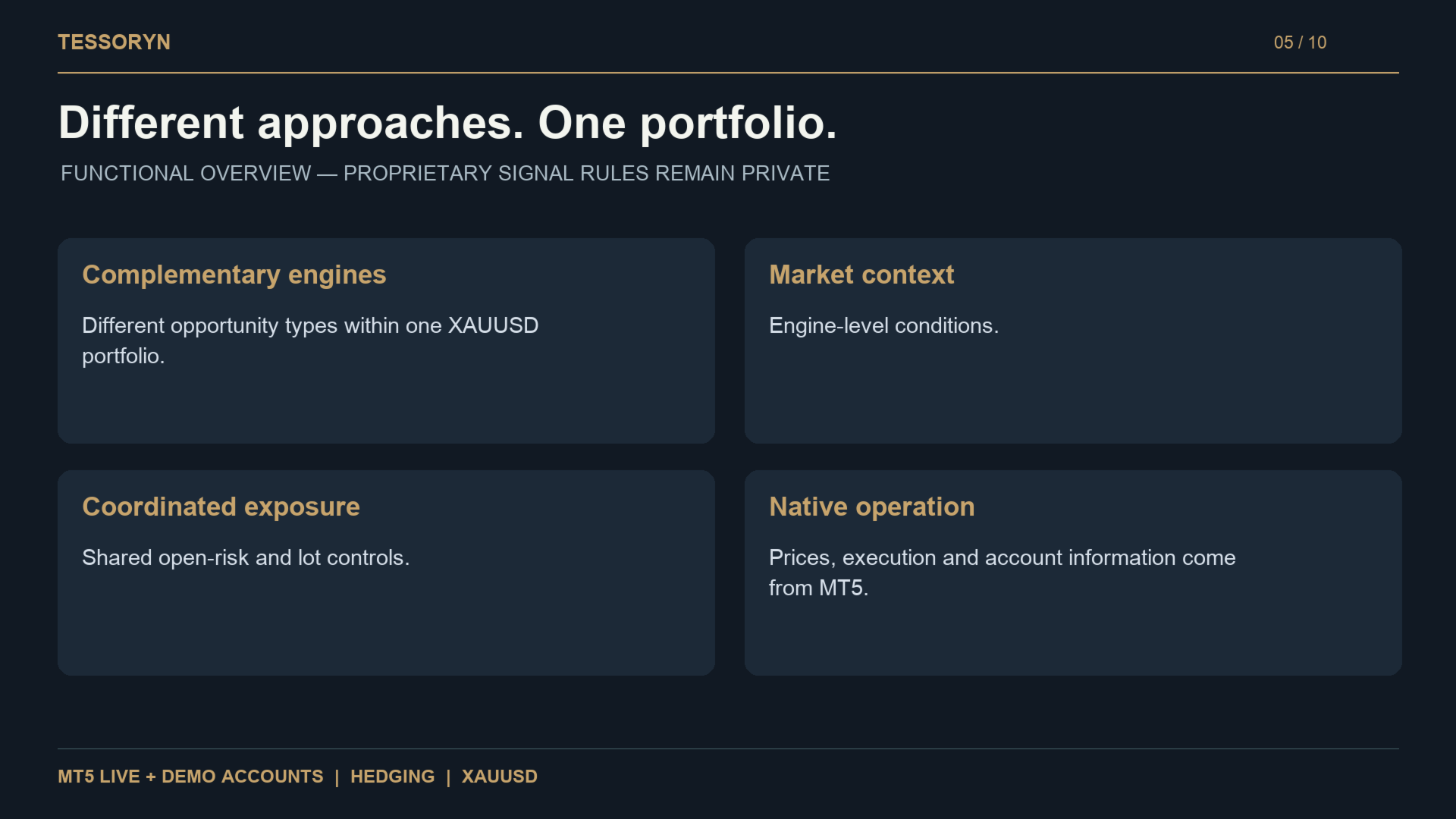
Instead of relying on a single trading approach, Tessoryn combines four proprietary trading engines designed to react to different market conditions. Each engine keeps its own entry and exit logic while sharing portfolio-level risk and exposure controls.
Tessoryn has an asymmetric trading profile: it is not designed to achieve a high win rate. Losing streaks are expected, while profitable trades are intended to compensate through larger average gains.
No DLL, Python runtime, external signal service or paid data subscription is required.
Main Features
-
4 complementary XAUUSD trading engines
-
M1 execution
-
Risk Percentage and Fixed Lot sizing
-
Safe, Balanced, Aggressive and Custom risk modes
-
Optional individual engine risk weighting
-
Shared portfolio exposure controls
-
Daily and peak-equity protection
-
Native MT5 economic calendar support
-
Broker-aware volume, margin and stop checks
-
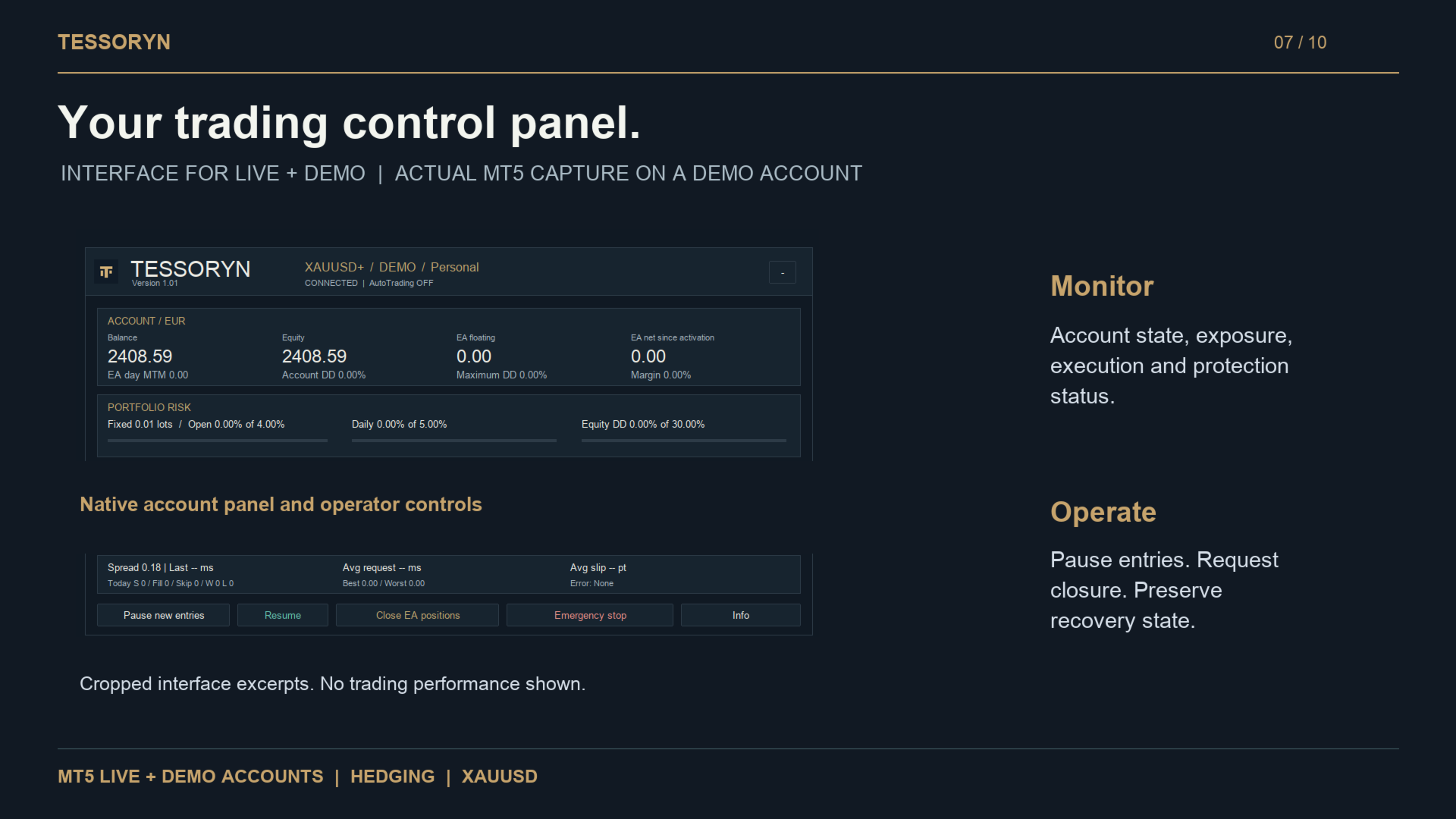
Integrated control dashboard
-
Live, Demo and Strategy Tester support
-
No external API or paid data feed required
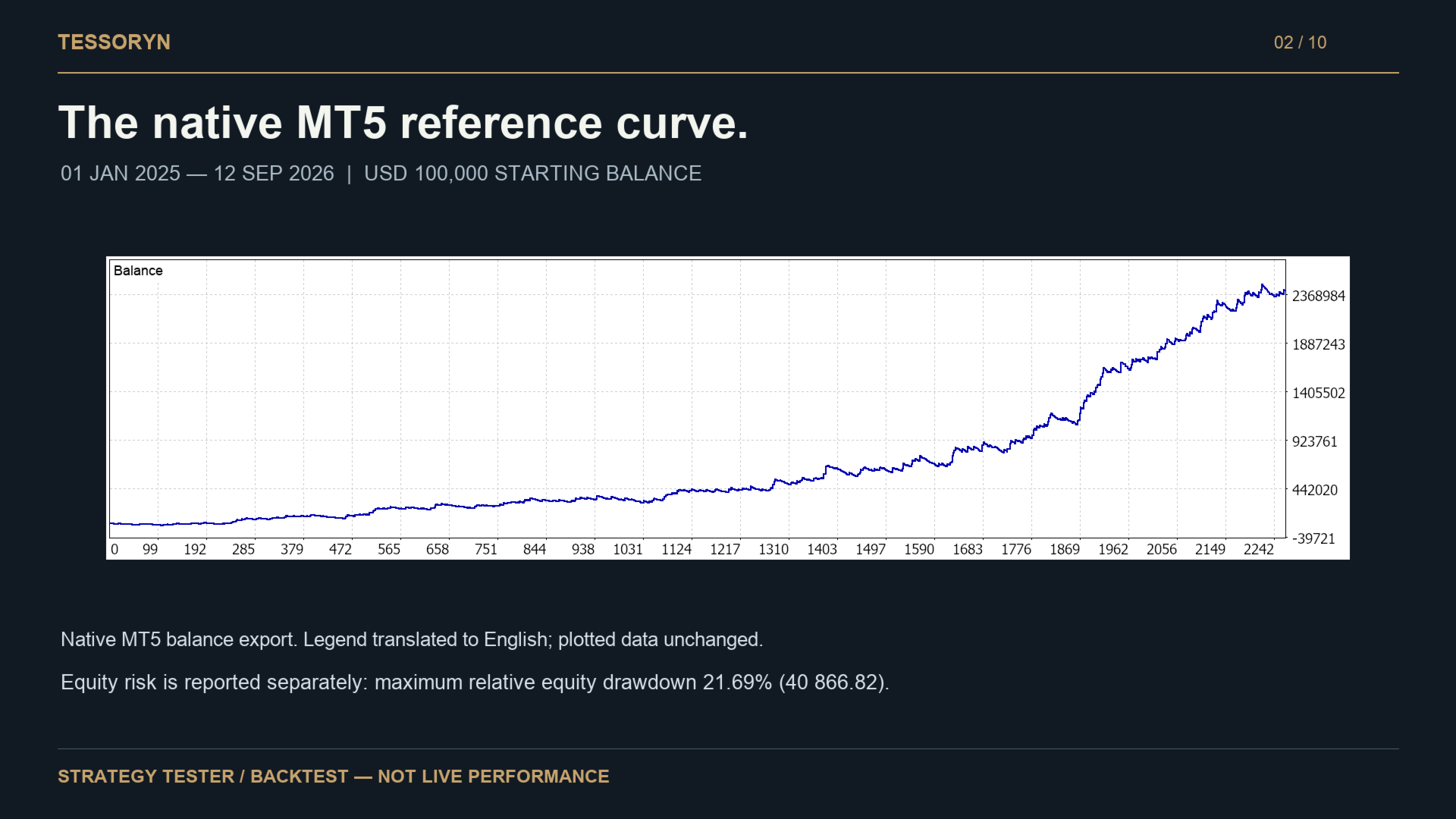
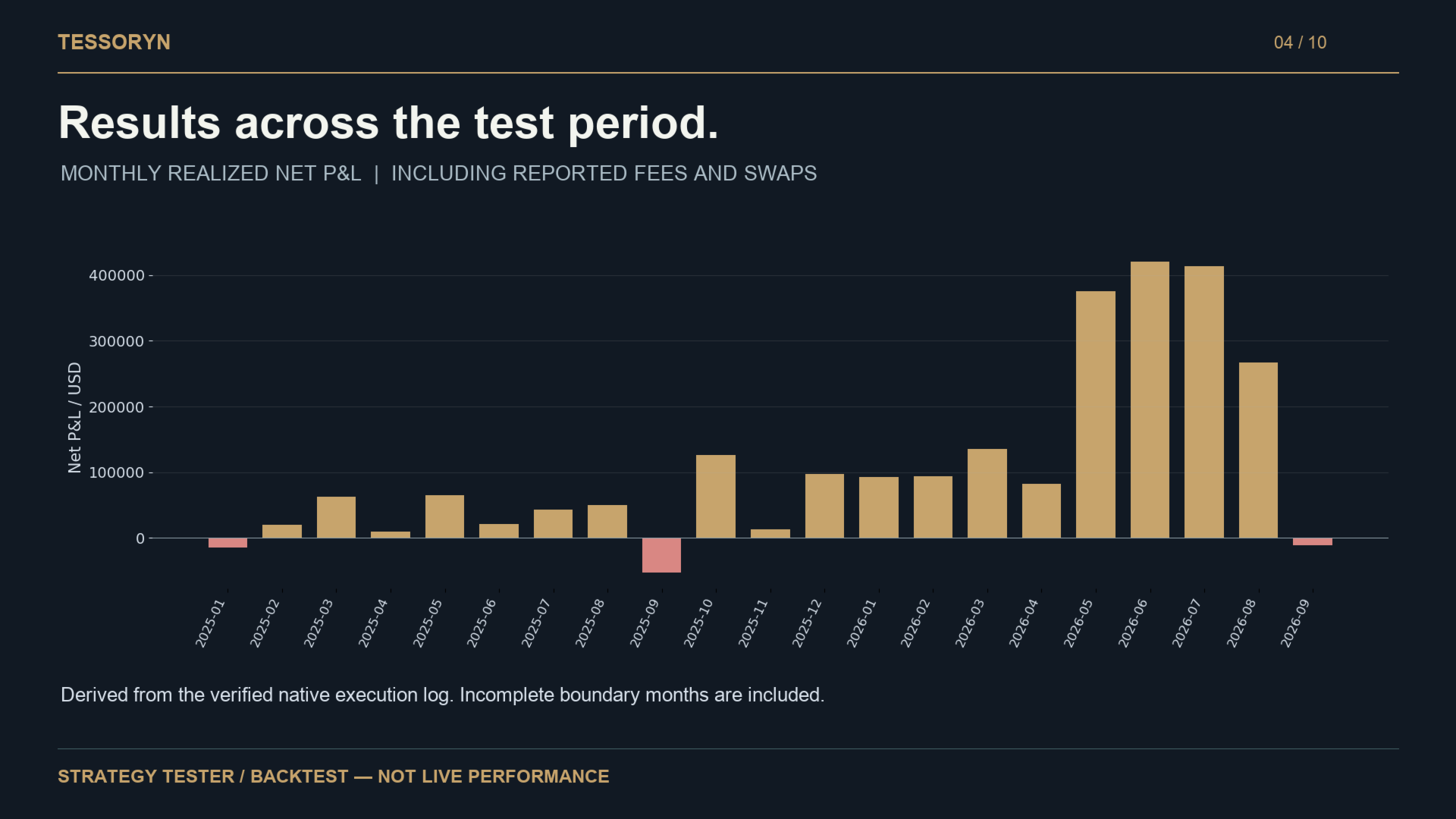
Historical Reference Backtest
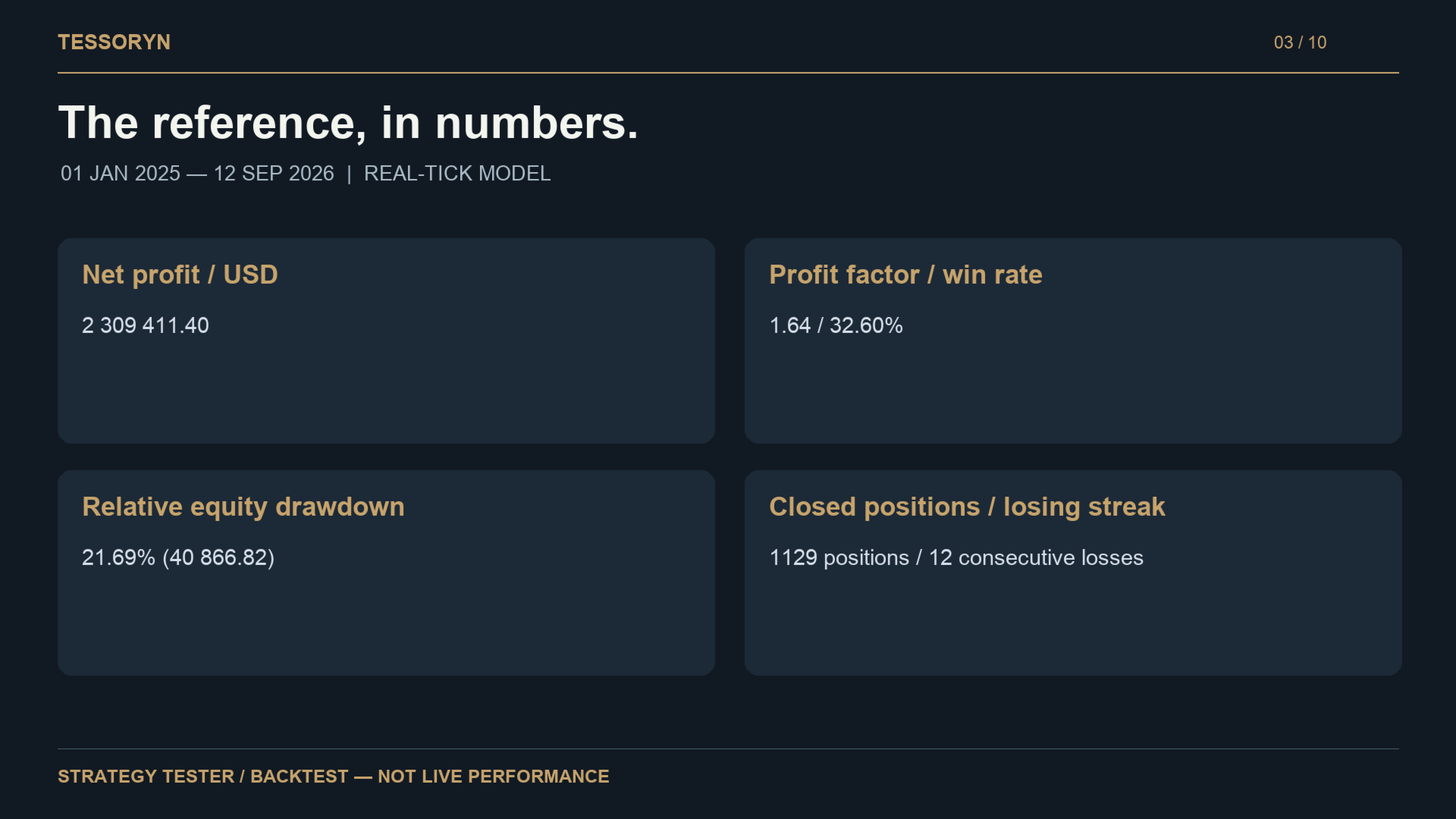
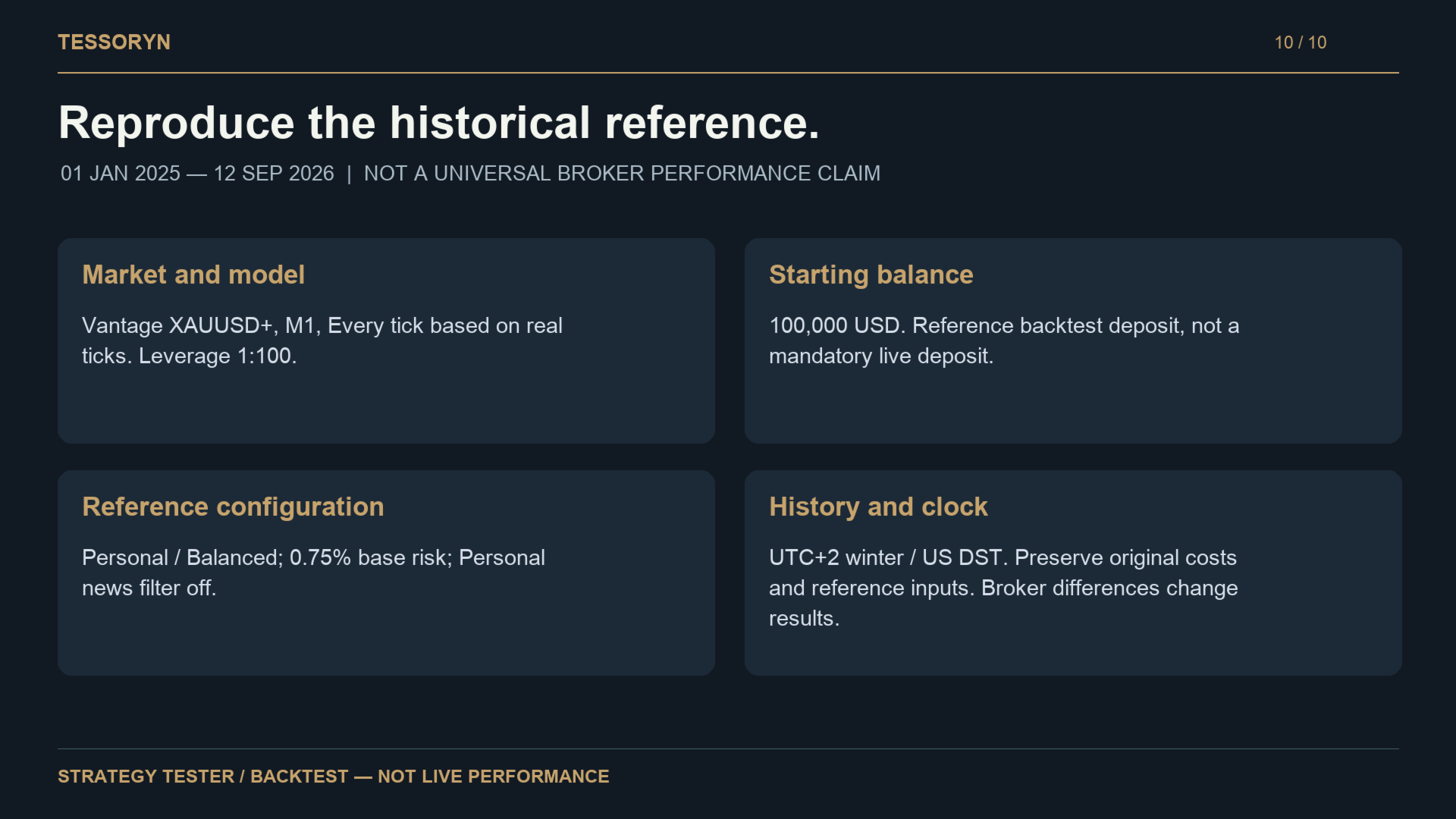
STRATEGY TESTER / BACKTEST — NOT LIVE PERFORMANCE
Period: 01 January 2025 – 12 September 2026
Symbol: Vantage XAUUSD+
Timeframe: M1
Model: Real ticks
Initial Deposit: $100,000
Leverage: 1:100
Net Profit: $2,309,411.40
Profit Factor: 1.64
Closed Positions: 1,129
Winning Positions: 32.60%
Maximum Relative Equity Drawdown: 21.69%
Maximum Consecutive Losing Positions: 12
These historical reference results were produced with Tessoryn versions 1.00/1.01.
They are development-period backtests and are not live trading results, independent forward results or a forecast of future performance.
Version 1.07 retains the underlying entry and exit strategy rules while introducing additional user control over position sizing and risk settings.
Position Sizing — Version 1.07
Tessoryn allows you to choose how positions are sized.
Risk Percentage
Position volume is calculated according to the selected percentage risk and trading conditions.
Available modes:
-
Safe
-
Balanced
-
Aggressive
-
Custom
Custom mode allows you to enter your own percentage.
Engine-specific risk weights can be enabled or disabled.
Fixed Lots
You can also request a fixed lot size for each entry.
Fixed volume operates independently of percentage-risk inputs. Broker minimum/maximum volume, volume step, available margin and trading restrictions still apply.
Fixed lots do not mean fixed monetary risk.
Account Size
The $100,000 historical reference deposit is not a minimum account requirement.
Separate native Strategy Tester tests were performed using:
-
Vantage XAUUSD+
-
0.01 fixed lot
-
USD account
-
1:100 leverage
-
01 January 2025 – 12 September 2026
Results:
$1,000 account:
Maximum relative equity drawdown: 19.95%
16 entry attempts rejected by risk controls.
$2,500 account:
Maximum relative equity drawdown: 9.22%
No risk-budget rejection.
$5,000 account:
Maximum relative equity drawdown: 4.86%
No risk-budget rejection.
For this specific 0.01-lot tested configuration, $5,000 is the suggested starting allocation.
This is not a mandatory minimum. Different brokers, symbols, leverage, currencies, lot sizes and risk settings require separate testing.
Risk Management
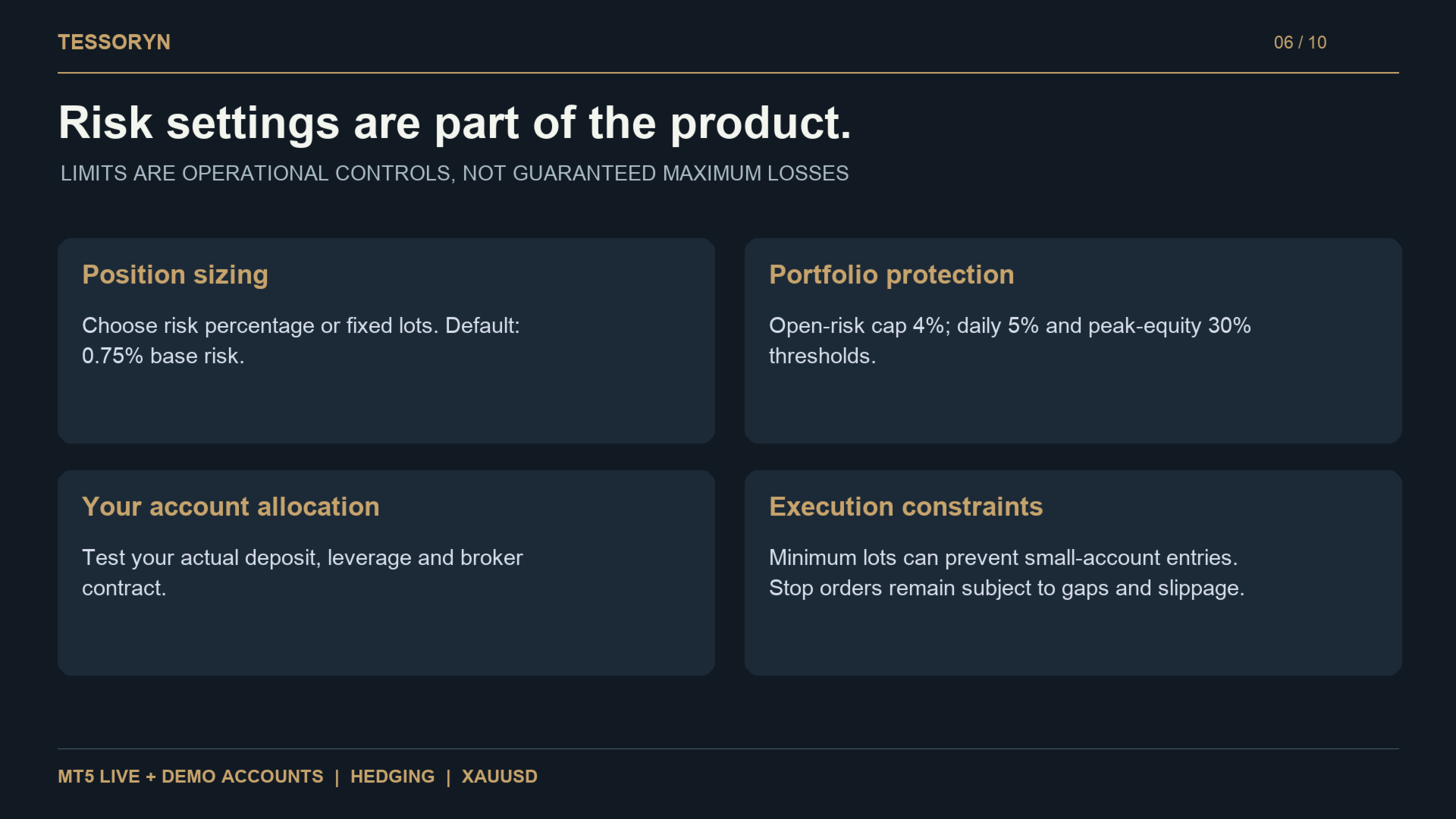
The historical Personal / Balanced reference configuration uses a 0.75% base risk with different risk weights across the four engines.
Base risk therefore does not necessarily represent the effective risk of every individual position.
Shared protections include:
-
4% combined open-risk cap
-
5% personal daily equity threshold
-
30% peak-equity threshold
-
Position-volume limits
-
Margin and broker execution checks
Additional account-risk controls and engine risk weights can be configured separately in version 1.07.
No software protection can guarantee a maximum loss during gaps, extreme slippage, execution failures or connectivity problems.
Economic News Filter
Tessoryn includes an optional economic-news filter based on the native MetaTrader 5 economic calendar.
No external news API is required.
News filtering is disabled by default in the Personal profile and can be enabled from the EA settings.
When enabled, unavailable or stale calendar information prevents new entries rather than allowing unfiltered execution.
Compatibility
Tessoryn supports:
-
MT5 Live accounts
-
MT5 Demo accounts
-
MT5 Strategy Tester
-
Hedging accounts
The free MQL5 Market Demo is limited by the Market testing environment. This does not mean that the purchased version is restricted to Demo trading.
Tessoryn is primarily designed for personal trading accounts.
Installation
-
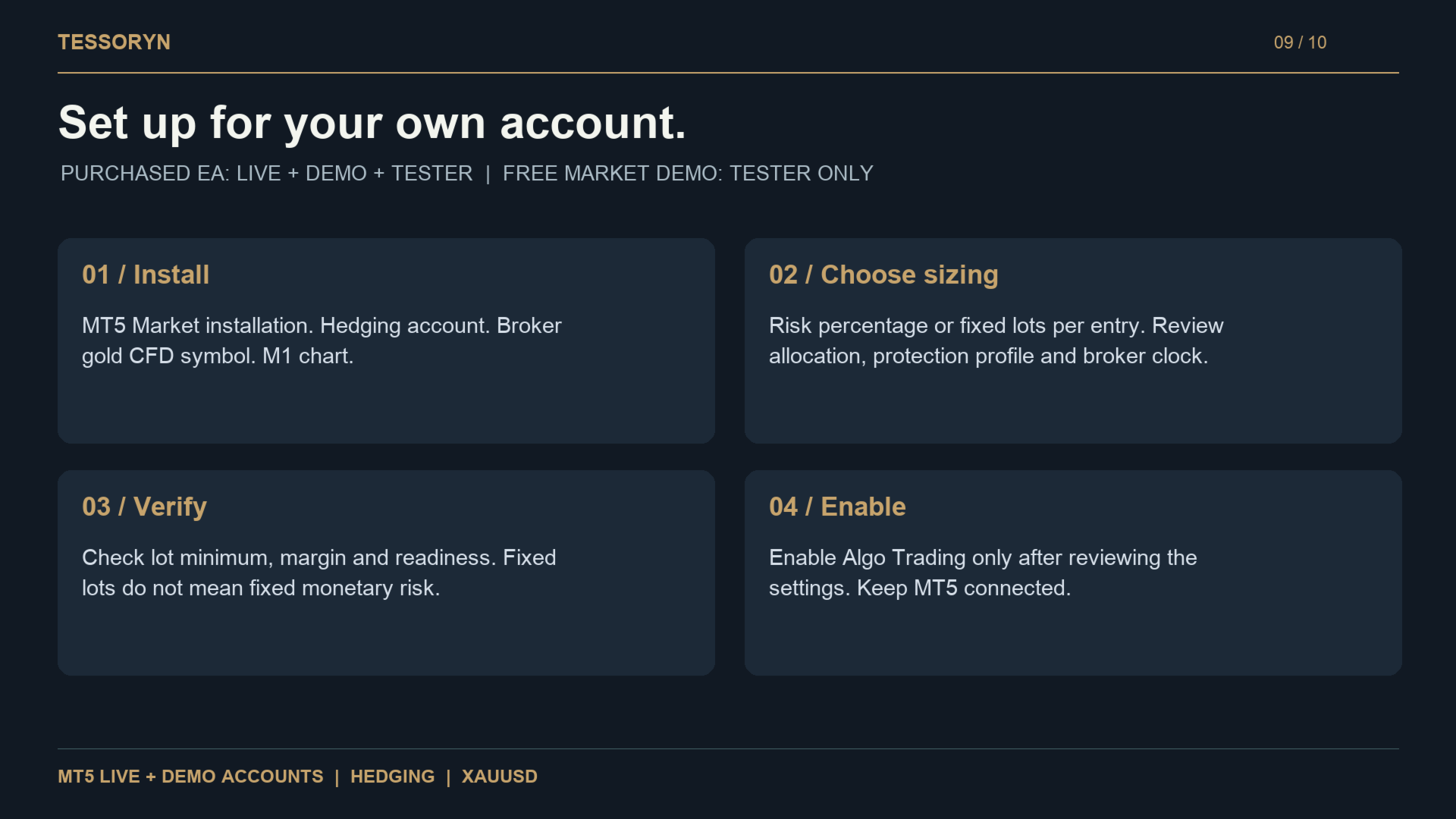
Install Tessoryn through MQL5 Market.
-
Open your broker's Gold/XAUUSD M1 chart.
-
Attach one Tessoryn instance to the symbol.
-
Select your sizing mode and risk profile.
-
Review the risk, news and broker-time settings.
-
Allow the required M1 history to load.
-
Check the Tessoryn dashboard.
-
Enable Algo Trading when the EA is ready.
Keep MetaTrader 5 connected during operation.
Broker symbol specifications, spreads, commissions, swaps, leverage, execution and historical data can affect results.
Before Trading with Real Funds
Test Tessoryn with your own broker in the MT5 Strategy Tester and on a Demo account before using real capital.
The historical results shown in the product gallery are reference backtests from versions 1.00/1.01 and should not be interpreted as version 1.07 performance.
Past backtests do not guarantee future results. Trading leveraged products involves substantial risk and can result in the loss of the entire allocated capital.