SEEN Telegram Signal Executor
- Utilitaires
- Version: 1.0
- Activations: 5

Хорошая идея — добавляю сильное вступление в начало, до подробностей. Вот полный текст с новым разделом.
SEEN Bridge — Telegram Signal Executor
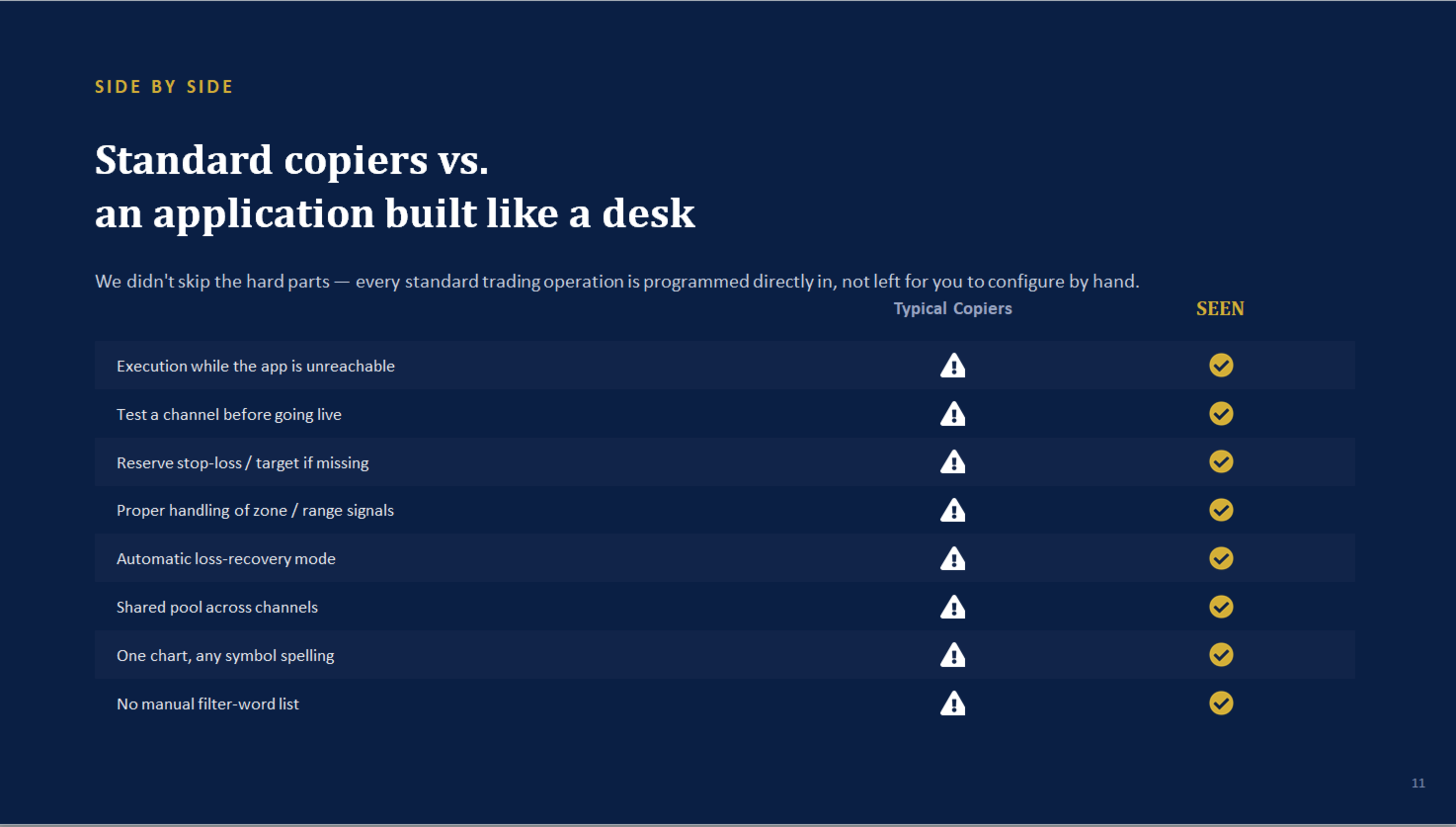
Why traders choose SEEN over a typical Telegram copier:
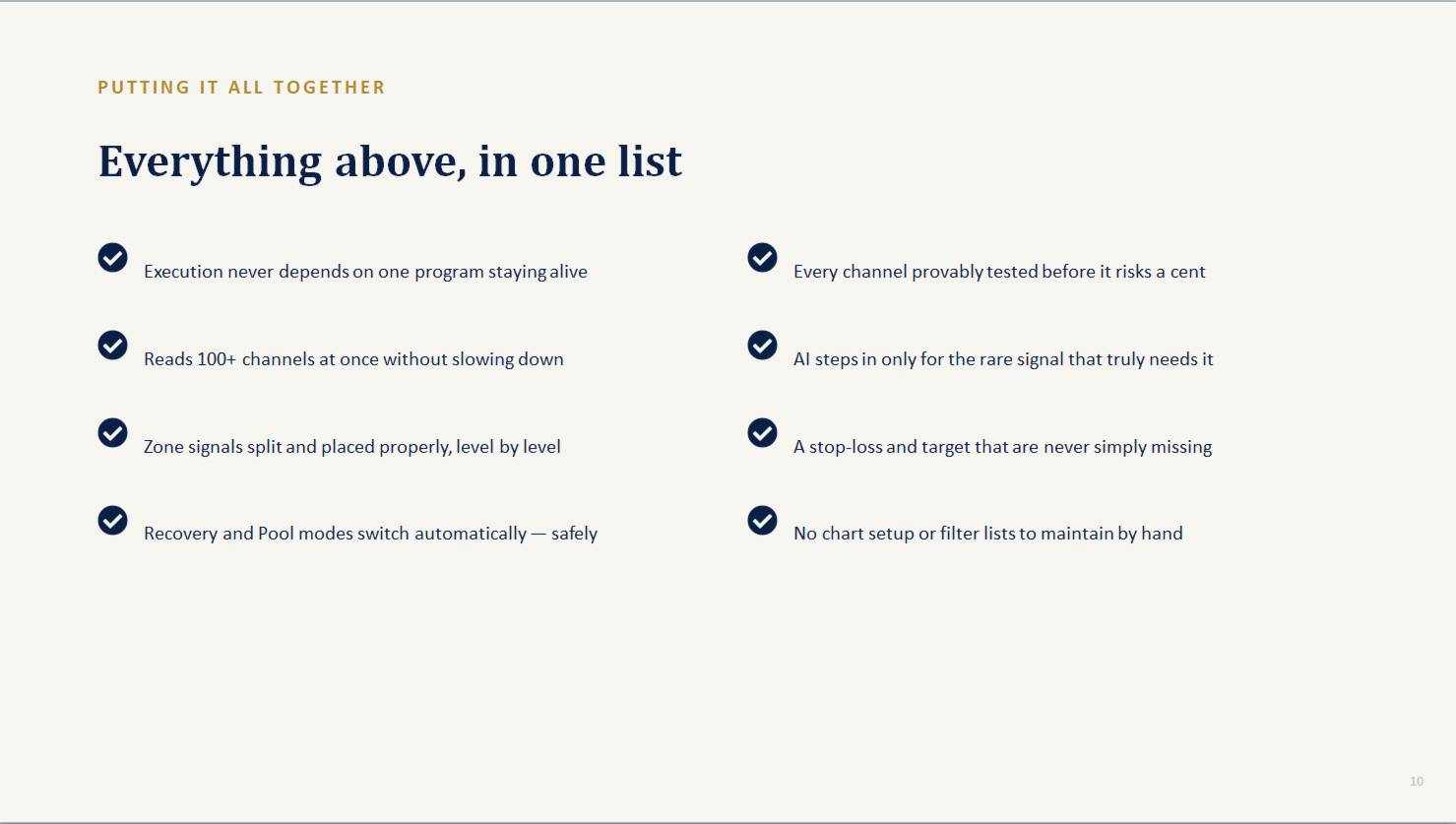
- Independent execution. Most copiers are one single program doing everything at once — read Telegram, decide, and trade, all in the same process. If that one program freezes or your PC hiccups, your open trades are on their own. Here, trade execution runs inside a dedicated EA in MT5 itself, ticking on every price update — it keeps managing your positions even if the desktop app is closed.
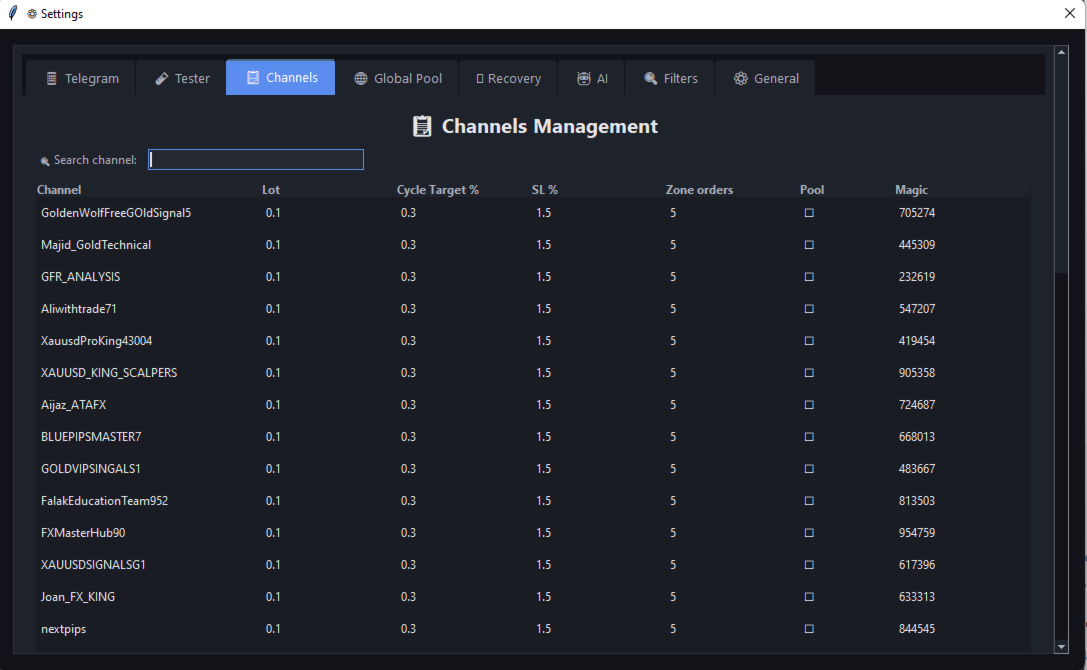
- A parser built for messy, real signals — zones, mixed separators, multi-level targets, emoji walls, stylised fonts — read correctly, across many channels posting at once, without one channel's odd message slowing down the rest.
- Nothing left unprotected. If a provider forgets a stop-loss, or gives one that's unreasonably far away, a reserve stop and target are calculated automatically from your own risk percentage — never a silently unprotected trade.
- Built-in loss recovery and a shared profit pool — automatic, safe by design, and aimed at repaying a setback faster than simply waiting it out.
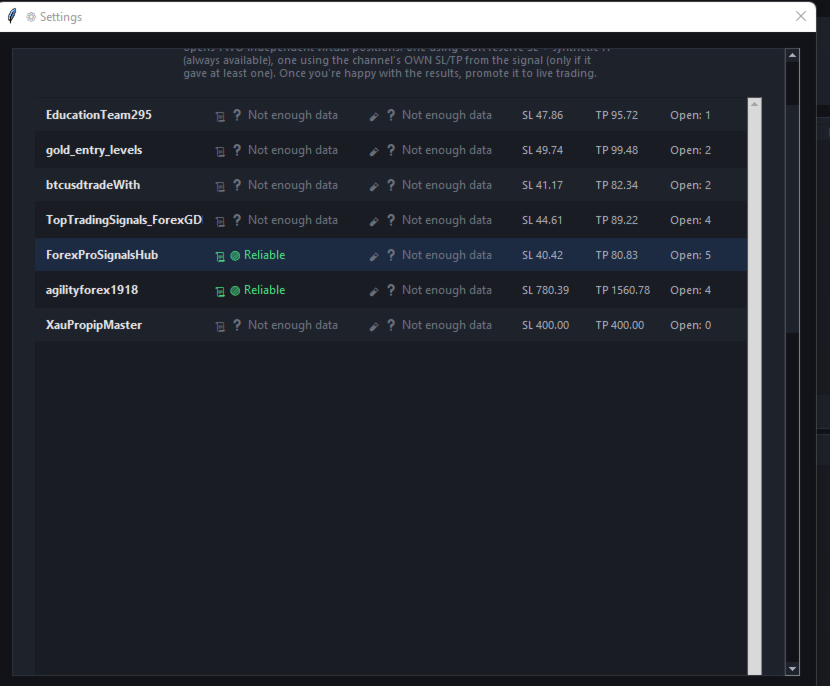
- Test before you trust. A new, unfamiliar provider can be shadowed as virtual trades against real prices — real win rate, real drawdown — before a single dollar is at risk.
- No manual setup per symbol. One chart, and it recognises whatever spelling a provider uses for a symbol on its own.
SEEN Bridge is the execution engine of a two-part signal-copying system. A free companion desktop app reads your Telegram channels and interprets the signals; this EA receives those decisions and handles everything that touches your money — placing, managing, and closing trades — independently, tick by tick, inside MetaTrader 5 itself.
Requirements: This EA requires the free SEEN companion desktop app to be running. It does not trade on its own without it. Full installation guide and download link: [see article].
AI Is a Real Part of Live Trading, Not Just a Backup
AI is allowed to participate directly in decisions that reach real trades, in three specific ways:
- Parsing signals fast pattern-matching can't read. Most signals are read instantly by pattern recognition alone. When a message genuinely doesn't match any known format, the system escalates it to AI to interpret — and the resulting signal goes live the same as any other.
- Reading provider instructions written in plain language. Messages like "move to breakeven" or "close half the position" are understood by AI as real commands and applied to the live trade automatically.
- Checking each AI-interpreted signal for hallucination before it can trade. Every number an AI extracts is cross-checked against the original message text — if AI reports a price that doesn't actually appear in the source text, that signal is rejected outright as unsafe, never opened.
You choose the AI provider yourself: Google Gemini, Groq, or a fully local model through Ollama (for example Llama 3.2) that runs entirely on your own computer with nothing sent anywhere.
Channel Tester — How It Works and Why It Matters
Every provider looks convincing in their own channel description. The Tester exists to check that claim against reality before you risk anything:
- Add a channel to the Tester instead of live trading.
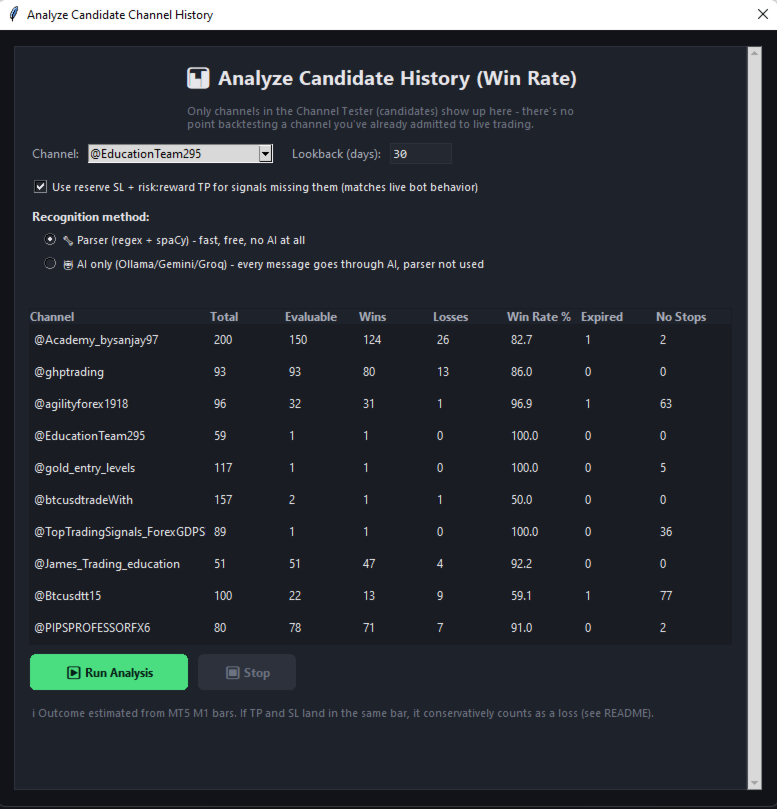
- It reads that channel's real signals through the exact same parser used for live trading, and can also scan back through the channel's own message history to evaluate its past signals, not only new ones going forward.
- Each signal becomes a virtual trade, tracked against real market price movement — no order is ever sent to your broker.
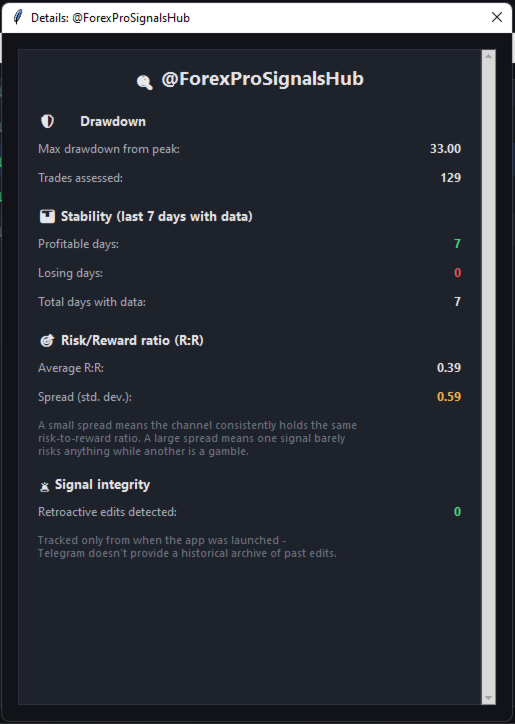
- You get the channel's actual win rate, profit factor, and maximum drawdown — computed from real price action, not from the provider's own claims.
- If a provider edits a signal message after publishing it — a common way of quietly polishing a track record after the fact — the Tester detects and flags it.
- Once you're satisfied, moving that channel to live trading takes a single click, with no settings to re-enter.
Recovery Mode — How It Actually Works
Each channel's running result within its current cycle is tracked continuously. The moment that running result turns negative, Recovery activates automatically for that channel, with no manual step:
- Position size doubles once for the duration of the recovery period — it does not double again with each further loss, so there is no runaway compounding.
- The take-profit target reaches further than normal: if the signal itself provides a second, more distant target level, that one is used; otherwise a reserve target is calculated to give the position more room to recover the debt.
- This continues until the channel's accumulated debt is fully repaid and its normal profit target is reached again — at that point, both position size and target logic reset back to standard Normal-mode behaviour automatically.
Global Pool — The Core Idea
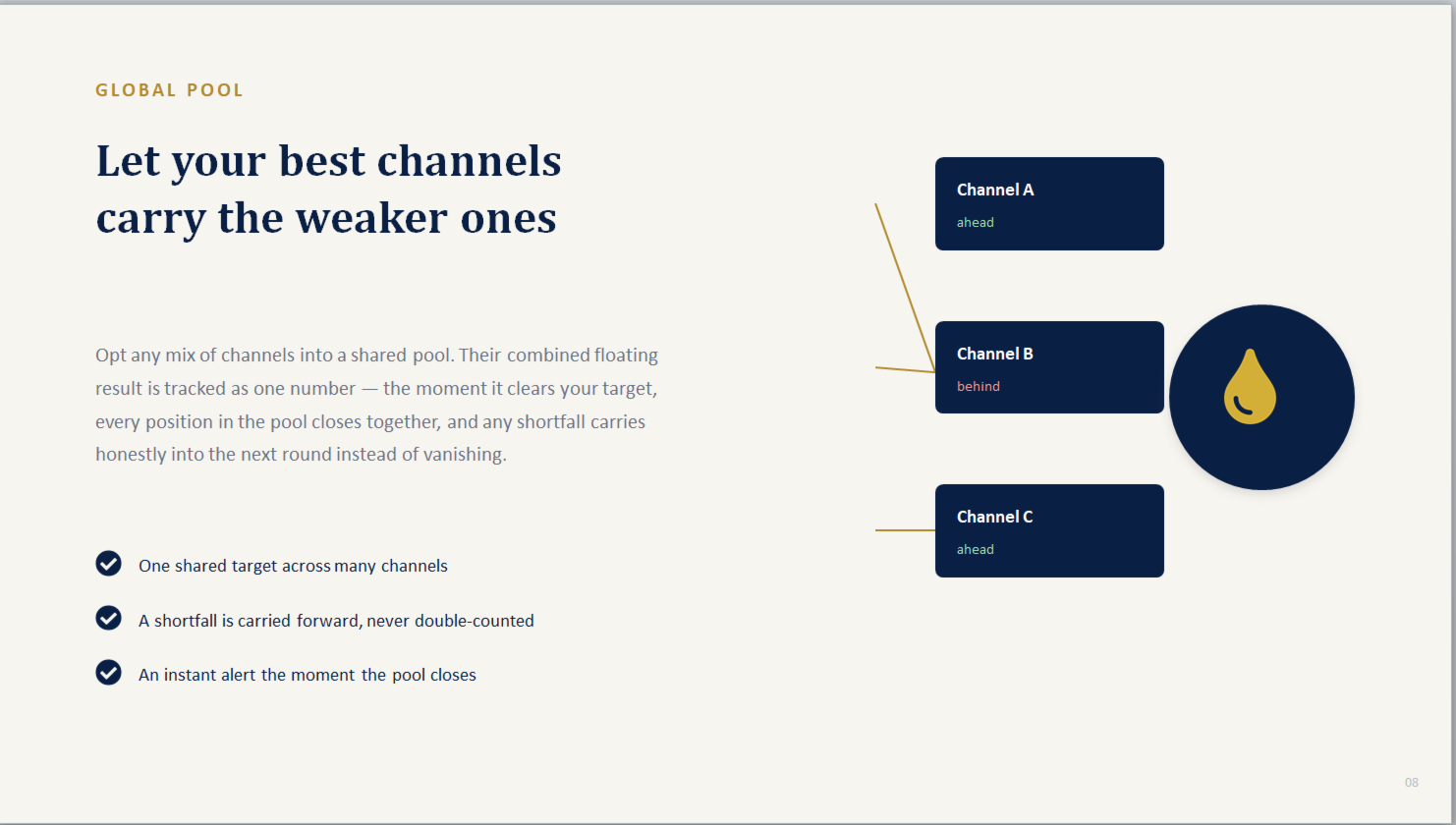
Instead of judging every channel in complete isolation, Pool mode lets you group any mix of channels together to share one single, combined profit target:
- The floating result of every pool participant is added together and tracked as one number.
- The moment that combined total clears the target, every open position across every channel in the pool closes at once — together, in the same instant.
- A channel currently sitting at a loss inside the pool doesn't need to recover on its own — a stronger-performing channel in the same pool can carry it across the line.
- If the target isn't reached yet, any shortfall is carried forward honestly into the next round rather than being silently dropped or double-counted.
The underlying idea is diversification within a single basket: smoothing out one channel's rough patch using the pool's combined performance, rather than waiting on that one channel alone.
Reports and Remote Control via Telegram
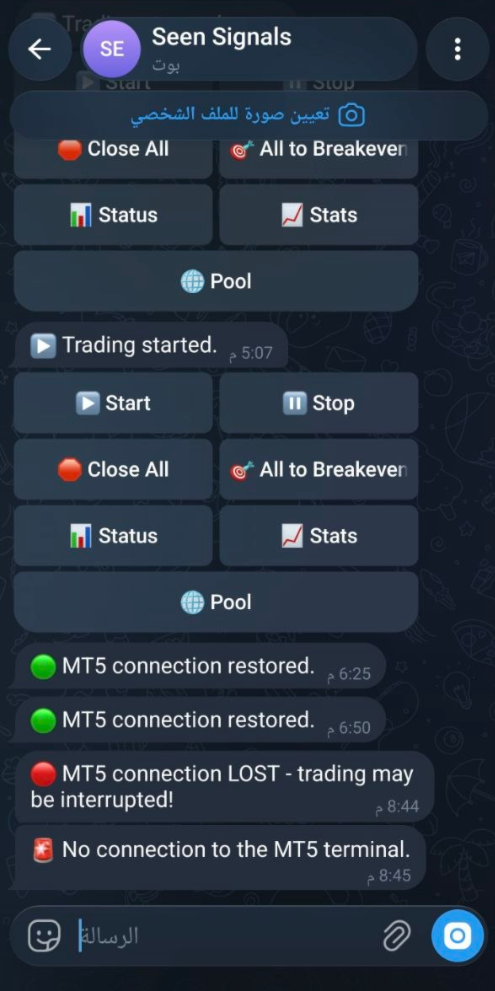
- The EA can message you directly on Telegram — for example if the desktop app goes offline, or the moment a Global Pool target is reached — sent straight from the EA itself, even without the desktop app running.
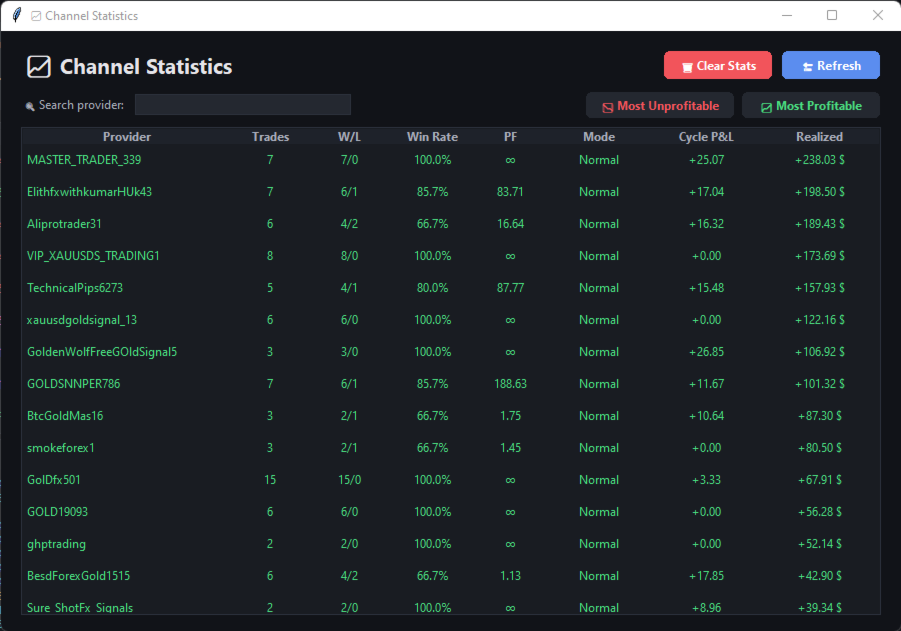
- A built-in Telegram control bot lets you check status, view statistics, monitor pool health, and close everything, directly from your phone — restricted to your own Telegram account only.
This product does not guarantee profit. Trading involves risk, and past or simulated performance does not indicate future results.